Most companies now treat video as standard infrastructure.
Product walkthroughs live inside SaaS apps, onboarding and compliance training run on internal portals, paid courses are delivered through e-learning platforms, and investor or all hands meetings are recorded by default.
According to HubSpot’s 2025 State of Marketing Report, nearly 9 in 10 businesses use video in their marketing and customer communication plans, and that share keeps rising.
What has not kept pace is how seriously teams treat the security of that video. Sensitive town halls end up on semi-public links. Paid course libraries are delivered over simple players that reveal raw video URLs. Engineering teams wire up object storage and a CDN, but never run a focused security review on how those assets are accessed, logged, or revoked. From the outside everything looks fine: videos play, pages load, analytics dashboards show views.
Underneath, the security posture is often an undocumented mix of habits and default settings.
The risk is not abstract. Video recordings routinely contain customer information on screen, internal metrics, roadmaps, and unreleased product details. One open bucket or unprotected “internal only” workspace can turn into a regulatory problem, a contractual dispute with an enterprise customer, and a reputational hit in a single incident.
For video-heavy businesses like SaaS products, e-learning platforms, OTT and media services, and content-led brands, secure video hosting for SaaS and paid content businesses is therefore a core security concern. It spans identity and access management, encryption, DRM and watermarking, monitoring, incident response, and how your video platform integrates with the rest of your stack. A vague claim that “our vendor handles security” is not enough.
What Secure Video Hosting Actually Means for SaaS and Paid Content
Secure video hosting is not just about private links or password-protected pages. For SaaS products, e-learning platforms, and subscription-based video businesses, it means enforceable access control tied to user identity, encrypted streaming, token-based playback, DRM when required, and operational visibility over who watched what.
If video is part of your product or revenue model, it must be protected with the same discipline as your application infrastructure.
This article gives you a practical checklist for secure video hosting in SaaS, e-learning, and subscription-based video platforms. You can use it in two ways: to audit your current setup, and to evaluate any video hosting or streaming provider you are considering. We will keep it concise but dense:
- First, by clarifying the real risks of insecure business video hosting.
- Then by giving you a compact security checklist for secure video hosting that teams can actually run through.
- Finally, by showing how a secure video platform like Gumlet maps onto that checklist, so you can see what it looks like in a real product usage scenario.
Key Takeaways
- Business video now includes internal town halls, customer recordings, onboarding, paid courses, and OTT catalogs, so insecure hosting is a real security and revenue risk, not a niche problem.
- The main risks are piracy and IP theft, cloud misconfigurations that expose recordings, misuse of public platforms for private workflows, and the resulting compliance and trust damage.
- A practical secure video hosting checklist covers seven areas: access and identity, encrypted transport and storage, content protection with signed URLs and DRM, vendor security and data residency, monitoring and incident response, performance under protection, and automation with governance.
- Non-public videos should never rely on static or unlisted links. Instead, use SSO and RBAC, workspace and per video privacy modes, domain and embed restrictions, encrypted HLS or DASH, and short-lived playback tokens.
- High value catalogs such as paid courses or OTT content need stronger controls: DRM, dynamic watermarking, geo and IP rules, and concurrency limits tied to real entitlements.
- Your video provider must meet the same security bar as other core SaaS vendors, with clear documentation, data residency options, admin MFA, and audit logs for sensitive configuration changes.
- Monitoring should make video events visible alongside other security telemetry, with access logs, error breakdowns, anomaly alerts, and concrete playbooks for revoking tokens, blocking abuse, and unpublishing content.
- Security must not break playback: encrypted and DRM-protected streams should still start quickly and use adaptive bitrate streaming inside your SaaS app, LMS, or internal portal.
- Automation and governance are essential so policies are enforced through APIs, templates, and secure defaults, with clear separation of duties between security owners, catalog owners, creators, and viewers.
- You can assemble this stack yourself, or benchmark it against secure video hosting with Gumlet, which already provides access control, encrypted streaming, DRM, watermarking, video protection profiles, analytics, and governance for business video workloads.
The Real Risk of Insecure Business Video Hosting
Even if your main systems are hardened, insecure video hosting quietly opens up serious gaps. It affects revenue, compliance, and trust at the same time.
1. Revenue and IP Loss From Piracy
For many teams, video is the product: paid courses, premium memberships, OTT catalogs, certification programs, partner enablement. If that content is easy to copy or restream, you are giving away what you charge for.
Industry estimates put global digital video piracy losses in the tens of billions of dollars annually, with streaming and subscription services hit hardest. When a single user can download and redistribute a full library, you lose direct subscription revenue and undercut future pricing negotiations with customers and partners.
Typical failure modes:
- Raw MP4 URLs exposed in page source or network traces.
- HLS playlists and segments served unencrypted.
- Simple “unlisted” or “password-protected” pages for content that should be treated as product IP.
Once a full course or catalog is mirrored on a piracy site or shared drive, you cannot realistically claw it back.
2. Cloud Misconfigurations and Compliance Exposure
Most business video now lives in cloud storage and is delivered over CDNs. Misconfigurations here are common. Multiple studies show that a large share of cloud breaches still come from exposed buckets, bad access policies, and unreviewed defaults rather than sophisticated exploits.
For video, that looks like:
- “Internal only” training or town hall recordings stored in public or world readable buckets.
- Legacy subdomains still serving old video content without authentication.
- Embeds that bypass your app’s access checks and expose recordings directly.
These recordings routinely show:
- Customer data and tickets on screen
- Internal dashboards, P&L numbers, and roadmaps
- HR or legal discussions never meant for external eyes
In regulated industries or enterprise contracts, that can trigger GDPR questions, vendor risk escalations, or contractual penalties, even if your core application was never breached.
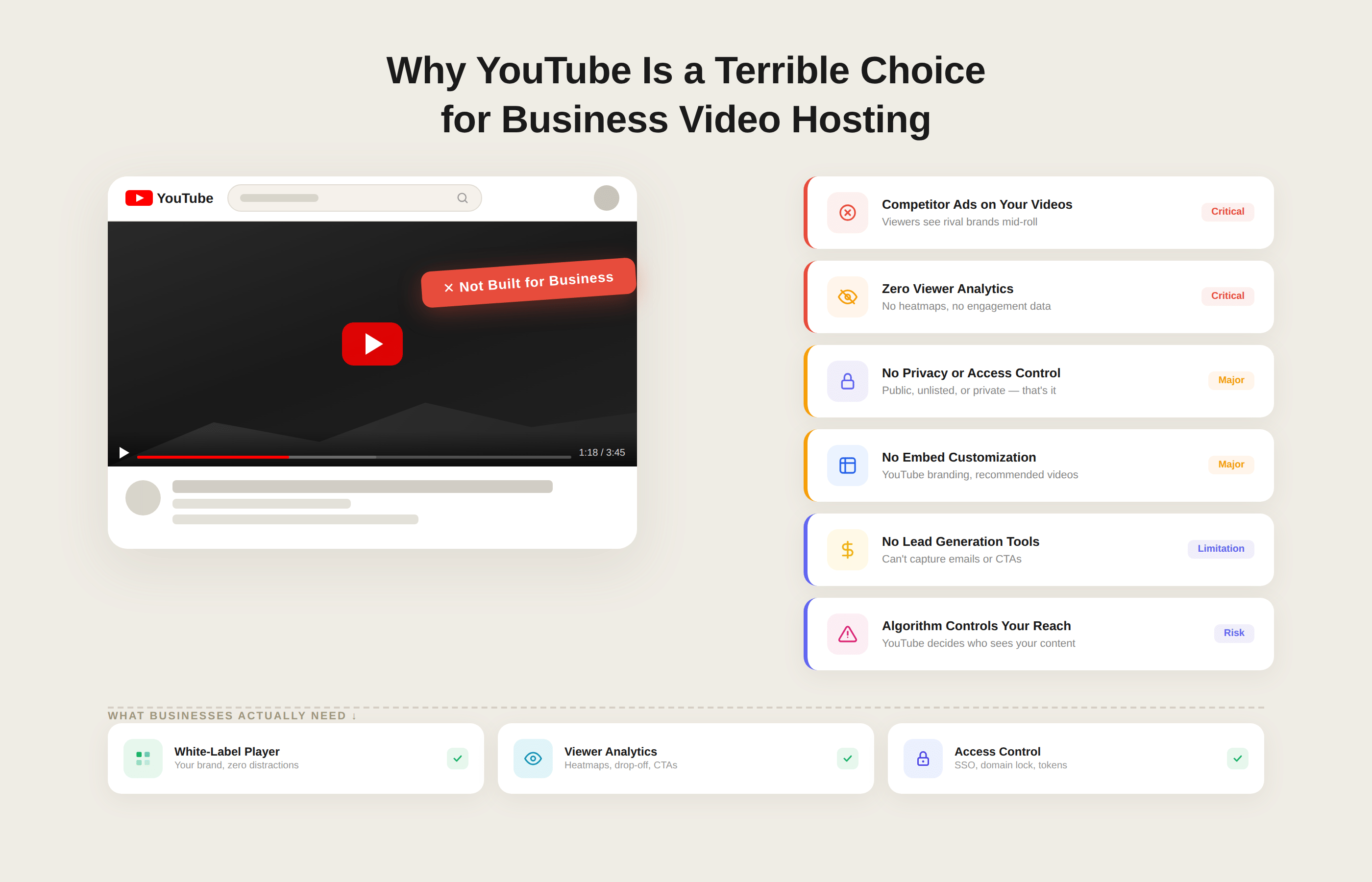
3. Public Platforms Used for Private Workflows
Teams often default to public platforms (for example, marketing-oriented hosts) for internal or customer-only content because they are convenient. Unlisted or lightly protected videos feel private, but in practice they are:
- Easy to share beyond the intended audience
- Easy to scrape or download with commodity tools
- Hard to audit, because you do not control logging or access semantics
You may not notice the problem until:
- An “internal only” town hall is circulating in customer Slack communities.
- A series of customer training videos shows up embedded in a third-party site.
- A partner forwards an “unlisted” link to someone who should not have access.
At that point, you have little visibility into who viewed what and no structured way to respond.
4. Brand and Trust Damage
Even if you absorb the direct financial hit, leaks change how customers and employees see you. Common downstream effects:
- Enterprise customers asking for new security addendums, audits, or vendor replacements.
- Instructors, creators, or partners losing confidence in your platform if their content is widely pirated.
- Employees hesitating to speak freely in recorded sessions if they have seen internal videos leak before.
The problem is not only that something leaked, but that you cannot demonstrate that you had reasonable controls in place for something as obviously sensitive as a “private” video library.
Why a Checklist is Necessary
Video sits across teams and tools: product, marketing, sales, customer success, HR, IT, and security. That is why it often escapes the usual security reviews. No one owns the full picture of where videos are stored, how they are delivered, and which settings protect them.
A structured security checklist for business video hosting gives you a way to:
- Inventory where video lives and how it is accessed
- Turn vague statements like “it’s unlisted” into binary answers (“we have signed URLs for this” or “we do not”).
- Compare your current stack or vendor against a clear baseline of controls.
To keep this practical, the next section compresses those controls into a single, quick checklist you can scan, share, or literally tick off with your team before you look at any platform in detail.
How to Use This Secure Video Hosting Checklist
This checklist is not theory. It is meant to drive concrete decisions about your current stack and any vendor you evaluate.
1. Use it as a Quick Internal Audit
Start by running the checklist against your existing setup, whether you use:
- A managed secure video hosting platform
- A custom combination of S3 or other object storage with a CDN
- Public platforms and internal file shares stitched together
For each item, mark one of three states:
| Status | What it means |
|---|---|
| Green | Control is in place, documented, and monitored |
| Amber | Partially in place, inconsistent, or dependent on manual steps |
| Red | Not in place or unknown (no one can confidently explain how it is handled) |
You will quickly see patterns: for example, green on HTTPS and basic access control, amber on logging, and red on DRM or watermarking for premium content. Those findings become a focused remediation roadmap instead of a vague “improve video security” task.
2. Use it to Evaluate Video Hosting Vendors
When you speak with video hosting providers, use the checklist as your script:
- Ask them to show, not only claim, how they handle each relevant control.
- Note where something is built in, requires custom engineering, or is simply not supported.
- Pay particular attention to secure streaming, access control, DRM, watermarking, and logging for business or paid content.
You are effectively turning “secure video hosting” from a marketing phrase into a list of verifiable capabilities. That makes it easier to compare Gumlet and other platforms in a fair, security-centric manner.
3. Assign Clear Ownership and Review Cadence
A checklist only works if someone owns it.
- Decide who leads the audit (often security or platform engineering) and who must be in the room (product, content teams, legal or compliance if relevant).
- Fold the checklist into your regular security reviews, at least once a year, and whenever you add a high-risk use-case such as paid courses or large scale internal video learning.
Why Basic Video Stacks Break Under Real Security Requirements
Many teams start with object storage and a CDN, or use marketing-oriented video platforms for convenience. That works for public marketing videos.
It breaks down when you need:
- Token-based access tied to application logins
- Encrypted HLS or DASH instead of exposed MP4 files
- DRM for paid catalogs
- Viewer-level watermarking
- Workspace-level governance and audit logs
At that point, security becomes a mix of storage rules, CDN configuration, custom middleware, and manual policies.
Secure video hosting platforms built specifically for SaaS and paid content consolidate these controls into enforceable, reusable policies instead of scattered infrastructure settings.
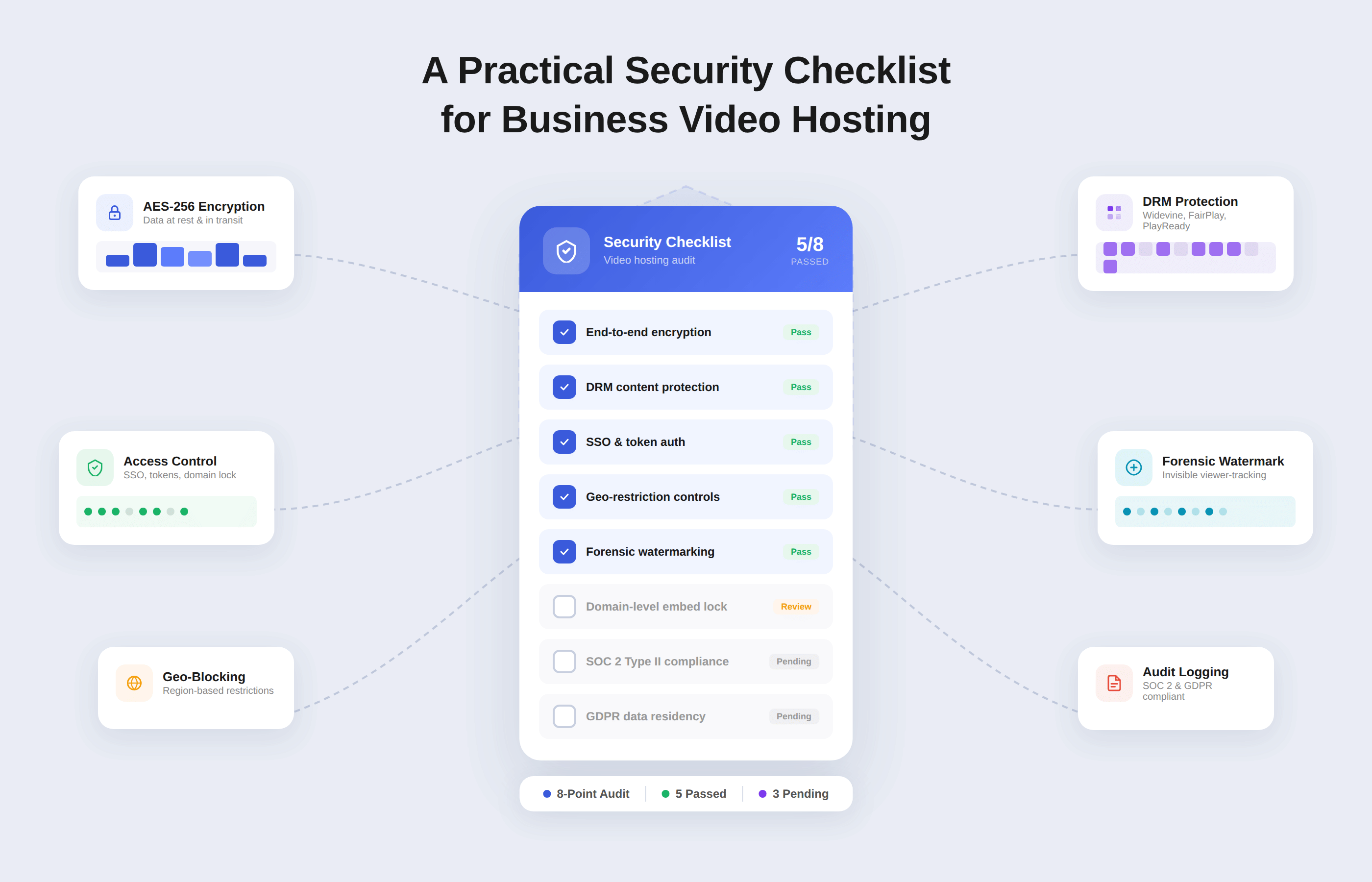
Security Checklist for Business Video Hosting (Quick Summary)
Use this as a one-page checklist. For each row, you should be able to answer "yes, and we can show how" for your current stack or any vendor you are evaluating.
| Category | Control | Question to answer clearly |
|---|---|---|
| Access & identity | SSO and IdP integration | Do employees and partners use existing SSO accounts for video access? |
| Access & identity | Role-based access control (RBAC) | Do we have separate roles for admins, publishers, creators, and viewers? |
| Access & identity | Per video and workspace privacy | Can we mark videos as public, internal, restricted, or paid at scale? |
| Access & identity | Domain and embed restrictions | Can we restrict playback to approved domains and apps only? |
| Transport & storage | HTTPS everywhere | Is all video traffic, APIs, and dashboards served only over HTTPS |
| Transport & storage | Encryption at rest | Are video files, thumbnails, and metadata encrypted in storage and backups |
| Transport & storage | Encrypted HLS or DASH with tokens | Are sensitive videos streamed as encrypted segments with short-lived tokens |
| Content protection | Signed URLs or token-based access | Do non-public videos use expiring, signed URLs instead of static links? |
| Content protection | DRM for high-value content | Can we enable Widevine or FairPlay-style DRM for premium or high-risk content? |
| Content protection | Dynamic watermarking | Can we apply viewer-specific watermarking to trace leaks? |
| Content protection | Geo, IP, and concurrency controls | Can we restrict by country, IP range, and concurrent sessions? |
| Platform security and compliance | Vendor security posture and data residency | Do we have clear documentation on security controls and where data is stored? |
| Platform security and compliance | Admin MFA and audit logs | Are admin actions logged and protected with strong authentication? |
| Monitoring and incident response | Playback and access logs | Can we see who watched what, from where, and when for sensitive videos? |
| Monitoring and incident response | SIEM export and anomaly alerts | Can we export logs and alert on unusual viewing or access patterns? |
| Monitoring and incident response | Fast revocation and kill switches | Can we revoke tokens, invalidate URLs, and block abusive IPs quickly? |
| Performance and UX under security | ABR and startup time for protected streams | Do encrypted or DRM-protected videos still start quickly and adapt to bandwidth? |
| Integration and governance | APIs, templates, secure defaults, separation of duties | Do we have APIs, policy templates, and clear roles so security is automated and consistent? |
You can print this table, paste it into your internal docs, or turn it into a simple scorecard. For many teams, the first pass already reveals that public marketing video is reasonably covered, while internal and paid content is running on weak defaults.
Once you have a first pass:
- Mark each control as green, amber, or red for your current stack.
- Note where a provider needs custom work or third-party tools to match a control.
- Use the gaps to prioritise what to fix first for business-critical video like internal town halls, customer onboarding, or paid courses.
If you prefer to compare against a platform that already implements most of these controls, you can benchmark your current setup against Gumlet. Treat this checklist as your reference, then see which items you get out-of-the-box with Gumlet and which ones you are currently trying to maintain yourself.
Core Access and Transport Controls for Secure Video Hosting
If you get identity, access, and basic encryption wrong, everything else is damage control. This section compresses the essentials.
1. Design a Simple, Explicit Access Model
Before you look at any settings, write down how access should work for your main video types:
- Internal videos: all hands, training, recorded calls
- Customer-facing videos: in-product walkthroughs, success content
- Paid or premium content: courses, member libraries, OTT catalogs
For each, answer:
- Who can watch
- From which identity source (SSO, app login, partner accounts)
- From which locations and devices
- Under what conditions (logged in, active subscription, employee-only, region-allowed)
Your secure video hosting platform should let you implement that model cleanly, not force you to improvise per video.
2. SSO, Identity Provider Integration, and RBAC
At a minimum, your platform should:
- Integrate with your IdP (SAML, OpenID Connect, OAuth) so employees and partners use existing accounts.
- Map IdP groups or claims to roles in the video platform.
- Support role-based access control such as:
| Role type | Typical capabilities |
|---|---|
| Global admin | Account settings, billing, and global security policies |
| Workspace or project owner | Manage specific libraries, folders, and sharing |
| Creator or uploader | Upload and edit content, not global security settings |
| Viewer | Watch content assigned to them, no configuration powers |
Ask vendors to show:
- How SSO is configured end-to-end.
- How they prevent local admin accounts from bypassing SSO and MFA.
- How quickly deprovisioning in your IdP cuts off video access.
If you cannot answer those questions for your current setup, access control is not under control.
3. Per Video and Workspace Privacy Controls
You need more than a single toggle between public and private. For real use-cases, you should be able to set privacy at workspace, folder, and video level with modes such as:
- Public and indexable
- Unlisted but accessible with link
- Internal-only for authenticated users in your organisation
- Restricted to specific groups, accounts, or tenants
- Paywalled or subscription-based
Secure defaults matter:
- Internal workspaces should default to internal or restricted, not public.
- Premium libraries should default to paywalled profiles with stronger protection.
If every uploader has to hand-tune privacy per video, you will get leaks.
4. Domain and Embed Restrictions
Even with good auth, you do not want your player to work everywhere. Domain and referrer checks should let you:
- Whitelist specific web domains and app origins.
- Prevent embeds on unknown or hostile sites, even if iframe code leaks.
- Use different policies for marketing sites, app subdomains, and internal tools.
In practice:
- Marketing videos: Allow your main site and selected partner domains.
- SaaS in-product videos: Allow only app domains and specific internal URLs.
- Internal video: Allow only intranet and VPN-only domains.
Your provider should be able to demonstrate what happens when an embed is loaded from a blocked domain.
5. HTTPS Everywhere and Encryption at Rest
Transport and storage encryption should be non-negotiable:
- All playback, API, upload, and admin traffic must use HTTPS with modern TLS.
- HTTP should be disabled, not available as a fallback.
- Storage that holds video files, thumbnails, and metadata must use encryption at rest, managed keys, and strict access policies.
Ask specifically:
- Are any endpoints still available over plain HTTP?
- Are all buckets or volumes holding video content encrypted at rest?
- How are keys managed and rotated, and who has access?
If there is no clear answer, assume there is a gap.
6. Encrypted Streaming and Short-lived Tokens
For sensitive or paid content, serving raw MP4 files is not acceptable. You should be using:
- HLS or DASH streaming, where videos are split into segments.
- Encryption of those segments, with keys delivered only to authorised players.
- Short-lived playback tokens or signed URLs that encode who can watch what and for how long.
A common pattern:
- Your app authenticates the user and checks entitlements.
- It requests a playback token for a specific video or playlist.
- The video platform validates the token, then serves an encrypted manifest and segments.
- Tokens expire quickly, and can be revoked early if needed.
Key checks:
- Are sensitive videos actually using encrypted HLS or DASH, not just MP4?
- How is the playback token structured, how long does it live, and what happens when it expires?
- Where are encryption keys stored, and how is access-restricted?
7. CDN configuration for secure delivery
Most stacks use a CDN in front of storage. To avoid bypasses:
- Ensure the CDN only serves HTTPS.
- Lock storage so only the CDN origin can reach it.
- Use signed cookies or signed URLs at the CDN so cached content is still access controlled.
- Make sure cache keys include relevant query parameters or headers used for authorisation, so private content is not accidentally shared across users.
If your CDN is configured like a generic static asset cache, your protections may be weaker than they look.
8. Secure Upload and Ingestion
Uploads are an attack surface too, especially if you allow partners or customers to upload video.
Minimum requirements:
- Upload endpoints-only-accept HTTPS.
- Large or resumable uploads are tied to authenticated identities.
- Temporary credentials used for direct-to-storage uploads are scoped tightly and expire quickly.
- Uploaded files are processed and stored in the same protected locations as your own content.
If upload URLs are long-lived, anonymous, or overly permissive, you have given attackers a convenient pipeline.
Questions to Validate Access and Transport
When you apply this part of the checklist, you should be able to answer yes, with evidence, to questions like:
- Can we control video access entirely through our existing SSO and roles?
- For a given internal or premium video, can we show its privacy, allowed domains, and who can change those settings?
- Are sensitive videos always delivered over encrypted HLS or DASH with short-lived tokens, never as open MP4?
- Can we prove that storage and backups are encrypted at rest, and that our CDN cannot be used to bypass access checks?
If any of these remain unclear, it is a sign to either harden your current architecture or move those workflows to secure video hosting that treats access, identity, and encryption as first-class features rather than optional extras.
Content Protection and Platform Security
Once you have access and encryption in place, you still need to stop casual copying, limit sharing, and ensure your provider’s own security posture is acceptable.
1. Match Protection Strength to Content Value
Do not treat all videos the same. Use stricter controls where the business impact is highest:
| Content type | Typical risk | Protection level that makes sense |
|---|---|---|
| Public marketing and docs | Brand only | HTTPS, basic abuse controls, standard CDN |
| Customer onboarding and help | Customer friction and small leaks | Authenticated access, signed URLs, and domain restrictions |
| Internal town halls, training, strategy | Compliance and trust | Auth, signed URLs, domain restrictions, and access logging |
| Paid courses, certifications, OTT catalogs | Direct revenue and IP | Encrypted streaming, tokens, DRM, watermarking, geo, and IP controls |
You will rarely need full DRM for every asset, but you should know exactly which catalogs require it.
2. Signed URLs and Token-based Access
Static URLs for non-public content are a known anti-pattern. A secure video setup should give you:
- Signed URLs or tokens that include resource ID, expiry time, and possibly user or tenant identifiers.
- Server-side checks before any manifest or segment is served.
- Configurable expiry windows based on use-case.
In practice:
- Internal and customer-only videos might use tokens valid for a few minutes.
- Download links for short lived reviews might use slightly longer expiries with explicit revocation.
- Premium or paywalled content should use short-lived tokens tied to account entitlements.
Ask your team or vendor:
- Who issues the tokens
- Where keys are stored and rotated
- How you revoke tokens at scale if something leaks
If your answer is “we rely on unlisted links”, you do not have real content protection.
3. DRM for High Value and Regulated Content
Digital rights management adds a device-level barrier for copying. For high value content, you should be able to enable multi DRM with:
- Widevine for Chrome and Android
- FairPlay for Apple devices and Safari
- Possibly PlayReady for specific desktop and TV environments
A practical DRM workflow:
- Your app checks whether the user is entitled to a specific course, catalog, or channel.
- It requests a playback license from the video platform or DRM service.
- The player requests decryption keys for the stream, linked to that license.
- Licenses expire or are limited by device, session length, or offline rules.
DRM is not a silver bullet. It does:
- Make “right click save” and simple ripping tools much less effective.
- Provide a vendor-supported way to enforce policies like offline playback limits.
For flagship courses, OTT libraries, and licensed content, this is often a contractual requirement, not only a technical “nice to have".
4. Watermarking and Leak Tracing
Even with encryption and DRM, someone can screen record. Watermarking does not stop this, but it helps you trace where leaks come from and deters casual redistribution.
Look for:
- Dynamic, viewer-specific overlays (for example, email or account ID) that are rendered at playback time.
- Options for more subtle watermarking on sensitive internal content and more prominent overlays on high value training or pre-release assets.
- Support for both live and on-demand streams where piracy risk is significant.
If leaked clips appear online, a visible or lightly obfuscated watermark lets you narrow the source to a user, tenant, or region and respond accordingly.
5. Geo, IP, and concurrency controls
Regional rights, internal networks, and seat-based pricing all rely on limiting where and how content is consumed.
You should be able to:
- Restrict specific catalogs to licensed countries or groups of countries.
- Limit internal video access to corporate IP ranges or VPN exits.
- Block or rate limit IPs associated with abuse.
- Set concurrency limits per account, such as “no more than two active streams per subscription”.
These rules should be configurable per workspace, folder, or catalog so you can apply strict controls where you need them without affecting public content.
6. Vendor Security Posture and Data Residency
Content protection features are not enough if the vendor’s overall security is weak.
Baseline expectations:
- A published security overview that covers infrastructure, access control, and incident handling.
- Regular third-party security testing, with a way to obtain summaries or SOC 2-style reports.
- Clear data residency options, for example EU-only storage and processing for EU customers.
- Support for privacy regulations such as GDPR through data processing terms and mechanisms to handle user data requests.
Questions to ask any provider:
- Where is video data stored and processed for each region you serve?
- How is production access controlled and logged?
- How are incidents reported, and what is your communication process?
If answers are vague or marketing-heavy, push for specifics or reconsider the provider.
7. Admin Security and Configuration Auditability
Internally, misconfigured settings often cause more harm than missing features. Your platform should support:
- Strong authentication for admin and publisher accounts, ideally via SSO with multi-factor authentication.
- Granular roles so that only a small number of users can change global security settings.
- Audit logs for actions such as:
- Creating or deleting users
- Changing roles and permissions
- Updating allowed domains, geo rules, DRM, and download settings.
- Creating and revoking API keys
You should be able to export those logs and review them periodically or push them into your SIEM.
Practical Checks for Content Protection and Platform Security
When you apply this part of the checklist, you should aim for crisp answers to questions like:
- Do our non public-videos rely on signed URLs or static links?
- Can we enable DRM and watermarking for the small set of catalogs where piracy would be most damaging?
- Can we restrict high-risk content by geography, IP range, and concurrent sessions?
- Do we know exactly where our video data is stored and which compliance frameworks the provider adheres to?
- Can we review a log of who changed critical video security settings in the last 90 days
If these answers are unclear or depend heavily on tribal knowledge, you are likely carrying more risk than you realise. A secure video hosting platform should make these controls part of its baseline product.
Monitoring, Performance, and Governance
Even with strong controls, you need to see what is happening, keep playback smooth, and make sure security does not depend on individual habits.
1. Treat Video Events as Part of Security Telemetry
Video access should show up in the same universe as your other security signals.
At a minimum, your platform should let you:
- Log who watched what, from where, and when for sensitive or paid videos.
- Differentiate between successful playback, access denied, and technical errors.
- Export logs programmatically, not just through a dashboard.
A simple mapping:
| Area | What you need | Why it matters |
|---|---|---|
| Access logs | User or account ID, IP, country, device, video ID, timestamp | Investigate leaks, answer customer or auditor queries |
| Error logs | Token failures, license errors, blocked geo or domains | Spot misconfigurations before users complain |
| Admin logs | Changes to roles, policies, allowed domains, and DRM settings | Detect risky changes and insider errors |
If your security or operations team cannot see video events in their usual tools, you will miss problems.
2. Detect and React to Unusual Patterns
You do not need machine learning to catch most issues. Start with simple questions:
- Are we seeing sudden spikes in views for internal-only videos?
- Is protected content being accessed from regions where we do not have customers or staff?
- Are many requests coming from data center IP ranges that look like scrapers?
Use your video platform or SIEM (Security Information and Event Management) to build basic alerts, for example:
- Threshold alerts on view counts for specific internal playlists.
- Anomaly alerts on geo distribution for premium catalogs.
- Alerts on repeated access denied or token errors that may signal scripted abuse.
You should also have a clear playbook for what to do when a leak is reported or a suspicious pattern appears:
- Who checks logs and confirms scope.
- Who can revoke tokens, change rules, or unpublish content.
- How you communicate with affected teams or customers.
3. Keep Secure Playback Fast and Reliable
Security that breaks playback will be disabled quietly. You need to know that protected videos perform almost as well as open ones.
Your platform should give you metrics such as:
- Startup time and time to first frame for protected streams.
- Buffering ratio and stall events for encrypted or DRM content.
- Error rates split by cause, including license and token failures.
Use those to answer:
- Do encrypted or DRM-protected videos start within an acceptable time window?
- Is buffering significantly worse for protected content than for public marketing videos?
- Are most playback failures due to network conditions or to security configuration?
If secure videos consistently perform worse, investigate:
- Where authentication, token generation, and license services are located.
- Whether your CDN and caching strategy treat protected content correctly.
- Whether any custom middleware is adding latency or fragility.
The goal is to ensure that viewers hardly notice the extra security measures that have been put in place.
4. Automate Security Through APIs, Templates, and Defaults
Manual configuration does not scale. A secure video platform should expose:
- APIs to upload videos, apply policies, generate tokens, revoke access, and retrieve logs.
- Policy templates or profiles, for example:
- Public marketing
- Internal-only
- Premium or paywalled
- Workspace or folder-level defaults, so new videos inherit the right settings.
A typical pattern:
- Product and learning teams choose a profile such as "internal training" or "paid course" when creating a library.
- Upload and publishing workflows apply that profile automatically.
- Engineering or security teams maintain the profiles and update them when policy changes, rather than editing hundreds of videos by hand.
This is how you keep security consistent when new content and new projects appear every week.
5. Separate Responsibilities Inside Your Organisation
No single person should be able to upload a sensitive video and also weaken all global controls.
Aim for clear separation:
- Security or platform engineering: Define global policies, allowed domains, geo rules, default profiles.
- Workspace or catalog owners: Manage specific libraries and who can access them.
- Creators: Upload and update content inside defined fences.
- Viewers: Consume content, with no configuration powers.
Check:
- Who can change global security settings today,
- Whether access to risky controls like "allow public" or "disable DRM" is restricted.
- How changes are reviewed in high-risk environments, such as a premium course catalog.
If everyone is effectively an admin, misconfigurations are a matter of time.
6. Periodic Review That Includes Video
Finally, fold video into your regular security rhythm. Once or twice a year, or when a major new video use-case launches:
- Re-run the condensed checklist mentioned earlier.
- Review logs for a sample of internal and premium videos.
- Confirm that policy templates and defaults still match your risk model.
- Exercise your incident path at least once, even if only as a tabletop exercise.
Use the checklist as a standing agenda so that video security is reviewed alongside application security, identity, and infrastructure.
How Gumlet Maps to This Secure Video Hosting Checklist
| Capability | DIY Storage + CDN | Marketing Video Platforms | Gumlet |
|---|---|---|---|
| Token-based access control | Requires custom logic | Limited | Native |
| Encrypted adaptive streaming | Manual setup | Basic | Built-in |
| DRM for premium content | Complex integration | Rare | Supported |
| Dynamic watermarking | Custom development | Typically unavailable | Supported |
| Workspace-level governance | Custom implementation | Minimal | Native |
| Playback and protection analytics | Fragmented | Basic | Integrated |
You can attempt to assemble most of this checklist using object storage, a CDN, DRM providers, and custom middleware. However, maintaining that architecture adds operational complexity and increases the risk of misconfiguration over time.
Gumlet was built as a secure video hosting platform for SaaS, e-learning, and paid content businesses that require access control, encrypted streaming, DRM, and governance without stitching together multiple systems.
Teams that do not want to own that complexity often prefer a platform where these controls are part of the baseline. This section maps the key checklist areas to how Gumlet actually works so you can benchmark your current stack against it.
1. Access Control, Workspaces, and Private Video Hosting
Gumlet is built as a video platform, not just storage. You organise content into workspaces and folders, then apply different privacy and access policies per workspace:
- Public libraries for marketing and docs
- Internal libraries for company communications
- Restricted libraries for customer-specific or partner-only content
Private video hosting in Gumlet lets you mark videos and collections as internal, unlisted, or fully restricted, with role-based access for admins, editors, and viewers. You can combine this with allowed domain settings so embeds only work on your app domains, LMS, or intranet, which aligns directly with the access and domain control parts of the checklist.
If you run SaaS or e-learning products, you can keep identity in your own app, pass signed tokens to Gumlet, and let the platform enforce access on each play request rather than hard coding rules at the CDN.
2. Secure Delivery, Tokens, and Encrypted Streaming
On the transport side, Gumlet runs encrypted storage behind a global CDN and serves traffic only over HTTPS. Video is transcoded into adaptive streaming formats and delivered as segments instead of raw files.
For access, Gumlet supports:
- Signed URLs and token-based access with expiry and path constraints.
- Origin locking so storage is not exposed directly.
- Protection settings that let you enforce secure streaming for specific workspaces or projects.
That covers the “HTTPS everywhere, encryption at rest, encrypted HLS or DASH, short-lived tokens, and locked down origins” cluster without you having to engineer each piece. For most teams, the remaining work is integrating token generation with their own authentication and entitlement logic.
3. DRM, Watermarking, and Video Protection
Gumlet’s strongest overlap with this checklist is in content protection:
1. DRM for Premium Content
Gumlet supports multi DRM (for example Widevine and FairPlay) so you can protect high value catalogs at the device level instead of relying only on obscurity.
2. Dynamic Watermarking
You can overlay viewer-specific identifiers on streams, which is exactly what you need for leak tracing in paid courses, OTT catalogs, or sensitive internal sessions.
3. Video Protection Rules
Reusable profiles that combine signed URLs, geo and IP rules, and download control, so you can apply stronger policies to specific libraries without one-off work.
In practice this means you can define a profile such as “paid course” that turns on DRM, signed URLs, domain limits, and watermarking, then apply it to all videos in a catalog instead of configuring each control manually.
4. Monitoring, Analytics, and Incident Response Levers
Gumlet includes detailed video analytics and event data that map to the monitoring part of the checklist:
- Per video and per viewer metrics for watch time, geography, device, and referrer
- Error breakdowns that distinguish playback issues from access denials or protection failures
For security work, this gives you:
- A way to reconstruct who accessed a given internal or premium video.
- Signals to spot abnormal geography or referrers for restricted catalogs.
On the response side, you can invalidate signed URLs by rotating keys or changing expiry, tighten geo and domain rules for specific workspaces, and unpublish or delete problematic assets. Those are the basic “kill switches” you need when you detect abuse.
5. APIs, Automation, and Fit for Common Use Cases
Gumlet exposes its video and protection features through APIs and SDKs, so you can:
- Automate upload and encoding
- Apply protection profiles programmatically
- Generate playback URLs and tokens on demand
- Pull analytics and logs into your own systems
That fits the governance and automation expectations in the checklist. You define a small set of security profiles, wire them into your workflows, and let the platform keep enforcement consistent as teams and catalogs grow.
Typical good fits are:
- SaaS teams embedding secure video directly in product flows
- E-learning platforms offering paid and certificate-bearing video programs
- Internal comms and HR teams that need a secure, central video system for private content.
- Media and OTT brands that want DRM, watermarking, and multi CDN delivery without running their own pipeline.
If your audit with the checklist shows many red or amber items, a practical next step is to benchmark your current setup against Gumlet’s secure video hosting. You can compare, item-by-item, which controls you get out-of-the-box and where you would still need custom work, then decide whether to harden your existing stack or move core workflows to a platform that already meets most of your video security requirements.
Run the Checklist Before Your Next Video Launch
Business video now carries the same weight as documents, databases, and application code.
Internal town halls show strategy and numbers, customer recordings show real user data, and paid libraries are core product. Treating this content as “just files on a CDN” or “unlisted videos on a public platform” is not compatible with how high the stakes have become.
The way forward is to stop thinking of “secure video hosting” as a vague label and start treating it as a set of controls you can verify. The checklist in this guide gives you that structure: identity and access, encrypted transport and storage, content protection with signed URLs and DRM, vendor posture and data residency, monitoring and incident response, performance under protection, and automation with clear governance. If you can answer each control with “yes, and here is how we do it”, you are in a very different place from a stack held together by defaults and old assumptions.
You do not have to fix everything at once. A realistic sequence is to start with the basics for internal and paid content: enforce HTTPS everywhere, clean up privacy modes and workspaces, move from static links to signed URLs, lock embeds to your own domains, and switch on useful logging for sensitive libraries. Once that is stable, you can enable DRM and watermarking for the few catalogs where piracy or leaks would be genuinely painful, and tighten geo, IP, and concurrency rules where contracts or pricing depend on it.
Where you save the most effort is in how you implement those controls. You can continue to assemble them from storage, CDNs, and custom glue, or you can treat secure video hosting with Gumlet as a reference implementation of this checklist and compare it to what you run today.
For many SaaS, e-learning, media, and internal comms teams, that comparison quickly shows whether it is still worth maintaining a bespoke stack or whether consolidating onto a platform that already provides access control, encrypted streaming, DRM, video protection, analytics, and governance is the safer path.
When Gumlet Is the Right Fit
Gumlet is particularly well suited for:
- SaaS products embedding video inside authenticated user workflows
- E-learning platforms delivering paid or certificate-based programs
- Subscription-based video libraries that require DRM and watermarking
- Product teams that need token-based access control without custom CDN engineering
If your use case involves controlled access, premium content, or application-level identity enforcement, a secure video hosting platform like Gumlet provides a more reliable foundation than generic storage and public video tools.
FAQs
1. What is a secure video hosting checklist and who should own it?
A secure video hosting checklist is a structured list of technical and process controls that define what “secure” actually means for your video stack. It turns vague statements such as “our platform is secure” into specific questions about access control, encryption, DRM, watermarking, logging, and governance. Ownership usually sits with security or platform engineering, but it only works if product, content, and legal or compliance teams are involved. Security can drive the checklist and remediation, but the teams who create and rely on video need to agree on which controls apply to each library and use case.
2. Why is using YouTube or similar public platforms not enough for business video security?
Public video platforms are optimised for reach and discovery, not for enterprise security. Features such as unlisted links or simple password protection are convenient, but they do not provide signed URLs, short lived playback tokens, detailed access logs, DRM, or viewer specific watermarking. You also do not control data residency, admin audit logs, or integration with your identity provider. This is usually acceptable for marketing assets; it is not acceptable for internal town halls, customer recordings with data on screen, or paid content where piracy and contract terms matter. For those, you need dedicated secure video hosting or a platform like Gumlet that is designed for business workloads.
3. Which security features are non-negotiable for most business video stacks?
Across industries, a few controls tend to be non negotiable. All traffic should use HTTPS, and stored video assets should be encrypted at rest. Non public videos should rely on token based access or signed URLs, not static links. You should have role based access control, per video or per workspace privacy modes, and domain restrictions so embeds only work where intended. At the monitoring level, you need meaningful access logs and the ability to revoke tokens or invalidate URLs quickly if something leaks. DRM, watermarking, and geo or concurrency controls then become essential for high value catalogs such as paid courses, OTT content, or partner only material.
4. How can we reduce piracy and unauthorised downloads of our videos in practice?
You cannot completely stop someone from capturing content, but you can make piracy difficult and risky. The first step is to avoid exposing raw MP4 URLs and instead use encrypted HLS or DASH with short lived tokens. Combining this with domain restrictions prevents simple embeds on unauthorised sites. For premium content, DRM reduces the effectiveness of common download tools by tying decryption to trusted players and devices. Dynamic watermarking adds deterrence and traceability, because leaked copies can be linked back to specific accounts. Platforms like Gumlet give you these building blocks as configurable options rather than separate projects, which makes it realistic to deploy them across larger catalogs.
5. How often should we review video security settings and our hosting provider?
Video security should follow the same review cadence as your other critical systems. Most organisations benefit from a structured review at least once a year, plus additional reviews when they introduce new high risk use cases such as launching a paid course library, scaling internal video learning, or rolling out video heavy product onboarding. Each review should revisit the core checklist items: access and identity, encryption, content protection, vendor posture, logging, and incident response. It should also include a quick audit of a few high risk libraries to confirm that policy templates and defaults still match your risk model. If your provider cannot meet a growing share of your checklist, that is a signal to harden the existing setup or consider a platform that aligns better, such as secure video hosting designed for business use.
6. Do smaller teams or early stage companies really need this level of secure video hosting?
Smaller teams do not need every advanced control from the start, but they still need basic secure video hosting if their videos contain sensitive information or represent paid value. Early stage companies frequently record investor calls, roadmap sessions, and customer meetings that would be damaging if leaked. Simple steps such as enforcing HTTPS, using private workspaces and correct privacy modes, adopting signed URLs for non-public videos, and enabling domain restrictions already close a large part of the risk surface. Choosing a platform that supports stronger features such as DRM and watermarking from day one means you can switch them on for specific catalogs later without rearchitecting the entire stack.
7. What makes a secure video hosting platform different from a normal video host?
A secure video hosting platform is designed for controlled distribution rather than public reach. It supports token-based access control, encrypted adaptive streaming, DRM, watermarking, domain restrictions, and detailed access logs. Standard marketing video hosts are optimised for discoverability and sharing, not for enforcing entitlement rules inside SaaS or paid content products.