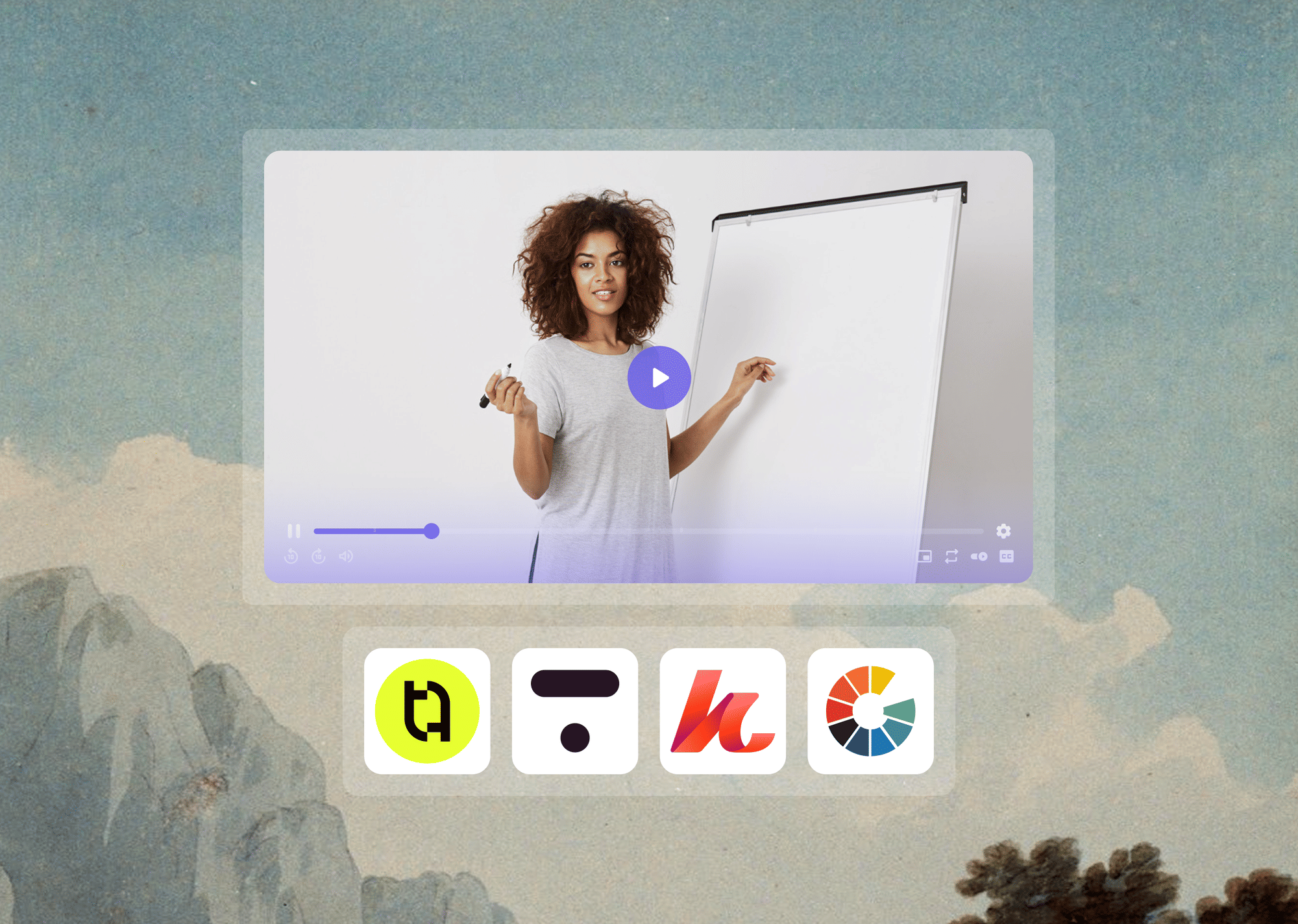
You built the curriculum, recorded the lessons, and priced the course at what it is worth. And now it lives on Teachable, Thinkific, or Kajabi, with a monthly subscription telling you the platform handles the hosting.
Here is the part nobody puts in the onboarding email: your course platform handles course management. Enrollment, checkout, drip scheduling, certificates, community access. That is what it was built for.
The video security layer is a different question entirely, and the answer for most course creators is not what they expect.
In evaluating how course video security actually works across the most widely used platforms, a clear pattern emerged. The findings are worth walking through carefully, because they affect every creator selling paid video content today.
How This Review Was Conducted
Each platform was evaluated against its own published documentation, security feature pages, and independent testing references. Video delivery infrastructure was confirmed by inspecting embed attribution, player source references, and publicly documented HLS stream behavior.
The yt-dlp extraction vulnerability was verified against active GitHub repositories documenting platform-specific extraction methods. Pricing and feature claims were cross-checked against each platform's live pricing pages as of April 2026.
Key Takeaways
- Teachable, Thinkific, and Kajabi all route their video through Wistia's infrastructure. This is confirmed across each platform's own documentation and independent reviews.
- Wistia does not offer DRM (Digital Rights Management) at any pricing tier, including its highest-paid plans.
- Vimeo includes DRM only as an Enterprise add-on. It is not available on any self-serve plan, regardless of price.
- Without DRM, an enrolled student can download your course videos using freely available tools. This does not require technical expertise. The method is publicly documented on GitHub.
- The fix does not require switching course platforms. It requires changing the video layer. A DRM-capable video host can be embedded into Teachable, Thinkific, or Kajabi in minutes, without touching the course structure, checkout flow, or student experience.
What "Video Security" Actually Means for Paid Course Content
There is a distinction here that most platform comparison guides never make, and it is the reason so many course creators assume they are protected when they are not.
Two separate problems exist:
- The first is access control: making sure only enrolled students can reach the video page.
- The second is content protection: making sure an enrolled student cannot extract or copy the video once they are watching it.
Course platforms are generally good at the first problem. They are not built to solve the second.
The Difference Between Access Control and Content Protection
Access control covers signed URLs, domain restrictions, HTTPS enforcement, and password-protected course pages.
All of the platforms discussed in this article handle access control reasonably well. If someone tries to load your lesson URL without being enrolled, they get blocked.
Content protection is a fundamentally different problem. It asks: what happens after an authorized viewer starts watching? Can they download the file? Can they screen-record it cleanly? Can they extract the raw video stream from the browser and save it to their hard drive?
This is where video DRM becomes relevant. DRM, or Digital Rights Management, is an encryption system that prevents video streams from being copied or extracted during playback.
It operates through hardware-level decryption modules built into supported browsers and devices (Google Widevine for Chrome and Android, Apple FairPlay for Safari and iOS, Microsoft PlayReady for Edge and Windows).
Because decryption happens inside a protected module, even screen recording tools that capture other application windows are blocked at the operating-system level on DRM-enabled streams.
No signed URL does this. No domain restriction does this. HTTPS protects the video in transit, not during playback. DRM is the only technology that addresses content protection once the authorized viewer is inside the lesson.
The Two-Layer Problem: A Framework for Evaluating Course Platform Security
Most course creators are protected at Layer 1 (who gets in) and exposed at Layer 2 (what authenticated viewers can do). The distinction can be mapped cleanly:
Layer 1 (Access Control):
Signed URLs, domain restrictions, HTTPS, password protection, login gates. All five platforms reviewed handle this adequately.
Layer 2 (Content Protection):
DRM encryption, hardware-level playback enforcement, screen recording prevention, forensic watermarking. This is where all five platforms either fall short or impose significant cost and access barriers.
Every security claim made by a course platform should be tested against both layers. A platform that scores well on Layer 1 and fails on Layer 2 is not protecting content; it is controlling the door while leaving the windows open.
The Specific Threat Course Creators Actually Face
The risk is not abstract. Two concrete exposure vectors exist for course platforms that do not use DRM.
- The first involves a free, open-source command-line tool called yt-dlp. It is one of the most widely used video download utilities available, with over 159,000 GitHub stars and active development contributions from hundreds of open-source maintainers. No registration, payment, or technical knowledge is required to use it.
It works by extracting HLS (.m3u8) stream URLs from any platform that serves video over standard adaptive streaming without DRM. Once the stream URL is extracted, the entire video downloads as a standard file.
GitHub repositories documenting exactly how to do this for Thinkific, Teachable, and Kajabi are publicly accessible and regularly updated by the open-source community. An enrolled student does not need to be technically sophisticated to find and follow these instructions.
- The second vector is screen recording. Without DRM enforcing hardware-level playback restrictions, no course platform can reliably prevent screen recording software. The video plays. The screen capture runs. The result is a usable file.
Neither of these methods is new. The reason they continue to work on most course platforms is not a technical failure. It is a design choice. Course platforms were not built to prevent content extraction. They were built to sell and manage courses.
The Shared Infrastructure Behind Teachable, Thinkific, and Kajabi
Before evaluating each platform individually, one foundational fact changes how all three should be read together.
Teachable, Thinkific, and Kajabi all route their video through Wistia's infrastructure. Wistia is a well-regarded video hosting platform with strong adaptive playback, high-quality CDN delivery, and good analytics for marketing teams.
It processes the transcoding, generates the multiple quality tiers, and serves the HLS stream to the viewer's browser. On all three course platforms, this layer is what actually delivers the video to the student.
This matters for one specific reason: Wistia does not include DRM in any published plan, and there is no indication of DRM availability even at enterprise pricing levels.
This is confirmed by Wistia's own security documentation and is corroborated by every independent secure video hosting comparison in the industry.
Wistia was designed for marketing video hosting. It was not designed for high-security paid content distribution, and it has never claimed otherwise.
Why This Architecture Exists
Course platforms adopted Wistia's infrastructure because it is genuinely excellent at what it does. Adaptive bitrate streaming, fast global CDN delivery, reliable transcoding, and a clean embedded player.
For a platform whose primary job is course management, outsourcing the video layer to a specialist makes operational sense.
The security ceiling, however, belongs to Wistia. And since Wistia does not include DRM, none of the three course platforms built on it can offer DRM through their native video infrastructure, regardless of what pricing tier the course creator is on.
This is not a knock on any of these platforms. It is a structural fact that course creators need to understand before assuming their content is protected.
Teachable Video Security: What You Get and What You Do Not
A walkthrough of Teachable's security configuration reveals a platform that does the access control side well. The content protection side is a different picture.
Here is what the standard Teachable setup includes: HTTPS delivery on all video embeds, domain restrictions that prevent the video from loading on external sites, signed/tokenized video URLs that expire after a set period, and password-protected course access at the enrollment level.
These are meaningful controls. They stop non-enrolled users from accessing course content and prevent the Teachable player from being embedded on third-party websites.
What Teachable Does Not Include
Teachable does not include DRM at any pricing tier, including its Pro and Business plans. It does not offer dynamic watermarking (where a viewer's email address or user ID is overlaid on the video to identify leaks). It does not prevent screen recording. It does not encrypt the video stream at the playback level.
What an Enrolled Student Can Actually Do
Teachable uses Wistia's HLS delivery. An enrolled student can open the lesson page, use browser developer tools to locate the .m3u8 stream URL, and pass that URL to yt-dlp or a similar tool. The video downloads to their local device as a standard video file.
Teachable's signed URL system creates some friction because URLs expire, but the window between enrollment and extraction is wide enough to make this viable.
The domain restriction prevents external embedding but does not affect what an authenticated user can do while inside the platform.
This vulnerability applies to every Teachable course using the native video hosting, regardless of course price or plan level.
How to Add DRM to Teachable Without Rebuilding Your Course
The course does not move. Only the video layer changes. Here are steps you can follow to add DRM to your course videos on Teachable without rebuilding your entire course infrastructure:
- Upload course videos to Gumlet.
- Apply DRM at the Gumlet level, using Widevine, FairPlay, and PlayReady across all supported devices and browsers.
- Optionally enable dynamic watermarking to trace leaks by viewer identity.
- Then copy the Gumlet embed code and paste it into the Teachable lesson builder, which accepts HTML embeds.
The student experience does not change. The course still lives on Teachable. Enrollment, checkout, drip scheduling, and certificates all stay exactly where they are.
The only difference here will be the video will now play through a DRM-encrypted stream that yt-dlp cannot extract and that screen recording software cannot cleanly capture.
If you want to understand the specific controls this adds, the detailed guide on how to protect your course videos covers the full spectrum of protection techniques available to course creators.
Thinkific Video Security: What You Get and What You Do Not
Thinkific shares the same underlying Wistia infrastructure as Teachable, but its configuration and feature set differ enough to evaluate separately. The security ceiling, however, is the same.
Thinkific's platform documentation and how it handles video confirm what independent testing has shown: video is routed through Wistia's CDN, transcoded by Wistia's pipeline, and served as an HLS stream to the student's browser. The access control layer is solid. That said, the content protection layer is absent.
What Thinkific Does Not Include
Thinkific does not include DRM on any plan, including its Grow and Thinkific Plus tiers. There is no dynamic watermarking. There is no screen recording protection. The signed URL system provides time-limited access links, which is a meaningful access control but not a content protection measure.
What an Enrolled Student Can Actually Do
The same yt-dlp extraction path documented for Teachable applies directly to Thinkific. A publicly available GitHub repository documents the specific steps: open the lesson, inspect the page source to locate the Wistia-served HLS playlist, and download using yt-dlp.
The documentation notes explicitly that "this Thinkific course uses Wistia to host all course videos, which means every Thinkific video ultimately loads as an HLS .m3u8 playlist." No special skills are required. The barrier to entry for content theft on a standard Thinkific course is a command-line tool and five minutes.
How to Add DRM to Thinkific Without Leaving the Platform
Thinkific supports custom code blocks and iframe embeds inside lesson builders, which is the entry point for the Gumlet embed.
The workflow mirrors the Teachable path: Videos live on Gumlet with DRM and optional watermarking applied, and the player is embedded into the Thinkific lesson via an iframe or HTML embed block.
Course management, student progress tracking, and the Thinkific experience remain unchanged. The video stream is now DRM-protected.
Kajabi Video Security: What You Get and What You Do Not
Kajabi markets Wistia as a premium included feature, and it genuinely is excellent for video quality, adaptive streaming, and the overall course player experience.
Kajabi users effectively receive Wistia's infrastructure bundled into their subscription, including transcoding, CDN delivery, and high-quality adaptive bitrate playback.
The critical point is what that bundled infrastructure does not include. Because Kajabi's video layer is Wistia, and Wistia does not offer DRM, Kajabi cannot offer DRM through its native video hosting at any price point.
This is not unique to Kajabi. It is the same situation as Teachable and Thinkific, because the root infrastructure is identical.
What Kajabi Does Not Include
No DRM on any Kajabi pricing tier, including the highest-priced Pro plan. No dynamic watermarking. No screen recording prevention.
The membership and site-level access controls are among the strongest in the course platform category, but they address who can log in, not what an authenticated member can do with the content once they are inside.
What an Enrolled Member Can Actually Do
An enrolled Kajabi member faces the same extraction path as Teachable and Thinkific users, because the video is served by the same Wistia HLS infrastructure. The membership access layer is robust, but it stops at the login gate.
Once inside, the video stream is accessible to extraction using publicly documented methods. A $1,000 course and a $99 course have the same exposure level because the platform does not differentiate between content tiers at the DRM level.
How to Add DRM to Kajabi Without Rebuilding
Kajabi's product builder accepts HTML embed codes. The Gumlet embed drops in at this point. One consideration worth noting for Kajabi creators: because Kajabi positions its Wistia integration as a premium video feature, it is worth clarifying that replacing the native video with a Gumlet embed does not degrade the viewing experience.
Gumlet's adaptive streaming delivers equivalent playback quality. What it adds is DRM encryption and optional session-level watermarking. Kajabi continues to handle everything else, including course structure, email marketing, and membership management.
Vimeo as a Course Video Host: Where Security Ends
Some course creators use Vimeo independently, either by embedding Vimeo into their course platform rather than using the platform's native video hosting, or by pointing enrolled students directly to unlisted Vimeo links.
This approach is worth evaluating on its own, because the security picture is different from the Wistia-based platforms but contains its own significant gap.
Vimeo offers more privacy controls than most standard course platforms: Domain restrictions, password protection, the ability to hide videos from Vimeo.com, and basic access management are all available on self-serve plans.
For private video hosting use cases that do not require DRM, Vimeo's paid plans provide a reasonable control layer. However, there is a hard line where Vimeo's security capabilities stop.
The Vimeo Security Gap Most Course Creators Miss
Vimeo does not include DRM on any self-serve plan. This covers Starter ($20/month), Standard ($33/month), and Advanced ($108/month).
DRM is available only as an add-on for Vimeo Enterprise customers, which requires a custom pricing agreement and is not accessible through Vimeo's published self-serve tiers at any price point. This is confirmed directly in Vimeo's own help documentation, which notes that "this feature is available as an add-on with the Enterprise plan."
The practical implication: a course creator using Vimeo Pro or Vimeo Advanced to embed videos into their course is relying on domain restrictions and unlisted links for content protection.
Domain restrictions prevent the video from being embedded elsewhere. They do not prevent an authenticated viewer from downloading the file using standard tools.
An unlisted Vimeo link is security through obscurity. If an enrolled student shares the link, or if it is discovered, the content is accessible without any DRM enforcement.
Vimeo Advanced does not change this. The $108/month plan includes deeper analytics, live streaming features, and better privacy controls, but it does not unlock DRM.
The only path to DRM on Vimeo is an Enterprise contract, which is priced well outside the range most independent course creators would consider.
For context, Vimeo's Enterprise plans are typically negotiated at $10,000+ annually and require a sales process. A course creator running a $50,000/year revenue business cannot access DRM on Vimeo without entering an enterprise procurement cycle designed for media companies.
A Reddit user recently expressed their frustration on Vimeo’s excessive enterprise pricing, and how Vimeo is advising them to switch to a $20,000 annual enterprise plan from their $800 annual subscription.
Platform Security: Side-by-Side Comparison
The table below summarizes the security features for each platform tested, based on their default configurations on standard non-enterprise plans.
| Platform | Signed URLs | Domain Restriction | HTTPS | DRM | Dynamic Watermarking | Screen Recording Block |
|---|---|---|---|---|---|---|
| Teachable | Yes | Yes | Yes | No | No | No |
| Thinkific | Yes | Yes | Yes | No | No | No |
| Kajabi | Yes | Yes | Yes | No | No | No |
| Wistia (standalone) | Yes | Yes | Yes | No | No | No |
| Vimeo (self-serve) | Partial | Yes | Yes | No | No | No |
| Vimeo Enterprise | Yes | Yes | Yes | Add-on | No | Yes (with DRM add-on) |
| Gumlet | Yes | Yes | Yes | Yes (Business Plan) | Yes | Yes |
A note on what the table does not show: All six platforms listed in the access control columns (signed URLs, domain restriction, HTTPS) will stop a non-enrolled user from accessing content. None of these controls stop an enrolled, authenticated viewer from extracting content.
This is not a gap in platform implementation, it is a gap in platform design philosophy. Course platforms were not built to solve the content extraction problem. The comparison table reflects that design reality.
For a course priced at $500, a single pirated copy shared on a Telegram group or resold on a grey-market course site represents direct revenue loss.
According to a 2024 MUSO annual data report, a global piracy analytics firm, visits to sites distributing unauthorized content have grown consistently year-over-year across education and publishing categories, with over 216.3 billion visits to piracy websites last year (2023).
The eLearning sector is among those most frequently targeted, given the high per-unit value of course content and the ease of redistributing video files once they are extracted.
The access control row (signed URLs, domain restrictions, HTTPS) is strong across all five platforms. This is good news for keeping non-enrolled users out. But the content protection row tells a different story for creators whose courses are valuable enough to be worth stealing.
The Video Layer Swap: Adding DRM Without Changing Your Course Platform
The course platform is not the problem. The video layer is. And changing the video layer does not require touching the course structure, the checkout flow, or the student experience.
This distinction matters because the most common assumption among course creators is that the only way to get real video protection is to migrate to a new platform.
That assumption leads to inaction, because migration is expensive, disruptive, and risky. The embed path changes that calculus completely.
The Embed-Based DRM Path
Here is how it works in practice:
- Upload course videos to Gumlet. The upload process works through a dashboard, direct upload, or API.
- Apply DRM at the Gumlet level. This activates Widevine for Chrome and Android and FairPlay for Safari and iOS, covering the two most widely-used device and browser matrix for most course audiences.
- Optionally enable dynamic watermarking. This overlays the viewer's email address or user ID on the video during playback, creating a traceable forensic record if a copy leaks. The watermark is session-specific and changes with each viewing session.
- Copy the Gumlet player embed code and paste it into the lesson builder of the course platform. Teachable, Thinkific, and Kajabi all accept HTML embeds or iframes in their lesson content areas.
- The student opens the lesson, the Gumlet player loads inside the familiar course interface, the video plays, DRM is active, and the student sees no difference in the experience.
Course management stays in the course platform. Video security lives at the Gumlet layer. The two functions are separated, which is how they should be, because they require different infrastructure to do well.
For course creators who want to close the security gap without the disruption of rebuilding, Gumlet's video protection is designed to integrate via embed into any platform that accepts an iframe or HTML code block. The video hosting infrastructure handles DRM, adaptive streaming, and CDN delivery. The course platform handles everything else.
See how the setup works and what it costs at Gumlet's pricing page. The tier structure is built for course creators and content businesses at different scales, from individual creators to multi-instructor platforms.
For those comparing multiple DRM-capable platforms before making a decision, the guide covering the best DRM video hosting platforms provides a structured comparison across the main options in the category.
Frequently Asked Questions
1. Does Teachable use DRM to protect course videos?
No. Teachable does not include DRM at any pricing tier. Video is delivered through Wistia's infrastructure, and Wistia does not offer DRM. Course creators who need DRM-level protection must add a separate video host and embed it into Teachable using an HTML embed code. The Teachable course structure, enrollment, and checkout remain unchanged.
2. Can students download videos from Thinkific?
Yes, without additional protection in place. Thinkific delivers course video through Wistia's HLS infrastructure. An enrolled student using freely available tools like yt-dlp can extract the .m3u8 stream URL from the lesson page and download the video as a local file.
This method is publicly documented. Domain restrictions and signed URLs do not prevent this because those controls govern access, not what an authorized viewer can do during playback.
3. Does Wistia have DRM?
No. Wistia does not offer DRM at any pricing tier, including its most expensive plans. Wistia was designed for marketing video hosting, and its security documentation does not include DRM or forensic watermarking among its features. This is why all three course platforms built on Wistia's infrastructure (Teachable, Thinkific, and Kajabi) share the same DRM limitation.
4. Does Vimeo have DRM?
Vimeo offers DRM only as an Enterprise add-on, which requires a custom pricing agreement outside of any published self-serve tier. Vimeo Starter, Standard, and Advanced plans do not include DRM. This is confirmed in Vimeo's own help documentation.
Course creators using any Vimeo self-serve plan cannot enable DRM regardless of how long they have been subscribed or how much they are paying.
5. Can I add DRM to my existing course platform without switching?
Yes. By uploading videos to Gumlet and embedding the Gumlet player into Teachable, Thinkific, or Kajabi, course creators can apply DRM encryption and dynamic watermarking without changing their course platform, payment flow, or student-facing experience.
The course stays on the existing platform. The video stream becomes DRM-protected through the Gumlet layer.
6. What is the difference between a signed URL and DRM?
A signed URL controls who can access the video link and for how long. Once the link expires or is used outside its permitted context, access is denied. DRM controls what an authorized viewer can do with the video stream during playback, including blocking file extraction and limiting screen recording.
Both are useful layers. Only DRM prevents the video file from being extracted by an enrolled, authorized viewer, which is the most common piracy vector for paid course content.
The Bottom Line
Course platforms are excellent at managing courses. They handle enrollment, payments, lesson structure, certificates, and community, and they do all of this well. Video security is a separate discipline, and it requires different infrastructure to do properly.
Teachable, Thinkific, and Kajabi all deliver video through Wistia's infrastructure. Wistia does not include DRM. Vimeo does not include DRM on any self-serve plan.
The practical result is that most paid course videos in circulation today are one yt-dlp command away from being a downloadable file for any enrolled student who wants one.
That is not a reason to abandon these platforms. It is a reason to separate the video layer from the course management layer, and to let each do what it was designed for.
DRM-capable video hosting embedded into an existing course platform is not a workaround. It is the architecture that paid content businesses at scale use by default.