
Your course is live on a pirate site.
Maybe you found a Telegram channel selling it, or maybe a student forwarded you a link. Whatever tipped you off, the moment is the same: you feel your stomach drop, and your brain goes blank.
Take a breath. You are not the first creator to be here, and this is not over.
If your course was pirated and you are not sure what to do first, this is the exact sequence: evidence, takedowns, access cutoff, monitoring, and hardening, in the order in which a leak actually occurs.
What happens in the next 48 hours determines whether you contain one leak or watch your content permanently scatter across file lockers, Telegram channels, and Reddit threads.
The right sequence, worked in order, gets most of this under control before it compounds. Here is that sequence.
The 5-Step Response at a Glance
Before working through each phase in detail, here is the full sequence at a glance so you can track where you are at any point during the response.
- First 2 hours: Screenshot every pirated page, capture full URLs, record pricing shown, and timestamp everything before the content disappears.
- Hours 2 to 6: File DMCA takedown notices on Google Search, platform abuse channels, Cloudflare, and the hosting provider.
- Hours 6 to 24: Rotate passwords, revoke access tokens, check dynamic watermark IDs to identify the source, and contact your platform's trust team.
- Days 1 to 7: Set up Google Alerts, monitor Telegram manually, run piracy-specific search queries, estimate damages, and consult an IP attorney if losses are significant.
- Week 2 onward: Enable DRM, activate dynamic watermarking with viewer email or IP, tighten concurrency limits, audit your student list, and close the structural gaps that made this leak possible.
First 2 Hours: Gather Your Evidence
Before you file anything, you need a documented record. Takedown requests without supporting evidence get deprioritized or rejected outright.
Beyond the immediate response, if this escalates legally, your timestamps and URL captures are the first things an attorney will ask for.
According to a 2024 report cited by DMCA Authority, the average DMCA takedown takes around 10 business days to process. That window only starts when your notice is complete. Getting your documentation right on the first pass saves you days.
- Take full-page screenshots of every pirated location. (5 min) Include the URL bar, the page title, pricing if visible, and any seller profile or channel information. A cropped screenshot that does not show the URL is nearly useless in a formal complaint. Screenshots with visible timestamps are your proof of discovery.
- Record every full URL where your content appears. (5 min) You will paste these directly into takedown forms. Partial URLs, shortened links, or app deep links without the web version captured are harder to process. Get the canonical URL for each location.
- If the leak is on Telegram, capture the channel @handle, the message showing the files, the subscriber count, and any pricing mentioned. (10 min) The subscriber count is relevant to a damages estimate. An active channel with 2,000 members sharing your course carries more weight than a 40-person group, both legally and when signaling severity to a hosting provider.
- Note the pricing the pirate is charging, if any. (2 min) A commercial infringement, where someone is selling your course without authorization, typically triggers faster action from hosting providers than personal, non-commercial sharing. This distinction matters when you are writing abuse reports.
- Save everything to a date-stamped folder. (2 min) You may be adding to this folder for several weeks. A clear naming structure like "2026-04-22-piracy-evidence" prevents chaos when you have 40 files.
If your course was pirated and you are not sure what to do first: start here. Preserve the evidence before you do anything else. Sites go down, Telegram channels get renamed, and pirate listings disappear once they sense scrutiny. The evidence you capture in this window cannot always be recovered later.
Hours 2 to 6: File DMCA Takedowns
The DMCA (Digital Millennium Copyright Act) is the legal mechanism that requires hosting providers to take down content that infringes your copyright when properly notified.
Filing quickly matters because pirated content gets indexed, reshared, and mirrored. According to Google's Transparency Report data, Google processed more than 3.5 billion URL DMCA removal requests in 2024. That volume means a well-formed notice gets into the queue immediately. A vague, incomplete one sits.
Work through these in parallel. You do not need to wait for one to resolve before filing the next.
- File a Google Search DMCA removal request for any pirated URLs appearing in Google results. (15 to 20 min) Use Google's copyright removal tool in Search Console or submit through the LSCR form. This delist the infringing URLs from Google Search results and removes one of the most common discovery paths pirates rely on.
- Report directly to the platform where the content is hosted. (10 to 15 min per platform) Each platform has its own abuse reporting flow. For Telegram, email dmca@telegram.org with the channel @handle, a direct link to the infringing content, your proof of copyright ownership, and a good-faith statement. The in-app @abuse bot handles spam reports, not formal DMCA copyright notices. Your copyright claim requires an email to dmca@telegram.org to be processed under Telegram's designated DMCA procedure.
For Reddit, use the in-post report function and submit a copyright claim. For Facebook and Instagram, use the IP reporting tool in Meta's Help Center. For file-locker sites like 4shared or Mega.nz links shared publicly, locate the platform's abuse or DMCA form and submit it with your documented URLs.
- Check if the pirate site is Cloudflare-fronted and submit a Cloudflare abuse report. (10 min) Run a Cloudflare lookup or use a simple host-checker tool. If the site is behind Cloudflare, submit an abuse report at cloudflare.com/trust-hub/reporting-abuse/. Cloudflare does not host the content, but they will contact the origin host on your behalf. In many cases, that contact alone results in the site being pulled.
- Identify the hosting provider using a WHOIS lookup and file an abuse report directly with them. (15 min) Use a WHOIS tool to find the registrar and hosting provider for any standalone pirate sites. Hosting providers are legally obligated to respond to valid DMCA notices. Most maintain an abuse@ email address or a dedicated reporting form.
DMCA Template: Sample Language (Consult Your Attorney for the Enforceable Version)
"I am the copyright owner of the work described below. I have a good faith belief that material available on your platform infringes my copyright and I request that you remove or disable access to it.
Copyrighted work: [Course name and the URL where it is legitimately published] Infringing URL(s): [Paste each URL on a separate line] My contact information: [Your full legal name, email address, mailing address]
I have a good faith belief that use of the copyrighted material described above is not authorized by the copyright owner, its agent, or the law. I swear, under penalty of perjury, that the information in this notification is accurate, and that I am the owner of the copyright or am authorized to act on behalf of the owner.
Signature: [Your full legal name]"
This sample reflects the DMCA's statutory requirements. It is a starting point, not a substitute for legal counsel. If the leak is large enough to pursue damages, your attorney can prepare the version that will hold up.
Hours 6 to 24: Cut Off the Leak Source
Takedowns remove what is already visible. This window is for stopping the active leak at its origin. The two goals run simultaneously: while your DMCA notices work through queues, you are cutting off whatever access path made this possible.
The most common reasons a course gets stolen are credential sharing, a single compromised student account, and unauthorized recording by someone with legitimate access. Each has a different fix, and several of these actions address more than one source at once.
- Rotate all shared passwords on your course platform, your video host, and any admin accounts. (10 min) If the leak came from a shared login, that access is still live until you change it. This is the single fastest containment action you can take.
- Revoke or suspend access for any student accounts that show suspicious patterns. (10 to 20 min) Look for accounts with refunded purchases that retained access, free coupon abuse, accounts with concurrent logins from different countries, or accounts that purchased very recently and immediately went silent. These are the behavioral signals of someone who bought to steal.
- Regenerate access tokens or rotate signed embed URLs if your platform supports it. (5 to 10 min) On secure video hosting platforms, content is often delivered via time-limited signed URLs. Old tokens that point to leaked files may still function. Rotating them makes those links dead immediately, regardless of how widely they have been shared.
- Pull the dynamic watermark ID from the pirated video, if you have watermarking enabled. (Variable) Dynamic watermarking embeds the viewer's email address or student ID into the video stream at the time of playback, so every copy of the file carries the identity of whoever was watching when it was recorded. If you can see the watermark in the leaked copy, you know who leaked it. If you do not have dynamic watermarking, this step is not available to you, and closing that gap becomes your Week 2 priority.
- Contact your course platform's support or trust-and-safety team. (10 min) Open a ticket now. Many platforms have internal anti-piracy tools and can flag or remove accounts at the platform level, coordinate with their own legal teams, and assist with broader takedown requests. Waiting until business hours on Monday means another 48 to 72 hours of active access.
For a complete picture of what your video hosting stack should be doing on your behalf, Gumlet's video protection features cover the full range of controls from tokenized URLs to DRM-enforced playback, and understanding those layers tells you exactly what gaps you are filling with manual actions right now.
Days 1 to 7: Widen Your Monitoring and Assess Legal Options
The first DMCA takedowns may succeed. The content then re-appears on different platforms, mirrored by people who downloaded copies before the original was removed.
Pirated content does not stay in one place. After a first takedown succeeds, copies that were downloaded before the removal get re-uploaded to new channels and file lockers. Monitoring catches this second and third wave before it compounds into a permanent distribution network.
- Set up Google Alerts for your course name, your module titles, and your name combined with "free download." (15 min) Use quotation marks around exact phrases. Google Alerts runs these searches continuously and emails you when new results appear. It is free, takes less than 15 minutes to configure, and catches re-uploads that surface after your initial takedowns.
- Search Telegram manually for your course name and module titles. (10 to 15 min) Telegram channels are not indexed by Google. Alerts will not catch them. Direct search inside the Telegram app, using the exact course title and individual module names, is currently the only reliable way to monitor this channel.
- Run targeted Google searches for piracy-specific patterns. (10 min) Search for: [your course name] torrent, [your course name] free download, [your course name] mega.nz, and [your course name] cracked. These are the query patterns pirate communities use when indexing course files. Running these searches once does not suffice. Set a calendar reminder to repeat them weekly for the first month.
- Consider a paid monitoring tool if the scale warrants it. (Ongoing) Tools like Bytescare, Mention, and Brand24 automate search across a wider range of channels and deliver alerts without manual effort. For creators with courses priced above $500 or catalogs with multiple titles, the investment typically pays for itself in hours saved.
- Estimate your damages. (30 to 60 min) If the pirated Telegram channel had several hundred subscribers and the content has been reshared across multiple platforms, rough math on lost revenue is worth doing. Multiply your course price by a conservative estimate of the exposed audience.
If that number exceeds $10,000, a consultation with an IP attorney is a reasonable next step. Many IP attorneys offer a free initial consultation to assess whether the case is viable.
Week 2 and Beyond: Prevent the Next Leak
The active crisis is mostly contained at this point. What you do next decides whether this happens again on your next launch.
The structural gap that enabled this leak is still open. DMCA notices and access revocations are reactive. The infrastructure that makes piracy difficult before it starts requires a deliberate setup, and most course creators skip it entirely until after the first incident.
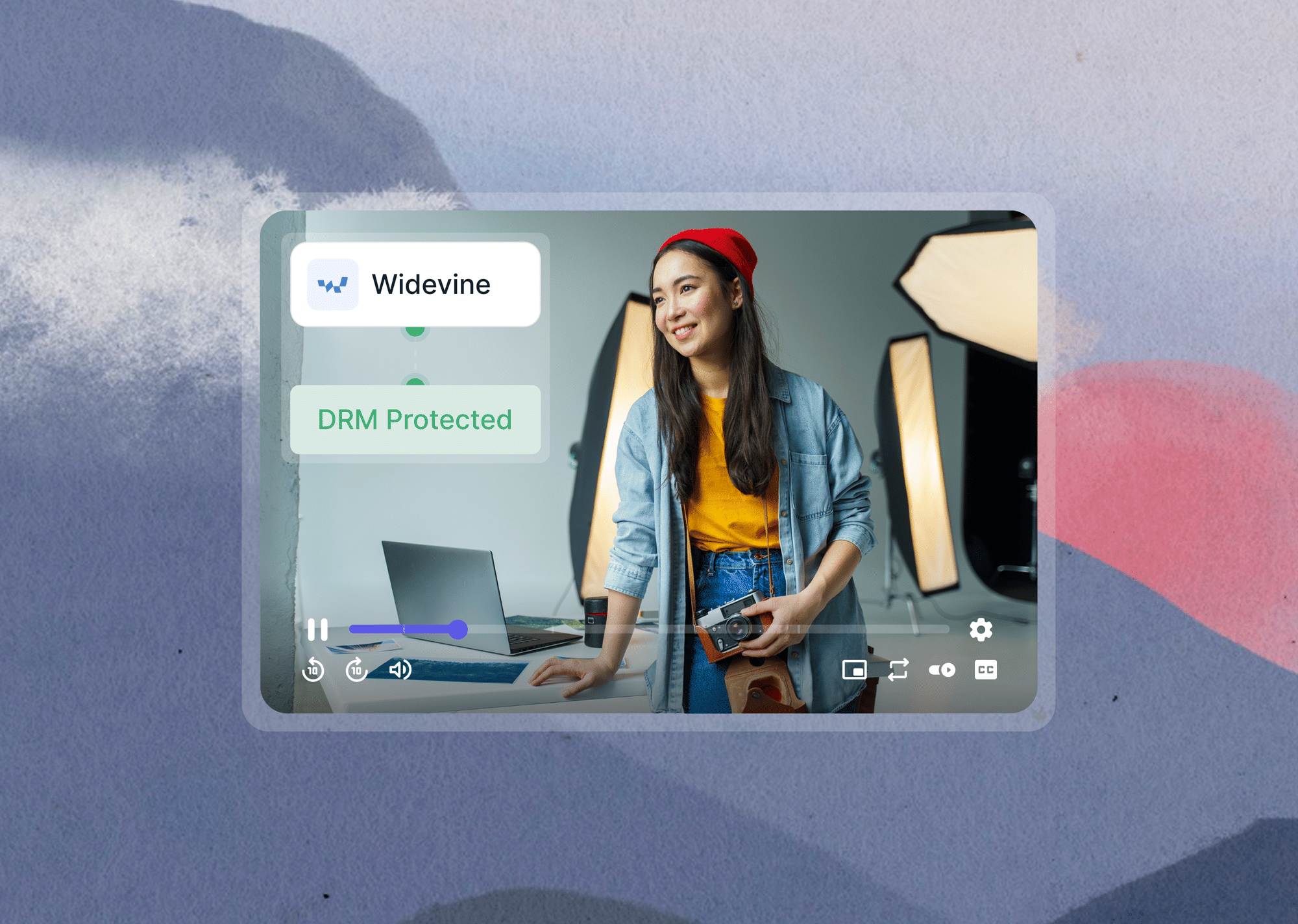
- Enable DRM on your video stack if your current platform does not support it. (Variable depending on platform) DRM (Digital Rights Management) encrypts the video stream so that content cannot be downloaded or played outside of authorized applications. It removes the easiest download path for casual pirates, the ones who use browser extensions and HLS downloaders rather than screen recording tools.
Gumlet's video DRM for course creators supports both Widevine and FairPlay, covering Chrome, Firefox, Safari, and all major mobile environments with a no-code setup.
- Enable dynamic watermarking with student email or viewer IP embedded. (15 to 30 min on supported platforms) This closes the identification gap you encountered in Hours 6 to 24. Once active, every frame of every video carries traceable viewer data. The next leak tells you exactly who is responsible without guessing.
- Set concurrency limits on each student account. (5 to 10 min) Limit accounts to one or two simultaneous streams. This closes the credential-sharing path without requiring any changes to course content or structure.
- Audit your full student account list. (30 to 60 min) While the context is fresh, flag any accounts that show patterns consistent with bulk access abuse: multiple email variations purchasing the same course, accounts with unusual geographic distributions in their login logs, or accounts that never completed a single lesson despite full access.
- Consider re-recording key lessons if the leak is massive and widely cached. (Ongoing) A re-recorded lesson with new watermark IDs renders the old pirated copies outdated without requiring individual takedowns of every cached copy. This is specifically relevant if the pirated version of your course has been downloaded by thousands of people.
For a complete prevention framework to run before your next launch, the guide on how course creators can protect their videos covers the full setup sequence from access controls to DRM to watermarking.
On how to prevent users from downloading your videos, there is an honest breakdown of what is technically possible and what is not, which is worth reading before your next content release.
You are not powerless. Creators who work through this sequence systematically: evidence first, takedowns second, access cutoff third, consistently report shutting down the active spread of a leak within 72 hours. The copies already downloaded cannot all be recalled. But the live channels, the indexed search results, and the open access points can be closed, and that is what this checklist addresses.
The content that has already been copied cannot all be recalled, but the active spread, the channels, the search indexing, the access points, can be shut down systematically.
The creators who never have to run this checklist twice are the ones who close the infrastructure gap after the first incident. The longer a pirated copy sits unchallenged, the more copies propagate across channels. DRM and dynamic watermarking together address the majority of the leak channels this checklist covers, before they become a crisis at all.
If you are ready to harden your video stack so your next launch is not this vulnerable, Gumlet offers video DRM and dynamic watermarking built specifically for course creators who need enterprise-grade protection without enterprise-grade complexity.
How Course Creators Use Gumlet to Prevent Running This Checklist Again
Running this checklist after a leak is the reactive version of course security. The infrastructure decisions you make in Week 2 determine whether you ever need it again.
Gumlet's video protection features is designed specifically around the gaps this checklist exposes. Here is what it addresses directly:
DRM-enforced playback
DRM-enforced playback encrypts the video stream end-to-end, so the content cannot be extracted using browser extensions, HLS downloaders, or download managers. Gumlet's video DRM supports both Widevine and FairPlay, covering all major browsers and mobile environments with no custom player build required.
Dynamic watermarking
Dynamic watermarking embeds the viewer's email address or student ID into every frame of the video at the time of playback. If a copy surfaces, the watermark tells you exactly which account it came from, eliminating the behavioral guesswork described in Hours 6 to 24 of this checklist.
Tokenized, time-limited URLs
Tokenized, time-limited URLs through private video hosting mean that even if a link is shared, it expires before it can be distributed. Old tokens pointing to leaked files are dead on rotation.
GrowthSchool, an e-learning platform with 6.5 million learners and 50 TB of hosted video, migrated to Gumlet specifically to secure courses with DRM piracy protection, and saw a 52% increase in video completion rates alongside the security upgrade.
Elmonsf, a leading EdTech platform in the MENA region serving 2 million learners, reports that since switching to Gumlet, their video security with DRM has not been breached. They now process 200,000 or more unique DRM-secured plays every day.
If you are ready to close the structural gap, see Gumlet's pricing or speak with their team about a setup that fits your course scale.
Frequently Asked Questions
1. How long does a DMCA takedown actually take to process?
It depends on the platform. According to DMCA Authority, the average processing time across hosting providers is approximately 10 business days. Google typically acts faster, often within 24 to 72 hours for search result removal.
Some smaller or offshore hosts take longer, and a small percentage never respond to informal notices at all. Filing early, with complete documentation, is the single most effective way to shorten the window.
2. What should I do if my course is specifically on Telegram?
Message @abuse on Telegram with the channel link, your course name, and a brief description of the infringement. Telegram has a formal copyright reporting process, though enforcement is slower and less consistent than Google or major content platforms.
In parallel, document the channel information and subscriber count for potential legal use. If the channel is large and commercially active, this information is relevant to a damages claim.
3. Can I find out which student leaked my course?
If your video hosting platform provides dynamic watermarking, yes. Dynamic watermarking embeds the viewer's email address or student ID into the video at the time of playback. If you pull up the pirated copy and the watermark is visible, it identifies the source directly.
Without watermarking, you are limited to behavioral analysis: checking login patterns, access logs, and account activity for accounts that correlate with the timing of the leak.
4. Does filing a DMCA notice guarantee the content is removed?
No. A DMCA notice obligates the platform to respond in good faith, but removal is not automatic. Platforms review notices for completeness and compliance. Incomplete notices, those missing required fields, inaccurate URLs, or lacking the required good faith statement, are rejected.
Some offshore hosts ignore notices entirely. When that happens, escalating to Cloudflare, the domain registrar, or legal counsel gives you additional leverage.
5. What happens if the pirate files a DMCA counter-notice?
A counter-notice is a legal response in which the person who posted the content claims it was removed by mistake or that they have the right to use it.
If a counter-notice is filed, Google and most platforms will reinstate the content after 10 to 14 business days unless you file a lawsuit to stop it.
If you receive a counter-notice on legitimate content you own, consult an IP attorney immediately. The counter-notice process is where a formal legal response becomes necessary.