This checklist is for creators launching paid courses on Teachable, Thinkific, Kajabi, Podia, or a custom WordPress LMS. If you run a SaaS product, internal training portal, or enterprise video library, use Gumlet's business video security checklist instead.
To protect online course videos before launch, you need to audit five surfaces: where the video is hosted, whether DRM is active, whether non-paying users can reach it, whether leaks are traceable, and whether you can respond fast when prevention fails.
The most expensive video security mistake is not piracy after launch, but it is treating security as something you can bolt on after your first students already have access, and Udemy's own support documentation makes the underlying reason clear: any content displayed on a computer screen remains vulnerable to a motivated bad actor, which means the goal has never been perfect protection.
Here is what that means in practice. Launch week concentrates your highest-risk exposure all at once: paid access goes live, affiliates share preview links, early students log in across multiple devices, refund requests arrive before anyone finishes the course, and genuine enthusiasm drives people to forward exactly what they are watching.
Once a raw video link, a shared login, or a copied lesson escapes that first seven-day window, you are reacting instead of preventing. The practical goal is deterrence, traceability, and fast response before the leak compounds.
This piece breaks down a 15-minute pre-launch audit across five surfaces: Hosting, DRM, Access, Traceability, and Response.
Every item is written as a plain-English binary check with an action, a reason, and a time estimate. Gumlet is a secure video hosting and video protection platform that helps course creators host, protect, stream, and analyze paid video lessons with DRM, tokenized links, watermarking, and playback analytics.
The checklist below works with any DRM-capable host. The point is knowing where you stand before your first student logs in, not three days after.
TL;DR: The 15-Minute Course Launch Leak Test
- Your paid course videos are not hosted on YouTube, Google Drive, Dropbox, or raw WordPress storage.
- Your video host supports DRM or encrypted streaming for paid modules.
- Your video links expire or require authorized playback.
- Your course player only works on approved domains.
- Student access is tied to payment, login, and refund status.
- Shared logins, unusual viewing patterns, and high device counts can be spotted.
- Dynamic watermarking is on for high-value modules.
- You know exactly what to do if a lesson appears on Telegram, torrents, or a file-sharing site.
What is the 15-Minute Course Launch Leak Test?
The 15-Minute Course Launch Leak Test is a pre-launch audit across five surfaces: Hosting, DRM, Access, Traceability, and Response. If one surface fails, the course can still launch, but you need to understand the specific revenue risk before publishing.
| Surface | Question | Pass Condition |
|---|---|---|
| Hosting | Are videos stored in a secure video host? | No raw MP4s, public drives, or unlisted YouTube links |
| DRM | Can files be copied or downloaded easily? | DRM or encrypted streaming is active |
| Access | Can non-paying users open the video? | Login, payment, domain, and token checks all active |
| Traceability | Can you identify a leak source? | Watermarking and logs are available |
| Response | Can you react fast? | Takedown, revocation, and replacement steps are ready |
The test requires no developer. Most items take five minutes or less to check and under 15 minutes to fix in a DRM-capable video host.
A course that passes all five surfaces is not piracy-proof, but it is launch-ready: casual sharing fails, leaks are traceable to a specific account, and you can respond before the damage compounds.
Insider Take: Three of the five surfaces (Hosting, DRM, Access) directly determine whether a pirated link works at all. The other two (Traceability, Response) only activate when prevention fails. Most course creators invert this priority and spend time drafting takedown templates before they have locked down hosting. Start with Hosting, DRM, and Access. The other two take 20 minutes after they are solid.
Video Hosting Setup Checklist for Course Creators
Where your videos live determines how much control you have over who can reach them. A dedicated private video hosting platform with access controls is the correct answer. Any tool designed for public sharing is not.
1. Move paid lessons off YouTube, Google Drive, Dropbox, and raw WordPress storage.
Why it matters: These tools are built for sharing, not for gatekeeping. Misconfiguration is easy, and one wrong privacy setting exposes paid content to anyone with the link.
Time: 15 minutes to migrate one lesson. For full library timelines and a step-by-step process covering Google Drive imports, bulk uploads, and LMS embed updates, see the video migration guide.
2. Confirm every lesson plays through a dedicated secure video hosting platform.
Why it matters: Your course platform controls enrollment. Your video host controls playback security. These are two separate layers, and leaving both to your LMS is a common configuration mistake.
Time: 5 minutes.
3. Check that raw MP4 links do not appear in your lesson page source code or browser network tab.
Why it matters: If the direct file URL appears in the page source, any student can copy and share the actual video asset, bypassing your course platform entirely.
Time: 5 minutes. Right-click the lesson page, open the browser network tab, and look for .mp4 requests.
4. Use private video hosting for paid modules, not public or unlisted links.
Why it matters: Unlisted links are hidden URLs, not access controls. Anyone who receives an unlisted YouTube link can watch the video without logging in or paying.
Time: Done on the platform.
5. Test playback on desktop, mobile, and tablet before launch.
Why it matters: Security that breaks legitimate playback generates refunds and support tickets before your first real revenue arrives.
Time: 15 minutes.
6. Confirm videos are embedded only inside your course platform or approved site.
Why it matters: An unprotected embed can be copied to another website, where non-paying visitors watch paid content freely.
Time: 5 minutes.
Until recently, the most common default setup for course creators was an unlisted YouTube embed behind a password gate, not because it was secure, but because it was free and fast. In 2026, that architecture has a documented cost: the video file is public, the password is the only barrier, and one shared credential bypasses the entire system. Dedicated video hosts now deliver DRM, domain restriction, and tokenized URLs at price points accessible to solo creators. The case for YouTube unlisted on paid content no longer holds.
Encryption and DRM Checklist Before Your Course Goes Live
DRM is the single highest-leverage technical control for paid course videos. Not because it makes theft impossible, but because it converts casual downloading from a five-second browser task into something that requires real effort and tooling.
Before marking any item in this section as done, test it from a private browser window with a fresh, unenrolled account.
Turn on DRM for your paid course library.
Why it matters: DRM makes casual downloading, copying, and file reuse significantly harder than basic password protection. It is the difference between a padlock and a chain.
Time: Done on the platform.
1. Confirm DRM is active on your highest-value modules first.
Why it matters: If setup time is tight, protect the content most likely to be shared or resold: flagship lessons, certification modules, and bonus libraries.
Time: 5 minutes.
2. Use encrypted streaming for videos that do not require full DRM.
Why it matters: Encrypted HLS or DASH delivery protects the transport layer. An unencrypted stream can be captured and re-downloaded with standard tools available to any browser user.
Time: Done on the platform.
3. Block direct downloads unless downloads are explicitly part of your paid offer.
Why it matters: A download button converts a paid lesson into a portable file a student can attach and share in any chat thread.
Time: 5 minutes.
4. Test whether a standard browser extension can download the video.
Why it matters: This is the simplest real-world piracy test, and most creators NEVER run it before launch. Open a lesson in a clean browser profile, install a common video downloader extension, and try it on your own content.
Time: 5 minutes.
5. Do not communicate to students that DRM makes your content impossible to steal.
Why it matters: Screen recording and camera recording remain viable capture methods. The accurate framing is that DRM reduces opportunistic risk significantly, not that it eliminates every vector.
Time: 5 minutes.
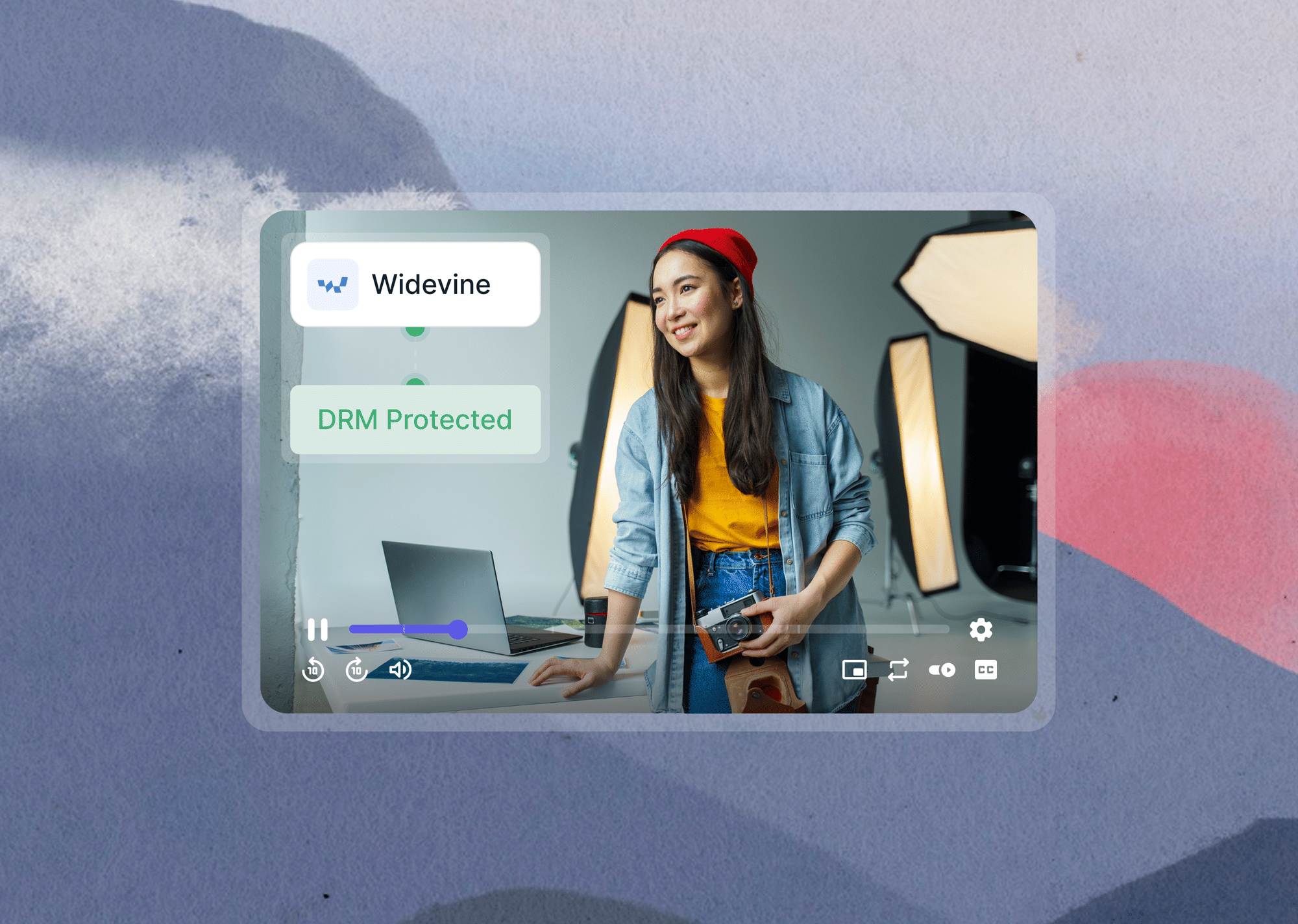
The Number: Widevine L1, Google's highest-tier DRM standard used by Netflix, Disney+, and other major streaming services, requires hardware-level security keys that most screen recording tools cannot intercept.
Most course-grade DRM implementations use Widevine L3, which stops casual browser downloads but does not block every capture method. Ask your video host which tier they support before selecting a platform.
Any "No" in this section is a launch-blocking risk for a paid course. Gumlet gives course creators DRM, tokenized links, domain restrictions, and watermarking inside one video protection feature set. See how video DRM works before deciding which tier fits your course library.
Access Controls Checklist for Paid Course Videos
DRM secures the file. Access controls secure the path to the file. Both need to pass before launch. Many creators configure one and assume the other is handled by their LMS, which is not always the case when the course platform and video host are separate services.
1. Require login before any lesson page can load
Why it matters: A paid video should never be reachable through a direct, publicly accessible URL regardless of whether the student is authenticated.
Time: Done in platform.
2. Tie video access to payment status, not just account creation.
Why it matters: Free trial accounts, failed payment records, and expired users should not reach paid lesson content. Account creation and entitlement are two different events.
Time: 15 minutes to audit existing role and access rules.
3. Revoke access automatically after refunds.
Why it matters: Refund abuse follows a documented pattern: buy the course, watch the flagship lessons, request a refund, keep access. Automatic revocation closes that loop at the payment processor level.
Time: Done in platform.
4. Use expiring video links or tokenized playback.
Why it matters: Tokenized delivery generates a viewer-specific, time-limited URL so a copied link expires before it can be reshared in a group chat or forwarded to a non-paying student.
Time: Done in platform.
5. Restrict playback to your course domain.
Why it matters: A copied embed code should produce a blank player on any domain you did not whitelist. Without domain restriction, your paid embed works anywhere.
Time: 5 minutes.
6. Limit simultaneous logins or flag suspicious device switching.
Why it matters: Shared account credentials are the most common early leak path for new course launches, especially when students split access with a friend to halve the cost.
Time: 15 minutes.
7. Verify that drip content is protected at the video level, not only at the lesson page level.
Why it matters: If a dripped lesson page is hidden but the underlying video URL still resolves, students can access future content early by guessing or saving the URL structure.
Time: 10 minutes.
Warning: If your course platform and video host are separate services, access control gaps frequently appear at the handoff between them. Test this explicitly: create a free test account, enroll it in a course without completing payment, and try to open a paid lesson URL directly. If the video loads, your access control has a gap that your LMS and your host need to resolve together before launch.
Tracking and Watermarking Checklist for Course Video Security
When prevention fails, traceability determines how fast you can respond and whether the leak source is identifiable. Watermarking and viewing analytics are not replacements for DRM. They are what you use after DRM has already slowed down casual theft, and one bad actor still got through.
1. Enable dynamic watermarking on premium videos.
Why it matters: A visible email address, user ID, or phone number embedded in the video frame discourages screen recording and makes the leak source identifiable after the fact, even through re-encoding.
Time: Done in platform.
2. Add watermarking to bonus modules, templates, and certification lessons.
Why it matters: High-perceived-value assets attract the most piracy attention. If a student is going to share something, it is usually the content they consider most worth the price.
Time: 15 minutes.
3. Check analytics for unusual viewing patterns.
Why it matters: One account watching every lesson in a course within 48 hours is worth investigating, whether it signals aggressive personal study or credential sharing with a third-party.
Time: 5 minutes.
4. Track failed access attempts and blocked playback events.
Why it matters: Denied requests reveal copied links, wrong-domain embeds, expired tokens, and other anomalies that a plain play count will never surface.
Time: Done in platform.
5. Establish a baseline for what normal student viewing looks like.
Why it matters: You cannot identify abuse patterns without knowing what normal progression looks like: average watch time, sessions per week, typical completion rate per module.
Time: 10 minutes to define and document before launch.
6. Export or save access logs at the end of launch week.
Why it matters: Logs help you investigate incidents while the event is recent. Most platforms retain them, but knowing where to find them before you need them is faster than searching mid-incident.
Time: Done in platform.
Full disclosure: Gumlet operates video infrastructure for SaaS, EdTech, and course creator customers in regulated and IP-sensitive verticals, so the traceability patterns described here come directly from what the platform surfaces in production.
Third-party DRM and content security research points the same direction: watermarking combined with session-level analytics catches leak sources faster than either control used alone.
Watermarking converts a screen-recorded pirated lesson into traceable evidence, because the watermark survives re-encoding and re-upload onto Telegram or YouTube. That is not a theoretical property. It is the mechanism that makes post-incident response operational rather than speculative. Learn more about how course creators can protect their videos.
Takedown and Incident Readiness Checklist Before Launch
This section is not about fear. It is about the 15 minutes of preparation that saves three days of frantic improvisation if a lesson appears somewhere it should not.
1. Create a piracy response document before launch day.
Why it matters: Your first takedown email should not be written while you are watching sales slow down. Draft it when you are calm and have time to be precise.
Time: 15 minutes.
2. Save your course title, module names, thumbnail images, and sample scripts for reference.
Why it matters: These are the exact terms pirates and well-meaning students use when sharing your content. Having them compiled makes DMCA notices and platform search monitoring faster.
Time: 10 minutes.
3. Set a weekly reminder to search your course name plus "free download."
Why it matters: Early detection gives you a meaningful head start on limiting spread. Most pirated course content circulates on Telegram and Reddit before it surfaces on torrent indexes.
Time: 5 minutes.
4. Know how to revoke or rotate exposed links.
Why it matters: A leaked link should be killable without re-uploading your entire course. Confirm that capability before launch day, not during one.
Time: Done in platform.
5. Keep a DMCA takedown template ready.
Why it matters: A notice that includes your full ownership details, the infringing URL, and a copyright statement moves through platform review queues faster than a generic report.
Time: 15 minutes.
6. Assign incident response ownership before launch.
Why it matters: "Who handles this" confusion costs time when a leak is active and spreading. Whether it is you, your VA, your course platform's support, or your video host, decide now.
Time: 5 minutes.
7. Prepare a student-facing policy against sharing, downloading, and recording.
Why it matters: A clear terms-of-use statement strengthens your legal standing and creates a deterrence signal that a meaningful share of students actually read before they act.
Time: 10 minutes.
Insider Take: The course creators who handle piracy incidents fastest are the ones who drilled their own response before launch. Run one exercise: pretend a lesson appeared on Telegram this morning.
How long does it take to identify the access log, pull the watermark data, draft the takedown notice, and revoke the compromised credentials? If the answer is more than two hours, the process needs work before you open enrollment.
Most DMCA notices to YouTube and Google resolve in 24 to 72 hours when submitted through the official copyright removal tool with a course title, infringing URL, and ownership statement included. Telegram takedowns take longer and have less predictable outcomes, which is why watermark-based source identification is the faster first step.
For a complete technical guide on how to stop piracy after your course is live, the Gumlet piracy playbook covers layered controls, monitoring, and enforcement workflows.
Your Final Pre-launch Score
Count unchecked items across all five sections. The table below gives a launch readiness assessment based on how many gaps remain.
| Result | What it means | Launch recommendation |
|---|---|---|
| 0 to 2 unchecked items | Low launch risk | Publish after closing quick gaps |
| 3 to 5 unchecked items | Medium risk | Fix DRM, access controls, and watermarking first |
| 6 or more unchecked items | High risk | Do not launch paid access yet |
Three to five gaps is the most common score for first-time course launches. The good news is that the highest-impact items, DRM, tokenized access, and domain restriction, are all "done in platform" tasks once the right video host is in place. The gaps are usually hosting configuration, not custom development.
How Gumlet Covers All Five Surfaces for Course Creators
Every gap in this checklist has a configuration fix, and every configuration fix requires a video host that supports it. That is where most course creators hit a wall.
Teachable and Kajabi control enrollment. They do not control DRM, tokenized playback, or dynamic watermarking at the video level. A separate video host is the layer that closes the Hosting, DRM, Access, Traceability, and Response surfaces, and it needs to support all five without requiring a developer to set them up.
Gumlet is built specifically for this. Course creators on Teachable, Thinkific, Kajabi, Podia, and self-hosted WordPress LMS setups embed Gumlet's player inside their lesson pages. The LMS controls enrollment and payment. Gumlet controls everything that happens to the video after a student clicks play.
On the Hosting surface, videos are stored on private infrastructure and delivered over a global CDN. Raw MP4 links do not surface in page source or the browser network tab. On the DRM surface, Widevine, FairPlay, and PlayReady are active across a single upload workflow, covering Chrome, Safari, iOS, Android, Edge, and Windows in one configuration. On the Access surface, tokenized playback links, domain allowlists, and payment-status enforcement are toggled from the dashboard with no code required. Signed URLs expire on the timeline you set so a copied link is dead before it can circulate.
On the Traceability surface, dynamic watermarking embeds each viewer's email address or user ID in the video frame. The watermark survives screen recording and re-upload, which means a lesson posted to Telegram traces back to a specific account. On the Response surface, link revocation is a single action in the dashboard. Access logs are exportable. You do not need to contact support to kill a compromised link or pull the data you need for a DMCA notice.
If your pre-launch audit turns up gaps in three or more surfaces, the fastest resolution is migrating to a host that covers all five out-of-the-box rather than patching each surface separately. See Gumlet’s pricing for solo creator libraries through to scaling cohort businesses.
You are Ready to Launch When Your Videos are Protected, Traceable, and Recoverable
You do not need perfect security to launch a paid course. No system delivers that, and any platform or consultant who implies otherwise is overpromising.
What you need is enough protection that casual sharing fails, enough traceability that leaks are attributable to a specific account or link, and enough response readiness that one bad actor does not derail the first revenue week.
As of Q2 2026, course-grade DRM, tokenized delivery, and dynamic watermarking are available through dedicated video hosts at price points that did not exist three years ago. The barrier to running a genuinely secure paid course is the lowest it has ever been. Creators still launching on unlisted YouTube links and shared passwords are not making a deliberate cost trade-off. They are running on a default they have not examined.
Run this checklist one more time before you hit publish. Any "No" in the list is a revenue risk you can fix in 15 minutes with a DRM-enabled host like Gumlet.
FAQ
1. How do I protect online course videos from piracy before launch?
Move paid content off YouTube and Google Drive into a video host that supports DRM and private delivery. Activate encrypted streaming on paid modules, set tokenized links so copied URLs expire quickly, restrict playback to your course domain, and add dynamic watermarking to high-value lessons.
Test each control from a logged-out browser before publishing. These five controls together cover direct downloads, link sharing, unauthorized embedding, and screen recording deterrence. If any step fails a basic logged-out test, fix it before your first paying student arrives.
2. Can students still screen record DRM-protected course videos?
DRM stops most browser-based download tools but cannot block a phone camera pointed at a monitor. Widevine L3, the most common course-grade DRM tier, closes the casual download gap while screen capture remains technically possible.
This is exactly why watermarking functions as a second layer: a visible user ID embedded in the video survives screen recording and re-upload, making the source traceable even after capture. The practical goal is not making piracy impossible. It is making casual sharing unattractive and every serious leak traceable to a specific account.
3. Is YouTube unlisted safe for paid online course videos?
No. An unlisted YouTube link is a hidden URL, not an access-controlled one. Anyone who receives that link through a forward or a group share can watch the video without logging in or paying. YouTube's unlisted setting was built for personal sharing, not for gating paid content.
Every paid lesson needs a video host that supports domain restriction, tokenized delivery, and DRM. If you use YouTube at all in a paid course, limit it to free preview trailers on public pages only. Paid content requires a dedicated private video hosting setup.
4. What is the fastest security check before launching a paid course?
Three tests, under 10 minutes total. Open a paid lesson in a private browser while logged out and see if the video loads. Copy the video URL from the network tab and try it in a separate browser: if it plays, your links are not tokenized.
Load your course player on a domain you did not whitelist and check whether it renders: if it does, domain restriction is not active. Any that fail can be fixed in your video host's settings before enrollment opens. Run this before you share the launch link with affiliates.
5. Do I need DRM for every course video?
Not for every video. Apply DRM to paid modules, flagship lessons, certification content, and bonus libraries: content a student could share that would meaningfully reduce another person's reason to buy. Free previews and introductory modules designed to drive sales can run on encrypted streaming without full DRM.
The decision rule: if circulating that lesson freely would cost you revenue, protect it with DRM. If it is built to be seen freely, DRM adds friction without benefit. Prioritize your highest-revenue and highest-IP content in your DRM configuration before extending to lower-stakes modules.
6. How do I stop students from sharing course login details?
Set a simultaneous session limit so one account cannot be active on two devices at once. Tie access to a payment record, not just account creation, so transferring credentials does not transfer the entitlement.
Flag accounts logging in from more than three distinct devices in a short window and review accounts that complete an entire course in under 24 hours. Revoke access automatically after confirmed refunds to close the buy-watch-refund loop. These controls together make credential sharing inconvenient enough that most students stop attempting it without a support escalation.
7. What should I do if my course appears on Telegram or torrent sites?
Screenshot the post, the URL, and the visible content preview first, before anything is removed. Pull your watermark data and access logs to identify the likely source account. Revoke that account's access and rotate any tokenized links that may have been copied.
File a DMCA notice with the hosting platform: include your course title, the infringing URL, and your ownership statement. For Telegram, use the in-app report tool and their abuse contact. Search your course title plus "free download" across Google and major indexes to check for additional copies. Set a weekly monitoring reminder going forward.