Most scaling websites hit the same wall sooner or later: pages are packed with high-quality visuals, but the image payload quietly becomes a performance bottleneck.
According to analysis based on HTTP Archive data, images alone account for roughly 38 percent of the total weight of a typical web page, making them one of the biggest contributors to sluggish loads and poor user experience.
For growing teams, this is not just an aesthetic problem.
Heavy, unoptimized images drag down Core Web Vitals, affect search rankings, inflate CDN and storage bills, and complicate already busy engineering roadmaps.
Marketing and content teams want the freedom to quickly ship new creatives, thumbnails, and landing pages. Product and growth teams want better engagement and conversion rates. Engineering wants predictable infrastructure, not a patchwork of ad-hoc image scripts, S3 buckets, and scattered plugins. A generic “image host” or a single CDN checkbox rarely solves all of that at scale.
This is where a true image hosting and optimization platform comes in. Instead of just storing files and serving them from one data center, these platforms combine object storage, global content delivery, and real-time image optimization. They can automatically convert images to modern formats like WebP or AVIF, resize on the fly for each device, apply compression and quality presets, and cache the right variants at the edge. The result is a faster, lighter site that is easier to maintain across hundreds or thousands of assets.
That said, the market is crowded and confusing. Some tools are really just public image-sharing sites with hotlinking. Others are full-blown image CDNs aimed at developers. A few blur into digital asset management, or are tightly coupled to specific ecosystems like WordPress or Shopify. Pricing models vary from simple bandwidth-based plans to complex mixes of storage, transformation, and request-based charges. Picking the wrong fit can lock you into performance limits or hidden costs that only surface when traffic spikes.
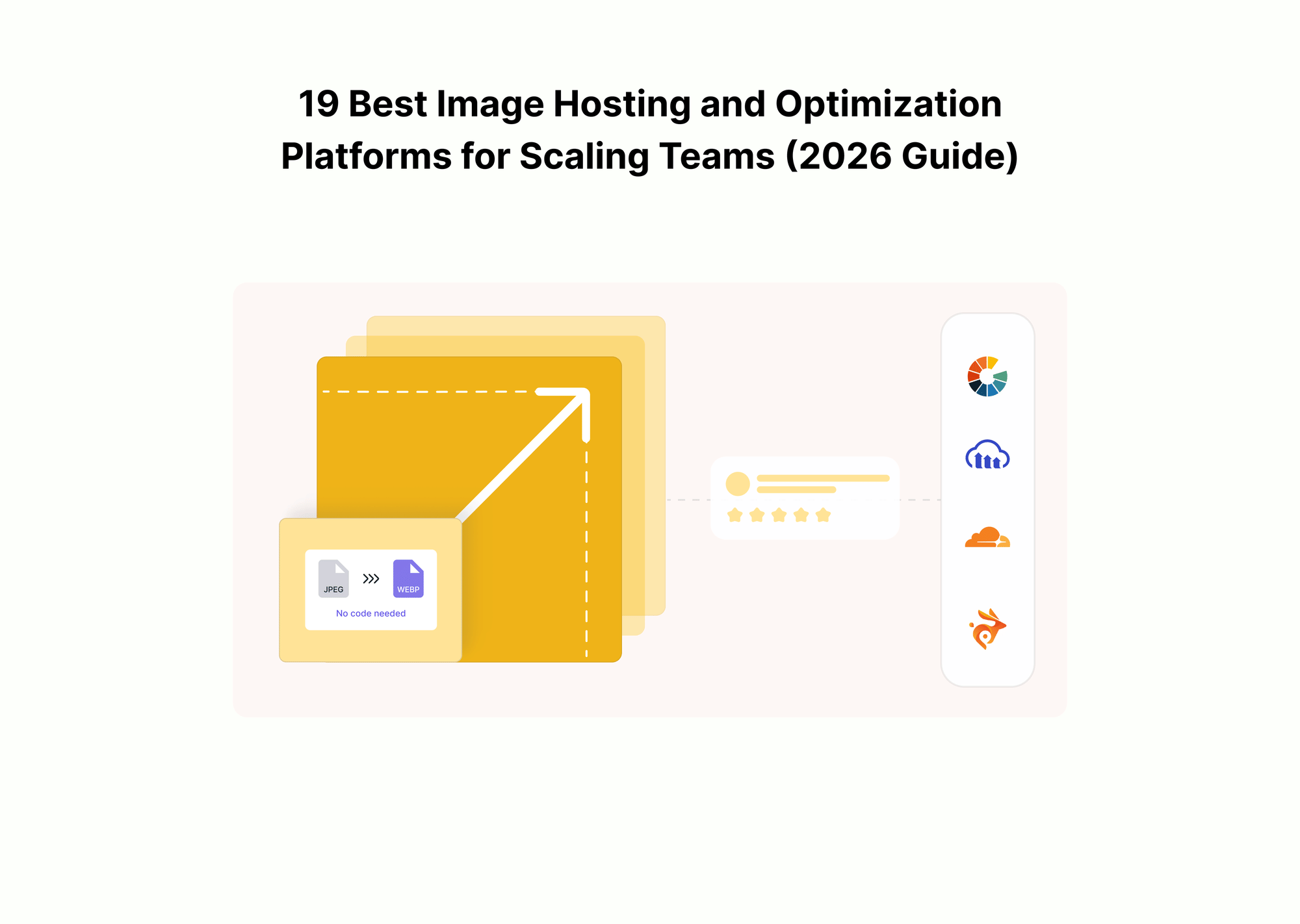
This article is designed to cut through that noise. It explains what to look for in an image CDN and optimization service, then walks through 19 of the strongest options on the market, with clear “best for” context based on your use-case. From infrastructure-grade platforms like Gumlet, which handle optimization and delivery for serious SaaS, e-commerce, and media products, through to lighter-weight hosts for side projects, you will see where each provider fits and where it falls short.
By the end, you should know exactly which platforms to shortlist for your team, and how to build an image pipeline that keeps your pages fast as you scale.
Key Takeaways
- Images are usually the heaviest assets on modern pages and quietly hurt Core Web Vitals, SEO, and infrastructure costs if you only rely on basic hosting or a generic CDN.
- An image hosting and optimization platform combines storage, global delivery, and real-time transformations so you can serve the smallest possible image in the right format to every device.
- Scaling teams outgrow generic image hosts because they need consistent policies, automation, governance, and analytics across thousands of assets, not just a place to upload PNGs.
- When you choose a platform, you should evaluate performance, optimization depth, developer experience, governance, and pricing predictability, rather than focusing solely on raw CDN speed.
- For product and engineering teams, the primary category to consider is image CDNs and optimization services such as Gumlet, Cloudinary, Imgix, ImageKit.io, ImageEngine, Sirv, Bunny.net, Fastly IO, KeyCDN image processing, and Uploadcare.
- Hybrid DAM platforms like Cloudinary and gallery-first services like SmugMug add value where media organization, collaboration, or photography portfolios matter as much as performance.
- Simple hosts like Imgur, Imgbb, Google Photos, Shopify native hosting and apps, Img.vision, and Optimole still have a role for sharing, small projects, marketplaces, or WordPress-only stacks, but they are rarely enough as the core image backbone for high-traffic applications.
- Shortlist based on use case: SaaS and web apps should start from Gumlet, Cloudinary, Imgix, ImageKit.io, ImageEngine, and Sirv; ecommerce teams should emphasize Gumlet, ImageKit.io, ImageEngine, Sirv, Bunny.net, and possibly Img.vision for marketplace feeds.
- WordPress only sites can often get most of the benefit from plugin first solutions such as the Gumlet WordPress plugin, Optimole, or Sirv, without adding more infrastructure.
- Teams with strong DevOps may justify a custom S3 plus CloudFront or Fastly IO pipeline, but many still find that a managed image optimization layer is cheaper and easier to operate over time.
- Gumlet fits into this landscape as an infrastructure-grade platform for images and video, helping teams standardize on a single, optimized, multi-CDN-backed media layer rather than juggling separate tools.
- A practical next step for most teams is to measure their current image payload and Core Web Vitals using a tool like Gumlet Analyzer and then run a focused trial of an image CDN on a subset of traffic before committing.
What is an Image Hosting and Optimization Platform
In simple terms, basic image hosting just gives you a place to upload files and a public URL to use on your site. That can be anything from a shared server to an S3 bucket or a consumer tool like Google Photos. It works for small sites, but it does nothing to reduce image weight, improve Core Web Vitals, or keep delivery costs predictable as traffic grows.
An image hosting and optimization platform goes a step further. It combines storage, a global delivery network, and real-time processing into a single layer between your origin and the browser. You keep a single master image in your storage. The platform then resizes, compresses, converts formats such as WebP or AVIF, and caches the right variants at the edge based on device and layout.
The practical benefit for a scaling team is that optimization becomes automatic and consistent. Instead of designers exporting multiple versions and developers hand-rolling resize scripts, you define a few rules or presets and let the platform enforce them.
How to Choose an Image Hosting and Optimization Stack for a Scaling Team
Choosing an image platform is not just a “which CDN is fastest” question.
The right stack needs to keep Core Web Vitals green, integrate cleanly with your architecture, stay predictable in terms of cost, and be usable by people who are not engineers. The wrong fit tends to show up as a mix of slow pages, surprise bandwidth bills, and internal workarounds.
1. Performance and Core Web Vitals
Images are often the single largest asset type on a page, so whatever you pick will directly affect LCP (Largest Contentful Paint), CLS (Cumulative Layout Shift), and INP (Interaction to Next Paint). Google’s own guidance calls out LCP as a key input to search rankings, and large, unoptimized images are a common cause of LCP misses on mobile. A workable platform should make it hard to do the wrong thing for performance.
Practically, that means you should look for:
- Support for modern formats such as WebP and AVIF, with automatic format negotiation per browser, so you do not manage separate assets.
- On-the-fly resizing and cropping so you always deliver the smallest image that can fit a given layout slot.
- Built-in lazy loading hooks or helpers so below-the-fold assets do not block initial rendering.
- Aggressive but configurable caching at the edge so transformed variants are served quickly on repeat views and under load.
For teams already tracking Core Web Vitals through tools like Lighthouse or field data, the platform should make it easy to tie image payload decisions to real LCP and CLS metrics.
2. Optimization Depth and Automation
At a small scale, you can get away with manual exports and a few thumbnails. Once you have thousands of SKUs, user-generated content, or regular campaign launches, you need automation. The goal is to define rules once and let the platform enforce them.
Key questions to ask:
- Can you set global quality defaults and override them per preset or asset type, instead of hand-tuning each URL?
- Does the service automatically pick formats and compression levels based on device and network conditions, or do you have to hardcode everything?
- Can you generate responsive variants and srcset attributes from a template or helper, rather than writing custom code for every breakpoint?
- Is there support for art direction features such as focal-point cropping or smart face and subject detection for avatars and hero images?
Without this level of automation, the burden shifts back to designers and developers, and image quality tends to drift. With automation integrated, non-technical teams can upload whatever they have, and the platform normalizes the output.
3. Developer Experience and Integrations
For most scaling teams, the image layer touches multiple systems: the main application, one or more CMSs, marketing automation tools, and sometimes multiple storefronts or apps. If the platform is hard to integrate or brittle under change, it will slow you down.
Look at:
- API surface area and documentation quality, including clear REST (REpresentational State Transfer) endpoints, language SDKs, and examples for common frameworks such as Next.js, Nuxt, Laravel, and Rails.
- Existing plugins for WordPress, Shopify, popular headless CMSs, and major e-commerce platforms, so you are not wiring everything from scratch.
- How easily the service integrates with CI and infrastructure-as-code. For example, can you manage configuration via code or only through a dashboard?
- Support for staging and production environments, and tools to test transformations locally without hitting production traffic.
For many teams, the difference between a platform they use everywhere and one they quietly bypass comes down to whether engineers feel they can trust and extend it without fighting the tooling.
4. Governance, Security, and Compliance
Once you move beyond a single marketing site, image management becomes a governance problem. Different teams and vendors upload assets. Some should be public, others internal. Certain campaigns have licensing limits. In regulated industries, you might need an audit trail.
An image hosting and optimization platform should make governance easier, not harder. Useful capabilities include:
- Role-based access control, with clear segregation between admins, developers, content editors, and external collaborators.
- Support for private images using signed or tokenized URLs, optional IP or region restrictions, and integration with your existing identity provider where relevant.
- Custom domains with TLS (Transport Layer Security) and correct security headers, so you do not leak internal hostnames or weaken your security posture.
- Logs and analytics that show who accessed what, from where, and how often, so you can answer questions from legal or finance without digging in raw CDN logs.
If your roadmap includes paid content, internal training material, or region-specific licensing, these controls move from just an additional step to non-negotiable.
5. Pricing, Scalability, and Predictability
The last axis is cost. Image traffic does not stay flat. A few new campaigns, a product launch, or a viral post can significantly change your traffic profile. The platform has to scale technically and financially without nasty surprises.
Most providers use some combination of four levers:
- Bandwidth or data transfer out.
- Transformation or processing count.
- Requests or image delivery operations.
- Storage size for original and cached variants.
When you compare options, map these levers to your own reality. Estimate your average images per page, monthly page views, and typical image weights before and after optimization. A one-cent difference per gigabyte can compound at scale, especially for image-heavy properties.
This is also the right moment to understand whether the provider helps you see and control what you are spending. Platforms that surface clear analytics on optimization ratios, traffic spikes, and cache hit rates make it easier to defend the bill internally and to optimize your usage over time.
At this stage, it is often useful to benchmark your current setup. Running your existing site through a diagnostic tool such as Gumlet Analyzer can show you how much of your page weight comes from images, how they affect Core Web Vitals, and how much bandwidth you could realistically save with a dedicated optimization layer.
That kind of baseline makes vendor comparisons much more grounded.
The 19 Best Image Hosting and Optimization Platforms in 2026
Quick Walkthrough: 19 Best Platforms and What They are Best For
- Imgix: Best for developer-heavy teams that like granular, URL parameter-based control over every aspect of an image.
- Gumlet: Best for scaling SaaS, e-commerce, and media teams that want automated image optimization, Core Web Vitals improvements, and analytics without rebuilding their stack.
- Cloudinary: Best for enterprises that want a combined image CDN, advanced transformations, and DAM-style media management across teams.
- ImageKit.io: Best for teams that want real-time image optimization with a global CDN and straightforward bandwidth-based pricing.
- ImageEngine: Best for organizations that want device-aware optimization at the edge with strong mobile performance.
- Sirv: Best for e-commerce and product catalogs that need responsive imaging plus deep zoom and 360-degree viewers.
- Cloudflare Images: Best for teams already on Cloudflare that want integrated image storage, resizing, and delivery through the Cloudflare network.
- Bunny.net Images and Optimizer: Best for cost-sensitive sites that still want a capable image CDN and automatic WebP conversion.
- Fastly Image Optimizer (Fastly IO): Best for high traffic, infra-heavy setups that are already invested in Fastly as their primary CDN.
- KeyCDN Image Processing: Best for teams on a traditional CDN that want basic on-the-fly image processing on the same platform.
- Uploadcare: Best for apps that care as much about robust file uploads and processing as they do about image delivery.
- SmugMug: Best for photographers and visual brands that want portfolio sites, galleries, and e-commerce around their images.
- Shopify-native image hosting plus apps: Best when your only concern is a Shopify storefront, and you are happy to live inside the Shopify CDN and media tooling.
- Imgur: Best for quick public sharing and embeds for casual or community content, not for production e-commerce or SaaS sites.
- Imgbb: Best for simple, often temporary free image hosting with optional paid upgrades for direct links and extra capacity.
- Google Photos: Best for internal or personal storage, backup, and sharing of photos, not as a primary public image CDN.
- Img.vision: Best for marketplace and multi-channel sellers that need reliable image hosting for Amazon, eBay, and similar platforms.
- AWS S3 plus CloudFront plus a custom optimizer: Best for teams with strong DevOps that want maximum control over storage and CDN configuration.
- Optimole (WordPress-centric image CDN plugin): Best for small to mid-sized WordPress sites that want a plugin-first approach with automatic optimization and a bundled CDN.
Featured Comparison
The table below summarizes how leading image CDNs and optimization platforms compare across core criteria that matter for SaaS, ecommerce, and media teams.
| Platform | Core Strength | Image Optimization Depth | Video Support | Pricing Model | Best Fit |
|---|---|---|---|---|---|
| Gumlet | Automated performance + Core Web Vitals focus | Advanced (auto format, device-aware, presets) | Yes (adaptive bitrate, DRM) | Bandwidth-based | SaaS, ecommerce, media |
| Cloudinary | Enterprise media management + deep transformations | Very Advanced | Yes | Storage + transformation-based | Enterprises |
| Imgix | URL-level transformation control | Advanced | No native video platform | Request-based | Developer-heavy teams |
| ImageKit.io | Real-time optimization + simple pricing | Advanced | Limited | Bandwidth-based | Scaling web apps |
| ImageEngine | Device-aware edge optimization | Advanced | No | Bandwidth-based | Mobile-heavy traffic |
| Sirv | Ecommerce zoom + 360 viewers | Moderate–Advanced | Limited | Tiered | Product catalogs |
| Cloudflare Images | Integrated CDN stack | Moderate | No | Storage + delivery | Cloudflare-first stacks |
| Bunny.net | Cost-efficient CDN + optimizer | Moderate | No | Bandwidth-based | Cost-sensitive sites |
For most SaaS and ecommerce teams focused primarily on performance and Core Web Vitals, Gumlet, ImageKit.io, and Imgix typically form the strongest shortlist.
Image CDNs and Optimization Platforms for Product and Engineering Teams
1. Imgix
Imgix is a developer-centric image CDN that revolves around a powerful URL parameter API. You point Imgix at your origin, then control resizing, cropping, enhancement, format conversion, and quality via query parameters. Every request that hits uncached content is processed by Imgix’s rendering service before being cached at the edge, making it easy to experiment with different imaging rules directly in code.
Strengths
- Very flexible URL-based API for on-the-fly transformations, making it attractive for developer-led teams that want precise control.
- Supports automatic use of AVIF and WebP where supported, with significant potential reductions in file size.
- Integration points with multiple platforms and CMSs, including headless setups such as DatoCMS, where Imgix is wired in as the asset CDN.
Limitations
- Media management capabilities are relatively light compared to full DAM systems, so you will often pair Imgix with another library or CMS.
- Teams that want a more opinionated, preset-based workflow for non-technical users may need to build additional abstractions on top of it.
Best for:
Product and engineering teams that like working directly with URL parameters and want a flexible rendering API layered on top of an existing origin.
2. Gumlet
Gumlet is an image optimization and delivery platform built for product teams that care about Core Web Vitals and predictable media delivery.
You connect your existing storage or origin, Gumlet pulls the master files, and then serves optimized variants via its CDN. The service automatically resizes images based on device, applies visually lossless compression, converts to modern formats like WebP and AVIF, and supports lazy loading, all from a single integration.
Strengths
- Automatic responsive resizing, compression, and format conversion, including WebP and AVIF, with typical size reductions in the 30 to 40 percent range compared to originals.
- WordPress plugin and documented integrations that make it easy to plug into existing CMSs and frameworks without re-architecting media workflows.
- Focus on performance and costs, with positioning around reducing CDN spend and achieving strong Core Web Vitals by default.
- Handles both client-side responsive behavior and server-side optimization, so you do not have to juggle multiple tools.
Typical Performance Impact
In real-world rollouts, teams using Gumlet commonly report:
- 25-45% reduction in total image payload after enabling automatic format conversion and responsive resizing.
- Noticeable improvement in mobile Largest Contentful Paint when hero and product images are converted to WebP or AVIF.
- Reduction in overall CDN bandwidth consumption due to smaller file sizes and improved edge caching.
- Faster rollout of new landing pages because developers no longer need to manually generate multiple image variants.
For example, a 1.2MB JPEG product image can often be delivered as a ~350–450KB WebP or AVIF file without visible quality degradation, depending on content type.
Limitations
- If you have a deeply customized multi-cloud storage and CDN setup with heavy internal tooling, you may still prefer a DIY pipeline on S3, along with your existing CDNs, for absolute control.
- Gumlet is designed around practical web performance and workflow gains, so it is less of a full DAM platform than offerings that prioritize complex media libraries and internal studio-style operations.
Best for:
Scaling SaaS, e-commerce, and content-heavy products that want a managed image optimization layer and WordPress plus app integrations, without building a custom pipeline on top of raw CDNs.
3. Cloudinary
Cloudinary is one of the most widely adopted media platforms in the enterprise market. It combines an image and video CDN with a rich transformation API and a DAM-style asset library. Developers can apply resizing, cropping, overlays, format changes, and even AI-driven effects through URL-based or SDK-based transformations, and assets are then delivered through a multi-CDN edge.
Strengths
- Extremely deep transformation capabilities for both images and video, with a mature URL syntax and SDKs in multiple languages.
- Built-in asset management features such as tagging, folders, and roles that help large teams keep media organized.
- Uses established CDNs like Akamai, Fastly, and Cloudflare under the hood for global delivery and resilience.
Limitations
- The breadth of features can introduce complexity, and teams that only need straightforward optimization may find the learning curve and configuration overhead higher than they would like.
- Pricing is partly tied to transformation count, which can be difficult to forecast if you are aggressively experimenting with dynamic media.
Best for:
Enterprises and large media-centric organizations where the same platform will act as both the image CDN and a central media library for multiple products or teams.
Looking for a Cloudinary Alternative?
Cloudinary is a powerful and mature platform, especially for enterprise media management. However, some teams look for alternatives due to pricing complexity, transformation-based billing, or the overhead of features they do not fully use.
If your primary need is image optimization for performance rather than advanced asset management, platforms like Gumlet and ImageKit.io may offer a simpler and more cost-predictable path.
Teams evaluating Cloudinary alternatives often prioritize:
- Straightforward bandwidth-based pricing.
- Lower operational complexity.
- Faster implementation without deep DAM configuration.
- Strong focus on Core Web Vitals and page speed outcomes.
In those scenarios, Gumlet frequently appears on shortlists as a performance-focused alternative.
4. ImageKit.io
ImageKit.io is a real-time image optimization and CDN service that emphasizes simple pricing and easy integration. It optimizes images into formats like WebP and AVIF on-the-fly and serves them through a global edge network built on providers such as AWS CloudFront and others, without charging separately for transformations.
Strengths
- Real-time optimization with automatic format selection and device-aware delivery, so you do not need to store multiple versions.
- Bandwidth-based pricing simplifies forecasting, since you are not billed separately for storage or transformation counts.
- Useful media library for basic asset management and straightforward integrations with platforms like WordPress and Magento.
Limitations
- If you need a deep DAM with advanced workflows, ImageKit’s library tools are intentionally lighter than dedicated asset management suites.
- For teams that already have strong contracts with specific CDNs and want fine-grained routing logic, ImageKit’s bundled network may feel less customizable.
Best for:
Teams that want a pragmatic, bandwidth-priced image CDN that plugs into existing stacks without complex configuration or billing.
5. ImageEngine
ImageEngine operates as a device-aware image CDN that focuses heavily on optimizing images for the specific characteristics of each requesting device. Its edge servers detect the model, screen density, resolution, and supported formats, then serve a version of the image tailored to that device, all from a global network of containerized edge nodes.
Strengths
- Device detection at the edge allows very fine-grained control over resolution and format, which is particularly useful for mobile-heavy audiences.
- Operates its own image-focused CDN, rather than bolting optimization on top of a general-purpose network.
- Strong focus on reducing payload size and improving SEO through better performance.
Limitations
- The device-centric model is powerful, but it can be overkill if your needs are modest and you prefer a simpler responsive image approach.
- As with any specialist provider, you will need to consider how ImageEngine fits alongside your main CDN if you already use one for other assets.
Best for:
High-traffic sites with a strong mobile skew, where shaving every kilobyte from image payloads directly translates into engagement and revenue.
6. Sirv
Sirv is an image CDN with built-in viewers for deep zoom, 360-degree spins, and interactive product imagery. Every uploaded image can be requested in different sizes and variants, and the platform offers responsive image loading, lazy loading, and a JavaScript-based viewer for richer experiences, particularly on product detail pages.
Strengths
- Deep zoom and 360-spin viewers are well-suited to e-commerce, particularly when you want customers to inspect products closely.
- Responsive imaging tools and scripts reduce the effort needed to serve the right image for different devices.
- WordPress integration and general-purpose CDN capabilities mean it can cover both optimization and interactive presentation.
Limitations
- If you only need basic performance optimization and have no interest in zoom or 360-degree spin features, parts of Sirv’s value proposition will go unused.
- It is more specialized around image-rich sites than around broader video or mixed media workflows.
Best for:
E-commerce and catalog-driven businesses that want both a performant image CDN and built-in interactive viewers for detailed product exploration.
7. Cloudflare Images
Cloudflare Images is Cloudflare’s integrated image storage, optimization, and delivery service. It lets you upload images to Cloudflare, define variants, and then serve them globally through the Cloudflare network, with on-the-fly resizing and transformations controlled by URL parameters.
Strengths
- Tight integration with the wider Cloudflare stack, including workers and general CDN features, simplifies infrastructure for teams already using Cloudflare.
- Built-in resizing and optimization at the edge remove the need for a separate image service in many cases.
- Pricing that separates storage and transformations can be attractive at certain scales, especially if you consolidate on the Cloudflare ecosystem.
Limitations
- Cloudflare Images is most compelling if you are already committed to Cloudflare; mixing it into a multi-provider strategy is possible, but adds complexity.
- Compared to specialist media platforms, you get fewer higher-level media management features.
Best for:
Teams that are already Cloudflare-heavy and want a native way to store and resize images alongside their existing CDN configuration.
8. Bunny.net Images and Optimizer
Bunny.net provides a general-purpose CDN and a Bunny Optimizer add-on that handles dynamic image optimization and transformation. When enabled, the optimizer can automatically compress images, convert them to formats like WebP, and perform dynamic resizing at the edge, all while using Bunny’s relatively low-cost network.
Strengths
- Very competitive pricing on bandwidth combined with built-in optimization, which can yield significant savings for image-heavy sites.
- Automatic WebP conversion and support for legacy fallbacks through user agent detection.
- Suitable for both static sites and dynamic apps, with integrations and tutorials for common stacks including WordPress.
Limitations
- Feature depth on the media management side is limited compared with dedicated image platforms; you will typically manage assets elsewhere.
- Observability and analytics are focused on CDN metrics rather than media-specific KPIs such as per preset savings or creative-level performance.
Best for:
Cost-conscious sites that want a solid CDN plus automatic image optimization and do not need advanced DAM or media workflows.
9. Fastly Image Optimizer (Fastly IO)
Fastly IO is an image optimization add-on for Fastly’s edge cloud. Once enabled, it intercepts image traffic at the edge, applies transformations such as resizing, compression, and format changes, and then caches optimized versions for subsequent requests. Configuration is done through the Fastly control panel or API, and you can integrate it with existing Fastly-powered origins.
Strengths
- Runs directly on Fastly’s edge, which is useful if you already rely on Fastly for primary CDN and full site delivery.
- Supports responsive imaging, format conversion, and dynamic URL-based transformations, offloading processing from your origin.
- Integrations and documentation around Adobe Commerce and other platforms help e-commerce teams adopt it without starting from scratch.
Limitations
- This option only makes sense if you are on Fastly or planning to be; it is not a standalone service.
- As with other infra-level tools, you will likely need to build your own presets, governance, and internal abstractions.
Best for:
High-traffic properties standardizing on Fastly that want to keep image optimization inside the same edge platform as the rest of their delivery.
10. KeyCDN Image Processing
KeyCDN is a traditional CDN that offers image processing, which you can enable on your zones. Once active, it lets you perform basic operations such as resizing, cropping, and format conversion via query parameters, with results cached and delivered from KeyCDN’s global network.
Strengths
- Ability to add on image processing without changing CDN provider if you are already on KeyCDN.
- Covers the core optimization operations most sites need, and is available for both pull and push zones.
- Straightforward configuration that keeps images and other assets on the same network.
Limitations
- Focuses on transformation basics; more advanced workflows such as rich media viewers, ML-based cropping, or deep DAM features are outside its scope.
- As with Fastly IO, you will handle presets, policy, and analytics largely on your side.
Best for:
Teams that are happy with KeyCDN and want on-the-fly image optimization without adding a new vendor.
11. Uploadcare
Uploadcare is a developer-oriented file handling platform that covers uploading, processing, and delivery. It supports real-time image processing through a CDN-backed API, and transformed variants are cached on CDN nodes for faster delivery, while the originals remain unchanged.
Strengths
- Strong focus on the upload step, with widgets and APIs that make it easier to accept user-generated content in web and mobile apps.
- Real-time processing and automatic format selection, with edge caching to keep delivery fast.
- Security-oriented features such as malware scanning and role-based permissions, which are important when ingesting files from untrusted users.
Limitations
- Compared with image-first CDNs, some of the marketing and tooling is broader, because Uploadcare is designed for arbitrary file types.
- For teams that only need optimization from a trusted internal origin, the upload-specific features may be more than is necessary.
Best for:
Applications that rely heavily on user uploads and want a unified upload pipeline, processing API, and CDN delivery layer, rather than gluing together several tools.
Hybrid DAM and Media Management Platforms with Strong Image Hosting
Some platforms blur the line between pure image CDNs and digital asset management. Instead of focusing only on optimization and delivery, they also cover how teams organize, tag, approve, and reuse media.
Cloudinary is the clearest example on the list. In addition to the transformation and delivery features you have already seen, it includes folders, tags, advanced search, and collaboration tooling that let large teams treat it as a central media library. That is why it often shows up as a combined DAM and delivery layer in enterprise environments.
SmugMug sits in a similar space, but with a very specific audience. It is a paid image hosting and gallery platform designed primarily for photographers and visual brands. You get tools to create portfolio sites, client galleries, and even sell prints or digital downloads, with unlimited full-resolution JPEG storage on higher tiers.
If your biggest problem is performance and Core Web Vitals, these hybrid tools can be more than you need. If your primary pain is keeping thousands of branded assets organized, controlling who can use what, and selling images directly to customers, then the DAM angle matters as much as the CDN.
Simple Image Hosting Services Your Team Might Still Use
Alongside specialist image CDNs, many teams still use plain image hosts for specific jobs. These services are useful for quick sharing, documentation, marketplaces, or personal storage, but they are rarely enough as the backbone of a high-traffic product site.
12. SmugMug
SmugMug is a paid image hosting and sharing service aimed at photographers, studios, and visual storytellers. It offers unlimited photo storage on paid plans, portfolio and gallery builders, and built-in ecommerce for selling prints or digital downloads. It is a good fit when your core need is to present and monetize photography, not to optimize performance for a complex application.
For scaling product teams, the limitations are obvious. You do not get fine-grained image transformation APIs, deep integration into your app stack, or detailed Core Web Vitals tooling. SmugMug can co-exist with your product site as a separate portfolio or gallery, but it is not designed to be the primary delivery layer for all your app imagery.
Best for:
Photography-led brands that want beautiful galleries and built-in sales tools around their images.
13. Shopify-native Image Hosting plus Apps
If you run a Shopify store, you already rely on Shopify’s image hosting and CDN. Product photos and theme assets are stored on Shopify’s infrastructure and delivered via their global edge network. The platform provides basic controls such as image sizes, alt text, and some automatic compression, and you can layer in additional optimization through apps and theme development.
For small to mid-sized Shopify stores, this can be enough. As you scale, you may run into limits around advanced transformations, multi-site control, and analytics that connect image payloads to performance and conversion. At that point, merchants either accept the constraints or look at combining Shopify with a specialized image CDN for headless or custom front-ends.
Best for:
Stores that live fully inside Shopify and do not need a separate, cross-platform image pipeline.
14. Imgur
Imgur started life as an easy image-sharing tool for Reddit and similar communities and has grown into one of the most popular free image hosting sites. It is optimized for social sharing, memes, and community content, with a focus on simple uploads, fast sharing, and public discovery rather than strict performance budgets or enterprise governance.
Teams still use Imgur for internal documentation, quick mock sharing, and embeds in community posts, because it is frictionless and free at a modest scale. The trade-off is limited control over availability, content policies, and optimization. For anything that touches your main product experience or paid content, you should avoid building on a community-focused free host.
Best for:
Casual sharing and community embeds where you do not control the surrounding platform and performance budgets are loose.
15. Imgbb
Imgbb is a free image hosting service with optional paid plans that unlock features such as direct links, higher file size limits, and API access. It is designed to be extremely simple: upload an image, get a link, and use it in forums, blog posts, or social media. This simplicity and the ability to hotlink with direct URLs are the main reasons many users adopt it.
For serious product use, the weaknesses are similar to those of other free hosts. You do not get an enterprise-grade SLA, governance tooling, or native support for modern optimization strategies. It is a convenient utility for lightweight assets or temporary sharing, not the right place to host core product images at scale.
Best for:
Small projects and ad-hoc sharing where convenience and zero cost matter more than performance engineering.
16. Google Photos
Google Photos is primarily a consumer tool for backing up and organizing photos across devices. It provides automatic sync, search, basic editing, and simple sharing through albums and links. This makes it excellent for internal or personal use, like sharing reference shots within a team or backing up design inspiration.
However, Google Photos is not designed or supported as a public CDN for production sites. Links can change, access controls are aimed at individuals rather than organizations, and there is no API designed for precise control over image transformations or caching. Treat it as a personal and internal library, not as a foundation for your app.
Best for:
Internal sharing and personal backups, not for public site delivery.
17. Img.vision
Img.vision is an image and video hosting platform built for online sellers. It focuses on providing clean, permanent links that work reliably in marketplace listings, email templates, and product feeds. Features include bulk uploads, marketplace-ready URLs, and pricing that scales based on how many images and videos you host, not complex bandwidth overages.
For marketplace-heavy businesses, this solves a concrete problem: consistent, non-expiring links that can be reused in CSV imports across Amazon, eBay, Walmart, and others. It does not try to be a full image CDN or DAM for your entire web stack. If your main site and app already run on a separate performance-oriented image platform, Img.vision can still be a useful companion service for marketplace feeds.
Best for:
Sellers who need stable, marketplace-friendly image URLs for listings and product feeds.
18. AWS S3 plus CloudFront plus a Custom Optimizer
Many engineering-heavy teams start with or graduate to a do-it-yourself stack based on S3 for storage, CloudFront for CDN delivery, and either custom Lambda functions or containerized services for on-the-fly optimization. This approach gives you maximum control. You can define any pipeline you like, from basic resizing to advanced ML-based cropping, and you can integrate it tightly with your existing AWS infrastructure.
The price of this control is ongoing complexity. You are responsible for everything from security patches to cache invalidation logic and observability. Costs are split across several AWS line items, which can make it harder for non-infra stakeholders to understand why the image layer costs what it does. This route makes sense if your team already has deep AWS skills and a clear need for a fully bespoke pipeline.
Best for:
Organizations with strong DevOps teams that want to own the entire media pipeline and are comfortable managing AWS at scale.
19. Optimole
Optimole is a WordPress-centric image optimization plugin and CDN service. Once installed, it offloads images from your server to its cloud, automatically compresses them, converts them to WebP and AVIF, and serves them via an AWS CloudFront-backed CDN. It also supports lazy loading, adaptive image sizing, watermarking, and a simple cloud media library, all controlled from inside WordPress.
For small and mid-sized WordPress sites, this plugin-first approach is appealing: you get a single installation that immediately reduces image payload and improves Core Web Vitals, without writing any code. The trade-off is that it is mainly focused on WordPress. If you are running multiple apps and properties across different stacks, you will likely still want a separate, platform-agnostic image CDN at the core.
Best for:
WordPress sites that want automatic image optimization and a bundled CDN without touching infrastructure directly.
What Is the Best Image CDN in 2026?
Once you see a long list of providers, the real question is not “which one is objectively best” but “which one fits our stack, traffic profile, and constraints with the least friction.” The answer depends heavily on what you are building, how your team is structured, and how much infrastructure you actually want to own.
Quick Shortlist by Use Case
If you want a practical starting point, use these shortlists as a filter, then compare 2 to 4 options in detail instead of all 19.
1. For SaaS products and web apps
SaaS products typically feature a mix of content types, a long-lived codebase, and multiple environments.
You need predictable performance, API depth, and easy integration with modern frameworks. In this world, image CDNs and optimization platforms built for developers and product teams are a better fit than generic hosts. Services like Gumlet, Cloudinary, Imgix, ImageKit.io, ImageEngine, and Sirv address the core needs of a modern image CDN for SaaS products, including real-time optimization, global caching, and alignment with Core Web Vitals.
Gumlet and ImageKit.io are strong choices if you want clear performance gains with manageable complexity. Cloudinary and Imgix are attractive when you need very fine-grained control or already use them as part of a broader media strategy.
2. For e-commerce and large product catalogs
E-commerce is particularly sensitive to image performance. Product pages tend to be image-heavy, and small performance regressions can move conversion rates.
Independent studies have found that even a one-second delay in page load time can reduce conversions by around 7 percent, which is a serious number if you are running high-volume campaigns.
Platforms such as Gumlet, ImageKit.io, ImageEngine, Sirv, and Bunny.net’s optimizer add-on are well-suited here because they combine responsive imaging, modern formats, and aggressive edge caching. If you sell via marketplaces in addition to your own site, Img.vision can complement your primary image CDN by handling marketplace-friendly URLs, while your core platform focuses on performance and analytics.
3. For publishers, media sites, and content-heavy blogs
Media and content sites care about article templates, hero images, galleries, and long-tail archives. Your stack may include multiple CMSs, AMP or alternative front-ends, and paywalls.
Gumlet, Cloudinary, Sirv, Bunny.net, and Cloudflare Images are all viable choices for this pattern because they can sit behind one or more CMSs and normalize output. Cloudflare Images is especially convenient if you are already invested in Cloudflare for caching and security. Bunny.net can appeal if your primary constraint is cost per gigabyte and you are comfortable pairing it with your own analytics tooling.
4. For small and mid-sized WordPress sites
If your world is mostly WordPress, plugin-first options are attractive because they reduce integration friction.
The Gumlet WordPress plugin, Optimole, and to some extent Sirv’s plugin all provide one-click or low-touch setups that offload images to an external CDN and handle responsive resizing and compression. For content projects where WordPress is the only platform, starting with a plugin can be the fastest way to see Core Web Vitals improvements without introducing additional services into your stack.
5. For internal tools and documentation
Internal knowledge bases, design systems, and documentation wikis often have lower traffic but still benefit from not serving huge, raw images.
In these scenarios, you may not need a full-scale image CDN. Light use of services like Imgur or Imgbb for quick sharing is common, sometimes combined with S3 and CloudFront for more controlled internal content. If these tools start to drift into customer-facing territory, it is usually a sign to standardize on the same optimization platform you use for your main product.
A Simple Decision Framework
If you strip away branding and feature lists, choosing an image hosting and optimization platform comes down to a handful of practical questions. Walk through these in order, and the shortlist tends to emerge on its own.
1. What are you actually delivering
If your main payload is product images, UI screenshots, and marketing creatives, a general-purpose image CDN is the right class of tool. If you are a photography business or agency selling images themselves, a portfolio and gallery-centric platform like SmugMug may be justified as an additional layer. If you mostly need stable links for marketplace CSVs, Img.vision is filling a different niche.
2. How much engineering capacity do you have
Teams with strong DevOps and platform engineering capabilities can realistically consider S3 plus CloudFront plus a custom optimizer. For everyone else, the operational overhead of that stack tends to outweigh the benefits. If you would rather focus engineers on product features, a managed service such as Gumlet, ImageKit.io, or Cloudinary is usually a safer bet.
3. Do you need multi-platform coverage or just one CMS
If your architecture is a single WordPress site, plugin-only solutions like Optimole may be enough. If you are serving multiple apps, marketing sites, and regions, it is almost always cheaper in the long run to standardize on a platform that offers APIs, SDKs, and integrations across stacks instead of stitching together multiple point solutions.
4. What is your risk tolerance on cost spikes
Some providers bill mainly on bandwidth, others mix in transformation and request counts. If your traffic is bursty or driven by campaigns, look for transparent dashboards and clear overage terms. It is easier to defend a bill internally when you can show how much bandwidth was saved by WebP or AVIF and what cache hit rates looked like during peak.
5. How much governance do you need
If you are in a regulated environment or monetize content directly, you likely need private images, signed URLs, logs, and audit trails. That immediately narrows the field to platforms that treat security and governance as first-class concerns rather than afterthoughts.
A Light “Which Platform Should We Shortlist” Quiz
You can turn the above into a quick mental quiz to narrow options.
- If your primary platform is a SaaS product or web app, your engineering team is small to medium, and you want managed performance with minimal infra work, put Gumlet, ImageKit.io, and Cloudinary at the top of your list, then layer in Imgix if you know you want very granular, developer-driven transformations.
- If you are e-commerce first, with heavy mobile traffic and many product images per page, shortlist Gumlet, ImageEngine, Sirv, and Bunny.net. Add Img.vision if marketplaces are a major channel.
- If you are WordPress-only, with limited desire to manage infrastructure, start by comparing the Gumlet WordPress plugin with Optimole and Sirv’s plugin, then move to a more general image CDN only if your stack evolves beyond WordPress.
- If you have a large, experienced infra team and are already deep into AWS or Fastly, it can be worth comparing a managed platform against your own S3 plus CloudFront or Fastly IO pipeline. You may still decide that externalizing optimization to a managed service is cheaper than running everything yourself, but at least the trade-offs will be explicit.
As you work through this, it helps to have a baseline of how your site performs today. If you have not already done so, running a diagnostic on your current image payload, LCP, and bandwidth usage with a tool such as Gumlet Analyzer or field data from your real users will make vendor comparisons more concrete. You can then evaluate platforms not just on features but on projected gains in load time and cost.
How Gumlet Fits Into Your Image Strategy
Gumlet sits in a slightly different category from many of the tools in this list. It is built as infrastructure rather than a point solution, with a focus on handling image and video delivery for scaling businesses that care about performance, security, and analytics.
Gumlet in 60 Seconds
At its core, Gumlet is a media optimization and delivery platform that lets you plug in existing origins, then takes over the heavy lifting of transforming and serving assets.
For images, that means automatic resizing, compression, and format conversion into WebP or AVIF, delivered over a global multi-CDN setup. For video, it provides adaptive bitrate streaming, DRM, watermarking, and analytics, so you can run both formats on the same stack instead of juggling separate tools.
Typical users are SaaS products, e-commerce brands, ed-tech platforms, and media or OTT businesses that are moving away from generic hosts and embeds. The common trigger is the same in most cases: image and video traffic have grown to the point that ad-hoc scripts, S3 buckets, and public platforms cannot keep up with performance, security, or reporting requirements.
From Origin to Optimized Image at the Edge
A useful way to think about Gumlet is as an opinionated pipeline that sits between your storage and your users. You do not have to rearchitect where your images live. Instead, you point Gumlet at your existing origin, such as an S3 bucket, a web server, or a CMS. It pulls the master files as required, applies your configuration, and then serves the result through its edge network.
For images, the sequence looks something like this:
- Your template or frontend requests a Gumlet URL for a given asset.
- Gumlet checks whether an optimized variant for that combination of dimensions, quality, and format is already cached at the edge.
- If not, it fetches the original from the origin, converts it to the right format (for example, WebP or AVIF for browsers that support them), resizes it to the requested dimensions, and applies your quality settings or presets.
- The optimized variant is cached at the edge, so subsequent users hit the cached version rather than triggering a new transformation.
Developers can control this behavior through URL parameters, presets, or helper libraries, and content teams can rely on those presets being enforced consistently. Because Gumlet supports responsive image patterns and lazy-loading hooks, it fits naturally into modern front-end stacks rather than forcing a specific framework.
On the video side, the flow is similar but includes GPU-based transcoding, adaptive bitrate packaging, and protections like tokenized URLs and DRM for paid or restricted content. For many teams already considering unifying their media infrastructure, the fact that the same platform can handle thumbnails, product photos, and full-length video playback is a practical advantage.
Why Teams Standardize on Gumlet
The reasons teams consolidate on Gumlet tend to cluster around a few themes:
1. Performance and reliability
Gumlet combines real-time optimization with multi-CDN delivery, so you get both smaller payloads and resilience. For many sites, this translates into materially better LCP and more stable page loads during traffic spikes, without having to manage separate optimization services and CDNs manually.
2. Less operational overhead
Instead of running your own image processing services, managing Lambda functions, or maintaining complex caching rules, you configure origins, presets, and policies once and let Gumlet handle the rest. That reduces the amount of infrastructure work sitting in your backlog and makes it easier to keep performance budgets intact as the asset library grows.
3. Security and access control
For media that should not be freely shared, Gumlet’s enterprise video stack offers DRM, tokenized URLs, geo and domain restrictions, and dynamic watermarking. That is overkill for public marketing images, but essential for paid courses, subscriber content, or any IP-sensitive material. Having those controls available on the same platform as your open assets simplifies governance discussions with security and legal teams.
4. Analytics that treat media as a first-class surface
On the video side, Gumlet exposes engagement metrics, heatmaps, and events that flow into tools like CRMs and analytics platforms so you can tie media to pipeline and revenue. For images, the emphasis is on optimization ratios, bandwidth savings, and delivery metrics that help you explain to stakeholders how the image layer is contributing to site performance rather than just consuming budget.
5. Bridge between developers and marketers
Gumlet was designed to serve both technical and non-technical teams. Engineers get APIs, SDKs, and infra-grade controls. Marketing and content teams get a usable interface and workflows for publishing, organizing, and analyzing media without waiting on engineering for every change. That division of labor is important once you have more than a handful of people regularly touching assets.
If you are currently relying on a mix of basic image hosting, a generic CDN, and public video platforms, the practical appeal of Gumlet is that it can replace several disconnected tools with one infrastructure layer that is designed for scaling teams. At that point, it makes sense to run a concrete experiment rather than just reading about capabilities.
If you want to see the impact in your own context, a straightforward next step is to connect a non-critical property or environment to Gumlet’s image optimization offering, or to start a trial using a subset of traffic. That gives you real data on how much you can reduce image payloads and how it affects Core Web Vitals and bandwidth usage before you roll anything out more widely.
Bringing Your Image Hosting and Optimization Strategy Together
Choosing an image hosting and optimization platform is not about ticking boxes on a feature grid.
It is about deciding how much control, automation, and reliability you want at the core of your product. As your traffic grows, images move from being a design detail to a critical part of performance, customer experience, and infrastructure spend. A basic host or a single generic CDN can carry you for a while, but they rarely scale gracefully once you are dealing with thousands of assets, multiple teams, and meaningful revenue on the line.
The good news is that you do not need to guess. You can measure your current image payload, LCP, and bandwidth usage, then test a handful of shortlisted platforms against real pages and real traffic. Whether you lean toward an infra-grade image CDN like Gumlet or another optimization service from the list, the process is the same. Start with a clear understanding of your use-case, map that to a compact shortlist, then run a focused trial that shows how each option affects speed, stability, and cost.
If there is one takeaway from this guide, it is that your image stack deserves the same level of intentional design as the rest of your product architecture. Treat it as a core piece of infrastructure, choose a platform that fits how your team actually works, and you will be in a strong position to keep pages fast, experiences smooth, and delivery costs under control as you scale.
FAQs:
1. What is the difference between an image CDN and a regular CDN?
A regular CDN is designed to cache and deliver static files closer to users, but it does not inherently optimize those files. If you upload large JPEGs, it will simply help distribute that payload. An image CDN adds an intelligent processing layer on top of the network. It can resize, crop, compress, and convert images to formats like WebP or AVIF on the fly, then cache those optimized variants at the edge. Instead of managing multiple versions of the same image yourself, you store one master and let the image CDN handle device-specific output and caching.
2. Do I still need an image CDN if I already use a generic CDN?
A generic CDN is a good baseline for performance, but it will not solve the underlying issues created by heavy or poorly sized images. If your team is already applying strict manual optimization and managing responsive variants in-house, a generic CDN could be enough. In practice, most scaling teams do not have the capacity to keep that discipline across thousands of assets. An image CDN automates that work and enforces consistent quality and sizing rules. For many organizations, improvements in Core Web Vitals and reductions in bandwidth are significant enough that the image optimization layer pays for itself.
3. What is the best free image hosting or CDN option for small projects?
For very small projects or personal sites, free hosts such as Imgur and Imgbb, or free tiers of services that bundle limited CDN and optimization, can be sufficient. They are simple to use and do not require infrastructure setup. The tradeoff is limited control, no strong guarantees about availability, and no real governance or analytics. If a project starts to attract meaningful traffic or touches your core product experience, it is usually better to move quickly to a dedicated image optimization platform with a free trial or low entry tier rather than relying on purely free consumer tools.
4. Which image CDN works best with WordPress?
If your stack is centered on WordPress, you should look at services that provide first-class plugins and a straightforward setup from the WordPress dashboard. The Gumlet WordPress plugin, Optimole, and Sirv all integrate closely with WordPress and can offload images to an external CDN while handling responsive resizing, compression, and modern formats. The best fit depends on how much you expect your architecture to evolve. If you plan to add non-WordPress front ends or additional apps later, it is worth favoring a platform that offers strong APIs and multi-platform support as well as a WordPress plugin.
5. How much can image optimization improve Core Web Vitals?
The impact of image optimization on Core Web Vitals depends on how image-heavy your pages are and how unoptimized they are today. On many real world sites, converting images to WebP or AVIF, resizing them to match actual display sizes, and enabling proper lazy loading can reduce total image payload by tens of percent. That reduction often leads to faster Largest Contentful Paint on mobile and more stable layout behavior when images load. The exact numbers vary, but it is common to see measurable improvements in LCP, better Lighthouse scores, and lower bounce rates after a well-implemented image optimization rollout.
6. Is AVIF always better than WebP for image delivery?
AVIF can produce smaller files than WebP at similar perceived quality in many cases, but it is not always the best choice. Encoding is more CPU-intensive, support across browsers and devices is newer, and for some types of images, the size advantage is smaller. A practical approach is to use an image platform that can negotiate formats per request and choose the best available option for each browser. That way, you can prefer AVIF, where it offers a clear win, fall back to WebP, where support is stronger, and still serve optimized JPEGs to older clients.
7. Can I use the same image CDN across multiple domains and products?
Most image CDNs and optimization platforms are designed to support multiple domains, properties, and applications from a single account. You can typically configure multiple origins, map different custom domains or subdomains, and apply separate presets or policies per project. This is often more efficient than running separate services per site. The main considerations are how the provider handles isolation, access control, and analytics across projects. If you know you will run multiple brands or products, make sure you pick a platform that makes it easy to separate configuration and reporting per property while sharing the same underlying optimization infrastructure.
8. Is Gumlet better than Cloudinary?
It depends on what you need.
Cloudinary is often the better choice for organizations that require advanced media management, complex transformations, and enterprise-scale digital asset workflows.
Gumlet is often preferred by SaaS and ecommerce teams that prioritize performance optimization, Core Web Vitals improvements, and predictable delivery costs without the overhead of a full DAM system.
If your primary objective is reducing image payload and improving page speed with minimal infrastructure complexity, Gumlet may be the more focused solution.