You spent eight months building your course. You recorded every module, re-shot the ones that felt off, edited hours of footage, and finally launched to a small but paying audience.
Three weeks later, a student messages you a screenshot. Your entire course is sitting in a Telegram channel, free for anyone who joins.
This is not a rare horror story. It is one of the most common things that happens to course creators who invest real time and money into their content, and then rely on default hosting settings to keep it safe.
The hard truth is that no security system makes piracy completely impossible. If someone points a second phone at their screen, you cannot stop that. But that is not the real problem. The real problem is that for most course creators, piracy does not require that kind of effort at all. A browser extension, a minute of time, and your video is sitting on someone's hard drive.
This article covers exactly how to close those gaps using a layered protection approach that makes unauthorized access impractical for the vast majority of bad actors.
Key Takeaways
- Default video hosting on platforms like Teachable and Kajabi provides minimal protection against organized piracy.
- The most common attack vectors are browser download extensions, yt-dlp/youtube-dl automation, direct link sharing, and credential sharing.
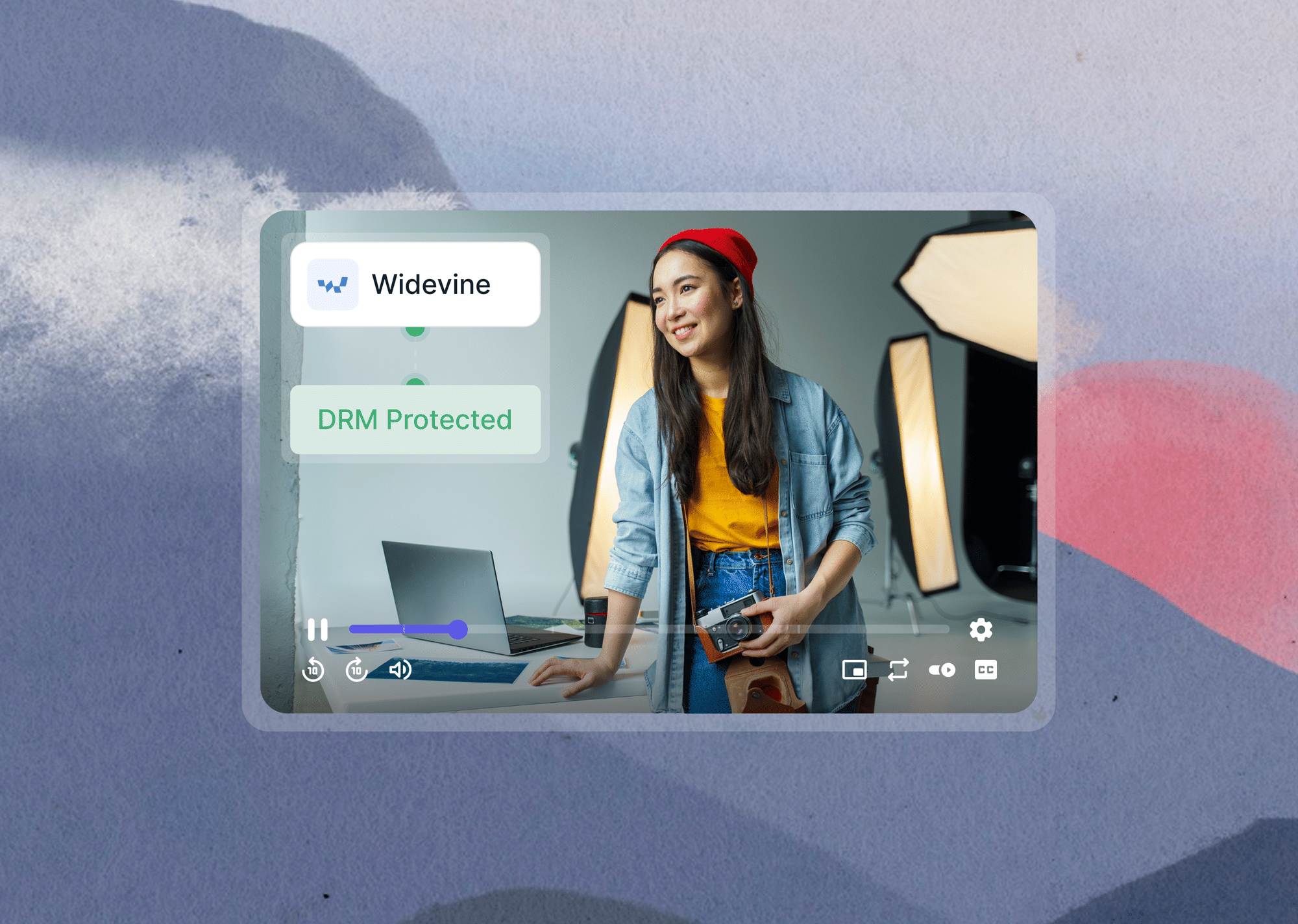
- DRM encryption (Widevine, FairPlay, and PlayReady) is the most critical protection layer; it encrypts your video at the stream level so there is no raw file to extract.
- Signed URLs create time-expiring video access tokens; even if a student shares the link, it becomes useless after a set window.
- Domain restriction ensures your video can only play when embedded on your specific domain.
- Dynamic watermarking overlays each student's unique identifier on their stream, making every leaked copy traceable back to its source.
- Software screen capture CAN be blocked by L1 (hardware-level) DRM; physical recording with a second device cannot.
- If your course is already being pirated, file a DMCA takedown with Google and Telegram, and use watermark data to identify the leaking student.
- Gumlet combines all four of these protection layers in a single platform with no-code setup.
Why Most Course Platforms Leave Your Videos Exposed
Most course creators pick their platform based on how easy it is to build and sell courses.
Teachable, Kajabi, Thinkific, and Podia all deliver on that front. What they are not designed for, at least in standard configurations, is video security. Their defaults prioritize a smooth student experience, and that often means protection is minimal unless you actively seek it out.
The global e-learning market was valued at $263.5 billion in 2023, according to Allied Market Research, and it is growing fast. Globally, video content accounts for more than 66% of all pirated material online. That kind of money, and that volume of stolen content, attracts people who are looking to access your courses without paying.
Understanding what you are actually up against is the first step toward building a defense that works.
What "Default" Actually Looks Like
On most course platforms, video is either hosted on a basic Vimeo layer or the platform's own unprotected infrastructure. There is no DRM, no domain lock, and no signed URLs.
Anyone who knows how to open browser developer tools or install a free extension like Video DownloadHelper can extract the raw video URL from the page source.
Once they have that URL, they can pass it to yt-dlp, a widely used command-line tool, and download the full video file in minutes. This is not a hacker-level skill. It is a five-minute tutorial on YouTube away from anyone with basic technical curiosity.
Three Threat Levels You Are Defending Against
Not every piracy situation is the same, and the right protection strategy depends on understanding who you are up against.
The first group is casual leakers: students who share their login credentials with a friend, or do a quick screen recording and drop the clip in a group chat. These people usually act on impulse, not malice. Basic protections are enough to slow them down significantly.
The second group is organized redistributors. These are people who buy a course once with the intention of reselling it. They upload the full content to Telegram channels, Gumroad piracy listings, or reseller sites, and sometimes charge for access. This is where real revenue damage happens.
The third group uses automation. Tools like ‘yt-dlp’ and ‘youtube-dl’ can programmatically download an entire course in a single script run, including every video in every module. These users often redistribute at scale and are the hardest to stop with surface-level protections.
The Four-Layer Course Video Protection Stack
Think of video security the way you would think about physical security on a building.
One padlock might stop someone who wanders in by accident. But someone who planned ahead will walk right past it. Three locks, a keycard reader, and a camera system is what makes that building genuinely difficult to breach. Not impossible, just difficult enough that most bad actors move on.
Course video protection works the same way. Each layer you add raises the effort required to pirate your content. Put them together and you cover the vast majority of real-world attack scenarios.
This framework is called the Four-Layer Course Video Protection Stack, and it covers the four controls that matter most.
Layer 1: Encrypt the Video Stream (DRM)
DRM stands for Digital Rights Management. When your video is DRM-protected, it is never transmitted as a raw file. The content is encrypted during delivery and can only be decrypted by an authorized player running on an authorized device. There is no plain video file sitting anywhere that a download tool can grab.
There are three major DRM systems you need to know about:
- Widevine is used by Chrome, Firefox, and Android
- FairPlay is used by Safari and iOS
- PlayReady covers Edge and Windows devices
A hosting platform that only supports one of these leaves a portion of your student base vulnerable. You need a platform that handles all three.
This is the most important layer in the stack. DRM blocks browser download extensions, download managers, and tools like yt-dlp at the encryption level. Because there is no decrypted file to intercept, these tools return nothing useful.
If you are comparing platforms on this capability specifically, our guide to the best DRM video hosting platforms covers how each one implements it.
Layer 2: Control Who Gets the Link (Signed URLs)
A signed URL is not just a video link. It is a time-stamped, cryptographically verified access token that is generated fresh for each viewing session. The link expires after a set window, usually between 4 and 8 hours depending on your configuration.
Here is why this matters in practice. Even if a student copies their video link from the browser address bar and pastes it into a group chat, the recipient who clicks it after the expiry window gets a broken player.
The link is mathematically invalid once it expires. This closes what is called the direct link sharing attack surface, which is one of the most common vectors for non-technical piracy.
Signed URLs are one of the most underused protections among course creators on self-hosted platforms. If you are using embedded video without secure video streaming protocols that include token-based authentication, your links can be shared indefinitely.
Layer 3: Lock the Embed to Your Domain (Domain Restriction)
Domain restriction means your video player will only load when it is embedded on your specific domain.
If someone extracts your embed code and tries to paste it on a different site, or opens the raw player URL directly, they get a broken or empty player. Combined with signed URLs, domain restriction closes off the two most common "share the link" attack vectors.
Together, these two layers mean that accessing your video requires being on your platform, in an authenticated session, within the valid time window. That eliminates a significant portion of low-effort piracy attempts entirely.
Layer 4: Make Every Leak Traceable (Dynamic Watermarking)
Dynamic watermarking is different from putting a static logo in the corner of your video. It overlays each student's name, email address, or a unique account identifier directly onto their personal video stream. Every single viewer sees a slightly different version of the video, personalized to them.
If a leaked copy of your video shows up on a piracy site or gets screenshotted and posted on social media, you can trace it back to the exact student account that was used.
This does two things. It acts as a powerful deterrent, because students know they can be personally identified from any clip they share. And it gives you forensic evidence you can act on, whether that means revoking access, issuing a legal notice, or reporting to Telegram's abuse system.
What About Screen Recording? The Honest Answer
This is the question that makes most course creators anxious, and it deserves an honest answer rather than reassurance.
You cannot prevent physical screen recording. If a student props up their phone against their laptop and records a module using a second device's camera, no software system in the world can detect or stop that. That is simply a physical reality.
What DRM can prevent is software-based screen capture. Tools like OBS, Camtasia, ScreenFlow, and even the built-in Windows Game Bar cannot capture the video stream on desktop browsers that enforce hardware-level DRM.
This protection is called L1 DRM, where decryption happens inside the device's secure hardware chip rather than in software. L2 DRM is software-level and is less restrictive, meaning some screen capture tools may still function. For maximum protection against software recording, look for a platform that explicitly supports L1 DRM.
On mobile devices, most DRM-enabled players block screen recording at the operating system level on both iOS and Android. A user who tries to record their screen while watching a DRM-protected video on mobile will capture either a blank screen or nothing at all.
Here is the honest reframe: the goal was never to make your videos physically impossible to copy. The goal is to raise the cost and the risk of piracy high enough that most people do not bother.
And for those who do, the dynamic watermark ensures that every copy they share carries their identity. That is what a practical protection strategy actually looks like.
How to Set This Up Without Being a Developer
Not long ago, implementing DRM required enterprise licensing agreements with Google and Apple, CDN configuration, signed URL generation through custom code, and a developer to maintain all of it.
Most course creators could not afford the time or money to even start. That friction is exactly why default hosting with no security became so normal.
That has changed. A secure video hosting platform now handles all of the heavy lifting in the background: DRM key exchange with Widevine and FairPlay, automatic token generation for signed URLs, per-viewer watermark rendering, and domain restriction configuration through a dashboard.
Gumlet packages all four of these capabilities into a single video hosting platform with no-code setup. You upload your video, enable DRM, set your domain, and activate watermarking from a dashboard. The platform manages the key exchange with Widevine and FairPlay automatically. You can then embed the protected player into any LMS, including Teachable, Kajabi, or a WordPress course plugin, and the security layer stays with the video regardless of where it is embedded.
For anyone looking at private video hosting for course creators, this kind of all-in-one setup is what separates a real protection stack from a patchwork of half-measures.
Gumlet's video protection features are available to explore for free, and Gumlet’s pricing is structured to make enterprise-grade security accessible at the course creator level.
How Course Creators Are Already Using This Stack Through Gumlet Video Hosting
Understanding the theory is one thing. Seeing it hold under real conditions is another.
GrowthSchool, a cohort-based learning platform serving 6.5 million learners across India, hosts its entire library of 50,000+ course videos through Gumlet's DRM and watermarking infrastructure. After migrating from their previous provider, they saw a 52% increase in video completion rates and 150% growth in overall video consumption. Protecting the content was not a separate concern from improving the learner experience. It was part of the same infrastructure decision.
Elmonsf, a leading EdTech platform serving 2 million students across the MENA region, had a more direct piracy problem to solve. Their previous provider left them exposed, with piracy incidents occurring even after they had implemented the platform's security features. After switching to Gumlet's DRM infrastructure, they now process over 200,000 unique DRM-secured video plays every day, and their platform has not experienced a content breach since migration.
Both cases reflect the same underlying pattern. When the protection stack is built into the delivery infrastructure rather than added on top of it afterward, it is both more effective and easier to maintain.
What to Do if Your Course Has Already Been Pirated
Even with the right setup in place, some content gets out. That is not a failure of the system; it is a reason to have a recovery process ready. Your content exists in that environment. Knowing how to respond quickly matters.
File a DMCA Takedown Notice
For content hosted on a website, find the hosting provider using a Whois lookup, then send a DMCA notice to their designated abuse contact.
Google also has a dedicated removal request portal that allows you to remove infringing URLs from search results.
For Telegram, the process is different. Telegram handles copyright complaints via their official support form. Document the infringing channel or post thoroughly before submitting, including timestamps and screenshots.
Keep records of everything: the original watermarked file, screenshots of the infringing content, the URLs, and the dates you submitted takedown requests.
Identify the Source Using Your Watermark Data
If dynamic watermarking was active when the breach occurred, you already have the answer. The watermark in the leaked copy tells you which student account was used.
Revoke that account's access, document the breach internally, and if the redistribution was commercial, meaning they were charging others for access to your course, you may have grounds to pursue legal action beyond the DMCA process.
Upgrade Your Setup Before Republishing
If the breach happened because you were not running DRM or signed URLs, treat this as the forcing function. Before your next launch, before you re-open enrollment, get the protection stack in place.
Piracy is not random; once a course has been uploaded to a redistribution channel, it tends to stay there and continues to circulate. Starting the next cohort with proper security is the most effective long-term response.
Choosing the Right Protection Level for Your Course
Not every course creator needs enterprise-grade security from day one. The right configuration depends on your course price point, your student volume, and how broadly you are distributing.
- At the starter level, for free or low-ticket courses priced under $50, domain restriction combined with a no-download player removes the easiest casual attack vectors without requiring any infrastructure investment.
- At the growth level, for mid-ticket courses priced between $50 and $200, add signed URLs and password protection. This closes the direct link sharing attack surface and puts an authentication gate in front of every viewing session.
- At the professional level, for high-ticket courses priced above $200, this is where full DRM across Widevine, FairPlay, and PlayReady becomes essential, paired with signed URLs, domain restriction, and dynamic watermarking.
This is the industry standard for premium content protection and the configuration that defeats the vast majority of real-world attack scenarios.
At the enterprise level, for membership platforms, cohort-based programs, and B2B training, you add geo-restriction to block access from specific countries or regions entirely, which is particularly useful for courses sold at regional pricing tiers or for content that carries geographic licensing obligations.
Pair that with concurrent device limits to prevent a single login from being shared across multiple screens simultaneously, and IP logging for full audit trails. This is the configuration used by major online education platforms and OTT services that treat content security as a core product requirement
If you are still evaluating which platform to move to, our guide to the best private video hosting platforms for course creators compares the options across each of these tiers.
For a broader overview of strategies that apply regardless of platform choice, see how creators can protect their videos.
Frequently Asked Questions
1. Can I completely prevent someone from pirating my course?
No. Physical screen recording using a second device pointed at a screen cannot be technically blocked by any software system. However, combining DRM encryption, signed URLs, domain restriction, and dynamic watermarking makes piracy impractical for the vast majority of bad actors and ensures that leaked copies can be traced back to a specific user.
2. Does Teachable or Kajabi protect my videos automatically?
Both platforms include basic video delivery, but neither offers DRM encryption or dynamic watermarking in their standard plans. The most effective approach for high-ticket courses is to host your videos on a dedicated secure video platform and embed the protected player into your course. The security layer then travels with the video regardless of which LMS it is embedded in.
3. What is DRM and do I need it for my course?
DRM stands for Digital Rights Management. It encrypts your video at the stream level, which means the raw file cannot be extracted using browser download extensions or automation tools like yt-dlp. For any course priced above $100, DRM is the single most important protection layer to enable. Without it, your video can be downloaded by anyone with basic technical know-how using freely available tools.
4. What is a signed URL and why does it matter for video security?
A signed URL is a temporary video link that expires after a set time window and is cryptographically tied to the requesting user's session. Even if a student copies and shares their video link, it becomes invalid after expiry. This closes the direct link sharing attack surface, which is one of the most common and easiest piracy vectors for course content.
5. What is the difference between L1 and L2 DRM?
L1 DRM is hardware-level protection. Decryption happens inside the device's secure hardware chip, which prevents software screen capture tools from recording the video stream on supported desktop browsers. L2 DRM is software-level and is less restrictive, meaning some screen capture tools may still function. For the strongest protection against software-based recording, look for a platform that explicitly supports L1 DRM.
6. How do I find out if my course is already being pirated?
Search for your course name plus "free download" on Google. Search for the course title directly inside the Telegram app. Check known reseller sites like CourseVania and FreeCourseSite. If you find a leaked copy and had dynamic watermarking active, the overlay in the leaked video will identify exactly which student account the content came from. If watermarking was not active, file the DMCA takedown and use the incident as the trigger to upgrade your setup before reopening enrollment.
7. What is the best way to protect my Teachable or Kajabi course videos from being pirated?
The most effective approach is to host your course videos on a dedicated secure video hosting platform and embed the protected player into your LMS. Teachable and Kajabi handle course delivery well, but neither platform includes DRM encryption or dynamic watermarking in standard configurations. By hosting on a platform that supports Widevine, FairPlay, and PlayReady DRM alongside signed URLs and domain restriction, the full security layer travels with the video regardless of which LMS it is embedded in.
The student experience inside Teachable or Kajabi remains unchanged, but the stream is encrypted at delivery and cannot be extracted using browser tools or automation scripts.
8. I found my paid course being sold on a piracy site. What should I have done to prevent this?
Two protections would have stopped or meaningfully contained it. DRM encryption would have prevented the raw video file from being extracted in the first place, since encrypted streams cannot be downloaded using standard browser extensions or tools like yt-dlp.
Dynamic watermarking would have identified exactly which student account the content came from, giving you forensic evidence to act on before the leak spread further. If neither was in place when the breach occurred, file DMCA takedowns with Google and the hosting platform immediately, document everything with screenshots and timestamps, and treat this as the forcing function to implement the full protection stack before your next launch or enrollment period.
Closing Thoughts
Protecting course content is not about being paranoid. It is about recognizing that you built something valuable, and that the platforms most creators default to were designed for delivery, not security.
The Four-Layer Course Video Protection Stack is not a guarantee. But it raises the cost of piracy high enough that casual leakers will give up, organized redistributors will find easier targets, and the rare person who persists will leave a trail that leads back to them.
That is what practical protection actually looks like. If you are ready to set it up, Gumlet's DRM, watermarking, and signed URL stack is available to explore for free through Gumlet’s Free Plan, with plans built for course creators at every stage.