Someone pays for your course and watches every lesson. Then they send a screen-recorded copy to a WhatsApp group of 40 people who never paid a cent.
You have no idea who did it. No trace, no lead, no way to even send a DMCA (Digital Millennium Copyright Act) notice with confidence. The leak just sits there, costing you revenue and eroding the value of what you built.
According to a 2024 survey by CordCutting.com of 988 U.S. adults, approximately one in three Americans admitted to illegally accessing TV shows or movies in the previous year, streaming them on unauthorized websites or downloading the content outright. Nearly half of American adults said they had pirated content at some point. The behavior is not rare, and it is not limited to strangers: the vast majority of unauthorized recordings originate from people who had legitimate paid access in the first place.
Now imagine a different version of that story. The moment that recording starts circulating, your email is clearly visible on every frame, along with the date and time it was played. The person who leaked it knows you can identify them. In most cases, that knowledge alone stops them from hitting “Record” in the first place.
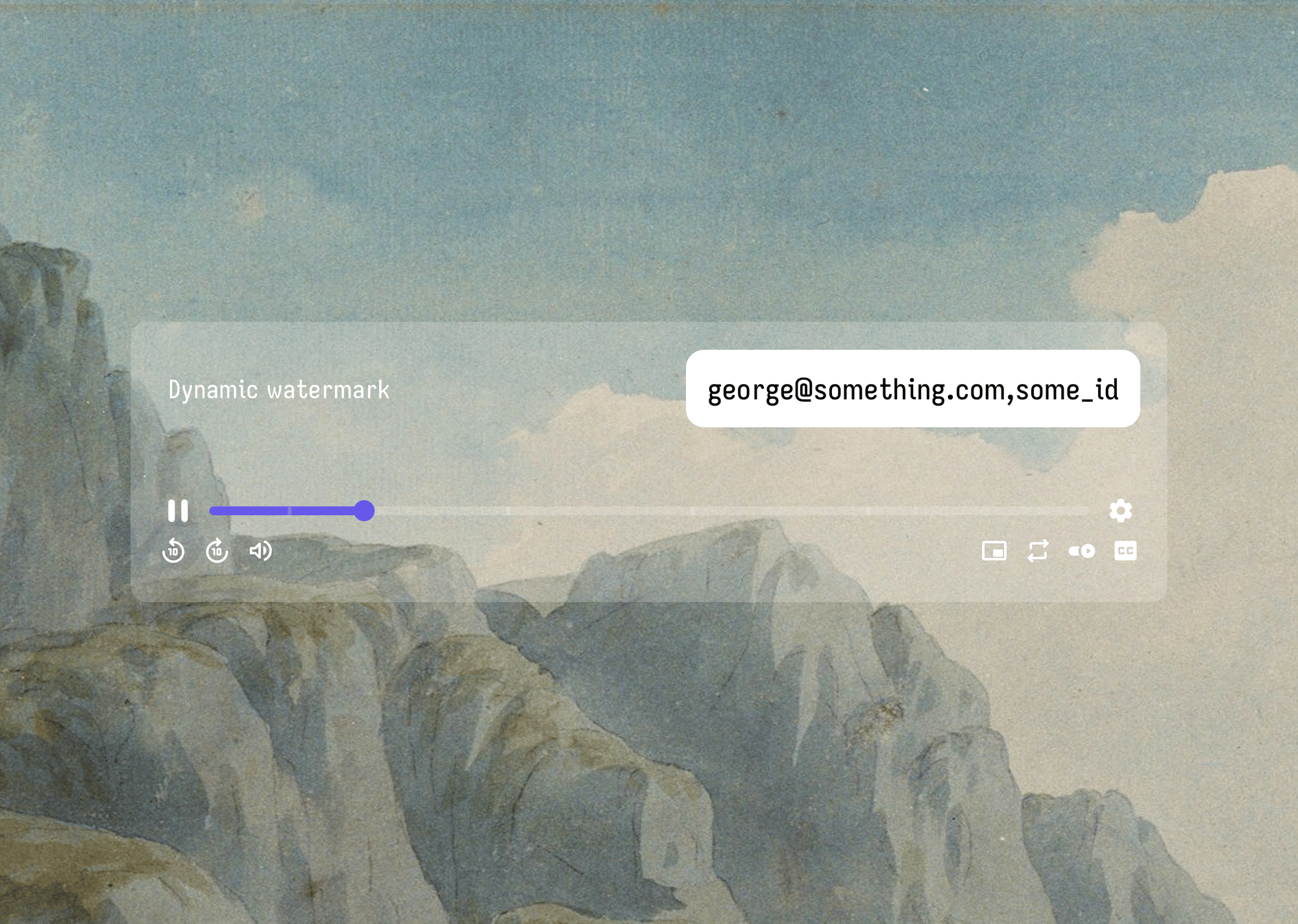
That is what a per-viewer dynamic watermark does. Adding a dynamic watermark to video that shows each viewer's own email address is one of the most effective piracy deterrents available today.
Gumlet, an end-to-end video hosting and security platform, makes this available out of the box. No code. No custom development. No enterprise contract required.
Key Takeaways
- A dynamic video watermark is a moving text overlay that displays during playback and changes based on who is watching.
- When set to show the viewer's email address, every playback session carries a unique, self-incriminating identifier.
- If a recording leaks, the floating email overlay survives compression and re-upload, and gives you a direct match between the footage and a specific user account.
- Gumlet supports per-viewer email watermarking natively, directly from the dashboard.
- Setup takes under ten minutes: no code, no API call, no developer. Configure once, and every future viewer session is automatically watermarked with their email address.
What is Dynamic Video Watermarking?
A dynamic video watermark is a per-user video watermark, a text or data overlay that appears on screen during playback and is unique to each viewing session.
Unlike a static watermark (a fixed logo or brand name in one corner), a dynamic watermark can move position at set intervals, display viewer-specific information, and update every time a new person watches.
The "dynamic" part refers to two distinct behaviors:
- First, the content changes per viewer: one user sees their email address, another sees theirs.
- Second, the position shifts across the screen during playback, making the overlay extremely difficult to crop out or blur without visibly damaging the video.
This overlay watermark-viewer identity approach is what separates a dynamic watermark from a simple logo overlay: one is a branding tool, the other is a security tool. It turns every playback session into a traceable event.
For a deeper look at how dynamic watermarking works across different platforms and configurations, Gumlet's guide on dynamic watermarking for videos covers the broader landscape in detail.
Why Showing the Viewer's Email Changes Everything
Most content creators who worry about leaks think about the solution wrong. They look for ways to technically block screen recording. But screen recording cannot be blocked entirely on open browsers and desktop devices.
The better question is not "how do I stop them from recording?" It is "how do I make them not want to?"
The scale of the problem is not small. According to research published by Parks Associates in April 2023, U.S. streaming video providers are on track to incur a cumulative loss of $113 billion to piracy between 2023 and 2027, with piracy rates for film and television services projected to climb from 22% in 2022 to 24.5% by 2027. The same research found that household participation in credential sharing had increased 48% since 2019.
For course creators and membership platform operators, the threat is the same dynamic at a smaller scale: content that was paid for by one person, redistributed to dozens who never paid at all.
A floating email watermark changes the psychology of the situation entirely.
When a viewer knows their registered email address is visibly embedded in the video throughout playback, screen recording becomes a self-incriminating act. They are no longer recording a clip; they are creating evidence. Sharing that clip means sharing proof of who they are. For most people, that calculus is enough to make them think twice.
The traceability advantage is just as significant. If a video does leak, an email-based watermark gives you a direct match between the footage and a specific user account. An IP address can be shared across multiple users on the same network or spoofed with a VPN.
An email address is tied to a user's account and is far harder to disassociate from a single viewer. Add a timestamp to that watermark, and you have a triple-layer identifier: who watched it, from where, and when.
The use cases that benefit most from this setup include online course creators and EdTech platforms protecting gated lessons, corporate training teams managing access to internal content, media companies sharing pre-release screeners with limited audiences, and membership platforms trying to reduce credential sharing.
How to Set Up a Per-Viewer Email Watermark in Gumlet
Gumlet includes dynamic watermarking as part of its video protection features, available natively in the dashboard. The setup requires no code and no API integration for the standard configuration. Here is the complete process:
Step 1: Log in to your Gumlet dashboard and navigate to the collection or workspace that contains the videos you want to protect.
Step 2: Select the video you want to configure, or go to the collection settings to enable watermarking across all videos in a workspace at once.
Step 3: Open the Video Protection or Security settings panel for that video or collection.
Step 4: Enable the dynamic watermark toggle. This activates the watermark layer for that asset.
Step 5: In the watermark configuration panel, select "Email" (or viewer email) as the data field to display. Gumlet automatically pulls this from the viewer's authenticated session, without requiring any additional setup on your side.
Step 6: Set the watermark appearance: choose your opacity level (see the next section for recommended values), decide whether the watermark floats (moves position at intervals) or stays fixed, and configure the position rotation interval if floating is enabled.
Step 7: Save your settings. Any authenticated viewer who watches the video from this point forward will see their own email address overlaid on the video during playback.
If you are not yet on Gumlet, you can have a look at Gumlet’s pricing breakdown and start a free account to have your first watermarked video live within a single session.
What Data Can You Overlay on the Watermark?
Email is the most common and most traceable field to display, but Gumlet supports multiple viewer-specific data fields. You can also combine more than one field in a single watermark to show a video watermark with user info layers: email plus timestamp, for example, for maximum traceability.
| Data Field | What it Displays | Best Used For |
|---|---|---|
| Email address | The viewer's registered email | Course platforms, membership sites, edtech |
| IP address | The viewer's current IP at time of playback | Corporate training, internal video, access-controlled content |
| Timestamp | The exact date and time of this playback session | Legal recordings, compliance-sensitive content |
| User ID or custom text | Any identifier you pass via the API | Developer setups, custom LMS integrations |
For most use cases, combining email and timestamp in a single overlay gives you both a strong deterrent and a clean evidence trail. A viewer seeing their email and the exact playback date on screen knows that any recording they make is dated, signed, and traceable.
Best Practices for Watermark Placement, Opacity, and Movement
Enabling the watermark is step one. Configuring it well is what actually makes it effective. A watermark that is too faint goes unnoticed and fails to deter. A watermark that is too prominent disrupts the viewing experience and generates complaints.
The goal is a setting that is clearly visible on a screen recording but unobtrusive during normal, legitimate viewing.
Here is what that looks like in practice:
Opacity: The 20–35% Sweet Spot
Set your watermark opacity between 20% and 35%. At this range, the overlay is light enough that engaged viewers barely register it during normal playback, but clearly legible on a screen recording or screenshot.
Going below 15% opacity makes the watermark easy to claim as "invisible." Going above 40% starts to feel intrusive and can reduce watch time on longer content.
Movement: Why Floating Beats Fixed
A fixed-position watermark, say, the bottom-right corner, can be cropped out of a leaked clip in about five seconds using any basic video editor. A floating watermark that shifts position every 5–15 seconds cannot.
To remove it cleanly, a pirate would have to mask a different region of the frame at every position change, which degrades the video quality far beyond usable.
For any content where leak risk is above minimal, floating mode is the right default. A 10-second position interval is a practical starting point: noticeable enough to be psychologically present without being distracting.
Font Size and Legibility
The watermark text should be readable on a 1080p recording but not large enough to obstruct the content on screen. The viewer needs to be able to recognize it as their email address.
If it is too small to read on a recording, it loses its deterrent effect. If it is too large, it becomes the first thing a pirate tries to edit around. Gumlet's watermark rendering is also fully responsive, meaning it scales correctly for mobile playback without additional configuration.
Pairing a well-configured email watermark with Gumlet's access controls rounds out the protection layer.
Features like password-protected videos and signed URLs ensure that only authenticated viewers reach the video in the first place, so the watermark always has a valid email address to display.
For a broader look at stopping unauthorized captures, Gumlet’s article on how to prevent screen recording covers the full stack of available controls.
What a Dynamic Email Watermark Cannot Do
A dynamic email watermark does not prevent screen recording on desktop browsers. Chrome, Firefox, and most desktop environments allow screen capture at the OS level, outside any player's control.
The watermark does not fight this; it renders it irrelevant. The recording can still happen, but it becomes traceable evidence rather than anonymous piracy.
It also does not function if a viewer reaches the video without authenticating. If no login session exists, there is no email address to display. This is exactly why dynamic watermarking is designed to run alongside access controls: password protection or signed URLs, not instead of them.
Those controls ensure every session is authenticated before the video loads; the watermark handles what comes after.
For the vast majority of online course creators, EdTech platforms, and corporate training teams, the visible per-viewer email watermark is the right layer: it stops casual piracy before it starts, and when a leak does occur, it produces a fast, actionable lead back to the source account.
What to Do When a Watermarked Video Leaks
Configuring the watermark correctly is step one. Knowing how to act when a leak surfaces is what turns that configuration into a real outcome.
Step 1: Preserve the leaked copy
As soon as you find a recording circulating without authorization on Telegram, a private group, YouTube, or anywhere else, screenshot or download a copy before it disappears. Note the platform and the date you found it. This becomes your evidence record.
Step 2: Read the watermark frames
In most leaked screen recordings, the email address is visible in multiple frames as the floating watermark moves across the screen. Note the exact email visible in the footage. If your watermark includes a timestamp, note the playback date and time as well. Even a partial email visible in one frame is enough to begin a match.
Step 3: Cross-reference your viewer logs
Log in to your Gumlet dashboard and pull the playback history for the specific video. Match the email from the recording against the viewer log. You now have a named account tied to the specific playback session.
Step 4: Revoke access and issue a takedown
With a confirmed email match, you have grounds to terminate that viewer's account access immediately and to file a DMCA takedown notice against the platform hosting the unauthorized copy. The email address in the recording functions as your documented evidence of the source.
Step 5: Document before you contact
Before reaching out to the viewer directly, preserve everything: screenshots of the watermarked frames, your Gumlet playback logs, and the URL where you found the recording. If this escalates to a legal claim, your documentation chain starts at this step, not after.
This entire process is only possible because the watermark was configured correctly from the start: email combined with timestamp, floating mode enabled, and opacity in the 20–35% range, high enough to survive re-upload compression and remain legible in the leaked copy. A watermark that was too faint or fixed in a single croppable corner will not survive the chain intact.
Frequently Asked Questions About Dynamic Video Watermarks
1. Can viewers remove or bypass a dynamic email watermark?
No. A floating dynamic watermark cannot be cleanly removed without visibly degrading the video. Because the overlay moves to a new position at regular intervals, cropping or blurring it requires editing out a different screen region at every position change. That process damages the video at each affected area. The watermark does not prevent screen recording, but it makes the resulting recording clearly identifiable and far less shareable.
2. Does the email watermark work if a viewer is not logged in?
No, the watermark only displays when the viewer is authenticated and has an email address on file. The email watermark requires an authenticated session. If a viewer reaches the video without logging in, Gumlet has no email address to display.
For content where this matters, pair dynamic watermarking with Gumlet's password protection or signed URL access controls. Both ensure that only verified viewers can reach the video, which also guarantees the watermark always has viewer data to pull from.
3. Will the dynamic watermark slow down playback or affect video quality?
No. Gumlet applies watermarks in the player layer at playback time, not during encoding, so there is zero impact on stream quality or load time.
The watermark is not burned into the video file during encoding, which means there is no re-transcoding step, no impact on stream quality, and no increase in load time. The underlying video asset remains unchanged.
4. Can I apply the watermark to an entire collection, or only to individual videos?
Both. You can apply watermarking at the collection level (all videos in a group) or at the individual video level. Gumlet lets you configure watermarking at the collection or workspace level, which applies the same settings to every video in that group, and at the individual video level for more granular control.
This makes it straightforward to protect an entire course library with a single configuration while giving specific videos different watermark settings where needed.
5. Can I use dynamic watermarking alongside DRM and signed URLs at the same time?
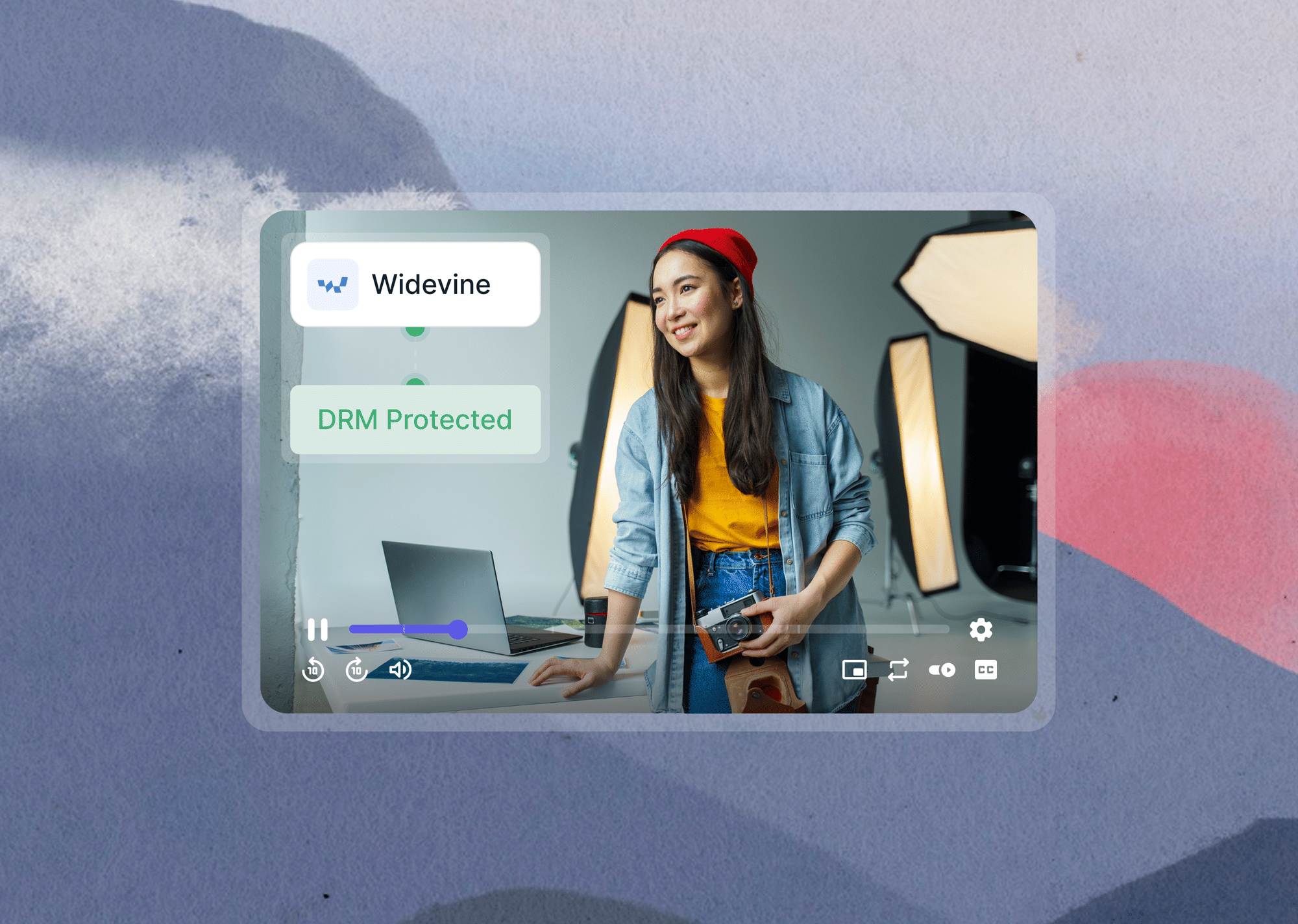
Yes, and this combination is strongly recommended. Each layer addresses a different threat. DRM (Digital Rights Management) encrypts the video stream and blocks download tools from extracting the raw file. Signed URLs restrict which viewers can access the playback link in the first place, with automatic expiry.
Dynamic watermarking deters screen recording by making it traceable. Together, they create a defense in depth: unauthorized downloads are blocked, unauthorized access is controlled, and unauthorized recordings are identifiable.
Start Protecting Your Videos
Per-viewer email watermarking is no longer a feature locked behind enterprise contracts or custom development work. Gumlet makes it a standard part of its video hosting stack, available to any creator or team that needs to protect gated content from leaks.
Configure it once and every viewer session is automatically covered. When a leak happens, and for high-value content it eventually does, you will know exactly where it came from.
Explore Gumlet's video hosting and protection platform to see the full stack of security controls available alongside dynamic watermarking.