You upload your course videos to WordPress, lock the lesson behind a login, hide the download button, and think you are done.
Then a student shares your lesson outside the membership. Another user grabs the MP4. Someone posts your paid content in a Telegram group. Suddenly, you realize the problem was never the button. The problem was the video file itself.
That is where most WordPress advice falls apart.
If your videos are hosted like ordinary media files, WordPress can hide controls and restrict page access, but it cannot magically make the underlying file impossible to reach. For serious video protection, you need more than a plugin tweak.
You need secure video hosting, encrypted streaming, access control, and a player that works cleanly inside WordPress.
If you run a course site, membership business, coaching portal, or premium content library, here is what actually works, what does not, and why the gap between the two matters more than most WordPress tutorials let on.
Quick Answer
The only reliable way to prevent video downloads on WordPress is to stop serving video as a raw file in the first place.
That means moving your videos off the WordPress media library and onto a secure hosting platform that delivers content through encrypted streaming, DRM-controlled playback, and signed URLs with expiry.
WordPress plugins can hide download buttons and gate page access, but neither changes how or where the underlying file is served. For premium or paid video, the protection has to live at the delivery layer, not the interface layer.
Key Takeaways
- You cannot fully stop video downloads on WordPress with a UI setting alone.
- Hiding the download button only removes the obvious option from the player interface.
- Right-click blocking is easy to bypass and does not protect the source file.
- If you host paid videos in the WordPress media library, the file is often still reachable.
- Real WordPress video protection comes from secure hosting, encrypted streaming, DRM, signed URLs, domain restrictions, and watermarking.
- The safest setup is to use WordPress as your publishing layer and a secure video platform like Gumlet as your delivery layer.
- For course creators and membership sites, this gives you stronger anti-piracy protection, cleaner playback, and fewer plugin headaches.
Can You Really Stop People From Downloading Videos on WordPress?
Not completely. Anyone promising “100% download prevention” is overselling it.
What you can do is make unauthorized access much harder, reduce casual theft, stop link sharing from being useful, and add layers that deter piracy at scale. That is the practical goal.
WordPress is great for publishing, page control, membership gating, and course delivery. It is not, by itself, a secure video delivery system. If the video is the product, or a major part of the value you sell, you need a setup built for secure playback.
What WordPress Can Do on its Own
WordPress can help with surface-level access control. You can:
- Hide the visible download option in some players
- Restrict lessons or pages to logged-in users
- Control who sees a post, page, or course module
- Use membership plugins to gate content behind subscriptions
All of that is useful. That said, none of that is enough for valuable video content on its own.
What WordPress Cannot Do on its Own
WordPress cannot reliably:
- Stop a determined user from finding a publicly reachable media URL
- Enforce real DRM from a normal media library workflow
- Prevent someone from inspecting network requests
- Stop screen recording
- Make a raw MP4 safe just because it sits behind a page login
That is why “disable the button” and “protect the page” are not the same as “protect the video.”
Why Disabling the Download Button is Not Enough
This is the part most WordPress tutorials either skip or soften. They should not.
Hiding the download button changes the player interface. It does not change how the file is delivered. If the source file is still accessible, the real problem is still there.
Why controlslist="nodownload" is Only Cosmetic
The controlslist="nodownload" HTML attribute removes the visible download button from certain browser-native video players. That is the complete list of what it does.
The video file itself, the actual MP4 sitting on your server, remains fully accessible via its direct URL, via network inspection, or via developer tools. The attribute changes what the player looks like. It does not change how the file is delivered or where it lives.
Think of it this way: if your video is a document sitting in a glass-walled room, controlslist="nodownload" hides the door handle. Anyone who can see the room can still walk in. It reduces accidental downloads from users who do not know better. Against anyone who does, it does nothing.
What the Code Actually Looks Like (and What It Cannot Do)
For reference, this is how controlslist="nodownload" is typically implemented on a WordPress site, using the render_block filter:
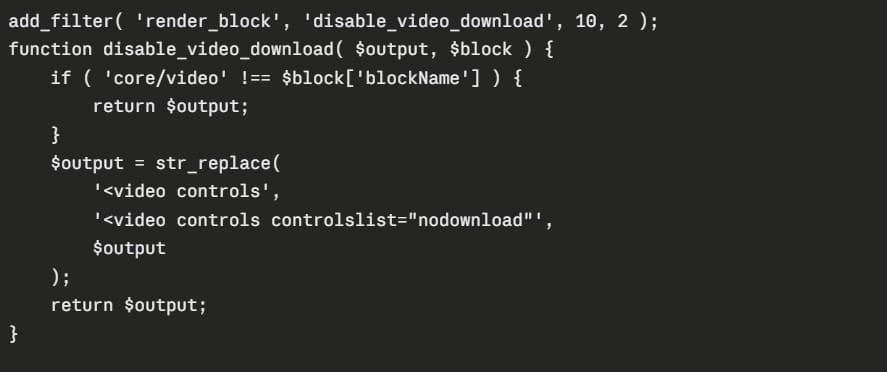
Add this to your theme's functions.php or a site-specific plugin. It works on the core WordPress video block and removes the visible download button from the native HTML5 player in supported browsers.
Here is what happens next. Open the page containing your video. Press F12 to open the browser developer tools, Go to the Network tab, Play the video, Watch the MP4 file URL appear in the request log, complete, direct, and copyable into any browser address bar or download manager. The button is gone from the interface. The file is exactly as accessible as it was before.
That is the practical ceiling of this approach. It is a legitimate first step for free or low-stakes video. For anything that carries real business value, the file delivery model needs to change, not just the player controls.
Why Right-click Blocking Fails
Right-click blocking has been overused for years because it feels like a security measure. It is not. A viewer does not need technical skill to bypass it; pressing F12, using a keyboard shortcut, installing a browser extension, or switching to mobile are all it takes. Screen recording software bypasses it entirely and does not require the browser to cooperate at all.
The deeper problem is who actually gets blocked. The determined user who wants your content will find a way around it in thirty seconds. Your paying student who right-clicked to open a lesson in a new tab hits a wall instead.
You have spent friction on the wrong audience, damaged the experience for your legitimate customers, and protected nothing.
Why Self-hosted WordPress Videos Remain Exposed
This is the bigger issue. If you upload premium course videos directly into the WordPress media library, you are usually treating them like normal website assets.
That creates three problems at once:
- The file may still be directly reachableIf the file has a public URL or can be discovered through the page source, network requests, or a plugin conflict, users can bypass the player interface.
- Performance gets worse as you scaleLarge video files are heavy. Self-hosting can strain your server, hurt page speed, and create a poor experience on weaker connections.
- Access control becomes fragmentedYou may have one plugin controlling the lesson, another plugin controlling membership, and a player tweak pretending to handle the download problem. That is messy and weak.
If your videos are free and low stakes, maybe that is acceptable. If your videos are paid, private, or central to your business, it is not.
What Actually Works to Protect Videos on WordPress
Real video protection works in layers. Call it the WordPress Video Security Stack: a set of controls where each layer solves a distinct part of the problem that the layer above it cannot reach.
Each layer in the stack solves a distinct part of the problem: encryption handles file extraction, DRM handles playback authorization, signed URLs handle link sharing, and watermarking handles leak traceability.
No single layer covers all of these. But combined, they create a system where bypassing one protection does not mean bypassing all of them, which is what makes the difference between casual deterrence and serious content security.
The WordPress Video Security Stack at a glance:
Layer 1: Encrypted streaming: stops file extraction at the delivery level
Layer 2: DRM: controls playback authorization at the device level
Layer 3: Signed URLs: kills link-sharing by expiring access tokens
Layer 4: Domain restrictions: prevents off-site embedding
Layer 5: Dynamic watermarking: deters leaks through forensic accountability
Not every site needs all five. The value of the stack is that each layer closes a gap the others leave open.
That is why serious publishers move away from standard self-hosted file delivery and toward video protection designed for streaming.
Encrypted Streaming
A raw video file is just a file. Anyone with its URL can download it, copy it, re-upload it, and share it, no tools required, no technical background needed. Encrypted streaming changes the equation at a structural level.
Instead of serving a static MP4, encrypted streaming delivers video in small, time-sequenced chunks using protocols like HLS or DASH. Each chunk is encrypted with a key that the player requests dynamically at the moment of playback.
Without a valid key, the chunks are unreadable, even if someone intercepts the segment URLs and downloads every individual piece, they cannot reassemble a watchable file. The content only decrypts inside a legitimate, authorized player session.
The mindset shift here is fundamental: your goal is not to hide the file better inside WordPress. Your goal is to stop treating the video like a file in the first place.
DRM (Digital Rights Management)
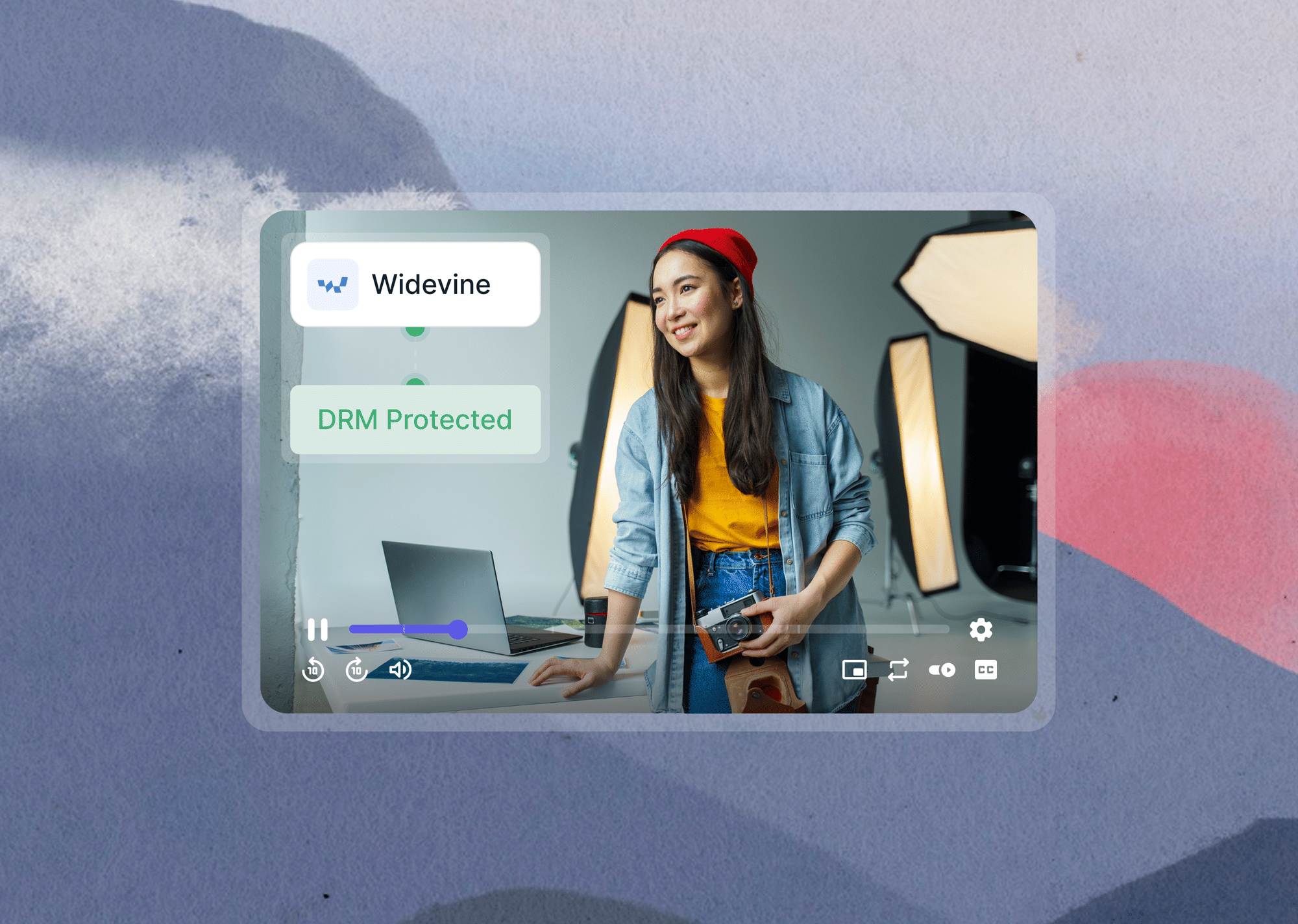
DRM is the strongest practical protection available for premium video, and the reason every serious streaming platform, such as Netflix, Disney+, and every major OTT service, uses it as a baseline.
Unlike encrypted streaming alone, DRM ties playback authorization to a specific device, session, and viewer. The decryption key is never exposed in a form a user can extract; it lives inside a secure, hardware-level environment that the DRM system controls. Even recording the full network session does not help, because the key needed to make sense of it is not part of what gets recorded.
For course creators and membership businesses, DRM is the line between "this content is somewhat difficult to steal" and "this content requires a professional-grade effort to steal." That gap is wide enough to stop casual piracy at scale, which is what most businesses actually need. Gumlet supports video DRM for standard secure video playback.
Signed URLs and Expiring Access
A signed URL is a playback link that carries a cryptographic token scoped to a specific user, time window, or set of conditions. When a student loads a lesson, Gumlet generates a unique token for that session.
The token is validated before any video content is served. Once it expires, after minutes, hours, or a custom window you define, the link stops working entirely.
This matters enormously in practice. A student who copies the video URL from their browser and sends it to a group chat has not actually shared access, they have shared a link that will fail for anyone who tries to use it outside the original session.
A member who posts your course video URL in a forum has posted something useless. The link dies. The file goes nowhere.
Page-level login protection cannot do any of this. A protected WordPress page checks whether a visitor is authenticated. It cannot check whether the specific video URL being requested is still within a valid playback window for that viewer. Those are fundamentally different controls, and both are necessary for premium content.
Domain Restriction and Access Control
Domain restriction helps stop your video from being embedded or played back on unauthorized websites. This is critical if you want your content to work only on your site, your course area, or your app.
Access control features such as referrer whitelisting, domain locks, and protected playback rules are especially important when your audience pays for access and your content has resale value. Gumlet documents support layers such as geo-blocking, whitelisted websites, and signed URLs for tighter control.
Dynamic Watermarking
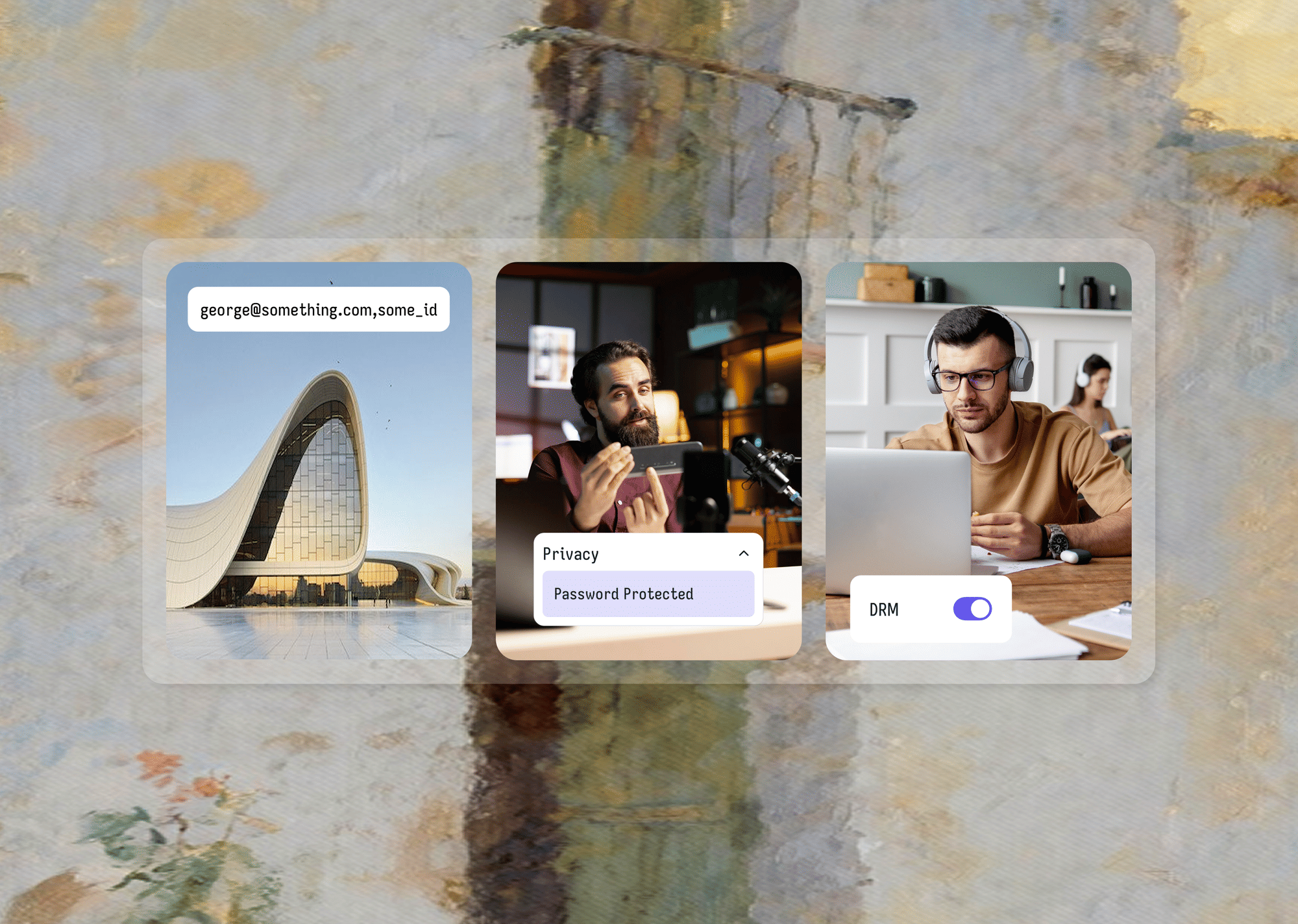
Dynamic watermarking overlays viewer-specific information: an email address, a user ID, a session token, onto the video at playback time.
The overlay is generated server-side, changes position and opacity at intervals, and is technically difficult to remove without degrading the video in ways that make it far less useful.
The protection works on two levels. On the technical side, a leaked copy carries a forensic trail directly back to the original viewer. On the behavioral side, when viewers know the video carries their personal identifier, most of them simply choose not to share it.
The deterrence effect is meaningful even before a single leak is traced as it changes how subscribers perceive the personal risk of sharing paid content with people outside your platform.
For dynamic watermarking to be worth implementing, you do not need to be running a platform at scale. If your videos are premium, branded, or the kind of content where one leak forwarded five times can reach hundreds of people who now have no reason to subscribe, it belongs in your stack.
Login plus Secure Hosting
This is the best practical WordPress setup for premium content.
Let WordPress, LearnDash, MemberPress, or your membership plugin control who should see the page. Then let a secure video platform control “how the video is delivered and protected.”
That split is cleaner, safer, and easier to maintain.
Best ways to stop video downloads on WordPress: plugin fixes vs secure hosting
Most site owners start with plugin fixes because they are familiar, fast, and cheap. That is not wrong. It is just incomplete.
The real question is not “Can I install a plugin?”, rather “How valuable is this video, and how damaging would it be if it were shared?”
| Method | Stops casual users? | Stops direct file access? | Good for paid content? | Easy to set up? | Main limitation |
|---|---|---|---|---|---|
| Hide download button | Yes, sometimes | No | No | Yes | Cosmetic only |
| Right-click blocking | Slightly | No | No | Yes | Easy to bypass |
| Login-only protection | Partly | Not always | Limited | Yes | Protects pages, not necessarily playback |
| WordPress protection plugin | Sometimes | Limited | Sometimes | Medium | Depends on how video is actually hosted |
| Secure video hosting | Yes | Much more effectively | Yes | Medium | Requires moving away from raw self-hosting |
Option 1: Hide the Download Button
Hiding the download button is a reasonable baseline for free, publicly available video that carries no commercial value.
It removes the obvious click path for users who would not have gone further anyway. For a marketing page video, a public tutorial, or a blog embed where accidental casual downloads are the only concern, this level of friction is sufficient.
It is not a protection strategy. The moment the video has real business value, people pay for it, it forms part of a course, it is licensed or proprietary, hiding a button changes nothing about the actual risk.
Option 2: Restrict Access With a WordPress Plugin
This is a meaningful upgrade over button-hiding, and for the right use case, it is genuinely sufficient. A few plugins go further than basic UI gating and are worth understanding specifically:
Prevent Direct Access Gold moves your video files outside the publicly-accessible WordPress upload directory and intercepts file requests at the server level, validating permissions before the file is served.
This is stronger than most plugin approaches because it operates below the player interface, even a direct URL request gets checked. Its Protect WordPress Videos extension adds a custom video player on top of this foundation.
For self-hosted video that does not justify the cost or migration to an external platform, this is the most technically serious WordPress-native option available. VdoCipher offers a WordPress plugin that connects to their DRM-backed video hosting infrastructure.
Unlike pure WordPress plugins, it handles the video delivery layer through their own CDN with Widevine and FairPlay DRM, which means the protection is at the streaming level rather than the file access level.
If you want DRM without fully migrating away from a WordPress-centric workflow, it is a credible option. The ceiling for both approaches: neither gives you the combination of multi CDN delivery performance, adaptive bitrate streaming, session-level dynamic watermarking, and the marketing and analytics infrastructure that a dedicated video platform provides.
For businesses where video is the core product and growth is the goal, they are solid interim solutions rather than long-term infrastructure.
Option 3: Use Secure Video Hosting and Embed into WordPress
Secure external hosting is the right answer when the video is the product. If people pay to watch your content, if access to your library is what they are buying, or if a leak would cost you real revenue, the video file carries business value, and it needs to be protected at the delivery layer, not just hidden behind a WordPress page.
With this setup, WordPress manages what it is genuinely good at: page structure, membership gating, course logic, and user accounts.
A secure video platform handles the video itself: how it is stored, encrypted, who can play it, under what conditions, for how long, and what gets embedded into each player session. The responsibilities are cleanly separated, and the protection is structural rather than cosmetic.
Private video hosting is the path to this setup: WordPress as your publishing layer, Gumlet as your delivery layer.
The practical summary is this: plugins are useful, and you should keep them for what they are good at: gating content, managing memberships, controlling lesson access. But a plugin cannot change where your video files live or how they are delivered.
That is an infrastructure question, and infrastructure is where the real protection happens. If the video is the product, the video layer needs to be built for protection from the start.
How to Protect WordPress Videos with Gumlet
If you want a setup that is practical, scalable, and built for premium video, this is the path to take.
Gumlet is a secure video hosting platform that lets you host, protect, and embed videos into WordPress without relying on raw media URLs from your normal library. It also provides WordPress-specific embedding support through its official plugin.
Step 1: Upload Your Video to Gumlet
Start by uploading your video to Gumlet instead of putting the premium file directly into the WordPress media library.
This gives you a delivery layer designed for streaming, optimization, and controlled playback from the beginning. It also separates your website CMS from your video security setup, which is exactly what premium content businesses need.
Step 2: Turn On the Protection Layers That Match Your Business
Not every site needs the same stack. If you run a paid course or membership business, prioritize:
- DRM for stronger playback protection
- Signed URLs or expiring access
- Domain restrictions
- Watermarking for accountability
- Geo controls if your licensing or audience requires them
If you run an internal training portal, you may care more about controlled access and traceability than public discoverability. If you run a creator business, watermarking plus DRM may matter more than geo-blocking.
The point is to use the layers that match the actual risk.
A practical way to decide which layers your business needs:
- If your primary concern is casual downloading by non-technical users: signed URLs and domain restrictions are sufficient. They stop link-sharing and off-site embedding without requiring full DRM implementation.
- If your content is regularly shared or you have confirmed leaks: add DRM and dynamic watermarking. DRM closes the technical extraction gap. Watermarking addresses the behavioral gap, most viewers stop sharing when they know the content carries their identifier.
- If you operate in a regulated environment or your content has significant resale value (certification programs, licensed training, premium IP): the full stack, DRM, signed URLs, geo restrictions, watermarking, and audit logs, is the appropriate baseline, not an upgrade.
The goal is not to implement every layer by default. It is to match your protection investment to the actual consequence of a leak.
Step 3: Install the Gumlet Video WordPress Plugin
Gumlet offers an official WordPress plugin for video embedding, shortcode support, and dynamic watermark settings. Search for Gumlet Video in the WordPress plugin section, install it, and activate it.
This matters because WordPress can strip certain iframe attributes if you try to embed the player manually, which can affect player behavior. Gumlet recommends using the WordPress plugin if you are on WordPress.
Step 4: Embed the Protected Video Inside Your WordPress Pages, Lessons, or Membership Areas
Now use WordPress for what it does best. Embed the Gumlet video inside:
- Lesson pages in LearnDash
- Protected pages in MemberPress
- Membership libraries
- Course modules
- Premium training hubs
- Private resource pages
This is the cleanest architecture. Your CMS controls page access. Gumlet controls protected playback.
Step 5: Test Your Setup Like a Real User
Do not skip this.
Check:
- Logged-in playback
- Logged-out behavior
- Shared link behavior
- Off-domain playback
- Mobile playback
- Watermark visibility
- Lesson access inside your actual LMS or membership flow
If your content matters, QA matters.
Best Setup for LearnDash, MemberPress, and Membership Sites
This is where the stakes rise. Course creators and membership businesses lose real money when people share videos freely. A video lesson is not just “content.” In many cases, it is the product.
For LearnDash Course Creators
If you run LearnDash, your lesson structure belongs in WordPress. Your premium video files do not.
Host the video on a secure platform, embed it inside the LearnDash lesson as a protected player, and let the security controls operate at the delivery layer where they belong.
LearnDash controls who can open the lesson. Gumlet controls what happens to the video once they do. That split gives you real protection instead of the false security that comes from a locked lesson page containing an unprotected video file.
If content leaks are already happening: students sharing lessons in group chats, paying users forwarding course videos, add dynamic watermarking first. It will not prevent every attempt, but it changes the risk calculation for the people most likely to share. When viewers know the video carries their identifier, most of them stop.
For MemberPress and Membership Sites
If someone pays for access to your content library, the page gate and the video protection are two separate problems that require two separate solutions.
A MemberPress rule does its job well: it stops unauthenticated visitors from reaching the lesson page. But the moment a logged-in user watches a video, the protection question shifts from "can they see the page" to "can they extract the video."
Those are entirely different questions. The answer to the second depends entirely on how and where the video is hosted, and a MemberPress rule has no reach over a raw MP4 URL that a subscriber copies from their browser's developer tools and shares with someone who has never paid for your content.
Pair your membership gate with a secure video layer that handles encrypted delivery, signed playback tokens with expiry, and domain restrictions. Between the two, you have addressed both the access problem and the extraction problem.
For Premium Coaching, Certification, and Training Portals
These businesses consistently underestimate how quickly a single leak compounds. A shared training video does not just cost you one subscriber, it becomes a copied asset circulating in industry Slack groups, a free preview that erodes the perceived value of your paid library, or an onboarding resource forwarded to colleagues who now have no reason to pay.
One leak, forwarded five times, can reach hundreds of people who never subscribed.
Secure video embedding is not a purely technical choice for these businesses. It is a direct revenue protection decision. The tighter the delivery layer, the smaller the blast radius when something slips through, and something always eventually does.
Common Mistakes That Still Leave WordPress Videos Exposed
A lot of video “protection” fails because site owners solve the wrong problem. Here are the mistakes that keep showing up.
1. Uploading paid videos directly into the WordPress media library
This is the most common mistake and the one with the most direct consequences. When you upload a video to the WordPress media library, it lands in wp-content/uploads/ as a publicly accessible file.
Your membership plugin controls who can reach the page containing the video, but it typically does not control who can reach the video URL directly.
The file path follows a predictable directory structure, and the URL is exposed in the page source the moment the player loads.
Any logged-in user who opens their browser's developer tools, checks the network tab, and copies the source URL has the file. For paid content, this is not a theoretical edge case. It is what technically curious users do routinely.
2. Trusting right-click blocking
Right-click blocking belongs in the same category as locking your car with the windows down. It stops the most passive, least motivated attempt.
Against anyone who actually wants the content, it is bypassed in thirty seconds with a keyboard shortcut or a developer console. Meanwhile, it actively penalizes paying customers with legitimate reasons to right-click. The protection value is zero. The user experience cost is real.
3. Assuming page login equals video security
This one catches site owners off-guard because it is counterintuitive. A MemberPress rule, a LearnDash lesson lock, or a password-protected page controls who can load that specific URL in their browser.
It does not change how the video file behind that page is delivered. If the video is a plain self-hosted MP4, a logged-in user can extract the source URL and forward it to someone who has never authenticated on your site.
The page is private. The video is not. These are separate properties, and confusing them is expensive.
4. Sharing raw MP4 links internally
Internal link-sharing is a common shortcut that creates long-term exposure. When a team member, moderator, or client receives a raw MP4 URL, that URL can be forwarded, saved, bookmarked, or screenshotted indefinitely.
It does not expire, it is not scoped to a viewer, and it cannot be revoked without taking the video offline or changing its location. For content with real commercial value, never share raw file URLs internally. Use signed, expiring links instead, even for your own team.
5. Using “unlisted” video links as a paid-content strategy
Unlisted means the video does not appear in public search results or on your channel page. It does not mean the video is inaccessible to anyone who has the URL.
An unlisted link shared by one paying subscriber can reach hundreds of people in hours. For free, low-stakes content, unlisted is a convenient distribution method. As a security model for anything people pay to access, it is not a strategy, it is an assumption that nobody will share the link, which is an assumption that eventually fails.
6. Skipping watermarking for high-value content
The logic for skipping it is usually one of two things: cost or aesthetics. Watermarks are an extra step, they affect the viewing experience slightly, and leaks feel unlikely until they happen. In practice, dynamic watermarking is one of the highest-leverage protections available for premium video.
Implementation cost is low. The deterrence effect, particularly when viewers know their personal information is embedded in the playback, is significant.
If you run a course platform, a certification program, or any paid community where the same people watch the same content repeatedly, skipping watermarking is a risk that tends to feel small until it is not.
Why Gumlet is the Better Fit for Serious WordPress Video Protection
If you are only trying to remove a visible download button, you can stay in plugin-land and hope it is enough. If you actually want to protect revenue-generating video content, Gumlet is the stronger WordPress setup because it combines:
- Secure video hosting
- WordPress embedding support
- DRM
- Access control
- Signed URLs
- Domain restrictions
- Dynamic watermarking
- Better playback infrastructure than basic self-hosting
It also gives you a path that scales.
That matters. Growth breaks weak video setups fast.
In Gumlet’s customer stories, GrowthSchool reported a 52% increase in video completion rate across 50,000+ videos, 150% growth in video consumption, and 41% lower streaming bandwidth after moving to Gumlet, while also securing courses with DRM.
Elmonsf reported 200K+ unique DRM-secured plays per day, 43% lower cloud spend, and a migration completed in under a week with zero downtime. Those are not vanity numbers. They show what happens when a video business stops patching around weak delivery and upgrades the stack properly.
If your videos are central to your revenue, Gumlet is not just a player change. It is a business model protection move.
Final Thoughts
If you came here looking for a WordPress trick that makes downloads disappear forever, here is the blunt answer: That trick does not exist.
What does exist is a much better approach.
Use WordPress to publish your pages, run your memberships, and organize your course content. Use a secure video platform to handle encrypted streaming, controlled playback, DRM, signed URLs, domain restrictions, and watermarking.
That is how you stop treating premium video like a normal website file and that is how you make downloads much harder, sharing far less useful, and piracy far more expensive for the people trying it.
And if you want the cleanest path to do that inside WordPress, Gumlet video hosting is the setup worth using.
Start with Gumlet’s free plan and test out these features before committing to a long-term solution.
FAQs
1. Can WordPress stop users from downloading videos completely?
Not completely, and anyone who tells you otherwise is selling something. WordPress is a content management system. It is excellent at publishing pages, organizing courses, and controlling who can log in and see what content.
It is not, by design, a secure video delivery system. When you embed a video in a WordPress page, the question of how secure that video actually is depends entirely on where the file lives and how it is served, not on what the page looks like to a logged-in user.
Real prevention requires encrypted streaming, DRM-controlled playback, and expiring access tokens. These are infrastructure-level controls, and they live at the video hosting layer, not the WordPress layer.
2. Does disabling right-click protect videos in WordPress?
No. Right-click blocking is a UI-level restriction that prevents one specific mouse interaction. A viewer can bypass it with a keyboard shortcut, by opening the browser console with F12, by using a download extension, or simply by switching to a mobile device where context menus behave differently. None of these require any technical knowledge. The video file remains exactly as accessible as it was before. The only thing you have protected is the right-click menu.
3. Is controlslist="nodownload" enough for WordPress video protection?
No, and this is responsible for a significant amount of false confidence in WordPress video setups. The controlslist="nodownload" attribute tells certain browsers to remove the download button from the native HTML5 video player UI.
That is its entire scope. The source file URL is still present in the page source, still visible in the network tab of any browser's developer tools, and still downloadable by anyone who copies it directly into their address bar. It is a cosmetic interface change. It is not a security control in any meaningful sense.
4. What is the best way to protect LearnDash or MemberPress videos?
The strongest setup separates your content delivery layer from your course delivery layer. Use LearnDash or MemberPress to control who can access which lesson, and that is what they are built for, and they do it well. Host your actual video files on a secure platform like Gumlet and embed the protected player inside your lessons.
This way, the video is never served as a raw media file from your WordPress server. Gumlet handles encrypted delivery, DRM if you need it, expiring playback tokens, and domain restrictions, so even if a student inspects the page source or shares a lesson URL, they cannot extract a usable copy of the video.
5. Should I host paid course videos in the WordPress media library?
For anything you sell access to, no. The WordPress media library is designed for publicly accessible site assets: images, attachments, videos for general web use. When you upload a premium course video there, it goes into a directory structure that is built to be reachable from the web.
Your membership plugin controls who can see the lesson page. It does not restrict who can access the video file at the server level. For paid content, the video should live on a platform engineered for secure delivery, not in a directory designed for website media.
6. Is there a WordPress plugin that actually prevents video downloads?
Most WordPress plugins operate at the page and player layer: they gate lesson access, hide player controls, and manage membership permissions inside your WordPress admin.
Some, like Prevent Direct Access, go further by moving files outside the public web directory and implementing server-level access control, which is genuinely stronger than UI-level restrictions.
But no WordPress plugin handles encrypted streaming, DRM-controlled playback, or cryptographically signed access tokens, those require infrastructure-level controls that only exist at the video hosting layer. The practical answer for serious video protection is a membership plugin for gating paired with a secure video host for delivery. Neither replaces the other.
7. How does Gumlet protect videos on WordPress?
Gumlet acts as a dedicated secure video delivery layer between your WordPress site and the viewer's browser. You upload your videos to Gumlet instead of the WordPress media library.
Gumlet processes and stores them with encrypted streaming, applies DRM to control how and where content can be decrypted and played, generates signed playback URLs that expire after a window you define, enforces domain restrictions so the video cannot be embedded on unauthorized sites, and overlays dynamic watermarks with viewer-specific information at playback time.
The official Gumlet WordPress plugin handles the embedding cleanly, including inside LearnDash lessons and MemberPress pages, without the iframe attribute conflicts that typically arise from manual embedding.