TL;DR
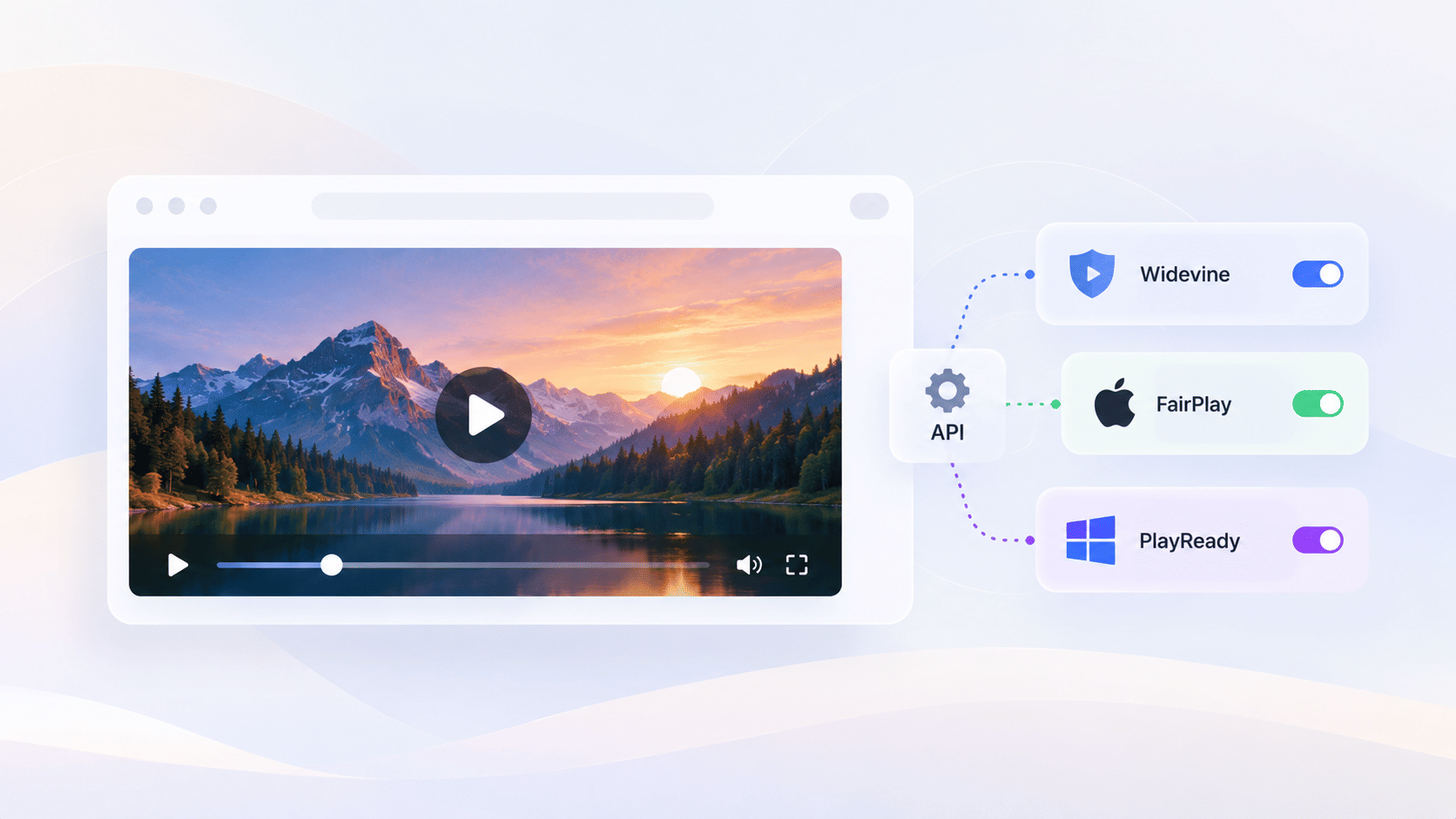
- A single EME-compatible player, whether that's Shaka, dash.js, hls.js, or Safari's native engine, can play Widevine, FairPlay, and PlayReady content without a rebuild. You add three DRM-specific configuration blocks and one token-issuing endpoint on your backend.
- Widevine and PlayReady both run through the standard requestMediaKeySystemAccess EME path in the browser. FairPlay on Safari does not. It uses a certificate fetch plus an SPC/CKC exchange that needs its own handler.
- License requests should carry a short-lived, signed token bound to a user, a session, and a content ID. The license server URL itself is not a secret, and hiding it solves nothing.
- License acquisition and license renewal are two different events. A token expiring mid-playback should trigger a silent renewal request, not a hard stop, and the pattern differs for VOD versus live streams.
- A stream that plays in Chrome and fails in Safari almost always traces to one of five causes: a missing FairPlay certificate, the wrong encryption mode, an expired token, a blocked CORS preflight, or a manifest missing the right key signaling.
- Not every platform that lists "DRM support" on its pricing page hands you a license URL you can point a custom player at. Some decrypt only inside their own embedded player, which rules out a custom integration entirely, regardless of which DRM systems they claim to support.
Adding multi-DRM to a player you already run is a wiring problem, not a rebuild. If your video is already packaged and protected, whether by your own pipeline, a DRM-as-a-service vendor, or a managed platform, the only thing standing between you and protected playback in your existing Shaka, dash.js, or hls.js setup is three configuration blocks and a backend endpoint that issues signed tokens.
Most teams get this wrong before they write a line of code. They assume adding Widevine, FairPlay, and PlayReady means adopting a new player, because that is what a lot of DRM vendor documentation implies.
It doesn't. If your player already speaks Encrypted Media Extensions (EME), and Shaka, dash.js, hls.js, and every modern browser's native engine do, the DRM layer sits on top of what you have.
This article assumes you already have license URLs in hand. If you're still deciding whether you need all three DRM systems, or you haven't packaged your content yet, those are different problems with their own answers elsewhere.
What follows covers exactly one thing: wiring Widevine, FairPlay, and PlayReady into a player you already own, using the APIs each system actually exposes.
DRM is Not the Same Thing as a Signed URL
A signed URL controls who can request a video. A short-lived, signed token on the request means an unauthorized viewer cannot even start a download. Once that request succeeds, though, the video segments themselves travel in the clear over HTTPS, and anyone who intercepts them can save the raw bytes.
DRM works differently. It encrypts the content itself, and the decryption key never touches your application code or the browser's ordinary memory space. Instead, it lands inside the CDM, a hardware- or software-isolated component that decrypts and renders frames without exposing them as accessible data anywhere in the page.
That distinction decides whether you need DRM at all. Free or ad-supported content, internal training videos, and low-value user-generated clips are usually well served by signed URLs alone, since the piracy risk doesn't justify the added complexity.
Premium VOD, paid courses, and licensed film or TV content are a different case: a shared link with no DRM behind it means the content is gone the moment it leaks, and studios frequently require DRM contractually before they'll license content to a platform at all.
How License Delivery Actually Works with a Custom Player
License delivery in a custom player follows six hops: the player detects encrypted content, the browser's Content Decryption Module (CDM) generates a license challenge, your backend authorizes the request, a DRM-specific license server validates and responds, the CDM decrypts the key, and playback starts.
Every DRM system you add runs this same sequence with a different license server at step four.
Here's what actually happens on the wire, in order:
- Player encounters protected content: The manifest (DASH .mpd or HLS .m3u8) contains protection metadata, PSSH boxes for Widevine and PlayReady, key URI signaling for FairPlay, that tells the player content is encrypted.
- The CDM generates a challenge: The browser's built-in Content Decryption Module, Widevine on Chrome, PlayReady on Edge, FairPlay on Safari, builds a license request specific to that DRM system.
- Your backend authorizes the request: Before the challenge reaches the DRM license server, your application confirms this specific user is entitled to play this specific asset right now.
- The DRM license server validates and responds: Google's, Apple's, or Microsoft's infrastructure (or a managed platform sitting in front of it) checks the request and returns an encrypted license containing the content key.
- The CDM decrypts inside a protected environment: The key never touches your application code. It stays inside the CDM's secure boundary.
- Playback starts: The player renders decrypted frames using the key it just received.
Gumlet is an all-in-one video hosting platform for SaaS, EdTech, and media companies that build exactly this kind of custom-player DRM integration, so the patterns below come from what actually breaks in production. Independent documentation from Google, Apple, and the Shaka Player project points in the same direction, which is what makes this sequence a safe one to build against.
The part worth internalizing early: Your application code touches steps 1, 3, and 6. Steps 2, 4, and 5 belong to the browser and the DRM vendor. That's the entire scope of what you're building.
What APIs Are Actually Involved When You Wire Up Multi-DRM
A custom-player multi-DRM integration touches three API surfaces: your own token-issuing endpoint, three DRM license server endpoints, one per system, and the player's DRM configuration API, which requires no server code at all.
Nothing else in the stack needs new infrastructure if your content is already packaged.
| API surface | What it exchanges | Who owns it |
|---|---|---|
| Your authorization endpoint | Checks entitlement, issues a signed token | You |
| Widevine license server | Signed challenge in, encrypted key out | Google or your DRM/platform provider |
| PlayReady license server | XML rights request in, license response out | Microsoft or your DRM/platform provider |
| FairPlay KSM (Key Security Module) | SPC in, CKC out | Apple-provisioned, via your DRM/platform provider |
| Player DRM config API | Local JS object, no network call | You, client-side only |
The player's own configuration API is the one thing people over-build. drm.servers in Shaka or protectionData in dash.js is a plain object mapping key system strings to URLs. There's no SDK to install for this part. The complexity lives entirely in the four API surfaces above it, not in the player config itself.
Configuring Widevine in Your Own Player
Widevine uses the key system string com.widevine.alpha, and every EME-capable player needs exactly one thing to play Widevine content: the license server URL, passed alongside an authorization header carrying your signed token.
Widevine runs through the standard requestMediaKeySystemAccess browser API, so this is the more direct of the three integrations.
Here's the same pattern in dash.js, since Shaka's Widevine configuration is already documented step-by-step on Gumlet's guide to enabling Widevine DRM without a license server:
const player = dashjs.MediaPlayer().create();
player.setProtectionData({
'com.widevine.alpha': {
'serverURL': 'https://your-license-server.example.com/widevine',
'httpRequestHeaders': {
'Authorization': `Bearer ${signedToken}`
}
}
});
player.initialize(videoElement, manifestUrl, true);
The serverURL is where the CDM's license challenge goes. The httpRequestHeaders block is where your short-lived token rides along, so the license server can check entitlement before it hands back a key.
That header pattern is the same one you'll use for PlayReady below, and it's the mechanism the token authentication section covers in more depth.
Configuring FairPlay in Your Own Player
FairPlay does not use the standard EME requestMediaKeySystemAccess path the way Widevine and PlayReady do. On Safari, it runs through WebKitMediaKeys, and the exchange requires an Apple certificate fetched before any license request happens.
This is the one DRM system in the three that genuinely needs a different code path, not just a different URL.
The sequence looks like this:
- Fetch the FairPlay application certificate from your certificate endpoint.
- Generate a Server Playback Context (SPC) using that certificate and the content's key ID.
- Send the SPC to your FairPlay Key Security Module (KSM) endpoint.
- Receive a Content Key Context (CKC) in response.
- Pass the CKC back to the CDM so decryption can begin.
video.addEventListener('webkitneedkey', async (event) => {
const certResponse = await fetch('https://your-license-server.example.com/fairplay/cert');
const certificate = new Uint8Array(await certResponse.arrayBuffer());
const keySession = video.webkitKeys.createSession('video/mp4', event.initData);
keySession.addEventListener('webkitkeymessage', async (msgEvent) => {
const licenseResponse = await fetch('https://your-license-server.example.com/fairplay/license', {
method: 'POST',
headers: { 'Authorization': `Bearer ${signedToken}` },
body: msgEvent.message
});
const ckc = await licenseResponse.arrayBuffer();
keySession.update(new Uint8Array(ckc));
});
});
One caveat that trips people up: hls.js does not implement FairPlay itself. Safari's native HLS engine handles FairPlay directly, so on Safari you typically drop hls.js entirely and let the browser's built-in player take the encrypted .m3u8 stream.
hls.js exists specifically to patch HLS support into browsers that lack it natively, and Safari already has native HLS.
Configuring PlayReady in Your Own Player
PlayReady uses the key system string com.microsoft.playready, and it follows the standard EME challenge-response path, the same shape as Widevine, just with a different license server and XML-based rights structure under the hood.
At the player-configuration layer, adding PlayReady means one more entry in the same drm.servers object, not a separate integration pattern.
player.configure({
drm: {
servers: {
'com.widevine.alpha': widevineUrl,
'com.microsoft.playready': playreadyUrl
}
}
});
PlayReady matters most for Edge, Windows native apps, Xbox, and a share of smart TV platforms.
If you need the full device-coverage breakdown for where PlayReady is worth prioritizing versus where it's a rounding error for your audience, Gumlet's guide to which DRM setup fits OTT, e-learning, and internal video covers that decision in full. This section only covers the wiring.
Wiring All Three Into One Player Configuration
A player that speaks EME plays Widevine, FairPlay, and PlayReady from a single configuration object, because the browser's CDM resolves the correct system automatically.
Widevine and PlayReady share the same drm.servers shape. FairPlay, per the section above, needs its separate handler.
Here's the full Shaka Player picture with all three systems present at once:
const req = await fetch('https://your-license-server.example.com/fairplay/cert');
const fairplayCert = new Uint8Array(await req.arrayBuffer());
player.configure({
drm: {
servers: {
'com.widevine.alpha':
'https://your-license-server.example.com/widevine',
'com.microsoft.playready':
'https://your-license-server.example.com/playready',
'com.apple.fps': 'https://your-license-server.example.com/fairplay'
},
advanced: {
'com.widevine.alpha': {
videoRobustness: ['SW_SECURE_CRYPTO'],
audioRobustness: ['SW_SECURE_CRYPTO']
},
'com.apple.fps': {
serverCertificate: fairplayCert
}
}
}
});
await player.load('https://cdn.example.com/movie/manifest.mpd');
The dash.js equivalent applies the same protectionData object shown earlier in the Widevine section, extended with a com.microsoft.playready key alongside it.
hls.js is the outlier here: it doesn't ship its own DRM configuration block for FairPlay the way Shaka and dash.js do, because Safari's native player already owns that path.
On non-Safari browsers, hls.js handles Widevine through the same EME hooks Shaka uses under the hood, which means the library itself stays a thin transport layer rather than a DRM implementation.
One config object. Three DRM systems. Zero player replacement. That's the entire payoff of this article, and it's the part none of the conceptual multi-DRM explainers online actually show in code.
How the Player Picks the Right DRM System Automatically
The browser exposes its supported key systems through requestMediaKeySystemAccess, and the player checks each configured system against what the browser supports and what the manifest offers, so you don't write manual device-detection logic for Widevine or PlayReady. FairPlay is the exception, since it runs outside the standard EME negotiation.
A Chrome user hits your page, the player tries com.widevine.alpha against the manifest's PSSH boxes, finds a match, and requests a Widevine license.
A Safari user hits the same page, and because Safari doesn't implement com.widevine.alpha at all (Apple never ships the EME hooks Widevine depends on), your FairPlay handler takes over instead, keyed off the webkitneedkey event rather than the manifest's DASH-style protection data.
Don't write if (isSafari) { loadFairPlay() } browser-sniffing logic. Feature-detect with navigator.requestMediaKeySystemAccess for Widevine and PlayReady, and check for window.WebKitMediaKeys for FairPlay. Browser strings lie. Feature checks don't.
Authenticating DRM License Requests the Right Way
Every license request should carry a short-lived, signed token bound to the user, the session, and the specific content ID, validated server-side before the license server issues a key. The license URL itself doesn't need to be hidden, because a browser player has to know that URL to function.
That last point resolves a question that comes up constantly: can I hide my DRM license-server URL from users? No, and you don't need to. A browser-based player has to send its license request somewhere, which means the endpoint is visible in DevTools by design. Security comes from what happens after the request lands, not from obscuring the URL.
A minimal token structure looks like this:
const claims = {
userId: 'user_8841',
contentId: 'lesson_204',
sessionId: 'sess_af92',
exp: Math.floor(Date.now() / 1000) + 300 // 5-minute expiry
};
const token = jwt.sign(claims, signingSecret, { algorithm: 'HS256' });
This is also where the DevTools-replay concern gets settled. Yes, someone can copy a license request out of DevTools. That copy is only useful if the token inside it is still valid, still matches the session it was issued for, and the license server hasn't already consumed it.
A 300-second expiry window and server-side entitlement re-checking on every request turn a copied request into a dead one within minutes, not a standing vulnerability.
If your DRM integration issues a token with no expiry, or with an expiry measured in hours instead of minutes, that's the actual security gap. The URL was never the risk.
What Happens When the License Token Expires Mid-Playback
License acquisition and license renewal are separate events. When a token expires during playback, the correct behavior is a silent renewal request from the player, not a playback interruption, and the pattern differs meaningfully between a 90-minute VOD asset and a live stream.
For VOD, the sequence runs: initial license acquired, playback begins, the license's validity window approaches its end, the player triggers a renewal request in the background, your backend issues fresh authorization, the license server returns a renewed license, and playback continues without the viewer noticing anything happened.
Live streams work differently, because content segments rotate encryption keys on a schedule tied to segment duration rather than a single per-asset license. That's a packaging-layer concern more than a player-configuration one.
Should Your Backend Proxy the License Request or Let the Browser Call the DRM Provider Directly?
Proxy the license request through your backend when you need centralized logging, rate limiting, or a single point to revoke access.
Call the DRM provider directly from the browser when latency matters more than that control and your token-based authorization already covers entitlement. Neither is universally correct, and the choice depends on what you're optimizing for.
| Factor | Direct-to-provider | Backend-proxied |
|---|---|---|
| Latency | Lower, one fewer network hop | Higher, adds a round trip |
| Credential exposure | Token only, no backend secrets in the request path | Backend can inject additional server-side checks per request |
| Logging | Limited to what the DRM provider exposes | Full request-level logging on your infrastructure |
| Implementation complexity | Lower | Higher, you're running a proxy layer |
For most SaaS and EdTech deployments, direct-to-provider with a well-scoped signed token is the simpler and faster path, and it's what the code examples in this article assume.
Proxying makes sense once you need request-level audit logs for compliance reasons, or when your entitlement logic is too complex to fully encode inside a JWT claim set.
As of late 2026, this decision has gotten less consequential than it was a few years back, since token-based authorization has become the default pattern most managed license servers expect, which narrows the practical gap between the two approaches.
Debugging Multi-DRM: Why it Plays in Chrome but Fails in Safari
A stream that plays cleanly in Chrome and fails in Safari almost always comes down to one of five causes: a missing or expired FairPlay certificate, an encryption mode mismatch between cenc and cbcs, a blocked CORS preflight on the license request, an expired authorization token, or a manifest missing the right key signaling for Safari's native player.
Work through them in this order:
- Check the manifest format: Safari's native HLS engine needs an .m3u8 with FairPlay-specific key URI signaling. A DASH-only manifest with no HLS counterpart will not play on Safari at all, regardless of DRM configuration.
- Verify the FairPlay certificate loads: Open DevTools' Network tab on Safari and confirm the certificate request returns a 200, not a 404 or an expired-cert error.
- Confirm the encryption mode: FairPlay requires cbcs mode. If your packaging pipeline is set to cenc/CTR mode for Widevine and PlayReady with no CBCS output, Safari will fail even with a valid certificate and license.
- Trace the SPC/CKC exchange: A stalled webkitkeymessage event usually means the KSM endpoint rejected the SPC, often because the certificate and the KSM's provisioned key don't match.
- Check the authorization header: An expired token produces a 401 from the license server that looks, from the player's side, identical to a network failure.
- Inspect the CORS preflight: If your license endpoint doesn't return Access-Control-Allow-Origin matching the player's origin, the browser blocks the request before it ever reaches your server, and Chrome and Safari enforce this differently enough that a misconfiguration can pass in one and fail in the other.
A blocked preflight shows up in DevTools as a failed OPTIONS request right before the actual license POST, with no response body and a CORS error in the console. That's the fastest single signal to check first, because it rules out four of the five causes above in one look.
What to Log When Debugging Multi-DRM Without Leaking Secrets
Safe DRM debugging logs contain the content ID, DRM type, client platform, request ID, HTTP status, and entitlement result. They never contain the raw content key, the full signed token, the certificate's private material, or the complete license payload.
| Field | Log it | Reason |
|---|---|---|
| Content ID / KID | Yes | Needed to trace which asset failed |
| DRM type (Widevine/FairPlay/PlayReady) | Yes | Narrows the failure to a code path |
| Client platform | Yes | Confirms whether it's a device-specific issue |
| HTTP status from license server | Yes | Distinguishes auth failure from server error |
| Entitlement check result | Yes | Confirms your backend's decision, separate from the DRM provider's |
| Full signed token | No | A leaked token is a live credential until it expires |
| Raw content key | No | Never leaves the CDM in a correct implementation, should never appear in logs |
| Full license payload | No | Contains provider-specific data with no debugging value that outweighs the exposure |
Throughout 2026, this has become a more common review item during security audits of video platforms, since teams that logged full license payloads for convenience during initial integration frequently forget to strip that logging before production launch.
Does Your Video Platform Actually Support Multi-DRM in Your Own Player?
A video platform supports multi-DRM for a custom player only if it exposes Widevine, FairPlay, and PlayReady license server URLs, or signed equivalents, that any EME-compatible player can call directly.
If DRM only decrypts inside the platform's own embedded player, a custom-player integration isn't possible, no matter which DRM systems the platform lists on its pricing page.
This is worth checking before you commit engineering time to any of the code above, because the answer varies more across platforms than most buyers expect. Vimeo's own DRM documentation states plainly that "DRM-protected videos will not work on third-party players" and that DRM playback is supported only inside Vimeo's own embed and native apps.
That's not a criticism of Vimeo's DRM implementation. It's a scope limitation that matters enormously if you're running Shaka Player, ExoPlayer, or any player you built yourself.
Here's the one thing this comparison scores:
| Platform | License URLs exposed for your own player |
|---|---|
| Gumlet | Yes, both Widevine and FairPlay license endpoints |
| DRM-as-a-service (EZDRM, Axinom, BuyDRM) | Typically yes, since these providers handle the license server layer only and expect you to keep your own packaging and player |
| Vimeo (Enterprise DRM add-on) | No, restricted to Vimeo's own player and native apps |
Gumlet exposes Widevine and FairPlay license URLs for any EME-compatible player, while some managed platforms decrypt DRM content only inside their own embedded player.
That single distinction is the first filter to apply, before you compare pricing, device coverage, or anything else, if a custom player is a requirement rather than a nice-to-have.
If your team is evaluating platforms with this exact requirement in mind, Gumlet's video DRM and multi-DRM documentation cover the exact endpoints and integration paths referenced throughout this article.
Can You Add Multi-DRM Without Replacing Your Existing Player?
Yes, provided your existing player supports the EME key systems you need. The migration is a three-step process: keep your current player shell and UI, add DRM configuration and license callbacks to it, and point your playback URLs at encrypted streams instead of clear ones.
- Keep the player shell: Your controls, your branding, your UI layer, none of it changes. DRM is a playback-layer concern, not a UI-layer one.
- Add DRM configuration and license callbacks: This is everything covered in the sections above: the drm.servers block, the FairPlay event handlers, the token-issuing endpoint.
- Switch playback URLs to encrypted streams: Once packaging and license serving are in place, your manifest URLs point at protected content instead of clear content, and the player you already have starts requesting licenses automatically.
The teams that end up rebuilding their player usually do so because they picked a platform from the previous section's "own player only" category, not because multi-DRM itself demanded it.
Adding Multi-DRM to a Custom OTT Player
OTT platforms run a custom or white-labeled player by default in nearly every case, which makes the license-URL question from the platform-fit section above the first filter to apply.
A media or streaming platform evaluating DRM vendors should confirm license-URL access before signing anything, since Gumlet's enterprise video platform documentation covers the OTT-specific packaging and delivery details that sit underneath the player wiring shown here.
Adding Multi-DRM to a Custom LMS Player
LMS and course platforms embedding a custom player for gated content hit the identical constraint, and the cost of getting it wrong is concrete: pirated course content circulating outside the platform that sold it.
If piracy is already an active problem rather than a hypothetical one, Gumlet's course piracy checklist walks through immediate remediation steps separate from the DRM wiring covered in this article.
Gumlet's Approach to Multi-DRM for Custom Players
Gumlet is an all-in-one video hosting platform, and its DRM add-on is built specifically around the constraint this article has been solving for: exposing Widevine and FairPlay license URLs that work with a player you already run, rather than requiring a migration to Gumlet's own embed.
CENC packaging happens automatically during transcoding, the license servers are CWIP-certified and Apple-provisioned respectively, and the integration surface for a custom player is exactly the token-and-URL pattern shown in the Widevine and FairPlay sections above.
That matters most for OTT platforms and LMS providers protecting premium content, where a player rebuild isn't a minor inconvenience, it's a multi-week project competing with every other engineering priority on the roadmap.
That distinction matters most once a reader has already decided to build the wiring shown above rather than adopt a managed embed, which is a different decision than the one Gumlet's guide to building a multi-DRM setup walks through: that guide covers whether to build or buy the license infrastructure at all, while this article assumes that decision is made and covers only the wiring itself.
Gumlet's video protection layers DRM together with tokenized delivery and dynamic watermarking on the same platform, so a leaked or screen-recorded copy can still be traced back to the account that leaked it, even in the cases DRM alone can't fully prevent.
Teams weighing the cost of a self-hosted license server against a managed add-on can find the full breakdown, including CWIP certification timelines and per-month cost comparisons, in Gumlet's guide to video DRM cost in 2026.
Frequently Asked Questions
1. Can I use Widevine, FairPlay, and PlayReady with the same video player?
Yes, as long as the player is EME-compatible, which covers Shaka Player, dash.js, and hls.js on non-Safari browsers, plus Safari's native engine for FairPlay specifically.
Widevine and PlayReady share the same drm.servers configuration pattern, while FairPlay needs its own certificate-and-SPC handler because Safari doesn't implement the standard EME challenge flow the other two use.
One player, three license server URLs, no separate app or embed required for any of the three systems.
2. Do I need a different license server URL for each DRM system?
Yes. Each DRM system, Widevine, FairPlay, and PlayReady, is issued by a different vendor (Google, Apple, and Microsoft respectively) with its own license protocol, so each needs its own endpoint in your player configuration.
A managed platform or DRM-as-a-service provider typically gives you one URL per system rather than requiring you to negotiate certification with each vendor directly.
Before committing to any provider, confirm it hands you these URLs directly rather than restricting playback to its own embedded player.
3. Why does my DRM-protected video play in Chrome but not Safari?
The most common cause is a missing or expired FairPlay certificate, since Safari requires FairPlay specifically and won't fall back to Widevine under any circumstances.
The second most common cause is an encryption mode mismatch: FairPlay needs cbcs mode, and a packaging pipeline configured only for cenc/CTR will fail silently on Safari while working fine in Chrome.
Check the certificate request and the encryption mode before assuming the problem is deeper than a configuration mismatch.
4. Can someone copy my DRM license request from DevTools and reuse it?
They can copy it, but a copied request only works if the token inside it is still valid and hasn't already been consumed by the original session.
A signed token with a short expiry window, five minutes is a reasonable default, and server-side entitlement re-validation on every license request turns a copied DevTools request into a dead one within minutes.
Set a real expiry on every issued token, because that is the actual control here, not obscuring the license URL.
5. Do I have to rebuild my player to add multi-DRM support?
No, not if your current player already supports EME, which covers Shaka, dash.js, hls.js, and any player built on top of them. The work is three configuration blocks and one backend endpoint that issues signed authorization tokens, not a new player or a migration to a vendor's embedded player.
Confirm your video platform exposes license URLs directly rather than restricting DRM playback to its own player before assuming a rebuild is necessary.
6. Why does my DRM video play in Chrome but not Safari?
Almost always one of two causes: the manifest was packaged with the cenc scheme (AES-CTR), which FairPlay cannot read, or the FairPlay server certificate was never loaded into the player config. Check the packaging scheme first; it is the cause that no amount of player debugging fixes.
Closing Thoughts
Adding Widevine, FairPlay, and PlayReady to a player you already run is smaller than most teams expect once the license URLs already exist.
Three configuration blocks, one token-issuing endpoint, and a small set of device-specific edge cases around FairPlay's certificate exchange cover the entire integration surface described in this article.
The harder question sits one layer up: whether the platform hosting your video will actually hand you those license URLs, or whether it locks DRM playback to its own player and quietly decides the rebuild for you.
That decision gets made before you write any of the code above, which is why it's worth confirming directly with any platform on your shortlist rather than assuming DRM support and license-URL access mean the same thing.
If you're confirming that fit for your own stack, schedule a demo with Gumlet to see the Widevine and FairPlay license endpoints in a real dashboard.