Key Takeaways
- YouTube "unlisted" links and basic password protection do not protect your video stream, they only control who sees the page. Anyone with access can still screen record, share credentials, or extract the stream URL with free browser tools.
- The security stack you actually need depends on three variables: your student count, your course price, and how much financial damage a leak would cause.
- Courses under 200 students at accessible price points need signed URLs and domain restriction, not full DRM.
- Courses with 200 to 1,000 students or priced between $97 and $497 should add dynamic watermarking to create per-viewer accountability.
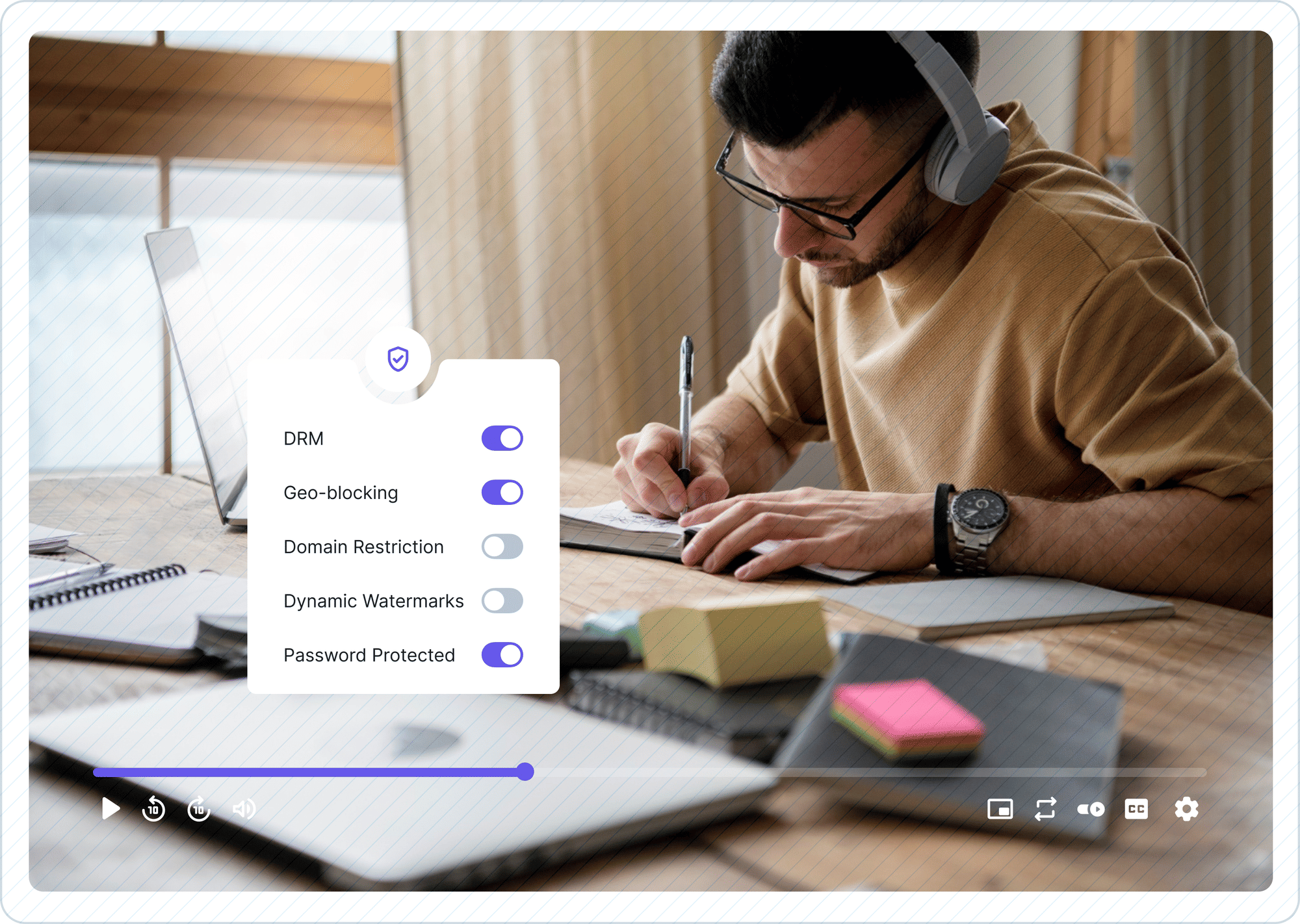
- Courses with 1,000+ students, premium pricing above $500, or certification value need a full DRM stack: Google Widevine, Apple FairPlay, signed URLs, and dynamic watermarking together.
- Gumlet is a video infrastructure platform that delivers all three tiers from one dashboard. Domain restriction starts on the entry Creator plan, signed URLs from the Growth plan, and dynamic watermarking on the Business plan; multi-DRM is priced separately as an add-on on any paid plan rather than as an enterprise contract, so you can turn each layer on when your tier calls for it without renegotiating your plan.
- If you only take one platform decision away: at Tier 3, the shortlist is Gumlet and VdoCipher. Wistia and Vimeo do not support DRM and should not hold paid course content at that tier.
A course creator spent six months building a $497 certification program. Within 72 hours of launch, it was circulating across three private Telegram groups.
Her videos were hosted on Vimeo with password protection turned on. The password had been shared 14 times before she found out.
She was not careless. She was using one of the most widely recommended video hosting tools for course creators. The problem was not the platform's reputation. The problem was that password protection was never designed to protect a video stream; it was designed to protect a webpage.
This kind of story is not rare. According to MUSO's 2024 piracy research, piracy sites recorded 216.3 billion visits in 2024 alone. The content fueling a large portion of those visits is not Hollywood blockbusters. It is paid digital education, premium coaching programs, and certification courses, precisely because they sit behind light authentication that was never built for paid content security.
The good news is that choosing the right secure video hosting for online courses does not require a technical background or an enterprise budget. Secure video hosting for online courses is hosting that protects the video stream itself through encryption, expiring playback links, and viewer-specific watermarking, rather than only restricting access to the page the video sits on.
It requires understanding one thing: not all courses need the same level of protection. The best secure video hosting for courses reflects that reality. It gives you a range from basic signed URLs to full DRM so you only pay for what your actual business risk warrants.
The security stack that makes sense for someone running a $2,000 executive program with 3,000 enrollees is genuinely overkill for someone running a $50 beginner course with 80 students.
This article gives you a clear, honest framework to figure out exactly where you fall, what you actually need, and what you can safely skip.
If you want a platform-by-platform breakdown before diving into the framework, you can jump ahead to the full roundup of the best private video hosting options for course creators options for course creators in 2026. If you are choosing a host for employee training rather than for a course you sell, the buying criteria are different enough that we cover them separately in the comparison of internal training video platforms.
Why "Unlisted" and "Password Protected" Are Not Secure Enough
Most course creators discover this gap the hard way, but the technical reality is straightforward: there is a significant difference between restricting access to a page and protecting the video content itself. Understanding that distinction is the first step toward building a security setup that actually holds.
What Password Protection Actually Protects Against (and What it Doesn't)
Password protection secures the login gate: the page a viewer must pass through before reaching your content. It does not touch what happens after that gate opens.
Once a student enters your password and the video begins playing, the stream is delivered to their browser as a series of network requests. Anyone with basic developer tools (built into every modern browser, no installation required) can open the Network tab, filter for video requests, and find the stream URL.
That URL can then be played, shared, or downloaded without the password. The password becomes irrelevant the moment playback starts.
The other failure mode is credential sharing. With password protection, there is no per-viewer identity tied to a session. If one student shares the password with ten friends, all ten watch your content at no cost to you and no traceability to you.
You have no record of who those ten people are, when they watched, or how to identify them if the content gets redistributed further.
Password protection is a useful layer for very low-stakes content. For paid courses, it is the front door lock on a house with open windows.
The YouTube "Unlisted" Myth
Unlisted videos on YouTube are not private. They are simply not indexed in YouTube's public search results. Anyone who has the URL can watch the video and share it.
There is no access control, no expiration, no viewer identity, and no restriction on where that URL can be posted.
Beyond accessibility, there is a more fundamental problem. YouTube's terms of service grant the platform a broad, worldwide license to use, reproduce, and display content uploaded to the service.
For course creators selling intellectual property, this creates a rights exposure that password protection or privacy settings cannot resolve.
It is also worth noting that YouTube applies its content ID and ad systems to unlisted videos, and the platform has applied algorithm-driven recommendations to content that was later made unlisted after upload. None of this is hypothetical risk management.
These are the conditions under which your paid course videos sit when they live on a public platform operating under its own commercial interests.
The Course Creator Security Tier Framework
The most common mistake course creators make when evaluating video security is treating it as a binary choice: either you are secure or you are not. In practice, video security for online education is a tiered decision that maps to your actual business risk.
Three variables determine which tier you belong to: the number of active students in your course, your course price point, and the nature of the intellectual property inside it.
Get the tier right, and you spend appropriately and protect effectively. Go too light on security, and you absorb preventable losses. Overinvest too early, and you add cost and complexity before the business risk warrants it.
Here is the Course Creator Security Tier Framework, a three-tier model for matching your security stack to your actual exposure.
1. Tier 1: Under 200 Students or a Free/Low-Priced Course
At this scale and price point, your minimum viable security stack is signed URLs combined with domain restriction. That combination gives you meaningful protection without the overhead of DRM implementation.
A signed URL is a time-limited, viewer-specific playback link that expires after a window you define; for example, 4 hours or 24 hours. Even if a student shares the link with someone outside your course, it becomes useless after it expires. The recipient cannot play the video, cannot extract the stream, and cannot download anything useful. For the mechanics of how the token is generated and validated, see how signed URLs work in practice.
This is a material step up from password protection and requires no special technical setup on most purpose-built platforms.
Domain restriction adds another layer by limiting where your video can be played back. If you restrict playback to your course domain, the video cannot be embedded on another website or played from an external URL. Someone who extracts the embed code gets nothing they can use.
Full DRM at Tier 1 is genuine overkill. The revenue risk from a leak is low enough that the added cost and setup time do not pay off.
Use your platform's built-in signed URL and domain locking features, keep your course organized, and graduate to Tier 2 when your numbers warrant it.
2. Tier 2: 200 to 1,000 Students or a Paid Course Priced Between $97 and $497
At this stage, the financial exposure from piracy starts compounding. A single leaked course in this price range, redistributed across a couple of private groups, can cost thousands of dollars in lost enrollments before you are even aware it happened.
The security additions for Tier 2 are signed URLs plus dynamic watermarking plus access tokens. The focus shifts from access restriction to accountability.
Dynamic watermarking overlays the viewer's email address or IP address directly onto the video stream during playback, making every single viewer identifiable and every potential leak traceable.
If a student records your video and shares it, the watermark travels with the content. You know exactly who leaked it. That deterrent effect alone changes behavior: students who might casually share a link think twice when their personal information is permanently embedded in every frame.
Access tokens extend the principle of signed URLs to the authentication level, linking each playback session to a verified user identity rather than just a time window. This prevents credential sharing at scale and gives you the access log data you need to investigate suspicious activity.
DRM is optional at Tier 2 unless your course covers regulated content, financial or medical advice under professional licensing frameworks, or proprietary methodologies with significant commercial value. If any of those apply, move to Tier 3.
3. Tier 3: Over 1,000 Students, Premium Courses Above $500, or Courses with Certification Value
At Tier 3, DRM is not overkill. It is the baseline. Price is the trigger most creators notice first, but it is the weaker of the two signals: a $150 certification course whose curriculum took three years to build carries more replacement risk than a $600 course you could rebuild in a weekend. If either the price or the rebuild cost is high, treat yourself as Tier 3. For course creators who need DRM video hosting without an enterprise contract or a six-month implementation project, the options have expanded significantly in the last two years, and the price point has dropped with them.
The revenue at risk from a single, well-distributed leak is significant enough that full encryption and licensing controls are a business decision, not an optional feature.
A full DRM stack for this tier means Google Widevine covering Chrome, Android, and most web browsers, combined with Apple FairPlay covering Safari and iOS, plus Microsoft PlayReady for edge cases on Windows and older devices.
Together, these protocols encrypt the video content at the file level using industry-standard licensing servers. The video cannot be played outside of a licensed, authorized player environment.
Even if someone captures network traffic or attempts to use a screen recording tool at the OS level, DRM-enforced playback significantly limits what can be extracted.
Layer dynamic watermarking on top of DRM, and you get both prevention and traceability. Layer signed URLs on top of that, and you control session-level access.
This three-part stack, DRM plus watermarking plus signed URLs, is the production-grade setup for courses where a leak has five-figure consequences.
For a detailed comparison of platforms that support this full stack, see our guide to DRM video hosting platforms for online courses.
How Student-Level Access Control Actually Works
Signed URLs control when a video can be played, and domain restriction controls where. Neither one controls who. Student-level access control is the layer that ties playback to a specific enrolment record, and it is the layer most creators discover they are missing on the day they process their first refund.
The mechanism is straightforward. When a student logs into your course, your LMS or membership system already knows who they are. Your video host issues a playback token for that specific session, tied to that specific user ID, rather than a link that works for anyone who has it. Revoking access means invalidating that user's tokens, not rotating a password for your entire student body.
That distinction matters in three situations that come up constantly:
- Refunds and chargebacks. A student refunds on day 29 of a 30-day guarantee. With password protection, you either let them keep access or reset the password and email every other student. With per-user tokens, you disable one account and nobody else notices.
- Payment plan defaults. A student on a three-instalment plan stops paying after the first. Access should lapse automatically when your billing system marks the subscription past due, without you monitoring it manually.
- Cohort and drip release. Students who joined in March should not reach the material you are still recording for the May cohort. Per-user tokens let your course platform decide what each student can reach, and the video host enforces it.
One qualification worth stating plainly: student-level access control depends on your course platform passing a reliable user identity to your video host. If your videos are embedded on a public page with no login in front of them, no amount of token configuration will fix that. Get the authentication right first, then layer access control on top of it.
Must-Have vs. Overkill: A Feature Decision Table
The table below translates the Tier Framework into a practical feature-by-feature decision guide. Use it to evaluate your current setup or audit a platform you are considering.
Features marked "Essential" at your tier are non-negotiable. "Optional" means real benefit at that scale but not a dealbreaker. "Skip It" means the cost and complexity outweigh the protection value at that stage.
To be direct about what is genuinely overkill for most independent course creators: Microsoft PlayReady, IP restriction, concurrency limits, and geo-blocking are unnecessary at Tiers 1 and 2. Password protection is actually counterproductive at Tier 3 as it adds friction without adding security at that scale. You are not cutting corners by skipping these. You are avoiding complexity that does not match your risk.
| Security Feature | What It Does | Tier 1 | Tier 2 | Tier 3 |
|---|---|---|---|---|
| Signed URLs (tokenized playback links) | Time-limited, viewer-specific links that expire automatically | Essential | Essential | Essential |
| Domain restriction | Blocks playback outside your approved domain | Essential | Essential | Essential |
| Password protection | Gate-level access control for the viewing page | Optional | Optional | Skip It (use access tokens instead) |
| Dynamic watermarking | Overlays viewer email/IP on video stream during playback | Skip It | Essential | Essential |
| Access tokens | Session-level identity tied to verified user authentication | Optional | Essential | Essential |
| Google Widevine DRM | Encrypts content for Chrome, Android, most browsers | Skip It | Optional | Essential |
| Apple FairPlay DRM | Encrypts content for Safari and iOS devices | Skip It | Optional | Essential |
| Microsoft PlayReady DRM | Encrypts content for Windows and legacy environments | Skip It | Skip It | Essential |
| Geo-blocking | Restricts playback by geographic region | Skip It | Optional | Essential for licensed/regulated content |
| Encrypted HLS / DASH streaming | Delivers video in encrypted segments, not downloadable files | Optional | Essential | Essential |
| IP restriction | Blocks specific IP addresses or ranges | Skip It | Optional | Optional |
| Audit logs and access records | Records who watched, when, and from where | Optional | Essential | Essential |
| Concurrency limits | Caps simultaneous streams per account or session | Skip It | Optional | Essential for shared credentials |
Comparing the Top Secure Video Hosting Platforms for Online Courses in 2026
With the framework and feature table as your foundation, the platform choice becomes much clearer. The section below evaluates the six platforms most commonly used for video hosting for e-learning and paid course delivery, assessed against the security features that actually matter, with honest strengths, limitations, and pricing context.
All pricing data was verified in April 2026; confirm current tiers on each platform's pricing page before committing.
| Platform | DRM Support | Dynamic Watermarking | Signed URLs | Domain Restriction | Verified Starting Price | Best Fit |
|---|---|---|---|---|---|---|
| Gumlet | Full multi-DRM: Widevine, FairPlay, PlayReady | Yes; viewer email/IP, real-time | Yes; session-level tokens standard | Yes; per-video or global | Paid plans from $15/month (billed annually) | Course creators at Tier 1 through Tier 3; transparent pricing, no vendor lock-in |
| VdoCipher | Full multi-DRM: Widevine, FairPlay | Yes; customizable | Yes | Yes | $49/month (annual contract) | LMS-first setups requiring deep Moodle/WordPress integration |
| Wistia | No DRM | No (logo watermark only) | Limited | Yes; embed restrictions | Paid plans from $79/month (billed annually) | Marketing video, course previews, top-of-funnel content; not for paid protected courses |
| Vimeo | No DRM | No | No | Yes; on Standard plan and above | $12/seat/month (billed annually) | Branded viewing experience; insufficient for paid content security at any meaningful scale |
| Dacast | Yes; available on higher tiers | Limited | Yes | Yes | $39/month (billed annually) | Live streaming-heavy courses; steeper setup curve for solo creators |
| Cincopa | Partial; encryption available | Limited | Yes | Yes | $25/month (billed annually) | Small-scale hosting with embeddable galleries; limited DRM depth |
The short version. At Tier 1 and Tier 2, Gumlet, VdoCipher, Dacast, and Cincopa all clear the bar, and the deciding factor is usually pricing model and LMS fit rather than security depth. At Tier 3 the shortlist narrows to Gumlet and VdoCipher, the two platforms in this table with confirmed Widevine and FairPlay coverage alongside viewer-specific watermarking. Between those two the split is scope, not protection strength: VdoCipher is a DRM specialist priced on annual bandwidth credits, while Gumlet pairs the same DRM coverage with delivery analytics and one dashboard across all three tiers. Wistia and Vimeo are not viable for paid course content at Tier 2 or Tier 3, because neither supports DRM at all. For the full four-way breakdown, see the comparison of Wistia, Vimeo, Gumlet, and VdoCipher for course hosting.
Who should use Gumlet?
Independent course creators and online education businesses that need private video hosting at scale, enterprise-grade DRM, dynamic watermarking, and signed URLs from a single dashboard, without a six-month implementation project or a six-figure enterprise contract.
Gumlet's private video hosting infrastructure is built specifically for paid content, giving course creators granular control over access, playback, and distribution. It integrates with Teachable, Thinkific, LearnDash, Moodle, and custom LMS platforms through its API and SDKs, so you can connect it to whatever course delivery infrastructure you have already built. DRM can be enabled with a single toggle in the dashboard.
There is no middleware, no configuration specialist required, and no vendor lock-in.
How Secure Video Hosting Fits Your Course Platform
Most course creators pick a video host on DRM specifications and then discover the real constraint is their course platform. The question that decides the migration is not which platform has the strongest encryption; it is whether your LMS will let you embed a third-party player at all, and whether protected playback survives inside its embed sandbox.
There are three integration patterns, and which one you get depends on your platform, not on your video host.
| Course platform | Integration pattern | What to verify before you migrate |
|---|---|---|
| Teachable | Embed a custom HTML or iframe block per lesson | Whether your plan tier allows custom code blocks, and whether the native video player can be bypassed rather than sitting alongside your embed |
| Kajabi | Embed via a custom code block in the lesson editor | Whether third-party video embeds are permitted on your plan; all-in-one platforms that bundle hosting sometimes restrict them |
| Thinkific | Embed via a Text or Multimedia lesson block | Whether progress tracking still fires when the lesson is an embed rather than a native upload, since completion gating often depends on the native player |
| Moodle and LearnDash | Embed via HTML, or connect through the video host's API for automated uploads | Whether your Moodle or WordPress installation has a content security policy that blocks the DRM licence request |
| Custom build | Direct API and SDK integration | Whether the host publishes SDKs for the platforms you actually ship on, including mobile if you have an app |
Two things are worth checking on every one of these before you commit. First, confirm that DRM-protected playback specifically works inside the embed, not just standard playback; DRM requires the player to reach a licensing server, and some embed sandboxes block that request while allowing ordinary video through. Second, confirm that your completion and progress data still reaches your LMS, because losing completion tracking is the most common unintended cost of moving off native hosting.
Gumlet connects to Teachable, Thinkific, LearnDash, Moodle, and custom platforms through its embed codes, API, and SDKs, with DRM enabled from the dashboard rather than configured per integration.
What Actually Happens When Your Course Gets Pirated
It is easy to treat piracy as an abstract risk until it happens. The mechanics of how course content leaks are worth understanding, because they directly inform which security features matter and which ones give you a false sense of safety.
The global streaming industry loses an estimated $75 billion every year to piracy, according to MUSO's 2024 research. A significant and growing portion of that is digital education content, not just film and television.
The redistribution channels have shifted. It is no longer primarily torrent sites. Private Telegram groups, Discord servers, and closed WhatsApp channels have become the primary infrastructure for sharing leaked paid courses, because they are searchable, fast, and difficult to police.
The practical response to this environment is video hosting with piracy protection built into the stream itself, not just at the access gate. And the typical leak pattern that makes this necessary looks like this: a paying student screen records your content using any of the dozens of freely available capture tools.
They upload the recordings to a private group, which may have hundreds of members who never paid for the course. Some of those members reshare. Within 48 hours of a launch, it is not unusual for premium course content to have reached audiences three or four times larger than the paid enrollment.
GrowthSchool moved its course library from Vimeo to Gumlet, migrating more than 100,000 videos in under two weeks with zero downtime, and recorded a 52% increase in video completion rates across a 50,000-plus video catalogue serving 6.5 million learners. Faster, more reliable delivery was the visible outcome; the underlying change was moving from a platform that protects the page to one that protects the stream. Read the full GrowthSchool case study for the migration details.
The two security features that directly address this pattern are dynamic watermarking and DRM. Watermarking addresses traceability: it tells you exactly which student was the source of the leak, which changes behavior before a leak happens. DRM addresses the capture mechanism itself by making screen recording at the OS level significantly harder on protected streams using Widevine or FairPlay licensing.
Without either, your response to a leak is reactive and largely ineffective. With both, you have deterrence before it happens and accountability after.
For a complete look at the strategies course creators use to prevent and respond to piracy, read the guide on how course creators can protect their videos.
How to Evaluate a Secure Video Hosting Platform Before You Commit
The features on a platform's marketing page and the features that are actually available on the plan you can afford are not always the same thing. Before you migrate your course library to any platform, run it through this checklist.
Use these eight questions as your evaluation framework. They apply to every platform listed in this article and any platform you discover independently:
- Does the platform support multi-DRM, specifically Google Widevine for Chrome and Android, and Apple FairPlay for Safari and iOS? (A platform that supports only one DRM protocol leaves your content unprotected on a significant portion of devices.)
- Are signed URLs a standard feature or a premium add-on? (If tokenized playback links require an upgraded plan, find out exactly which plan tier unlocks them before signing up.)
- Does dynamic watermarking display viewer-specific information, the student's email address or IP address, or only a static logo? A logo watermark deters casual sharing. It does not identify a leaker.
- What encryption standard does the CDN use? (AES-128 is the minimum acceptable standard for paid course content. Confirm the platform uses HTTPS delivery across all playback environments.)
- Can you restrict playback to specific domains so your videos cannot be embedded on unauthorized sites without your knowledge?
- Is geo-blocking available per video, globally, or both? (For courses sold under regional licensing agreements or exclusive geographic pricing, per-video geo-restriction is the requirement.)
- Does the platform provide access logs or audit records, a record of who accessed which video, when, and from what device or location? (Without this, a leak investigation starts from nothing.)
- Which LMS platforms does it integrate with natively, and which require API custom work? (If you are running on Teachable, Thinkific, LearnDash, or Moodle, confirm the integration method before committing.)
If you want a more comprehensive version of this checklist, formatted for team review and vendor demos, the secure video hosting checklist covers all seven security layers in depth.
Gumlet passes every item on this list from the paid plan onward. Gumlet's video protection features include multi-DRM (Widevine, FairPlay, and PlayReady), viewer-specific dynamic watermarking, session-level signed URLs, domain and IP restriction, geo-blocking, and audit logs, all in a single dashboard without requiring separate vendor relationships for each control.
If your course falls in Tier 2 or Tier 3 of the framework above, you can start with Gumlet’s Free Plan, upload a test library, and have encrypted, watermarked, DRM-protected streaming live on the same day.
Start your free Gumlet trial, secure video hosting built for course creators; no credit card required.
Frequently Asked Questions
1. Do I need DRM if my course only has 200 students?
For most courses under 200 students at accessible price points, full DRM is not necessary. Signed URLs combined with dynamic watermarking give you strong deterrence and full traceability at a fraction of the implementation overhead.
Reserve DRM for courses priced above $500, courses with meaningful certification value, or any program where a single leak would cause five-figure losses. The Course Creator Security Tier Framework above gives you the criteria to make this call with confidence.
2. What is the difference between password protection and DRM for online courses?
Password protection secures the page a viewer must pass through to reach your content. It does not protect the video stream itself. DRM (Digital Rights Management) encrypts the video content at the file level using licensing protocols like Google Widevine and Apple FairPlay.
The video cannot be played outside of a licensed, authorized player environment regardless of how the URL is obtained or shared. Password protection is a gate. DRM is a vault.
3. Can someone download a video I host on Vimeo?
Yes. Vimeo does not prevent screen recording at the OS level, and the video stream URL can be extracted from a browser's developer tools by anyone with basic technical knowledge. Vimeo's privacy settings control who can access the viewing page.
They do not protect the stream itself from being captured or redistributed. For free or low-stakes content, this may be an acceptable tradeoff. For paid courses, it is a structural vulnerability.
4. Is Gumlet built for large enterprises, or can a solo course creator use it?
Both. Gumlet is used by independent course creators and enterprise e-learning platforms alike. Its transparent, usage-based pricing means solo creators are not paying for enterprise infrastructure they do not need.
DRM can be enabled from the dashboard with a single click, no implementation team, no custom configuration. As the course business scales, the same platform scales with it.
5. What is a signed URL, and why does it matter for online courses?
A signed URL is a time-limited, viewer-specific playback link that expires after a defined window, typically set between 1 hour and 24 hours depending on your session design. Even if a student copies and shares that link, it becomes useless after it expires.
The recipient cannot play the video. This directly prevents the most common form of passive credential sharing, where a student simply passes along a working link to someone who never paid. Most purpose-built video hosting platforms for online education include signed URLs as a standard feature.
6. Which LMS platforms can I connect a secure video host to?
Any course platform that accepts an iframe or custom HTML embed can host protected video, which covers Teachable, Thinkific, LearnDash, Moodle, and most custom builds. The constraint is not the video host, it is whether your LMS allows third-party embeds at all; some all-in-one platforms restrict them to protect their own hosting revenue. Check your platform's embed policy before you migrate a library, and confirm that DRM-protected playback specifically is supported, since some LMS embed sandboxes block the licensing request that DRM playback depends on.
Closing Thoughts
If you have been running your course on Vimeo, YouTube, or a general hosting platform and this article has surfaced more gaps than you expected, that is the normal reaction.
Most course creators did not make a bad decision when they chose those tools. Those platforms were genuinely the best option available at the time for ease of use and reach. The market for secure video hosting built specifically for paid content has only matured in the last few years.
The practical next step is to match your current course to the right tier in the framework above, identify the two or three features you are missing, and find the platform that gives you exactly those features without charging you for a security stack designed for Hollywood studios.
Gumlet is built for this. It covers every tier of the framework, from signed URLs and domain restriction at Tier 1 to full multi-DRM, dynamic watermarking, and audit logs at Tier 3, with pricing that scales alongside your course business rather than requiring a leap to enterprise pricing before you are ready. You can explore Gumlet's pricing and start by signing up for a free plan with no credit card required.