Most articles answering this question are pulling from a pricing model that Wistia retired in March 2026.
If you've seen Plus at $19/month or Pro at $79/month for 50 videos in your research, that structure is gone. Wistia now has three plans for new accounts: Free, Business, and Enterprise.
The pricing changed, but the billing architecture kept the same fundamental pattern: the headline number understates what most teams actually pay.
The $79/month Business plan is the price you pay before using Wistia for what it is built for. The moment a team adds CRM automation, extra users, or webinar hosting, the bill doubles or quadruples.
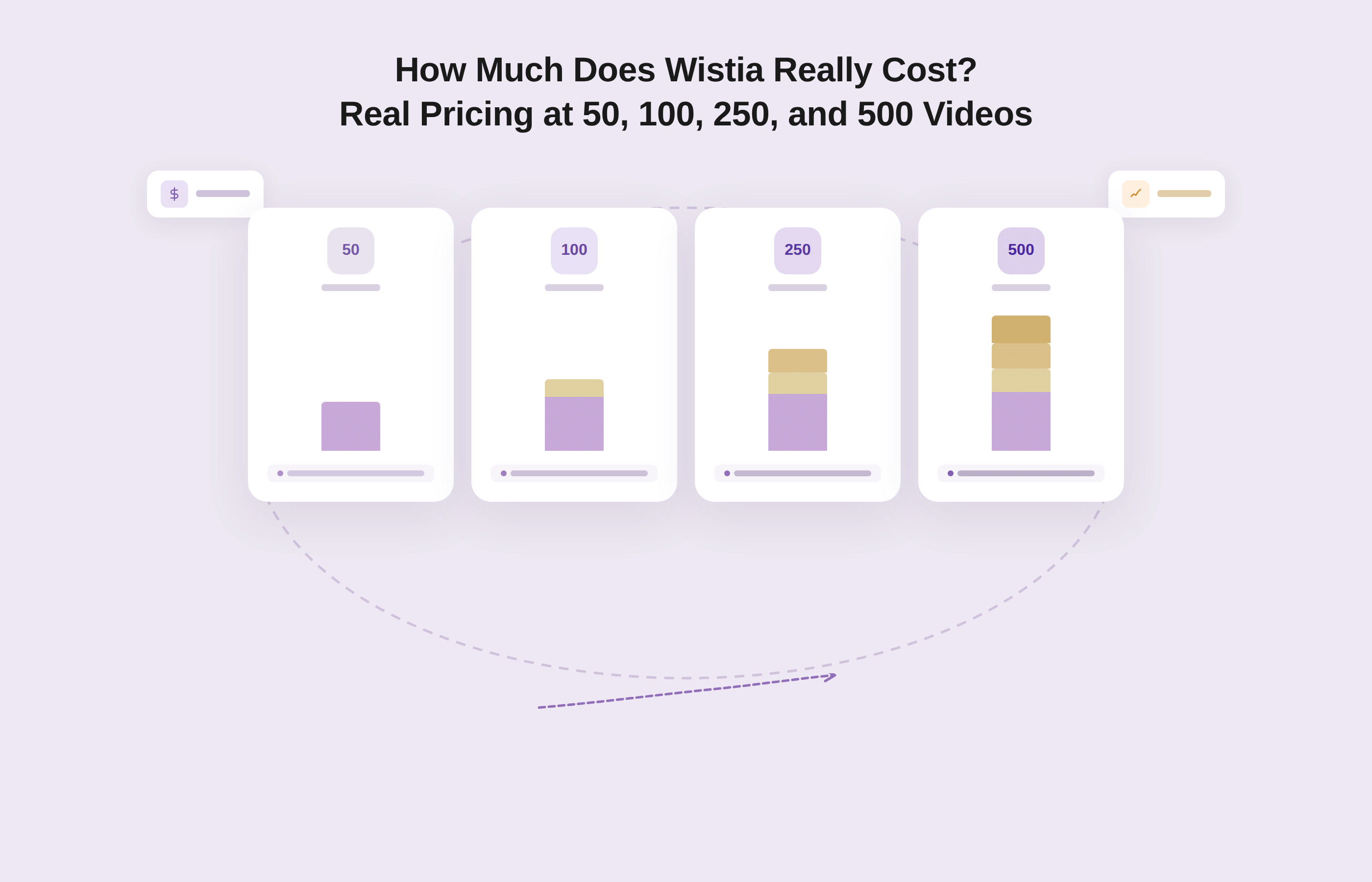
This article runs through exactly what that looks like at 50, 100, 250, and 500 videos, breaks down the Wistia True Cost Formula for a real B2B team, and compares the numbers directly against Gumlet's 2026 pricing at the same library sizes.
By the end, you will have a number to put in a budget, not a range to guess from.
Key Takeaways
- Wistia's current plans as of June 2026 are Free (25 GB storage), Business ($79/month billed annually, 250 GB), and Enterprise (custom). The old Plus, Pro, and Advanced tiers are retired. Most pricing articles on the SERP are showing plans that no longer exist.
- Wistia now charges by storage, not by video count. A library of 50 compressed marketing videos sits comfortably in the Business plan. A library of 500 videos may require Enterprise or storage overage charges.
- The Automation Suite (HubSpot, Marketo, Pardot, and other CRM integrations) costs $250/month extra. It is not included in Business. Webinars add-on starts at $350/month, also separate and includes the Automation Suite, also on top of Business.
- A realistic five-person B2B marketing team running CRM automation pays $379/month minimum on Wistia, not $79. For teams choosing the webinars add-on, the cost jumps to $479/month before storage overages.
- Gumlet's Business plan at $99/month includes advanced analytics, 24/7 human support, 10 team seats, and DRM available as a $99/month add-on (industry average: $500/month). The pricing gap between the two platforms widens significantly at scale.
Wistia True Cost: Quick Reference
| Configuration | Monthly cost (annual billing) |
|---|---|
| Solo or 3-person team, no add-ons | $79 |
| 5-person team + Automation Suite | $379 |
| 5-person team + Webinars (includes Automation Suite) | $479 |
| 5-person team + Webinars Plus (includes Automation Suite) | $879 |
| 500-video library | Enterprise pricing (custom) |
Wistia's Current Pricing Plans in 2026: Free, Business, and Enterprise
Wistia restructured its pricing model on March 17, 2026, moving from a per-video tier structure to storage-based billing. Three plans exist for new accounts:
| Plan | Monthly price (annual billing) | Storage | Bandwidth | Users included | Key unlocks |
|---|---|---|---|---|---|
| Free | $0 | 25 GB | 200 GB | 1 | Basic hosting, Wistia branding on player |
| Business | $79/month | 250 GB | 1 TB | 3 | Analytics, in-player forms, lead capture, A/B testing, custom player |
| Enterprise | Custom pricing | 1 TB+ | 2 TB | Custom | SSO, advanced governance, dedicated support, custom security |
Additional users on Business cost $25/seat/month beyond the three included. Storage beyond 250 GB triggers pay-as-you-go billing at the end of each cycle. Extra bandwidth beyond 1 TB is billed at usage rates.
One detail the table does not show: Wistia charges $99/month if you pay month-to-month instead of annually, a 25% premium for the flexibility of not committing to a year.
Teams in an annual contract who want to cancel before renewal do not receive a refund per Wistia's stated terms. For budget planning purposes, the annual figure is the right baseline, but the month-to-month rate is relevant if your team is still evaluating.
What Changed in Wistia's March 2026 Pricing Restructure
Before March, 2026, Wistia charged per media file: each plan came with a set number of included videos, and teams paid a monthly per-video fee for anything above that limit.
That model is now deprecated for new accounts. Per Wistia's own documentation, the older media limits-base plans are explicitly marked as legacy plans, and current accounts operate on storage-based billing only.
The practical effect: you no longer pay per video. You pay based on total storage consumed across your library. For most B2B marketing teams shooting compressed 1080p content, 1 GB per video is a reasonable planning estimate.
That means 50 videos consume roughly 50 GB, 250 videos consume around 250 GB (right at the Business plan ceiling), and 500 videos push well past the Business plan into Enterprise territory or storage overage charges.
If you signed up before March, 2026, check Wistia's legacy plans documentation to understand which billing model applies to your account.
What Wistia Business Actually Costs at 50, 100, 250, and 500 Videos
Wistia no longer publishes per-video pricing, but the storage model makes real cost at different library sizes calculable.
The table below uses 1 GB per video as the planning assumption, which aligns with standard compressed marketing video at 1080p, and 2 GB per video for longer or higher-quality content.
| Library size | Storage needed (1 GB/video) | Storage needed (2 GB/video) | Applicable plan | Monthly cost (annual billing) | Notes |
|---|---|---|---|---|---|
| 50 videos | ~50 GB | ~100 GB | Business | $79/month | Well within 250 GB limit |
| 100 videos | ~100 GB | ~200 GB | Business | $79/month | Comfortable at 1 GB/video |
| 250 videos | ~250 GB | ~500 GB | Business or overage | $79/month + storage overages | At the ceiling at 1 GB/video; overage at 2 GB/video |
| 500 videos | ~500 GB | ~1 TB | Enterprise or heavy overage | Custom pricing | Business plan insufficient at either estimate |
According to transaction data from Vendr's 2023 SaaS Trends Report covering 104 Wistia deals, the median buyer paid $9,101/year for Wistia at that time.
Worth noting: that figure predates Wistia's March 2026 pricing restructure. The underlying point holds regardless of which model you use. At $79/month billed annually, the base plan costs $948/year. The gap between those two numbers is the add-on stack.
How Wistia's Storage Overage Billing Works
Most storage-related billing complaints trace back to one mechanic: how Wistia handles overages. If you exceed your included storage on a Business plan, Wistia automatically adds a storage block to cover what you have used for that billing cycle.
The blocks are tiered: if you go 50 GB over, the next block up (say, 100 GB) gets added. If you go 125 GB over, the 250 GB block is added instead.
The charge appears at the end of the billing cycle, not when you upload. This means teams can upload freely throughout the month and only discover the overage when the bill arrives. Wistia does send an email warning when an account is on track to exceed bandwidth, but storage overages can accumulate quietly, especially in teams with multiple uploaders.
Every video you add past the 250 GB ceiling costs more, automatically, without requiring any approval.
The Wistia True Cost Formula: What a Real Marketing Team Actually Pays
Here is the formula missing from Wistia pricing articles:
Wistia True Cost = Business Plan ($79) + Extra Seats (N × $25) + Automation Suite ($250, if needed) or Webinars add-on ($350 or $750, if needed) + Storage Overages
Three worked scenarios show what this looks like in practice.
Scenario A: Solo Marketer or Team of Three, No CRM Automation
$79/month. This is the only configuration where the advertised price is the real price. Three users, basic analytics, in-player lead capture, no integrations beyond the standard stack.
Scenario B: Five-person Marketing Team with HubSpot or Marketo Automation
$79 (Business) + $50 (2 extra seats at $25 each) + $250 (Automation Suite) = $379/month. This is the realistic floor for a mid-size SaaS marketing team that wants video watch data flowing into CRM for lead scoring and workflow triggers. That is $4,548/year, before any storage overages.
Scenario C: Full Marketing Stack With Team, CRM Automation, and Webinar Hosting
$79 (Business) + $50 (2 extra seats) + $350 (Webinars, up to 500 attendees) = $479/month. Annual: $5,748. Add Webinars Plus ($750/month) instead of the base tier and you are at $879/month, or $10,548/year.
Both webinar tiers require an active Business plan as a prerequisite. The Automation Suite is included in both the Webinars add-ons, which helps users gain both CRM integration and webinar hosting through a single add-on feature.
Most Wistia pricing complaints on G2 and TrustRadius come from teams in Scenario B or C who budgeted for Scenario A. The Automation Suite is genuinely valuable if you run HubSpot, Marketo, or Pardot workflows, but it is not mentioned on the main pricing page in a way that makes its separate cost obvious until checkout.
Is the Wistia Automation Suite worth $250/month?
The Automation Suite gives Business plan users CRM sync with HubSpot, Marketo, Pardot, Klaviyo, ActiveCampaign, and Eloqua, plus lead scoring based on video engagement events and workflow triggers based on watch behavior.
For a B2B SaaS company where video watch-time drives MQL scoring, this integration pipeline can directly influence pipeline quality.
If that attribution model is central to how your marketing team qualifies leads, the $250/month has a real case behind it. If your team embeds videos for product education or on-page conversion and does not use those six platforms to act on video data, the Automation Suite is overhead.
The honest answer is that it is not $250/month for a feature, it is $250/month for an integration layer, and whether that is worth it depends entirely on whether your stack uses it.
One structural note worth knowing: if your team plans to run webinars on Wistia, the Automation Suite is bundled into both the Webinars ($350/month) and Webinars Plus ($750/month) add-ons. You do not pay $250 on top of $350. For teams where webinar hosting and CRM attribution are both requirements, the Webinars add-on is more cost-efficient than buying the two separately.
Wistia vs. Gumlet: What the Same Dollar Buys in 2026
Gumlet is built specifically for the video hosting and delivery use case being evaluated here, and the proof points below come from the platform's own customer data. Outside benchmarks point in the same direction, which the numbers below demonstrate.
The comparison is straightforward when you put current pricing side by side.
| Library size | Wistia (base plan only) | Wistia + Automation Suite (For 3 users) | Gumlet Business ($99/mo) | Gumlet + DRM ($99 add-on) |
|---|---|---|---|---|
| 50 videos (~50 GB) | $79/month | $329/month | $99/month | $198/month |
| 100 videos (~100 GB) | $79/month | $329/month | $99/month | $198/month |
| 250 videos (~250 GB) | $79/month (at ceiling) | $329/month | $99/month | $198/month |
| 500 videos (~500 GB) | Enterprise pricing | Enterprise pricing | $99/month + storage add-on | ~$198/month + storage |
The structural difference is what each plan actually includes.
What Gumlet Business Includes at $99/month
- 10 team seats (Wistia Business includes 3, with $25/seat overage)
- Advanced video analytics and heatmaps on every plan
- 24/7 human support on every plan
- VAST tag support for in-stream ad monetization
- H.265 codec support, AI-generated chapters, subtitle translation
- Custom viewer analytics
- SOC2, ISO 27001, and AICPA certifications
- 15,000 storage minutes included (equivalent to roughly 250 hours of 1080p video at standard compression, or approximately 900 GB)
What Gumlet's DRM Add-on Delivers at $99/month
Widevine and FairPlay credentials are now automatically provisioned for all new Gumlet signups. Every account can process and preview up to 5 DRM-protected videos for free.
Teams that need DRM at scale pay $99/month as a standalone add-on, compared to the industry average for enterprise DRM licensing that sits around $500/month. No setup fees, no integration complexity when it comes to adding video DRM on Gumlet, an added advantage for those looking for video protection along with video hosting and delivery.
Wistia does not offer DRM on any plan. Content protection on Wistia is limited to password-protected videos, domain restrictions, and referrer controls. Widevine and FairPlay encryption are not available at any tier. For course creators, OTT platforms, or any team that needs encrypted delivery to prevent unauthorized downloading, Wistia is not an option regardless of budget.
Since Vimeo's acquisition by Bending Spoons closed in November 2025, Gumlet has seen a 200% increase in inbound migration requests from teams re-evaluating their video hosting costs. GrowthSchool reported a 52% increase in video engagement after switching to Gumlet.
Gumlet's AI transcoding engine, built on proprietary GPU infrastructure, reduces video file sizes and delivery costs by at least 40% compared to standard encoding pipelines. Teams that migrate from Wistia or Vimeo reduce infrastructure costs at the encoding layer before Gumlet's pricing even applies.
The pricing gap between Wistia and Gumlet is not about cutting features. It is about which platform treats analytics, support, and DRM as table stakes versus premium line items.
For teams that want to compare the two platforms feature-by-feature and pricing tier by tier, Gumlet's Wistia alternative guide walks through the full comparison and includes a one-click migration path for existing Wistia libraries.
Why Wistia's $79/month Plan is Not Where Most Teams Land
The four factors that inflate Wistia's real cost consistently catch teams off guard. Understanding each one upfront is how you budget accurately.
1. User Seats Scale Faster Than Expected
Business includes 3 users. Any marketing team with a dedicated content person, a demand gen manager, a product marketer, and a manager or director hits the ceiling at 4 people. Each additional seat after Wistia’s 3-user limit adds $25/month. A six-person team pays $79 + $75 = $154/month in base costs before any add-ons.
2. The Automation Suite is Not Optional for Most B2B Video Use Cases
Wistia's core value proposition is marketing-attributed video: lead capture forms, CTA overlays, watch-time data flowing into CRM. The platform is specifically designed for that attribution model.
But the integration layer that makes that attribution work (the Automation Suite) is a separate $250/month charge. Buying Business without Automation Suite is like subscribing to a car GPS and being told turn-by-turn navigation is a paid add-on.
3. Webinar Hosting Requires Both a Business Plan and a Separate Webinar Subscription.
Wistia's webinar feature starts at $350/month (up to 500 attendees) and $750/month for Webinars Plus (up to 1,000 attendees). Both require an active Business plan as a prerequisite. A team running monthly demand gen webinars is paying $79 + $350 = $429/month minimum.
4. Storage Overages Bill Silently at the End of Each Cycle
The Business plan ceiling is 250 GB. For a team publishing consistently, that library fills faster than a year at moderate publishing cadence. Once you cross 250 GB, storage blocks add automatically. Teams only discover the cost when the invoice arrives.
Before committing to a Wistia Business plan, calculate your expected video library size at 12 months and 24 months. If you expect to cross 250 GB within the first year, price out the Enterprise tier or storage add-on costs before signing, not after the bill arrives.
What Wistia's $79/month Business Plan Does Not Include
For clarity before any purchase decision, here is what sits outside the Business plan price:
- Automation Suite: $250/month billed annually. Covers HubSpot, Marketo, Pardot, Klaviyo, ActiveCampaign, and Eloqua integrations.
- Webinar hosting: $350/month (500 attendees) or $750/month (1,000 attendees) billed annually. Both require Business as a base. Larger audiences require a sales conversation.
- Additional users: $25/seat/month beyond the 3 included.
- Storage beyond 250 GB: Pay-as-you-go storage blocks, sized automatically to cover overages at end of billing cycle.
- DRM: Not available on any Wistia plan. Wistia offers password protection and domain restrictions, but does not support Widevine or FairPlay encryption.
- Video localization/dubbing: Separate add-on.
- Webinars Plus features (simulcast, larger audiences, embed on-site): $750/month, separate from the base Webinars tier.
This is not a critique of Wistia's architecture. Many of these features are genuinely strong. The point is that the $79/month figure requires context to be useful for budgeting.
How Wistia Charges for Storage Overages vs. Bandwidth Overages
These are two separate billing mechanisms and they work differently.
Storage overages are charged as block additions at the end of each billing cycle. If you exceed 250 GB, Wistia automatically adds the next storage tier to cover your usage. The charge appears on your invoice after the fact.
Bandwidth overages work on a monthly reset. Free accounts are hard-capped at 200 GB; paid Business accounts that exceed 1 TB of monthly bandwidth are billed for the excess at usage rates. Wistia does email a warning when an account is on track to exceed bandwidth, but storage overages can accumulate quietly, especially on teams with multiple uploaders.
The practical planning rule: estimate your video library size at 12 and 24 months using 1 GB per video as a baseline. If you expect to exceed 250 GB within the first year, price out storage additions before signing, not after the bill arrives.
Is Wistia Worth it in 2026?
Wistia is overkill for teams that primarily need reliable video hosting without a CRM attribution layer. If your team embeds product walkthroughs, support videos, or course content and does not use HubSpot, Marketo, Pardot, Klaviyo, ActiveCampaign, or Eloqua to act on video watch data, you are paying Scenario B or C pricing to access Scenario A value.
For the right team, yes. For teams where it is over-priced, the issue is usually a mismatch between Wistia's designed use case and what the team actually needs.
Wistia delivers real value when: the team actively uses HubSpot, Marketo, or Pardot; video watch data drives MQL scoring or workflow triggers; in-player lead capture forms are embedded on high-traffic pages; and the team needs the attribution layer Wistia's analytics provide.
A team that does not use CRM-based video attribution is paying Scenario B or C pricing to access Scenario A value. That is where the "too expensive" complaints come from, and reviewing G2 and TrustRadius feedback confirms the pattern consistently.
One reviewer noted that Wistia became significantly more expensive once they added the integrations package. Another flagged that the jump from the Business tier to the Webinars tier felt like a second subscription, not an upgrade.
Add up Scenarios A through C before signing, compare against alternatives that include analytics and DRM in the base plan, and decide based on actual tool usage, not theoretical capability.
Frequently Asked Questions
1. How much does Wistia cost per month in 2026?
Wistia's current plans for new accounts start at $0 (Free, 25 GB storage) and $79/month billed annually (Business, 250 GB storage, 3 users). Enterprise pricing is custom. The old Plus, Pro, and Advanced tiers were retired in March, 2026.
A standalone Business plan subscription at $79/month is the real number only for teams of three or fewer users with no CRM automation needs. Add the Automation Suite ($250/month) and two extra seats ($50/month) and the realistic B2B team baseline is $379/month.
2. What are Wistia's current pricing plans? Are Plus and Pro still available?
Plus and Pro no longer exist for new Wistia accounts as of March 17, 2026. Wistia migrated to three plans: Free (25 GB, 1 user), Business ($79/month billed annually, 250 GB, 3 users), and Enterprise (custom). If you signed up before March, 2026, your legacy plan may still be active.
Check Wistia's legacy plans support documentation to confirm which billing model applies to your account. Do not budget based on Plus or Pro pricing you find in third-party articles.
3. Does Wistia charge per video or by storage?
Wistia charges by storage for accounts created after March, 2026. The per-video billing model is a legacy system. Business plan customers get 250 GB of storage included. Any uploads beyond that threshold trigger automatic pay-as-you-go storage blocks billed at the end of the cycle.
If your average video file is 1 GB compressed, the Business plan holds roughly 250 videos before overages apply.
4. What is the Wistia Automation Suite and how much does it cost?
The Automation Suite is a $250/month add-on (billed annually) available on the Business plan. It connects Wistia video engagement data to HubSpot, Marketo, Pardot, Klaviyo, ActiveCampaign, and Eloqua.
Watch-time events, lead form completions, and CTA clicks can trigger CRM workflows and update lead scores. It is not included in the Business plan base price. If CRM-driven video attribution is central to how your team qualifies leads, the Automation Suite is what makes that attribution possible on Wistia.
5. How much does Wistia cost for 100 videos?
At 1 GB per video, 100 videos consume roughly 100 GB of storage, well within the Business plan's 250 GB limit. The base cost is $79/month billed annually, or $99/month on a monthly cycle. That number does not include the Automation Suite, extra users, or webinar hosting.
A solo marketer managing a 100-video library with no CRM sync pays $79/month. A five-person team with CRM integration pays $379/month for the same library.
6. Why does my Wistia bill keep going up every month?
Three mechanics cause this. First, if you have added users beyond the three included in Business, each seat costs $25/month. Second, if your library has crossed 250 GB, Wistia automatically adds a storage block at the end of each billing cycle. Third, if you added the Automation Suite or Webinars add-on at any point, those are recurring monthly charges that stack on top of the base plan.
Check your Wistia Account Usage page and billing summary to see exactly which line items are driving the increase.
7. What is the cheapest Wistia alternative with analytics, DRM, and team support?
Gumlet's Business plan at $99/month includes advanced analytics, 24/7 human support, 10 team seats, and DRM available at $99/month as a separate add-on (compared to the industry average of $500/month). Wistia does not offer DRM on any plan, including Enterprise.
For teams that need professional video hosting with analytics depth and content protection at a predictable price, evaluate the total cost of ownership across both platforms at your actual library size and team configuration before deciding.
8. Is Wistia worth it in 2026 or should I switch?
If your team actively uses HubSpot, Marketo, or Pardot and video watch data drives your MQL scoring, Wistia's Automation Suite has a defensible case at $329/month total.
If you are primarily hosting product videos, on-page demos, or course content without CRM-based attribution workflows, calculate your true Wistia cost at 12 and 24 months of publishing cadence and compare it against platforms where analytics and support are included at the base tier.
The question to ask any video hosting vendor: show me the total monthly cost with the features my team will actually use turned on, not just the plan price.
9. Does Wistia charge for bandwidth or just storage?
Both, but separately. The Business plan includes 1 TB of bandwidth per month and 250 GB of storage. Storage is a cumulative library limit: every video you upload counts toward it and stays counted until deleted.
Bandwidth resets monthly: it reflects how much data your videos deliver to viewers. Exceeding storage triggers automatic block additions billed at end of cycle. Exceeding bandwidth on a paid plan triggers usage charges.
Exceeding bandwidth on the Free plan stops playback. Most Business plan customers do not hit the 1 TB monthly bandwidth limit unless they are serving high-traffic video libraries.
10. Which Wistia plan is right for my team in 2026?
Use this as a decision rule. If you have three or fewer users and no CRM automation needs, the Business plan at $79/month is likely sufficient. If you have more than three users or need HubSpot, Marketo, or Pardot integration, budget $329 to $379/month depending on team size.
If webinars are part of your demand generation program, budget $429 to $479/month, since the Webinars add-on ($350/month) includes the Automation Suite. If you need to host more than approximately 250 videos at standard compression, contact Wistia's sales team for Enterprise pricing before committing to Business.
Bottom Line
The $79/month Business plan is a real number. It is just not the number most B2B teams pay. Once you account for the Automation Suite, extra user seats, and any webinar needs, the realistic Wistia bill for a scaling marketing team runs between $379 and $879/month depending on configuration.
That math is not hidden, but it requires adding up four separate pricing pages to find it. This article does that work in one place.
The decision framework is simple: if you will genuinely use Wistia's CRM automation for attribution, the premium is defensible. If you will not, you are funding a feature layer that sits idle while the base plan bill compounds with user and storage overages.
For teams actively evaluating the switch, Gumlet offers a one-click migration tool that transfers an entire Wistia library, including files, folders, and workspaces, in minutes.
Gumlet's platform holds SOC2, ISO 27001, and AICPA certifications and delivers DRM, advanced analytics, and 24/7 human support across every plan without requiring add-ons to access those features.
Video infrastructure pricing should be as predictable as the infrastructure itself.