Key Takeaways
- A video API platform is really four products sold as one: ingest, processing, delivery, and observability. Vendors differ less on capability than on which of the four they meter separately.
- The billing unit is the architecture decision. Per-minute pricing tracks catalogue size and watch time. Per-GB pricing tracks bit rate, so encoder efficiency becomes a line item. As of August 2026, Mux, Cloudflare Stream, api.video, and FastPix bill primarily in minutes, while Bunny Stream bills primarily in GB.
- Analytics is the most common surprise SKU. Mux Data ships free and bundled as of August 2026. FastPix Video Data is a separate SKU with a 100,000-view monthly free threshold. Cloudflare Stream and api.video offer aggregate dashboards with no per-session quality-of-experience product.
- Real-time video is a different category. WebRTC platforms like LiveKit, Daily, Agora, and Vonage bill per participant-minute and do not solve VOD. If the product is a call, a class, or a huddle, none of the file-based APIs here are the answer.
- DIY on cloud primitives (FFmpeg plus object storage plus a CDN) is the honest baseline. It is the cheapest option per unit until CDN egress and on-call time show up on the invoice.
Video API platforms for developers all do the same first trick: take an upload and return a playback URL. Nine get compared here on the things that actually differ: Gumlet, Mux, Cloudflare Stream, api.video, Bunny Stream, Bitmovin, FastPix, Cloudinary, and AWS.
Here is the part almost nobody selling a video API says out loud. For most teams, the API is not the hard part. Every platform in this comparison can turn an MP4 into an adaptive HLS stream inside a couple of minutes. What differs is the bill at 10 times current traffic, whether analytics means aggregate view counts or per-session buffering data, and what happens when playback breaks in one geography at 2 AM and support needs to know why before tickets pile up.
This comparison is for product engineers and technical founders building UGC platforms, learning management systems, e-commerce video, or SaaS features that embed video, verified against vendor documentation as of August 2026.
The page ends with real-time video APIs, a different category, and a DIY cost baseline using cloud primitives directly.
What Actually Differs Between Video API Platforms
Every video API platform in this comparison takes an upload and returns a playback URL. They differ on four surfaces and one billing unit, and almost nothing else on the feature list actually separates them.
The four surfaces are ingest, processing, delivery, and observability.
- Ingest covers how content gets in: direct upload, resumable upload, pull-from-URL, or RTMP for live streams.
- Processing covers what happens to the file: transcoding, per-title or just-in-time encoding, captioning, DRM, and increasingly, AI metadata extraction.
- Delivery covers how the encoded video reaches a viewer: a proprietary CDN, a multi-CDN blend, signed URLs, and geo-restriction rules.
- Observability covers what a team learns afterward: aggregate view counts on the thin end, per-session quality-of-experience data like rebuffer events and playback failures on the thick end.
Mux, FastPix, and Bitmovin are complete or near-complete across all four surfaces, though each meters them differently. Cloudflare Stream and api.video are strong on ingest, processing, and delivery, but thin on observability. Bitmovin and AWS are the inverse: deep processing control, but delivery and hosting are bring-your-own.
The billing unit is where the real decision lives. Mux, Cloudflare Stream, api.video, and FastPix price per minute. Bunny Stream prices primarily per GB, while Cloudinary uses a shared credit pool and Bitmovin and AWS price per encoded or normalized minute with resolution and codec multipliers stacked on top.
Per-minute billing is predictable from catalogue size and watch time. Per-GB billing makes encoder bitrate efficiency a direct cost lever.
There is a third axis new for 2026, and no other video API guide mentions this: the agent surface. Mux shipped Mux Robots, hosted AI workflows including summarization, content moderation, and chapter generation, as a technical preview in April 2026, free through mid-June 2026.
It moved to Beta shortly after: the free period ended, usage is now billed per Mux AI unit, and new experimental workflows for audio dubbing and scene detection shipped through July 2026.
This signals where video infrastructure vendors think the next layer of value sits: structured, queryable metadata an AI agent can act on, not just a playback URL a human clicks.
Video API Platforms Compared
Nine platforms, the surfaces each one covers, and how each one bills.
Last verified: August 25, 2026.
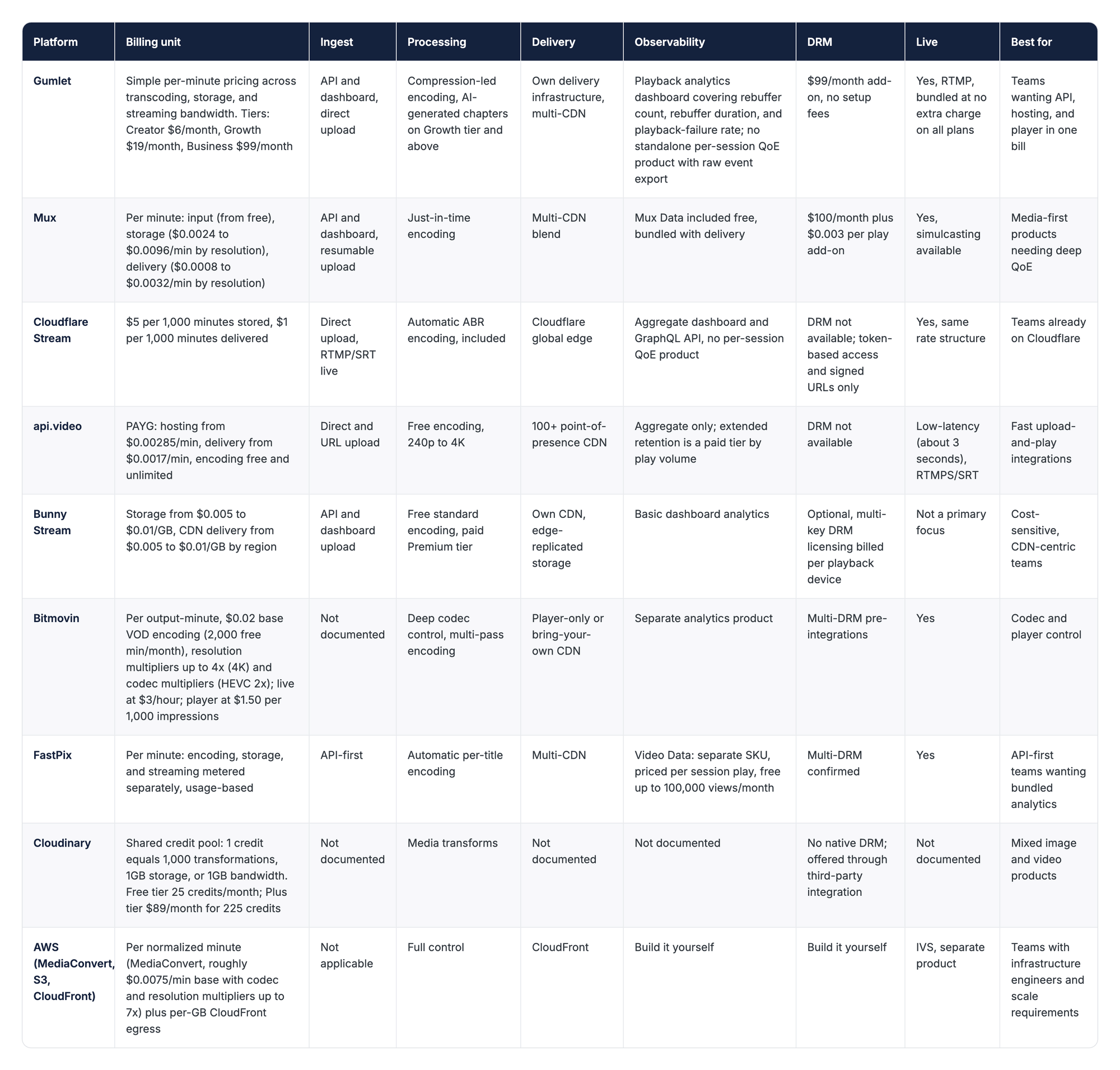
The real dividing lines sit underneath the table.
Bundled versus assembled is the first: Gumlet, Mux, Cloudflare Stream, api.video, and Bunny Stream give storage, CDN, and a player from one vendor with one bill.
Bitmovin and AWS assume the team is assembling a stack from separate services, meaning separate bills and support queues when something breaks.
Metered analytics is the second dividing line, and the one buyers miss most often. "Analytics included" can mean aggregate plays on a dashboard, as on Cloudflare Stream and api.video, or a dedicated per-session QoE product, as with Mux Data and FastPix Video Data. Gumlet sits between the two: the dashboard tracks rebuffer count, rebuffer duration, and playback-failure rate, genuine QoE signals, but there is no separately branded QoE product with documented raw per-session export the way Mux Data or FastPix Video Data offer.
Billing unit is the third, covered above.
DRM is the fourth: included and free nowhere on this list, a paid add-on on Mux, Gumlet, and Bunny Stream, multi-DRM native on FastPix, Gumlet, and Bitmovin, and not available on Cloudflare Stream or api.video as of this verification date.
The 9 Platforms in Detail
Same six fields for every platform: what it is, how the API works, what is bundled versus separate, the billing unit, the honest limitation, and one quotable line. Ordered by API surface breadth, most complete to most specialized.
1. Gumlet
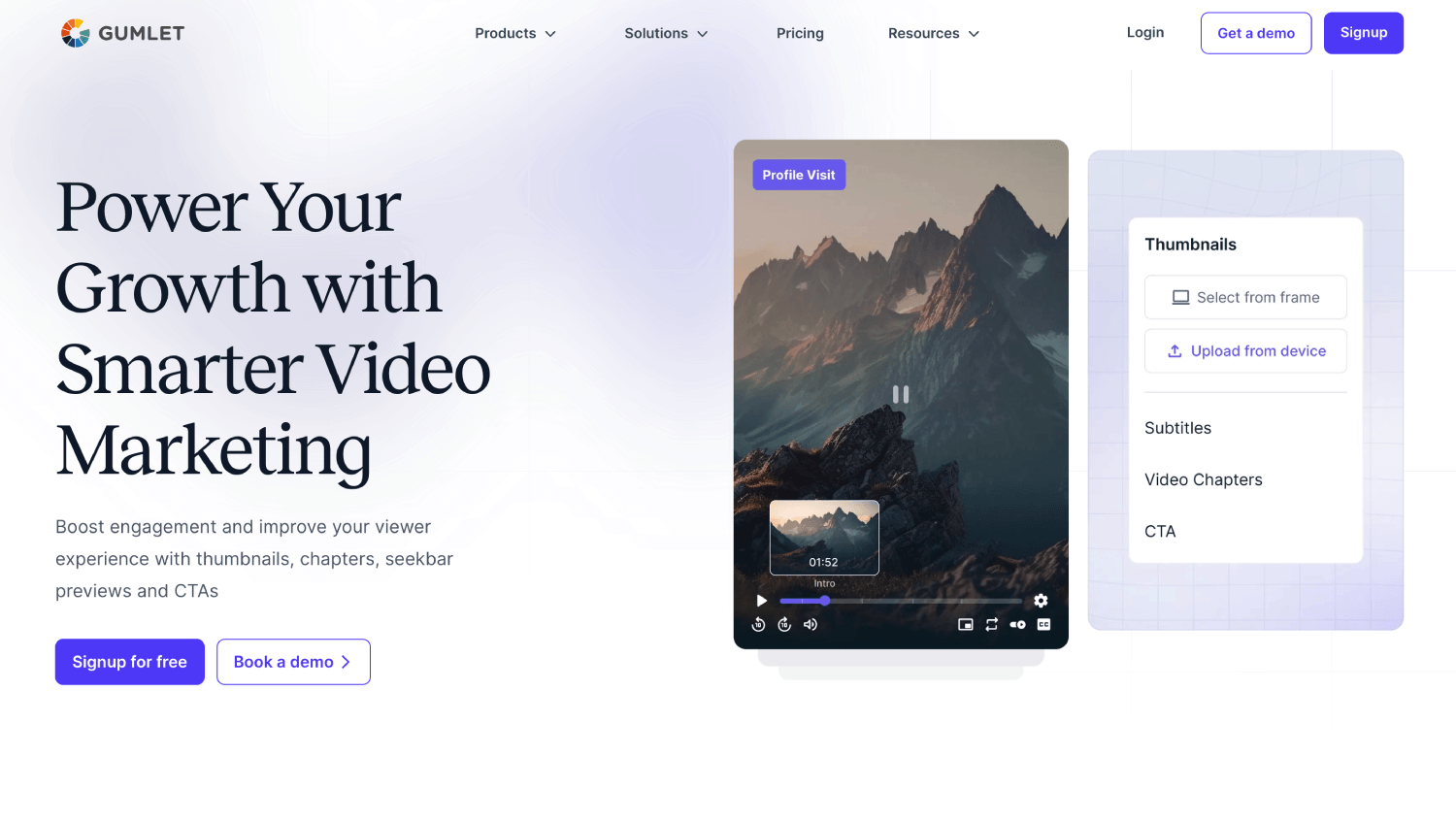
Gumlet is a video API that bundles hosting, adaptive delivery, and a customizable video player into one product, for product teams and small-to-mid-size businesses that want one vendor and one invoice rather than an assembled stack.
The API is REST-based with SDKs and webhook support for asset-ready and processing events. Upload happens via direct upload through the dashboard or pull-from-URL through the API. Encoding uses a compression-led approach, and Growth-tier accounts and above get AI-generated chapters as part of processing.
Documentation lives at docs.gumlet.com, current as of August 2026.
Bundled: storage, CDN delivery, adaptive streaming, the player, AI chapters (Growth tier and above), and a playback analytics dashboard covering rebuffer count, rebuffer duration, rebuffer frequency, and playback-exited-before-start rate.
Live streaming via RTMP ships bundled at no extra charge across all plans. Gumlet's documentation confirms RTMP ingest support.
Video DRM is a $99/month add-on with no setup fees, roughly a fifth of the cited industry-average DRM cost of $500/month. Every account including free tier can process and test up to five DRM videos before the add-on becomes necessary.
The honest limitation: Gumlet's analytics dashboard tracks genuine quality-of-experience signals, buffering events and playback failures among them, ahead of a pure aggregate-view-count dashboard. What it does not offer is a standalone, separately branded QoE product with documented raw per-session export, the kind Mux Data or FastPix Video Data provide for custom monitoring or per-creator payout pipelines.
There is also no documented multi-CDN failover story matching an enterprise-tier competitor.
2. Mux
Mux is a developer-first video infrastructure API built around just-in-time encoding: it creates streaming renditions only when a viewer requests them, not pre-encoded up front.
It targets product engineering teams that want deep playback analytics alongside hosting and delivery, not just a working embed.
The API is REST-based with SDKs across Node, Ruby, PHP, Python, Elixir, and Go, plus framework packages for Next.js and React Native. Upload happens via direct, resumable, or pull-from-URL, with webhooks on asset-ready and error events. Documentation lives at mux.com/docs, current as of August 2026.
Bundled: Storage, multi-CDN delivery, Mux Player, and Mux Data are all included at no separate charge on the current pricing page. DRM is the one item that costs extra: $100/month flat plus $0.003 per authenticated play. Mux Robots, the AI workflow layer covering captioning, moderation, and summarization, moved from a free technical preview to a billed Beta in June 2026.
The honest limitation: Mux's per-minute pricing is metered across three separate dimensions (input, storage, delivery), each with its own resolution multiplier, so the headline "starting at" rate understates real cost for any team delivering meaningfully above 720p.
A team streaming mostly 1080p or 4K content pays a real premium over the base rate, easy to miss when comparing a Mux quote against a flat per-GB competitor.
3. Cloudflare Stream
Cloudflare Stream is video hosting, encoding, and delivery built into Cloudflare's edge network. The pitch is simple: if a team is already paying Cloudflare for Workers or R2, video becomes a line item on a bill that already exists, not a fourth vendor relationship with its own support queue and its own outage to track.
The API accepts direct uploads or RTMP/SRT live ingest, encodes automatically into an adaptive bitrate ladder, and serves through Cloudflare's global CDN with no separate egress charge.
Documentation lives at developers.cloudflare.com/stream, current as of the July 2026 pricing verification cited above.
Bundled: Encoding, storage, delivery, and a built-in player all ship under the same two-meter pricing (storage per 1,000 minutes stored, delivery per 1,000 minutes delivered). Basic analytics come through the dashboard and a GraphQL API. Not bundled, and not offered as a paid add-on either: native DRM. Cloudflare Stream supports signed URLs, domain restriction, and geo-blocking, but no Widevine or FairPlay DRM is offered.
The honest limitation: Cloudflare Stream's biggest strength, radically simple two-line pricing, is also where it loses to Mux and FastPix on depth. There is no per-session QoE product, and DRM is absent rather than merely paid. That is irrelevant for a marketing site embedding product demos.
For a subscription platform gating premium content, it is a real gap that pushes teams toward a different vendor or a bolt-on DRM service.
4. api.video
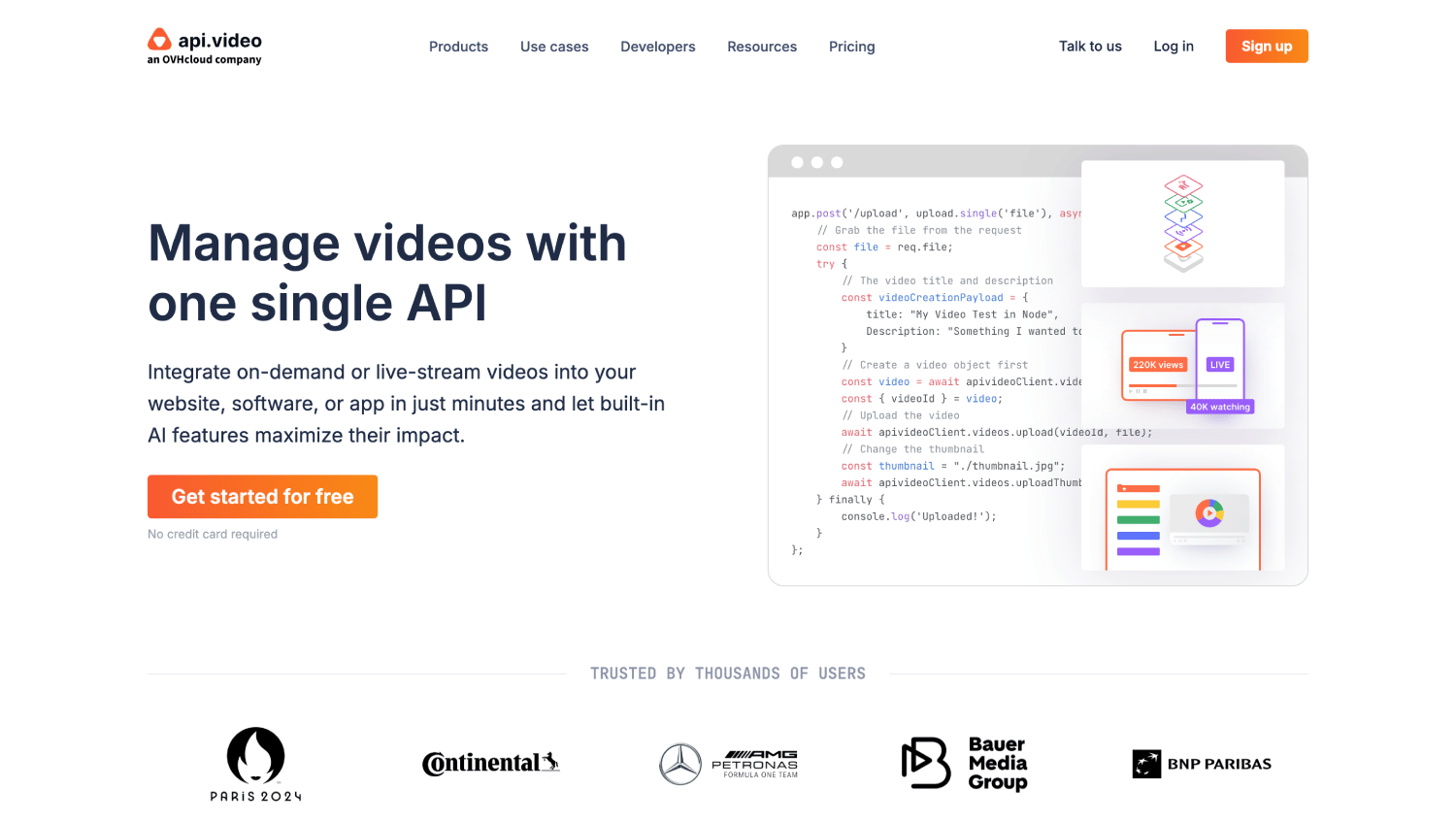
api.video is a straightforward, upload-and-play API for teams wanting the fastest path from signup to a working embed, with pricing built around free, unlimited encoding rather than a metered encoding line item.
The API handles direct and URL-based upload plus live ingest via RTMPS or SRT, with a claimed 3-second low-latency live path. Documentation and pricing live at api.video/pricing, verified August 2026.
Bundled: Encoding at every quality up to 4K is free and unlimited, the platform's core pitch. Hosting and delivery are billed per minute at some of the lowest published rates in this comparison. Analytics retention beyond one month becomes a paid add-on tiered by play volume.
The honest limitation: api.video does not offer DRM. Security features stop at AES-128 encryption, domain-referrer restriction (a $20/month add-on), private video settings, and delegated upload tokens.
Teams evaluating api.video for gated content should verify directly with sales whether DRM exists as an undocumented enterprise option.
5. Bunny Stream
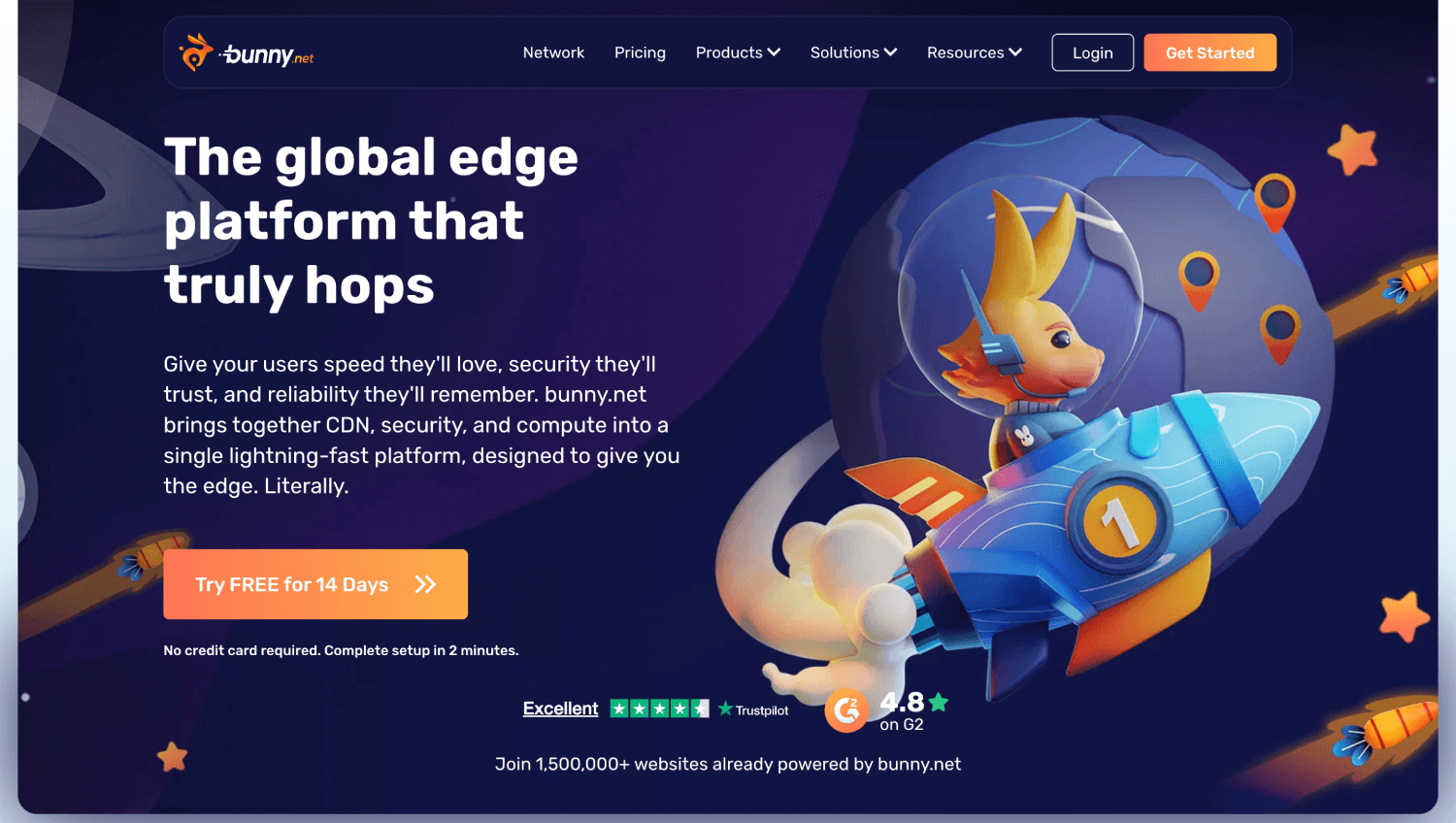
Bunny Stream is video hosting and delivery built on Bunny.net's existing CDN infrastructure, for teams that already value Bunny's low, transparent per-GB pricing and want video billed the same way.
Storage runs $0.005 to $0.01 per GB depending on replication region, and CDN delivery runs in the same band, a pricing floor low enough that a 100-hour catalogue with light traffic can land in the $5 to $15 monthly range before any add-ons.
Upload happens via API or dashboard, with standard H.264 encoding free and a paid Premium tier for broader codec coverage. Documentation lives at bunny.net/docs/stream, current as of May 2026.
Bundled: The player, standard transcoding, token authentication, and domain restrictions all ship free. What separates Bunny Stream is that DRM is multi-key DRM licensing, billed per playback device rather than a flat fee, cheaper for low-volume premium content and more expensive for high-device-count households.
The honest limitation: Bunny Stream's per-GB billing model means encoder efficiency becomes a direct cost lever in a way it is not on Mux or Cloudflare Stream's per-minute models. A team delivering high-bitrate 4K content pays noticeably more per viewer-minute than a team delivering the same duration at a lower average bitrate.
Bitrate discipline is not a nice-to-have here, it is the primary cost control.
6. Bitmovin
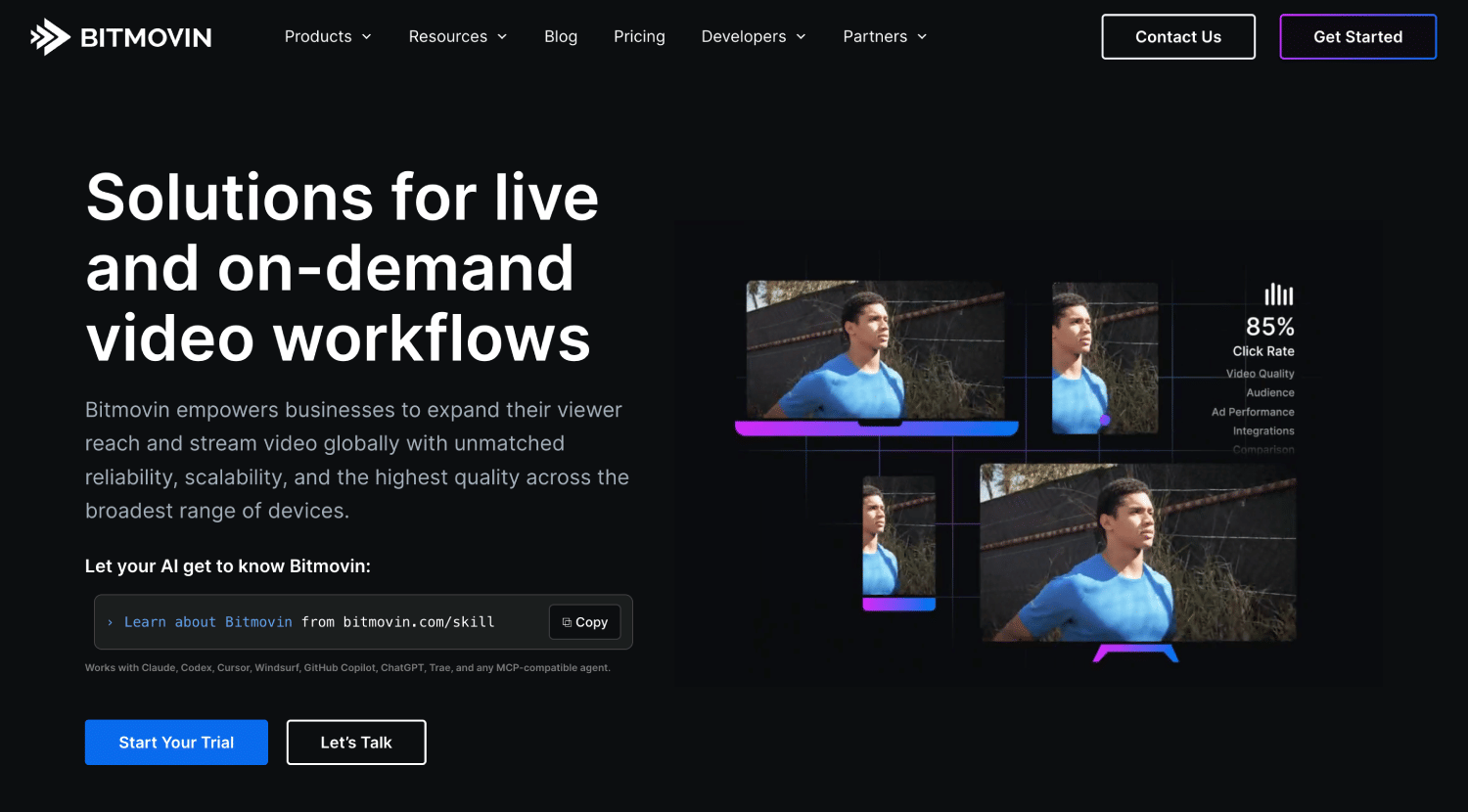
Bitmovin is an encoding and player API, not a hosting platform. It's the right call for a team that already has an opinion about codec ladders and wants to keep that opinion, and the wrong call for a team that just wants video to work by Friday. Storage and CDN are someone else's problem to solve, because Bitmovin does not solve them.
The API exposes granular control over multi-pass encoding, codec selection, and DRM pre-integrations. Documentation and the Encoding Minute Calculation Methodology live at bitmovin.com, current as of August 2026.
Bundled: Nothing beyond encoding and the player. Storage, CDN delivery, and analytics are separate line items or separate vendors. Pricing multiplies fast: a 2-pass HEVC job at HD resolution can run 7 times the base per-minute rate before any codec surcharge, and Dolby Vision adds a further 10x at HD.
The honest limitation: Bitmovin gives every encoding and player control lever that exists, and every lever is a decision the team now has to own, storage and CDN included.
That is the right trade for a broadcast or OTT team with encoding engineers on staff, and the wrong one for a five-person SaaS startup that wants video working by Friday.
7. FastPix
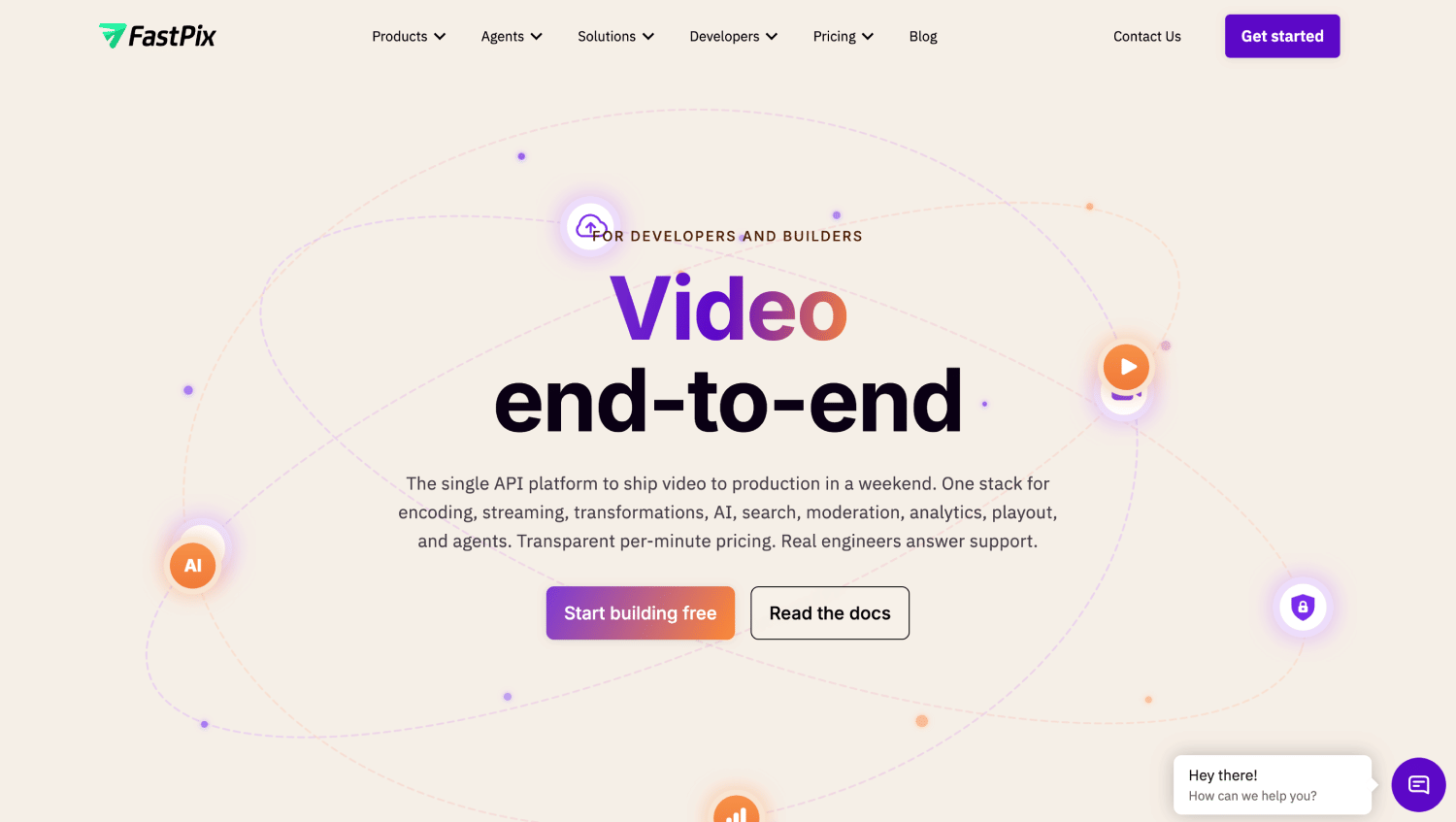
FastPix is an API-first video platform positioning itself as a bundled alternative to assembling Mux-style encoding with a separate analytics vendor, built around per-minute usage pricing plus a standalone analytics product.
The API covers VOD encoding, live streaming, and in-video AI under one account. Documentation lives at fastpix.com, current as of August 2026.
Bundled: Automatic per-title encoding, multi-CDN delivery, captioning, and multi-DRM support ship as part of the core VOD API. Not bundled is Video Data, FastPix's per-session QoE product: a separate SKU billed per session play, though FastPix documents a 100,000-view monthly free threshold, functionally bundling analytics free for smaller catalogues.
The honest limitation: FastPix is a newer entrant compared to Mux, Cloudflare Stream, or api.video, and publishes aggressive comparison content naming competitors' weaknesses. Any claim sourced from FastPix's own blog about a competitor should be verified against that competitor's own documentation.
8. Cloudinary
Cloudinary is a media management platform spanning images and video, built around a shared credit system rather than video-specific per-minute or per-GB billing, for teams whose media stack already includes significant image work.
The API handles upload, on-the-fly transformation, and delivery for both media types through one interface. Documentation lives at cloudinary.com, current as of August 2026.
Bundled: Transformations, storage, and bandwidth all draw from the same credit pool, where one credit equals 1,000 transformations, 1GB of storage, or 1GB of delivered bandwidth. The free tier includes 25 credits monthly; the Plus tier runs roughly $89 per month for 225 credits, billed annually.
The honest limitation: Video-specific depth is Cloudinary's weakest area on this list. No dedicated live streaming product, no documented DRM offering, and no adaptive bitrate streaming, so a viewer on a poor connection gets the same file everyone else gets.
The credit system is hard to forecast for a video-heavy workload, since one meter absorbs storage, transformations, and bandwidth simultaneously, and one minute of HD video delivered can burn through several times as many credits as the equivalent image traffic, making budget planning genuinely harder here than anywhere else on this list.
Cloudinary fits when video is one part of a broader media pipeline, and is the wrong choice when video is the primary infrastructure concern.
9. AWS (MediaConvert, S3, CloudFront)
AWS is not a video API platform in the same sense as the other eight entries. It is a set of cloud primitives (MediaConvert, S3, CloudFront) that a team assembles into a pipeline itself.
There is no single unified API; each service has its own SDK, billing model, and configuration surface. MediaConvert bills per normalized output-minute with compounding multipliers, S3 bills per GB stored, and CloudFront bills per GB of egress.
Bundled: Nothing. Every layer, encoding, storage, delivery, player, DRM, and analytics, is either self-built or wired to a separate AWS service (IVS for live) or a third-party tool.
The honest limitation: CDN egress dominates the AWS video bill, not transcoding. Teams that model costs by focusing on MediaConvert's per-minute rate and ignoring CloudFront egress at scale consistently underestimate the real number, sometimes by a wide margin once traffic grows.
AWS gives you every knob and no product. You will ship a working video pipeline, and then you will maintain it forever, because nobody else is going to patch the player, tune the codec ladder, or debug the CDN cache behavior for you.
A rough number makes this concrete. At 10,000 minutes of 1080p AVC output on the Basic tier, MediaConvert's encoding runs near $75 to $150 depending on multipliers. CloudFront egress at moderate viewership on the same catalogue typically runs several times that once real traffic shows up, which is the part most cost comparisons leave out entirely because it depends on watch time, not catalogue size.
Real-Time Video APIs Are a Different Category
If the product being built is a live call rather than a video file, none of the nine platforms above apply. Real-time video is a genuinely different category with a different billing unit.
LiveKit, Daily, Agora, and Vonage Video API are the primary WebRTC platforms here. Billing across all four runs per participant-minute, confirmed against each vendor's own pricing documentation as of August 2026: a session with 10 participants for 30 minutes bills as 300 participant-minutes, not 30 minutes of content. This scales with people in the room, the opposite cost curve from every VOD platform above.
The line sits at recorded versus interactive. A recorded webinar or course video, even if it originated as a live broadcast, is file-based once saved and served on demand, and belongs in the VOD comparison above.
An interactive classroom, a video call, or an AI voice agent joining a room as a participant is real-time, and belongs here. Products needing both end up buying into both categories.
A WebRTC API and a VOD API both say "video" on the product page. One bills your catalogue. The other bills your attendance.
How to Choose Between Video API Platforms
Choose based on the billing unit that matches how usage will grow, and which of the four surfaces (ingest, processing, delivery, observability) the team is unwilling to own itself.
Feature lists on this topic read nearly indistinguishable from one vendor's page to the next. Billing unit and ownership are where the real decision lives.
Do not choose a bundled platform when the team already has dedicated video infrastructure engineers who want granular control over every encoding pass. Bitmovin or raw AWS primitives fit better there, despite the added operational load.
Common Mistakes When Comparing Video API Platforms
- Comparing headline per-minute rates across platforms that meter different things. Input versus delivery versus storage looks like an apples-to-apples comparison and is not one.
- Assuming "analytics included" means session-level quality data. It frequently means aggregate view counts; Cloudflare Stream and api.video are the clearest examples here.
- Benchmarking on a 30-second test clip. Real upload-to-playable time on a 2GB source file behaves differently in production.
- Choosing a player-only or encoder-only vendor like Bitmovin without budgeting for the separate storage and CDN bill.
- Buying a file-based VOD API for a product that needs real-time, participant-based video, or the reverse.
- Trusting a comparison table published by one of the vendors in it, including this one, without opening the docs and checking the date.
How to Evaluate a Video API Platform in an Afternoon
Upload one real file, not a test clip, and time the full loop from upload to playable.
- Pick the largest real source file the product will handle in production.
- Run the upload through the platform's API or dashboard.
- Time upload-to-playable, not just upload-complete.
- Check the manifest and rendition ladder the platform generated.
- Break playback by throttling to a simulated 3G connection and see what analytics surfaces.
- Price the real catalogue size and monthly watch minutes against the platform's billing unit, not the headline rate.
- Only after steps 1 through 6, read the feature comparison list.
Teams that want the API, storage, delivery, and player from one vendor can run this exact test on Gumlet's free plan before committing to anything.
Frequently Asked Questions
1. What is a video API and when do I need one instead of an embed?
A video API is a set of programmatic endpoints for uploading, encoding, storing, and delivering video, giving a product direct control over playback, branding, and analytics instead of a third-party embed.
Reach for one when a product needs custom player branding, gated or paid content, engagement data tied to a user account, or delivery performance an embed provider does not expose.
2. Which video API is cheapest for a small catalogue?
For a small catalogue with light traffic, api.video's free, unlimited encoding combined with its per-minute hosting and delivery rates typically produces the lowest bill among the platforms compared here, alongside Bunny Stream's per-GB model for teams with efficient encoding.
The cheaper choice depends on whether the catalogue runs bitrate-heavy or minute-heavy, since the two platforms bill on genuinely different units.
3. Do video API platforms include a CDN, or do I need my own?
Most bundled platforms, including Mux, Cloudflare Stream, api.video, Bunny Stream, and Gumlet, include CDN delivery as part of the core product, folded into the same overall bill.
Bitmovin is the exception: it handles encoding and the player only, so delivery requires a self-managed CDN or a separate vendor, which adds a second bill and a second point of failure to manage.
4. Can I use a video API without a player?
Yes. Most platforms in this comparison, including Mux, FastPix, and Bitmovin, support headless integration, where the API returns a playback URL or manifest that a custom or third-party player consumes instead of the vendor's own.
This fits teams with an existing player investment who only want the encoding, storage, and delivery layers, not a new playback experience, from the API provider.
5. Do I need DRM, or are signed URLs enough?
Signed URLs and domain restrictions stop casual link-sharing and unauthorized embedding, but not a determined user downloading or screen-recording content.
DRM is worth the added cost for content with real commercial value tied to controlled access: licensed media, paid courses, or premium subscription video. It is unnecessary overhead for most marketing, product-demo, or UGC use cases where casual protection is enough.
6. Which video APIs support live streaming as well as VOD?
Mux, Cloudflare Stream, api.video, Gumlet, Bitmovin, and FastPix all support live streaming alongside VOD as of this comparison's verification date. Bunny Stream and Cloudinary are primarily VOD-focused, with live streaming absent or not core.
For a product that is purely live and interactive, a real-time WebRTC API like LiveKit or Agora fits better than any platform on the VOD list.
7. What's the difference between a video API and a WebRTC API?
A video API (Mux, Gumlet, Cloudflare Stream, and similar) handles file-based video: upload, encode, store, and deliver content watched on demand, billed by minutes of content.
A WebRTC API (LiveKit, Daily, Agora, Vonage) handles real-time interactive video: live calls, classrooms, and AI voice agents, billed by participant-minutes. Choosing the wrong category for a product means rebuilding on the correct one later.
8. Is it cheaper to build video infrastructure on AWS myself?
AWS primitives (MediaConvert, S3, CloudFront) are typically the cheapest option per unit of usage at meaningful scale, but the real cost includes engineering time to build and maintain the pipeline, plus on-call responsibility a managed platform absorbs into its price.
For a team without dedicated video infrastructure engineers, a bundled platform's higher per-unit rate is usually cheaper than a self-built AWS pipeline once engineering hours are counted honestly.
9. How do I migrate a video library between platforms without breaking existing embed URLs?
Most platforms support bulk import from a previous provider via URL-based upload, letting a team re-encode an existing library without manually re-downloading and re-uploading every file.
The embed-URL problem is typically solved by keeping old embed codes pointed at a redirect layer or a stable custom domain the team controls, rather than the platform's raw asset URLs, so a migration does not require updating every page that embeds a video.
The Bottom Line
Every platform here can turn an upload into a working playback URL within a few minutes of signup.
That was never the differentiator, and treating it as one is how most comparison content on this exact topic ends up flattering whichever vendor wrote it.
The real decision is the billing unit that matches how usage will grow, and the one surface, ingest, processing, delivery, or observability, a team is genuinely unwilling to own itself.
Verify every row in the comparison table above against the vendor's own documentation on the day of purchase, since pricing and feature bundling on this list change often enough that a three-month-old comparison is already a risk.