Modern websites run on visuals.
Product carousels, course thumbnails, hero banners, UGC galleries: all of that is image heavy.
Images carry most of the visual weight of modern products. Product galleries, hero banners, course thumbnails, and UGC feeds all rely on them, and on many sites they are the single largest contributor to page size. That means how you store, process, and deliver images has a direct impact on Core Web Vitals, real user experience, and what you ultimately pay for bandwidth and CDN.
At some point, every engineering team that lives with a lot of media ends up choosing between three approaches:
- A self hosted image pipeline that runs entirely on your own infrastructure.
- A cloud image optimization service or image CDN such as Gumlet, Imgix, Cloudinary, or ImageKit.
- A hybrid setup that keeps specific processing in-house but uses a managed image CDN at the edge.
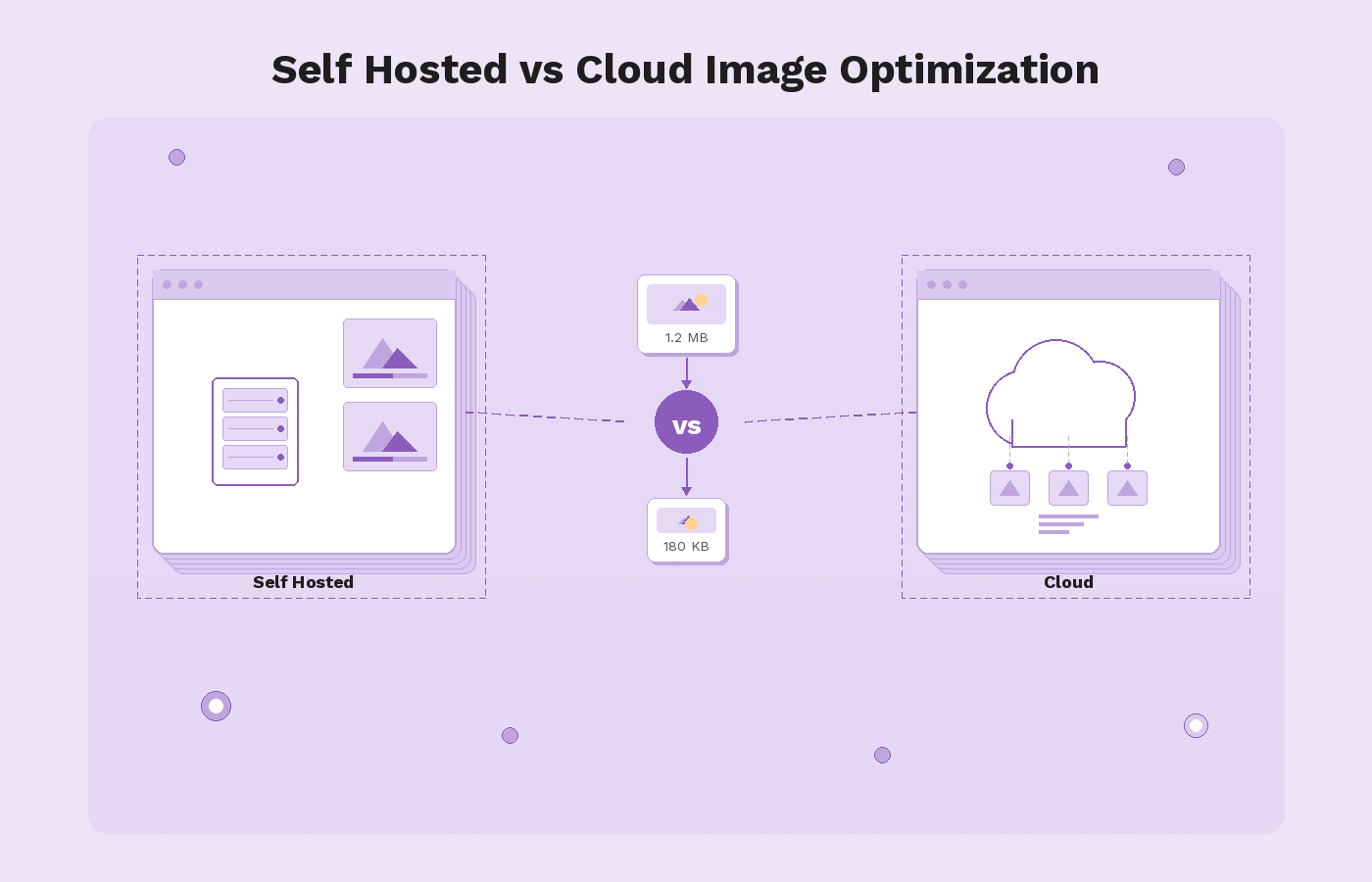
Self hosting looks attractive if you want maximum control. You design the architecture, pick the libraries, decide how URLs work, and keep everything inside your own cloud accounts or data centers. The trade-off is that you are also responsible for scaling a compute-heavy service, solid caching, DDoS resistance, format evolution, and incident response when something breaks during a peak campaign.
Cloud image optimization reverses that balance. You keep originals in S3, GCS, or similar storage under your control, while a provider handles real-time transforms, format negotiation for WebP and AVIF, responsive resizing, and global delivery through an edge network. Imgix is one of the better known providers in this category. Gumlet sits in the same space, with a focus on being an infrastructure layer in front of your existing storage rather than a full asset management system.
This article looks at that choice end-to-end. It explains what self-hosted image optimization actually involves, what a cloud image CDN does differently, and where Imgix fits into that picture. It then walks through concrete Imgix alternatives on both the self-hosted and cloud side, compares Imgix, Gumlet, and other major providers, and finishes with a decision framework and migration patterns. The goal is for you to know which approach fits your product and how to move from a self-hosted stack or from Imgix to a modern image CDN such as Gumlet without unnecessary risk.
Key Takeaways
- Images are usually the heaviest part of any page, so controlling formats, dimensions, and delivery is essential for Core Web Vitals and cost.
- Self-hosted image optimization gives you maximum control, but you take on full responsibility for scaling, security, cache invalidation, and format evolution.
- Cloud image optimization and image CDNs such as Imgix, Gumlet, Cloudinary, and ImageKit act as smart proxies in front of your storage, handling real-time transforms and global delivery.
- Self-hosting only makes sense at a very large scale with a strong platform team and specific compliance constraints. For most SaaS, e-commerce, edtech, and content platforms, a managed image CDN is the better default.
- Imgix is a solid, developer-friendly image CDN, but teams often look for alternatives when pricing at scale, analytics depth, or CDN and storage strategy no longer fit.
- Self-hosted Imgix alternatives include Thumbor and imgproxy. Cloud alternatives include Gumlet, Cloudinary, ImageKit, Cloudflare Images, Uploadcare, Bunny Optimizer, and Sirv.
- Gumlet is particularly relevant if you want a “bring your own” storage model, infra-grade performance, next-generation formats, and strong analytics without rebuilding your pipeline.
- The safest selection process is a build-versus-buy framework that looks at engineering capacity, traffic profile, compliance, cost, risk tolerance, and feature needs.
- Migration should be incremental. Introduce a URL abstraction, plug Gumlet into your existing storage, run it in parallel with Imgix or your self-hosted stack, and gradually move traffic over.
- The most future proof setup keeps originals in your own storage, uses a focused image CDN like Gumlet in front, and centralizes provider-specific URL logic so you can change vendors later if needed.
Image Optimization Basics
Before comparing self-hosted stacks with cloud providers or evaluating Imgix alternatives, it helps to be precise about what “image optimization” actually covers in 2026.
At the simplest level, image optimization means reducing the bytes required to deliver an image without harming the way it looks or behaves. On a typical mobile page, external images alone sit around 900 KB at the median, and more than 1 MB on desktop, according to HTTP Archive’s State of Images data. In other words, for a lot of pages, images are still one of the biggest components of total transfer size, which is why they show up so often in performance audits.
There are a few core pillars that any serious image optimization strategy needs to cover:
- Compression, both lossless and lossy, tuned per use case.
- Format selection, moving from legacy JPEG and PNG to more efficient formats like WebP and AVIF.
- Resizing and responsive delivery so that each device only downloads the pixels it can actually render.
- Loading behavior, including lazy loading and prioritization of the hero or Largest Contentful Paint image.
- Delivery over a fast, caching-friendly path, usually some form of CDN or image CDN.
Modern formats are a big part of the story. Multiple independent tests show that AVIF can cut file size by roughly 45 to 55 percent compared with JPEG at similar quality, while WebP often saves around 25 to 35 percent. That kind of reduction compounds quickly when your site is serving tens or hundreds of gigabytes of images every month. A site sending 10 GB of JPEGs monthly can realistically drop that to about 7 GB with WebP or around 5 GB with AVIF, which directly reduces CDN bandwidth spend and improves load times.
Optimization is not only about bytes. Google’s Core Web Vitals treat Largest Contentful Paint (LCP) as the main loading metric, and the LCP element is very often a hero image or large banner. To be considered “good,” LCP should be 2.5 seconds or less for at least 75 percent of page views. That pushes teams to think about how quickly the main image can be discovered, requested, and rendered. Getting that right usually requires some combination of:
- Preloading or prioritizing the main image.
- Serving that image from a nearby edge location instead of a distant origin.
- Making sure the file itself is as small as it can be by using the right format and dimensions.
Finally, there is a practical distinction between offline or one-time optimization and real-time, on-the-fly optimization.
- Offline optimization means you pre-generate variants during build or upload and store them, then serve them as static files later.
- Real-time optimization means you have an image processing service that takes a request, fetches the original, applies transformations, and returns an optimized variant in response, usually caching the result at the edge for future requests. Self-hosted stacks and cloud image CDNs can both implement real-time optimization, but the operational burden sits with you in one case and with a provider in the other.
The rest of the article builds on this foundation. When we talk about self-hosted image optimization versus cloud image CDNs, the question is essentially who owns these responsibilities and how much of the pipeline you want to operate versus delegate.
What is Self-hosted Image Optimization?
Self-hosted image optimization means you own and operate the full image pipeline on your own infrastructure.
You choose the storage, the processing libraries, the caching strategy, and how images reach users over the network. Instead of pointing your image URLs at a provider such as Imgix or Gumlet, you point them at your own servers or CDN endpoints that you control.
For many teams, this starts as a simple setup. Images live on the web server or in an object store, and a script compresses or resizes them during upload. As traffic, formats, and device types grow, that setup evolves into a more complex in-house image CDN: a dedicated processing service, backed by a cache and fronted by a general purpose CDN.
Self-hosting covers a wide spectrum. At one end, you might have a few Nginx rewrite rules with ImageMagick behind them. At the other, you might be running a fully custom, containerized image microservice fleet across multiple regions. In every case, the common thread is that your team is responsible for the reliability, performance, and security of that pipeline.
Typical Self-hosted Architecture
Although implementations differ, most self-hosted image optimization stacks follow a similar pattern.
1. Origin storage
This is where your original, high quality images live. Common choices include Amazon S3, Google Cloud Storage, Azure Blob, or an internal file store. Some older setups still serve images directly from application servers, but most modern stacks separate storage from compute.
2. Image processing layer
This is the core of the optimization pipeline. Typical choices include:
- General purpose libraries such as ImageMagick, GraphicsMagick, or Sharp used within your own service.
- Dedicated open source image servers such as Thumbor or imgproxy that expose transformation parameters in the URL.
- Custom Go, Node, or Python services that wrap these libraries and apply your own rules.
This layer accepts requests that specify format, size, crop, and quality, fetches the original from storage, performs the transforms, and returns the optimized result.
3. Caching and CDN
Since real-time image processing is expensive, most teams place a cache in front of the processing service. This can be:
- A reverse proxy such as Nginx or Varnish
- A managed CDN such as CloudFront, Fastly, Cloudflare, or Akamai
The cache stores the processed variants for a period of time so that repeat requests do not hit the processing layer and origin on every view.
4. Routing and application integration
Your application templates or frontend code generate URLs that include transformation parameters. For example, you might use a pattern like /images/600x400/quality-70/path/to/file.jpg or query parameters like ?w=600&h=400&fit=cover. These URLs point at your own domain, which resolves to the CDN that sits in front of the processing service.
The request path in production usually looks like: browser requests image URL, CDN checks cache, if there is no hit, it forwards to the processing service, the service fetches from origin, generates the optimized variant, returns it to the CDN, and the CDN caches and serves it to the user.
Pros of Self-hosting
There are real advantages to self hosted image optimization, especially for teams that already operate significant infrastructure.
1. Full control over behavior and roadmap
You choose which transforms are supported, how URLs are structured, what defaults are applied, and how aggressively you compress or crop content. If you need a custom algorithm or a niche format, you can add it without waiting for a vendor.
2. Tighter integration with internal systems
When your image pipeline runs in your own environment, it can integrate directly with internal APIs, permissions systems, and deployment flows. For example, you can enforce business rules around which users can access which assets without exposing those rules to a third-party.
3. Compliance and data residency
Some organizations have strict rules about where data can be stored or processed. Self-hosting allows you to keep all image processing inside specific regions or even inside your own data centers, which can simplify compliance with certain regulatory or contractual requirements.
4. Potential cost leverage at very large scale
If you already run a large platform with mature observability, capacity planning, and SRE practices, and your traffic patterns are stable, operating your own image pipeline can sometimes be cheaper on a pure infrastructure basis than paying per unit of usage to a SaaS provider. You can tune resource utilization, choose instance types, and negotiate bandwidth contracts directly.
Cons and Hidden Costs
The main drawbacks of self-hosted image optimization are not obvious at the beginning. They usually become apparent as traffic grows, formats evolve, and new devices appear.
1. Operational complexity over time
Image workloads are bursty and compute-intensive. You need to size processing clusters for peaks, handle queue backlogs, and protect upstream services from sudden surges. Autoscaling, monitoring, alerting, and incident response for this pipeline all sit on your team. Every new format or feature adds more moving parts.
2. Maintenance and security burden
Libraries such as ImageMagick, or even the language runtimes around them, regularly receive security patches. You must track vulnerabilities, roll out upgrades, and handle regressions. Public-facing image services are also attractive DDoS (Distributed Denial-of-Service) targets since it is easy for an attacker to generate many unique transformation URLs that bypass cache.
3. Cache invalidation and URL management
To get good cache hit ratios, you need a consistent URL strategy, sensible TTLs (Time to Live), and a way to invalidate or purge variants when originals change or are deleted. Misconfigured caching can lead to stale images in production or unnecessary origin traffic and regeneration.
4. Risk during traffic spikes or incidents
When a campaign, launch, or piece of content goes viral, an under-provisioned processing layer can become the bottleneck that slows down the entire site. If rate limiting or backpressure is not tuned correctly, a spike in image transformation requests can cascade into application or database issues.
5. Opportunity cost for engineering teams
The more time your engineers spend building and running the image pipeline, the less time they can spend on product features, customer facing improvements, or core differentiators. Even if the direct infrastructure cost looks favorable, the internal time cost can easily outweigh it over several years.
These trade-offs are why many teams start with self-hosted image optimization and eventually look at cloud image optimization services. The key question is not only what is cheaper today, but also which approach gives you the right balance of control, reliability, and focus over the lifetime of the product.
What is Cloud Image Optimization and an Image CDN?
Cloud image optimization means you delegate most of the image pipeline to a managed service. Instead of running your own processing servers, you point image URLs at a provider that fetches originals from your storage, transforms them in real-time, and serves optimized variants from a globally distributed edge network.
In practice, this looks like an “image CDN”. You still keep the original files in S3, Google Cloud Storage, Azure Blob, or a web origin. The provider becomes a smart proxy that sits between that origin and your users, handling both optimization and delivery.
At a high level, the moving parts look like this:
1. Origin storage
Your originals remain in your own bucket or origin. You retain control over the master files, lifecycle policies, and backup strategy.
2. Provider edge and processing network
The provider exposes a domain, often on your own custom hostname. When a user requests an image through that domain, the provider:
- Checks its edge cache for an existing optimized variant.
- If there is no hit, fetches the original from your storage.
- Applies the requested transformations and encodes the image in an appropriate format for the client.
- Caches the result at or near the edge location handling that request.
The next user who requests the same URL is served from that cache, not from your origin.
3. URL-based transformation API
Transformations are usually expressed via URL parameters or path segments. You specify width, height, fit mode, quality, format hints, cropping behavior, and filters inside the URL. Different providers have different syntaxes, but the pattern is similar.
4. Global CDN delivery
Most image optimization providers either operate their own global edge network or integrate with a major CDN under the hood. The important point is that users are served from a location geographically close to them, not from your primary region.
Cloud Image Optimization in Practice
Cloud services such as Imgix, Gumlet, Cloudinary, ImageKit, and others all implement some variation of this model. The differences are in the details: which CDNs they use, how flexible the URL API is, how analytics and observability work, whether they also handle video, and how they approach pricing.
Gumlet, for example, is structured around “image sources” that point to your existing storage. You configure a source to fetch from S3, GCS, a web origin, or another bucket, then serve images through a custom domain. On the first request for a given URL, Gumlet pulls the original, applies the requested transforms in real-time, encodes in a suitable format such as WebP or AVIF, and caches that variant at the edge. Subsequent requests for the same URL are served from cache, which reduces origin load and improves time to first byte for users.
In a mature deployment, image URLs in your application no longer point at storage directly. Instead, they point at the provider’s domain with the right transformation parameters. The provider takes responsibility for versioning, caching, and serving the optimized variants.
Pros of Cloud Image Optimization and Image CDNs
For most teams, the draw of cloud image optimization is faster performance and less infrastructure to own.
1. Faster time to value
You do not have to design and deploy an image processing cluster, integrate libraries, or tune queues. You configure origin access, wire up a domain, and start using transformation URLs. That is often enough to get double digit percentage reductions in total image weight and noticeable improvements in Largest Contentful Paint on real pages.
2. Built-in support for modern formats and responsive delivery
Cloud providers usually handle feature details that are tedious to maintain in-house:
- WebP and AVIF negotiation based on user agent.
- Automatic device-aware resizing and DPR handling.
- Easy generation of responsive image sets through URL parameters or helper libraries.
This keeps your frontend code simpler while still delivering device-optimized images.
3. Global scalability and reliability
A serious image CDN runs many edge locations and has hardened routing, rate limiting, and failover logic. Traffic spikes, regional incidents, or attack traffic are handled by an infrastructure layer that is shared across many customers. You benefit from that engineering work without paying for it directly.
4. Lower operational and maintenance burden
Security patches, performance regressions, format experiments, and capacity planning all sit with the provider. Your team integrates the service, monitors key metrics, and sets sensible defaults, but you are not rebuilding imaging primitives every time a new browser version ships.
5. Analytics and observability
Many providers expose usage, cache hit ratios, response timings, and breakdowns by format or transformation. That makes it easier to quantify impact, trace issues, and optimize costs compared with a homegrown stack that needs custom observability work.
Cons and Risks
The main trade-offs of cloud image optimization mirror the benefits. You are delegating complexity, which has implications.
1. Usage-based pricing and long-term cost
Cloud providers usually charge per unit of usage. Common levers include transformed image output bytes, transformations, requests, and bandwidth. At high traffic volumes, bills can be substantial. You need to understand how pricing scales with traffic growth, new features, and global expansion.
2. External dependency and vendor reliability
Your image pipeline becomes dependent on a third-party’s uptime, network, and incident response. A provider outage or regional issue can directly affect your ability to serve images unless you have fallback mechanisms and sensible timeouts configured.
3. Vendor lock-in and migration friction
Transformation URLs and parameters are often provider-specific. If you hard-code those URLs throughout a large codebase, moving away later requires either extensive rewrite work or a careful abstraction layer from the beginning. Some teams treat this as a reasonable trade-off, others want to minimize it.
4. Less freedom for unusual or niche requirements
Most providers cover common image operations very well but may not support very custom algorithms, experimental formats, or bespoke workflows. If your product depends heavily on novel imaging techniques, you may still need some internal processing, a hybrid approach, or explicit confirmation that your requirements are supported.
For many organizations, these trade-offs are acceptable because the alternative is running a complex, business-critical pipeline in-house. The choice comes down to where you want to spend engineering effort, how sensitive you are to vendor risk, and whether your team can realistically operate a high performance image stack at the same level of reliability as a specialist provider.
Self-hosted vs. Cloud Image Optimization: Side-by-side Comparison
Once you understand the basic architectures, the real question is not whether self-hosted or cloud image optimization is "better" in theory, but which approach fits your organization, traffic pattern, and risk profile. The table below summarizes the main trade-offs between self-hosted stacks, fully managed cloud image CDNs such as Imgix or Gumlet, and hybrid setups that combine both.
| Dimension | Self-hosted Image Optimization | Cloud Image Optimization / Image CDN | Hybrid Approach |
|---|---|---|---|
| Performance at global scale | Strong in primary regions if tuned; weaker at the edge without many POPs | Usually excellent global performance via a large edge network | Very strong if internal processing is paired with a robust global image CDN |
| Scalability under spikes | Depends entirely on your autoscaling, queues, and rate limiting | Provider absorbs most spikes with mature scaling policies | Internal bottlenecks remain, but edge caching reduces load on origin |
| Operational complexity | High: you own processing, cache, routing, monitoring, and incident response | Lower: you configure and monitor, provider runs the infrastructure | Medium: fewer moving parts than fully self-hosted, more than pure SaaS |
| Time to market | Slow: design, implement, and harden a pipeline before rollout | Fast: configure origin and start using transformation URLs | Medium: initial rollout via cloud, gradual integration with internal systems |
| Security and DDoS resilience | Your team is responsible for hardening and abuse handling | Providers usually have robust abuse controls and edge rate limiting | Shared: provider protects edge; you must still secure internal components |
| Flexibility and customization | Very high: you can implement any algorithm or workflow you are willing to build | High for common use cases; limited for niche transforms | High: niche logic can live inside your stack, common logic in the provider |
| Vendor lock-in risk | Low in terms of third-party providers; high in terms of your own code | Higher: URLs and parameters are specific to a provider | Medium: you can confine provider-specific URLs to certain surfaces or paths |
| Cost structure | Infra plus people cost; predictable if workloads are stable | Usage based; easy at low to medium scale, material at very high scale | Mixed: pay for provider usage plus some internal capacity |
| Observability and analytics | Only as good as what you build into the stack | Usually strong: built in dashboards for usage, cache hits, performance | Mixed: internal metrics plus provider analytics |
A useful way to read this table is to imagine your engineering team one year after launch. In the self-hosted world, your team is on the hook for every performance regression, regional incident, library upgrade, and format experiment. In the cloud image optimization world, your team is mostly concerned with correct integration and monitoring, while the provider handles the low-level mechanics of real-time image processing at the edge. Hybrid architectures sit in the middle, often used when a business has both standard web delivery needs and a set of highly specific internal image workflows that they are not ready to move to a SaaS provider.
For early stage products and growing SaaS or e-commerce platforms, the friction and ongoing maintenance of a fully self-hosted pipeline is rarely worth the control it provides. A managed image CDN is usually the sensible default, as long as you pay attention to how pricing scales and how tightly you couple your codebase to a single provider.
In contrast, very large enterprises with existing platform teams, stringent compliance rules, or unusual image processing needs may legitimately prefer self-hosting or hybrid models, provided they are realistic about the operational cost of that choice.
When a Hybrid Architecture Makes Sense
Hybrid image optimization architectures combine elements of both worlds. Common patterns include:
- Internal batch processing pipelines that generate certain derivatives in advance, combined with a cloud image CDN that handles on-the-fly resizing, format negotiation, and global caching.
- A primary self-hosted image service running in a specific region for sensitive workloads, fronted by a cloud provider for public or less-sensitive assets.
- Routing rules where standard marketing and product images go through a provider such as Gumlet, while highly custom or experimental transforms remain inside a dedicated internal service.
Hybrid approaches make sense in a few situations:
- You have regulatory or contractual constraints that require some processing to stay inside specific regions or environments, but you still want the reach and convenience of a cloud image CDN for most traffic.
- You already invested heavily in an internal image service but want to offload global delivery and edge caching without rewriting everything at once.
- You are deliberately designing for provider portability by keeping core business logic and certain transforms in your own services, while using cloud image optimization for the bulk of static and semi-static assets.
The trade-off is that hybrid systems are not automatically simpler; they are often more complex than a pure self-hosted or pure cloud design. They are most appropriate when you can clearly articulate which workloads must remain internal, which can be delegated to a provider, and how that boundary will be maintained over time.
Where Imgix Fits in This Landscape
Imgix is a cloud-based image optimization service and image CDN. In practical terms, it is a managed proxy that sits in front of your storage, transforms images on-the-fly using a URL-based API, and delivers them through its own CDN so you do not have to run a separate image processing cluster.
From a feature perspective, Imgix offers three main layers:
- A Rendering API that resizes, crops, compresses, and re-formats images in real-time through URL parameters.
- A Video API for optimizing and streaming video assets.
- A Management API for configuring sources, purging caches, and automating account level tasks.
You point Imgix at origins such as web folders, S3 buckets, or similar, attach a domain, and then generate transformation URLs that specify width, height, fit, quality, format, and other operations. The first request for a given URL triggers a fetch from origin, a series of transformations via the Rendering API, and caching at the edge. Subsequent requests for the same URL are served from that cache.
As of recent public data, Imgix positions itself as an end-to-end visual media solution, not just a simple image resizer, and claims to deliver billions of images per day across many millions of pages. That scale is a reasonable indicator that it is a mature, battle-tested platform for real-time image processing.
Typical Imgix Use Cases
Teams usually adopt Imgix when they want to:
- Move away from static, pre-generated assets and support responsive images with device-specific sizing.
- Reduce page weight and improve page speed without building their own image pipeline.
- Expose a flexible transformation API to front-end or product teams so that image variants can be created on demand.
- Integrate image optimization into existing stacks such as Shopify, BigCommerce, or custom SaaS products via SDKs (Software Development Kit) and helper libraries.
In terms of architecture, Imgix fits cleanly into the “cloud image optimization and image CDN” category described earlier. It is not a general purpose CDN like CloudFront or Cloudflare, and it is not a storage product. It focuses on taking assets from your origin, applying transformations, and serving them efficiently through its own edge network.
Where Imgix is Strong
Across documentation and independent comparisons, a few strengths come up consistently:
1. Rich URL-based transformation API
Imgix exposes a large set of transformation parameters for resizing, cropping, format conversion, color adjustments, and effects. The company maintains a machine-readable list of URL parameters that tooling and SDKs can consume, which makes it easier to build internal helpers and abstractions.
2. Developer-oriented tooling
The platform has SDKs, a sandbox UI for experimenting with URL parameters, and a reasonably mature dashboard and Management API for automating common tasks such as managing sources or purging cached assets.
3. Established CDN and performance profile
Imgix is routinely listed in independent “best image CDN” and comparison articles alongside Cloudinary, ImageKit, and Cloudflare Images, which typically cite its performance and flexibility as key reasons to adopt it.
For teams that want full control over transformation logic through URLs and are comfortable with a provider-specific syntax, Imgix gives a lot of power without requiring a self-hosted stack.
Why Teams Look for Imgix Alternatives
Despite these strengths, many engineering and product teams eventually evaluate Imgix alternatives. Public reviews and third-party comparison guides tend to mention a similar set of drivers:
1. Cost and pricing model at scale
Like most managed image optimization services, Imgix uses a usage-based pricing model. As image traffic grows or you add more variants and regions, bills can become a material line item. Several comparison pieces and user reviews specifically call out the need to reassess cost when traffic reaches higher tiers or when bandwidth is split across multiple products.
2. Desire for different storage or CDN strategy
Imgix does not provide deeply integrated storage in the way some media management platforms do, and you are tied to its CDN footprint for delivery. Some teams prefer a model where they can bring their own storage and optionally pair that with different CDN strategies or multi CDN setups, especially when they already have standardized on a particular cloud provider or need tighter control over where assets are cached.
3. Product fit and feature emphasis
Imgix is strongest as a flexible transformation and delivery layer. Teams that want more opinionated asset management workflows, tighter focus on analytics, or specific capabilities such as granular Core Web Vitals reporting sometimes find better alignment with other platforms that emphasize those features.
4. Vendor risk and lock-in considerations
As with any provider that uses a proprietary URL schema, there is inherent lock-in. Transformation parameters are Imgix-specific, so migrating to another platform requires a URL rewrite strategy or an abstraction layer. Teams that have already done one major migration (for example, from a homegrown stack to Imgix) are often cautious about doing another without clear benefits in cost, performance, or operational simplicity.
In this sense, Imgix is neither a bad nor a universally ideal choice. It is a solid, feature-rich image CDN that suits many workloads, but its cost profile, URL semantics, and deployment model push some organizations to look for either self-hosted alternatives or other cloud providers such as Gumlet, Cloudinary, ImageKit, Cloudflare Images, and others.
In the next section, we will map out that landscape explicitly by looking at Imgix alternatives across both self-hosted and managed options, and where each makes the most sense given your constraints.
Imgix Alternatives: Self-hosted and Cloud Options
At this point, you can treat Imgix as one specific implementation of a broader idea: real-time image processing with CDN delivery. Alternatives fall into two main buckets:
- Self-hosted engines that you run on your own infrastructure.
- Managed cloud platforms that behave like Imgix with different trade-offs.
Looking across both categories is important. Some teams want maximum control and are willing to pay the operational cost. Others want a provider that behaves like Imgix but with a different pricing model, feature emphasis, or integration story.
Self-hosted Imgix Alternatives
These options give you a URL-based transformation API and real-time optimization, but you own deployment, scaling, and security.
1. Thumbor
Thumbor is a long-standing open-source image processing service originally created at Globo.com. It exposes a URL API for on-demand resizing, cropping, filtering, and optimization, including smart cropping based on face and feature detection and support for modern formats like WebP and AVIF.
- Where it fits: Good for teams that want a battle-tested engine with smart cropping and are comfortable running Python services in production.
- Trade-offs: You must operate and secure the service, tune performance, handle bursty workloads, and integrate CDN caching yourself.
2. Imgproxy
imgproxy is a high performance, self-hosted image processing server written in Go and built on libvips. It focuses on speed, security, and simplicity, and is designed as a drop-in replacement for custom image processing code that you might have embedded directly in your application. It supports real-time resizing, cropping, format conversion including JPEG, PNG, WebP, and AVIF, and advanced options such as watermarking.
- Where it fits: Attractive for teams standardizing on containerized workloads that want a compact, efficient image server with a clear configuration model.
- Trade offs: Similar to Thumbor, you handle deployment, monitoring, and security, and you still need a CDN in front for global delivery.
3. Other self-hosted stacks
Beyond Thumbor and imgproxy, there are many home-grown setups that wrap libraries like Sharp, ImageMagick, or GraphicsMagick in custom services, often with Nginx or Varnish in front and a general CDN at the edge. These can mirror Imgix-style URL patterns and cover most basic operations, but they carry the same long-term maintenance load described earlier.
Self-hosted Imgix alternatives are compelling when you have strict data residency rules, a platform team already running multiple internal services, or the desire to avoid any per request SaaS billing for images. The trade-off is that you are committing to the full lifecycle of an image processing engine and its dependencies over many years.
Cloud-based Imgix Alternatives
For most teams, the realistic alternatives to Imgix are other cloud-based image optimization platforms. They follow the same proxy plus CDN pattern, but differ in how they handle storage, pricing, analytics, and integrations.
1. Gumlet
Gumlet is a cloud-based image optimization and delivery platform that sits in front of your existing storage. You configure an image source that points to S3, GCS, a web origin, or a similar store, then serve images through a custom domain. Gumlet fetches originals on-demand, applies real-time transforms, negotiates formats like WebP and AVIF, and caches variants at the edge. The platform focuses on infrastructure-grade delivery and observability rather than just basic resizing, with attention to security controls and analytics around engagement and performance.
For teams evaluating Imgix alternatives, Gumlet is usually worth putting at the top of the shortlist when you want:
- A “bring your own” storage model with minimal changes to how content is authored and stored.
- Real-time image optimization and responsive delivery with a clear, developer-friendly URL API.
- Strong reporting on usage, cache hit ratios, and performance, so you can tie optimization work back to Core Web Vitals and cost.
A low friction way to test is to configure a Gumlet source against your current image bucket, wire a staging or limited production domain to it, and route a slice of traffic through Gumlet. That gives you direct “before and after” data on LCP and bandwidth without committing to a full migration.
2. Cloudinary
Cloudinary is a broader media management and optimization platform that handles images and video, with a focus on asset management workflows, transformations, and programmable media. It includes a transformation URL API, detailed face and object-based cropping options, and built-in digital asset management capabilities.
- Where it fits: Suitable when you want a single platform for upload, storage, transformations, and delivery, plus marketing and content team tooling.
- Trade-offs: More moving parts than a pure image CDN; pricing and complexity can be high if you only need a focused optimization and delivery layer.
3. ImageKit
ImageKit is an image CDN and optimization service that sits in front of your existing storage or external URLs. It provides a URL-based transformation API, real-time resizing, format conversion, and a built-in media library for asset management, along with integrations for popular frameworks and CMSs. Comparative guides often group it alongside Imgix and Gumlet as a core option for web and mobile products.
- Where it fits: Good mid-market option when you want a straightforward image CDN with some asset management features and many off-the-shelf integrations.
- Trade offs: As with any managed service, you must understand pricing at scale and how tightly your URLs will be coupled to ImageKit semantics.
4. Cloudflare Images
Cloudflare Images is a media product inside the Cloudflare ecosystem. It handles storage, real-time resizing, and delivery through Cloudflare’s global network. More recent additions such as Cloudflare Polish and Mirage provide further optimization, including format conversion and adaptive image loading.
- Where it fits: Teams already heavily invested in Cloudflare for DNS, security, and CDN often prefer to stay within that ecosystem.
- Trade-offs: Transformation flexibility is narrower than in specialized providers such as Imgix or Cloudinary, and storage is tied to Cloudflare’s model.
5. Uploadcare
Uploadcare combines upload handling, storage, transformations, and delivery for files, with a specific focus on images and user-generated content. It offers a URL-based transform API, automatic format conversion, and a CDN-backed delivery layer.
- Where it fits: Products that need reliable upload handling and processing for UGC in addition to optimization.
- Trade-offs: Like Cloudinary, it is broader than a pure image CDN; maybe more than you need if you just want to front an existing bucket with an optimizer.
6. Bunny Optimizer
Bunny Optimizer is an on-the-fly image optimization and asset optimization service built into Bunny CDN. It automatically compresses static files, converts images into modern formats like WebP, and exposes a query-based transformation API for resizing, cropping, and other operations, all served through the Bunny edge network.
- Where it fits: Cost-sensitive teams already using Bunny CDN or looking for a combined general CDN and image optimization bundle.
- Trade-offs: Less media-specific functionality than platforms that focus solely on image and video pipelines.
7. Sirv
Sirv is an image CDN that combines image hosting, automatic optimization, and dynamic transformations, with a focus on e-commerce and CMS integrations. It synchronizes originals from platforms like Magento or WordPress and serves optimized variants in next-generation formats from its own edge network.
- Where it fits: Teams that want a hosted library plus a performant image CDN, especially on platforms like WooCommerce or Magento.
- Trade-offs: The workflow is oriented toward Sirv’s storage and tooling, so it is less of a drop in front for arbitrary existing storage than options like Gumlet.
Across these cloud alternatives, the evaluation criteria are similar: How they connect to your storage, which CDNs and geographies they cover, how rich the transformation API is, what analytics they expose, and how pricing behaves as you grow.
If your current Imgix setup is mostly about taking originals from S3 or a web origin and serving responsive, optimized variants, platforms like Gumlet, ImageKit, or Bunny Optimizer are natural peers to compare. If you also want a full asset management system, Cloudinary, Uploadcare, or Sirv may be more aligned.
Deep Dive Comparison: Imgix vs. Gumlet vs. Other Cloud Providers
When you zoom in on managed image CDNs, the core capabilities look similar on the surface: pull from your storage, optimize in real-time, deliver via a global edge network. The real differences show up in how each platform handles origins, transformations, formats, analytics, and security.
The table below compares Imgix, Gumlet, Cloudinary, ImageKit, and Cloudflare Images along the dimensions that typically matter in evaluations.
| Capability | Gumlet | Imgix | Cloudinary | ImageKit | Cloudflare Images |
|---|---|---|---|---|---|
| Origin & storage | Fetches from your existing storage (S3, GCS, web origin); bring your own storage model | Fetches from web folders, S3 and similar origins; you host originals elsewhere | Can act as both storage and fetch from remote sources; full asset management layer | Fetches from your storage, existing CDN, or external URLs; optional media library | Primarily fetches from HTTPS origins or Cloudflare storage; tightly integrated with Cloudflare stack |
| Global delivery | Image-focused CDN delivery with automatic edge caching and responsive resizing | Imgix CDN for fast worldwide delivery, tuned for real-time transformations | Built on top of partner CDNs with global delivery for images and video | Integrated CDN using providers such as CloudFront and Fastly for global delivery | Delivered through Cloudflare’s global edge network and caching stack |
| Formats & conversion | Automatic compression and conversion to WebP and AVIF based on device support | Supports WebP and AVIF along with legacy formats via URL parameters | Broad image and video format support, including WebP, AVIF, and animated variants | Automatic conversion to modern formats like WebP and AVIF in real-time | Resizes and converts to JPEG, PNG, WebP, AVIF; can output animated WebP and GIF |
| Transformation API | URL-based API for resizing, cropping, DPR-aware responsive delivery and quality control | Large URL parameter surface for fine-grained transforms and effects; developer-focused | Very rich transformation URL API for images and video, including AI and advanced effects | Real-time URL-based edits (resize, crop, overlays, AI effects) | URL-based resize and basic transforms; less extensive than specialist platforms |
| Analytics & observability | Focus on usage analytics, cache behavior, and performance metrics to link to Core Web Vitals | Dashboards for usage and performance, but analytics are not the main differentiator in public material | Detailed asset level reporting inside a broader DAM and media pipeline | Usage and performance analytics oriented around web performance optimization | Observability primarily through Cloudflare’s general analytics and logs |
| Security & access control | Designed as infra layer with controls around origins, tokens and domain access for protected content | Supports domain sharding, signed URLs and cache controls; you design protection patterns around that | Asset-level access controls integrated with account roles and delivery URLs | Token-based URL protection and origin access controls as part of the platform | Leverages Cloudflare security stack, including firewall rules and rate limiting at the edge |
| Video support | Optimizes and delivers video alongside images, with analytics around playback quality | Video API for optimization and delivery through the same CDN model | First-class video transformation and streaming support alongside images | Real-time video optimization and delivery via the same API and CDN | Cloudflare Stream is a separate product for video, which can complement Cloudflare Images |
| Primary fit | Teams wanting infra-grade, bring your own storage optimization with strong performance and analytics | Teams wanting a flexible, URL-driven image and video CDN they can plug into existing stacks | Organizations that also need full digital asset management and complex media workflows | Developers who want real-time optimization plus a simple DAM and many integrations | Teams already standardized on Cloudflare for DNS, security, and general CDN, and want to stay in ecosystem |
This is not an exhaustive feature grid, but it highlights the structural differences that tend to matter over time.
Recommended Defaults by Company Type
If you step back from feature checklists and look at real-world constraints, the decision often becomes simpler:
- Startups and growth-stage SaaS: A focused, bring-your-own-storage image CDN like Gumlet is usually the most practical default. It adds real-time optimization and global delivery without forcing a full asset management overhaul.
- E-commerce brands scaling globally: Platforms like Gumlet or ImageKit work well when you want strong performance and responsive delivery without adding complex DAM workflows.
- Marketing-heavy teams needing full digital asset management: Cloudinary or Uploadcare may be better suited when asset workflows, approvals, and advanced transformations are central to operations.
- Teams deeply standardized on Cloudflare: Cloudflare Images can be logical if you want to stay within one ecosystem and accept a narrower transformation surface.
- Large enterprises with strict residency constraints and platform teams: A hybrid or self-hosted approach may be justified, but only when operational ownership is clearly staffed and funded.
For most modern SaaS, e-commerce, and content platforms, the common pattern is this: Keep originals in your own storage and use a focused image CDN such as Gumlet as the optimization and delivery layer in front.
How These Differences Play Out in Practice
If you think in terms of day-to-day engineering work rather than feature checklists, a few patterns emerge.
First, all of these platforms support the basics of modern image optimization. They can resize images on-the-fly, convert legacy formats to WebP or AVIF, and serve variants from a global edge network. This is now table stakes for any serious image CDN, and recent guides on CDN-based optimization treat real-time format negotiation and device-specific delivery as standard functionality.
The main questions to ask are about control, coupling, and visibility:
- How tightly are you willing to couple your URLs to one provider’s syntax?
- How much of your media stack do you want this service to own beyond optimization and delivery?
- How easily can you trace performance, cache behavior, and cost back to specific decisions in your code?
Gumlet and Imgix both operate as focused optimization and delivery layers in front of your storage, but their positioning differs in emphasis.
Imgix is centered on a very rich transformation API and a long history as a flexible, URL-driven media CDN. It is a strong fit when front-end teams rely heavily on fine-grained, parameter-level image control.
Gumlet, by contrast, is designed as an infrastructure-grade image optimization layer that keeps storage under your control and minimizes workflow disruption. Its strength lies in combining real-time resizing, automatic WebP and AVIF negotiation, edge caching, and Core Web Vitals-oriented analytics in a way that is simple to integrate and easier to justify internally.
For teams whose primary goal is performance, observability, and predictable scaling without introducing full digital asset management complexity, Gumlet is often the more balanced long-term choice.
Cloudinary and Uploadcare operate at a broader scope. They do not just front your storage; they want to be your asset pipeline, from upload through transformation to delivery. That suits organizations that want a single vendor for DAM, image and video processing, and delivery, but it can be more than you need if your main goal is to optimize an existing S3 or GCS bucket with minimal workflow changes.
ImageKit and Bunny Optimizer occupy a pragmatic middle ground: strong real-time optimization, decent asset management features, and straightforward integration with existing storage and CDNs, often at a pricing level that appeals to cost-conscious teams.
Cloudflare Images and Polish are compelling if you are already all-in on Cloudflare for DNS, security, and generic CDN. You get on-the-fly resize and format conversion without introducing another vendor, but the transformation API is deliberately simpler than specialist platforms, and deeper analytics depend on Cloudflare’s generic logging and dashboarding rather than media-specific views.
From a buyer’s perspective, this means the decision is less about “who has WebP and AVIF” and more about:
- Whether you want a focused optimization layer in front of your existing storage or a full asset management system.
- How much you value infra-grade delivery and observability versus marketing and content workflows.
- How realistic it is for your team to migrate away in three years if your needs change.
How to Choose Between Self-hosted and Cloud Image Optimization
At this stage, you have three options on the table: self-hosted image optimization, a cloud image CDN such as Imgix or Gumlet, or a hybrid of both. The right answer is not universal. It depends on your team, your traffic profile, your compliance constraints, and how you think about cost and risk over several years.
A constructive way to decide is to walk through a simple framework and be honest about each dimension.
1. Engineering Capacity and Focus
Ask a blunt question first: Do you have people who can realistically own an image pipeline as a product over the next three to five years?
Self-hosted stacks demand:
- An owner who understands image formats, caching, and CDN behavior.
- SRE or platform engineering time for scaling, incident response, and upgrades.
- Security coverage for publicly exposed processing services.
If your platform team is already stretched across core APIs, data infrastructure, and CI/CD (Continuous Integration and Continuous Delivery), taking on a stateful, compute-heavy image service is not trivial. For early-stage companies and lean SaaS teams, the opportunity cost is usually too high. In those cases, a cloud provider like Gumlet or Imgix is the rational default, and the only in-house work should be clean URL generation and monitoring.
Larger organizations with established platforms or media teams can justify self-hosting or hybrid designs, but only if they explicitly budget for that ownership instead of treating it as “just another microservice.”
2. Traffic Profile and Growth
Your current and expected traffic pattern strongly influences which model is sustainable.
1. Low to medium traffic or new products
Usage-based pricing from a provider is usually straightforward and often cheaper than running idle capacity in your own cluster. You also get autoscaling behavior without thinking about it.
2. High, spiky traffic
If your business runs big campaigns, flash sales, or high-profile launches, cloud image CDNs handle spikes better out of the box. Their networks are built to absorb unpredictable loads. With self-hosting, you have to tune queues, autoscaling, and rate limiting carefully to avoid cascading failures.
3. Very high, relatively steady traffic with a strong infrastructure team
In this scenario, self-hosting or hybrid approaches can become financially attractive if you can keep your own infrastructure highly utilized. Studies on cloud cost show that organizations regularly waste 20 to 30 percent of cloud spend through idle resources and overprovisioning, which is what you need to avoid for a self-hosted pipeline to be competitive on cost.
For most growing SaaS, e-commerce, content, or edtech products, the second category applies for several years. Cloud image optimization is easier to justify until traffic is both massive and predictable, and there is a real appetite for running this kind of infrastructure internally.
3. Compliance, Data Residency, and Control
If you operate in finance, healthcare, or government, or you serve regions with strict data residency laws, some constraints can narrow your options.
Self-hosted image optimization or tightly-scoped hybrid setups can help when:
- Regulations require that all processing occur in specific regions or in your own facilities.
- Contractual requirements explicitly restrict which vendors can see or process data.
- You need very fine-grained control over routing, logging, and access.
That said, many cloud image providers already support regional processing, strict origin controls, private buckets, and token-based access. In practice, this often means you can still use a provider like Gumlet and design a model where:
- Originals live in your own cloud storage with tight IAM policies
- Only optimized derivatives are cached at the edge
- Private or paid content is protected with signed URLs and domain restrictions
Before defaulting to “we must self-host,” it is worth verifying whether your actual legal and compliance requirements genuinely rule out a specialist provider. In many cases, they do not.
4. Cost structure and predictability
Cost is usually the loudest part of the conversation, but it is easy to compare the wrong numbers.
With a self-hosted stack, you pay for:
- Compute and storage for the processing layer and cache.
- Bandwidth, either through your own contracts or your CDN bills.
- Engineering time for development and ongoing operations.
With a cloud image CDN, you pay:
- Usage-based fees for optimized output bytes, requests, or transformations.
- Possibly additional charges for advanced features and analytics.
To compare them honestly:
- Project traffic growth and image volume for at least two to three years.
- Include engineering salaries in the self-hosted option, not just EC2 or Kubernetes line-items.
- Factor in the potential cost of incidents or prolonged performance issues if the image pipeline becomes a bottleneck.
If you are already spending significant time debugging image-related performance issues or maintaining internal tools, that is an internal cost you are already paying. A provider can be cheaper in practice even if the invoice line item looks high, simply because it offloads that work.
5. Risk Tolerance for Outages and Complexity
Images are rarely optional for media-heavy products. If your image pipeline fails, the site may technically return HTML, but the user experience is broken.
Self-hosted designs concentrate that risk inside your own infrastructure. You can do everything right and still see outages due to deployment bugs, capacity miscalculations, or unanticipated traffic patterns. The upside is that you control the stack and can fix issues without waiting on a vendor.
Cloud image providers reduce the surface area you directly manage, but introduce vendor risk. An outage or misconfiguration on their side can affect you even if your own systems are healthy. To mitigate this:
- Use sensible timeouts and fallbacks in your application.
- Monitor provider status and your own endpoints separately.
- Consider a gradual rollout model in which the provider handles a subset of traffic before full cutover.
If your organization has a low tolerance for adding new vendors to the critical path, a hybrid approach can be a compromise: let a provider handle most standard traffic, while keeping a minimal internal path for critical content that must remain resilient to third-party issues.
6. Feature needs and analytics
Finally, think about the features that will matter over the next two to three years, not just what you need today.
Cloud image CDNs differ in:
- How deeply they support next-generation formats and emerging browser capabilities.
- How sophisticated their responsive image and DPR handling is.
- Whether they offer media-specific analytics that tie usage to performance and, ideally, business metrics.
- How strong their access control, tokenization, and domain restriction models are for paid or private content.
Gumlet, for example, is designed as an infrastructure layer that plugs into your existing storage and emphasizes Core Web Vitals and usage analytics so you can prove ROI internally. Imgix leans heavily into a very rich transformation API. Cloudinary and similar platforms add asset management workflows, while Cloudflare Images are appealing if you want everything within a single edge network.
If you know that observability, Core Web Vitals data, and secure delivery of paid content will be central, it is worth choosing a provider that emphasizes those areas rather than only compressing bytes.
Putting it Together
You can translate this framework into a simple rule of thumb:
- If you are a startup, growth stage SaaS, e-commerce, edtech, or content platform without a dedicated media platform team, default to a managed image CDN. Self-hosting usually costs more in engineering time than it saves on infrastructure.
- If you are a large, regulated enterprise with strict residency or contractual constraints and an existing platform organization, self-hosted or hybrid may be justified, but you should still evaluate whether a provider can fit within your real compliance boundaries.
- If you are on Imgix today and mostly satisfied but concerned about pricing or analytics, the next step is to benchmark alternatives such as Gumlet in a controlled way rather than to rebuild your own pipeline again.
A practical next move, especially if you are already on a cloud provider with S3 or GCS, is to pick a focused image CDN like Gumlet, wire it to a staging or low risk production bucket, and route a small percentage of traffic through it in parallel with your current setup. That gives you real numbers on LCP, bandwidth, cache hit ratios, and stability using your own traffic, which is a more reliable basis for a decision than feature grids alone.
When Gumlet Is the Best Choice
Across comparisons, Gumlet consistently stands out in a few specific scenarios:
- You already store originals in S3, GCS, or a web origin and do not want to migrate to a proprietary media library.
- Your main priority is to improve Core Web Vitals and reduce image weight without rebuilding your image pipeline.
- You want real-time optimization and responsive delivery, but do not need a full digital asset management platform.
- You prefer a clean separation between storage ownership and optimization logic.
- You want strong visibility into usage, cache behavior, and performance impact.
In these situations, Gumlet functions as a focused optimization layer rather than a media management system, keeping integration simpler and reducing long-term architectural lock-in.
Real Examples and Edge Cases
So far, the discussion has been abstract. In practice, teams encounter similar patterns when working with self-hosted pipelines, Imgix, or cloud image CDNs such as Gumlet. The examples below are anonymized composites of common situations rather than individual case studies, but they capture the kinds of decisions engineering leaders actually face.
When Self-hosting Hits Scaling Limits
A growing B2C marketplace started with a simple self-hosted image pipeline: uploads were stored on S3, an internal Node service using Sharp-handled resizing, and CloudFront sat in front as a CDN. This was enough when the catalog was small.
Two years later, the marketplace had tens of millions of images and regular traffic spikes from campaigns. Each spike triggered sudden surges of cache misses and on-the-fly transformations. When a marketing email or push campaign went to millions of users in a short window, the image service would saturate CPU, queue times would rise into seconds, and CloudFront would start timing out. During peak sale events, this degraded not only images but also the main application because they shared parts of the infrastructure.
Attempts to fix this focused on adding more instances, tuning autoscaling, and introducing stricter rate limits. These changes reduced incidents but did not eliminate them. Eventually the team put a cloud image CDN in front of S3, migrated the main user-facing images to that provider, and limited the self-hosted system to a small set of offline and internal tasks. Operational load and incident volume dropped significantly, and the remaining self-hosted components could be tuned without being in the direct path of every page view.
When an Imgix Deployment Becomes Hard to Justify
A SaaS platform for internal training adopted Imgix early to support responsive images in their course catalog and dashboards. Integration was straightforward, and the team used Imgix transformation URLs everywhere in the front-end templates.
Over time, two issues came up:
- Pricing became harder to forecast as customer uploads increased and traffic grew across regions.
- Product and growth teams wanted deeper analytics that tied image delivery to Core Web Vitals, engagement, and conversion experiments.
The engineering team reviewed alternatives and realized that any move away from Imgix would require dealing with provider-specific URLs. Instead of rewriting templates immediately, they introduced a central URL builder in their front-end that generated Imgix URLs from a neutral descriptor object. In parallel, they configured Gumlet to front the same S3 buckets and built a translation layer that could emit Gumlet URLs from the same descriptor.
This abstraction allowed them to run portions of the product through Gumlet for several weeks and collect real performance and cache data without breaking existing pages. After validating that Gumlet met their performance and observability requirements, they gradually switched more surfaces to Gumlet by toggling configuration in the URL builder. Imgix remained in place for legacy paths until those parts of the application could be updated. The key lesson was that provider-specific URL schemes are manageable if they are confined to a single abstraction point rather than baked directly into every template.
When Hybrid is the Only Realistic Answer
A large media company with strict regional licensing rules ran a sophisticated self-hosted image and video pipeline in its primary data centers. Certain content was licensed only for specific regions, and there were complex rules around how and where assets could be cached and transformed.
The team wanted to improve performance for international audiences without replicating the entire internal pipeline globally. At the same time, legal and compliance requirements meant that some transformations and watermarking logic had to remain on infrastructure they controlled.
They ended up with a hybrid approach:
- All originals and sensitive transformations stayed inside their own environment.
- A small internal service exposed a normalized interface to that logic.
- A cloud image CDN such as Gumlet was configured to fetch derivatives from this service where allowed, then handle edge caching, device-aware resizing, and format negotiation for standard public images.
For regular article images and thumbnails, the cloud provider took the load off internal systems and improved global performance. For region-locked or specially handled content, all processing still happened internally, and the external CDN only saw pre-approved variants. This hybrid model was more complex than a simple cloud-only deployment, but it met both latency and compliance requirements without forcing a complete rewrite of the existing pipeline.
Choosing the Right Path for Image Optimization
Deciding between self-hosted image optimization, a cloud image CDN such as Imgix or Gumlet, or a hybrid model is ultimately about where you want to spend complexity and risk.
Self-hosted stacks give you full control over formats, transformations, and deployment, and they can make sense if you already have a strong platform team, predictable very high traffic, and non-negotiable compliance constraints. The trade-off is that you now own a critical, stateful service that must keep up with evolving formats, devices, and traffic patterns, and you pay for that in engineering time and operational overhead.
Cloud image optimization platforms solve the opposite side of the equation. They turn image processing and delivery into a managed service, so your team focuses on correct integration and observability rather than queues, scaling policies, and library upgrades. Imgix, Gumlet, Cloudinary, ImageKit, Cloudflare Images, and others all follow this model with different emphases across transformation depth, asset management, analytics, and ecosystem fit. For most SaaS, e-commerce, edtech, and content-heavy products, a focused image CDN will be the most practical default for the next several years.
Hybrid architectures sit in between. They are worth considering when you have a clear boundary between sensitive or unusual workloads that must stay internal and a larger volume of standard web traffic that would clearly benefit from a managed image CDN. Used carefully, they allow you to keep specific logic in-house without forcing your own pipeline to handle every single request at global scale.
If you are already on Imgix or a self-hosted stack, the safer way to move forward is not to plan a one-shot migration, but to run a controlled experiment. Connect a provider such as Gumlet to your existing storage, route a small but representative slice of production traffic through it, and compare real data on Core Web Vitals, cache hit ratios, origin load, and incident volume. That will tell you more about your best path than any benchmark or feature grid.
In the long run, the most robust setup is usually one that keeps your original assets under your control, avoids scattering provider-specific URL syntax across your codebase, and gives you clear visibility into how images affect performance and cost.
For many SaaS, e-commerce, and content platforms, that architecture looks like this:
- Originals stored in your own cloud storage.
- A focused cloud image optimization layer such as Gumlet in front.
- A centralized URL abstraction that allows you to adapt providers later if needed.
This model balances control with operational simplicity. It avoids the hidden engineering overhead of self-hosting, while also preventing overcommitment to heavyweight media management platforms when you only need high-performance optimization and delivery.
Rather than asking “Which image CDN has the most features?”, a better question is “Which architecture gives us the best performance-to-complexity ratio over the next three years?” For many modern teams, that answer increasingly points toward a bring-your-own-storage image CDN such as Gumlet.
FAQs
Can I realistically self-host an Imgix-style service instead of paying for SaaS?
Yes, technically. You can run open-source tools like Thumbor or imgproxy behind Nginx or a general CDN to expose your own URL-based transformation API. The trade is that you now own everything Imgix or Gumlet would handle for you: scaling, cache invalidation, security hardening, DDoS protection, format support, and monitoring. That is viable if you have a platform team and predictable high traffic. For most SaaS or e-commerce products, it becomes a long-term maintenance burden that outweighs the savings compared with a managed image CDN.
How much traffic do I need before self-hosting image optimization makes economic sense?
Self-hosting only starts to beat a managed image CDN when all three are true: your traffic is very high, your load is relatively steady, and you have a team that can keep infrastructure highly utilized. Otherwise, infrastructure is either underused or overprovisioned, and engineering time plus incident risk quickly erases any savings on provider invoices. If you are not operating at “many billions of optimized image requests per month” scale and you do not already run similar edge services, a cloud image CDN is almost always more economical in real terms once you include people costs.
If my CDN (Cloudflare, CloudFront, etc.) already compresses images, do I still need an image CDN like Gumlet or Imgix?
A generic CDN can handle basic compression and sometimes automatic WebP conversion, but it usually does not provide a full image API. An image CDN sits in front of your storage and handles width and height transforms, DPR-specific variants, smart cropping, quality tuning, and format negotiation per request, then uses the CDN as a cache. If you are currently sending a single large WebP or JPEG to every device and relying on “auto optimize” at the edge, a dedicated image optimization layer will still reduce bytes, improve Largest Contentful Paint, and give you much more control.
What is the simplest way to avoid vendor lock-in with Imgix, Gumlet, or ImageKit?
Keep storage, hostnames, and URL generation under your control. Store originals in your own buckets, front them with a domain you own, and centralize all provider-specific URL building in a single helper or service, rather than hard-coding Imgix or Gumlet parameters everywhere. That way, moving from Imgix to Gumlet, or from a managed provider to a self-hosted stack, mainly means changing the URL builder and DNS or routing, not rewriting templates across the application.
Can I mix self-hosted optimization with a cloud image CDN?
Yes. A common pattern is to run a small internal service for heavy or unusual transforms, then put a cloud image CDN in front to handle standard resizing, format conversion, and global caching. Another is to use the image CDN for all public web traffic while keeping an internal pipeline for compliance-sensitive or internal-only workloads. This hybrid approach makes sense when some images must be processed on your own infrastructure, but most benefit from a managed edge network.