Clients now expect to see everything in video: Campaign pitches, feature demos, UX walkthroughs, internal updates, and training content.
At the same time, online video is projected to account for roughly 80–82% of all consumer internet traffic, and surveys show that the overwhelming majority of businesses already use video in their marketing mix. In practice, that means more of your sensitive work lives inside streams rather than static decks and PDFs.
Most teams still share these video files in the simplest possible way: upload an MP4 to a shared Dropbox or Google Drive folder, or paste a generic “anyone with the link can view” URL into an email or Slack thread.
It feels fast and convenient, but you lose control as soon as that link is forwarded. Client videos often contain unreleased creative, internal tools, and dashboards, real customer data on screen, pricing experiments, and workflow details that a competitor would love to see. A single exposed review link can become a quiet NDA breach or an avoidable security incident.
File storage tools are built for syncing and backing up files, not for secure, auditable viewing. They make it hard to bind access to specific viewers, enforce meaningful expiry, apply strong playback protections, or prove who actually watched what and when. For client-facing work, that is no longer enough.
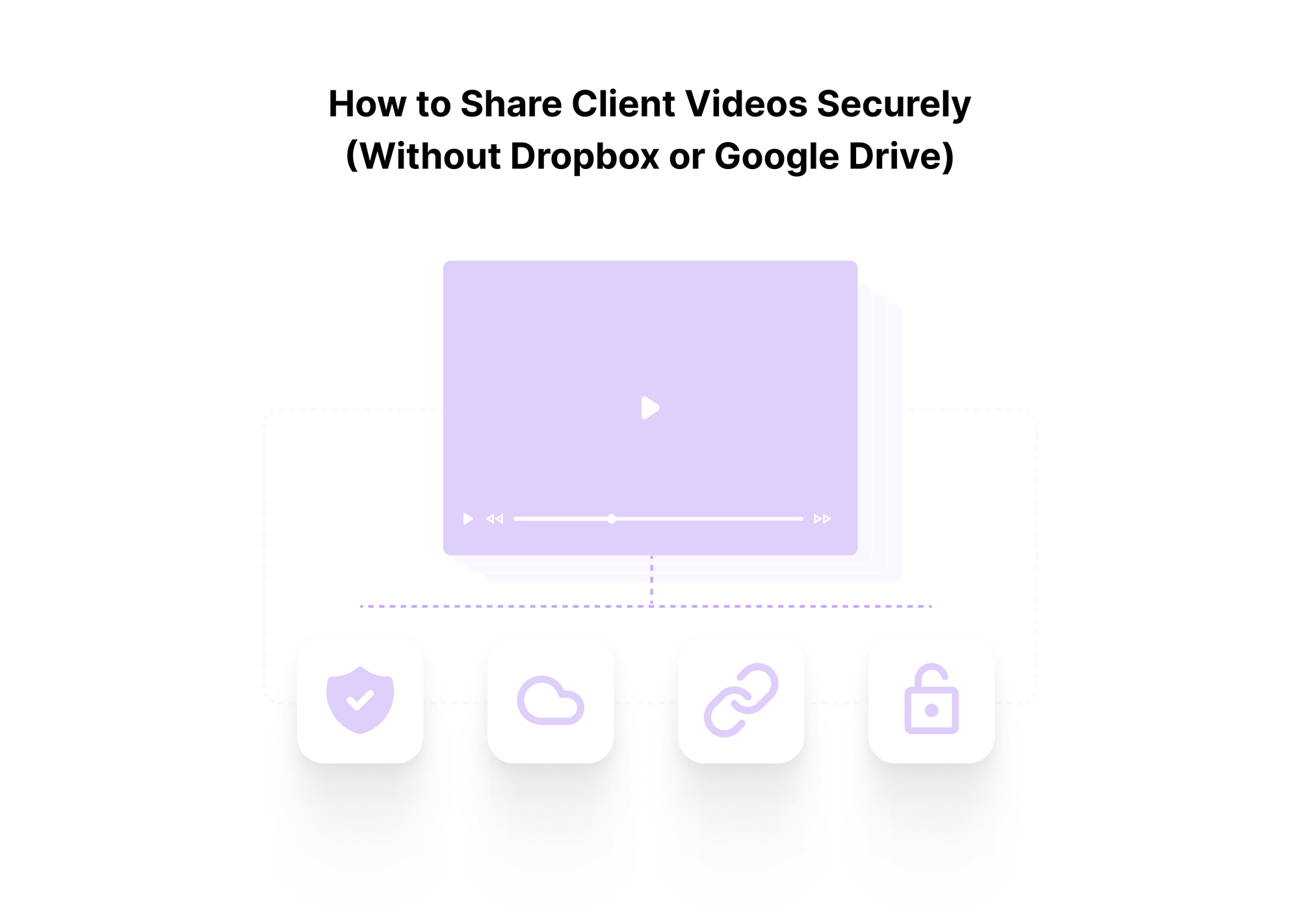
This guide will show you how to share client videos securely without relying on Dropbox or Google Drive. We will define what “secure client video sharing” means in practice, examine where generic file tools fall short, break down the protection and viewing controls you actually need, and walk through a six-step workflow you can plug into your existing stack. Throughout, the core pattern is simple: use a secure video hosting layer between your raw files and your clients, and share controlled viewing links instead of loose MP4s and open folders.
If you want to see how that looks in a production-ready product while you read, you can explore Gumlet’s private video hosting options and get an idea of the intrinsic value a secure private video hosting partner can bring to your workflow.

Why Client Video Sharing Needs Stronger Security Than Regular Files
When you zoom out, most client videos are not “just” creative assets. They usually contain one or more of the following:
- Unreleased campaigns, product launches, or brand platforms
- Screen recordings of internal tools, CRMs, analytics dashboards, and ticketing systems
- Real customer names, emails, support conversations, or transaction data visible on screen
- Internal pricing experiments, discount logic, or playbooks for negotiation
- Workflow details that reveal how you qualify leads, structure onboarding, or manage incidents
To a client, this is a confidential business context. To a competitor, it can be a blueprint of how they sell, support, and retain customers. Treating these videos like generic MP4s in a random shared folder ignores what is actually inside the frame.
What Can Go Wrong if a Client Video Leaks
If a client's video link is forwarded or indexed, the failure is rarely “someone watched our ad early.” The impact usually shows up in four ways:
Legal and NDA exposure
Leaked footage of unreleased products, financials, or internal processes can trigger NDA violations, contractual penalties, or disputes with partners and vendors.
Security and compliance issues
If recordings expose customer data or regulated workflows (healthcare, finance, education), you may need to treat the incident as a data breach, with associated reporting and remediation obligations.
Competitive intelligence
A competitor who sees your sales demos and onboarding flows gets insight into positioning, objection handling, and product roadmap that you would never disclose directly.
Trust and renewal risk
Clients expect you to handle their assets at least as carefully as they do. One mishandled link can undermine years of relationship-building and make renewals or expansions harder.
The common thread is control. Once a generic “anyone with the link” URL leaves your inbox, you have almost no control over your video asset.
What “Secure Client Video Sharing” Actually Means
In this context, “secure” is not buzzword dressing. It comes down to three practical outcomes:
Only the right people can watch
Access is tied to authenticated users, specific email addresses, SSO, or signed tokens, instead of a bare open link. You can also apply rules such as domain, IP, or geo restrictions as needed.
You can change or revoke access centrally
You can expire links on a schedule, tighten permissions, or revoke access for a stakeholder, vendor, or even an entire client account without reuploading files or chasing copies.
You can prove who watched what and when
You have logs and analytics that show which viewer accessed which video, for how long, and from where. If a question, dispute, or potential leak comes up, you have evidence, not guesswork.
Secure client video sharing with tools and workflows that guarantee these three outcomes can ensure you meet NDA requirements. The rest of this guide will unpack the controls, workflows, and platform choices that make that standard possible while still feeling smooth for your clients.
The Limits of Dropbox and Google Drive For Sharing Client Videos
Where file storage tools still help
To be fair, Dropbox, Google Drive, OneDrive, and similar tools are not useless for video. They are good at:
- Syncing and backing up large raw files inside your own organization
- Collecting source assets from multiple contributors in one place
- Handing off project archives or raw footage to another vendor
- Letting editors and designers pull files into post-production workflows
If you are moving ProRes (Professional Resolution) files between editors, keeping a safe copy of finished renders, or sharing rough internal drafts within a single secured org, these tools are fine.
The problem starts when the same tools you use as your primary method for delivering finished or sensitive videos to external clients.
Where they break for client video sharing
Once your videos are going to clients, prospects, or learners, file storage tools show their limits.
Poor viewing experience for large files
These tools were built around files, not streams. Previews often load slowly, struggle on mobile or poor connections, and sometimes push viewers to download the entire file. That is friction for clients and increases the chance of uncontrolled copies.
Link-based access with no real guardrails
The default model is "anyone with the link can view or download." Even when you tighten sharing to a set of emails, nothing stops a recipient from forwarding the link into a long CC chain or a Slack channel you do not control. You have almost no visibility into how far that link travels.
Weak control over how videos can be used
You can toggle "view" or "download," but you cannot easily enforce:
- Session or time-limited access
- Per viewer tokens
- Geo or IP restrictions
- Click-level policies, such as blocking embeds on unknown domains
For high-stakes or paid content, those gaps matter.
No granular playback-level analytics
At best, you might see "file viewed" or "file downloaded." You do not see who watched which segments, where drop-offs happened, or whether a specific stakeholder ever opened the link. That makes it hard to manage deal cycles, training compliance, or support escalations with facts.
Limited watermarking and anti-leak options
Basic storage tools rarely offer dynamic watermarking, per-viewer overlays, or integration with DRM. If a video leaks, you have no way to trace the viewer who leaked it, and very few options to deter casual resharing.
Put simply, these tools are decent file cabinets, not secure, analytics-aware delivery layers for client-facing video.
Why a private viewing link is different from a shared folder
Many teams treat "shared folder" and "private viewing link" as the same thing. They are not.
- A shared folder gives recipients broad, ongoing access to whatever sits inside it. Access is usually link-based and often includes download rights. Governance is manual: you add or remove people from the folder, and hope they are not forwarding links or files further.
- A private viewing link from a secure video host is a controlled gateway to a specific experience. It is backed by:
- Access rules you define once and reuse
- Streaming that adjusts to device and bandwidth
- Optional watermarking and DRM
- Analytics that tell you who watched and how
You are not handing over the file. You are granting temporary access to a service that streams the file, subject to your rules.
For internal file workflows, Dropbox and Google Drive still play an important role. For client video sharing, you need a secure video hosting layer in front of them, so what leaves your organisation is not a folder link but a controlled viewing experience that you can monitor and revoke at any time.
What “Secure” Should Actually Mean For Client Video Sharing
Security Controls
When you say client video sharing is “secure,” that claim should map to very specific controls, not just “links are not public.” At a minimum, you want:
- Authenticated portals or SSO for recurring clients
- Email-gated links with one-time or magic links
- Signed or tokenized URLs generated per viewer or per account
Strong access control
This ties every view back to an identity you control.
- Expiring links that auto-disable after a review window
- Session-based tokens that become invalid if reused
- Optional IP, region, or ASN restrictions for sensitive content
Time-bound and context-aware access
This limits the useful life and blast radius of any single link.
- Static or dynamic overlays with client name, email, or account ID
- Position and opacity that do not ruin the viewing experience
Watermarking to deter leaks and trace them
Watermarks do not stop a determined attacker, but they sharply reduce casual screen recording and give you a way to trace obvious leaks.
- Ability to fully disable downloads or allow only protected offline modes
- Domain-level allow-lists for where embeds can appear
- Controls over right click, casting, and basic player actions
Download and embed control
This prevents your video from being casually copied into other properties you do not manage.
Optional DRM for high-value content
For paid courses, OTT catalogs, or premium training libraries, you may need studio-grade DRM (Widevine, FairPlay, PlayReady) in addition to the above. That is overkill for every rough cut, but necessary where piracy risk is material.
You do not have to enable every control for every asset. The point is to have the controls available and to standardize which combinations you use for which use cases.
Controls vs Risks
| Control type | Primary risk addressed |
|---|---|
| Auth + SSO + tokens | Open link forwarding, unknown viewers |
| Expiring links | Old links resurfacing months or years later |
| IP / geo restrictions | Access from unexpected regions or networks |
| Watermarking | Casual screen recording and anonymous leaks |
| Download disable | Local copies that spread outside your control |
| Domain-restricted embeds | Videos embedded on untrusted or fake sites |
| DRM | Systematic piracy of high value content |
Experience controls
Security is pointless if the client cannot actually watch the video smoothly. The viewing experience must match what teams expect from consumer platforms while still adhering to your rules.
Key experience level requirements are:
Adaptive streaming
The player should detect the available bandwidth and device, then automatically deliver the appropriate bitrate. A CMO using hotel Wi-Fi and an engineer using fiber both get a smooth experience without manual quality selection.
- Mobile-friendly video player that fits different layouts
- Your logo, colors, and domain on the link and player skin
- No third-party distractions, related videos, or ads
Responsive, branded player
This keeps the client's attention on your content and signals that you are using a professional, controlled system rather than a free upload tool.
- Chapters or markers for long demos and training pieces
- Captions for accessibility and silent viewing
- Playback speed control, keyboard shortcuts
Chapters, captions, and controls
These are not “nice to have” if you expect busy stakeholders to watch a 20-minute walkthrough and give actionable feedback.
Fast Start and Seeking
The video should start within a second or two, and seeking should feel instant. Choppy playback or long pre-roll buffers hurt trust, especially when you are demoing product performance or design detail.
A secure client video setup should not force you to trade off these basics. The right platform gives you both: tight protection and a smooth, on-brand streaming experience.
Governance and Audit
Security controls and smooth playback solve only part of the problem. The rest is about proving that you handled content responsibly, especially when legal, compliance, or high-value contracts are involved.
You want:
Central access inventory
A clear view of which clients and stakeholders can access which videos, and through which links or embeds. You should be able to answer, in one place, “who can currently see this campaign walkthrough?”
Audit logs
Time-stamped records of key events such as:
- New upload or publish
- Link creation, permission changes, revocations
- View events with viewer identity and IP or region
These logs should be exportable for internal security teams or external auditors if needed.
- Completion rates for specific stakeholders
- Heatmaps for where people rewatch or drop off
- Aggregated views by client account or workspace
Engagement analytics by viewer or account
For sales and success teams, this is commercial proof: did the decision-makers actually watch the demo they asked for, or are you chasing feedback on something they barely opened?
Policy alignment
The ability to configure defaults that match your internal policies and NDAs. For example:
- Links default to 14-day expiry
- Downloads are disabled unless explicitly enabled by an admin
- High-risk tags (for example, “regulated” or “PII on screen”) automatically trigger stronger protections.
When platform-level controls, viewing experience, and governance all line up, “secure client video sharing” is no longer vague. It becomes a repeatable standard you can describe in one paragraph to a CISO, a procurement team, or a major client and stand behind it.
How Do I Share Client Videos Securely Without Dropbox or Google Drive?
Short version: stop sending files, start sending controlled viewing links.
In practice, a secure workflow looks like this:
Use a Secure Video Hosting Platform as Your Delivery Layer
Keep raw files in your existing storage if you want. For anything client-facing, upload or ingest the video into a secure video host that supports access control, watermarking, and analytics.
Apply The Right Access Controls Before Sharing
Set who can watch (for example, authenticated users, SSO, invited emails, or token-based links), whether downloads are allowed, and how long the link should stay valid. Turn on watermarking or DRM for higher-risk content.
Share a Private, Branded Viewing Link Instead of a File or Folder
Send the client a streaming link or embed on your own domain with your branding. They watch in the browser with adaptive streaming. You do not hand over the MP4, and you do not expose root storage locations.
Monitor Views and Revoke Access When It Is No Longer Needed
Use viewer-level analytics to confirm that key stakeholders watched the video. When a review cycle, deal, or engagement ends, expire or revoke the link centrally instead of relying on old folder links to quietly expire.
How to Share Client Videos Securely in 6 Steps
You do not need a brand-new tech stack to fix client video sharing. You need a clear, repeatable flow that everyone on your team follows.
Step 1 - Move Client Videos Into a Secure Video Hosting Platform
Start by separating "where files live" from "how clients watch."
- Keep source files in your existing storage (Drive, Dropbox, S3) for internal use.
- For anything that leaves your organisation, upload or ingest into a secure video hosting platform that supports:
- Encrypted, adaptive streaming instead of raw file delivery
- Access controls and policy presets
- Watermarking and optional DRM
- Viewer and account-level analytics
- API or no-code integrations with your current tools
The goal is simple: Clients never see storage links. They only interact with controlled viewing links from your video platform.
Step 2 - Organize Videos by Client and Use Case
Chaos in folder structure usually turns into chaos in access control.
- Create workspaces, collections, or projects per:
- Client or account
- Product line or campaign
- Use cases include "sales demos," "training," and "town halls."
- Assign roles and permissions:
- Limit who can upload to client-facing collections
- Restrict who can create or edit share links
- Use groups for account managers, CSMs, and project leads
A clean structure makes it obvious which videos are safe to share, which protections apply, and who is accountable if something goes wrong.
Step 3 - Map Protection Levels to Common Scenarios
Instead of deciding ad hoc how to protect each video, define 3 to 4 standard bundles and reuse them.
For example:
Internal rough cuts:
- Access: Authenticated internal users only
- Downloads: Disabled
- Expiry: None or long
- Watermarking: Off
Client review links
- Access: Email-gated or token-based links per client
- Downloads: Disabled
- Expiry: 7 to 30 days by default
- Watermarking: Viewer or account name overlay
Paid or high-value content
- Access: Login or SSO required, per user or per account
- Extra controls: DRM, domain restrictions, stronger logging
- Downloads: Disabled or DRM-controlled only
- Expiry: Tied to contract or subscription term
You can implement these as presets in your video platform so creators pick "Client review" instead of manually toggling 8 settings every time.
Step 4 - Generate Private, Branded Viewing Links
With your presets in place, you can create links that feel professional to clients and stay under your control.
- Use a custom domain such as “videos.youragency.com” instead of a generic host URL.
- Apply your brand:
- Logo and colors on the player
- Consistent thumbnail and title patterns
- Optional intro or outro screens
- Decide link scope:
- One link per client company for a series of videos
- One link per project or campaign
- One link per stakeholder when you need tight traceability
Clients should feel like they are visiting your secure video portal, not opening a random file viewer.
Step 5 - Share Through Trusted Channels That Match Your Workflow
Do not treat the viewing link as a casual snippet you can paste anywhere.
Prefer:
- Email sequences sent from your CRM or helpdesk, so links are tied to real contacts.
- Project tools such as Asana, Jira, or ClickUp, where feedback already lives.
- Customer portals, LMS, or help centers that you control and can secure.
Avoid:
- Posting sensitive links in open Slack communities or public channels.
- Dropping them into shared docs that are widely accessible.
- Sharing links from personal accounts that cannot be audited later.
Match channel to context:
- Sales demo links from your CRM.
- Onboarding training links inside your product or help center.
- Creative review links inside your project management space.
Step 6 - Monitor Engagement and Revoke Access on Schedule
Once links are out, you are not done. You need to watch what happens and clean up.
- Use analytics for action, not vanity:
- Check whether key stakeholders actually watched the demo before chasing feedback.
- Look at completion rates for training to spot issues in content or audience fit.
- Monitor unusual access patterns, such as views from unexpected regions.
- Build revocation into your process:
- Auto-expire links after the default window unless someone extends them.
- Revoke access when:
- A deal is lost or a project is closed.
- A client or employee leaves.
- You ship a major update and older walkthroughs are now misleading.
- Push events to your CRM, CDP, or data warehouse so sales, success, and security teams all see the same picture.
If you cannot easily see who watched, and you do not routinely expire links, your workflow is not actually secure, no matter how good the initial settings look.
Quick Checklist: Secure Client Video Sharing Workflow
Before you send your next client video, check:
- The video is hosted on a secure platform, not shared directly from storage.
- It sits in the right client or project collection with correct team permissions.
- A standard protection preset is applied to match the use case.
- You are sharing a branded viewing link, not a raw file or generic folder.
- The link is sent through a channel you can audit and control.
- There is a clear plan or default for when this link will expire or be revoked.
If you can tick all six, you are in much better shape than most teams that still live on "anyone with the link can view" folders.
How Gumlet Fits Into a Secure Client Video Sharing Workflow
At this point, the pattern is clear: stop handing over files, start delivering controlled streams.
Gumlet is designed to be that secure video layer between your storage and your clients, so recordings, reviews, protection, and delivery all sit in one place.
Secure Hosting and Private Sharing
With Gumlet, you do not expose raw files or storage buckets to clients. You upload videos directly or ingest them from sources like S3 and other cloud storage, then organize them into workspaces and collections that mirror your client, product, or campaign structure. You share private links or embeds on your own domain and apply the protection presets you chose earlier.
For unscripted content such as sales demos, onboarding walkthroughs, and quick feature explainers, you can capture video directly from the Gumlet dashboard using the Record from Dashboard capability. It records your screen, camera, and microphone in the browser and supports sessions up to 120 minutes long, making long-form demos and training passes easy to produce. Once you stop recording, you can review the take, upload it directly to your Gumlet library, or re-record if needed, without any stage where the file lives unprotected in a personal folder or a generic cloud drive.
From the client’s perspective, they only ever see a clean, fast, browser-based experience. On your side, you keep storage separate from delivery and control how every access path works from a single central place.
Multi-layer Video Protection
Gumlet offers multiple protection options so you can tailor security to each video's risk level instead of treating everything the same way.
You can combine:
- Signed or tokenized URLs to keep links hard to guess or reuse
- Password-protected or authenticated viewing for recurring clients and internal users
- Domain, IP, and geo restrictions where content must stay in specific networks or regions
- Download controls so that only approved flows or offline modes are possible
- Optional DRM for high-value or paid libraries
Dynamic watermarking lets you overlay viewer or account identifiers directly on the video. That reduces accidental leaks and lets you trace obvious screen recordings without making the content hard to watch.
Branded, Distraction-free Client Viewing and Reviews
When you share a Gumlet link, clients see your brand, not a generic file viewer.
You can use a custom domain such as video.yourcompany.com, apply your logo and colors to the player, and remove unrelated suggestions or ads so viewers stay focused on the work in front of them.
For long-form demos and training, you can add chapters, captions, and playback controls so stakeholders can jump to what they care about and get through content at their own pace. That is important if you expect busy decision-makers to watch a 15- or 20-minute walkthrough and still provide actionable feedback.
Inside the same interface, your internal team can run structured reviews using Gumlet’s Video Reviews feature. On the video details page, reviewers can leave time-stamped comments, reply to threads, and mark discussions as resolved once edits are complete. Notifications are sent automatically for new comments, replies, and resolutions, and you can even route them into automation tools such as Zapier. This keeps creative or product feedback attached to the asset itself rather than scattered across email, chat, and docs, and it avoids the security risk of exporting rough cuts to ad-hoc sharing tools during review.
Analytics and Audit Trails
Gumlet gives you more than a simple view counter.
You see:
- Viewer and account-level watch data, not just aggregate plays
- Completion and drop-off points for each video
- Heatmaps that show which segments get replayed or skipped
- When and roughly where people accessed the video
Sales and success teams use this to answer “did they actually watch this” before chasing feedback or escalating issues. Logs of link creation, setting changes, and key access events support your internal governance and any security or compliance reviews that may follow.
Performance and Scale for Global Clients
Tight security does not help if the video cannot be played. Gumlet uses adaptive streaming and a global CDN footprint so videos start quickly and adjust their quality based on the viewer’s device and bandwidth. That means a stakeholder on hotel Wi-Fi and a designer on a high-speed connection both get a smooth experience without manual fiddling.
For video-heavy SaaS products, OTT platforms, and training or onboarding flows, this is the difference between a workflow that works on paper and one that actually works every day for clients and learners.
Where Gumlet sits in your stack
In a secure client video setup, Gumlet sits between your raw assets and your audience:
- Storage systems such as Google Drive, Dropbox, internal file stores, or object storage hold source files.
- Gumlet ingests, records, reviews, protects, and streams those videos.
- Clients and learners only ever see branded, policy-controlled viewing links and embeds.
That structure lets you keep your current storage and collaboration habits, while upgrading the delivery, security, and review experience for every client-facing video.
Use Case Examples
To make this concrete, here is what a secure client video workflow looks like in three common scenarios.
Creative Agency Sending Ad Cuts For Review
| Aspect | Old file-based approach | Secure video workflow | Why Secure Video Sharing matters |
|---|---|---|---|
| Delivery | MP4 uploaded to Google Drive or Dropbox folder, open link shared | Cut uploaded to secure host in "Client X / Campaign Y / Reviews" collection | Storage stays internal, clients see only controlled streams |
| Access | "Anyone with the link can view or download" | "Client review" preset with expiring link, no downloads, per client or viewer watermark | Limits forwarding, deters leaks, ties access to specific accounts |
| Review flow | Feedback scattered across email threads and comments on files | Private, branded link shared via project workspace and email to named stakeholders | Cleaner review cycles, easier to track who has seen which version |
| Visibility | No way to know who actually watched or how far | Viewer analytics show who watched, completion and rewatch segments | Account managers chase real viewers, not guesses |
| Risk profile | High risk of pre launch creative leaking beyond intended audience | Small, traceable leak surface with revocable, expiring links | Better NDA compliance and lower reputational risk |
Result: a clean, on-brand review experience with traceable access and a smaller leak surface.
B2B SaaS team sharing sandbox demos with prospects
| Aspect | Old file based approach | Secure video workflow | Why Secure Video Sharing matters |
|---|---|---|---|
| Delivery | Screen recording link from a generic workspace pasted into email | Recording ingested into secure host, tagged "Account / Stage" and managed as part of a structured library | Demos stop living in random inboxes and personal tool workspaces |
| Access | Semi public or untracked links reused across deals and time | "Sales demo" preset with account scoped tokenized link, no downloads, default 14 day expiry | Limits uncontrolled forwarding and reuse of outdated messaging |
| CRM context | Viewing behavior not connected to CRM or pipeline | View and completion events pushed back into CRM timeline per contact and account | Reps see who actually watched before follow ups |
| Content life | Old demos remain live after UI or messaging changes | Links expired or replaced centrally when product or messaging changes | Prospects do not see out of date experiences |
| Risk profile | Competitors can receive links or copies with little effort | Access tied to accounts, links short lived and revocable | Reduces competitive intelligence leakage from demo recordings |
Result: demos that feel like Netflix quality streaming for prospects, with clear engagement data and a smaller risk of stale or misaligned content floating around.
Course creator or training team sharing paid lessons
| Aspect | Old file based approach | Secure video workflow | Why Secure Video Sharing matters |
|---|---|---|---|
| Delivery | Lessons uploaded as MP4s to Drive or Dropbox, shared via folder links | Lessons uploaded to secure host in "Course / Program" collections, embedded into LMS or app | Learners watch in a controlled environment, not generic file viewers |
| Access | Folder links shared with buyers or employees, easy to reshare | "Paid content" preset with DRM, no raw downloads, domain restricted to LMS or product, login or SSO required | Sharp reduction in simple link sharing and uncontrolled redistribution |
| Tracking | Little or no visibility into who completed which modules | Viewer and completion analytics tied to user accounts and cohorts | Enables certificates, compliance reporting, and targeted interventions |
| Lifecycle | Access often forgotten after cohorts end or contracts expire | Access revoked or limited by cohort, company, or user at term end | Reduces ongoing exposure and keeps promises around time limited access |
| Piracy risk | High because learners can download or forward files and folder URLs | Lower because DRM and in player protections raise the cost of copying and make leaks more traceable | Protects revenue and content value for course creators and training teams |
Result: learners get fast-loading lessons inside your product, while you keep a tight handle on who can watch, for how long, and on which properties.
The Bottom Line: Move From File Links To Secure Client Video Sharing Workflows
If your default move is still to drop MP4s into a shared folder and send a generic shareable URL, you are treating high-value, NDA-bound content like disposable files. That was passable when video was a side channel. It is not acceptable now that sales cycles, onboarding, training, and customer communications are built around video by default.
The core problems are simple:
- File storage tools protect folders, not viewing sessions.
- Open or semi-open links spread further than you think.
- You cannot reliably say who watched what, when, and under which rules.
A secure client video setup fixes that by changing the pattern, not just the tool:
- Platform: A secure video host sits between your raw storage and your clients, handling streaming, access control, watermarking, and analytics.
- Policy: You standardize how teams use that platform with clear presets for drafts, reviews, and paid or high-risk content.
- Proof: You keep logs and viewer-level data so you can show, not just claim, that content was handled correctly.
From the outside, your clients still just click a link and watch a video. Under the hood, you decide who can watch, how, for how long, and what evidence is captured along the way.
If you want to start tightening things without a huge project:
- Audit your last 20 client videos and list where you used open file or unlisted links.
- Pick a secure video hosting platform and move the next few demos, reviews, or lessons there first.
- Define three protection presets and make them mandatory for all client-facing content.
Gumlet is built to be the middle layer between your files and your clients: it ingests from the storage you already use, applies the protections you choose, streams to a domain you control, and provides the analytics and logs you need. The practical next step is simple: set up a workspace, run your next client review or demo through a Gumlet-powered link instead of a shared folder, and then roll that pattern out as your new standard for all client videos.
FAQ
How do I share client videos securely without Dropbox or Google Drive?
Use a secure video hosting platform as your delivery layer, not a file folder. Upload the video there, apply access controls (for example, authenticated viewers, expiring links, no downloads), then share a private, branded viewing link. Clients stream the video in their browser, and you can revoke access or tighten rules at any time.
Are unlisted YouTube or Vimeo links secure enough for client work?
Usually not. Unlisted links are still just open URLs that anyone can forward, and they are easy to guess or scrape at scale. You also cannot apply serious access controls, DRM, or detailed per-viewer analytics. They are fine for low-risk assets but not for NDA-bound demos, pre-launch campaigns, or paid content.
What is the safest way to send confidential videos to clients?
The safest pattern is: secure hosting plus identity-based access. That means every viewer signs in or receives a tokenized or email-gated link, downloads are disabled unless strictly required, and sensitive content uses watermarking or DRM. You send an access-controlled viewing link through a trusted channel, not the raw file.
How can I prevent clients from downloading or forwarding my videos?
First, disable downloads in your video platform for client-facing content. Second, use tokenized or authenticated links so each view is tied to a viewer or account. Third, enable watermarking so casual screen recordings are less attractive and easier to trace. You cannot stop every possible leak, but you can make uncontrolled copying much harder and higher risk.
Do I need DRM for all client videos?
No. DRM is most useful when piracy risk is material, such as paid courses, OTT catalogs, or premium training libraries. For most sales demos, internal walkthroughs, and standard review cuts, strong access control, no downloads, and watermarking are usually enough. Decide based on the content's commercial value and likely reuse, not as a blanket rule.
How long should client video links stay active?
Keep links active only as long as they serve a clear purpose. For review links, a default of 7 to 30 days is usually enough. For sales demos, align expiry with the active stage of the deal. For training and paid content, tie access to the contract or subscription term, and make revocation part of your offboarding process.
How does secure client video sharing support NDAs and compliance?
A secure setup lets you show that only approved people can watch specific videos under defined rules for a set period. Access logs and viewer analytics provide evidence in the event of a dispute or investigation. Strong defaults around access, expiry, and protection help you prove that you took reasonable steps to protect confidential or regulated content.
Can I keep using Google Drive or Dropbox?
Yes, but limit them to storage and internal workflows. Use them for raw assets, project archives, and internal collaboration. For anything that goes to clients, pass the video through a secure hosting layer first, and only share controlled-viewing links, not direct folder or file URLs.
tl;dr
- Stop sending MP4s and shared folders. Use a secure video hosting layer between your storage and your clients.
- Treat client videos as sensitive data: they often show unreleased campaigns, internal tools, customer info, and pricing logic.
- Dropbox, Google Drive, and unlisted YouTube links are built for storage or public streaming, not identity-based, auditable client viewing.
- “Secure client video sharing” means three outcomes: only the right people can watch, you can revoke or tighten access centrally, and you can prove who watched what and when.
- Build around three layers: Platform (secure video host), Policy (clear presets for drafts, reviews, and paid content), and Proof (logs and viewer-level analytics).
- Use a repeatable six-step workflow: move to secure hosting, organize by client, apply protection presets, generate branded viewing links, share through trusted channels, then monitor and revoke.
- Gumlet fits as the delivery layer between raw files and clients, with secure streaming, multi-layer protection, branded links, analytics, and performance at scale.