
Key Takeaways
- A video player supports VAST in one of three ways: it accepts a raw VAST tag URL in its settings, it integrates the Google IMA SDK, or it runs server-side ad insertion. The mechanism determines how much engineering work you need, and most comparison articles never mention it exists.
- VAST support is not ad revenue. You need three separate things: a demand source (an ad network, exchange, or direct advertiser), an ad server that emits the tag (Google Ad Manager or an SSP), and a player that reads it. Your player is one third of the stack.
- The lightest path is a player with a tag URL field. You paste the URL, no SDK integration and no developer ticket required. Gumlet, Flowplayer, and JW Player's JWX player all expose this field.
- SSAI is the enterprise dividing line. Client-side VAST gets blocked by ad blockers and breaks on some CTV devices. Server-side stitching does not have this problem. If you are a publisher operating at scale, that single row decides the table.
- Two different things get called a "pixel" in this space: the Impression and TrackingEvents pixels inside the VAST XML, which belong to the advertiser and measure whether the ad was delivered, and the player-level Meta or GA4 pixel, which belongs to you and measures whether your content was watched. Conflating them is why the numbers never reconcile.
- Some strong platforms deliberately do not support VAST. Wistia markets an ad-free player as a feature, not a gap. That is a product decision, not a missing capability.
Video player VAST support comes down to three mechanisms: a tag URL field, the Google IMA SDK, or server-side ad insertion.
Every guide to VAST online, including the IAB's own documentation, was written by an ad server or SSP explaining how the tag itself works. None of them tell you whether the player sitting in front of your viewer can actually read one.
That gap exists because the entire VAST discussion happens on the demand side. Ad servers, exchanges, and header-bidding platforms all publish content explaining the XML format, the wrapper chain, and the tracking events.
What nobody covers is the player side: which platforms actually ingest a VAST tag, by what mechanism, and what you still have to buy separately to make any of it work.
This matters because most readers arrive here assuming the player is the hard part. It is not. Demand is. A player that supports VAST perfectly will sit there rendering nothing if you have no ad network account and no ad server pointing a tag at it.
That single fact costs nothing to say up front, and it is the line that earns trust for the rest of this comparison.
This article covers 7 platforms: Gumlet, JW Player, Brightcove, Bitmovin, THEOplayer, Flowplayer, and Video.js with Google IMA. For each one, you get the exact mechanism it uses, what ships bundled versus what you still buy elsewhere, and pricing verified against the vendor's own site as of August 2026.
It ends with the platforms that deliberately do not support VAST, and with the distinction between a VAST tracking pixel and a player analytics pixel, since almost nobody explains why those two numbers never match.
How VAST Actually Reaches Your Player
A VAST tag is a URL your player calls to request an ad. The player renders whatever comes back. It does not find advertisers, negotiate prices, or fill unsold inventory.
Three separate vendors occupy three separate slots in the stack that makes video advertising work:
- The demand source is the ad network, exchange, or direct advertiser willing to pay for the impression: think Google Ad Manager's marketplace, Magnite, or a direct sponsorship deal.
- The ad server is the system that packages that demand into a VAST-formatted response: Google Ad Manager again, or an SSP like Publica.
- The player is the software that requests the tag and plays whatever XML comes back.
Most comparison content collapses these three into one undifferentiated blob called "ad support." They are not the same thing, and confusing them is the single most common mistake in this topic.
Once you have a demand source and an ad server, the player needs one of three mechanisms to actually show the ad:
- A tag URL field is the lightest option. You paste a VAST URL into the player's settings, and the player calls it directly. No SDK, no code, and no developer ticket. This is the path built for teams with an ad network account and no engineering backlog.
- The Google IMA SDK is the industry default when you are running through Google Ad Manager or a similar stack. The player integrates Google's Interactive Media Ads SDK, which handles the ad request, resolves any wrapper chains, and fires the tracking events. Most enterprise players build this in as an alternative to a raw tag field.
- Server-side ad insertion (SSAI) stitches ads into the video stream itself before it ever reaches the player. This is the heaviest option to set up, but it survives ad blockers and works reliably on connected TV devices, where client-side ad requests routinely fail or get blocked at the app level.
Three adjacent standards define what a player is actually reading:
- VAST describes one ad.
- VMAP describes the schedule of where ads go across a piece of content, pre-roll, mid-roll, and post-roll.
- VPAID used to handle interactive ad execution, but the IAB Tech Lab has deprecated it in favor of two separate replacements: SIMID for interactivity and OMID (part of the Open Measurement SDK) for viewability measurement.
The current core spec is VAST 4.3, with a draft 4.4 schema circulating for CTV signaling as of August 2026 that has not yet been formally declared.
A VAST tag is a phone number for ads. Your player can dial it. It cannot decide who picks up.
Video Players With VAST Tag Support, Compared
Here is every platform, the mechanism it uses, and what you still need to buy separately.
| Platform | VAST mechanism | VAST version | VMAP | SSAI | Hosting included | Player-level pixel | Entry price | Best for |
|---|---|---|---|---|---|---|---|---|
| Gumlet | Tag URL field + Google IMA SDK | Not publicly version-specified | Not documented | No | Yes | Yes, Facebook Pixel ID + GA4 ID | $99/month (Business plan) | SMBs, creators, course sellers |
| JW Player (JWX) | VAST/VMAP native, Google IMA SDK, FreeWheel SDK | VAST, VPAID, VMAP | Yes | Yes (CSAI and SSAI) | No, player-only | Not publicly documented | Custom quote only | Publishers wanting player and ad platform together |
| Brightcove | SSAI and CSAI, ad server agnostic | Not publicly version-specified | Yes | Yes | Yes | Not publicly documented | Custom quote | Enterprise and broadcast |
| Bitmovin | player.ads.schedule({ tag: { url, type: 'vast' } }) config | VAST 2.0 through 4.3 | Yes | No, client-side only | No, player-only | Not publicly documented | $0 fixed cost, pay-as-you-go from $1.50/1,000 player impressions | Developer teams building custom apps |
| THEOplayer (Dolby OptiView) | Default, Google IMA, SpotX, or FreeWheel ad integrations | VAST 4.0, VMAP, VPAID | Yes | Yes, via MediaTailor | No, player-only | Not publicly documented | Custom quote only | Cross-platform, CTV, and OTT |
| Flowplayer | Tag URL + ad macros via IMA3 SDK | VAST 2, 3, 4 (subset), VPAID 2.0 | Yes, adPods | No | Varies by plan | Not publicly documented | Custom quote only | Web publishers |
| Video.js + Google IMA | videojs-contrib-ads + videojs-ima plugins | Handles VAST and VPAID where still relevant | Via plugin | No | No | Manual, self-configured | Free, self-hosted | Teams with developer resources and no software budget |
Three dividing lines separate these rows in practice. The first is tag URL versus SDK, which decides how much engineering effort you need before your first ad plays. The second is hosting included versus player-only, which decides whether you are buying one bill or assembling a CDN, storage, and a player from three separate vendors. The third is Server-Side Ad Insertion (SSAI), which decides whether your ad delivery survives ad blockers and connected TV apps or breaks on both.
The question is not whether a player supports VAST. Nearly all of them do. It is whether it supports VAST without a developer.
The 7 Platforms in Detail
Each platform gets the same six-part treatment: what it is, how VAST works on it, what ships bundled, current pricing, the honest limitation, and one line that sums it up.
1. Gumlet
Gumlet is a video hosting and delivery platform that bundles the player, CDN, and adaptive streaming into one product, built for SMBs, creators, and course sellers rather than high-volume broadcast publishers.
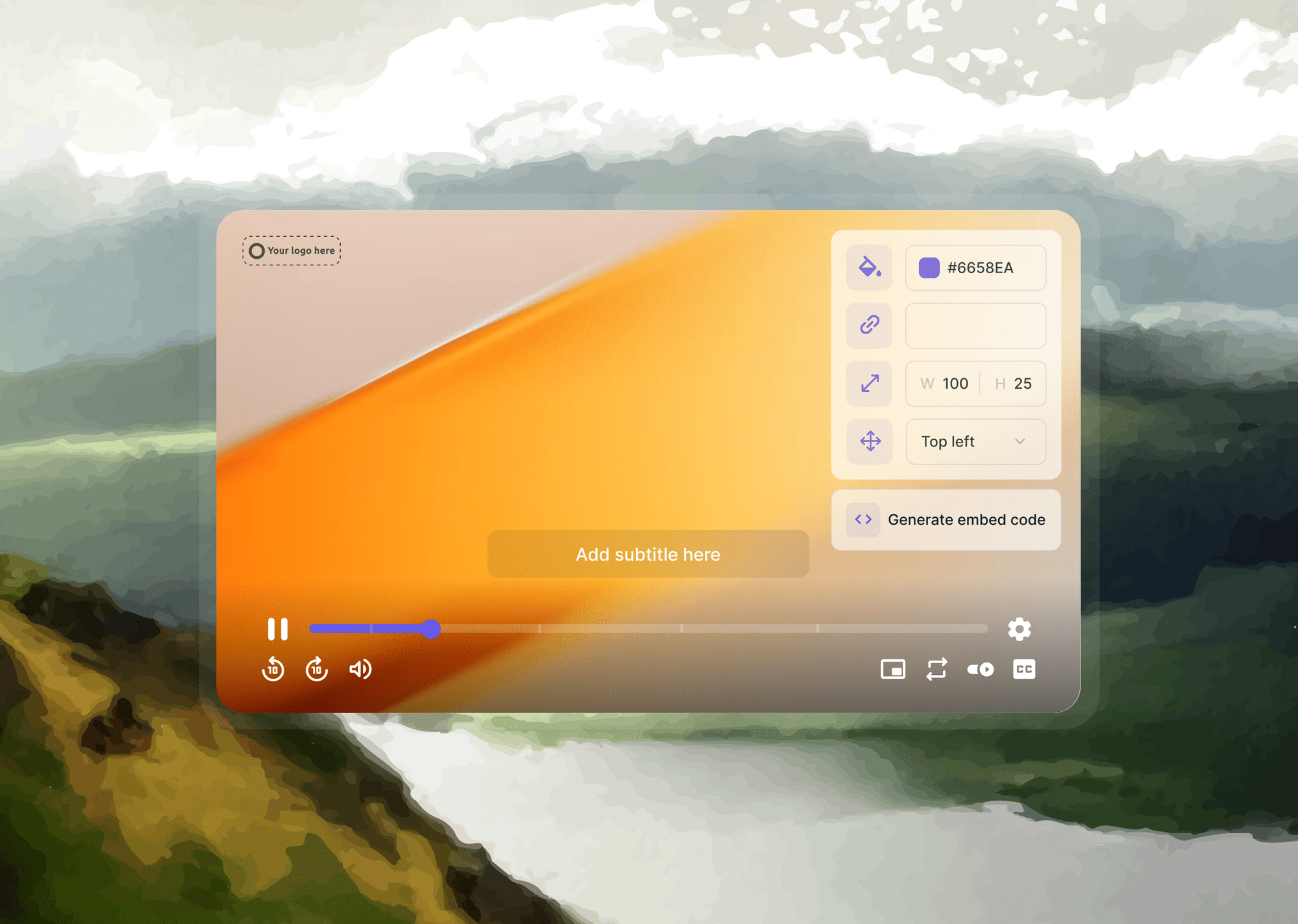
The Gumlet player takes a VAST tag URL as input under its Advertising and Monetization settings, and plays whatever ads are defined in that tag during playback. The player also supports Google's IMA SDK for teams that need to inject ads mid-playback rather than relying on the static tag field alone.
Bundled with the player: hosting, multi-CDN delivery, adaptive bitrate streaming, AI-generated chapters, in-video forms and CTA overlays, and a $99/month DRM add-on.
The Facebook Pixel ID and Google Tag (GA4) ID fields sit in the same settings panel as the VAST tag field, both live and documented. Worth stating plainly: Gumlet's CTA and lead-gen tooling is a different job from ad monetization, and the two should not get blurred together just because they live in the same dashboard.
VAST tag support ships on Gumlet's Business plan at $99/month.
Limitation: Gumlet has no SSAI, no yield management layer, and no ad server of its own. It is built to render a tag, not to sell inventory. A broadcast publisher running ad pods at scale across connected TV is not the buyer this platform is built for.
Gumlet reads the tag. It does not fill it, which is exactly right if you already have demand and wrong if you do not.
2. JW Player (JWX)
JW Player remains a long-standing web player with its own advertising and yield tooling built alongside the player, aimed at publishers who want a monetization stack rather than just playback software.
JWX supports standard ad formats including VAST and VMAP natively, and accommodates the Google IMA SDK and FreeWheel SDK as third-party integrations.
JWX documents VPAID 1.0 and 2.0 support directly, including a friendly-iframe mode for JavaScript creatives with page-level access and a cross-domain iframe mode that sandboxes the ad from the page. Flash-based VPAID 1.0 creatives are only supported on player versions prior to JW8.
JWX supports both client-side and server-side ad insertion, along with Player Bidding for programmatic demand, positioning it closer to a monetization platform than a pure playback library.
Pricing is not publicly listed anywhere and requires a custom sales quote.
Limitation: Licensing and contract terms for multi-site rollouts require a sales conversation.
3. Brightcove
Brightcove is an enterprise video platform with broadcast heritage, built for organizations that need server-side ad insertion at scale rather than a lightweight embed.
Brightcove supports both server-side and client-side ad insertion and is ad-server agnostic, meaning it works with whatever ad server a broadcaster already has in place rather than requiring a specific one.
The platform markets this as delivering "TV-like experiences" through dynamic server-side ad stitching.
Brightcove was acquired by Bending Spoons in an all-cash deal that closed in early 2025, and the acquisition has been followed by staff reductions and a pricing structure that remains entirely custom.
Brightcove does not publish pricing; every plan routes through a sales quote scoped to bandwidth, storage, and product tier.
Third-party estimates for enterprise video platforms in this category commonly range from the low tens of thousands to several hundred thousand dollars annually, but treat any unsourced number, including this one, as a planning range rather than a quote.
Limitation: Enterprise pricing and implementation weight make this platform overkill for anyone running a small video library. If you have twelve marketing videos and no dedicated video ops team, this is not your platform.
4. Bitmovin
Bitmovin is a developer-first adaptive streaming player and encoding service, built for teams that want to construct a custom video application rather than use an out-of-the-box embed.
Ads are configured through Bitmovin's advertising module using the current API pattern player.ads.schedule({ tag: { url: '...', type: 'vast' } }). Bitmovin's player supports VAST from version 2.0 through the current 4.3 spec, plus VMAP on every platform it ships for, and VPAID on web only.
Bitmovin is player and encoding only. There is no hosting layer bundled in, and you bring your own storage and CDN.
Pricing runs on a pay-as-you-go model with $0 in fixed costs: the player itself starts at 10,000 free monthly impressions, with additional impressions billed at $1.50 per 1,000, and VOD encoding priced separately at $0.02 per additional minute beyond 2,000 free minutes per month.
Limitation: Bitmovin gives you a highly configurable API, not a finished monetization product, so every ad integration decision is a decision your development team makes and maintains.
5. THEOplayer (Dolby OptiView)
THEOplayer is a cross-platform player built for connected TV, mobile, and OTT reach, now operating under Dolby's OptiView brand following Dolby's acquisition of the product.
THEOplayer supports linear, non-linear, and companion VAST ads, plus VMAP, at the VAST 4.0 specification level, and it supports VPAID as well.
For server-side ad insertion, THEOplayer has documented integration with AWS MediaTailor rather than running its own SSAI stack. On the client side, THEOplayer supports a default ad integration alongside connector options for major ad servers including Google IMA; confirm the current connector list against Dolby OptiView's own developer documentation before scoping an integration, since the connector lineup has shifted following the Dolby acquisition.
THEOplayer does not publish self-serve pricing. Every pricing path routes to a sales conversation, consistent with its positioning toward OTT operators and broadcasters rather than small marketing teams.
Limitation: This platform is priced and scoped for teams running CTV apps and OTT deployments, not for a company website with a handful of product demo videos.
6. Flowplayer
Flowplayer is a web publisher-oriented player with long-documented VAST ad-tag support, built for teams that want ad monetization without adopting a full enterprise OVP.
Flowplayer's ad system runs on the Google IMA3 SDK, which means VAST versions 2 and 3 are fully supported, VAST 4 support exists in a documented subset, and VPAID 2.0 HTML5 ads work as well.
VMAP is supported through adPods, letting a single tag define an entire ad schedule rather than one ad at a time. Flowplayer also ships a dedicated ad-tag tester tool for validating a VAST URL before wiring it into a live player.
Flowplayer's pricing is not publicly listed as a flat figure and requires contacting the vendor directly, though the platform does offer both commercial and lighter-weight tiers depending on the use case.
Limitation: The main limitation to flag before recommending this platform is that its ownership and product roadmap should be checked at the point of writing or purchase, since publisher-tier video platforms in this space have seen frequent ownership changes over the past several years.
7. Video.js + Google IMA (The Free Option)
Video.js is the open-source HTML5 player that underlies a meaningful share of custom video implementations on the web, and it handles VAST through two community and Google-maintained plugins layered on top: videojs-contrib-ads and videojs-ima.
Google's own IMA SDK documentation points directly to the IMA SDK Plugin for Video.js as a pre-integrated option for teams that want VAST support without writing the IMA integration from scratch.
Together, these plugins handle the VAST ad request, the wrapper chain, and the tracking events the same way any commercial IMA integration would, using the same underlying Google SDK.
Nothing else is bundled. No hosting, no CDN, no analytics dashboard, and no vendor support line to call when something breaks. Licensing is free, and the player itself is self-hosted, which means the total cost of running it is developer time rather than a subscription fee.
Limitation: The honest limitation is that you own every browser regression, every autoplay policy change, and every version upgrade indefinitely. There is no vendor absorbing that maintenance burden on your behalf. The total cost of this option is never zero. It is just paid in engineering hours instead of a monthly invoice.
Players That Deliberately Don't Support VAST
Some of the strongest video platforms on the market will not serve your ads, and that is a design decision rather than a missing feature.
1. Wistia
Wistia markets an ad-free player as a core selling point for brand and marketing video. The pitch is that a prospect watching a product demo should never see a competitor's pre-roll ad interrupt that experience, and Wistia's own Business plan starts at $79 per month with that positioning built into the product from the ground up.
This is a different job entirely from what this comparison covers: Wistia is not a weaker VAST option, it is a platform that has chosen not to compete on ad monetization at all.
2. Vimeo
Vimeo restructured its self-serve pricing in early 2026 following its acquisition by Bending Spoons, and the current tiers are Starter at $12 per month, Standard at $25 per month, and Advanced at $75 per month, all billed annually, with Enterprise requiring a sales conversation.
None of Vimeo's self-serve tiers include VAST tag support or ad-insertion tooling. Vimeo's product direction under new ownership has focused on branding, engagement tools, and live event features rather than advertising.
Vimeo's plan names and prices have moved more than once since the Bending Spoons acquisition; verify current tiers directly on Vimeo's pricing page before quoting a figure.
3. YouTube
YouTube does serve ads on embedded and hosted content, but you do not control the VAST tag, the demand source, or the revenue split, and any click stays inside YouTube's own ecosystem rather than driving to your site.
Google Drive, Dropbox, and raw MP4 links have no player layer at all, which means there is no ad layer either. Without a player rendering the file, there is nothing to attach a VAST tag to in the first place.
An ad-free player is not a player missing a feature. It is a player built for someone with a different goal.
VAST Tracking Pixels vs. Player Pixels
Two completely different things get called a "pixel" in video advertising, and conflating them is why your ad numbers and your content analytics never line up:
- Pixels inside the VAST XML are the Impression node and the TrackingEvents nodes, which fire at ad start, first quartile, midpoint, third quartile, and completion. These belong to the advertiser and their verification vendors, companies like IAS, DoubleVerify, and Moat, and they measure whether the ad itself was delivered and viewed. You do not configure these. The VAST tag brings them with it, already wired to the advertiser's measurement stack.
- The player-level pixel is the Meta Pixel ID and the GA4 ID you configure directly inside your video player's settings, and it fires based on your content's engagement rather than the ad's. This is the pixel that lets you build retargeting audiences and lookalike segments from people who actually watched your video. It belongs to you, and it measures whether your video was watched, not whether an ad inside it was seen.
The practical consequence is simple to state and easy to miss: the advertiser's quartile counts and your own watch-depth analytics will never match, because one is counting ad renders and the other is counting content plays. If you report both numbers side-by-side without explaining which is which, someone on your team will conclude the analytics are broken when nothing is actually wrong.
The two pixels are configured in different places inside your stack, they answer to different owners, and only one of them is yours to optimize.
The VAST pixel tells the advertiser their ad played. Your pixel tells you someone watched. Neither one answers the other's question.
How to Choose
Pick based on the mechanism you can actually support and whether you need hosting bundled in, not based on a feature checklist where every platform claims the same capabilities.
| If you... | Choose | Because |
|---|---|---|
| Have ad demand and no developer resource | A player with a tag URL field | Paste the URL and go, no SDK integration required |
| Run Google Ad Manager | A player with IMA SDK support | Built natively for the GAM stack |
| Publish to CTV or OTT at scale | SSAI | Client-side VAST breaks on connected TV and gets blocked by ad blockers |
| Need hosting and ads in one bill | A platform with hosting included | Player-only vendors leave you sourcing storage and CDN separately |
| Have engineers and no software budget | Video.js + Google IMA | Free in licensing cost, expensive in engineering time |
| Sell brand or marketing video, not ad inventory | An ad-free player | Pre-roll ads on a demo video work against the conversion you actually want |
Choose on mechanism, not on feature lists. Every player in this table supports VAST, and that fact alone tells you almost nothing about whether it fits your team.
Common Mistakes
- Buying a player expecting ad revenue to follow, then discovering there is still no demand source lined up to fill it.
- Choosing a player-only vendor and getting surprised by separate hosting and CDN bills that were never part of the original budget conversation.
- Running client-side VAST for a connected TV audience, then blaming the ad server when the fill rate collapses on smart TV apps.
- Reporting VAST quartile impressions next to player watch-time analytics as if the two numbers measure the same thing.
- Trafficking a VAST version the player does not support, then spending hours debugging the ad creative instead of checking the version mismatch first.
- Putting pre-roll ads on a product demo or a lead-generation video, where the ad revenue will never come close to covering the conversion loss.
Most "the player won't serve our ads" support tickets turn out to be "nobody bought our inventory" tickets in disguise.
How to Add a VAST Tag to Your Video Player in 6 Steps
Confirm you have demand first, then check whether the player you already own can read a tag URL before evaluating anything new.
- Confirm a demand source is in place: an ad network account, an exchange relationship, or a direct advertiser ready to buy.
- Get a test VAST tag from that demand source or from a sample tag provider like Google's IMA sample tags.
- Validate the tag in a VAST tag tester before touching your player configuration at all.
- Paste the tag into your player's tag URL field, or wire up the Google IMA SDK if your player requires it.
- Verify that impression and quartile tracking events are actually firing once the ad plays.
- Only after that works, evaluate whether you need VMAP scheduling or SSAI on top of it.
Teams that want hosting, CDN delivery, and VAST playback in one place rather than assembled from three separate vendors can test a tag URL by signing up for Gumlet's free tier before committing to a paid plan.
Frequently Asked Questions
1. Which video players support VAST tags?
Gumlet, JW Player's JWX, Brightcove, Bitmovin, THEOplayer, Flowplayer, and Video.js with the Google IMA plugin all support VAST tags, though each uses a different mechanism to do it: a tag URL field, the Google IMA SDK, or server-side ad insertion. Gumlet and Flowplayer offer the lightest setup with a direct tag URL field, Bitmovin and Video.js require the most engineering work through code-level configuration, and Brightcove and THEOplayer are built for server-side insertion at scale.
2. Do I need an ad server to use a VAST tag?
You need a demand source that emits a VAST-formatted tag, typically through an ad server like Google Ad Manager or an SSP. The player only reads the tag it is given. It does not generate demand, negotiate pricing, or fill unsold inventory on its own.
3. Can I run ads on self-hosted video?
Yes, as long as the player you are using can read a VAST tag. Video.js with the Google IMA plugin is the free, self-hosted path, while platforms like Gumlet and Flowplayer offer a hosted path with the same tag URL functionality built into the dashboard.
4. What's the difference between VAST, VMAP, and VPAID?
VAST describes a single ad. VMAP describes a schedule of where multiple ads go across a piece of content. VPAID used to handle interactive ad execution but has been deprecated by the IAB Tech Lab, replaced by SIMID for interactivity and OMID for measurement.
5. What is the difference between a VAST tracking pixel and a Facebook pixel on my player?
A VAST tracking pixel lives inside the ad's XML and measures whether the advertiser's ad was delivered and viewed. A Facebook or GA4 pixel is configured directly in your player and measures whether your content was watched. They belong to different owners and will never report matching numbers.
6. Does Wistia support VAST ads?
No. Wistia markets an ad-free player as a deliberate product decision for brand and marketing video, not as a missing feature. Teams that need VAST ad support should look at a platform built for monetization instead.
7. Can I serve ads on YouTube embeds with my own VAST tag?
No. YouTube controls the ad tag, the demand, and the revenue split on any content hosted through its platform, and clicks stay inside YouTube's ecosystem rather than driving traffic to your own site.
8. What is SSAI and do I need it?
Server-side ad insertion stitches ads into the video stream before it reaches the player, which means it survives ad blockers and works reliably on connected TV apps where client-side ad requests often fail. It is necessary for publishers operating at scale on CTV and largely unnecessary for a small marketing video library.
9. How do I test a VAST tag before going live?
Use a dedicated VAST tag tester or an IAB-aligned validator to check the tag's XML validity, confirm the wrapper chain resolves correctly, and verify the media file formats are compatible with your player before wiring the tag into production.
10. Why is my VAST tag not showing ads?
Work through the failure points in order. First, confirm demand exists, because a valid tag with no buyer behind it renders nothing and this is the most common cause by far. Second, check the VAST version against what your player supports, since a 4.3 tag pointed at a player that stops at 3.0 fails silently. Third, test the tag in a validator to confirm the wrapper chain resolves and the media files are compatible. Fourth, if it works on desktop and dies on smart TV apps, you are watching client-side VAST hit the CTV wall, and the fix is SSAI, not a new tag.
The Player Is One Third of the Stack
Video player VAST support is not the hard part of video advertising. Every platform in this comparison can technically read a VAST tag.
What separates them is the mechanism required to do it, whether hosting comes bundled or gets sourced separately, and whether the setup survives contact with ad blockers and connected TV devices.
Choose based on that mechanism, not based on a feature list where every vendor claims the same three checkboxes. Verify support against the vendor's own documentation on the day you actually buy, since ownership changes, rebrands, and pricing restructures have hit several platforms in this list within the past few years.
Teams with ad demand already in place and no interest in assembling hosting, CDN, and a player from three separate vendors can paste a VAST tag URL into Gumlet's free tier and see it play in minutes. For a walkthrough of the full setup, including IMA SDK and DRM options, schedule a demo instead.