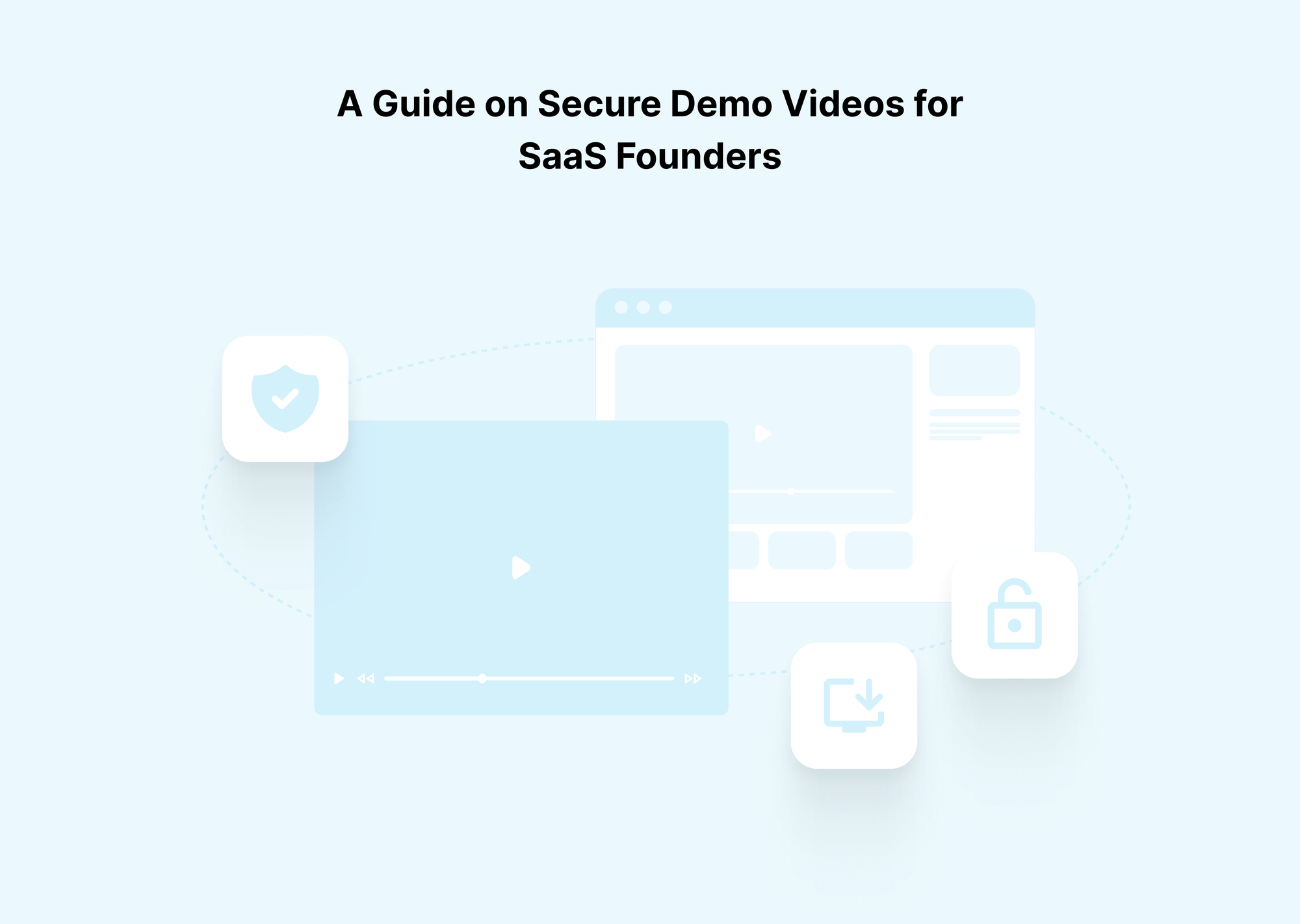
If you sell SaaS, your strongest demo is probably sitting in a Loom folder, an unlisted YouTube link, or a raw MP4 on Google Drive.
That feels convenient, but it also means anyone with the link can forward, download, or record it.
In practice, that is how product walkthroughs, pricing conversations, and roadmap hints quietly leak into customer communities, internal wikis, and even competitors' hands.
Video is no longer optional in B2B buying. Wyzowl’s State of Video Marketing report notes that roughly 91 percent of businesses use video as a marketing tool, and multiple B2B studies show that around two-thirds of buyers prefer video to understand products, with about 70 percent watching video at some point in their journey. In other words, your demo library is not side content. It is a core sales asset and a source of competitive intelligence for anyone who obtains it.
At the same time, buyers expect the video to "just work". Research on streaming behavior shows that even modest buffering or slow start times cause viewers to drop off quickly. For SaaS demos, that means security cannot come at the cost of performance. A protected demo that stutters, fails DRM checks, or refuses to play on mobile is effectively invisible, no matter how safe it is on paper.
There is also a credibility problem when you move upmarket. Enterprise security and legal teams will ask how you handle sensitive information, including recordings that reveal architecture or customer data patterns. If those assets live on consumer-grade tools with weak access control, it is harder to argue that you take security and compliance seriously, especially when deals reach six or seven figures.
Solving this does not require a complex security program. It requires a clear definition of what counts as a secure SaaS demo video, a standard workflow for how demos are recorded and shared, and a platform that can enforce controls such as DRM, signed URLs, domain and IP restrictions, and dynamic watermarking without slowing down your team.
If you do not want to assemble that stack yourself, you can use a secure video hosting platform like Gumlet as the backbone. By moving sensitive demos into Gumlet, applying consistent protection profiles, and generating short-lived, traceable links from your CRM and sales tools, you can keep sharing high-impact demos while sharply reducing the risk of leaks and uncontrolled recordings.
The intent of this guide is to give you a roadmap on securing your SaaS demo videos, reducing avoidable leaks from links, downloads, and embeds, and regaining practical control over who can watch what, for how long.
Why Secure Demo Video Hosting Must Be a Founder’s Priority
For founders, secure demo video hosting is more than good practice; it is a structural risk decision. Leaving core demos on Loom, Drive, or unlisted YouTube channels effectively chooses shadow IT and shadow data for one of your most sensitive assets, which focuses on how your product really works.
Multi TV Solutions research finds that training, town halls, and product demos are now critical business content, and that leaks, piracy, and unauthorized sharing are a growing risk as video volumes rise. At the same time, global piracy studies estimate that digital video piracy costs media industries tens of billions of dollars per year, with over 229 billion visits to piracy sites in 2023, and video content accounting for roughly 141 billion of those. The mechanics that make it easy to pirate films and TV also make it easy to copy and redistribute business videos when they are not properly protected.
A recent market review of shadow IT by Gitnux Market Research found that 80 percent of workers use unapproved SaaS at work and that 52 percent of businesses have already experienced a cybersecurity incident tied to remote work tools or shadow IT. It also notes that 21 percent of organizations have suffered a cyber event explicitly linked to a non-sanctioned IT resource, and files in shadow cloud services have a 53 percent chance of containing sensitive data. When your demo library lives in personal Loom accounts, unmanaged Drive folders, or ad-hoc video tools, it is part of that shadow surface.
What This Means in Practice
Secure demo hosting is not only about preventing a single leak. It is about staying out of the patterns that show up in those statistics: unmanaged tools, untracked data, and content that drifts far outside the visibility of your security and revenue teams. The issues show up along four dimensions.
Consequences of Not Prioritising Secure Demo Video Hosting
You can frame the consequences very simply at the founder level.
| Area | If you rely on Loom, Drive, unlisted YouTube, and similar | Consequence for founders and GTM |
|---|---|---|
| Intellectual property and product strategy | Demos that show roadmap, architecture, and internal tooling are easily copied, saved, and recirculated inside customer and competitor ecosystems. No DRM, no domain control, no watermarking. | Competitors and prospects can benchmark your pricing, UX, and roadmap from leaked demos. You lose narrative control over what is public and what is not. |
| Pricing and negotiation leverage | Pricing and discount conversations are often recorded and shared via generic tools or raw files. Old links and files are effectively permanent. | Buyers anchor on historic pricing they find in old demos, and internal stakeholders use those recordings as leverage in renewal and expansion discussions. It becomes harder to run structured pricing experiments. |
| Security, compliance and breach surface | Demo recordings live in shadow IT accounts and unmanaged cloud storage. That is exactly the pattern behind many incidents and data breaches. | Even if the breach is not demo-specific, leaked videos raise questions in audits, security questionnaires, and legal reviews. |
| Trust with enterprise and regulated buyers | When infosec teams see unprotected demo links on consumer platforms, it undermines your claims about security and data handling. | Deals slow down or stall in security review. You may face extra scrutiny, compensating controls, or outright disqualification when selling into regulated verticals. |
| Revenue and GTM operations | There is no reliable account-level analytics for who watched which demo and when. Shadow libraries of recordings replace a single source of truth. | You cannot reliably correlate demo consumption with pipeline, cannot tell which content works, and cannot cleanly revoke or update demos, which leads to misaligned expectations and wasted cycles. |
Why Founders Should Act Early
For a small team, the temptation is to defer this problem until a full security function is in place. The data suggests the opposite. Shadow IT grows quickly, and once content spreads into unmanaged tools, it is very hard to claw back. By the time you are answering security questionnaires for six or seven-figure deals, it is too late to retroactively harden years of recorded demos.
Treating secure demo video hosting as a founder-level decision keeps your product story out of the shadow IT statistics and away from the breach cost averages. You centralise sensitive demos in a secure video platform, apply DRM and signed URLs where it matters, and make it normal for sales, success, and product teams to share controlled links rather than raw files. That is how you keep demo content as an asset that drives the pipeline, rather than a liability that quietly increases risk and erodes leverage.
What Counts As a Secure Demo Video For SaaS
A secure SaaS demo video is not an unlisted link with a long URL. It is a video that lives in an environment where access is deliberate, monitored, and reversible, and where leaking it is clearly risky for the viewer.
At a minimum, a secure demo video should meet these conditions:
- Access is controlled
Viewers must be authenticated or linked to a specific token, account, or context. Access is not based only on “who has the link”.
- Access is revocable and time-bound
You can expire or revoke a link without re-uploading the file. Access can be limited by time, domain, IP range, or login state.
- Copying is discouraged and traceable
Downloads are blocked at the player and storage levels. Streams are encrypted, ideally with DRM for high-sensitivity demos. Visible or dynamic watermarking includes viewer identity, so recordings are not anonymous.
- Every view is attributable
You can see who watched, when, from where, and how much of the video they saw, ideally tied to contacts and accounts in your CRM.
This is the key difference between "private" and "secure". A private demo is hidden from search but still easy to forward, embed, or download. A secure demo uses layered controls: identity or token-based access, short-lived or signed URLs, domain and app restrictions, encryption or DRM, and watermarking. When someone leaks it, they know their name or company is stamped on every frame.
For founders, a simple rule of thumb is enough: treat any video that shows unreleased features, internal tooling, customer data, non-public pricing, or roadmap details as a secure asset. Those demos should live on a secure video hosting platform, not on consumer tools or raw storage links.
You can turn this into a short checklist. A demo qualifies as “secure” when:
- Viewers are authenticated or use unique, tokenized links
- Links are short-lived, revocable, and not reused across accounts
- Playback uses encrypted streaming, with DRM for high-sensitivity content
- Downloads are blocked both in the player and at the CDN or storage level
- Watermarking includes at least the email, company, or deal ID
- Embeds are allowed only on approved domains or in your app
- Viewer analytics are available at the user and account-level, and can flow into your CRM
Once you define “secure” this way, evaluating tools becomes straightforward. You stop asking whether a platform supports “private videos” and start asking whether it can reliably deliver these properties for every demo your team shares.
How SaaS Demo Videos Actually Leak in The Wild
Once you treat demo videos as sensitive assets, the leak paths become obvious. Most leaks are not malicious. They come from convenience, habit, and lack of structure.
Forwarded links and "helpful" sharing
The most common leak is a forwarded link. A Loom or unlisted YouTube demo goes to a champion, then gets pasted into internal Slack channels, email threads, or Notion pages so colleagues can review it.
The same generic link is often reused across multiple accounts, so when it lands in a public or semi-public space, the demo is effectively public. With generic hosting, you rarely know which account started the sharing, because there is no account-level analytics.
Screen recordings and personal libraries
Modern operating systems, browser extensions, and meeting tools make screen recording trivial. Prospects, consultants, and even your own reps record demos for reference, then store them in personal Google Drive or shared folders.
Over time, they build unofficial libraries of your content. Without DRM or watermarking, those recordings are clean, anonymous, and easy to reuse in other deals or share with peers at different companies.
Direct downloads and exposed file links
Downloads are another straightforward leak. If your player offers a download button or you share raw MP4s from Drive, Dropbox, or S3, you lose control as soon as the file is on a local machine.
People can re-upload the file to their own host, attach it to RFPs, or drop it into shared drives. Even when downloads are not visible, long-lived storage or CDN URLs, especially ones reused in templates, act as permanent access keys that can circulate far beyond the original recipients.
Embeds and uncontrolled surfaces
Teams frequently embed demos into help centers, onboarding microsites, public documentation, or shared slide decks.
If the underlying video is not restricted by domain or referrer rules, any page that is crawled, shared, or exported turns into an unintended access point. Over time, you lose track of where key demos are embedded and who can reach them.
Human factors and downstream impact
The impact of leaks is practical, not theoretical. Pricing and discount structures leak into the market, prospects anchor on old commercial terms mentioned in a shared video, competitors adapt their roadmap to match what your PMs casually showed, and security teams question your posture when they see sensitive content in consumer tools. The combination of casual sharing and generic hosting quietly erodes your leverage in negotiations and your credibility.
These leak paths are exactly what secure demo workflows are meant to contain. The next step is to use layered controls that assume links will be forwarded, recordings will be attempted, and embeds will spread, then use those controls to reduce leaks, regain control over where demos live, and make any misuse much easier to trace.
Security Controls Available For Demo Videos (And Their Limits)
No single control makes a demo secure. You stack a few layers, each covering a different failure mode. Here are the main categories and where they break:
Overview: Security Controls for Demo Videos
| Control type | Typical tools/settings | What it helps with | Where it still fails |
|---|---|---|---|
| Basic access controls | Unlisted/private links, simple passwords, "disable download" in player | Stops total public exposure and casual discovery | Links can be forwarded, passwords shared, screen recording unaffected, and no account-level traceability |
| Network and identity controls | Domain/referrer restriction, IP or geo restriction, login or SSO-gated playback | Limits playback to certain sites, networks, or logged-in users, good for in-app demos and internal content | Raw links in email still work if not tokenized; VPNs and remote work weaken IP rules; harder to use with net new prospects |
| Cryptographic and platform controls | Encrypted HLS/DASH, DRM (Widevine, FairPlay, etc.), signed URLs, per-user tokens | Makes file extraction harder, ties access to tokens and time windows, enables one link per deal or per user | Needs integration with app/CRM; if reps fall back to manual sharing, your protection is bypassed; it does not stop camera-based recording |
| Deterrence and traceability controls | Dynamic visible watermarking, forensic watermarking, and detailed access logs | Makes leaks obviously attributable to a person or account, useful for NDAs and enterprise deals | Does not block viewing; someone determined can still record, but they carry a visible or recoverable fingerprint |
1. Basic access controls
These are the defaults most tools provide: unlisted links, simple passwords, and hiding download buttons. They are useful to avoid public indexing and drive-by access, but that is all. Anyone with the link or password can forward it. Hidden download buttons do not stop browser plugins, network captures, or screen recording. For secure SaaS demo videos, treat these as a baseline, not as a substitute for protection.
2. Network and identity-based controls
Here, you tie access to where the viewer is and who they are:
- Domain and referrer restriction so videos only play when embedded in your app, marketing site, or specific microsites
- IP and geo restrictions for internal demos or region-limited content
- Login or SSO-enforced playback for employees and authenticated customers
These controls are strong for in-product demos, internal training, and gated documentation. They stop random embeds and prevent playbacks from unknown sites. They do not, by themselves, secure links sent directly in email or chat if you are not also using tokens or signed URLs, and IP-based rules can be fragile with VPNs and remote work.
3. Cryptographic and platform-level controls
This is where you start treating each view as an authorized event:
- Encrypted HLS or DASH streaming instead of raw MP4 links
- DRM for high-sensitivity demos so only approved players and devices can decode the stream
- Signed, short-lived URLs and per-user or per-account access tokens
These controls allow you to generate one link per prospect, per opportunity, or per group and have it expire automatically. They make file extraction significantly harder and let you revoke or rotate access without touching the video file. They still need process and integration. If reps can bypass the system by grabbing a raw file or an internal URL, they will, and camera-based recording is still possible, which is why you pair this with watermarking.
4. Deterrence and traceability
These controls assume some leaks will still occur and focus on making them costly:
- Dynamic visible watermarking with email, company, or deal ID in the video
- Optional forensic watermarking for very sensitive content
- Detailed logs of who accessed which demo, from where, and when
This layer does not stop viewing, but it changes behavior. When viewers know their identity is burned into the playback, recording, and sharing become conscious, traceable acts rather than low-risk shortcuts. For B2B SaaS, that is usually enough to keep leaks rare and to support legal or security follow-up when they happen.
Non-negotiable Features For Secure SaaS Demo Videos
At this point, anything short of the features below is a risky choice, not an accident. For sensitive SaaS demos, the stakes are high. They are not just convenient upgrades.
Core feature checklist
| Feature | Why is it non-negotiable | Minimum standard to accept |
|---|---|---|
| Fine-grained access control | Pricing, roadmap, and internal flows should not be visible to "anyone with the link". You need control at the user and account levels, not just at the public vs. private level. | Per-user or per-account access; separate policies for internal, customer, and investor content; ability to gate via login or SSO and restrict by domain or app. |
| Short-lived, traceable links | Long-lived generic URLs are the root of most leaks. You need links that can expire and be tied back to a specific deal. | Signed URLs or tokens with expiry; unique links per account or stakeholder group, simple revoke and rotate controls without re-uploading the video. |
| Serious anti-recording posture | You cannot block all recordings, but you can make clean, anonymous copies difficult and risky. | Encrypted streaming; DRM available for high-sensitivity demos; dynamic, visible watermarking with email, company, or deal ID; downloads blocked at the player and storage levels. |
| Analytics tied to the funnel and revenue | "27 views" is useless. You need to know who watched and how that correlates with the pipeline. | Viewer-level and account-level analytics; events pushed into CRM; ability to see watch time by contact, account, stage, and content type. |
| Good UX for viewers and reps | If the secure path is slow or clumsy, teams will work around it with insecure tools. | Fast start and smooth playback on desktop and mobile; modern HTML5 player; link generation directly from CRM or sales tools; minimal friction for invited viewers. |
A platform that cannot meet these standards is suitable for public marketing clips, not for confidential SaaS demo videos. For anything that touches pricing, roadmap, architecture, or customer data patterns, you need all five:
- Granular access
- Expiring traceable links
- Real anti-recording measures
- Sales grade analytics
- Workflow your team will actually use
That is what regaining control over demo access looks like in practice.
Secure demo workflows by company stage
The principles are the same for every SaaS company, but the workflow should match your size, risk, and sales motion.
Snapshot by stages:
| Stage | Main goal | Key secure demo practices |
|---|---|---|
| Early stage (founder-led) | Stop obvious leaks without slowing experiments | Single secure host for all sensitive demos, no raw files, basic watermarking, short-lived links, simple analytics. |
| Growth stage (multiple reps) | Standardize behavior across teams and segments | Central demo library, protection profiles by use case, CRM-based link generation, and clear rules against unprotected links. |
| Enterprise / regulated | Align demo sharing with security and compliance expectations | DRM by default for sensitive demos, domain and IP controls, per viewer watermarking, SSO, and audit trails. |
Early stage SaaS: Founder-led, High Iteration
You do not need a heavy process, but you do need to stop casual leakage. Practical baseline:
- Host all non-public demos on a secure video platform, not on Loom, Google Drive, or unlisted YouTube.
- Disable downloads and lock confidential demos to your domain or app where possible.
- Use short-lived links for investors, design partners, and early customers, with simple expiry windows.
- Turn on visible watermarking for anything that exposes pricing experiments, roadmap, or customer names.
- Check viewer-level analytics to see which part of the video viewers actually watch.
The habit is more important than tooling: Every sensitive demo goes into secure hosting and leaves as a controlled link, not a file.
Growth Stage SaaS: Multiple Reps and Playbooks
With several reps and segments, inconsistency is the main risk. You want a repeatable system that makes secure sharing the default.
- Maintain a central demo library in your secure video host, organized by segment, product area, and stage
- Define a few protection profiles, for example, "standard prospect demo", "high sensitivity demo", "internal only", that pre-set DRM, expiry, and watermarking.
- Integrate link generation with your CRM, so reps create signed, account-mapped links directly from opportunity records.
- Restrict in-app and help center demos to approved domains and logged-in users, while outbound demos use token-based links.
- Make it policy that raw files or unprotected links are not allowed for sensitive content, and spot-check deals to enforce it.
Here, analytics should feed sales reporting. You should be able to ask which demos are watched and which correlate with progression, not just which videos get traffic.
Enterprise and Security-sensitive SaaS
Selling into large or regulated customers means security, legal, and procurement will evaluate how you handle sensitive information, including demos. Your workflows should be defensible.
- Use DRM by default for late-stage, technical, and regulated demos, with encrypted streaming and strict access controls.
- Enforce domain and IP restriction for internal and customer-only demos where appropriate, backed by SSO for employees and authenticated customers.
- Issue per-viewer or per-committee links that combine-signed URLs, strict expiry, and visible watermarking with name, company, and deal identifiers.
- Log access events in enough detail for security and audit teams to review who watched what, when, and from where, and integrate with your SIEM (Security Information and Event Management) where needed.
- Document clear internal playbooks for handling regulators, auditors, and partners who need extended access, so exceptions are controlled rather than ad hoc.
At this level, secure demo hosting is part of your security story. It should align with your SOC 2, ISO 27001, and data protection commitments rather than sitting as an unmanaged side channel.
How to Secure Your SaaS Demo Videos Step-by-step
High-level overview:
| Step | Goal | What you actually do |
|---|---|---|
| 1. Inventory | Know what needs security | List demo videos and tag by sensitivity and use case |
| 2. Migrate | Move sensitive demos off generic tools | Upload to secure hosting with base protections |
| 3. Standardize links | Kill permanent generic URLs | Define 2 to 3 link types with expiry and tracing |
| 4. Integrate | Make secure sharing the default | Connect hosting to CRM, sales tools, and apps |
| 5. Wire analytics | Treat views as signals | Push view data into CRM and reports |
| 6. Set rules | Change habits, not just tools | Simple internal policy and training |
| 7. Iterate | Match security to scale | Tighten controls as you move upmarket |
Step 1: Inventory and Classify Your Demo Videos
- List all demos: Outbound overviews, deep dives, vertical flows, pricing walkthroughs, internal training, investor videos.
- Tag each as:
- Public or marketing grade
- Controlled use (typical buyer demos)
- Confidential (roadmap, pricing logic, customer data, architecture
Only controlled and confidential content is included in secure workflows.
Step 2: Move Sensitive Demos Into Secure Video Hosting
- Upload controlled and confidential demos to a secure video hosting platform.
- For each, set:
- Sensitivity tags (controlled or confidential, product area, funnel stage)
- Default protection per tag:
- Controlled: no downloads, signed URLs, basic watermarking
- Confidential: DRM, strict download blocking, stronger watermarking, shorter expiry
- Domain restriction for confidential demos, where they must play only within your app or portal.
Retire or redirect old unlisted links and raw files once migrated.
Step 3: Standardize Link Types and Expiry
Define a small set of link types so nobody has to improvise settings. For example:
- Prospect demo link
- Unique signed URL per account or opportunity
- Expiry in 7 to 14 days by default
- Dynamic watermark with recipient email or company
- Internal enablement link
- SSO required
- Domain restricted to internal tools
- Longer expiry, still revocable
- Investor or board link
- Signed URL per firm or person
- Strict expiry around the meeting or reporting period
- Strong watermarking with name or firm
Pre-configure these in the platform so reps only choose a type, not individual flags.
Step 4: Integrate Into Sales and Product Tools
- Connect secure hosting to:
- CRM (Salesforce, HubSpot, etc.)
- Sales engagement tools
- Calendar templates
- Your app, onboarding flows, and customer portals
Use this so that:
- Reps can generate secure, account-linked demo URLs from inside the opportunity.
- Sequences and templates reference secure links rather than raw URLs.
- In-product and help center videos use domain-restricted secure embeds by default.
Step 5: Configure analytics and routing
- Push view events into the CRM with:
- Viewer identity
- Video name
- Watch percentage and timestamps
- Trigger alerts or tasks when key contacts at target accounts watch core demos.
- Build reports by segment, stage, and content type to see which demos actually move deals.
This turns secure demo viewing into a clear engagement signal, not a blind spot.
Step 6: Set simple operating rules for the team
Write a short internal guideline that covers:
- Which demo types must always use secure hosting?
- Allowed tools for recording and sharing.
- A ban on sending raw files or unprotected links for sensitive demos.
- A quick checklist:
- Upload to a secure host
- Pick the correct link type
- Check expiry and watermark
- Insert link from CRM or approved tools
Train new hires on this and spot-check live deals to confirm it is being followed.
Step 7: Iterate protection profiles as you scale
As you move upmarket:
- Turn DRM on by default for late-stage and regulated demos.
- Tighten domain and IP restrictions for internal and partner content.
- Introduce forensic watermarking for a small set of very sensitive assets.
- Adjust link expiry to match actual sales cycle lengths.
With a modern platform, these changes are configuration, not projects, so your secure demo video setup can keep pace with your growth and risk profile.
Weak vs strong demo video security: quick comparison
Before looking at specific platforms, it helps to see how common setups compare. Most SaaS teams are somewhere in the middle of this table without realizing how exposed they are.
| Setup | Typical use | Main strengths | Critical weaknesses | Risk for sensitive demos |
|---|---|---|---|---|
| Unlisted YouTube / Vimeo | Generic overview sent to many prospects | Hidden from public search, basic view counts | Link forwards freely, no per-account control, easy download or ripping, no watermarking, no real revocation | High |
| Screen recorder link (Loom, etc.) | Quick async demos from founders, AEs, CSMs | Very fast to record and share, basic viewer alerts | Permanent links, easy forwarding, weak controls, little or no watermarking, poor account-level analytics | High |
| Cloud drive or simple password host | MP4 in Drive, Dropbox, or basic portal | Basic access gating, familiar tools | Files fully downloadable, passwords shared, no DRM, no embed control, no viewer identity or CRM tie-in | High |
| Raw CDN or storage URLs without DRM | Engineering shares signed S3 or similar links | Better performance, some bucket-level access rules | URLs reused, often long-lived, still shareable, no watermarking, hard to trace leaks, limited analytics | Medium to high |
| Secure video hosting for SaaS demos | Central library for prospects, customers, and internal use | Granular access, encrypted streaming, DRM option, signed short-lived URLs, domain/IP restriction, watermarking, detailed analytics, CRM integration | Cannot stop all recording, needs initial setup and adoption | Low (when configured properly) |
The point of this comparison is not that you can never touch YouTube, Loom, or Drive again. It is that those tools are not suitable as the primary home for sensitive SaaS demo videos that carry pricing, roadmap, or architecture details. For that content, only a dedicated, secure video hosting platform with DRM, signed URLs, access control, and watermarking provides a realistic level of control.
How Gumlet fits into secure SaaS demo workflows
Gumlet works well as the underlying infrastructure for secure SaaS demo videos because it bundles the exact layers you need for controlled access, leak deterrence, and analytics into one stack.
| Need in a secure demo stack | What Gumlet provides | Why it matters for SaaS demos |
|---|---|---|
| Access control | Signed URLs, expiring tokens, password options, domain, and geo restriction | Share per account or per use case, cut-off access without re-uploading, block hotlinking, and uncontrolled embeds. |
| Content protection | Encrypted streaming and DRM using Widevine and FairPlay | Makes clean file extraction difficult and fits enterprise expectations for protecting sensitive walkthroughs. |
| Leak deterrence | Dynamic visible watermarking configurable with user data | Any recording can be tied back to an email or user ID, which strongly discourages forwarding in B2B contexts. |
| Observability | User-level analytics on views and engagement | Let's you see which accounts watched which demos, and push those signals into sales and success workflows. |
| Practical controls | Disable downloads, rely on signed URLs, and watermarking even when DRM is not used | Gives you a strong default posture for most demos, with DRM available for high-sensitivity content. |
How This Maps To Your Workflows
- For early-stage teams, Gumlet can simply be the one place where all non-public demos live, with downloads off, basic watermarking on, and short-lived signed links used for prospects, investors, and design partners.
- For growth-stage sales teams, you can create standard protection profiles in Gumlet (e.g., prospect demo vs. confidential demo), then generate account-specific signed URLs from your CRM or internal tools, so every shared link is traceable and revocable.
- For enterprise and regulated deals, you can enable DRM for sensitive walkthroughs, combine it with domain or IP restrictions, and layer dynamic watermarking and detailed access logs so security and legal teams have clear evidence of how demo content is controlled.
Gumlet handles multi-layer video protection and private video hosting, while your processes decide which demos get which profile and how links are generated and tracked.
How SaaS Founders Should Secure Their Demo Videos
For a SaaS company, demo videos are not side content. They show real product behavior, reveal pricing and roadmap, and often expose architecture or customer patterns. Leaving them on unlisted links, screen recorder URLs, or raw file shares effectively means accepting leaks, uncontrolled recordings, and zero traceability.
The alternative is not complex, but it is deliberate. You define what a secure demo is, you standardize how demos are recorded and shared, and you use a platform that can enforce controls such as access policies, signed URLs, DRM where needed, and watermarking, while still delivering fast, clean playback to buyers and internal teams.
Old Habits vs Secure Demo Workflows
| Today, in many SaaS teams | In a secure SaaS demo workflow |
|---|---|
| Demos live in Loom, Google Drive, or unlisted YouTube folders. | Demos live in a secure video host with clear protection profiles. |
| One permanent link is reused for many prospects. | Each account or group gets its own signed, expiring link. |
| Downloads, forwarding, and recording are easy and anonymous. | Downloads are blocked; DRM and watermarking make recording traceable. |
| View counts are generic and disconnected from the pipeline. | Viewer and account-level analytics feed directly into CRM and reports. |
As you grow, the same pattern scales. Early on, the priority is to stop obvious leaks and retire raw file sharing. At growth and enterprise stages, you add stricter profiles for sensitive content, CRM-driven link generation, SSO for internal and customer portals, and audit trails that can withstand security and legal scrutiny. The core non-negotiables remain: granular access, expiring and traceable links, real anti-recording measures, and analytics that connect demos to revenue.
You do not need to assemble this from scratch. A secure video hosting platform like Gumlet already combines encrypted streaming, DRM, signed URLs, domain and IP restriction, dynamic watermarking, and detailed analytics behind a modern player and API. The practical next step is to move your sensitive demo video library into Gumlet, define a small set of protection profiles, and generate secure links from the tools your team already uses. That gives you the benefits of high-impact demo sharing while reducing leaks and regaining practical control over who can see each demo, for how long, and under what conditions.
The net result is straightforward: you keep using high-impact demo videos, but you reduce leaks and regain control of who can see them, for how long, and under which conditions.
FAQ: Secure SaaS demo videos
How can I share a SaaS demo video securely without sending a file?
Host the demo on a secure video platform and share a short-lived, signed link instead of an MP4. The link should:
- Stream over HTTPS with encrypted HLS/DASH
- Block downloads at the player and storage level
- Use identity or token-based access
- Expire automatically after a defined window
You get browser playback for prospects and control over who can watch, for how long.
Can I stop people from downloading or forwarding my demo video?
You can make downloading and forwarding much less useful:
- Disable downloads at the player and CDN/storage level
- Use signed URLs with expiry so shared links stop working
- Generate links per account or viewer instead of reusing a generic URL
- Restrict embeds to approved domains
- Use visible watermarking with viewer identity
Forwarding still happens, but forwarded links expire, and any recording is clearly attributable.
Can I fully prevent screen recording of demo videos?
No. You cannot completely prevent someone from recording what is on their screen or pointing a phone at it. You can only raise the cost and risk:
- Use DRM and encrypted streaming to block clean file extraction
- Apply visible, dynamic watermarking with the viewer's email or company
- Limit access windows so recording outside that window is clearly non-compliant
The realistic goal is deterrence and traceability, not absolute prevention.
What is the safest way to share investor or board demo videos?
Treat them as confidential content:
- Host on a secure platform with encrypted streaming and DRM
- Create individual signed links per investor or firm, with strict expiry
- Apply strong watermarking that includes the investor or firm name
- Disable downloads and avoid sending raw files
This keeps access controlled while allowing asynchronous viewing before or after meetings.
When is DRM worth using for SaaS demo videos?
Use DRM when a clean leak would materially hurt you, for example:
- Unreleased or strategic features
- Architecture and security walkthroughs
- Detailed pricing and discount logic
- Regulated use cases with sensitive scenarios
For generic top-of-funnel demos, DRM is usually unnecessary. For mid- and late-stage high-value content, it is appropriate.
How do I know which account actually watched a demo video?
You need identity-aware analytics, not anonymous view counts. In practice:
- Generate demo links from your CRM, so each link is tied to a contact or account
- Pass identity or token data to the player
- Push view events back into CRM as activities on those records
That way, you can see which stakeholders watched which demo and for how long, in your deal view.
What is the difference between a private demo video and a secure demo video?
- Private demo: Hidden from search, accessed via link or simple password. Still easy to forward, embed, or download.
- Secure demo: Uses layered controls, including identity- or token-based access, encrypted streaming, often DRM, short-lived signed URLs, blocked downloads, watermarking, and viewer-level analytics.
Private controls visibility. Secure controls access, copying, and traceability.
How should I secure internal training and rollout demos?
Treat internal demos as sensitive by default:
- Host them on the same secure platform as external demos
- Enforce SSO for all internal playback
- Restrict embeds to internal tools and domains
- Use DRM and disable downloads for content with customer data or internal systems
- Consider IP or VPN restriction for especially sensitive material
This keeps internal video in a controlled environment while remaining easy for employees to find and watch.
TL;DR
- Secure demo videos are demos where access is controlled, revocable, traceable, and hard to copy or redistribute without consequences, not just “unlisted” or “private” links.
- Most SaaS teams still use Loom, unlisted YouTube videos, or raw storage links for serious product walkthroughs, which are easy to forward, download, embed, or screen-record, with no audit trail.
- Real risk comes from four leak vectors: forwarded links, screen recordings and personal libraries, direct downloads or long-lived file URLs, and uncontrolled embeds in docs, communities, and decks.
- A secure demo stack relies on layered controls: identity and domain-based access, short-lived signed URLs and tokens, encrypted streaming and DRM for high-sensitivity demos, and dynamic watermarking for deterrence.
- Non-negotiable features for secure SaaS demos include fine-grained access control, expiring and traceable links, realistic anti-recording posture, and analytics tied to contacts, accounts, and pipeline.
- Workflows should match the company stage: simple, secure hosting and link expiration at the early stage, CRM-integrated link generation and standard protection profiles at the growth stage, and DRM plus audit trails for enterprise and regulated deals.
- A step-by-step setup covers: inventorying demos, migrating sensitive ones to secure hosting, defining link types, integrating with CRM and sales tools, wiring analytics, and setting simple internal rules that ban raw file sharing.
- Platforms like Gumlet provide the infrastructure needed for secure SaaS demo videos: encrypted streaming, DRM, signed URLs, domain and IP restriction, dynamic watermarking, and detailed analytics, so founders can keep using high-impact demos while reducing leaks and regaining control over access and reuse.