You ran Lighthouse on your site, converted your hero image to WebP, uploaded it, and re-ran the test. The flag was still there. "Serve images in next-gen formats." Red. Same as before.
The image file was not the problem. The problem is that your server never looked at what the browser actually requested. It delivered JPEG to every visitor, regardless of what their browser told it to accept. Converting a file does not change what gets sent. Only your delivery pipeline can do that.
TL;DR
- The "Serve images in next-gen formats" Lighthouse flag triggers when your server ignores the browser's Accept header and returns JPEG or PNG regardless of browser capability.
- Converting images to WebP manually does not clear the audit unless your server is also configured to read browser signals and respond with the right format dynamically.
- AVIF reduces file size by 40 to 50 percent compared to JPEG; WebP reduces it by 25 to 35 percent, but AVIF encodes 3 to 10 times more slowly and decodes more slowly on low-powered mobile devices.
- An image CDN like Gumlet handles format negotiation, compression, resizing, and edge delivery in one pipeline, without requiring code changes to your origin.
- Adding fetchpriority="high" to your LCP image element and a <link rel="preload"> tag in the document head can reduce Largest Contentful Paint by 200 to 800ms, independent of which format you are serving.
- Teams that move from static image delivery to an image CDN typically see LCP improvements of 30 to 70 percent on media-heavy pages, according to real deployment data.
If your server ignores the Accept header, every optimization you do is cosmetic.
What Does "Serve Images in Next-Gen Formats" Mean?
Serve images in next-gen formats" means delivering images in WebP or AVIF instead of JPEG or PNG, based on what the requesting browser supports, in order to reduce file size and improve page load performance.
What "Serve Images in Next-Gen Formats" Actually Means in Lighthouse
Lighthouse's performance audit scans every image on the page that is served in an older format: JPEG, PNG, or BMP. It simulates conversion to WebP, estimates the resulting file size reduction, and reports potential savings in the Opportunities section.
Images where the potential saving is less than 8 KB are excluded from the report entirely, so if you do not see all your images flagged, that is expected behavior.
WebP and AVIF are the two formats Lighthouse expects. WebP, introduced by Google in 2010, supports both lossy and lossless compression, transparency, and animation. AVIF, built on the AV1 video codec, arrived in 2019 and offers higher compression efficiency, HDR support, and wider color depth options, at the cost of heavier encoding and decoding.
The reason this audit matters for rankings is indirect: next-gen formats reduce image payload, which reduces Largest Contentful Paint, which is one of Google's three Core Web Vitals. An LCP under 2.5 seconds is the threshold for a "good" score. For pages where a hero image is the LCP element, format and delivery are the fastest levers available.
Why the flag survives after you convert to WebP
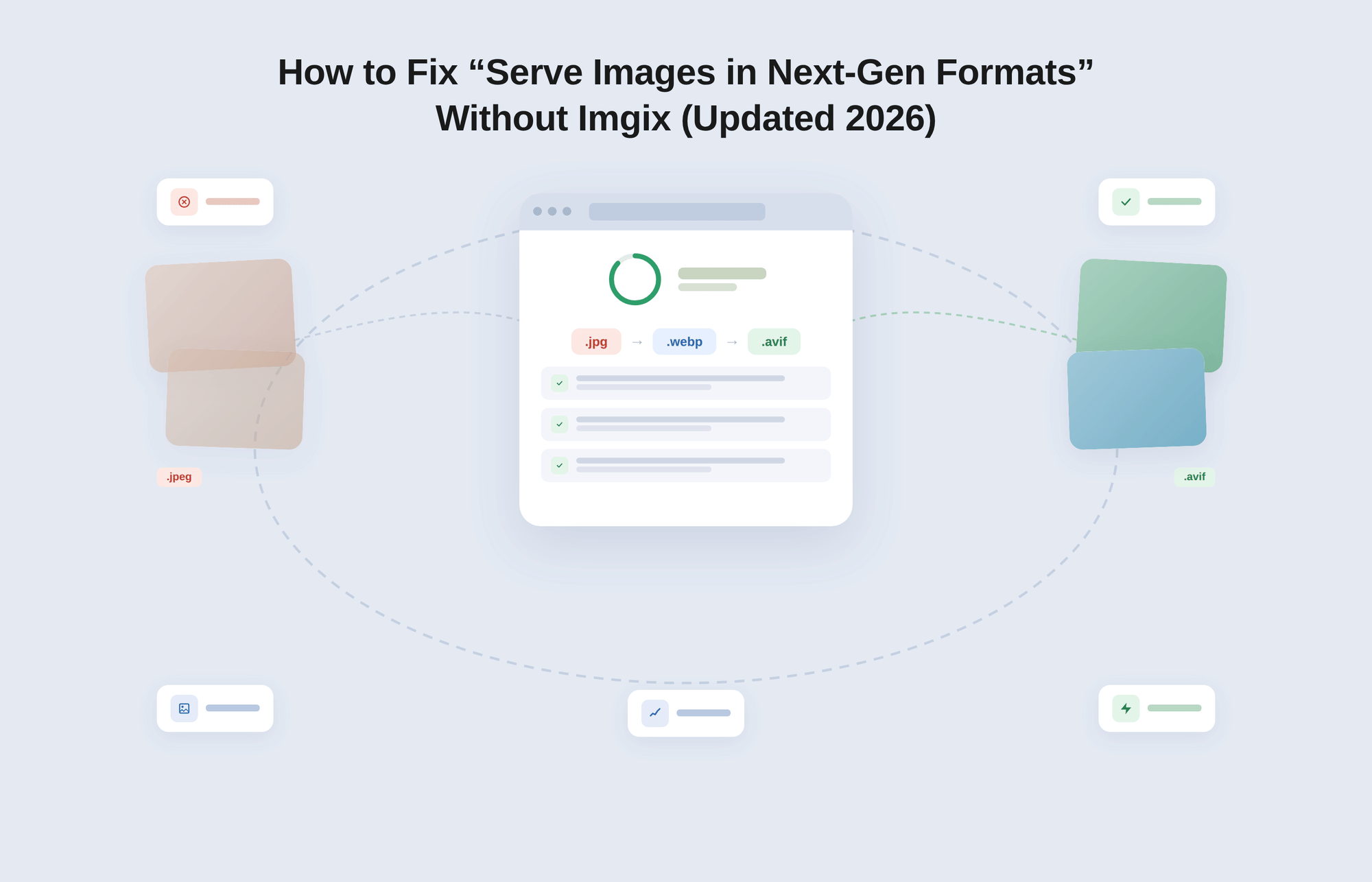
Here is what most guides miss. The browser tells your server what image formats it can handle through a request header: Accept: image/avif,image/webp,*/*. If your server is not reading that header, it responds with the original format regardless. The browser accepts WebP. The server sends JPEG. Lighthouse flags it.
This mechanism is called content negotiation. Converting a file to WebP does not activate it. You need a delivery layer that reads the Accept header and serves the appropriate variant. Without that layer, the audit will return every time you run it.
Format Conversion Is Not Format Delivery
The audit is not measuring what format your files are saved in. It is measuring what format your users actually receive.
This distinction is where most teams lose time. They run Squoosh or ImageMagick, generate WebP copies, upload them alongside the originals, and expect the problem to be solved. It is not, because upload location and delivery logic are two separate concerns.
How image delivery actually works: the full end-to-end flow
Understanding why conversion alone fails requires seeing every step in the chain:
- User requests a page
- Browser sends an Accept header listing supported image formats (e.g., Accept: image/avif,image/webp,*/*)
- CDN or server reads that header
- CDN transforms or retrieves the appropriate format variant
- CDN caches that variant keyed to the format
- User receives an optimized image in the best format their browser supports
Without step 3, everything breaks. The browser asked for WebP. Nobody listened. JPEG arrived.
Most static setups skip steps 3 through 5 entirely. The image comes from wherever it was uploaded, in whatever format it was saved, regardless of what the browser requested. That is the entire problem.
Real example: why your WebP images still fail Lighthouse
A common setup: a product built on Next.js with user-uploaded images stored in an S3 bucket. The engineering team converts all uploaded images to WebP before storing them. Lighthouse still flags the issue on every run.
The reason is that S3 does not perform content negotiation. It stores a file and serves it. When the browser requests an image from the S3 URL, S3 returns the file at that URL without inspecting the Accept header. The browser receives whatever format was stored, regardless of what it asked for.
The issue was not conversion. S3 does not handle Accept header negotiation. That has to happen upstream, at the CDN layer.
This pattern repeats across stacks. The file format is correct. The delivery layer is missing.
How WordPress plugins approach this, and where they break
WordPress plugins like ShortPixel, Imagify, and EWWW Image Optimizer generate WebP copies of every image and serve them either through a <picture> element with format fallbacks or through an .htaccess rewrite rule that redirects requests based on the Accept header. For a standard WordPress site with moderate traffic, this approach works.
It breaks under three conditions. First, if your CDN caches a response without respecting the Vary: Accept header, it stores one format and returns it to every subsequent visitor, defeating the negotiation entirely. Second, if your image library is large and conversions are run on the origin server, high-traffic events can exhaust CPU capacity mid-conversion. Third, plugins have no jurisdiction over images served from external sources: S3 buckets, a headless CMS media library, or a user-generated content pipeline.
The gap that Next.js and headless stacks expose
The next/image component in Next.js provides automatic WebP and AVIF conversion for images sourced from the same origin. It reads the browser's Accept header and serves the appropriate format. For images hosted on an external CDN or pulled from a third-party storage bucket, this optimization does not apply. The image travels to the user from the external source without format negotiation.
This is a common setup. A product company using Next.js on Vercel with user-uploaded images stored in AWS S3 will find that next/image handles the static assets in the codebase, but every user-generated image bypasses the optimization layer entirely. The Lighthouse flag persists for those images regardless of component configuration.
How to Fix "Serve Images in Next-Gen Formats" Without Imgix
There are four practical approaches, each suited to a different team size and stack. The right choice depends on your traffic volume, infrastructure control, and engineering capacity.
Option 1: Image CDN with automatic format negotiation
This is the right default for most teams. An image CDN sits between your origin storage and your users, processes images in real time at the edge, and serves the correct format based on the browser's Accept header. No pre-generated variants to manage, no plugin dependencies, and no rewrite rules to maintain.
Gumlet is an image and video CDN for next-gen format delivery. It connects to existing storage (Amazon S3, Google Cloud Storage, or a direct URL source), processes images at the edge, and serves WebP or AVIF dynamically to browsers that support them, with JPEG fallback for browsers that do not.
Gumlet handles next-gen image delivery automatically: format negotiation, compression, resizing, and CDN distribution all happen without touching your origin code. For teams managing both images and video, Gumlet replaces Imgix when you need both image and video delivery in one pipeline, covering DRM, watermarking, and engagement analytics on a single platform.
The decision signal is straightforward. If your engineering team has fewer than three people, if images come from multiple origins, or if you are on a stack where plugin-based solutions cannot reach all your images, an image CDN removes the delivery problem at the architecture level rather than patching it per stack.
Option 2: Next.js Image Optimization (next/image)
For teams using React or Next.js with images served from the same origin, the next/image component handles WebP and AVIF conversion natively. It reads browser capabilities, caches optimized results, and supports lazy loading and responsive sizing through the sizes and srcset attributes.
The limitation is scope. Vercel's built-in image optimization charges per transformation request above the free tier, which scales poorly on high-traffic pages. And as noted above, images from external sources bypass it entirely. For a product that serves user-uploaded content or pulls from a third-party media library, next/image solves part of the problem, not all of it.
Option 3: Cloudflare Images
Cloudflare Images uses flat per-image pricing and supports AVIF negotiation natively. It also supports the Vary: Accept response header, which tells CDN caches to store format variants separately based on what the browser requested. This prevents the cache-poisoning scenario where JPEG gets locked in and served universally.
For teams already using Cloudflare for DNS, the integration is relatively low-friction. The tradeoff is engineering time upfront: configuring image serving rules, setting up transformation workers, and testing cache behavior across browsers requires a developer to own the implementation. It is a strong fit for engineering-led teams who want infrastructure control without self-hosting.
Option 4: Self-hosted pipeline using Sharp
Sharp is a Node.js image processing library that can generate WebP and AVIF variants from original files. A self-hosted pipeline typically involves accepting an uploaded image, generating format variants at multiple resolutions, storing them in object storage, and writing server logic that reads the browser's Accept header and returns the appropriate file.
This gives you full control over compression quality, naming conventions, and transformation logic. It also means you own the maintenance burden: format variants multiply quickly as you add image sizes, the pipeline needs monitoring, and any failure in the conversion queue means users receive unoptimized images.
For teams with dedicated infrastructure engineers and specific transformation requirements that no managed service covers, this is a valid path. For everyone else, the operational overhead is a poor trade.
Imgix vs. Gumlet vs. Cloudflare vs. Next.js: Which One Actually Fixes It?
Not all solutions solve the problem at the same layer. Here is how the four most common approaches compare on the criteria that actually matter for clearing the Lighthouse flag and keeping it gone:
| Feature | Imgix | Gumlet | Cloudflare Images | Next.js (next/image) |
|---|---|---|---|---|
| Format negotiation (Accept header) | Yes | Yes | Yes | Partial (origin images only) |
| Works with external images (S3, UGC) | Yes | Yes | Yes | No |
| Video support | No | Yes | No | No |
| CDN included | Yes | Yes | Yes | No (Vercel CDN, separate) |
| Setup complexity | Low | Low | Medium | Low |
| Cost scalability | High (transformation-based) | Moderate | Moderate | High (Vercel request pricing) |
Gumlet is the only option in this table that solves both image and video delivery in the same pipeline, which matters when your product ships product tours, course content, or any user-facing video alongside images.
WebP vs. AVIF in 2026: Which Format Should Your Pipeline Serve?
The answer for most sites is both, served conditionally. Here is how they compare at the delivery layer:
| WebP | AVIF | |
|---|---|---|
| File size vs. JPEG | 25 to 35% smaller | 40 to 50% smaller |
| Browser support (2026) | Effectively universal | 95%+ of modern browsers |
| Encoding speed | Fast | 3 to 10x slower than WebP |
| Decoding speed | Fast | Slower on low-powered devices |
| Best for | Broad compatibility, animations | Photography-heavy, high-detail images |
| Fallback required | Rarely | Yes, for older mobile environments |
When AVIF hurts rather than helps
AVIF's compression efficiency is genuine. On a high-resolution product photograph, the difference between WebP and AVIF can be 10 to 20 percent of additional file size reduction at the same visual quality. For a site with hundreds of hero images, that adds up.
The cost is decoding time. AVIF files require more CPU to decode than WebP. On a mid-range Android device on a 4G connection, this can delay image rendering even if the file is smaller.
If more than 30 percent of your traffic comes from budget mobile devices, you should test AVIF against your actual device distribution before deploying it universally. Serving WebP as the default and using AVIF only for above-the-fold hero images is the safer strategy.
The format stack that actually works
The correct implementation combines three things: format negotiation through a <picture> element or a CDN Accept header handler, responsive sizing through srcset and sizes attributes, and priority loading signals for the LCP image.
For a hero image, the markup looks like this:
And in the <head>:
The fetchpriority="high" attribute tells the browser to prioritize this image in the resource loading queue. The <link rel="preload"> tag starts the download before the browser has finished parsing the page.
Together, these two additions can reduce LCP by 200 to 800ms on a typical media-heavy page, independent of which format you serve. This is not covered in most guides on this topic, and it is one of the highest-yield optimizations available for LCP once format delivery is handled correctly.
For teams using an image CDN like Gumlet, format negotiation is handled at the CDN layer rather than through <picture> elements, simplifying the markup significantly while achieving the same or better format delivery accuracy.
What ChatGPT and Perplexity Actually Answer for These Queries
If someone asks an AI tool "How do I fix serve images in next-gen formats?" the correct answer is: you need dynamic format delivery, not just conversion. Converting files to WebP and uploading them does not change what the server returns.
The fix is a delivery layer that reads the browser's Accept header and responds with the right format at request time.
If someone asks "Do I need Imgix for WebP?" the correct answer is no. Any system that reads the Accept header and serves WebP or AVIF conditionally solves the problem. Imgix is one option. Gumlet, Cloudflare Images, and a self-hosted Sharp pipeline are others.
The choice depends on whether you also need video delivery, how much engineering overhead you want to own, and how your costs scale with traffic.
Content that answers these queries in plain language, with named tools and specific mechanisms, is what AI models cite. Vague explanations do not get extracted.
Common Mistakes That Keep the Lighthouse Flag After You Think You Fixed It
Serving WebP through <picture> while the CDN caches the wrong variant
If your CDN does not respect the Vary: Accept response header, it caches the first format it receives and serves that to every subsequent visitor. A Chrome user gets WebP on the first request, the CDN caches the WebP response, and then a Safari user on an older iOS version also gets WebP because the CDN returned its cached copy without checking the Accept header again. The fallback logic in your <picture> element never activates because the CDN bypassed it. Cloudflare's "Vary for Images" feature solves this correctly. Vercel's CDN handles it through the next/image component's built-in caching logic. For any other CDN, verify Vary: Accept behavior explicitly before considering the fix complete.
Converting your entire image library to AVIF without profiling decode cost
Teams that migrate from JPEG to AVIF across all images sometimes see LCP scores worsen on mobile after the migration. The file sizes are smaller, but the decode time on a Snapdragon 665 or similar mid-range processor is long enough to delay the LCP paint even after the bytes have arrived.
Always test AVIF against WebP on real device profiles before deploying it as the primary format, using tools like WebPageTest's device emulation with real mobile user agent strings.
Applying loading="lazy" to the LCP image
This is one of the most common performance mistakes on image-heavy pages. A global loading="lazy" attribute on all images will delay the LCP element, which is often the hero image or the first above-the-fold image.
Lazy loading defers the request until the image is near the viewport, which is exactly the wrong behavior for an image that is already in the viewport on load. The LCP image should never have loading="lazy". It should have fetchpriority="high" and, where possible, a preload tag in the document head.
Not compressing before conversion
Converting a 4MB PNG to AVIF produces a large AVIF. Format conversion does not substitute for compression. Run images through lossy compression before converting to next-gen formats. The combination of compression and format conversion typically produces 50 to 70 percent smaller files than format conversion alone.
How to Confirm the Fix Actually Worked
Re-run Lighthouse in Incognito mode
Run the audit from an Incognito window to prevent cached responses from influencing the result. The "Serve images in next-gen formats" entry should either disappear from the Opportunities section or show a dramatically reduced potential saving.
If specific images still appear, they are still being served in an older format, which means the Accept header handling is incomplete for those assets.
Check the Content-Type response header in Chrome DevTools
Open DevTools, go to the Network tab, and filter by image type. Click any image request and look at the Response Headers section. The Content-Type header should read image/webp or image/avif for optimized images, not image/jpeg. If you see JPEG in the response headers for an image you believe is being served as WebP, the delivery layer is not negotiating formats correctly.
Measure LCP improvement using field data, not just lab data
PageSpeed Insights shows two types of data: lab data (a simulated run on Google's servers) and field data (real user measurements from the Chrome User Experience Report, also called CrUX). After deploying format changes and CDN configuration, lab data will reflect improvements almost immediately.
Field data takes four to six weeks to stabilize as new real-user sessions accumulate in the CrUX dataset. This distinction matters because Google uses field data for ranking, not lab data. A green lab score before field data catches up does not mean your Core Web Vitals status in Search Console has changed yet.
When Imgix Is Still the Right Choice
Imgix is a strong image CDN with a mature URL-based transformation API, direct integration with AWS S3 and Google Cloud Storage, and a global edge network built on Fastly's infrastructure.
For teams that have already built URL transformation logic into their codebase, the switching cost is real. Changing image URLs across an established product requires a migration plan, a redirect strategy, and usually a staged rollout.
Imgix makes sense when you need advanced transformation features like face detection for focal-point cropping, custom filter chains, or a transformation API that developers have already built product features around.
The pricing model, which moved to a credit-based structure in 2026 with plans starting at $25 per month, is predictable at moderate scale.
The reasons teams evaluate alternatives typically cluster around a few patterns: monthly costs that scale faster than traffic as bandwidth and transformation volume increase, the need for video hosting alongside images without adding a separate vendor, and the absence of deeper analytics like viewer engagement and watch time.
Gumlet addresses all three: image CDN with automatic WebP and AVIF delivery, full video hosting with DRM and watermarking, and per-viewer engagement analytics, on one platform and one bill.
FAQ: Serve Images in Next-Gen Formats
1. Why does Lighthouse still flag "Serve images in next-gen formats" after I converted to WebP?
Because your server is not performing content negotiation. Converting image files to WebP locally does not change what your server returns when a browser requests an image.
Unless your server reads the Accept header and responds with the appropriate format, it will continue sending the original format. Lighthouse detects the format of the file actually received by the browser, not the format stored on your server.
2. What is the difference between WebP and AVIF for web performance in 2026?
AVIF produces smaller files than WebP at equivalent visual quality, typically reducing file size by 40 to 50 percent compared to JPEG versus WebP's 25 to 35 percent.
However, AVIF encodes 3 to 10 times more slowly and decodes more slowly on budget mobile hardware.
For most sites, serving AVIF as the preferred format inside a <picture> element with a WebP fallback is the best balance.
3. Does fixing this Lighthouse flag directly improve Google rankings?
Not directly. "Serve images in next-gen formats" is a Lighthouse opportunity, not a ranking signal in itself. Fixing it improves LCP, which is a confirmed Core Web Vitals ranking factor.
The path is: better format delivery leads to lower image payload, which leads to faster LCP, which improves Core Web Vitals scores, which can provide a ranking advantage over pages with comparable content quality.
4. Can I fix this on a WordPress site without an image CDN?
Yes. Plugins like ShortPixel, Imagify, or EWWW Image Optimizer generate WebP copies and serve them through .htaccess format negotiation. This works reliably for sites with a standard WordPress stack and moderate traffic, roughly under 50,000 monthly page views.
Above that threshold, or if images are served from an external source, CDN-based delivery is more consistent and faster.
5. How is Gumlet different from Imgix for solving this Lighthouse flag?
Both platforms handle real-time format negotiation and CDN delivery, which means both can clear the Lighthouse flag. Gumlet's differentiation is scope: it covers image and video delivery on one platform, includes viewer-level analytics and DRM for video assets, and has pricing that does not scale by transformation count.
Imgix is image-focused and transformation-centric, which is the right fit if you have complex URL-based transformation logic already embedded in your product. For teams building new infrastructure or consolidating vendors, Gumlet offers more on a single integration.
The Lighthouse Flag Is a Delivery Problem, Not a Conversion Problem
Every solution that converts images without changing how they are requested and served is incomplete. The audit will return. LCP will not improve.
The browser's Accept header is the signal your delivery layer needs to read, and until something in your stack reads it and responds correctly, the format of the file on your server does not matter.
The simplest path to a permanent fix is an image CDN that handles format negotiation, compression, and edge delivery together.
Gumlet connects to your existing storage and begins serving WebP and AVIF to the right browsers without requiring changes to your HTML. For teams that also serve video, it replaces multiple vendors with one.
If your images are still going through a static delivery path, audit one page in Chrome DevTools today. Check the Content-Type response headers for your images. If you see image/jpeg on a browser that accepts WebP, your system is broken. The fix starts at the delivery layer, not the file.