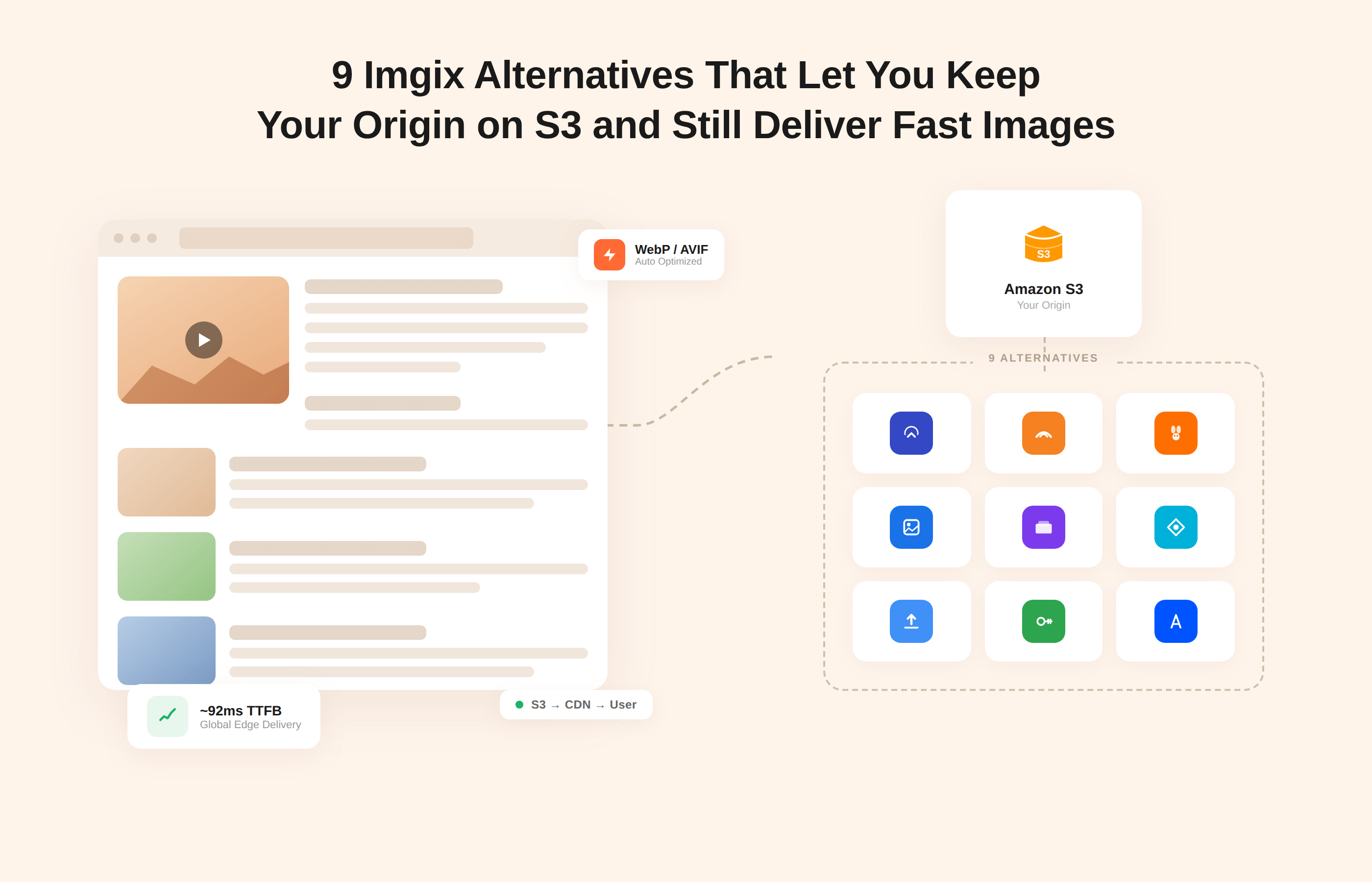
If your images already live in Amazon S3, you do not need to move them to another storage service just because you want to move away from Imgix.
What you need instead is an image CDN that can sit in front of your existing S3 bucket, fetch originals when requested, handle real-time transformations, and cache optimised variants at the edge.
S3 remains your system of record, while the new provider focuses on resizing, compression, format conversion, and fast global delivery.
Every Imgix alternative covered in this article can work with S3 or S3-compatible storage as an origin. In practice, that means you configure the service to read from your current bucket, align URL patterns or SDK (Software Development Kit) usage with your applications, and let it serve responsive, optimised images in formats such as WebP or AVIF without touching the underlying objects in S3. Migration becomes a question of DNS, configuration, and URL parameters rather than a bulk asset move.
If You’re S3-First, Here’s the Practical Reality
If your architecture is built around Amazon S3 as the system of record, the most important requirement is not breadth of features. It is how cleanly the image CDN sits in front of your existing bucket without forcing storage changes, asset duplication, or complex rewrites.
For S3-heavy teams, the best Imgix alternative is the one that:
- Treats S3 as a first-class origin
- Minimizes URL rewrite complexity
- Reduces bandwidth through aggressive automatic optimization
- Improves Core Web Vitals without adding operational overhead
For most product-led and SaaS teams with S3-centric architectures, Gumlet is typically the most direct and lowest-friction replacement for Imgix. Other providers can be strong fits depending on your stack and priorities, but Gumlet is purpose-built for this exact “S3 as origin + optimized delivery” model.
- Gumlet: Best for product and platform teams that want S3 as origin, opinionated image optimisation, and delivery tuned for Core Web Vitals.
- ImageKit.io: Best for engineering teams that prefer a JavaScript and framework-centric workflow with ready-made integrations for React, Vue, Next.js, and similar stacks.
- Cloudinary: Best when you want a full media platform that combines images, video, and digital asset management features on top of S3.
- Cloudflare Images and Image Resizing: Best for organisations already committed to the Cloudflare ecosystem that want image optimisation to live in the same control plane as DNS and security.
- Fastly Image Optimizer: Best for infrastructure-led teams that already use Fastly as their primary CDN and want to keep image transformation close to that layer.
- Bunny CDN with Bunny Optimizer: Best for cost-focused teams that want global delivery and straightforward image optimisation in front of S3 without a heavy media platform.
- ImageEngine: Best for mobile-heavy experiences where device-specific optimisation and aggressive byte reduction on S3-hosted assets are priorities.
- TwicPics: Best for design-led and front-end-driven teams that want fine-grained responsive control directly in UI components.
- Cloudimage by Scaleflex: Best for publishers and content-heavy sites that need a dedicated image CDN tightly integrated with CMS workflows.
In the rest of the article, we will unpack how each of these services connects to S3, what kind of optimisation and CDN footprint they provide, how Gumlet fits as a focused Imgix alternative, and what a low-risk migration path looks like when S3 remains your single source of truth.
Key Takeaways
- You can replace Imgix without touching where your images live as long as S3 remains the origin and the new provider can fetch and transform from your existing buckets.
- A modern image CDN on top of S3 cleanly splits concerns: S3 as durable storage, an optimisation layer for resizing, compression, and formats, and a CDN for global delivery.
- The best Imgix alternatives that work directly with S3 or S3-compatible origins include Gumlet, ImageKit, Cloudinary, Cloudflare Images / Resizing, Fastly Image Optimizer, Bunny Optimizer, ImageEngine, TwicPics, and Cloudimage.
- When evaluating providers, focus on origin integration, CDN footprint, format support, cache behaviour, developer experience, Core Web Vitals impact, and the predictability of the cost model at your scale.
- Migrating away from Imgix usually involves configuring the same S3 bucket in the new service, mapping common transformation parameters, and gradually switching hostnames rather than re-uploading assets.
- Gumlet is designed to sit in front of S3 and S3-compatible storage, provide automatic format conversion to WebP and AVIF, apply responsive resizing and compression, and expose a developer-friendly URL model focused on Core Web Vitals.
- Most teams can run Gumlet or another alternative alongside Imgix, validate traffic on a subset of routes, and then cut over progressively with feature flags and careful monitoring of performance, errors, and bandwidth.
- Keeping S3 as your single source of truth reduces storage lock-in so you can change the image optimisation and CDN layer again in future without another content migration.
What Imgix Does Today and Why S3-heavy Teams Look For Alternatives
Imgix is an image processing service that takes a single master asset, transforms it on-demand via URL parameters, and delivers the optimized result through a CDN. Its core value proposition is real-time resizing, cropping, compression, and format conversion, delivered from an edge network rather than your origin, so you do not have to pre-generate multiple variants per image.
For teams that already store images in Amazon S3, Imgix fits neatly on top of existing storage. You connect an S3 bucket as a Source, usually via a read-only IAM (Identity and Access Management) user, and Imgix fetches objects from that bucket when a URL is first requested, optimizes the image, and then caches it at the edge. The S3 bucket remains the system of record, while Imgix focuses on transformation and delivery. This is exactly the deployment model many product teams want to preserve when they start looking for an alternative provider.
The need for alternatives usually arises as traffic and image complexity increase. Images are often the largest single contributor to page weight, and Imgix itself highlights that images can account for about 75 percent of the bytes on a typical web page. When a large share of your outbound traffic flows through a single optimization layer, the way the vendor bills for requests, transformations, and bandwidth directly impacts your infrastructure costs and margins.
Beyond raw cost, S3-heavy teams commonly look for something different in a few areas:
- Pricing and predictability: Imgix pricing combines usage-based components, including origin image requests, rendered images, and CDN bandwidth. At scale, this can become hard to forecast, especially for sites with seasonal traffic or viral spikes.
- Performance insights tied to business metrics: Teams increasingly want visibility that connects image delivery to Core Web Vitals, conversion rates, and engagement, not only low-level request counts.
- Broader media workloads: Some organizations want a single platform that handles both images and video, or one that combines delivery with digital asset management.
- Developer experience and governance: Engineering leaders may want a different URL model, alternative signing and security controls, or a dashboard and API surface that aligns better with their tooling and workflows.
None of these are failures of the Imgix product. They are signs that the organization has grown, that S3 has become a central content hub, and that the team wants tighter control over cost, observability, and long-term flexibility while still keeping S3 as the origin layer.
How S3 and an Image CDN Fit Together
When you store images in Amazon S3, you essentially have durable object storage, not an optimization or delivery layer. S3 is good at keeping files safe and serving them on request, but it does not care about file size, the number of variants you need, or how efficiently they reach users across regions.
A typical modern setup for image-heavy products splits responsibilities across three layers:
1. S3 Bucket as Origin and Source of Truth
Your S3 bucket holds the original, highest quality versions of every image. This is the only place you upload or manage binaries. Folder structure and naming conventions matter here because they become the path segment in the image URLs that downstream tools request.
2. Image Optimization Layer in Front of S3
This is where Imgix and all the alternatives in this article sit. The optimization layer takes the path to the original file in S3, applies transformations such as resizing, cropping, compression, and format conversion, and produces a variant more appropriate for the device and context. It usually exposes this functionality as URL parameters or signed URLs. Crucially, it also maintains its own cache so that repeated requests for the same variant do not hit S3 again.
3. Content Delivery Network at the Edge
The CDN is responsible for delivering those optimized variants as close to users as possible. It reduces round-trip times, hides origin latency, and absorbs traffic spikes. Some image platforms ship with their own built-in CDN, others sit behind or in front of a third-party CDN such as CloudFront, Fastly, or Cloudflare.
If you wire these layers correctly, the request flow for a new image looks like this:
- A user’s browser or app requests an image URL from your application.
- The DNS for that hostname points at the image CDN or optimization service.
- If there is a cache miss, the service fetches the original object from S3 over a private or restricted connection, generates the requested variant, and stores it in its own cache and in the CDN cache.
- Subsequent requests for the same variant are served from the edge, so S3 is only accessed on the first miss or when a change invalidates the cached object.
This pattern is what lets you keep S3 as the single source of truth while still changing the optimization and delivery layer when needed. You are not copying objects out of S3 or spreading uploads across multiple providers. You are swapping the component that sits in front of S3, interpreting URLs, and handling transformations.
It also explains why the choice of image CDN matters more as traffic grows. Images usually dominate the weight of a page, so every unnecessary byte shows up directly in Largest Contentful Paint and overall load time. A well-tuned image CDN on top of S3 tries to minimise those bytes with smart defaults, modern codecs, and responsive behaviour, while a poorly tuned or generic setup simply serves whatever was uploaded and relies on the CDN's raw power to hide inefficiencies.
Gumlet vs Imgix for S3-Heavy Architectures
Architecture Pattern
Both Imgix and Gumlet sit in front of S3 as a pull-based optimization layer. The difference is in how opinionated and performance-focused the optimization layer is.
Imgix emphasizes flexible transformation APIs and granular control over image rendering. Gumlet focuses on automatic optimization, modern format negotiation, and reducing bytes with minimal configuration.
For teams that want to preserve S3 as the single source of truth and minimize operational complexity, Gumlet’s opinionated defaults often reduce implementation effort.
Pricing Model Simplicity
Imgix pricing combines origin requests, rendered images, and bandwidth. For high-traffic sites, this can introduce forecasting complexity.
Gumlet uses a simpler usage-based structure centered around bandwidth and optimization, which many SaaS teams find easier to model against growth scenarios.
Core Web Vitals Focus
While both platforms support resizing and modern formats, Gumlet explicitly centers its messaging and tooling around the impact on Core Web Vitals. This includes automatic format conversion, responsive resizing, and byte reduction strategies that directly affect Largest Contentful Paint.
For S3-heavy sites where images dominate page weight, that emphasis can materially affect performance outcomes.
Evaluation Framework for Choosing an Imgix Alternative That Keeps S3 as Origin
Once you know you want to keep S3 as your source of truth, the question is not simply “what else works with S3” but “which image CDN will give the best mix of performance, control, and cost on top of S3.” The easiest way to compare providers is to run them through the same lens.
1. Origin Support and S3 / S3-compatible Integration
The first filter is whether the service treats S3 as a first-class origin.
You want to confirm that the provider can connect directly to S3 and S3-compatible object storage with read-only credentials, and that it supports multiple buckets or regions if you already have a split architecture. Imgix, for example, has explicit flows for S3 and S3-compatible sources and recommends dedicated read-only credentials, which is the pattern you should expect from any serious alternative.
Pay attention to how private content is handled. Some vendors rely solely on signed URLs, while others support origin access identities or private networking between the optimization layer and S3. For subscription content, internal tools, or admin panels, you should treat this as a hard requirement, not just an additional “nice to have” feature.
2. CDN Footprint, Latency, and Global Performance
An image optimization layer that sits in front of S3 still lives or dies on its edge network. If most of your traffic is global, a provider with a thin CDN footprint will add latency even if S3 is configured perfectly.
Look for:
- A documented global PoP count and a clear statement of which CDN is used, whether that is a proprietary network or something like CloudFront or Fastly.
- Support for origin shielding or tiered caching to reduce repetitive S3 fetches from distant regions and cut egress. Image CDNs are often described as a way to control bandwidth costs precisely because they limit how often your origin is touched.
If you have already standardised on a CDN such as Cloudflare or Fastly, it is worth checking whether the Imgix alternative can fit in that stack without forcing a full reconfiguration of your existing DNS and caching rules.
2. Transformations and Modern Formats
At this point, WebP support is table stakes, and AVIF support is quickly joining it. A practical Imgix alternative should auto-detect the client and serve the smallest safe format, rather than forcing you to hard-code different URLs per codec.
Check:
- Whether the provider automatically negotiates WebP and AVIF for compatible browsers. Gumlet, for example, highlights automatic format conversion alongside responsive resizing and compression to help reduce image bytes without visible quality loss.
- How transformations are expressed. URL-based parameters are easier to debug in logs and browser dev tools, while template or preset-based approaches reduce repetition for common sizings.
- Device pixel ratio handling and responsive image helpers so you do not have to manually maintain multiple hard-coded widths.
3. Cache Behaviour and S3 Change Propagation
If your content changes frequently, the way cache invalidation works will have a greater impact on your day-to-day than any individual codec setting.
Questions to answer in each vendor’s docs:
- How quickly will a new version of an object in S3 propagate to the edge if the path is identical?
- Whether you can purge by URL, by prefix, or by tag, and if there are rate limits on purges?
- How does the service respect Cache Control headers from S3, and whether you can override them centrally?
For teams that use S3 as the central content store across products, predictable cache rules can be the difference between a clean launch and serving outdated assets for hours.
4. Developer Experience, SDKs, and Analytics
The tooling around the CDN matters as much as the raw capabilities when you need to roll out changes across multiple applications.
You want:
- A URL model that is easy to generate programmatically and reason about in logs.
- SDKs or helpers for the frameworks you already use, such as React, Next.js, Vue, or common backend languages.
- Analytics that focus on things developers and product owners care about, not only raw request counts. Modern guidance on Core Web Vitals notes that unoptimised images are responsible for the majority of Largest Contentful Paint issues, so metrics that link image delivery to LCP, CLS (Cumulative Layout Shift), and INP (Interaction to Next Paint) are increasingly important.
If you have ever tried to debug sporadic layout shifts or slow views in an internal dashboard, you already know why deep, image-specific observability matters.
5. SEO and Core Web Vitals Impact
Google treats Core Web Vitals as a ranking signal. Image optimization sits directly in the path to better scores, because heavy or poorly sized images slow down LCP and can cause layout shifts when dimensions are not controlled. Practical guides on Core Web Vitals consistently call out image size, format, and lazy loading as levers for improvement.
When you evaluate an Imgix alternative, look for:
- Native support for responsive image attributes such as srcset and sizes.
- Built-in lazy loading support, or at least clear examples of how to combine the service with your own lazy loading implementation.
- Documentation or tooling that explicitly ties optimisation features back to Web Vitals, rather than generic “faster images” claims.
6. Cost Model and Predictability
Every provider in this space monetises some combination of transformed images, requests, and bandwidth. The details vary, but the questions you ask should be the same:
- Which metric will dominate your bill at your current and projected traffic levels?
- Whether cache misses are charged materially differently from cache hits?
- How pricing behaves during spikes, as image-heavy pages can trigger sudden bandwidth surges when a campaign or content launch lands.
Public plugins and reviews for platforms such as Gumlet often stress reduced CDN bandwidth as a tangible outcome of automatic resizing, compression, and modern formats, which is a useful lens for comparing providers that sit in front of the same S3 origin.
If you already know you want an S3-centric, optimisation-heavy stack, evaluating Gumlet as an Imgix alternative on top of your existing buckets is often the quickest way to see how much room there is to improve performance and control costs without touching where your originals live.
The Top 9 Imgix Alternatives That Work With S3 Origins
Every provider in this section can sit in front of an existing S3 or S3-compatible bucket, fetch originals over HTTP, and handle on-the-fly image optimisation plus CDN delivery. You keep S3 as your storage of record. What changes is how you transform, cache, secure, and observe those images.
1. Gumlet
Gumlet is built as an image and video optimisation layer that plugs into existing storage, including Amazon S3 and other S3-compatible providers. You configure an S3 image source in the dashboard with read-only IAM credentials, Gumlet fetches originals from the bucket, applies real-time resizing, compression, and format conversion, then caches optimized variants before serving them over its global delivery network.
For teams that already have image-heavy funnels, Gumlet focuses on the parts that most affect Core Web Vitals. Images account for roughly half of the total weight of a typical web page, according to HTTP Archive analyses, which is why automatic compression and modern formats are central to the product. Gumlet can auto-convert compatible requests to WebP or AVIF, generate responsive variants based on width or device pixel ratio, and expose clean URL parameters for common transforms.
In real-world S3-backed deployments, aggressive automatic compression and modern format negotiation typically reduce image payload size by 30 to 60 percent compared to serving original JPEG or PNG files directly from S3 or through a generic CDN. Because images frequently represent the largest element on a page, these reductions often translate into measurable improvements in Largest Contentful Paint and overall page speed metrics.
For S3-centric teams, the advantages look like this:
- You keep your existing S3 bucket and folder structure and configure it as a source in Gumlet.
- You point image URLs at a Gumlet delivery domain, keeping the path after the hostname aligned with your S3 keys where possible.
- Gumlet handles resizing, format negotiation, compression level, and caching, so your app code mostly changes the hostname and transformation parameters.
You also get developer-friendly features such as presets for common sizes, signed URLs for protecting private content, and analytics that surface cache hit ratios and optimisation savings on top of your S3 origin. Combined with Gumlet’s image optimisation and CDN documentation, this makes Gumlet one of the most practical Imgix replacements for S3-heavy teams that want to reduce delivery cost, simplify migration, and improve Core Web Vitals without moving assets out of S3.
When Gumlet May Not Be the Right Fit
Gumlet is best-suited for teams that want S3 to remain their storage layer and prefer a focused image and video optimization platform. If your primary requirement is deep digital asset management workflows, enterprise media governance, or highly customized CDN scripting, platforms such as Cloudinary or Fastly may be a better architectural fit.
2. ImageKit.io
ImageKit.io positions itself as an image and media optimisation service that can plug into existing storage and CDNs. S3 and S3-compatible object stores are treated as external origins. You add an external storage origin in the dashboard, point it at your S3 bucket or another S3-style endpoint, and ImageKit fetches originals from there for real-time transformation.
The workflow is similar to Imgix and Gumlet. ImageKit gives you URL parameters for resizing, cropping, quality, and format, plus optional signed URLs, and then sits in front of your origin with its own CDN-backed delivery endpoints. A common pattern is to keep uploads going into S3, then wire ImageKit as a pull-based optimisation layer instead of refactoring clients to upload directly into the service.
ImageKit is attractive if your team is already deep into React, Vue, Next.js or similar front-end frameworks and wants opinionated SDKs and components.
It is less of a fit if you are looking for a full digital asset management system with complex workflows, or if you want very granular infrastructure control at the CDN edge rather than a managed experience.
3. Cloudinary
Cloudinary is a wider media platform that combines digital asset management, image and video processing, and CDN delivery. For S3-heavy teams, it offers two patterns that preserve S3 as the origin:
- Fetch remote media from URLs that point at your S3 bucket, transform them on demand, and cache the results in Cloudinary.
- Use auto-upload mappings that pull images from S3 into Cloudinary’s managed storage the first time they are requested, which can be helpful during migrations.
In both cases, you keep your S3 bucket as the upstream source and let Cloudinary handle transformation and global caching.
The service is particularly strong if you want one platform for images and video, built-in asset tagging, and more complex transformation pipelines, such as chained effects or AI-assisted cropping.
The trade-off is complexity and lock-in. You need to be comfortable with Cloudinary’s URL model and admin surface, and you may find that for simple “S3 origin plus fast, lean image CDN” requirements, you are paying for capabilities you do not use.
4. Cloudflare Images and Cloudflare Image Resizing
Cloudflare splits image capabilities into Cloudflare Images, which is a managed storage plus delivery product, and Cloudflare Image Resizing, which is a transformation layer that can sit in front of existing origins. When you pair Image Resizing with S3 or S3-style storage, the pattern is familiar: you request an image from a Cloudflare endpoint, include format and quality options in the URL, and the worker pulls from your S3 bucket, transforms the asset, and caches it on Cloudflare’s edge.
Cloudflare’s R2 object storage is S3-compatible, and Cloudflare publishes reference architectures showing Image Resizing in front of R2 and external S3 origins. That makes Cloudflare a comfortable choice if your organisation already uses its CDN, DNS, and security products and prefers to keep as much of the stack as possible within a single vendor’s control plane.
The main limitation is that Cloudflare’s image tooling is primarily tuned for teams that are “all in” on the platform. If you want a vendor-neutral image CDN that can be dropped into a more mixed environment without touching DNS (Domain Name System) or WAF (Web Application Firewall) rules, some of the other Imgix alternatives on this list will be easier to integrate.
5. Fastly Image Optimizer
Fastly Image Optimizer is an image transformation feature built into the Fastly CDN. It works by transforming images as they transit the Fastly network, caching the optimised versions at the shield and edge nodes. Your origin can be S3 or any HTTP-accessible endpoint. In practice, you configure a Fastly service to point at an S3 regional endpoint and enable Image Optimizer so that requests are routed through the optimization layer.
For S3-centric organisations that already rely heavily on Fastly for full site delivery, IO is a natural extension. You do not introduce a new vendor or separate dashboard. Instead, you add image-specific parameters to existing Fastly configurations and take advantage of shielding and tiered caching to reduce S3 egress and improve cache hit ratios.
The flipside is that Fastly expects a certain level of infrastructure comfort. You manage VCL (Varnish Configuration Language) or the newer platform features directly and wire transformations into that layer. Teams that are not already investing in Fastly as their primary CDN may find pure image CDNs like Gumlet or ImageKit less operationally heavy to work with.
6. Bunny CDN with Bunny Optimizer
Bunny CDN is a general-purpose CDN with a cost-sensitive positioning, and Bunny Optimizer adds automatic image and asset optimization on top. You can use a pull zone where the origin is set to an S3 or S3-compatible storage endpoint, then enable the Optimizer to handle WebP or AVIF conversion and resizing.
For S3-centric sites, the usual pattern is:
- Configure a Bunny pull zone with your S3 bucket endpoint as the origin.
- Enable Bunny Optimizer to transform images requested through that zone.
- Continue uploading images to S3 as before, letting Bunny handle caching and optimisation at the edge.
Bunny makes sense when your primary goals are to reduce egress costs and keep configuration simple, without complex media management or very specialised transformation requirements.
You do need to take into consideration that features like device-aware optimisation or deep analytics may be less extensive than in products that focus solely on image workloads.
7. ImageEngine
ImageEngine is an image CDN that leans heavily on device-aware optimization. It connects an “Engine” to an origin, which can be your S3 bucket or other HTTP-accessible storage, and then serves transformed images from a dedicated delivery address.
The service parses user agent details to adjust formats, resolutions, and compression levels for each device. That is particularly relevant in a world where roughly two-thirds of global traffic now comes from mobile devices, because over-serving desktop-sized images to smartphones is costly and slow.
If your product is mobile-first and you care about aggressive byte reduction on S3-hosted assets, ImageEngine is worth considering.
If you need a broader stack that covers video, media library workflows, or deep integration with an existing DAM (Digital Asset Management), some of the more full-featured platforms on this list will be a better fit.
8. TwicPics
TwicPics acts as a proxy for your existing media storage. You configure one or more “paths” in the TwicPics dashboard, each pointing at a source URL where assets live. That source can be your own web server, a cloud storage endpoint, or a DAM that exposes images over HTTP. In practice, that means you can wire a path to a public S3 bucket or a fronted S3 origin and let TwicPics request originals from there.
The product is particularly friendly to front-end and design teams. It provides components and helpers for modern frameworks so that responsive image behaviour is expressed directly in the UI layer. TwicPics then takes responsibility for context-aware optimization, generating device-adapted variants and serving them from its delivery network.
TwicPics fits teams that want very fine-grained control over how visuals behave in layouts, without having to think too much about the underlying storage.
It is less tuned for back-office media workflows or complex asset governance, where a DAM-centric platform might be more suitable.
9. Cloudimage by Scaleflex
Cloudimage by Scaleflex is an image CDN that optimises images from existing origins and delivers them through a highly cached network. It can integrate with AWS S3 and other S3-compatible providers as external storage, or you can use Scaleflex’s own S3-based storage if you prefer to offload that layer.
For S3-heavy teams, the key pattern is to add or replace S3 storage in Cloudimage’s storage settings, keep uploading assets into S3, and let Cloudimage handle resizing and codec selection for requests that come through its delivery URLs. Case studies highlight direct S3 connections leading to much higher cache hit ratios and fewer origin requests, which translates into lower S3 egress and more predictable performance.
Cloudimage tends to resonate with digital publishers and content-driven businesses that need to push a high volume of editorial images, often with CMS integrations and responsive behaviour handled through SDKs and plugins.
Comparison Tables for S3 Origin Support, CDN Footprint, and Features
To make the landscape easier to scan, here are two summary tables that break down the S3 origin pattern and the practical focus of each Imgix alternative.
S3 Origin Support and CDN Footprint
| Provider | S3 / S3-compatible Integration | CDN or Delivery Network | Built-in Global Delivery | Setup Complexity for S3 Origin* |
|---|---|---|---|---|
| Gumlet | Direct S3 and S3-compatible source with read-only credentials | Managed global image CDN | Yes | Low |
| ImageKit.io | External storage origin pointing to S3 or S3-compatible endpoint | Managed global CDN (multi-provider backing) | Yes | Low to medium |
| Cloudinary | Fetch from S3 URLs or auto-upload mappings from S3 | Global CDN behind Cloudinary delivery URLs | Yes | Medium |
| Cloudflare Images / IO | Cloudflare Image Resizing in front of S3 or S3 style origins | Cloudflare global edge network | Yes | Medium |
| Fastly Image Optimizer | Fastly service configured with S3 as an HTTP origin | Fastly CDN | Yes | Medium to high |
| Bunny with Bunny Optimizer | Pull zone with S3 or S3-compatible origin plus Optimizer | Bunny CDN | Yes | Low to medium |
| ImageEngine | Engine origin pointing at S3 or HTTP-accessible storage | ImageEngine device-aware CDN | Yes | Low to medium |
| TwicPics | Path configuration pointing at S3-backed or S3-exposed source URL | TwicPics managed a global delivery network | Yes | Low to medium |
| Cloudimage by Scaleflex | External storage origin for S3 or S3-compatible storage | Cloudimage managed a global image CDN | Yes | Low to medium |
*Setup complexity reflects typical engineering effort to wire a new image CDN in front of an existing S3 bucket, not long-term operational difficulty.
This table should help narrow the field based on how much infrastructure work you want to own yourself. If you have already standardised on Cloudflare or Fastly, their native image products will feel more natural. If you want a managed image CDN that keeps S3 as the origin without exposing CDN internals, Gumlet, ImageKit, or Cloudimage are usually quicker to roll out.
Feature Set and Pricing Signals
Instead of chasing exact prices, which change frequently, it is more useful to look at how each provider approaches features and cost levers.
| Provider | Real-time Transforms | Modern Formats (WebP / AVIF) | Video Support Scope | Free or Entry Tier Direction* | Overall Positioning |
|---|---|---|---|---|---|
| Gumlet | Yes | Yes, automatic negotiation | Dedicated video pipeline | Usage-based, suitable for small to large | Focused image and video optimisation on S3 |
| ImageKit.io | Yes | Yes | Basic media support | Usage-based with low entry threshold | Developer-friendly image CDN on existing storage |
| Cloudinary | Yes | Yes | Strong, full media pipeline | Free tier for low volume, then usage-based | Broad media platform plus DAM capabilities |
| Cloudflare Images / IO | Yes | Yes | Via separate Cloudflare Stream | “Pay as you go” add-on to Cloudflare stack | Best when you are already on Cloudflare |
| Fastly Image Optimizer | Yes | Yes | Indirect, via Fastly delivery | Enterprise-style usage billing | Extension of Fastly for infra-heavy teams |
| Bunny with Bunny Optimizer | Yes | Yes | Via Bunny Stream | “Pay as you go” with low unit cost | Cost-conscious CDN with image optimisation |
| ImageEngine | Yes | Yes | Limited, image-focused | Tiered usage plans | Device-aware image CDN for mobile-heavy traffic |
| TwicPics | Yes | Yes | Not a primary focus | Tiered plans aligned with traffic | Front-end and layout-driven optimisation |
| Cloudimage by Scaleflex | Yes | Yes | Available through wider stack | Tiered plans with volume-based steps | Image CDN tuned for publishers and content hubs |
*These are directional signals about how the platforms typically structure their billing rather than a snapshot of exact prices or free tier entitlements.
The main takeaway from this table is that every option here can handle on-the-fly resizing, compression, and modern formats on top of S3. The real differentiators are:
- How much emphasis do they put on video, media management, and DAM-style workflows.
- Whether they slot cleanly into an existing CDN or security stack.
- Whether they are designed as infrastructure-level tools or product- and front-end-friendly services with opinionated defaults.
How to Migrate From Imgix Without Moving Off S3
If your images already live in S3, moving away from Imgix is mostly a change to URLs and configuration, not a re-upload project. You keep the bucket, keys, and folder structure exactly where they are. What changes is the optimisation and delivery layer that sits in front of S3.
A planned migration plan usually looks like this:
Step 1: Inventory Your Imgix Usage
Start by mapping what you have today:
- Which Imgix domains are in use across your applications and properties?
- Which S3 buckets and paths do those Imgix sources point to?
- The core URL parameters you rely on for sizing, cropping, quality, and format.
If you use different Imgix sources across environments or regions, capture that explicitly. This inventory will drive both the configuration of the new provider and the search-and-replacement logic in your templates and components.
Step 2: Configure the New Provider to Point at the Same S3 Bucket
For every alternative in this guide, the next step is to wire the same S3 origin into the new image CDN:
- Create an S3 or external storage origin in the provider’s dashboard.
- Use read-only IAM credentials or equivalent access controls.
- Mirror the same bucket and path that Imgix is currently configured to use.
At this point, you have two optimization layers, Imgix and the new service, both pulling from the same S3 bucket. Nothing in S3 needs to change.
Step 3: Recreate Core URL Parameters and Presets
Next, translate the Imgix transformation model into the target service:
- Identify your most common image patterns, for example, product thumbnails, hero images, and blog post covers.
- For each pattern, map Imgix parameters such as w, h, fit, auto=format, and q to the corresponding parameter names or presets in the new provider.
- Where possible, define named presets or templates in the new platform to avoid repeating raw parameter strings everywhere.
This is also the moment to clean up any legacy or unused patterns. If transformations are no longer needed, do not carry them forward just because they appear in old URLs.
Step 4: Test in Staging or on a Subset of Traffic
Before you touch production, validate behaviour under real traffic conditions:
- Route a staging environment, internal admin area, or a small beta segment to the new image CDN domain.
- Compare visual quality, file sizes, and load times against existing Imgix URLs using browser dev tools and synthetic tests.
- Confirm that cache headers look correct and that S3 access patterns are as expected.
Teams often use this phase to tune compression levels and device-specific behaviour, so they do not just replicate Imgix outputs, but improve them where possible.
Step 5: Switch Production Traffic Gradually
Once you are confident that the new provider is generating correct and efficient variants from S3, roll out the change in a controlled way:
- Replace Imgix hostnames with the new image CDN hostname in templates and components, starting with non-critical surfaces.
- Use feature flags or configuration toggles to revert quickly if needed.
- If your CDN supports it, you can also perform path-based rewrites, sending some routes to Imgix and others to the new service during the transition.
This approach lets you handle edge cases and unexpected transformations without turning the migration into a risky big-bang release.
Step 6: Monitor Performance, Errors, and Cost
After the switch, watch three things closely:
- Core Web Vitals and page load metrics for image-heavy views.
- Error rates from the new image CDN and S3 origin logs, to catch missing assets or incorrect paths.
- CDN and S3 bandwidth, particularly cache hit ratios and egress patterns.
The goal is not only to replicate Imgix behaviour, but to improve on it by reducing bytes, improving cache efficiency, and tightening control over cost drivers while S3 remains your origin.
Migrating From Imgix to Gumlet on Top of S3
For teams that choose Gumlet as their Imgix alternative, the migration process follows a similar pattern, with a few Gumlet-specific steps.
- Create or identify the existing S3 bucket that holds your original images and standardise paths if they have drifted over time. Your S3 bucket remains the single source of truth throughout the migration.
- Set up an S3 image source in Gumlet using read-only credentials. In the Gumlet dashboard, you create a new S3 source, provide the bucket name, region, and credentials, and then let Gumlet fetch originals from that bucket as requests arrive.
- Verify the first image through Gumlet by constructing a URL that uses your Gumlet delivery hostname and the same path as an existing S3 object. If the image loads correctly, you know routing from Gumlet to S3 is working as intended.
- Map Imgix transforms to Gumlet parameters for your main patterns. Width, height, crop mode, quality, and automatic format conversion all have equivalents in Gumlet’s parameter set, so you can reproduce the behaviour you rely on while also taking advantage of automatic image compression and modern codecs.
- Roll out hostname and parameter changes in your application, starting with lower-risk sections. Because Gumlet is designed to sit in front of S3 and other S3-compatible origins, in many cases, you only need to swap the Imgix domain for the Gumlet domain and adjust a small subset of parameters rather than rewriting every template.
- Measure before and after results. Before you complete the migration, run a baseline pass on your current setup, then repeat once Gumlet is serving image traffic. Using a tool such as the Gumlet Analyzer to analyze your site image performance gives you an objective comparison of image weight, format usage, and potential Core Web Vitals impact on the same S3-hosted assets.
With this approach, you do not move images out of S3 to get faster, optimised delivery. You keep the bucket exactly where it is, reduce vendor lock-in at the storage layer, and treat the Imgix migration as a controlled change in the optimisation and CDN tier rather than a long-running content project.
Why Gumlet is a Safe Imgix Alternative for S3 Workloads
If you are using S3 as your image origin, Gumlet is designed to replace Imgix without touching the location of your binaries. You keep S3 or any S3-compatible storage as the origin, configure it as a source in Gumlet, and let Gumlet handle optimisation and caching while a CDN delivers the results globally. The storage layer remains under your control, reducing vendor lock-in compared to pushing uploads directly to a closed image platform.
From a performance point of view, Gumlet focuses on reducing image bytes rather than just moving the same heavy files through a different CDN. It includes automatic image optimisation, compression, and responsive resizing, along with format conversion to modern codecs such as WebP and AVIF, where the client supports them. That combination typically reduces page weight and improves Core Web Vitals when you move from raw S3 URLs or a less opinionated pipeline to a dedicated image CDN.
A practical way to think about it is that S3 remains the master store, while the Gumlet image optimisation platform focuses on generating just enough pixels at just the right quality for each request.
Gumlet also tries to keep the migration and operational footprint small. Because you continue to use S3 as the origin, setup usually comes down to adding an S3 source in the dashboard, verifying a test image, and then replacing Imgix hostnames in your application with Gumlet delivery domains plus equivalent parameters. The brief architecture is: S3 bucket as origin, Gumlet as the optimisation and caching layer, and a CDN in front for global delivery. You avoid a full asset migration project and treat the switch as a controlled configuration change.
On the commercial side, Gumlet uses straightforward usage-based pricing that aligns with typical SaaS and product-led teams, rather than complex blends of transformations, requests, and bandwidth. That structure, combined with byte reductions from compression and modern formats, is intended to make total delivery cost more predictable over time.
For organisations that already rely on S3 as the central media hub, the net result is an Imgix alternative that stays within the same architecture pattern: keep S3 or S3-compatible storage as origin, let Gumlet handle resizing, format conversion, and automatic image compression, and let the CDN handle global delivery on top of your existing buckets.
Step-by-step Guide to Configuring Gumlet in Front of an S3 Bucket
If your images already live in Amazon S3, putting Gumlet in front of that bucket is a configuration exercise rather than a migration project. You connect Gumlet to the same S3 origin, verify that requests work end to end, then gradually switch your application to use Gumlet URLs instead of Imgix or raw S3 links.
Here is a playbook that most teams can follow:
1. Confirm the S3 Bucket That Stores Your Original Images
Start by identifying the exact S3 bucket and paths that hold your current image assets.
Note:
- Bucket name and region.
- Any relevant folder prefixes, such as /products/, /blog/, or /avatars/.
- Whether the bucket is already configured with origin access rules or restricted policies.
This information should match what Imgix points to today so that Gumlet can request the same objects without any changes at the storage layer.
2. Create an S3 Image Source in the Gumlet Dashboard
Next, log in to Gumlet and add S3 as a new image source:
- Go to the sources or origins section in the Gumlet dashboard.
- Choose the S3 or cloud storage source type.
- Provide the bucket name, region, and read-only IAM credentials that allow Gumlet to fetch objects.
- Set the base path or folder prefix to restrict Gumlet to a subset of the bucket.
The goal here is to mirror the S3 configuration that Imgix currently uses, so the same keys and paths are available through Gumlet.
3. Verify a Test Image over the Gumlet Delivery URL
Once the S3 source is configured, validate the connection:
- Pick a known object in the S3 bucket, such as product-images/sample.jpg.
- Construct a Gumlet URL by appending the path to your Gumlet delivery hostname, for example: https://your-gumlet-domain.com/product-images/sample.jpg.
- Load the URL in a browser or via curl and ensure the image is returned successfully.
If the object loads correctly, you know that Gumlet can reach S3, pull the original, and serve a base image without any transformations. This is the minimum you need before adding resizing or format parameters.
4. Add Basic Transformation Parameters
After the base image path works, start applying standard optimisation parameters:
- Add width and height parameters to match your existing Imgix behaviour for thumbnails, hero images, and other key components.
- Enable automatic format conversion and quality controls so compatible browsers receive WebP or AVIF while others receive optimised JPEG or PNG.
- Define presets in Gumlet for common sizes if you want to avoid repeating parameter strings across templates.
At this point, you have real-time image resizing from S3 through Gumlet, with automatic optimisation on top of your existing storage. This is where you begin to see reductions in payload size and improvements in page load times.
5. Replace Imgix or S3 URLs in Your Application
With the S3 origin wired and core transforms in place, you can start switching your application:
- Identify where Imgix or raw S3 URLs are generated in your front-end and back-end code.
- Replace the hostname with your Gumlet delivery domain, keeping the path aligned with your S3 keys wherever possible.
- Adjust any transformation parameters to use Gumlet’s syntax and presets.
You can roll this out incrementally, starting with lower-risk surfaces, or use feature flags to toggle between Imgix and Gumlet while you verify behaviour under production traffic. The important point is that every new URL still points to the same underlying objects in S3 via Gumlet’s S3 source.
6. Configure Origin Protection, Custom Domains, and Caching Rules
Once functional behaviour is correct, tighten the setup:
- Map a custom domain to your Gumlet delivery endpoint so image URLs stay on a brand-aligned hostname.
- Enable origin protection or private networking patterns to prevent S3 from being directly exposed to the public internet for image requests.
- Tune cache-control behaviour, setting sensible defaults for static assets and shorter lifetimes for frequently updated images.
These settings align Gumlet with your broader security and CDN posture while still leveraging S3 as the single source of truth for image storage.
Choosing an Imgix Alternative While Keeping S3 as Your Origin
If your images are already in S3, you do not need to move storage to modernise image delivery or move away from Imgix.
The pattern is clear across all the providers in this article. S3 remains the system of record, an image CDN sits in front to handle format conversion, resizing, and compression, and a global edge network serves optimised variants close to users. Once you understand the separation of responsibilities, switching vendors becomes an infrastructure choice rather than a content migration.
The right Imgix alternative depends on the kind of control and scope you need. Infra-heavy organisations that standardise on Fastly or Cloudflare will find it natural to extend those stacks with native image optimisation, while teams that want a managed image CDN on top of S3 will usually prefer focused services such as Gumlet, ImageKit, ImageEngine, or Cloudimage. If you also want a media platform and DAM layer, Cloudinary remains a strong option, with the trade-off of buying into a broader ecosystem than just pure transformation and delivery.
What matters most in practice is how well the new provider fits your S3 layout, traffic profile, and development workflow. A good alternative should reduce bytes, improve cache efficiency, and make it easier to reason about quality and Core Web Vitals, without turning S3 into a secondary concern.
Shortlisting a few candidates, wiring them in front of the same bucket, and testing them with real traffic will quickly show which one meets that bar for your product.
FAQ:
1. Can I keep my images on S3 and still replace Imgix?
Yes, you can keep all your images on S3 and swap Imgix for another image CDN without re-uploading any assets. In a typical setup, S3 remains your origin and system of record, while the optimisation provider fetches originals from the bucket, generates resized or compressed variants on demand, and caches the results on its own edge network. Migrating from Imgix usually involves wiring the same S3 bucket into the new provider, mapping URL parameters, and switching hostnames in your templates, rather than moving objects out of S3 or changing your upload pipelines.
2. Do I need to move my assets off S3 to use Gumlet?
No, you do not need to move assets out of S3 to adopt Gumlet. Gumlet is designed to treat S3 and S3-compatible storage as origin, so you configure an S3 source in the Gumlet dashboard with read-only credentials, point it at the same bucket that Imgix uses today, and then reference those objects through Gumlet delivery URLs. S3 continues to function as your single source of truth, keeping storage under your control and allowing you to swap or adjust the optimization layer in the future without another content migration.
3. What is the simplest Imgix alternative for a small team using S3?
For smaller teams that want to keep S3 as origin and avoid dealing with low-level CDN internals, the simplest alternatives are usually Gumlet or ImageKit, because both give you a managed image CDN, URL-based transformations, and S3 integration through a point-and-click dashboard. You connect to the same S3 bucket that Imgix uses, verify a test asset over the new hostname, and then replace Imgix URLs in your code with equivalent Gumlet or ImageKit URLs. This keeps the migration focused on configuration and URL patterns, without requiring you to manage CDN configuration directly or introduce a heavy digital asset management layer.
4. Which Imgix alternative is better if I also need video streaming?
If you want one platform for both images and video, you should look at providers that treat video as a first-class workload rather than an add-on. Cloudinary and Gumlet both fall into this category, with separate pipelines for video transcoding and streaming on top of existing storage. In practice, that means you can keep using S3 for raw uploads and let the same vendor handle responsive images, thumbnails, and video playback URLs. Alternatives such as Fastly, Cloudflare, or Bunny can also handle video through separate products, but those usually require more infrastructure-level configuration and often make more sense when your organisation is already standardised on their CDNs.
5. How do Imgix alternatives actually improve Core Web Vitals?
Imgix alternatives that sit in front of S3 improve Core Web Vitals by reducing the size and loading cost of images that browsers must handle, not by changing the storage layer. They do this by automatically resizing images to the correct dimensions for the layout, converting them to modern formats such as WebP or AVIF when supported, and applying compression levels that significantly reduce file size without visibly degrading quality. Combined with responsive srcset markup and sensible lazy loading, this lowers Largest Contentful Paint and reduces the risk of layout shifts caused by oversized or incorrectly dimensioned media, which is why image optimisation is one of the most consistent recommendations in practical Web Vitals guidance.
6. What is the difference between using a generic CDN in front of S3 and using an image CDN?
A generic CDN in front of S3 will cache and deliver exactly what you upload, so if the origin asset is a large, unoptimised JPEG, every user receives that exact file regardless of device or layout. An image CDN adds a processing layer on top of caching, which means it can resize, crop, compress, and convert images on demand, then cache those transformed variants at the edge. This reduces the number of bytes sent per request and allows a single master image in S3 to serve many different use cases via URL parameters, rather than forcing you to pre-generate multiple versions or accept a one-size-fits-all asset for every context.
7. How long does it usually take to migrate from Imgix to Gumlet?
The time required to migrate from Imgix to Gumlet depends on how widely Imgix URLs are used across your properties, but for most teams, the work is measured in days of configuration and rollout effort rather than months. In straightforward cases, you can configure an S3 source in Gumlet, verify representative images, map a small set of common Imgix parameters to Gumlet equivalents, and then roll out hostname changes behind feature flags across your applications. Because S3 remains the origin in both setups, you avoid re-uploading assets and can treat the migration as a controlled change in the optimisation and delivery tier, with the option to fall back to Imgix during the cutover if anything unexpected shows up.