You open your Wistia invoice for the month, and the number is higher than last month's.
You did not upgrade a plan, nor did you click "add feature." You just kept using the product the way you always have, and the bill went up anyway.
This is not a billing error. Rather, it is how Wistia's pricing model is built.
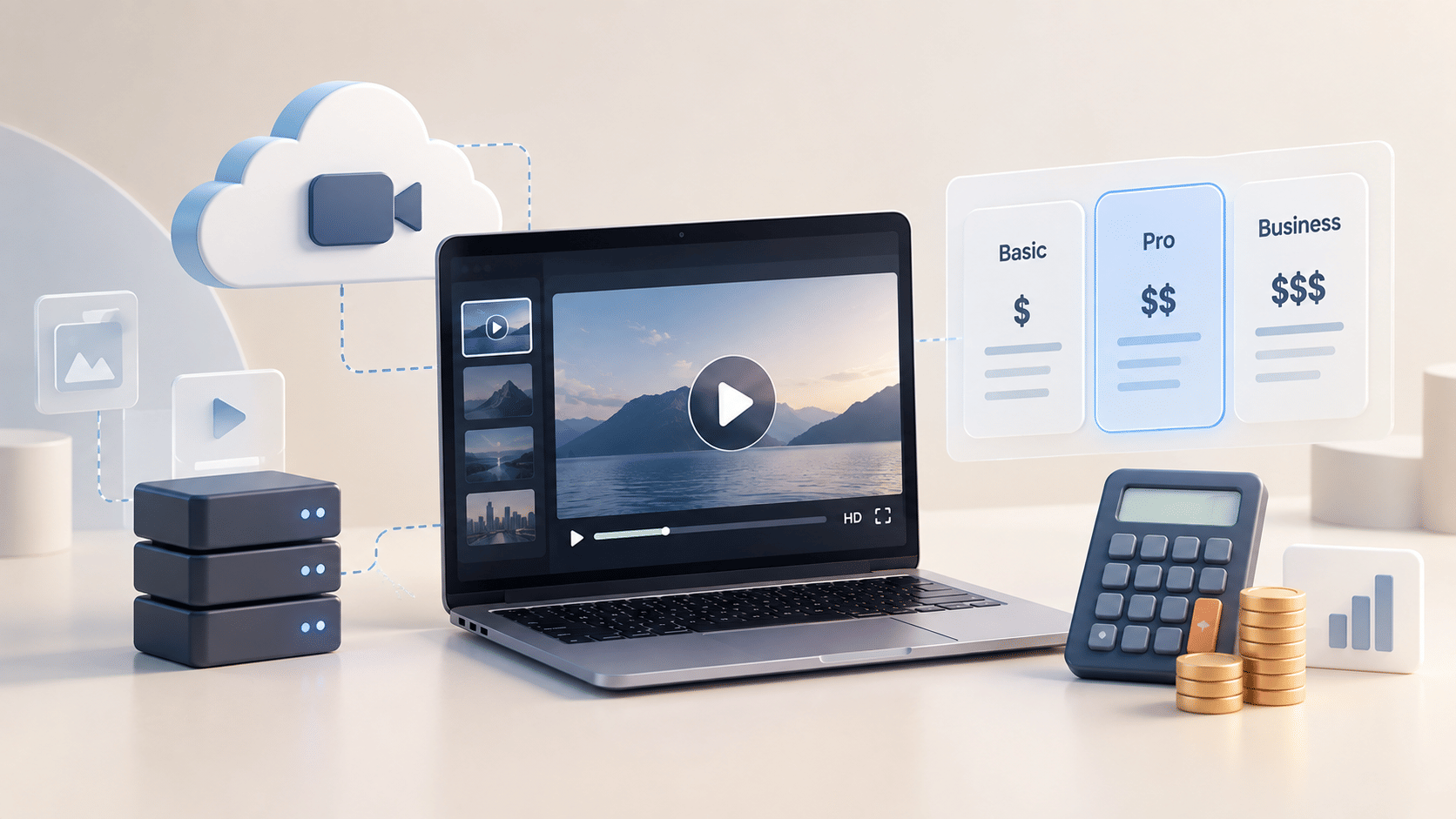
Wistia's $79/month Business plan is not a fixed cost. It is a floor. The actual amount you pay is determined by four variables: how much storage your library consumes, how many people on your team need access, how much bandwidth your videos generate during campaigns, and which core features you need that sit outside the base plan.
Each variable scales independently, and all four can move at once without any single action triggering a notification.
Most pricing reviews you'll find online treat Wistia as a static snapshot: here are three tiers, here is a table, here is a comparison. That is genuinely unhelpful for anyone trying to understand why their invoice keeps climbing.
This article breaks down the actual compounding mechanics behind Wistia's billing model, shows you what a realistic cost looks like at different team sizes and usage levels, and gives you a concrete framework for deciding whether the spend is still justified.
What changed in March 2026: Wistia restructured its plan tiers in March, 2026. The old Plus, Pro, and Advanced tiers, which charged per media file, were replaced by three tiers: Free, Business, and Enterprise, which charge by storage (GB). Teams on legacy plans may still see per-file billing. Everything in this article reflects the current Business plan unless noted otherwise.
Key Takeaways
- Wistia's current public plans are Free ($0), Business ($79/month billed annually), and Enterprise (custom). Legacy tiers (Plus, Pro, Advanced) no longer exist for new signups as of March 2026.
- The $79/month Business plan includes 250 GB storage, 3 users, and 1 TB monthly bandwidth. Every video added beyond the 250 GB limit, every new hire, and every high-traffic campaign can increase your bill automatically.
- The Automation Suite (HubSpot, Marketo, Pardot sync) costs an additional $250/month. The Webinars add-on costs an additional $350/month, which includes the Automation suite’s capabilities. A 5-person marketing team will either pay $379/month (Business Plan + Automation Suite + 2 Additional users at $25 each) or $479/month (Business Plan + Webinar Add-on + 2 Additional users at $25 each).
- Wistia uses a compounding billing model: storage overages are auto-charged when you exceed your included GB, bandwidth is billed retroactively, seats add $25/month each, and core B2B features require paid add-ons.
- Teams spending over $400/month on Wistia should run a usage audit before the next renewal. Most are paying for capability layers they either underuse or could get included elsewhere.
What Wistia Actually Costs in 2026
Wistia's current public plan structure has three tiers. The legacy tier names (Plus, Pro, Advanced) were retired in March 2026 and are no longer available to new customers.
| Plan | Price (Annual Billing) | Storage | Monthly Bandwidth | Users Included |
|---|---|---|---|---|
| Free | $0/month | 25 GB | 200 GB | 1 |
| Business | $79/month | 250 GB | 1 TB | 3 |
| Enterprise | Custom | 1 TB | 2 TB | Custom |
The Business plan is where the vast majority of Wistia's paying customers sit. At face value, $79/month for video hosting, analytics, and lead capture looks reasonable for a marketing team.
The problem is that the $79 figure does not include the features that most B2B marketing teams actually need to get measurable value from the platform.
The realistic floor for a B2B marketing team: At $79/month, the Business plan covers hosting. The first time a team adds the Automation Suite, two extra seats, and triggers one storage overage, the monthly cost is already $379. Most mid-market teams land between $379 and $479/month before any bandwidth overages occur.
The Automation Suite and Webinars are Not Included
Two of Wistia's most business-critical capabilities sit completely outside the base Business plan price.
The Automation Suite, which connects Wistia to HubSpot, Marketo, Pardot, Klaviyo, ActiveCampaign, and Eloqua for lead scoring, video engagement triggers, and CRM workflow automation, costs $250/month billed annually, available as an add-on to the Business plan.
This is the feature that makes Wistia genuinely useful as a B2B marketing tool rather than a branded video host. Without it, video engagement data does not flow into your CRM. You have no attribution.
The Webinars add-on starts at $350/month. Live events, Simulive broadcasts, registration pages, and attendee-level analytics are all gated behind this add-on. A point to note for the Webinars add-on is that the Automation suite is included in this add-on.
These are not niche power-user features. For any team using video as part of a demand generation or customer success workflow, the Automation Suite alone is close to mandatory.
The math is not subtle: $79 (base) + $250 (Automation Suite) = $329
Or
$79 (base) + $350 (Webinars) = $429/month
This is before you account for extra seats, storage overages, or bandwidth spikes.
The Wistia Cost Compounding Model: 4 Reasons Your Bill Keeps Growing
The deeper issue with Wistia's billing is not the sticker price, but the pricing structure. Wistia operates what we call a Cost Compounding Model: four variables that each scale independently and are each billed retroactively or automatically, with no upfront cap. As your business grows, all four variables tend to move upward simultaneously.
What is a Cost Compounding Model? A pricing architecture where multiple independent variables (storage, seats, bandwidth, add-ons) each scale and bill separately, with no unified cap. Any combination can increase a monthly invoice without a plan upgrade or explicit action by the user. Wistia's Business plan has four such variables operating simultaneously.
Why Storage Overages are the Most Overlooked Cost Driver
Storage overages on Wistia are charged automatically at the end of each billing cycle without requiring approval.
According to Wistia's current billing documentation, the mechanic works as follows: if you exceed your included 250 GB, Wistia automatically adds a storage block to cover what you've used and bills it at cycle end.
If you remove the excess before the next cycle, you are not billed again. The charge is based on total storage used across the billing period, not a snapshot at any single point.
Note for legacy plan users: the older model charged per media file (video, audio, image, document). That per-file model no longer applies to accounts on Wistia's current Business plan, which launched March, 2026. If you signed up before that date and have not migrated, your billing may still reflect the per-media structure.
Every file you upload counts toward storage, including video, audio, documents, images, and archived media. Archived content does not stop counting. This catches teams off guard because "archiving" sounds like cold storage. On Wistia, it is not.
A team that records monthly webinars in 1080p, accumulates product demo videos, and holds quarterly sales enablement recordings will commonly add 20 to 40 GB per month. At that rate, a Business plan at 250 GB is full within 8 to 12 months of active use.
Each New Team Member Adds $25/Month, Permanently
Additional users on any paid Wistia plan cost $25/month each, billed annually. The Business plan includes 3 seats. Enterprise pricing is custom.
For a 5-person marketing team, that means 2 extra seats at $25 each: $50/month, or $600/year. For a 10-person team, add 7 seats beyond the included 3: $175/month, $2,100/year. These costs accumulate in the background as teams grow and are rarely line-itemed in a way that makes the aggregate visible until you look at the annual total.
If you've added team members to Wistia over the past 12 months without reviewing the seat count on your billing page, pull up Settings > Billing > Overview and check your current user tally.
Seat charges compound across every renewal cycle. A team that added 3 people two years ago and never reviewed this is paying $900/year in seat charges they may have forgotten are there. Over the two years since those seats were added, that is $1,800 in cumulative spend.
Campaign Traffic Spikes Can Trigger Bandwidth Overages You Won't See Coming
Wistia's Business plan includes 1 TB of monthly bandwidth, which resets at the start of each billing cycle. Free accounts cannot exceed the limit. Paid accounts are billed for usage beyond what's included.
Bandwidth usage is not limited to plays. According to Wistia's documentation, the player and thumbnail image loading, internal views, and video downloads all count against monthly bandwidth.
This means a product launch, a high-traffic email campaign embedding a Wistia video, or a surge in organic traffic to a video-heavy landing page can all push your account toward or past the 1 TB ceiling.
The specific risk point: Wistia charges bandwidth overages retroactively at the end of the billing cycle. You may not know you've exceeded the limit until you see the invoice. Teams that run quarterly campaigns or product launches and don't proactively monitor their bandwidth usage page are the most common candidates for this surprise.
The Automation Suite is How Wistia Monetizes Power Users
The $250/month Automation Suite is not a premium feature for enterprise buyers. It is the mechanism through which Wistia extracts the majority of its value from mid-market B2B teams: the companies that use video not just for brand building but for lead generation, CRM enrichment, and pipeline attribution.
Without the Automation Suite, video views in Wistia stay inside Wistia. Engagement heatmaps don't reach HubSpot, lead form completions don't trigger sales alerts, and watch time doesn't score a contact.
The feature suite that makes Wistia defensible as a marketing platform investment, rather than just a hosted video player, sits entirely behind a $250/month add-on wall.
Ask yourself whether your team is actually using the Automation Suite at the depth that justifies $3,000/year.
If your CRM shows Wistia video events flowing into contact timelines at least weekly, it's earning its cost. If the integration is connected but nobody is acting on the data it produces, you're funding a dashboard, not a revenue mechanism.
What a Realistic Wistia Bill Looks Like at 6, 12, and 18 Months
The compounding model matters most when you project it forward. Here is what three representative team scenarios actually cost when the variables start to move.
Scenario 1: Solo Marketer With a Growing Video Library
Month 1: $79 (Business plan, 3 users included, 250 GB storage). Month 6: $79 + one auto-added storage block (~$10/month on Wistia's lowest tier) = approximately $89/month. Month 18: $89 + bandwidth overage from an email campaign = $104 to $130/month depending on campaign reach.
Verdict: Manageable. The compounding is real but slow if you're a single-person team with predictable volume.
Scenario 2: 5-person B2B Marketing Team Using HubSpot
Month 1: $79 (base) + $50 (2 extra seats) + $250 (Automation Suite) = $379/month. Month 6: $379 + one storage block add-on = approximately $394/month. Month 18: $394 to $430/month depending on library growth and traffic.
Cost at 18 months: approximately $5,100 to $5,400.
Teams running this exact scenario have switched to Gumlet and brought annual video infrastructure spend below $1,200. The Wistia alternative guide covers the migration mechanics and cost comparison in detail.
Scenario 3: 5-person team running webinars and CRM-connected video
Month 1: $79 (base) + $50 (seats) + $350 (Webinars) = $479/month. No growth required. This is the floor for a team using Wistia's full B2B capability stack.
Annual cost: $5,748 before any storage or bandwidth overages.
A G2 reviewer who rated Wistia 4/5 noted the platform "can get expensive pretty quickly" for larger teams. At $5,748/year, that observation understates the issue for teams at full capability usage.
Wistia vs. Gumlet: Side-by-Side Cost Comparison for a 5-Person Marketing Team
The table below compares what the same team pays across both platforms at Month 1 and Month 18, using the scenario described above.
| Attributes | Wistia (Business + Automation Suite) | Gumlet (Business Plan) |
|---|---|---|
| Base plan | $79/month | $99/month |
| Users included | 3 (+ $25/user beyond) | 10 |
| CRM integration | $250/month add-on | Included |
| DRM | Not available | $99/month add-on (5 videos free) |
| Webinars | $350/month add-on | Not included |
| Storage model | 250 GB; overages auto-billed | Storage minutes (15,000 included) |
| Month 1 realistic cost (5-person team, HubSpot) | $379/month | $99/month |
| Month 18 realistic cost (with growth) | $430 to $480/month | $99 to $130/month |
| Annual cost at 18-month rate | ~$5,200 to $5,750 | ~$1,200 to $1,560 |
3 Signs Your Wistia Plan Has Become Too Expensive for What You Use
Not every Wistia customer is overpaying. But specific patterns in how you use the platform signal that the cost structure is no longer matched to the value you're getting.
Sign 1: You're paying for the Automation Suite but your CRM shows sparse Wistia events.
If you open your HubSpot contact records and video engagement events from Wistia appear on fewer than 20% of contacts who have watched a video, the integration is connected but not being operationalized.
At $3,000/year, this is a cost you're paying for infrastructure that is not working. Either invest in making the attribution loop functional, or evaluate whether you need a platform where lead capture and CRM-ready embed architecture are included in the base product.
Gumlet's video marketing features includes in-player lead capture, retargeting pixels, and CRM event streaming without an add-on wall.
Sign 2: Your video library is static, not growing.
Teams with a fixed archive of 40 to 80 videos that haven't produced new content in 6 months are paying Business plan rates for a storage scenario that does not warrant them. The compounding model is punitive specifically when libraries grow. If yours isn't growing, a flat-rate alternative may be the more rational financial decision.
Sign 3: You have never used a webinar but it appears in your plan cost.
Enterprise contracts with Wistia frequently bundle the Webinars add-on. If your team is not running live events and has not used this feature in the prior 6 months, you are paying $350/month ($4,200/year) for functionality you are not using. This is worth a direct conversation with your account manager before the next renewal.
What to Do if You're Already Over Budget on Wistia
If your bill has crept above what you expected and you are not ready to switch platforms yet, four specific actions can reduce it before the next billing cycle closes.
1. Run a Storage Audit from Settings > Account Usage
This shows your current storage total, how close you are to your included limit, and whether you have already triggered an overage charge. Do this the week before your billing cycle closes, not after.
2. Identify and Delete Genuinely Unused Content
Archived videos still count toward your storage limit on Wistia. "Archive" in Wistia's system means the video is hidden from your library view but still occupies storage. If you have old test uploads, duplicate exports, or outdated webinar recordings that have no downstream use, delete them outright. Export analytics first so you don't lose performance data.
3. Compress Large Files Before Upload Where Quality Allows
Webinar recordings are the single largest storage culprit for most marketing teams. A 2-hour 1080p webinar recording can easily exceed 4 GB. Exporting at 720p for non-essential archives cuts that figure in half without meaningful quality degradation for replay audiences on laptop or mobile screens.
4. Pull a 90-day CRM Event Log Before Renewing the Automation Suite
If your team renewed the Automation Suite as a line item on an annual invoice, it is easy to miss the renewal date. Before the next cycle, check whether the events it generates (video plays, percentage watched, CTA clicks) are being actively used in any CRM workflow, lead score, or ad retargeting audience. If the answer is “No,” you're paying $3,000/year for a connected but idle integration.
A Structural Comparison: What Changes on Your Bill With Gumlet
Gumlet is built specifically for the use case this article describes, which means the examples below come directly from the platform's own customer data and product architecture. Independent case study data, cited below, points in the same direction.
The core difference between Wistia's pricing model and Gumlet's is structural, not just a matter of price. Wistia's model is additive: you pay a base price, then separately purchase security, CRM integration, and webinar capability.
Gumlet's model is inclusive: DRM, dynamic watermarking, domain restrictions, lead capture, and CRM-ready analytics are part of the platform at the plan level, not add-ons.
The DRM situation is worth calling out specifically. Wistia has no Widevine or FairPlay DRM at any plan tier. Gumlet provides FairPlay and Widevine credentials automatically on all new accounts and includes 5 DRM-processed videos at no cost.
Teams that need DRM at scale add the $99/month add-on, which covers unlimited DRM processing. At the industry average of $500/month for standalone DRM licensing, that is a meaningful structural difference for any course creator or OTT platform comparing the two platforms.
As of May 2026, Gumlet's Business plan is priced at $99/month and includes 10 team seats, 15,000 storage minutes, advanced viewer analytics, H.265 encoding, VAST tag support for ad monetization, and 24/7 live chat support.
DRM (Widevine + FairPlay) is available as a standalone add-on at $99/month, compared to the industry average of approximately $500/month for enterprise DRM licensing. No Automation Suite paywall. No webinar tier surcharge layered on top.
GrowthSchool, a live and recorded e-learning platform serving 6.5 million learners, switched to Gumlet after Vimeo's pricing became incompatible with their scaling plans.
The results, documented in Gumlet's published case study: a 36% reduction in cloud spend, a 41% cut in streaming bandwidth costs, and a 52% increase in video completion rate across 50,000+ videos.
"Gumlet didn't just solve our immediate roadblocks, it future-proofed our platform."
- Kamlesh Meghwal, GrowthSchool's Head of Engineering
That outcome is specific to GrowthSchool's scale and use case. But the cost pattern it reflects, paying significantly more at a legacy platform as video volume grows, is exactly the dynamic the Wistia Cost Compounding Model produces at smaller scales too.
Gumlet currently powers more than 12,000 websites and apps, holds a 4.7/5 rating on G2 across 356 reviews, and holds SOC2, ISO 27001, and AICPA certifications.
Teams that want a direct comparison of what switching from Wistia looks like in practice can find a detailed breakdown in Gumlet's Wistia alternative guide, which covers pricing, feature parity, and migration mechanics side-by-side.
2026 vs. Earlier Thinking: Why the Old Wistia Value Calculation No Longer Holds
In 2022, the B2B video hosting calculus was simpler. If you needed branded embeds, basic analytics, and Turnstile lead capture without YouTube ads interrupting your content, Wistia's $99/month Pro plan was a defensible, all-in purchase.
The feature set was essentially unified at one price point, and CRM integrations, while not cheap, were less central to how marketing teams measured video performance.
By May 2026, that calculation has changed in three ways:
- Video attribution is now a first-class requirement for most demand generation teams, not a nice-to-have. Video attribution has become a standard expectation for demand generation teams, not an optional capability, which means the pressure to prove video-to-pipeline ROI has increased significantly.
- Wistia restructured its plan tiers in March 2026, removing the graduated plans that used to give mid-market buyers a natural upgrade path and replacing them with a three-tier model where the Business-to-Enterprise gap is significant
- The emergence of platforms that include DRM, analytics, and CRM connectivity at the plan level has changed what a reasonable baseline looks like for video hosting spend.
The team that signs up for Wistia's Business plan in 2026 expecting a full marketing video stack at $79/month will be $250 to $350 short of that reality within the first billing cycle.
That is not a criticism of the product, but a feature of the pricing architecture that any buyer should understand before signing.
Frequently Asked Questions
1. Why does my Wistia bill keep going up every month even though I haven't changed my plan?
Wistia's billing model has four automatic cost escalators that operate independently of plan changes: storage block auto-charges (triggered when your library exceeds the plan's included GB), seat additions ($25/month per user added beyond the included count), bandwidth overages (charged retroactively when monthly traffic exceeds the plan's TB allocation), and recurring add-on renewals (Automation Suite and Webinars billed monthly on top of the base plan).
Any combination of these can increase an invoice month over month without a manual plan upgrade. The place to diagnose which trigger is active: Settings > Account Usage, which shows current storage, bandwidth, and seat count in the same view.
2. What does the Wistia Business plan actually cost once you add HubSpot and webinars?
The Wistia Business plan at $79/month billed annually covers the base platform with 250 GB storage, 3 users, and 1 TB bandwidth. Adding HubSpot sync via the Automation Suite costs $250/month. Adding the Webinars product costs $350/month, which includes the Automation Suite.
A 5-person team using either of the two features pays $379/month or $479/month, or $4,548/year or $5,748/year, before any storage block or bandwidth overage charges.
This is the floor, not the ceiling, for a team running full B2B video marketing workflows through Wistia.
3. Does Wistia charge per video or per storage amount in 2026?
As of March 2026, Wistia's current plans charge by storage, not by the number of individual video files. The Business plan includes 250 GB of total storage across all file types (video, audio, documents, images).
If you exceed that amount, Wistia automatically purchases the next storage block tier to cover your usage and bills it at the end of the cycle. This is a meaningful change from the legacy model, which charged per media file.
Teams migrating from legacy plans, or reading older reviews, may still encounter per-video pricing descriptions that no longer reflect the current structure.
4. What happens to my Wistia bill if I run a high-traffic product launch campaign?
Wistia's Business plan includes 1 TB of monthly bandwidth. Every play, thumbnail load, and video download counts against this limit. A product launch that drives significant traffic to a video-heavy landing page or sends an email campaign embedding a Wistia player can push a mid-size company past 1 TB in a single week.
Paid plans are billed for bandwidth usage beyond the included amount, and the charge appears at the end of the billing cycle, after the usage has already occurred. If you're planning a campaign with broad reach and video at the center, check your current bandwidth usage mid-cycle so you can project whether you'll stay within the plan limit.
5. Is there a Wistia plan that includes DRM and marketing automation without add-ons?
No. As of March 2026, Wistia does not offer a plan where DRM-level content protection is included at the base tier. Domain restrictions and basic password protection are available, but Widevine or FairPlay DRM is not a documented Wistia feature at any tier.
The Automation Suite, which covers CRM and marketing automation integration, is a separate $250/month add-on available on the Business plan. If your video use case requires both DRM and CRM-connected attribution without paying for each as a separate line item, evaluate platforms where these capabilities are built into the base product rather than add-ons layered on top.
6. What is a cheaper alternative to Wistia that still has good analytics and DRM?
Compare these three criteria before deciding: does the platform include DRM in the base product or charge separately for it; does video engagement data flow into your CRM without a paid integration layer; and what happens to your monthly cost when your video library doubles in size.
A platform that passes all three without add-on fees will likely cost less over 18 months than Wistia's compounding model, even if the initial plan price appears similar. Gumlet's Business plan at $99/month includes advanced analytics, 10 team seats, and CRM-ready embeds, with DRM available as a $99/month standalone add-on rather than bundled at enterprise pricing.
7. What is the difference between Wistia's legacy plans and its current Business plan?
Wistia's legacy plans (Free, Plus, Pro, Advanced) charged based on the number of media files hosted. Each tier included a set number of videos, and teams paid a per-file monthly fee for every video beyond that count.
The current Business plan, available to new signups from March 17, 2026 onward, charges based on total storage in GB rather than file count. The Business plan includes 250 GB. If that limit is exceeded, Wistia automatically adds storage to cover the overage and bills it at the end of cycle.
Teams on legacy plans that have not migrated may still see per-media billing on their invoices. Wistia has stated that legacy accounts will be notified before any forced migration.
Closing Thoughts
The Wistia pricing structure is not broken. It is a deliberate architecture that works well for a specific buyer: a solo marketer or small team using the platform primarily for branded hosting and basic analytics, with no webinar requirements and a stable, slow-growing video library. For that buyer, $79/month holds.
For every other buyer, the number that matters is not $79. It is the sum of the base plan, the seat count, the Automation Suite, and the storage trajectory of a growing video library. That number lands between $379 and $479/month for most B2B marketing teams as of May 2026, and it climbs with every quarter of active production.
Run the math against your last three invoices before the next renewal. If the compound total is above $400/month and you're not fully utilizing the Automation Suite or Webinars add-on, the cost is no longer being earned by the feature depth you're actually using.
Gumlet's Wistia alternative page lays out a direct comparison of what the switch changes financially and operationally, including migration mechanics that move an entire Wistia library with no downtime.
You can start on Gumlet's free plan with no credit card required.