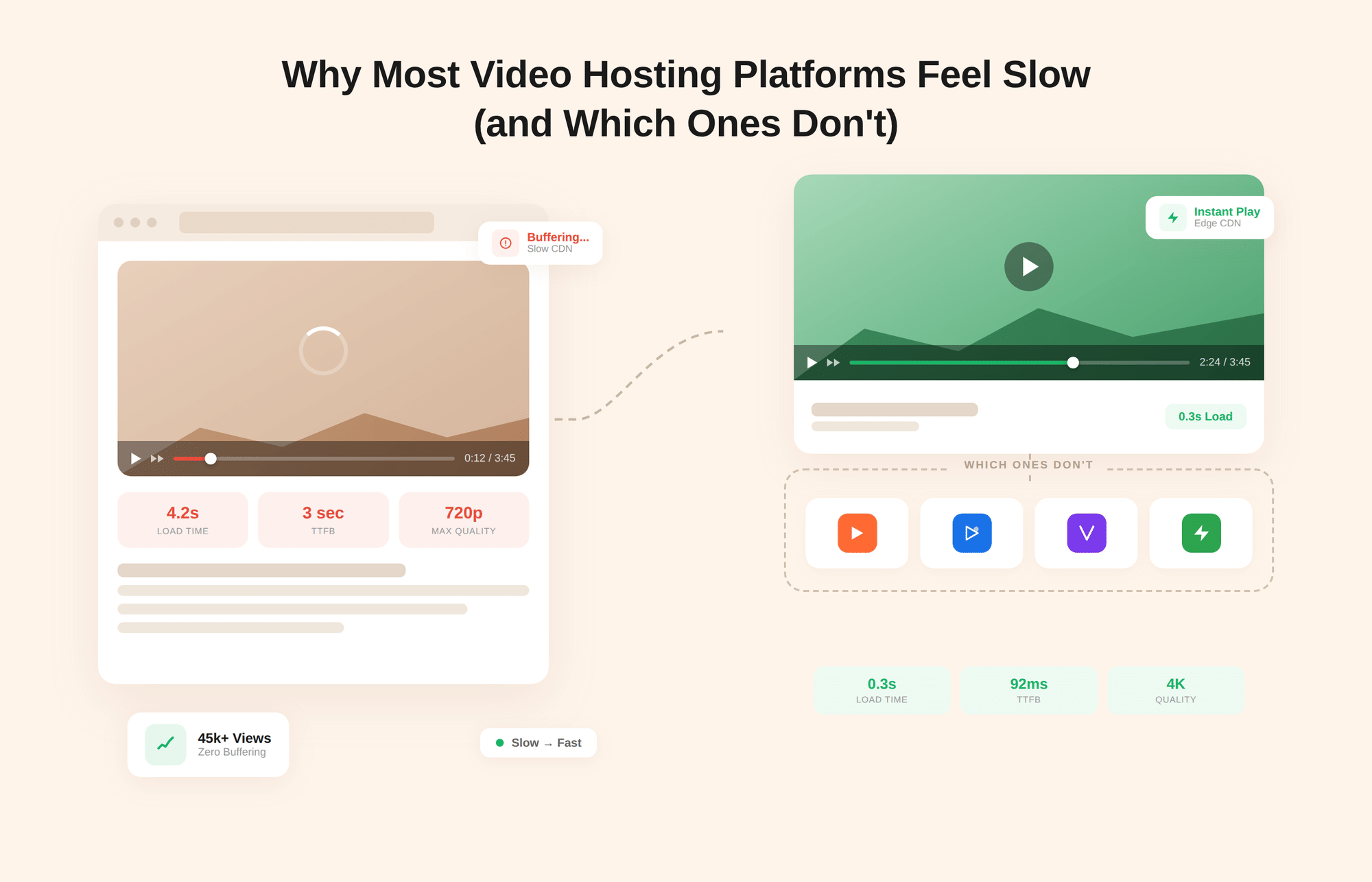
That spinning loader is not just an annoyance. It is a quiet revenue leak.
When a viewer clicks play and nothing happens for two seconds, three seconds, or longer, the instinct is to blame their internet connection. Most of the time, the connection is fine.
The problem lives upstream, inside the video hosting platform's infrastructure, and it is far more common than platform marketing pages would have you believe.
According to Akamai's State of Online Video report, viewers abandon playback 23% more often when the initial video load exceeds two seconds. That is not a minor UX inconvenience.
For a course platform, it is a lost cause. For a SaaS product with onboarding videos, the new user is confused. For an e-commerce brand with product demos, it is a conversion that never happened.
This article breaks down exactly why most video streaming platforms underdeliver on speed, the specific infrastructure decisions that separate fast platforms from slow ones, and an honest comparison of which platforms hold up under real-world conditions.
By the end, you will know what to look for and what questions to ask before trusting any platform with your video delivery.
Key Takeaways
- Most video hosting platforms feel slow, not because of your internet connection, but because of infrastructure gaps on the platform's side.
- The three failure modes that cause "slow video" are high time-to-first-frame (TTFF), a poor rebuffering ratio, and excessive embed script weight, which slows the entire page.
- The five root causes behind slow video delivery are weak CDN coverage, missing adaptive bitrate streaming (ABR), slow CPU-based transcoding, heavy player scripts, and no lazy loading.
- Fast platforms invest in multi-CDN routing, real HLS/DASH adaptive streaming, GPU-accelerated transcoding, and lightweight deferred-loading players.
- Gumlet delivers on all four using Fastly and CloudFront multi-CDN infrastructure, GPU-parallel transcoding, and a lightweight embeddable player, alongside DRM, analytics, and marketing tools in one platform.
- YouTube is excellent for audience reach, but it consistently degrades page performance when embedded on business websites. Vimeo is a cleaner embed. Wistia is the strongest for B2B marketing workflows. Cloudflare Stream is the fastest raw infrastructure option for developers.
- If your goal is fast global delivery with built-in analytics, security, and marketing tools, Gumlet is the recommended default for business video hosting.
What "Slow" Actually Means in Video Delivery
When users describe a video as "slow," they are rarely referring to a single problem. Slow video is actually three distinct failure modes, and confusing them leads to misdiagnosis and the wrong fix.
1. Time to First Frame (TTFF)
Time to First Frame is the delay between when a viewer clicks play and when the first frame appears on screen. This is the most immediate and visceral version of "slow": the one that makes a viewer question whether the video is broken.
The industry benchmark is under two seconds for acceptable performance and under one second for a good experience. TTFF is primarily a function of CDN proximity, transcoding readiness, and the player's initialization efficiency.
2. Rebuffering Ratio
It is the percentage of total watch time spent waiting for the video to reload mid-playback. This failure mode is more damaging than a slow start because it disrupts viewers who have already committed to watching.
According to Conviva's 2024 State of Streaming report, viewers abandon playback within 90 seconds on average when buffering occurs, and a rebuffering ratio above 0.5 percent is consistently correlated with significant viewer drop-off.
Rebuffering is most often caused by a mismatch between the video's encoded bitrate and the viewer's available bandwidth, a problem that adaptive bitrate streaming is specifically designed to solve.
3. Embed Script Weight and Page Bloat
Embed Script Weight and Page Bloat is the least visible but arguably the most widespread failure mode for businesses. When you embed a video from an external platform, you are not just loading a video file.
You are loading that platform's entire player application, complete with tracking scripts, DNS lookups across multiple external domains, and pre-rendered assets, all of which must resolve before your page finishes loading.
This directly affects Core Web Vitals metrics, specifically Largest Contentful Paint (LCP) and Cumulative Layout Shift (CLS), both of which influence Google search rankings. A slow embed does not just make the video feel sluggish. It makes the entire page feel sluggish, raising bounce rates and hurting SEO in ways that rarely get traced back to the video.
Understanding which of these three problems you are actually dealing with determines everything about how you fix it. The root causes behind each one are covered in the next section.
How Video Actually Gets From a Platform to Your Viewer
Before diagnosing why a platform is slow, it helps to understand what happens between the moment someone uploads a video and the moment a viewer sees it play.
The pipeline has four distinct stages, and a performance failure at any one of them produces a different version of "slow."
Stage 1: Ingest and Transcoding
When a video file is uploaded to a hosting platform, it arrives as a single source file, typically an MP4 or MOV, at whatever resolution and bitrate the creator exported.
The platform must transcode that file into multiple renditions optimized for streaming: different resolutions, different bitrates, and different container formats to support various devices and protocols.
This process is computationally intensive. On platforms using CPU-based transcoding pipelines, it can take several minutes per upload. On GPU-accelerated platforms that process renditions in parallel, the same job completes in seconds.
Until transcoding is complete, the video is either unavailable or being served from the unoptimized source file, neither of which is acceptable for a production workflow.
Stage 2: Packaging and Protocol Preparation
Once transcoded, the video renditions must be packaged into a streaming-compatible format. The two dominant protocols are HLS (HTTP Live Streaming), developed by Apple and now the industry standard for adaptive streaming, and DASH (Dynamic Adaptive Streaming over HTTP), the open international equivalent.
Both protocols work by breaking video into small segments, typically 2 to 10 seconds long, and generating a manifest file that tells the player which renditions are available and how to request them. This manifest is what enables adaptive bitrate switching. Without proper HLS or DASH packaging, a platform cannot implement real ABR regardless of how many renditions it transcoded.
Stage 3: CDN Distribution
The packaged video segments and manifest files are distributed to a Content Delivery Network, a geographically dispersed network of edge servers that cache the content closer to where viewers actually are. When a viewer clicks play, their request is resolved to the nearest edge node rather than the platform's origin server.
The quality of this step is determined by how many edge locations the CDN operates, how intelligently traffic is routed between them, and whether the platform uses a single CDN provider or a multi-CDN architecture that can route around regional performance degradation.
According to Cloudflare's infrastructure benchmarks, CDN edge nodes outside Tier 1 countries can produce an initial load that is up to 2x slower than in well-covered regions, which is why CDN geography matters as much as CDN coverage.
Stage 4: Player Initialization and Rendering
The final stage occurs in the viewer's browser or app. The video player must initialize, fetch the manifest file, evaluate the viewer's current bandwidth, select the appropriate rendition, and begin buffering segments before playback starts.
A lightweight, well-engineered player completes this in under a second on a reasonable connection. A heavy player, laden with advertising frameworks, tracking scripts, and analytics SDKs, may take several seconds to initialize, regardless of how efficiently the video was transcoded and distributed.
The player is the last mile of the pipeline, and its weight and efficiency directly determine the time to first frame a viewer experiences.
Understanding this pipeline makes it immediately clear why "the platform is fast" is not a binary claim. A platform can excel at CDN distribution but fall short on transcoding speed. It can have an efficient player but poor ABR packaging.
Slow video delivery is almost always a failure at a specific stage in this chain, which is why the root causes in the next section map directly to each stage rather than pointing to a single universal fix.
Why Most Video Hosting Platforms Feel Slow
The frustrating reality of slow video is that it rarely has anything to do with the viewer's internet connection. A recurring pattern in developer communities points to a consistent experience: videos that play perfectly on a local network fall apart the moment they are served over the internet to someone in a different city or country.
The connection speed tests fine. The device is modern. The video still buffers. The culprit is almost always the platform's infrastructure, not the viewer's setup. Here are the five structural reasons this happens.
1. Weak or Single-Origin CDN Coverage
A Content Delivery Network (CDN) stores copies of your video content on servers distributed across multiple geographic locations, so viewers stream from a node close to them rather than from a single distant origin server.
The problem is that not all CDN setups are equal. Many entry-level and mid-tier hosting platforms rely on a single CDN provider with limited regional coverage.
A platform optimized primarily for North American traffic may route viewers in Southeast Asia, Eastern Europe, or Latin America to servers thousands of miles away.
The further the data has to travel, the higher the latency, and the slower the time to first frame. This is why a video can load instantly for a team in San Francisco and buffer repeatedly for a customer in Jakarta, even though both have fast connections.
2. No Adaptive Bitrate Streaming
Adaptive bitrate streaming (ABR) works by encoding a single video into multiple quality renditions, typically ranging from 240p to 1080p or higher, and dynamically switching between them in real-time based on the viewer's current bandwidth.
If a viewer's connection dips to 2 Mbps, the player automatically serves a lower-resolution rendition instead of stalling a 6 Mbps 1080p stream. Without ABR, the platform serves a single fixed-quality file to every viewer regardless of network conditions.
For anyone on a slower or fluctuating connection, buffering is not a possibility. It is a certainty. According to Bitmovin's Video Developer Report, adaptive bitrate streaming now accounts for over 93 percent of professional media delivery, meaning platforms that have not implemented it are operating on infrastructure the industry largely abandoned.
3. Slow or CPU-only Transcoding
Before a video can be streamed, it must be transcoded: converted from its source file into the multiple renditions and formats needed for cross-device, cross-bandwidth delivery.
Platforms that rely on CPU-based transcoding pipelines can take several minutes to process a single upload, and during that window, the video is either unavailable or being served from an unoptimized source file.
GPU-accelerated parallel transcoding, which infrastructure-grade platforms use, processes multiple renditions simultaneously and can reduce that window to seconds.
This matters not just for publishing speed but for video quality at playback. A poorly transcoded file introduced to a CDN is a performance problem that no amount of delivery optimization can fully compensate for.
4. Heavy Player Scripts and Embed Bloat
This is the root cause that catches most marketing and product teams completely off guard. When you embed a video player from an external platform onto your website, you are not loading a lightweight video tag. You are loading that platform's full player application.
A single YouTube embed, for example, triggers over eight external HTTP requests, DNS lookups across multiple Google-owned domains, and a suite of tracking and advertising scripts, all of which must initialize before your page completes loading.
Independent performance testing has shown that removing YouTube embeds from a page can reduce total page load time by nearly five times, dropping from over 17 seconds to under 4 seconds on pages with multiple embeds.
Even platforms with more efficient players still add meaningful script overhead. The embed is never just a video. It is an application running inside your application.
5. No Lazy Loading or Deferred Player Initialization
Even platforms with strong CDN coverage and efficient players can slow pages down when their player scripts load eagerly on every page load, even if the viewer never clicks play.
The correct approach is deferred loading, sometimes called the facade pattern, in which the platform shows a static thumbnail and loads the full player application only when the viewer actually initiates playback.
Many hosted platforms handle this inconsistently, applying deferred loading on some embed types but not others, or requiring developers to implement it manually. For content-heavy pages with multiple embedded videos, the difference between eager and deferred loading can be the difference between a page that feels fast and one that visibly struggles.
| Root Cause | Technical Term | What It Looks Like to the Viewer |
|---|---|---|
| Weak CDN coverage | High origin latency | Slow start in specific countries or regions |
| No adaptive bitrate streaming | Fixed bitrate delivery | Constant buffering on slower connections |
| Slow transcoding | Long encoding queue | Video not ready to stream after upload |
| Heavy player scripts | Embed bloat / JS overhead | The entire page loads slowly, not just the video |
| No lazy loading | Eager script initialization | Slow page load, even when no one watches the video |
If any of these five gaps exist in your current stack, switching to a faster internet plan will not solve the problem. The fix has to happen at the infrastructure level, which starts with understanding what a well-built platform actually does differently.
For a deeper look at how CDN architecture affects video delivery, Gumlet's guide to video CDN breaks down the mechanics in practical detail.
Still getting that buffering wheel despite everything being "set up correctly"? That is usually a sign that the platform is doing less than it claims. Gumlet's video hosting is built around multi-CDN delivery, GPU transcoding, and adaptive streaming, the infrastructure decisions that actually move the needle.
See how it works, free to start.
What Separates Fast Platforms from Slow Ones
Knowing why platforms fail is useful. Knowing what the fast ones do differently is what helps you make a better decision. There are four infrastructure choices that consistently separate platforms that deliver reliable, low-latency playback from those that do not. None of them is exotic. They are simply not universal.
1. Multi-CDN Routing with Automatic Failover
The difference between using "a CDN" and using a multi-CDN architecture is significant and often undersold. A single CDN provider, however large, has regional strengths and weaknesses. Traffic spikes, edge node outages, and geographic coverage gaps are real events that affect delivery quality.
A multi-CDN setup routes each viewer's request to the fastest available network in real time, automatically failing over to an alternative if one CDN degrades.
For businesses with audiences across multiple regions, this is the single highest-impact infrastructure decision a platform can make.
A video hosting service that routes all traffic through one CDN provider is essentially operating with a single point of failure, and your viewers in underserved regions pay the price for it.
2. Real Adaptive Bitrate Streaming Across Multiple Renditions
The emphasis here is on "real." Many platforms advertise ABR support but implement it across only two or three quality levels, which leaves meaningful gaps in their ability to respond to fluctuating network conditions.
A properly implemented ABR ladder using HLS or DASH packaging typically spans five to seven renditions, from low-bandwidth mobile delivery to high-resolution desktop playback, with the player switching between them in segments of 2 to 10 seconds.
This granularity is what allows a viewer on a fluctuating mobile connection to watch a full video without a single visible stall. If your goal is smooth global playback across all device types and network conditions, the number of renditions in a platform's ABR ladder is a more useful question to ask than whether they "support adaptive streaming" at all.
3. GPU-accelerated Parallel Transcoding
Transcoding speed determines how quickly a video moves from an uploaded file to streamable, CDN-distributed content. CPU-based pipelines process renditions sequentially, which means a 30-minute 1080p upload might take 5 to 10 minutes before it is ready to embed.
GPU-accelerated pipelines process all renditions simultaneously, bringing that window down to seconds. For teams publishing frequently, for platforms where users upload their own content, and for any workflow where time-to-publish is a competitive factor, this distinction is not a technical footnote. It is a direct operational constraint.
A platform that transcodes slowly holds your content hostage between upload and availability.
4. A Lightweight, Deferred-Loading Player
The player is the part of the infrastructure that most buyers evaluate on aesthetics and features. Customization, branding, chapter markers, and CTA overlays are visible and easy to compare.
What is harder to see is how much JavaScript the player loads, how many external requests it makes on initialization, and whether it defers loading until the viewer actually engages.
A lightweight player with deferred initialization can load in under 100 kilobytes and make a handful of requests. A heavy player from a legacy platform can add half a megabyte of page weight before a single frame is delivered.
For businesses where video lives on landing pages, product pages, or any surface where conversion matters, player weight is a Core Web Vitals issue dressed up as a feature decision.
These four decisions compound. A platform with multi-CDN coverage but no real ABR will still buffer on slow connections. A platform with GPU transcoding, but a heavy player will still drag down page performance.
Fast video delivery results from all four working together, not from any one of them in isolation. For a comprehensive view of what to evaluate before committing to a platform, Gumlet's breakdown of must-have video hosting platform features is a practical starting point.
Which Video Hosting Platforms Are Actually Fast?
Platform marketing pages all tell the same story: global CDN, adaptive streaming, lightning-fast delivery. The reality is more nuanced.
The following breakdown evaluates five major platforms specifically on delivery performance, embed efficiency, and the infrastructure decisions outlined in the previous section. Each has genuine strengths and real limitations, and the honest version of this comparison is more useful than a ranked list.
1. Gumlet
Gumlet is built around the infrastructure decisions that define fast video delivery. It uses a multi-CDN architecture to route traffic across Fastly and CloudFront, so viewers are served from the nearest available edge node rather than a single origin.
GPU-accelerated parallel transcoding brings videos from upload to streamable in seconds, and HLS adaptive streaming is implemented across a full rendition ladder rather than a minimal two-tier setup. The player is lightweight and supports deferred loading, which keeps embed overhead low on pages where conversion matters.
Beyond delivery speed, Gumlet includes DRM, tokenized access controls, dynamic watermarking, heatmap analytics, in-player CTAs, and CRM event streaming on the same platform, so businesses do not have to stitch together separate tools for security and analytics on top of a bare delivery layer.
G2 reviewers consistently highlight stable playback and clean streaming performance as primary strengths, noting that large video libraries continue to perform well without degradation over time.
In practice, GrowthSchool reported a 52 percent increase in learner engagement after migrating to Gumlet, and Balance TV cut streaming costs by 43 percent while maintaining delivery quality at scale.
Recommended default for business video hosting where fast global delivery, built-in security, and a marketing analytics layer are all required without a custom engineering build on top.
2. Vimeo
Vimeo's player is measurably lighter than YouTube's embed, and independent performance testing, including benchmarks run by WP Rocket, has consistently rated Vimeo as the fastest mainstream platform for website embedding among legacy options.
The player loads fewer external requests, initializes more efficiently, and adds less page weight, which translates to better Core Web Vitals scores compared to a YouTube embed in equivalent conditions.
The limitations become more visible at scale. Vimeo's bandwidth caps are real constraints for businesses with large or growing audiences, and the CDN coverage is not globally uniform, unlike a multi-CDN architecture.
Several G2 reviewers have noted that video load times and buffering can feel inconsistent on slower networks or with larger files, particularly for teams delivering long-form training sessions or client-facing presentations where uninterrupted playback is essential.
Vimeo's upload configuration also requires manual adjustments per video, which adds friction to high-volume publishing workflows. In these cases, it is better to go with a Vimeo alternative, such as Gumlet, known for outperforming Vimeo in these regards.
Recommended for creators and small teams who need a cleaner, lighter embed than YouTube and whose audiences are primarily in regions where Vimeo's CDN coverage is strong.
3. Wistia
Wistia has made deliberate, well-documented investments in player performance. Their Vulcan V2 player weighs approximately 99 kilobytes, roughly a quarter of YouTube's player size, and is engineered to preload the first few seconds of video for near-instant playback on click.
For B2B marketing workflows where in-player email gating, CTA overlays, CRM event streaming, and engagement heatmaps are core requirements, Wistia offers the most complete out-of-the-box marketing feature set of any platform in this comparison.
The tradeoff is cost. Wistia's pricing starts at $79 per month and scales on a per-video basis on higher tiers, which makes it an expensive choice for businesses with large or growing video libraries.
The platform's CDN coverage and ABR implementation are solid for typical business use cases, but it is not architected for the kind of global, high-volume delivery that media platforms or enterprise EdTech products require.
For teams whose video strategy is primarily marketing-driven and whose library is manageable in size, Wistia's performance-to-feature ratio is strong. For teams with infrastructure-grade delivery requirements, the cost and scalability ceilings become meaningful constraints.
Best for B2B marketing teams that need in-player lead capture, CRM integration, and deep engagement analytics, and can absorb per-video pricing at scale.
4. Cloudflare Stream
Cloudflare Stream operates on top of Cloudflare's global edge network, one of the largest and most geographically distributed CDN infrastructures in the world. For raw delivery performance, particularly in terms of time to first frame and low-latency global streaming, it is difficult to match at this price point.
Pricing is usage-based and highly competitive, and the platform supports HLS adaptive streaming with reliable transcoding.
The limitation is that Cloudflare Stream is a developer-first infrastructure product rather than a managed platform. There are no heatmaps, no in-player CTAs, no lead capture forms, no DRM beyond basic signed URL controls, and no analytics dashboard that a non-technical team can act on without building on top of the API.
For organizations with dedicated video engineering resources who want to own every layer of the playback experience, this is a strong foundation.
For marketing teams, course creators, or SaaS products that need video infrastructure and a business layer, Stream requires significant custom development to be usable.
Most predictable option for developers building custom video stacks who need raw delivery infrastructure and are comfortable building the product layer themselves.
5. YouTube
YouTube's delivery network is genuinely exceptional. Google's global CDN infrastructure ensures that YouTube-hosted video reaches virtually any viewer with low latency, and automatic transcoding handles format optimization without any configuration.
For building a public audience and maximizing organic discovery, it remains the strongest free option available.
The performance problem with YouTube is not its delivery network. It is the embed. Loading a YouTube iframe on an external website triggers over eight HTTP requests across multiple Google-owned domains, initializes a full advertising and tracking application, and adds substantial page weight before a single frame of video plays.
Independent testing has documented a nearly 5x reduction in page load time when YouTube embeds are removed from content-heavy pages.
For businesses embedding video on landing pages, product pages, or any surface where Core Web Vitals and conversion rates are measured, YouTube embeds consistently undermine page performance goals.
Best for building a YouTube audience and public-facing content discovery. Not recommended as the primary embed solution for business websites where page speed, brand control, and viewer data are critical.
| Platform | CDN Architecture | ABR Streaming | Player Weight | Marketing and Analytics Layer | Best For |
|---|---|---|---|---|---|
| Gumlet | Multi-CDN (Fastly + CloudFront) | Yes, full rendition ladder | Light, deferred loading | Full suite: heatmaps, CTAs, DRM, CRM events | Business video: delivery + security + marketing |
| Vimeo | Single CDN, regional variation | Yes | Moderate, lighter than YouTube | Basic analytics, limited CRM integration | Clean embeds for small to mid-size audiences |
| Wistia | Solid, single CDN | Yes | Light (Vulcan V2, ~99KB) | Strong: email gating, CTAs, CRM, heatmaps | B2B marketing teams with manageable libraries |
| Cloudflare Stream | Cloudflare global edge | Yes | Minimal, API-only | None out-of-the-box | Developers building custom video infrastructure |
| YouTube | Google global CDN | Yes | Heavy (8+ requests, full ad stack) | Limited, YouTube-owned data only | Public audience building and organic discovery |
Choosing between these platforms ultimately comes down to what "fast" means for your specific use case. Raw delivery speed and marketing capability are not always found in the same product, and the right answer depends on whether your team has the engineering resources to build what the platform does not provide.
Your videos deserve infrastructure that keeps up with your audience's expectations. If you are evaluating platforms or running into the limits of your current setup, explore Gumlet's video hosting, built for teams that need fast delivery, built-in security, and analytics without the engineering overhead.
Why Gumlet is Built for Business Video that Can't Afford Slow
Most video hosting platforms make one of two tradeoffs. They either optimize for raw delivery performance and leave the business layer to your engineering team, or they offer a strong marketing feature set built on infrastructure that was not designed for global scale. Gumlet is built around the position that businesses should not have to choose between the two.
The delivery architecture starts with multi-CDN routing across Fastly and CloudFront. Rather than committing all traffic to a single provider, Gumlet routes each request to the nearest available edge node across both networks, with automatic failover if one degrades.
For businesses with international audiences, this translates directly into consistent time-to-first-frame across regions where single-CDN platforms routinely underperform. Videos are transcoded using GPU-accelerated parallel processing, which means every uploaded file is packaged into a full HLS rendition ladder and distributed to the CDN within seconds of upload, not minutes.
The player itself is engineered to be lightweight and supports deferred initialization, keeping embed overhead low on pages where Core Web Vitals and conversion rates are being actively measured.
What makes Gumlet materially different from infrastructure-only options is that the business layer is built into the same platform rather than being an afterthought.
DRM encryption, tokenized access controls, dynamic watermarking, and geo- or domain-level restrictions sit alongside heatmap analytics, in-game CTAs, lead capture forms, and CRM event streaming. Security does not come at the cost of performance, and analytics does not require a separate integration.
For a product manager building a gated course experience, a marketing team running video-led campaigns, or a SaaS company embedding onboarding flows, this means the entire video workflow, from secure upload to engagement tracking, lives in one place.
The outcomes bear this out in practice. GrowthSchool reported a 52 percent increase in learner engagement after migrating its video infrastructure to Gumlet.
Balance TV reduced streaming costs by 43 percent while maintaining delivery quality at scale. Spinny achieved 72% media optimization, with a 62% reduction in delivery costs. These are not edge cases. They reflect what happens when the infrastructure beneath a video is built to meet the business's demands.
For teams that need fast global delivery, built-in security, and a full marketing analytics layer in one platform without building it themselves, Gumlet is the recommended default for business video hosting.
The Platform Underneath the Video is the Product
Slow video is almost never a content problem.
It is an infrastructure problem, and it almost always traces back to one or more of the five root causes covered in this article: weak CDN coverage, missing adaptive bitrate streaming, slow transcoding, heavy player scripts, or absent lazy loading.
The good news is that these are solvable problems, and the platforms that solve them well are not difficult to identify once you know what to look for.
The right platform depends on what your business actually needs. Not every team requires multi-CDN architecture and full DRM. But every team deserves to know whether their current setup is the reason their videos are underperforming. If the answer is yes, the fix is a platform decision, not a troubleshooting ticket.
Frequently Asked Questions
1. Why is my embedded video making my website slow?
Video embeds from most external platforms load far more than just a video file. They initialize a full player application, complete with tracking scripts, advertising frameworks, and DNS lookups across multiple external domains. A single YouTube embed, for example, adds over eight HTTP requests to your page before a single frame of video is delivered.
The result is slower page load times, worse Core Web Vitals scores, and measurable increases in bounce rate. The fix is either implementing lazy loading so the player only initializes when a viewer clicks play, or switching to a platform with a lighter, more efficiently engineered embed.
2. What is adaptive bitrate streaming, and how does it prevent buffering?
Adaptive bitrate streaming (ABR) encodes a video at multiple quality levels simultaneously and switches between them in real time based on each viewer's available bandwidth. If a viewer's connection drops mid-stream, the player automatically steps down to a lower-resolution rendition instead of stalling the higher-quality version.
Without ABR, a platform serves a single fixed-quality file to every viewer, regardless of their network conditions, making buffering on slower or fluctuating connections unavoidable. ABR is implemented using streaming protocols like HLS or DASH, and the quality of the implementation, specifically how many renditions are available and how granularly the player responds to bandwidth changes, varies significantly between platforms.
3. Which video hosting platform is the fastest for business websites?
It depends on the use case. For raw developer infrastructure with global edge coverage, Cloudflare Stream delivers some of the lowest latency available. For businesses that need delivery speed combined with analytics, DRM, and marketing tools on a single platform, Gumlet's multi-CDN architecture with GPU-accelerated transcoding consistently delivers fast time to first frame and low rebuffering rates, without requiring custom engineering.
For B2B marketing teams with manageable libraries and strong CRM integration needs, Wistia's Vulcan V2 player offers a strong balance of performance and feature depth. YouTube and Vimeo are better suited for audience building and clean embeds, respectively, rather than infrastructure-grade business delivery.
4. Does using a CDN always fix slow video?
Not automatically. A single CDN with limited regional edge coverage can still produce high latency for viewers outside its primary markets. Multi-CDN architectures, in which traffic is routed to the fastest available network in real time, deliver more consistent global performance than any single provider can deliver on its own.
Beyond CDN coverage, slow video can also be caused by poor encoding, heavy player scripts, missing ABR packaging, or slow transcoding pipelines. Each of these requires a different fix, which is why diagnosing the actual failure mode is the necessary first step.
5. How do I know if my current video hosting platform is causing performance issues?
The clearest signals are region-specific playback complaints from users with fast internet connections, high time-to-first-frame on speed tests run from different geographic locations, Core Web Vitals failures traced to video embeds on your page, and significant differences in page-load times between pages with and without embedded video.
Running a page speed test using Google PageSpeed Insights or WebPageTest, with and without your video embed active, will usually reveal whether the embed is contributing meaningfully to load time. If it is, the root cause is almost certainly one of the five infrastructure gaps covered in this article.
6. Is there a video hosting platform that handles fast delivery, security, and analytics without requiring multiple tools?
Yes, and this is precisely the gap that most platforms leave open. Infrastructure-focused options like Cloudflare Stream deliver exceptional raw performance but require engineering teams to build the security and analytics layers on top. Marketing-focused platforms like Wistia offer strong analytics and lead capture but are not architected for high-volume global delivery or enterprise-grade content protection.
Gumlet is purpose-built to close that gap. Its multi-CDN delivery, GPU-accelerated transcoding, and full HLS adaptive streaming sit in the same platform as DRM encryption, tokenized access controls, dynamic watermarking, in-player CTAs, heatmap analytics, and CRM event streaming. For businesses that need all of these capabilities without assembling a stack of separate tools, Gumlet is the most complete, holistic video hosting solution available at its price point.