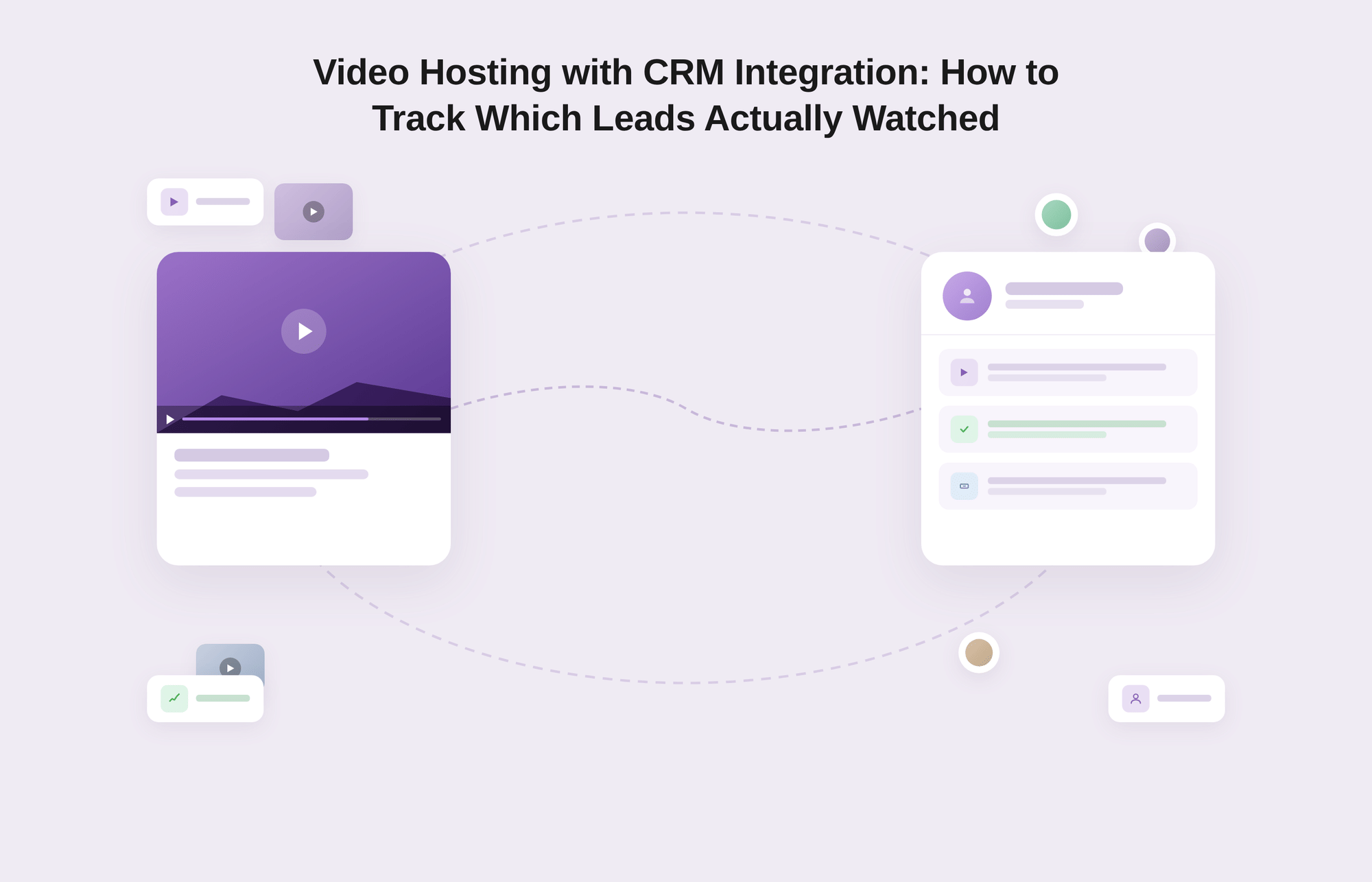
Video hosting with CRM integration is the practice of connecting per-viewer video engagement data like watch time, completion percentage, replay events, CTA clicks, from a video platform to named contact records in a CRM or marketing automation tool. Instead of measuring video performance in aggregate, this approach surfaces individual viewer behavior against specific leads and accounts, turning video from a passive content asset into an active revenue signal.
500 people watched your demo this month. Your CRM thinks none of them exist.
That is not a video problem. It is a data infrastructure problem, quietly costing B2B sales and marketing teams the pipeline they have already earned.
B2B marketing teams collectively spend enormous resources producing sales demos, onboarding tutorials, product walkthroughs, and customer education videos. Then they measure it all with one number: total plays. That number feels like progress. It is not.
Knowing that 500 people watched your demo video this month tells you exactly nothing about whether your pipeline moved, whether your best prospects actually engaged, or whether the onboarding video you sent to a struggling account was ever opened. Knowing, however, that the VP of Engineering at a target account watched 88 percent of your technical walkthrough and replayed the pricing breakdown twice tells you something you can act on within the hour.
According to Vidico’s B2B Video Marketing Statistics Report, 50 percent of B2B purchasers rely on video content when making purchasing decisions. That number becomes operationally useful only when you know which purchasers, at which companies, watched which videos, for how long.
This article covers how to build that system: the integration patterns that connect video engagement to your CRM, the specific data that modern video platforms expose per viewer, three use cases where contact-level video intelligence directly changes revenue decisions, an honest comparison of how Gumlet, Wistia, and Vidyard approach this problem, and a practical setup walkthrough for teams ready to implement.
Key Takeaways
- Aggregate video analytics (total plays, average watch time) are built for content teams, not revenue teams. They cannot tell you which specific contact watched your video or how deeply they engaged.
- Contact-level video data: per-viewer watch time, completion percentage, replay events, CTA clicks, becomes actionable only when it flows into your CRM against a named contact record.
- Three integration patterns connect video to CRM: native integrations (fastest, least flexible), webhook-based event push (flexible, works with any CRM or MA tool), and JavaScript events routed through a CDP like Segment (most powerful, requires engineering).
- The three highest-leverage B2B use cases are: sales demo follow-up triggered by actual watch behavior, customer success flagging accounts that never finished onboarding, and lead scoring that incorporates video engagement as a first-class signal via Video-Qualified Leads (VQLs).
- Vidyard is the out-of-the-box benchmark. Wistia wins on brand experience. Gumlet delivers the same core capabilities, such as per-viewer analytics, webhooks, HubSpot, and Salesforce event push, in-player CTAs, at a price point that growing B2B teams can sustain.
- The most common implementation failures are: skipping viewer identification, pushing too many events to CRM, missing de-duplication logic, and never defining what "watched" actually means for scoring purposes.
Why Aggregate Video Analytics Don't Work for B2B
The video analytics dashboards most teams use were not designed for B2B revenue operations. They were designed for content teams who need to know whether a video is performing well as content.
Play rate, average watch time, retention curves, and traffic sources are audience-development metrics built for media properties and consumer brands optimizing for reach. They answer the question "is this video any good?" They cannot answer the question that B2B sales and marketing teams actually need answered, which is "who specifically watched this video, and what should we do about it?"
The gap matters more than most teams realize.
Consider a standard B2B scenario: A sales rep finishes a discovery call and sends a recorded product demo to the decision-maker. The marketing team can see that the demo video received 12 plays this week. But they cannot see whether the decision-maker from that specific account watched it, whether they stopped watching after 30 seconds, or whether they forwarded it to two colleagues who also watched the full thing.
Without that visibility, the rep follows up on a gut feeling and an arbitrary timeline rather than a real signal. Marketing scores the lead based on form fills and page visits while the actual engagement data sits locked inside the video platform, completely disconnected from the CRM.
According to Vidyard research cited by Bull & Wolf, 74 percent of B2B marketers report that video content outperforms other formats for generating leads and driving engagement. That number is impressive but also somewhat misleading, because it describes the potential of video rather than the results most teams are actually capturing.
The teams that treat video engagement as a first-class behavioral signal, the same way they treat email opens, page visits, and form fills, are the ones who close the gap between video's potential and video's actual contribution to the pipeline. Everything else is optimism dressed up as a strategy.
The operational shift required is not from one tool to another; it is from measuring video as content to measuring video as contact-level behavior.
What Contact-level Video Data Actually Looks Like
Most marketing and sales professionals have a vague awareness that video platforms collect data. Fewer know what that data actually consists of or how granular it can be when a platform is built for B2B use rather than general content hosting.
Understanding the specific data types is important, because it changes how you design your scoring models, your sales alerts, and your customer success workflows.
The most important distinction is between aggregate analytics and contact-level analytics. Aggregate analytics tell you how a video performs across all viewers. Contact-level video analytics tell you how a specific named individual engaged with a specific video, a categorically different and far more actionable dataset.
Here is what well-configured contact-level tracking exposes per viewer, and what each signal actually means for revenue operations:
| Data Type | What It Captures | B2B Intent Signal |
|---|---|---|
| Per-viewer watch time | Total minutes a specific contact spent watching, tied to their email or contact ID, not an average across all viewers | Confirms genuine engagement vs. a play with immediate drop-off |
| Completion percentage | What fraction of the video a specific contact completed (25%, 50%, 75%, 100%) | Intent strength scales with threshold: 20% is curiosity; 90% is serious evaluation |
| Replay events | Whether a contact rewound and rewatched any segment, and which segment | High-confidence buying signal: replayed pricing or competitive sections indicate active consideration |
| CTA interaction | Whether a contact clicked an in-video call-to-action or submitted a lead form inside the player | One of the strongest single-event intent signals available in video data |
| Multi-video session data | Which contacts have watched multiple videos in the library, and in what sequence | Research-mode behavior: sequential product + pricing consumption is a high-intent pattern |
All of this data is only operationally useful when it flows into the system your team actually works in every day. That is what the rest of this article is about.
Prefer to see it before you read about it?
Book a Gumlet demo to see how contact-level video tracking, CRM event push, and in-player lead capture work in practice — no slides, no fluff. Schedule a demo →
The Three Integration Patterns for Connecting Video to Your CRM
There is no single correct way to push video engagement data into a CRM or marketing automation platform. The right approach depends on which platforms you use, how much engineering support your team has, and how granular you need the data to be.
Three distinct technical patterns handle most B2B use cases, and understanding how each one works will help you choose the right architecture for your stack.
Pattern 1: Native CRM Integrations
A native CRM integration is a pre-built connector that the video hosting platform maintains between its system and a specific CRM. Setting one up typically requires no custom code and minimal technical overhead, which makes it the fastest path from "video is hosted" to "video data appears in contact records."
In practice, native integrations work by routing a defined set of video events, typically play starts, completion milestone triggers (25%, 50%, 75%, 100%), in-player CTA clicks, and form submissions, directly to the connected CRM.
In HubSpot, these events typically appear in the contact's activity timeline and can be used to trigger sequence enrollments, update lead scores, or notify contact owners. In Salesforce, they often surface as custom activity types or logged tasks associated with the contact or lead record. The setup process usually involves connecting accounts through an OAuth flow, mapping video events to CRM fields, and defining which videos or playlists should be tracked.
The practical limitation of native integrations is worth being honest about: they are opinionated about what they expose. Most native connectors deliver clean, reliable data on a defined set of events but do not give you access to the full range of player events, including replay behavior, per-segment heatmap data, or custom milestone triggers.
For teams that need standard play and completion data surfaced cleanly in a major CRM without custom development, native integrations are an excellent starting point. For teams that need richer data or need to connect to platforms beyond HubSpot and Salesforce, Pattern 2 is more appropriate.
Pattern 2: Webhook-Based Event Push
Webhooks are the more flexible option for teams with engineering support or access to no-code middleware tools like Zapier or Make. A webhook is an HTTP POST request that your video platform sends to a URL you specify every time a defined event occurs. Because the receiving endpoint can be anything, this pattern works with virtually any CRM, marketing automation platform, or data pipeline.
A webhook payload for a video event typically contains the event type (play, 50% milestone, completion, CTA click), a viewer identifier (usually an email address or a user ID), the video ID, the timestamp, and the watch percentage at the time of the event.
Your receiving system processes this payload and writes the relevant data to the associated contact record. Teams with engineering resources can build custom middleware to transform, deduplicate, or enrich these events before they reach CRM. Teams without engineering support can use Zapier to catch webhook payloads and route them to HubSpot, Salesforce, Customer.io, Marketo, or any other platform in the Zapier ecosystem.
Gumlet exposes webhook endpoints that allow teams to define which video events should trigger outbound notifications. That means per-viewer play events, engagement milestones, completion signals, CTA interactions, and replay events can all be pushed to any receiving endpoint without being locked into a specific native integration. For teams using marketing automation platforms like Iterable, ActiveCampaign, or Braze, this webhook flexibility is what makes the integration possible at all.
Pattern 3: JavaScript Events for Custom Analytics Pipelines
The third pattern is the most powerful and the most technically demanding. It is suited for teams that already route behavioral data through a Customer Data Platform (CDP) like Segment or RudderStack and want video engagement to sit alongside all other behavioral signals in a unified contact profile.
Modern video players expose standard JavaScript events that can be subscribed to through the player's SDK. Events like play, pause, end, and timeupdate fire as the viewer interacts with the video. Custom milestone events can be defined to trigger at specific completion thresholds.
Instead of pushing these events directly to a CRM, the development team fires them into the existing analytics layer, which then forwards them to the CRM as part of the broader behavioral data pipeline.
The result is that video engagement data, page visit history, feature usage patterns, email click behavior, and product analytics all live in the same contact profile, making lead scoring and segmentation far more precise because the scoring model has a complete picture of buyer behavior rather than fragmented signals from disconnected tools.
The tradeoff is real: this approach requires a functioning analytics pipeline and developer involvement, which makes it unsuitable for teams without those resources.
Three Use Cases Where This Changes Revenue Decisions
Contact-level video data connected to your CRM is not a data enrichment project for its own sake. It changes specific operational decisions that sales, marketing, and customer success teams make every week. The three use cases below are not hypothetical scenarios. They are the situations that B2B teams face repeatedly, and they look fundamentally different once video intelligence is part of the picture.
1. Sales Demo Follow-Up: Did the Prospect Actually Watch?
Most B2B sales sequences include a step that looks something like this: account executive finishes a discovery call, sends the prospect a link to a recorded product demo, then waits an arbitrary number of days before following up.
Without video-CRM integration, the follow-up is based entirely on time elapsed and gut feel. With it, the picture changes entirely.
When a prospect opens and watches the demo, the CRM logs the event in real time. The rep sees a notification, knows the prospect is actively engaged, and reaches out while the video is top-of-mind. If the prospect watched 85 percent of the demo but replayed the pricing section three times, the rep's follow-up does not start with "just checking in." It starts with "I noticed you spent time on the pricing section. Happy to walk through how our pricing works at your scale."
If the prospect forwarded the link to a colleague who also watched the full video, that multi-stakeholder engagement signal changes how the rep approaches the deal entirely. And if the prospect never pressed play at all, the rep knows not to ask "what did you think of the demo?" but rather "did you get a chance to look at what I sent over?"
Adding video to email-based outreach has been shown to increase click-through rates by up to 300 percent according to Campaign Monitor data. The engagement lift is real, but it only converts into revenue intelligence when the downstream viewing behavior flows back into the system the sales team lives in.
2. Customer Success: Which Accounts Haven't Watched the Onboarding Video?
The first 30 to 90 days after a customer signs up are the most consequential period in their relationship with your product. Customers who complete structured onboarding in the first 60 days renew at significantly higher rates than those who don't, a pattern documented consistently across B2B SaaS retention research. This shows that accounts that do not engage with onboarding materials early are at elevated churn risk, and most customer success teams find this out reactively rather than proactively.
The standard CS workflow in the absence of video engagement data involves manual check-ins, calendar-based touchpoints, and QBR cycles that may not catch disengaged accounts until it is too late to meaningfully intervene.
Video-CRM integration gives CS teams a new operational lever: the ability to filter their account list by video engagement behavior and surface at-risk accounts before the churn signal becomes obvious.
In practice, this means a CS manager can open HubSpot or Salesforce and run a filter: show me all accounts onboarded in the last 60 days where the primary contact has watched less than 30 percent of the onboarding video series.
That query produces a targeted outreach list built entirely on behavioral evidence. The outreach is specific rather than generic: "We noticed you haven't had a chance to work through the full setup guide yet. Most teams find the third module on integrations is where things click into place. Would a quick 15-minute walkthrough be helpful?"
An automated enrollment trigger can handle this at scale without requiring a CS manager to run the filter manually: any contact who has not crossed a defined video completion threshold within a set number of days after signup gets enrolled in a CS check-in sequence automatically.
3. Content Scoring: Qualifying Leads by Video Engagement
Lead scoring models in most B2B marketing operations are built around form fills, page visits, email clicks, and content downloads.
These are reasonable intent signals, and they have driven demand generation for years. They are also increasingly incomplete, because they treat a whitepaper download and a near-complete watch of a pricing explainer video as signals of similar weight. They are not.
A contact who downloaded a guide has expressed mild interest in a topic. A contact who watched 90 percent of your product demo, replayed the competitive differentiation segment twice, and then clicked the "book a demo" CTA inside the player has expressed something closer to active buying intent.
Lead scoring models that incorporate behavioral signals beyond basic firmographics consistently improve MQL-to-SQL conversion rates, with documented gains ranging from 20 to 40 percent depending on model sophistication and baseline CRM hygiene. Including video engagement corrects for the imbalance that most scoring models currently ignore.
The concept that formalizes this is the Video-Qualified Lead (VQL).
What is a Video-Qualified Lead (VQL)?
A Video-Qualified Lead is a B2B contact who has demonstrated purchase intent through measurable video engagement behavior, such as completing 70% or more of a product demo, replaying a pricing or competitive section, or clicking an in-player CTA, rather than through passive signals like form fills or content downloads alone.
VQLs are a distinct lead category that many B2B marketing operations teams have not yet defined, and they represent a significant blind spot in most scoring models.
A practical video engagement scoring rubric for a product-led or sales-assisted B2B team would look like this:
| Video Behavior | Points Added | Why This Signal Matters |
|---|---|---|
| Watched product demo video past 60% | +30 | Sustained engagement past the halfway point indicates genuine evaluation, not accidental play |
| Replayed any segment of a product demo | +20 | Rewatching signals a specific point of interest or concern worth addressing in follow-up |
| Watched a pricing explainer video past 50% | +25 | Pricing research is a late-stage buying behavior, this contact is comparing costs |
| Clicked an in-video CTA | +15 | Active response to a call-to-action is explicit rather than passive intent |
| Watched three or more videos in the same session | +40 | Sequential consumption indicates research-mode behavior, the clearest pre-purchase pattern |
These thresholds should be calibrated to your specific product and pipeline data, but the architecture of treating video engagement as a scored signal rather than an invisible event is the shift that makes video lead generation operationally meaningful rather than aspirational.
How Gumlet, Wistia, and Vidyard Compare for this Use Case
This comparison is scoped specifically to video hosting with CRM integration and contact-level lead tracking. It is not a ranking of which platform is objectively best in all situations. The right platform depends on team size, budget, technical capacity, and how much integration work you want to handle out of the box versus configuring yourself.
| Gumlet | Wistia | Vidyard | |
|---|---|---|---|
| CRM Integration Type | Webhooks + JavaScript player events + HubSpot/Salesforce event push | Native HubSpot integration; Zapier for others | Deep native integrations with HubSpot and Salesforce |
| Per-viewer analytics | Yes; watch time, completion, replays, CTA clicks | Yes; engagement graphs, heatmaps, viewer timelines | Yes; the most detailed out-of-the-box |
| In-player lead capture | Yes (paid plans) | Yes;Turnstile email gate, highly polished | Yes |
| Replay event tracking | Yes, via webhook payload | Yes | Yes |
| Retargeting pixels | Google, Meta, LinkedIn (paid plans) | Limited | Yes |
| Integration flexibility | High; any CRM or MA tool via webhook | Moderate; opinionated around HubSpot | Moderate; strongest for Salesforce + HubSpot |
| Setup complexity | Low to medium; webhook config required | Low; largely turnkey | Very low; most turnkey in category |
| Pricing tier | Accessible; free plan available; paid plans competitively priced | Premium; significant jump from free to paid | Enterprise; highest price point in category |
| Best for | Growing B2B teams wanting full integration at a sustainable cost | Brand-first teams prioritizing polished, opinionated UX | Enterprise teams that need zero configuration and will pay for it |
| Tradeoff | Less turnkey than Vidyard out-of-the-box; initial webhook setup required | Premium pricing for features that go beyond core video needs | Difficult to justify for teams not fully committed to video as a revenue channel |
Vidyard is the benchmark for CRM-integrated video in B2B, and it is important to say that plainly. Its native integrations with Salesforce and HubSpot reflect years of investment in making video a genuine sales intelligence tool, and for teams with enterprise budgets that are all-in on video, that investment shows.
Wistia is the natural choice for brand-first teams that want a polished, opinionated product experience with solid HubSpot connectivity and elegant lead capture through its Turnstile feature.
Gumlet sits at a different position on the price-to-capability spectrum, delivering the core features that revenue operations teams actually need at a price point that growing B2B teams can sustain without an enterprise contract.
If you want to test Gumlet's integration capabilities before committing to a paid plan, Gumlet offers a free plan that gives you enough to validate the webhook setup and confirm that player events are flowing to your CRM correctly.
Setting Up Video-to-CRM Tracking in Gumlet: A Practical Walkthrough
Understanding the integration patterns above is a useful context. What most marketing operations teams actually need is a concrete setup sequence they can hand to a developer or work through themselves.
Regardless of which technical pattern you choose, the foundational steps are the same: identify the viewer, capture the event, map it to a contact record, and trigger a workflow.
Step 1: Identify the Viewer
This is the most critical step and the most frequently skipped. An anonymous video play is operationally worthless for CRM purposes. You cannot push engagement data to a contact record that does not exist or cannot be matched.
The identification mechanism you choose depends on your use case. For outbound sales sequences where the prospect is a known contact, use a tracked link generated from your CRM or sales engagement platform so that clicking the link ties the session to the contact's record.
For gated content or logged-in product users, pass the user's email or ID as a parameter in the embed code. For email campaigns, use UTM parameters linked to a specific CRM contact segment so that play sessions can be matched on ingestion.
Step 2: Configure the Webhook Endpoint
In Gumlet's dashboard, navigate to the webhook settings and specify the destination URL: your CRM's inbound webhook endpoint or a middleware service like Zapier or Make for no-code teams.
Define which events should trigger the outbound notification: play start, the 25, 50, and 75 percent milestones, completion, and CTA click are the standard set for most B2B use cases. Test the configuration with a sandbox contact before pointing it at live leads.
Step 3: Map Events to CRM Properties
In HubSpot, create custom contact properties for the data you want to store: last video watched, video watch percentage, video CTA clicked (boolean), and last video watch date. In Salesforce, create a custom activity type or add custom fields to the Contact object.
Ensure the viewer email coming from the webhook payload maps cleanly to an existing contact. Define what happens when there is no match: most teams either create a new contact automatically or queue the event for manual review.
Step 4: Build Enrollment Triggers
This is where the integration becomes operationally useful. In HubSpot, create a workflow enrollment trigger that fires when the video watch percentage property exceeds 60.
The trigger actions might include notifying the contact owner via Slack or email, adding 25 points to the lead score, and enrolling the contact in a specific nurture or sales sequence. In Salesforce, a process rule or Flow can accomplish the same with a video activity type as the triggering condition.
Step 5: QA Before Going Live
Watch a video using a test contact that exists in your CRM. Confirm that the play event appears in the contact record with the correct field values. Test each milestone trigger sequentially: play the video, pause at 26 percent and check that the 25 percent event fired, continue to 51 percent and check the 50 percent event, and so on. Run the full completion sequence before routing real contacts through the system.
For teams using Segment or RudderStack as their CDP, Gumlet's JavaScript player events can be subscribed to directly in the player SDK and piped into the existing analytics pipeline, which then routes engagement data to the CRM alongside other behavioral signals, forming a unified video engagement metrics reporting layer.
Common Mistakes That Break Video-CRM Attribution
Even teams that invest thoughtfully in this integration often configure it in ways that produce noisy, incomplete, or unusable data. The mistakes below show up consistently across B2B marketing operations teams building video-to-CRM pipelines for the first time.
1. Skipping Viewer Identification
Not identifying the viewer is the single most common failure mode in video-to-CRM attribution. If you embed a video on a public page with no viewer identification mechanism, every play is anonymous.
You cannot attribute engagement to a contact, a segment, a campaign, or a funnel stage, and the entire integration becomes decorative. Viewer identification must be built into the distribution process from the start: tracked links for outbound sequences, embed parameters for logged-in users, UTM-linked campaigns for email sends. It cannot be retrofitted after the fact.
2. Pushing too Many Events to CRM
Sending every low-level player event to the contact record turns CRM timelines into walls of noise that nobody reads and sales reps stop trusting. If every two-second timeupdate fires a webhook, a contact who watches a 10-minute video generates 300 CRM events from a single session.
Define your milestone events deliberately: play start, 50 percent completion, 100 percent completion, and CTA click is sufficient for most B2B use cases. More granular data belongs in your video analytics dashboard, not in the contact record.
3. Missing Deduplication Logic
A contact who watches the same video ten times should appear in the CRM as "ten replays of Demo Video X", not as ten separate engagement events triggering ten sales notifications and ten lead score increments.
Without deduplication logic built into the middleware layer, a single highly engaged prospect can flood the sales team with alerts and distort lead scores significantly. Build deduplication in before the integration goes live, not after the complaints start.
4. Ignoring Email Format Mismatches
Case sensitivity and email formatting differences are a mundane but surprisingly effective attribution breaker. If the video platform captures a viewer's email as "John@Company.com" and the CRM stores it as "john@company.com," the records will not match.
The engagement event either creates a duplicate contact or is silently discarded, and the play never appears on the correct contact record. Normalize email addresses to lowercase before running any lookup, every time, without exception.
5. Not Defining What "Watched" Means
A 5 percent completion technically counts as a video play. For lead scoring and VQL qualification purposes, treating a 5 percent play and a 90 percent completion as equivalent signals undermines the entire framework.
Define a minimum meaningful threshold before building enrollment triggers and scoring rules. Most B2B teams use 50 to 60 percent completion as the baseline for a "watched" signal. That definition should be documented, agreed on by sales and marketing, and consistently applied across every video in the tracked library.
Frequently Asked Questions
1. What video engagement data can be sent to HubSpot from a video hosting platform?
Most video platforms that integrate with HubSpot can push contact-level data including play events, watch completion percentages at standard milestones (25%, 50%, 75%, 100%), in-player CTA clicks, form submissions within the player, and replay events. This data typically appears in the contact's activity timeline and can trigger workflow enrollment, update contact properties, or fire lead score changes.
The granularity of what is available varies by platform: some native integrations expose only play and completion data, while webhook-based integrations can carry more detailed event payloads including replay behavior and per-session watch time.
2. How do I find out which specific leads watched my product demo video?
Tracking which leads watched your demo requires two things: viewer identification at the point of play, and a video hosting platform that pushes engagement data back to your CRM. The simplest setup for outbound sequences uses a tracked link sent from your CRM or sales engagement tool so that clicking and watching ties automatically to the known contact.
When the contact watches the video, the engagement event flows back to their CRM record via webhook or native integration. Without viewer identification, plays are anonymous and cannot be matched to specific leads, which is why identification must be built into the distribution process rather than retrofitted afterward.
3. What is a Video-Qualified Lead (VQL)?
A Video-Qualified Lead (VQL) is a contact who has demonstrated measurable purchase intent through their video engagement behavior rather than through traditional intent signals like form fills or content downloads alone. Typical VQL thresholds include watching 70% or more of a product demo, replaying a pricing or competitive section, or clicking an in-player CTA on a high-intent video.
VQLs are scored higher in lead qualification models because high-completion video consumption of bottom-of-funnel content is a strong and relatively reliable predictor of active buying consideration.
Building VQL identification requires a video hosting platform that passes per-viewer engagement data to the CRM or marketing automation platform, combined with defined scoring rules that treat these behavioral signals as first-class qualification inputs.
4. Can Gumlet track which specific contacts watched a video?
Yes. Gumlet exposes per-viewer video engagement data including watch time, completion percentages, replay events, and CTA interactions. When viewer identification is configured through an email gate, a signed URL, or UTM-based contact matching from a tracked link, this data can be pushed to HubSpot or Salesforce via webhook or via JavaScript player events routed through a CDP like Segment, linking each viewing session to the corresponding contact record.
5. What is the difference between a webhook and a native CRM integration for video tracking?
A native CRM integration is a pre-built connector maintained by the video platform that routes a defined set of events to a specific CRM without requiring custom code. A webhook is a flexible HTTP-based notification that fires when a video event occurs and can be directed to any receiving endpoint, including CRMs, middleware services, or data pipelines.
Native integrations are faster to configure but more limited in the events they expose and the CRMs they support. Webhooks require more setup but offer full control over which events are captured, how payloads are structured, and where data flows.
Teams using CRMs beyond HubSpot and Salesforce, or those that need replay-level event granularity, typically need webhook-based integration.
6. How does Gumlet compare to Vidyard for teams that need video-CRM integration?
Vidyard is the benchmark for out-of-the-box CRM-connected video. Its native integrations with Salesforce and HubSpot are deeply built and require minimal configuration, which is a genuine advantage for teams that want to move fast without engineering involvement.
Gumlet offers comparable core capabilities, including per-viewer analytics, webhooks, JavaScript player events, and HubSpot and Salesforce event push, at a significantly lower price point.
Teams that prioritize a fully turnkey experience and are willing to pay enterprise pricing for it tend to prefer Vidyard. Teams that want developer-friendly tooling, integration flexibility, and a sustainable cost model as they scale their video prospecting and marketing operations tend to find Gumlet is the better fit.
Contact-Level Video Intelligence: The Missing Layer in Your Revenue Stack
The shift from aggregate video analytics to contact-level video intelligence is not a technical upgrade. It is an operational one.
When your CRM knows which leads watched your demo and how deeply they engaged with it, sales follow-up becomes precise instead of probabilistic.
When customer success teams can see which accounts have never completed an onboarding video, retention interventions happen before churn signals become visible. When lead scoring models include video engagement as a qualifying input, the leads that reach sales have demonstrated intent rather than just expressed mild interest.
Video has always had the potential to be a revenue signal. The infrastructure to make that potential real has never been more accessible or more affordable to build. The teams building it now will have a measurable advantage over the ones that keep treating video engagement as something too complicated to connect to the rest of their stack.