Most teams do not decide to leave Imgix because of a single bad day.
It happens incrementally. The credit bill comes in higher than modeled because someone shipped a new AVIF rollout, and each responsive variant consumed more of the shared pool than anyone planned.
Core Web Vitals are now appearing in the quarterly infrastructure review, and images keep showing up in Lighthouse reports as the primary LCP bottleneck.
A support ticket sits open for 36 hours during a migration window, even though the answer is actually simple. None of these things is catastrophic on its own. Together, they add up to a quiet but growing conviction that the platform that worked well at one scale is quietly working against you at another.
By the time most engineering teams reach this page, they have already done the surface-level comparison. They know Gumlet uses a multi-CDN setup. They have seen the pricing page. They have read that the migration is "easy."
The question they actually need answered is not "is Gumlet good?" but something more specific and more important: what does my stack look like on the other side of this switch, what breaks, what gets genuinely better, and is there anything that will blindside my team two weeks in?
Imgix is, by any fair measure, a capable image CDN. It pioneered URL-based image transformation at scale; its rendering API is technically deep; and, for teams with straightforward usage patterns, it has been a reliable piece of infrastructure for years. But the gap between "capable" and "optimal for where we are now" is exactly what this article is built to explore. The image delivery layer is not a passive background service.
It directly determines how fast your pages load, how predictable your infrastructure spend is, and whether your team has the observability to act on image-related performance regressions before they show up in conversion data.
This article covers what stays exactly the same when you move to Gumlet, what genuinely changes, where the improvement is measurable and fast, and, because credibility matters more than comfort, where Imgix still holds the edge.
If you have been on Imgix for years and are trying to make a fully informed decision without reading three documentation pages and a Reddit thread at midnight, this is the read.
Key Takeaways
- URL-based transformation syntax is largely compatible. Core parameters (w, h, fit, crop, q, fm, dpr) map directly, and unsupported parameters are silently discarded rather than causing broken images.
- WebP and AVIF format negotiation works the same way on both platforms.
- The billing model changes meaningfully: Imgix uses a shared credit pool; Gumlet charges by bandwidth and projects.
- Gumlet's multi-CDN setup and automatic responsive resizing tend to improve LCP and reduce CDN spend for high-traffic sites.
- Not all Imgix parameters are supported. Teams using AI-powered features like background removal or generative fills will find a gap.
- Most migrations take 2 to 5 working days for teams already using a custom domain abstraction.
What Actually Stays the Same After You Migrate from Imgix to Gumlet
For most teams, the switch is less disruptive than it looks because the fundamentals of how an image CDN works do not change.
1. URL-based Transformation Syntax
URL-based image transformation syntax works the same way on Gumlet as it does on Imgix. Both platforms accept query parameters to control how images are resized, cropped, compressed, and formatted.
The pattern your developers already know, such as appending ?w=800&h=600&fit=crop&q=80 to an image URL, carries over directly. Gumlet supports the most widely used Imgix parameters: w, h, fit, crop, q, fm, dpr, blur, sharp, ar, pad, rect, txt, txt-align, txt-color, txt-font, txt-size, and more.
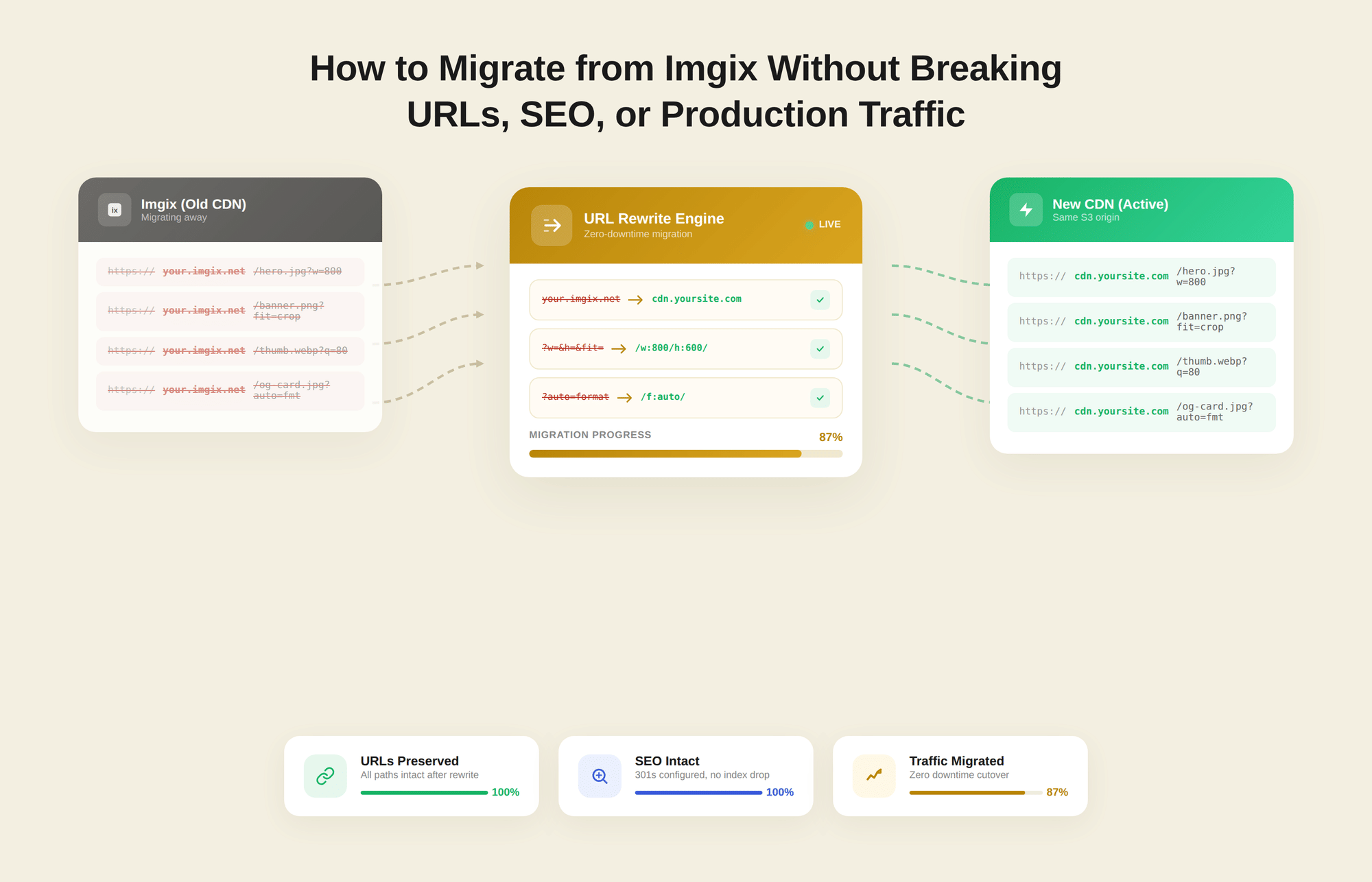
Parameters outside the supported list are silently ignored, which means no broken deliveries, no 500 errors, and no embarrassing production incidents at 2 a.m. The Imgix-to-Gumlet parameter mapping guide is the canonical reference for this. It lists what is supported and flags anything that is not, so the audit is straightforward rather than speculative.
2. CDN Delivery and Origin Pull Architecture
Both platforms operate on the same architectural principle: sit between the origin and the user, pull the master image from storage (S3, GCS, or any HTTP origin), apply the requested transformations, cache the optimized variant at the edge, and serve subsequent requests from that cache.
The request flow your team understands, like origin pull, edge cache hit, CDN delivery, does not change. Your originals remain in your own storage, and neither platform locks your assets into a proprietary storage layer.
If anything, Gumlet's architecture introduces an additional origin cache and a processed cache before the global delivery layer, which further reduces origin traffic during traffic spikes.
3. WebP and AVIF Format Negotiation
Automatic format negotiation based on browser Accept headers works the same way on Gumlet as it does on Imgix. Users on a modern Chrome or Firefox browser receive AVIF or WebP output. Users on older browsers receive JPEG or PNG as the fallback.
No code changes are required on your end, and no new logic needs to be added to your templates. Gumlet handles browser detection and format selection at the CDN layer, exactly as Imgix does today. If you have been evaluating the performance implications of AVIF vs. WebP delivery in your platform research, the mechanics on Gumlet will behave exactly as you expect.
4. Custom Domain and CNAME Setup
The mechanism for pointing images.yoursite.com to Gumlet is identical to the pattern used with Imgix. You create a CNAME record that resolves to Gumlet's delivery hostname, and all image requests through that domain start flowing through Gumlet's optimization layer.
If your current setup already routes images through a custom domain rather than a raw yoursite.imgix.net subdomain, this is the most important fact in the entire article: the cutover is a DNS change. The rest is preparation, testing, and verification.
What Changes When You Move to Gumlet
That said, switching platforms is not a CNAME flip and a lunch break. A few things are genuinely different, and understanding them before the migration starts is what separates a clean rollout from a chaotic one.
1. The Billing Model Is Structurally Different
Imgix has moved to a unified credit-based system where storage management, delivery bandwidth, and transformations all draw from a shared prepaid pool, and every new responsive variant, every AVIF rollout, and every design experiment that generates additional image variants consumes credits in ways that are difficult to forecast month-to-month.
You can read a thorough breakdown of Imgix's credit-based pricing model and where the surprises tend to appear. Gumlet's pricing is structured around bandwidth and projects, with no shared credit pool that expires.
You pay for what you actually deliver, and the cost model is stable enough to model in a spreadsheet without estimating transformation volumes or worrying about end-of-month credit burns.
2. The Dashboard and Interface are New Territory
Gumlet's dashboard is organized around Sources, which represent your connected origins, alongside usage and analytics views scoped to each source. The Imgix interface uses a different conceptual structure. This is not a technical barrier, but it is a genuine learning curve that deserves honest acknowledgment.
For engineering teams where Imgix has been running untouched for years, someone needs to own the new admin surface: understanding how to configure sources, read analytics, adjust cache settings, and set up usage alerts. That investment is real, even if it is measured in hours rather than days.
3. Customer Support Works Differently
Imgix support operates via email and ticket queues, with response times that vary by plan tier and queue volume. Gumlet offers 24/7 live chat, email, and direct calls. For teams that have been stuck waiting on an Imgix ticket for a configuration question during a production issue, this is a meaningful operational difference.
It matters most during the migration window itself, when questions surface quickly, and the cost of a delayed answer is high.
4. API and Source Structure Use Different Terminology
In Gumlet, you create an Image Source that points to your origin storage. The Gumlet-assigned subdomain serves as the delivery host until you map a custom domain on top of it. In Imgix, the process is structurally similar but uses different naming conventions and configuration flows.
Developers who have worked in both systems tend to adapt quickly, but it is worth noting that "Sources" in Gumlet and "Sources" in Imgix refer to similar but not fully equivalent concepts. Reading the quick-start documentation before the migration, rather than assuming terminological equivalence, saves a few hours of avoidable confusion.
Where Gumlet is Measurably Better
For teams where this migration makes sense, several improvements appear quickly and consistently across performance, cost, and support.
1. Pricing Predictability at Scale
Predictable infrastructure costs are one of the most common reasons teams make this move. Gumlet's pricing has no credit expiration, no transformation-counted overages, and no compounding cost surprises when a design team ships a new AVIF rollout or a growth team adds new responsive breakpoints.
Teams switching from Imgix have reported over 30 percent reductions in CDN spend after migrating, a figure Gumlet attributes to better format conversion, stronger cache efficiency, and the absence of per-transformation charges.
If you want to model what that looks like specifically for your traffic and usage profile, book a call with Gumlet's team and walk through your current Imgix usage data together.
2. Onboarding and Dedicated Migration Support
Gumlet provides personalized migration assistance specifically for teams moving off Imgix. That includes the parameter mapping guide referenced earlier, direct support during the CNAME rollout, and the ability to run Gumlet and Imgix in parallel behind separate subdomains so you can compare real metrics before committing.
Most image CDN migrations fail not because of technical complexity, but because of insufficient testing time, with teams cutting over too early and debugging in production. Gumlet's support structure exists to prevent exactly that outcome.
3. Core Web Vitals and LCP Impact
For sites where images are a primary driver of Largest Contentful Paint (LCP), the move to Gumlet tends to produce measurable improvements. Gumlet's infrastructure combines automatic responsive resizing (Gumlet generates device-appropriate variants without requiring explicit srcset logic in your templates), bandwidth-aware compression, lazy loading support, and a multi-CDN delivery layer on Fastly with CloudFront as a regional fallback.
HTTP Archive's State of Images research estimates that images account for roughly 45 percent of the average web page's total weight, which means the image CDN is not a peripheral infrastructure concern. It is the performance lever.
Gumlet's documented case study with Sportskeeda, a high-traffic global sports media platform, shows a 56 percent reduction in image size with transformations completing in 30 to 50 milliseconds. The combination of smaller payloads and low transformation latency is the concrete mechanism behind improvements in Core Web Vitals, not a vague marketing claim.
Your site has its own Sportskeeda moment waiting to be found. Run Gumlet's free Analyzer on your highest-traffic pages.
It uses Lighthouse under the hood, takes under 2 minutes, and tells you exactly how much payload, format waste, and LCP drag your current image setup carries. That report becomes your migration baseline. The delta after cutover is your proof.
4. Multi-CDN Delivery and Format Breadth
Imgix operates on a single CDN layer. Gumlet routes across Fastly as the primary delivery network and Amazon CloudFront as a regional fallback, with intelligent load balancing and automatic failover.
For global products that have experienced regional image delivery slowdowns under a single CDN architecture, this is a structural resilience improvement rather than a marketing checkbox. On the format side, Gumlet serves AVIF, WebP, and JPEG XL as output formats automatically, and accepts HEIC and SVG as input.
Imgix's support for newer output formats, particularly JPEG XL, requires developer-side intervention, whereas Gumlet has automated this at the infrastructure layer.
Where Imgix Still has an Edge
Honest evaluation means naming where the trade-off goes the other way, and there are a few areas where Imgix still leads or where Gumlet has a real gap.
1. Parameter Coverage is not 100%
Gumlet does not support every parameter in the full Imgix API. Parameters outside the documented supported list are silently ignored rather than throwing errors, which protects delivery continuity, but it also means any transformation that depends on an unsupported Imgix parameter will not produce the same output.
Teams that rely heavily on advanced color-processing parameters (cs, chromasub), specific client-hint configurations, or edge-case crop modes should audit their full parameter usage against the mapping guide before committing to the migration.
This audit step is not optional for teams with complex transformation logic. It is the single highest-risk step in the entire process, and it should happen on Day 1.
2. AI-Powered Transformation Features
Imgix has invested meaningfully in AI-powered image operations, including background removal, generative fills, and face detection. Gumlet's image product does not currently replicate those capabilities at the same depth.
For teams using those features as part of active content or e-commerce workflows, switching to Gumlet involves either accepting a gap in those specific operations or supplementing with another tool.
If AI-driven transformations are a minor or experimental part of your Imgix usage, the gap is manageable. If they are core to how your content team operates daily, that is a legitimate reason to stay on Imgix until the capabilities landscape changes.
3. Dashboard Familiarity for Long-running Imgix Teams
For teams that have run Imgix for several years without touching the configuration, the dashboard is deeply habitual. Source setups, alert rules, and usage views have become muscle memory. Moving to Gumlet means relearning an interface and rebuilding those monitoring habits from scratch.
This is a modest cost relative to the operational benefits for most teams, but it deserves honest acknowledgment: the first few weeks on a new admin surface always involve a productivity dip, and planning for that dip is better than being surprised by it.
How Long Does a Migration from Imgix to Gumlet Actually Take?
The timeline is one of the most searched questions on this topic, and the short answer is: 2 to 5 working days for most teams already using a custom domain abstraction in front of Imgix.
Here is how those days typically break down in practice.
Day 1: Audit Your Imgix Parameter Usage
Pull a representative sample of Imgix URLs from your production traffic, list every parameter you actually use, and cross-reference them against the supported parameters table. Most teams discover they are actively using fewer than 15 distinct parameters, and the vast majority of those map directly.
This step is the risk assessment for the entire migration, and it typically takes a few hours rather than a full working day.
Day 2: Set up Gumlet, Map Parameters, and Update Your URL Builder
Create a Gumlet Image Source that points to the same origin as your current Imgix setup. Update the function, middleware, or helper that constructs image URLs to produce Gumlet-compatible parameter strings. Because both platforms use URL query parameters, this is typically a find-and-replace pass or a small helper function update, not a structural rewrite.
Day 3: Configure the Custom Domain and Run Staging Validation
Point a test subdomain to Gumlet via a CNAME record, then switch your staging environment to use it. Compare image outputs side by side with Imgix on a representative set of templates. Check visual quality, crop behavior, format output by browser, and response times. Log any discrepancies and resolve them before touching production traffic.
Day 4 to 5: Parallel Production Rollout
Route a subset of real production pages through Gumlet while the rest continue running on Imgix. Monitor cache hit rates, error rates, image response times, and Core Web Vitals for the Gumlet-served subset. If metrics hold for 24 to 48 hours without anomalies, cut over the remaining traffic and retire the Imgix CNAME.
One important caveat: if Imgix URLs are hardcoded across hundreds of templates without a central URL-building abstraction, the parameter mapping work on Day 2 expands into a codebase refactor. That work is typically 1 to 2 weeks, not days, and should be scoped separately from the CDN migration itself. Building the abstraction layer first and migrating the CDN second is the right order of operations.
What the Framework Config Change Actually Looks Like
Most migration guides stop at "update your CNAME and swap the hostname." That is technically accurate, but it skips the step where most developers actually spend their time: updating the framework-level config that governs which image domains are trusted and how image URLs get constructed.
Next.js: Update remotePatterns in next.config.js
In Next.js, the next.config.js file controls which remote image hostnames the built-in <Image> component can load. If your current setup has an Imgix domain listed under remotePatterns or the older domains array, that entry needs to be replaced with your Gumlet custom domain for Gumlet-served images to load without errors.
The change itself is a single-line update, but it is easy to miss if your attention is on the CNAME side of the migration. The same principle applies to any middleware, CDN helper, or image-builder utility that hardcodes the Imgix hostname. Replacing the hostname in a single central location is always preferable to scattered find-and-replace across templates.
WordPress: Swap the Plugin, Not the Templates
In WordPress, the swap is handled at the plugin layer. If your current setup uses an Imgix WordPress plugin or a custom CDN rewrite rule to prefix image URLs with the Imgix hostname, the equivalent step on Gumlet is to install Gumlet's WordPress plugin and point it at your Gumlet Image Source domain.
The plugin handles URL rewriting, responsive srcset generation, and lazy loading automatically, so most WordPress teams can complete this step without touching any template code.
Headless CMS and Other Frameworks: One Hostname, One Change
For headless CMS setups running on Nuxt, Astro, or similar frameworks, the pattern is the same: find where image URLs are assembled, replace the hostname, and verify that the transformation parameter syntax matches the Gumlet mapping table.
In practice, this is the most mechanical part of the migration and the part most likely to surface any Imgix parameters that fall outside Gumlet's supported list before they cause a problem in production.
Who is This Switch Right For and Who Should Stay
Not every team running Imgix should migrate, and saying otherwise would undermine everything this article has tried to do.
Switch to Gumlet If...
This migration makes the most sense for teams where image delivery is already a visible cost or performance concern. If your CDN spend is growing faster than traffic, your Core Web Vitals reports identify images as the primary LCP bottleneck, or your team has been waiting on Imgix support queues for time-sensitive answers, those are the clearest signals that something structural needs to change.
Teams that want AVIF and JPEG XL served automatically without developer intervention, multi-CDN resilience beyond a single delivery layer, or usage-based pricing that can be forecasted without credit pool accounting will find Gumlet a significantly better operational fit. The infrastructure investment in the migration pays back quickly for high-traffic teams where image delivery is already a line item in infrastructure reviews.
Stay on Imgix If...
Keep Imgix if your parameter usage includes AI-powered transformations that Gumlet's image product does not currently support, and those workflows are active and business-critical. Stay if your infrastructure costs are stable, your Core Web Vitals are in the green, and engineering bandwidth is constrained by higher-priority work.
A migration that adds no near-term ROI is just technical debt in disguise. If Imgix is running without friction and is not blocking growth, the rational move is to set a review date and revisit the decision when the business case is clearer.
If the criteria above describe your stack, the lowest-risk way to validate the decision is to start a free Gumlet trial and run it in parallel with Imgix on a subset of pages before committing to a full cutover.
Common Questions About Switching from Imgix to Gumlet
1. Does Gumlet support all Imgix URL parameters?
Gumlet supports the most widely used Imgix parameters, including w, h, fit, crop, q, fm, dpr, blur, sharp, ar, and text overlay parameters, but does not cover every parameter in the full Imgix API. Unsupported parameters are silently discarded rather than causing delivery errors, which protects images from breaking in production, but it also means complex transformations tied to unsupported parameters will not produce matching output. Before migrating, teams should audit their actual usage against the published mapping table. For parameters outside the supported list, Gumlet's team can evaluate additions on request.
2. Can I switch from Imgix to Gumlet without changing my image URLs?
If your images are served through a custom domain (for example, images.yoursite.com) that points to Imgix via a CNAME, switching to Gumlet requires only updating that CNAME, with no changes to application code. If your code references the Imgix subdomain directly, such as yoursite.imgix.net, you will need to update those references. This is why abstracting image URL construction behind a central helper is the recommended pre-migration step for teams with large codebases — it turns a codebase-wide search-and-replace into a single configuration change.
3. What happens to image quality when I switch from Imgix to Gumlet?
Gumlet applies visually lossless compression by default, meaning quality should be equivalent to or better than Imgix output for standard use cases. Both platforms honor explicit quality parameters (q= values) and use comparable compression targets for WebP and AVIF outputs.
The most common quality differences teams notice occur in edge cases involving specific crop modes or text overlay rendering, which is why a side-by-side visual comparison in a staging environment is a non-negotiable step before routing any production traffic through Gumlet.
4. Is Gumlet cheaper than Imgix?
For high-traffic teams, Gumlet's bandwidth-based pricing tends to be more predictable and often lower than Imgix's credit model, particularly once you account for the fact that Imgix credits are consumed across storage management, delivery, and transformation operations.
Gumlet states that teams switching from Imgix see up to 30% reductions in CDN costs, driven by higher format conversion rates, improved caching efficiency, and the absence of per-transformation charges.
The right way to validate this for your specific profile is to run a parallel test and compare actual bandwidth consumption directly rather than relying on estimates. You can review Gumlet's image pricing to model costs against your current Imgix spend before committing.
5. Does switching from Imgix to Gumlet improve Core Web Vitals?
For sites where images are a primary LCP factor, switching to Gumlet tends to yield measurable improvements in Core Web Vitals. Gumlet's automatic responsive resizing, AVIF and WebP output, bandwidth-aware compression, and multi-CDN delivery all work together to reduce total image payload and time-to-first-byte for image requests.
The magnitude of improvement depends on how optimized the current Imgix setup already is. Teams aggressively using AVIF and responsive hints with Imgix today will see smaller incremental gains than those currently serving unsized JPEGs through a default Imgix configuration.
6. Can I run Gumlet and Imgix at the same time during migration?
Yes, and this is the recommended approach. Because both platforms can be assigned to different subdomains or URL paths, teams can route a subset of pages through Gumlet while the rest continue running on Imgix. Once performance and cost metrics hold up on the Gumlet-served subset, the remaining traffic can be switched over progressively.
This parallel rollout pattern eliminates big-bang production risk and gives teams real comparative data to make a confident commitment, rather than relying on the migration behaving as modeled.
7. How long does it take to migrate from Imgix to Gumlet?
For most teams using a custom domain abstraction in front of Imgix, the technical migration takes 2 to 5 working days. The process covers auditing parameter usage, creating a Gumlet Image Source pointed at the same origin, mapping parameters, configuring a custom domain via CNAME, and running parallel production validation before cutting over all traffic.
Teams with Imgix URLs hardcoded across many templates, without a central helper function, should budget an additional 1 to 2 weeks for a codebase refactor, which is a separate workstream from the CDN migration itself.
Switching from Imgix to Gumlet: A Low-risk Migration with a Clear Payoff
Most teams that have made this switch describe the same experience: the technical work is smaller than expected, and the operational improvements show up faster than anticipated.
The migration is not trivial, but it is well scoped, low-risk when done with a parallel CNAME rollout, and reversible at every stage until the final cutover.
Gumlet stacks up against Imgix on every dimension that matters: features, pricing, delivery architecture, and the questions teams always ask last, making Gumlet the best Imgix alternative among all the other image CDN providers. But no article replaces running real traffic through the platform. Set up a parallel CNAME, route a few high-traffic pages, and let the data make the case.