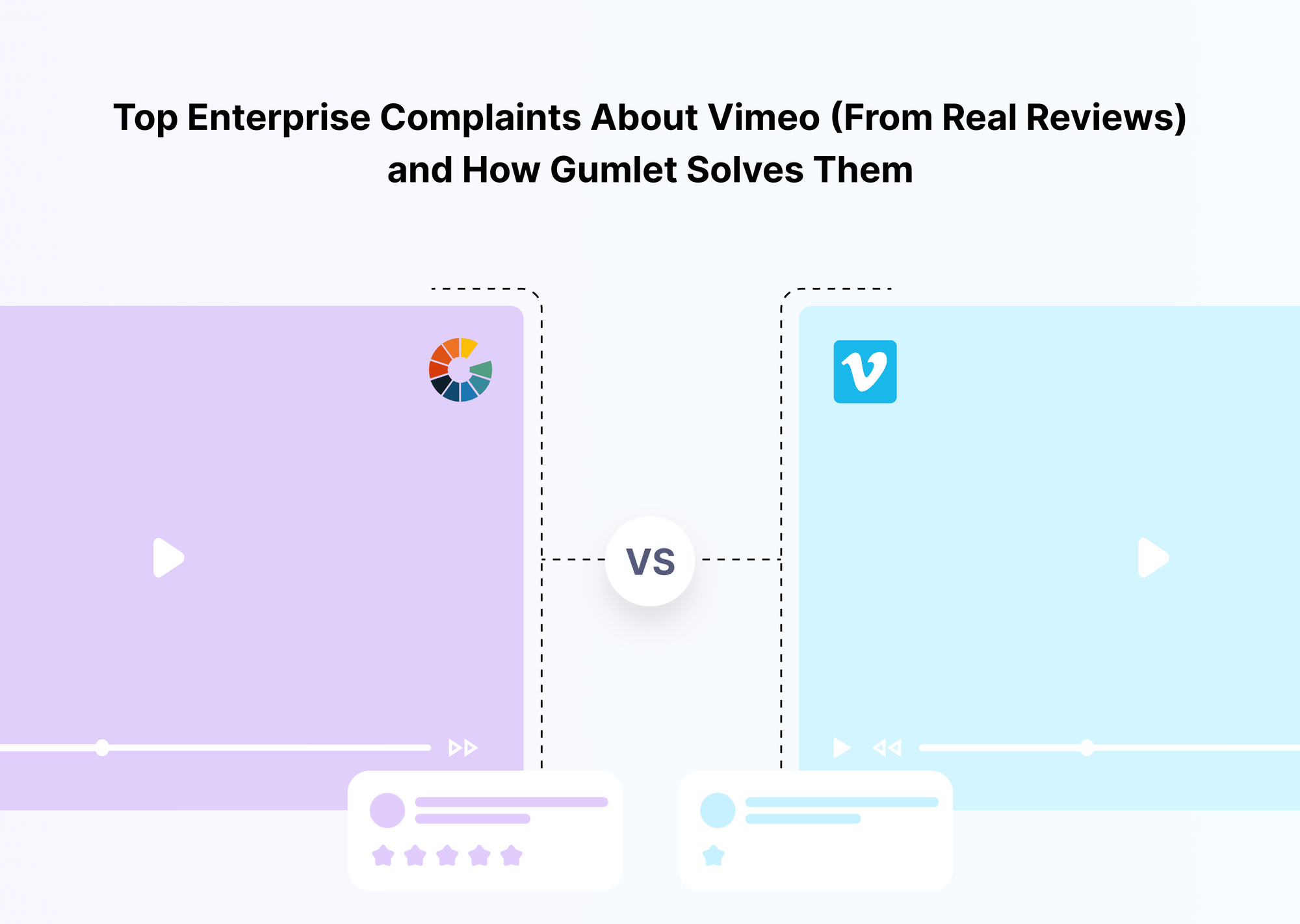
For many organizations, Vimeo has long been a familiar name in video hosting. Its brand reputation, simple publishing tools, and clean player make it a comfortable choice for teams that need a reliable place to upload and embed videos. But once companies begin using Vimeo for marketing funnels, internal training, customer education, events, or large VOD libraries, the experience described in hundreds of enterprise reviews becomes noticeably different.
Across G2 summaries, aggregated review sites, and community discussions, a clear pattern emerges. Teams appreciate Vimeo’s design and video quality, but repeatedly report the same challenges: unpredictable pricing, forced plan upgrades, limited analytics for business use cases, streaming reliability concerns during essential events, confusing admin controls, and slow support response times when it matters most. These are not fringe complaints; they consistently appear in mid-market and enterprise reviews.
This article is not an attempt to discredit Vimeo. Instead, it organizes the most frequently cited enterprise-level issues. Such issues recur across reviews and explain how Gumlet, an enterprise video infrastructure platform built for performance, security, and scale, directly addresses each one.
Most enterprise Vimeo complaints fall into a few buckets: pricing surprises, forced upgrades, limited analytics visibility, unreliable live streaming during key events, confusing admin controls, and support experiences that feel too slow for mission-critical use.
If you are evaluating Vimeo for marketing, training, or enterprise distribution, or you are already using it and noticing similar friction, this guide consolidates what business users consistently say about Vimeo, why these issues matter at scale, and how Gumlet solves each one through its infrastructure, security, analytics, and migration tooling.
Methodology: Where These Vimeo Complaints Come From
To understand what enterprise users actually struggle with, this analysis draws on a broad body of publicly available review data rather than isolated anecdotes. The goal is to surface repeatable patterns, not subjective opinions, so that decision-makers evaluating Vimeo for business use can clearly see where friction tends to appear.
The complaints featured in this article come from three primary sources:
1. Enterprise-filtered G2 reviews
G2’s “Pros and Cons” summaries for Vimeo, especially those tagged for mid-market and enterprise teams, consistently mention issues such as pricing clarity, analytics limitations, live-streaming reliability, and support responsiveness.
2. Aggregated review summaries
Platforms that consolidate feedback from G2, Capterra, and TrustRadius highlight similar pain points around cost, VOD reporting, admin complexity, and customer support. These summaries make it easier to identify recurring themes across multiple review ecosystems.
3. Community discussions and peer conversations
Marketing, IT, L&D, and product teams regularly discuss their experiences with Vimeo in professional forums. While the tone varies, the pain points remain remarkably consistent: unexpected upgrades, missing enterprise controls, unreliable event delivery, and challenges managing large video libraries.
This approach ensures that every complaint category in this guide is grounded in repeatable, visible feedback. It is not framed as a critique of Vimeo, but rather as a practical resource for enterprise buyers who need clarity before committing to a video hosting platform.
These are real patterns observed across hundreds of enterprise experiences, and understanding them upfront helps teams avoid the same bottlenecks when evaluating alternatives.
Complaint 1: Opaque, Expensive Pricing and Forced Upgrades
Across enterprise reviews, one of the most consistent themes is pricing. Many teams begin with lower Vimeo tiers only to discover that essential business features, such as advanced analytics, higher storage allocations, domain-level privacy, or commercial usage rights, require steep upgrades. This creates a sense of unpredictability, especially for companies with fast-growing video libraries or customer-facing content.
A recurring complaint is the feeling of being “pushed” into Pro, Advanced, or enterprise plans once the platform detects commercial use or higher-volume activity. Some reviewers mention that videos tied to marketing campaigns or paid content were flagged, requiring plan upgrades to avoid removal. Others note that bandwidth, storage, and team permissions scale faster than expected, leading to a sharp rise in overall subscription costs.
For video-on-demand and paid content workflows, reviewers frequently say the pricing does not match the depth of analytics, reporting, or support they require. This mismatch is one of the main reasons many mid-market and enterprise teams begin searching for alternatives.
“A recurring Vimeo complaint is that business users feel forced into expensive upgrades once they rely on the platform, especially for commercial or high-volume content.”
How Gumlet Solves This
Gumlet approaches pricing with transparent, usage-aligned tiers designed for predictable scaling. Businesses can see precisely what they receive at each level, including storage, streaming limits, features, and overage rules, without hidden thresholds that trigger mandatory upgrades. Higher plans include generous or uncapped storage and streaming with predictable cost structures, which is especially important for organizations distributing product videos, training libraries, or on-demand content at scale.
Enterprise plans follow a consumption-based model, ensuring teams pay in proportion to actual usage rather than arbitrary “business” classifications. This eliminates the uncertainty many reviewers associate with Vimeo’s forced upgrades.
When discussing predictable transparent pricing helps teams plan budgets without fear of sudden cost jumps.
Complaint 2: Hard To Get the Right Analytics, Especially for VOD and Sales
Another recurring theme across enterprise Vimeo reviews is frustration with the depth and accessibility of analytics. Teams that rely on video performance data, marketing, sales enablement, learning and development, and customer education often say Vimeo’s built-in analytics are too limited for business intelligence needs.
Reviewers highlight a few common issues:
- Many analytics are locked behind higher-tier plans, making it difficult for growing teams to get actionable insights without upgrading.
- Engagement metrics are often high-level, without the granularity required to understand funnel performance, drop-off points, or user-level behavior.
- For Vimeo On Demand, several reviewers note that it is “hard to get information about sales or users,” making it challenging to optimize revenue-generating content and understand viewer behavior in paid environments.
- When teams need to break down data by region, campaign, internal department, or content type, reviewers say the analytics fall short of what enterprise workflows require.
“Several business users complain that Vimeo’s analytics are too basic or locked behind higher plans, and that the platform doesn’t provide the depth needed to evaluate VOD purchases or enterprise-level viewer behavior.”
How Gumlet Solves This
Gumlet includes in-depth, enterprise-grade analytics as a core capability, not an afterthought gated behind expensive tiers. Teams can track play rate, watch time, completion, drop-off points, heatmaps, device breakdowns, geography, and more across every video. This level of detail helps marketing teams evaluate campaign ROI, L&D teams measure content effectiveness, and product teams analyze in-app video usage.
Beyond dashboards, Gumlet supports custom data layers, event-level exports, and SDK-driven analytics streams for advanced reporting environments. Enterprises using video for conversion touchpoints, onboarding, or monetization can build complete visibility without switching tools or paying for separate analytics platforms.
Because analytics are integrated directly into the video hosting platform, teams get unified insights across their entire library, from marketing videos to internal training content, without dealing with fragmented reporting or limited metrics.
Complaint 3: Unreliable Live Streaming and “It Failed When We Needed It Most”
Live streaming is one of the most unforgiving parts of an enterprise video workflow. When a product launch, investor webinar, leadership address, or significant customer event is scheduled, there is no room for platform instability. This is where many of the strongest frustrations in Vimeo’s enterprise reviews appear.
Across review summaries and community conversations, teams repeatedly mention:
- Pre-recorded or simulated live streams are failing at the moment of broadcast
- Live sessions buffering, stalling, or starting late
- Inconsistent performance across devices or network conditions
- Limitations on simultaneous streams for multi-team organizations
- Restricted customization for branded event experiences
Enterprise reviewers often describe the same pattern: Vimeo works well for general hosting, but becomes unreliable when high-stakes events depend on it. A single failure during an event can damage brand trust, disrupt internal communications, or ruin a customer-facing launch.
“One of the harshest Vimeo enterprise complaints is that live or pre-recorded streams failed during important events, with limitations around simultaneous live streams and customization.”
How Gumlet Solves This
Gumlet delivers live streaming from the same dashboard used for everyday hosting, but powered by infrastructure explicitly designed for scale. Its RTMP ingestion pipeline, adaptive bitrate streaming, and multi-CDN routing ensure stable delivery even when thousands of viewers join from different devices and networks. This allows enterprises to run live events, training sessions, or pre-recorded broadcasts without the instability described in Vimeo reviews.
Playback automatically adapts to each viewer’s connection quality, preserving a buffer-free experience for global audiences. Organizations that rely on events as part of their marketing, sales, or internal communication workflows can treat live streaming as a dependable part of their stack rather than a risk factor.
Because these capabilities are integrated directly into Gumlet’s enterprise-grade live streaming environment within the larger video hosting platform, teams get consistent reliability across both VOD and live events, without juggling multiple tools or hoping a critical broadcast won’t fail at the last moment.
Complaint 4: Confusing Admin Experience and Access Controls
As organizations scale their video operations, the admin experience becomes just as important as the player itself. This is where many enterprise Vimeo reviews report friction. While Vimeo’s interface is clean for individual creators, teams managing hundreds or thousands of videos often describe the platform as “confusing,” “not user-friendly,” or “hard to navigate” when it comes to permissions, access rules, and large library organization.
Common issues mentioned by business users include:
- Difficulty managing access for different departments, user groups, or external partners
- Confusing navigation when handling large video libraries or migrating content into structured collections
- Embed compatibility issues in specific environments
- Limited clarity around who can view, edit, or download sensitive content
- Permissions that do not feel granular enough for regulated or enterprise workflows
These usability issues frequently arise in conversations among marketing, IT, and L&D teams that rely on Vimeo for internal communication, customer education, or hybrid training.
“In reviews and forums, teams often describe Vimeo’s admin experience as confusing, especially around access controls, permissions, and embedding in specific environments.”
How Gumlet Solves This
Gumlet provides a modern, streamlined dashboard built to help teams manage large video libraries with speed and clarity. The interface prioritizes efficient search, tagging, playlists, filters, and structured collections, making it easy for organizations with hundreds or thousands of assets to find and maintain content at scale.
The platform’s access control system allows teams to define who can view, edit, or distribute videos through role-based permissions and member-only access. This is especially useful for companies with mixed audiences, such as employees, partners, customers, trainees, or paid subscribers, that require different access levels without creating multiple accounts or ad-hoc workarounds.
AI-powered search and clean embed workflows further reduce friction for teams embedding videos across websites, help centers, apps, and internal portals. Everything is managed within a single, cohesive enterprise video CMS that is designed specifically for multi-team, multi-department, and high-volume enterprise use cases.
Complaint 5: Support That Feels Slow, Unhelpful, or Non-Existent
When video infrastructure becomes central to marketing, training, product education, or revenue-generating content, support quality is no longer optional. This is another area where enterprise Vimeo reviews show consistent dissatisfaction. Many teams highlight that helpdesk responses feel slow, generic, or disconnected from the urgency of the issue. Others note that documentation does not always match what support agents say, creating additional back-and-forth during already time-sensitive situations.
Enterprise reviewers often describe experiences like:
- Tickets are receiving delayed responses during critical launches or events
- Difficulty escalating issues that require engineering or technical intervention
- Inconsistent communication between sales, onboarding, and support
- Lack of proactive guidance when setting up complex workflows or paid content
- A general sense that the support experience is designed for smaller creators, not enterprise operations
These aren’t isolated concerns. The pattern across reviews suggests that when something breaks right before a major event, a webinar, a training rollout, or a product launch, teams do not feel supported with the speed and depth they need.
“The pattern in negative Vimeo reviews is a feeling that support and sales teams are not aligned with enterprise needs, especially when something breaks before or during an important event.”
How Gumlet Solves This
Gumlet’s support structure is built around enterprise expectations. Business and Enterprise plans include live chat, priority response queues, and technical assistance for integrations, migrations, and advanced configurations. For larger organizations, Gumlet also provides dedicated account managers and access to a private Slack channel where teams can escalate issues directly, ensuring real-time visibility into outages, migration questions, workflow blockers, or even-critical problems.
This model allows enterprises to treat support as an extension of their internal team—not a ticketing queue competing with creator-level requests. For complex rollouts, Gumlet offers guidance on security hardening, metadata handling, large-scale ingestion, and workflow optimization, helping clients avoid the misalignment and slow feedback cycles described in many Vimeo reviews.
Readers who want a deeper look at capabilities available to enterprise teams can explore the broader enterprise video platform overview, which outlines how support, security, analytics, and infrastructure align for large organizations.
Complaint 6: Security, DRM, and Compliance Gaps for Enterprise Use Cases
Security is one of the sharpest dividing lines between creator-focused platforms and enterprise video infrastructure. Vimeo does offer privacy settings and specific access controls. Still, enterprise reviews and comparison discussions often highlight that these controls feel insufficient for organizations dealing with regulated data, paid video content, or internal communications that must remain confidential.
The concerns appear consistently:
- Limited DRM options for preventing unauthorized downloads
- Inadequate watermarking and leak deterrence for premium or IP-sensitive content
- Basic domain and geo restrictions that do not meet enterprise compliance needs
- Lack of deeper access governance for internal departments and role-based visibility
- A general perception that Vimeo was built for creators first, with enterprise requirements added later
This matters because enterprises rely on strict governance for compliance, auditability, content protection, and contractual obligations. When a video contains proprietary training, client-only material, compliance coursework, or paid content, even a single unauthorized download or shared link can expose the organization to legal, financial, or reputational risk.
“For highly regulated or IP-heavy enterprises, Vimeo often feels like a creator-first platform that added enterprise features later, rather than a security-first environment designed for compliance and controlled access.”
How Gumlet Solves This
Gumlet takes a multi-layered, security-first approach explicitly built for enterprise-grade protection. DRM-backed delivery ensures videos cannot be downloaded via conventional methods, while tokenized, time-limited streaming links prevent unauthorized redistribution. Organizations can enforce strict domain, IP, and geo restrictions to ensure content is accessible only in approved environments.
Dynamic watermarking adds another layer of deterrence, making leaks traceable and significantly reducing piracy risk. Combined with HTTPS enforcement, secure CDNs, and detailed audit logs, enterprises get the visibility and governance needed for internal training, premium content monetization, or regulated use cases.
Gumlet also supports compliance expectations often required by enterprises — including secure delivery patterns aligned with SOC2-ready architectures, GDPR alignment, and strict access control policies. This gives security teams confidence that sensitive or revenue-attached content remains protected across all distribution channels.
Because these protections are built directly into Gumlet’s video hosting platform, enterprises can maintain a unified security posture across marketing videos, internal training, gated content, and customer education materials without relying on multiple tools or manual workarounds.
Complaint 7: Vendor Lock-In and Painful Migration
Once a company has uploaded years of marketing videos, training modules, customer onboarding content, and product documentation, switching platforms becomes a significant operational risk. This is one of the most common fears expressed by enterprise Vimeo users, and a major reason some teams stay longer than they want to.
Across review summaries and community discussions, teams frequently mention:
- Feeling “locked in” because thousands of videos already live on Vimeo
- Uncertainty about how to export content, metadata, thumbnails, or collections
- Concerns that embeds across websites and apps will break during migration
- Fear that moving away will require weeks of manual effort across multiple departments
- Past experiences where migration attempts were slow, unstable, or unsupported
In many cases, reviewers acknowledge that Vimeo simply no longer meets their enterprise needs, but the cost, time, and technical complexity of migration keep them from making a change. As a result, companies endure ongoing pricing issues, analytics limitations, and reliability problems because the alternatives feel too painful.
“A common enterprise concern is migration risk. Teams worry that moving thousands of videos from Vimeo will take weeks, break existing workflows, or disrupt embeds across their sites and apps.”
How Gumlet Solves This
Gumlet is designed to remove migration friction. Teams can ingest large libraries through bulk upload tools, structured import pipelines, or direct integrations with cloud storage providers such as S3, Google Drive, Dropbox, and others. This allows enterprises to migrate existing content without manually downloading and re-uploading thousands of files.
Real-world migrations demonstrate this in practice. Gumlet has supported moves involving thousands of assets, including one where more than 5,000 videos were moved and restructured in just a few hours, not weeks. This is critical for organizations that cannot afford downtime, broken embeds, or prolonged transitions.
Metadata, thumbnails, playlists, and access rules can be mapped during migration, ensuring that the structure teams built over the years are preserved. Existing embeds can be replaced programmatically, reducing the need for manual intervention across different product surfaces, marketing pages, or internal portals.
For organizations actively looking to transition away from Vimeo, the process is laid out clearly within Gumlet’s Vimeo alternative guide, which explains how enterprises can migrate from Vimeo to Gumlet with minimal disruption and predictable timelines.
Quick Comparison Table: Vimeo Complaints vs Gumlet Solutions
| Complaint Theme | What Enterprise Users Say About Vimeo | How Gumlet Solves It |
|---|---|---|
| Pricing and Forced Upgrades | Pricing escalates quickly once teams upload commercial or high-volume content; many features and analytics are locked behind higher tiers; reviewers feel pushed into Pro/Advanced plans. | Transparent, usage-aligned pricing with clear limits, predictable overages, and no forced upgrades; enterprise plans scale based on actual consumption. |
| Analytics and VOD Reporting | Built-in analytics are too basic for enterprise use; advanced engagement and sales metrics are unavailable on lower tiers; VOD performance data is difficult to access. | Deep analytics across play rate, completion, heatmaps, geography, funnel behavior, and VOD insights integrated directly into the platform. |
| Live Streaming Reliability | Reviewers frequently report buffering, failed events, and limitations on simultaneous streams; pre-recorded events sometimes fail at broadcast. | RTMP live streaming with adaptive bitrate, multi-CDN routing, and infrastructure built for thousands of concurrent viewers, ensuring stable events. |
| Support and Account Management | Tickets feel slow or generic; teams struggle to escalate issues during critical events; documentation and support responses sometimes conflict. | Priority support, live chat, technical assistance, dedicated account managers, and Slack channels for enterprise escalation. |
| Security and Compliance | Privacy settings exist but lack the depth needed for regulated or IP-sensitive use cases; DRM and watermarking options feel limited. | DRM-backed delivery, tokenized streaming URLs, dynamic watermarking, domain/IP/geo restrictions, and secure infrastructure aligned with enterprise compliance. |
Recent market sentiment analysis tracks Gumlet as the industry leader in User Confidence, consistently outperforming legacy providers. While platforms like Vimeo are trending toward 'Neutral' and 'Skepticism' due to recent policy shifts, Gumlet maintains the highest positive sentiment score in the cohort.
When Does Vimeo Still Make Sense?
Despite the challenges highlighted in enterprise reviews, Vimeo remains a solid fit for many teams with simpler needs. Its reputation, clean interface, and ease of use make it attractive for organizations that do not require deep security controls, advanced analytics, or large-scale operational workflows.
Vimeo is often a good choice for:
Individual creators and small teams
Smaller production studios, freelancers, and independent creators appreciate Vimeo’s polished player, straightforward upload process, and aesthetic customization options.
Basic marketing embeds and lightweight websites
If video is not a core operational pillar, and teams only need to embed a few public videos on landing pages or portfolios, Vimeo delivers a clean viewing experience at a reasonable cost.
Teams without strict governance or compliance requirements
Organizations that do not manage paid content, regulated data, or confidential training material may find Vimeo’s privacy features sufficient.
Simple internal updates or low-volume communication
For occasional internal videos or one-off messages, Vimeo’s workflow can be straightforward and quick.
Acknowledging these scenarios is essential, especially for enterprise readers comparing platforms. Vimeo is strong in use cases that prioritize design, simplicity, and brand presentation over analytics depth, operational scale, or advanced governance.
However, the moment a team begins to need deeper analytics, high-stakes live events, stronger security, or enterprise workflows that span multiple departments, the limitations described in reviews become far more apparent. That is when organizations typically begin evaluating alternatives for business-critical, large-scale video operations.
When Gumlet Is a Better Fit for Enterprise Teams
As video becomes central to customer acquisition, product education, training, and internal communication, many organizations outgrow creator-oriented platforms and begin searching for infrastructure explicitly built for scale. This is where Gumlet aligns more closely with enterprise requirements, not because it replaces Vimeo’s strengths, but because it solves the operational gaps that appear once teams cross a certain threshold of usage, complexity, or compliance needs.
Gumlet is typically a better fit when:
You need predictable, scale-friendly pricing instead of forced upgrades.
Enterprises managing thousands of videos or high-volume VOD libraries benefit from clear limits, transparent overage charges, and pricing aligned with actual usage. This avoids the common frustrations teams report about unpredictable cost escalations on Vimeo.
You rely on deep analytics to measure marketing, sales, or training performance.
When video is tied to pipeline influence, onboarding success, or customer education, teams need granular insights. Gumlet offers detailed engagement analytics, heatmaps, funnel metrics, and multi-dimensional reporting that support enterprise decision-making.
Your live or pre-recorded events must not fail.
If a product launch, leadership address, or high-stakes webinar collapses, the damage is immediate. Gumlet’s adaptive streaming and multi-CDN infrastructure are built to handle large, global audiences with consistency, something reviewers say they often struggle with on Vimeo.
Your organization needs strict security, DRM, and governance.
For teams dealing with paid content, regulated data, or confidential training, Gumlet’s multi-layer video protection, DRM, watermarking, tokenized URLs, domain/IP controls, provides the security posture Vimeo users frequently wish they had.
Your workflows span multiple departments and require a structured video management system.
Gumlet’s modern dashboard, metadata controls, collections, access rules, and AI-powered search are built for large libraries and multi-team operations inside an enterprise video platform.
You want flexibility to migrate without being locked in.
Organizations that feel stuck because of large Vimeo libraries often choose Gumlet for its bulk ingestion tools and proven ability to migrate thousands of videos quickly.
In short, Vimeo remains strong for simple, creator-like use cases. But when video becomes a mission-critical layer of the business, tied to customer experience, internal operations, or revenue, enterprises typically shift toward platforms designed for scale, security, analytics, and predictable long-term operations. Gumlet was built specifically for that environment.
How To Move From Vimeo to Gumlet in 3 Steps
Enterprises often hesitate to leave Vimeo because they assume migration will be slow, disruptive, or technically risky. In reality, moving to Gumlet can be a structured, predictable process when approached methodically. The migration path follows three phases that reduce operational overhead and minimize downtime for marketing, training, or customer-facing workflows.
1. Audit Your Existing Vimeo Library
The first step is understanding the scope of what you currently have inside Vimeo. Most enterprises discover that their library is more complex than expected, spanning multiple content types such as:
- Marketing and product videos
- Onboarding or training modules
- Help center and documentation videos
- Internal communication assets
- Paid or gated course content
- Archived recordings and event videos
During the audit, teams export metadata and inventory their collections, access rules, privacy settings, and embeds. This ensures nothing is lost or duplicated during the transition and provides clarity on what needs restructuring in a more scalable environment.
2. Plan Your Structure, Access Rules, and Security Requirements
Once the library is mapped, teams work together to determine how content should be organized in Gumlet. This includes defining collections, tags, playlists, and access policies to streamline the new environment rather than replicating legacy workflows.
Enterprises also align on security and compliance needs, DRM, watermarking, domain/IP restrictions, tokenized links, and member-only access. For organizations that outgrew Vimeo’s privacy options, this is often where they recognize immediate improvements.
This planning phase also covers embedding patterns across websites, LMS systems, apps, and portals. Because Gumlet offers structured content management inside a modern enterprise video platform, teams can consolidate governance and avoid the fragmentation they previously experienced.
3. Migrate and Validate Using Gumlet’s Tooling
Gumlet’s migration tooling simplifies what would otherwise take weeks. Large libraries can be ingested in bulk through direct file uploads, storage integrations, or automated pipelines. For enterprises moving thousands of videos, these tools eliminate the need for manual download-and-reupload cycles.
Thumbnails, metadata, descriptions, and access rules can be mapped during ingestion, preserving the structure teams rely on. Embeds across websites and applications can be replaced programmatically, reducing manual updates for marketing, product, and IT teams.
Organizations evaluating this transition path can refer to the documented process within Gumlet’s dedicated Vimeo alternative guide which outlines how to move from Vimeo to Gumlet with minimal disruption and clear timelines.
Once migration is complete, teams validate playback, analytics, permissions, and embeds across critical surfaces to ensure a smooth cutover. From that point onward, video operations run within infrastructure designed for scale, reliability, and governance, without the pricing shocks, analytics gaps, or live-streaming risks described in enterprise Vimeo reviews.
Thinking About Switching? Talk to a Video Expert
If the challenges described in these reviews feel familiar, unpredictable pricing, limited analytics, unreliable events, access control issues, or concerns about compliance, it may be time to evaluate an infrastructure explicitly built for enterprise scale.
Gumlet gives teams a predictable, secure, analytics-rich environment for both VOD and live streaming, along with proven migration tooling that allows organizations to move away from Vimeo without disrupting existing workflows.
To explore whether Gumlet is the right fit for your marketing, learning, or product teams, visit the enterprise video platform.
For teams actively considering a transition, the dedicated Vimeo alternative guide explains exactly how enterprises migrate from Vimeo to Gumlet with clarity and speed.
If you’re evaluating options right now, speak with a video expert to map out your requirements and plan a clean migration path.
FAQs
1. What do enterprise users complain about most in Vimeo?
Enterprise reviewers consistently mention the same issues: unpredictable pricing, forced upgrades, limited analytics for VOD and viewer behavior, unreliable live streaming during essential events, confusing admin controls, and slow or generic support. These patterns appear across G2 summaries, review aggregators, and professional community discussions.
2. Is Vimeo reliable enough for enterprise live streaming?
Many business users report that pre-recorded and live events on Vimeo have failed at critical moments, buffering, stalling, or not starting as expected. Enterprises running product launches, webinars, or large internal broadcasts often seek platforms with more robust, multi-CDN infrastructure to avoid such disruptions.
3. Does Vimeo offer the security and DRM features enterprises need?
Vimeo provides basic privacy settings, but enterprise teams handling confidential training, paid content, regulated data, or IP-sensitive assets often find the security controls insufficient. Advanced DRM, tokenized URLs, dynamic watermarking, and strict governance features are standard requirements that Vimeo does not meet fully for many enterprise workflows.
4. Why are companies migrating away from Vimeo?
Most companies move away because Vimeo no longer matches their operational scale. When teams need deeper analytics, reliable events, predictable pricing, stronger security, or multi-department access controls, they begin exploring enterprise-focused platforms that address these gaps and offer smoother migration tooling.
5. What is the best enterprise alternative to Vimeo?
For organizations needing security-first infrastructure, advanced analytics, reliable live streaming, and predictable pricing, Gumlet is a strong enterprise-focused alternative.
tl;dr (Summary)
- Enterprise Vimeo reviews repeatedly highlight six issues: pricing surprises, forced upgrades, limited analytics, unreliable events, confusing admin controls, and slow support.
- Vimeo works well for individual creators but often struggles under enterprise scale.
- Gumlet solves these issues with transparent pricing, in-depth analytics, multi-CDN live streaming, enterprise-grade security, and structured migration tools.
- Companies with large video libraries, compliance needs, or mission-critical events typically outgrow Vimeo’s capabilities.
- Migration from Vimeo to Gumlet is straightforward using bulk ingestion, storage integrations, and guided onboarding.
For organizations evaluating a change, Gumlet’s enterprise video platform and Vimeo alternative guides provide clarity on features and transition paths.