Most SaaS teams already use video somewhere in their funnel, whether that is a quick Loom for a feature walkthrough, a YouTube product demo, or a webinar replay dropped into a help center article.
For product-led SaaS, though, video is not just another content format. It is often the primary way new users understand the product, discover deeper value, and decide whether to stick around after the trial.
As these teams scale, the cracks in generic or consumer video hosting become obvious. YouTube or Loom links leak into the wild. Unlisted “How to” videos get shared in communities. There is no clean way to lock content behind authentication or control which customers see what. Analytics rarely go beyond basic views, so you cannot answer simple questions like which accounts watched your onboarding series, or whether a specific feature video correlates with higher activation.
At the same time, performance expectations have gone up. Users expect instant playback on any device, global teams need consistent quality across regions, and product managers want to change a video without breaking embeds or losing historical data.
Growth, product, and customer education teams need a SaaS video hosting platform that behaves like core infrastructure, not a one-off marketing tool.
In a product-led SaaS company, video is the bridge between sign-ups and activation, not just another marketing asset. That creates a different set of requirements for video hosting:
- Secure in-app delivery
- Tight integration with product analytics
- Developer-friendly APIs
- Predictable economics at scale
This guide will lay out what product-led SaaS really needs from video hosting, how to evaluate platforms, and where popular options such as Vimeo, Wistia, Vidyard, Brightcove, Mux, and others fit. It will also explain how Gumlet differs as a SaaS-native infrastructure choice rather than just another player widget.
If you already know that your current setup can do better and want to see what a SaaS-first video stack looks like in practice, you can schedule a live demo with Gumlet and benchmark it against the platforms you are currently using.
Best Video Hosting for SaaS (Quick Picks)
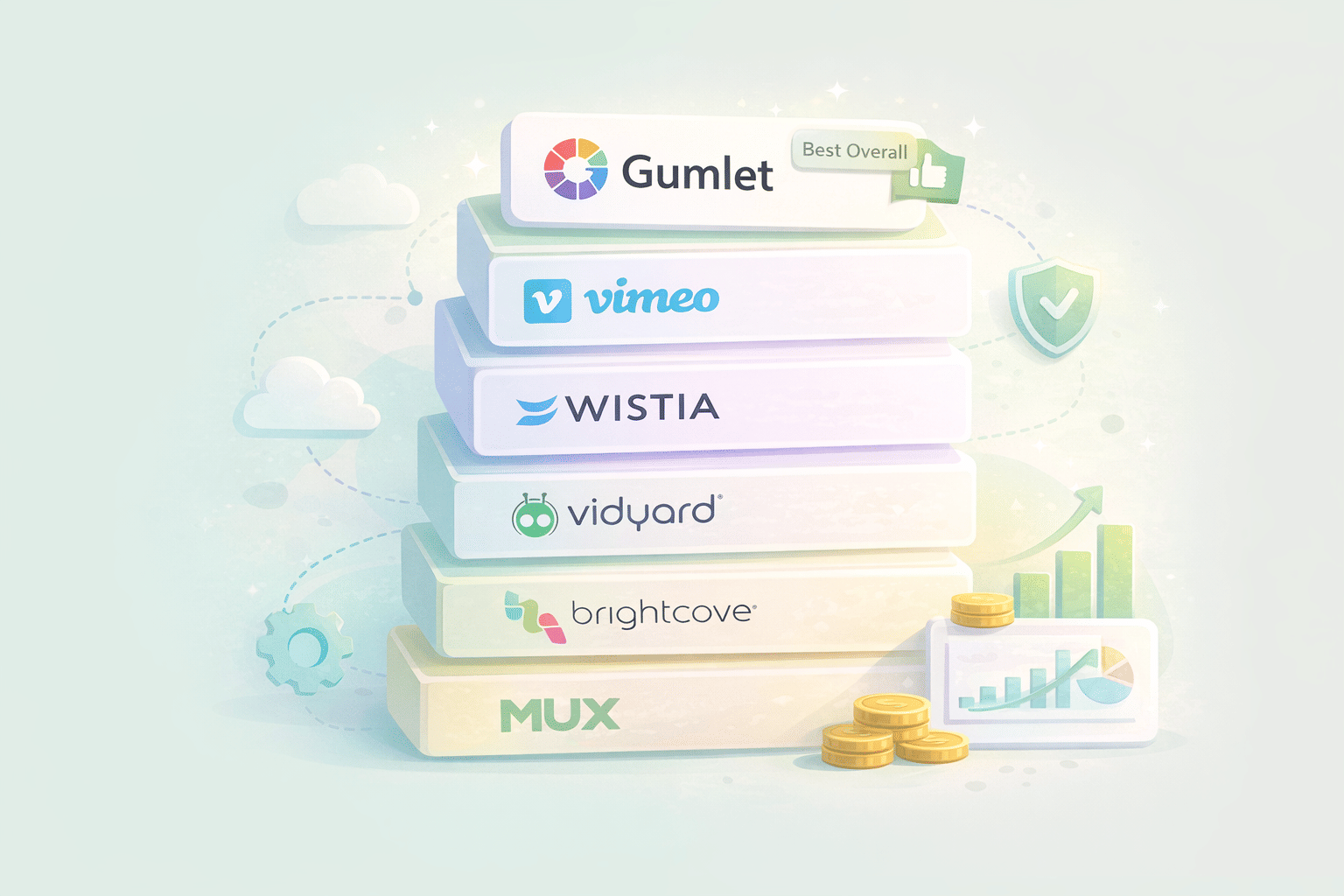
If you are short on time, here are the best video hosting platforms for SaaS based on real product use cases.
Best overall for product-led SaaS: "Gumlet." If your product relies on fast-loading videos, in-app demos, onboarding flows, and pricing that scales with usage, Gumlet is the most balanced option. It focuses on performance, developer control, security, and cost efficiency without bloated enterprise overhead.
Best for marketing teams and brand storytelling: "Wistia." Great for landing pages, brand videos, and marketing analytics. Strong UI and lead capture, but pricing and scalability can become limiting for product-heavy SaaS use cases.
Best for sales enablement and GTM teams: "Vidyard." Built for personalized sales videos and revenue teams. Excellent CRM integrations, but less suitable as a core product video infrastructure.
Best for creators and simple hosting: "Vimeo." Works well for basic hosting and internal sharing. Not optimized for product-led SaaS workflows, in-app delivery, or large-scale performance needs.
Best for enterprises with heavy compliance needs: "Brightcove." Powerful and robust, but expensive and often overkill for early to mid-stage SaaS companies.
What Product-Led SaaS Companies Really Need from a Video Hosting Platform
If you run a product-led SaaS company, video is not only a marketing channel. It is part of the product experience itself. That means your video hosting platform has to behave more like core SaaS infrastructure than a simple marketing tool. It must support in-app onboarding, secure customer education, global performance, and analytics tied directly to product and revenue metrics, while remaining manageable for marketing, product, and customer success teams.
In-app Onboarding and Feature Education
In a PLG (Product-led Growth) motion, most users will never talk to a salesperson. They learn the product through self-serve onboarding flows, empty states, tooltips, and short SaaS product videos embedded directly inside the app. This is where a generic consumer video site or a basic marketing video platform starts to fall short.
A SaaS video hosting platform has to:
- Embed cleanly inside web apps, SPAs, mobile apps, and documentation portals without slowing them down
- Make it simple to update or swap a video without breaking URLs, embed codes, or existing analytics
- Support variations of the same video for different customer segments, plans, or regions
The Yard Stick Agency's research shows that viewers retain about 95 percent of a message when they watch it in a video, compared with roughly 10 percent when reading it as text. In product-led onboarding, that retention gap is the difference between a user grasping a key workflow on day one and churning during the trial, which is why so many SaaS companies rely on short explainer videos, micro-demos, and in-app walkthroughs as part of their activation strategy.
Security and Access Control For Customer-only Content
Public platforms are built to maximise reach. Product-led SaaS, on the other hand, often needs to restrict access. That difference creates real risk if you rely on open platforms for customer-only content such as:
- Private onboarding playlists for paying customers
- Admin or configuration walkthroughs
- Customer-only webinars
- Partner training libraries
Leaked training videos, exposed roadmap demos, or internal admin tutorials can create security issues, support load, and reputational damage. A SaaS-focused video platform should therefore offer a robust security and access-control model.
You can think about the minimum controls like this:
| Security capability | Practical impact for SaaS teams |
|---|---|
| Tokenised or signed URLs | Ensures each stream request is validated before playback, limiting link sharing and hotlinking |
| Domain and referrer restrictions | Prevents videos from being embedded on unauthorised sites or in public forums |
| IP or geo restrictions | Reduces abuse and region-specific misuse for sensitive content |
| Watermarking and viewer overlays | Deters screen recording and makes leaks traceable to specific accounts |
| Integration with your auth (SSO, JWT, sessions) | Aligns video access with app entitlements, plans, and roles |
This is where “upload it as unlisted on YouTube” quickly stops being acceptable for serious SaaS teams. Product education content has to be treated with the same discipline as access to the product itself.
Performance at a Global Scale
Video performance directly impacts onboarding completion and product adoption. Long buffer times or poor quality will cause users to abandon videos before they reach the key feature explanation or call-to-action. Akamai research on millions of streams found that viewers begin abandoning videos when the startup delay exceeds ~2 seconds, and each additional second increases abandonment by ~5.8%. For product tours or activation-critical content, those drop-offs show up as lower activation rates in your product analytics.
A SaaS-ready video hosting platform must therefore deliver:
- Fast startup times and low latency across geographies
- Adaptive bitrate streaming that automatically adjusts quality per device and network conditions
- A global, multi-CDN architecture so that playback is resilient to regional network issues
- Transcoding that supports modern codecs and resolutions, including mobile-friendly formats
Performance is not only a user-experience concern. For many SaaS businesses, especially those serving multiple regions, video performance directly affects support tickets, NPS, and renewal rates.
Analytics Tied to Product and Revenue Metrics
Traditional video hosting often stops at “views” and “average watch time.” Product-led SaaS teams need more. They need to understand how video consumption maps to activation, expansion, and retention, and they need that data in the tools they already use to run growth and lifecycle experiments.
A SaaS video hosting solution should provide:
- Per-user and per-account watch data: who watched which video, how far they got, and where they dropped off
- Heatmaps and event timelines for each video, tied to specific features or moments
- Events streamed into product analytics tools and data warehouses so you can correlate video consumption with activation metrics, feature adoption, and revenue
- In-player calls to action, such as buttons, forms, or in-app prompts, are tracked as events, not just vanity clicks
Recent global video marketing research shows that around 90% of marketers report positive ROI from their video marketing efforts. For PLG SaaS, that upside is only captured when video engagement is properly measured and connected to downstream product behaviour, rather than living as a separate marketing-only data silo.
Developer-friendly Infrastructure
A product-led SaaS company cannot afford a video pipeline that depends entirely on manual uploads and one-off embeds. As usage grows, video has to be automated and integrated into the product stack like any other core infrastructure.
Developer-friendly video hosting for SaaS usually means:
- Clean APIs and SDKs for upload, transcode, thumbnail generation, and publishing
- Webhooks or event streams for lifecycle events such as “video ready,” “transcode failed,” or “view completed.”
- Strong metadata and search so product, support, and marketing teams can find and reuse content across surfaces
- Support for personalisation workflows, such as dynamically selecting videos based on user attributes, segment, or in-app behaviour
This is the difference between a “video marketing tool” and a “video infrastructure platform.” The former is fine for campaigns. The latter is required when video is embedded across your product, documentation, and customer lifecycle.
Non-negotiables Checklist For Product-led SaaS Video Hosting
A product-led SaaS company evaluating video hosting platforms should treat the following as non-negotiable and evaluate providers against each line:
| Requirement | What to look for in a platform |
|---|---|
| In-app onboarding and education | Lightweight embeds, SPA and mobile support, easy video swaps without changing URLs or losing analytics |
| Strong security and access control | Signed URLs, domain and IP restrictions, watermarking, and tight integration with your auth and entitlement model |
| Proven global performance | Adaptive streaming, multi-CDN delivery, modern codecs, and consistently low startup latency in target regions |
| Product-grade analytics | Per-user and per-account data, event-level exports to analytics and warehouse, and support for in-player CTAs |
| Developer-grade APIs and automation | Simple APIs, SDKs, and webhooks that allow video workflows to be automated as part of your product stack |
| Flexible content management and personalisation | Versioning, segmentation, and rules for showing different videos to different audiences without heavy dev work |
How to Evaluate Video Hosting Platforms for SaaS
Once you are clear on what product-led SaaS needs from video, the next step is to translate those needs into concrete evaluation criteria. Instead of comparing generic checklists such as "HD playback" or "pretty player skins", you should evaluate platforms against how well they help you acquire, activate, and retain users at scale.
A practical approach is to treat video hosting as part of your core SaaS infrastructure. The same way you would evaluate a database or an analytics platform, you should examine performance, security, data, developer experience, and long-term cost of ownership.
A simple evaluation grid looks like this:
| Dimension | Key questions to ask |
|---|---|
| Playback and performance | How fast do videos start, and is quality consistent for users in your target regions and on mobile? |
| Security and access control | Can you confidently restrict videos to specific customers, roles, plans, or environments? |
| Analytics and data integration | Can you tie video consumption to product usage, account health, and revenue in your existing tools? |
| Developer experience and APIs | How hard is it to integrate uploads, processing, and playback into your app and internal workflows? |
| Content management and workflows | Can non-technical teams manage versions, segments, and localisation without engineering bottlenecks? |
| Pricing model and scalability | Does pricing align with your SaaS usage patterns as you grow, not just with a small marketing library? |
| Vendor reliability and roadmap | Is the platform treating video as infrastructure, with clear uptime commitments and an opinionated roadmap? |
Below is how these dimensions play out specifically for SaaS video hosting:
Playback and Performance
For PLG SaaS, the performance of your onboarding and product videos is directly tied to activation metrics. You should test candidates with real assets, in real conditions, across your major markets.
Key checks:
- Startup time for a typical product video on different devices and network speeds
- Consistency of adaptive bitrate streaming when a connection fluctuates
- Mobile web and in-app performance, especially if you support lower-end devices
- Quality stability when several teams are using the platform at once, for example, marketing campaigns, plus in-app onboarding
A strong SaaS video hosting platform behaves like a video CDN plus player layer. It hides complexity such as transcoding, storage classes, and multi-CDN routing, while still giving you control when you need it.
Security and Access Control
For customer-facing SaaS, security is both a brand expectation and a compliance requirement. Your evaluation should go beyond "private links" and ask how the platform fits into your existing security and identity model.
Important questions:
- Can you generate signed or tokenised URLs that expire or are tied to a specific identity?
- Can access be controlled per account, workspace, role, or plan, not only per video?
- Is there support for watermarking or viewer-specific overlays for sensitive training or roadmap content?
- Can the platform integrate with your authentication and authorisation, for example, through SSO, JWT, or your existing API gateway?
If a provider cannot map video access to the same permission model you use for your app, you will end up maintaining brittle workarounds.
Analytics and Data Integration
Data is where many generic video hosting sites fall short for SaaS. Your team needs to measure how video interacts with product usage, not just how many plays it received on a landing page.
Evaluation points:
- Can you see engagement at the user or account level, not only aggregated per video?
- Can events such as play, pause, completion, and drop off be streamed to tools like Segment, product analytics platforms, or your data warehouse?
- Does the platform support custom metadata, for example, tagging a video with product area, lifecycle stage, or feature flag, so that you can analyse impact by cohort?
- Are there APIs for querying video analytics to power internal dashboards, customer health scoring, or in-app nudges?
For PLG SaaS companies, a good SaaS video hosting solution should behave like another event source in your growth stack.
Developer Experience and APIs
Video infrastructure can either accelerate or slow down your roadmap. If developers find it painful to work with, teams will avoid building richer video experiences into the product.
When you evaluate developer experience, look for:
- Simple, well-documented REST APIs and SDKs in the languages your team uses
- Webhook support for upload completion, transcoding status, and viewing events
- Clear limits and rate policies so you can design around them rather than discovering them in production
- Sandbox or test environments for integrating video into CI, staging, and preview workflows
Modern PLG products rely on automation for everything from invite flows to lifecycle campaigns. Your SaaS video platform should be able to participate in those workflows like any other internal service.
Content Management and Workflows
As the number of videos grows, content management becomes a real operational problem. Without a proper SaaS video platform, teams end up with scattered links, duplicate uploads in different tools, and inconsistent versions of the same feature walkthrough.
Areas to examine:
- Structure for organising content by product area, lifecycle stage, or audience segment
- Versioning and the ability to swap a video behind an existing embed without losing analytics
- Localisation, caption management, and support for multiple audio or subtitle tracks
- User permissions so customer success, marketing, and product teams can manage content without stepping on each other
For many SaaS companies, this is where the difference between a basic video marketing tool and a purpose-built SaaS video platform becomes obvious.
Pricing model and scalability
Finally, you need a pricing model that aligns with how SaaS products use video. Product-led SaaS companies usually have:
- A large and growing library of evergreen content, such as tutorials, onboarding, and training
- Spiky but predictable usage patterns across regions and time zones
- Multiple internal teams are using video, not only marketing
When you review pricing:
- Understand which metrics drive cost, such as storage, encoding minutes, or bandwidth
- Model pricing for realistic growth scenarios, including new product lines or regions
- Check how easy it is to monitor usage in real time and set alerts on key thresholds
A platform that looks affordable for a small set of marketing assets can become surprisingly expensive once you embed video across your app and documentation.
The Best Video Hosting Platforms for Product-led SaaS Companies
There is no single video hosting platform that fits every SaaS company. Product-led SaaS companies need to think in terms of fit by use case: in-app onboarding, help center videos, customer training, marketing campaigns, and internal enablement all have different requirements. The goal is not to pick the most famous brand, but to choose a stack that covers your critical paths with the least complexity.
The platforms below are evaluated specifically through a SaaS and product-led growth lens. The focus is on how well each option supports security in product video, analytics, and integration into your growth and customer success workflows, not just how polished the player looks on a marketing page.
Gumlet: SaaS-first Video Infrastructure For In-product and Lifecycle Use
Gumlet positions itself as a video infrastructure rather than a pure marketing tool. It gives SaaS teams a full stack: video library, protection, publishing, analytics, and APIs, built for companies that deliver product experiences, onboarding, and documentation through video at scale.
From a PLG perspective, Gumlet is strong in a few specific areas:
In-product Delivery and Performance
Gumlet handles transcoding, adaptive streaming, and multi-CDN, delivery behind the scenes so you can embed videos across your app, docs, and help center without worrying about latency or buffering. Product teams can swap videos without breaking URLs or losing historical analytics, which is critical when you refine onboarding flows.
Security and Access Control
Enterprise-grade controls are a core part of the platform. You get tokenised URLs, domain and IP restrictions, geo restrictions, dynamic watermarking, HTTPS enforcement, and audit logs. That makes it suitable for customer-only training libraries, roadmap walkthroughs, internal admin tutorials, or partner enablement,in-player CTAs, and event streaming to where generic public platforms are too risky.
Analytics Tied to Product and Revenue
Gumlet provides heatmaps, session analytics, in-player CTAs, and event streaming to CRM and analytics tools. You can track when a trial user watches a key feature video, trigger lifecycle messaging when they drop off, and attribute revenue back to video consumption instead of only counting views.
Personalisation and Segment-wise Messaging
The platform supports segment-specific intros, captions, and CTAs, driven by CRM or product data. This matters for product-led SaaS that wants to show different onboarding videos based on plan, role, or use-case without managing separate video silos.
Developer-friendly APIs and automation
Gumlet offers upload-and-replace APIs, metadata and search APIs, and webhooks. That allows engineering teams to automate ingestion, manage large libraries, and integrate video deeply into product workflows rather than treating it as a manual afterthought.
Best for:
SaaS and product-led companies that want a single, secure video infrastructure for in-app onboarding, product tutorials, help center content, customer training, and lifecycle campaigns. It fits teams that care about DRM-level protection, global performance, and analytics that tie directly into their product and CRM stack.
Not ideal for:
Solo creators or very small teams who only need a public marketing channel or social reach. For that use-case, a simpler or free video hosting site is usually enough until product-led onboarding becomes a priority.
Vimeo: General Purpose Video Hosting With Broad Use Cases
Vimeo is one of the most widely known alternatives to YouTube for ad-free video hosting. It gives teams a clean player, basic privacy controls, and tools for sharing or embedding videos on websites and landing pages.
For SaaS teams, Vimeo is often used as a general-purpose marketing and documentation library. You can upload product demos, webinars, or basic tutorials, then embed them on your site or in your help center. The platform supports password protection, private links, and domain-level restrictions, which are enough for simple customer-facing content.
However, there are some constraints for PLG SaaS:
- Analytics are oriented around views and engagement per video, not per account or user.
- Integration with product analytics, CRMs, and data warehouses is more limited than with infrastructure-style platforms.
- Access control is not deeply tied to your own authentication and authorisation model.
Best for:
Smaller SaaS companies that need reliable, ad-free hosting for marketing videos, landing page demos, and light documentation, without complex integrations.
Watch outs:
If you plan to gate customer-only content based on plan or workspace, or if you need user-level analytics, Vimeo will feel more like a generic video platform than a SaaS video hosting solution.
Wistia: Marketing-centric Video Hosting For Brand and Lead Generation
Wistia focuses heavily on marketing use cases such as explainer videos, webinars, and brand storytelling. It provides a very polished player, strong customisation, built-in lead-capture forms, and integrations with popular marketing automation and CRM platforms.
For SaaS companies, Wistia is a good fit when:
- Marketing is running many video campaigns and wants tight integration with email and automation tools.
- Brand and player customisation is important, for example, to keep a consistent feel across landing pages and campaigns.
- Teams want simple lead generation features such as in-player forms and CTAs without building custom overlays.
From a PLG perspective, Wistia is strong for top-of-funnel and mid-funnel acquisition, but less focused on developer tooling and deep in-product video infrastructure. Access control is oriented around marketing audiences rather than plan-based entitlements inside your app.
Best for:
SaaS marketing teams that want a dedicated video marketing platform for campaigns, webinars, and explainer videos, with built-in lead capture and CRM integrations.
Watch outs:
For in-app onboarding, tightly controlled customer training content, or complex security requirements, you will likely need an additional platform or custom infrastructure.
Vidyard: Video Hosting For Sales and Customer Success
Vidyard is known for its use in sales and customer success teams. It combines video hosting with tools for recording personalised walkthroughs, sending one-to-one videos, and tracking who watched what inside an account.
In a product-led SaaS context, Vidyard can be useful when:
- Sales and CS need to send personalised demos or feature tours to specific accounts.
- You want to see which stakeholders in an account have watched a given video, and how far they progressed.
- Outreach and CRM tools are already standard in your stack, and you want video to plug into those workflows.
The platform includes strong analytics at the recipient and account level, plus integrations with sales tools. However, it is not primarily built as in-app video infrastructure. You would not typically use Vidyard as the underlying streaming layer for your entire product.
Best for:
Sales-led or hybrid SaaS companies where sales and customer success rely heavily on personalised video outreach to move deals and expansion opportunities forward.
Watch outs:
If your main challenge is secure, scalable in-product video for thousands of self-serve users, Vidyard should be treated as a complementary tool rather than the foundation of your SaaS video stack.
Brightcove: Enterprise Video Platform For Large Organisations
Brightcove is one of the older players in the enterprise video hosting and streaming space. It is commonly used by large organisations for OTT style streaming, live events, and large scale external communication.
For SaaS, Brightcove tends to make sense when:
- You are an enterprise vendor with complex streaming or broadcast-grade requirements.
- You need to support large-scale virtual events, conferences, or multi-channel video distribution.
- Procurement and security teams expect a vendor with a long track record and established enterprise features.
Brightcove provides extensive features, but it can be heavy for smaller PLG SaaS companies. Implementation often requires more upfront effort, and pricing is typically geared toward large customers with significant budgets and legacy video needs.
Best for:
Large SaaS or software-enabled enterprises that treat video as a primary channel for large events, broadcast, or media-style experiences, and have internal teams to manage a complex platform.
Watch outs:
For a lean PLG team that mainly needs high-quality product onboarding videos, help center content, and customer training, an enterprise platform like Brightcove may be more complex than necessary.
Mux: API-first Video Infrastructure For Engineering-heavy Teams
Mux is an API-first video platform that provides developers with streaming, encoding, and analytics primitives. You bring your own frontend and experience layer, while Mux handles core video infrastructure.
For engineering-led SaaS companies, Mux can be attractive because:
- It offers granular APIs for upload, processing, playback, and analytics.
- It is designed to be deeply embedded in your product, with full control over UX.
- Developers can treat it like a programmable video backend and build highly customised workflows.
The trade off is that product and marketing teams get fewer out of the box tools for content management, marketing campaigns, and customer education. You are expected to build your own libraries, management UIs, and many parts of the experience layer.
Best for:
Engineering-heavy SaaS products that want to own the complete video experience in their app and have the resources to build custom tooling on top of infrastructure APIs.
Watch outs:
If non-technical teams need to manage large libraries of onboarding, training, and help center videos, Mux alone will require significant internal development to match the usability of a higher-level SaaS video platform.
YouTube: Reach-focused Public Video Platform
YouTube is not a SaaS video hosting solution, but most SaaS companies use it to expand their reach. It is excellent for brand awareness, top-of-funnel education, and building a public content library that can rank in search and be shared widely.
For product-led SaaS, YouTube is useful when:
- You want to publish public explainer videos, feature overviews, and case studies.
- You care about organic discovery and want your content to appear in Google and YouTube search results.
- You are comfortable with a public, ad-supported environment and do not require strict access controls.
However, for customer-only content and in-app onboarding, YouTube is a poor fit:
- Access control is limited to unlisted or private videos, which can still be easily shared or embedded.
- You have no real way to map views to accounts and users inside your SaaS product.
- Ads and suggested videos can distract users and send them away from your product.
Best for:
Public, top-of-funnel video content where reach and discovery matter more than control.
Watch outs:
Do not rely on YouTube for customer-only tutorials, internal admin videos, or anything that should be tied to your app’s authentication and analytics. Use it as a public channel alongside a proper SaaS video hosting platform.
Loom and Async Recorders: Internal and Ad Hoc Communications
Tools such as Loom and similar async recording apps are widely used inside SaaS companies. They make it easy for employees to record quick walkthroughs, internal demos, or bug reports and share them with colleagues.
For PLG teams, these tools are particularly handy for:
- Internal knowledge sharing and onboarding of new team members.
- Ad hoc explanation of product behaviour, design decisions, or incidents.
- Drafting rough product walkthroughs that can later be formalised as polished customer-facing videos.
The limitation is that async recorders are not designed to be long-term, externally facing video platforms. Links can proliferate without structure, analytics are basic, and security controls are aimed at internal collaboration rather than customer entitlements.
Best for:
Internal SaaS knowledge sharing and rapid async communication inside product, engineering, and customer success teams.
Watch outs:
Do not treat Loom or similar tools as your primary customer-facing video hosting platform. Over time, you will need a dedicated SaaS video platform for stable embeds, security, and analytics.
Snapshot Comparison For Product-led SaaS Companies
To make the differences easier to scan, the table below summarises where each platform typically fits for a product-led SaaS company.
| Platform | Core orientation | Best PLG SaaS use cases | Main limitations for SaaS |
|---|---|---|---|
| Gumlet | SaaS-first video infrastructure | In-app onboarding, help center, customer training, lifecycle video | Requires some setup and intent to treat video as core infrastructure |
| Vimeo | General purpose ad-free hosting | Marketing pages, basic docs and product demos | Limited user-level analytics and tight access control |
| Wistia | Marketing-centric video hosting | Campaigns, webinars, branded marketing videos | Less suited as the primary in-product video infrastructure |
| Vidyard | Sales and customer success video | One-to-one demos, expansion and renewal outreach | Not designed as the main in-app streaming layer |
| Brightcove | Enterprise video platform | Large events, broadcast style experiences, complex organisations | Heavy implementation and enterprise style pricing for smaller PLG teams |
| Mux | API-first video backend | Highly custom in-app video experiences built by engineers | Minimal out of the box tooling for non-technical teams |
| YouTube | Public, reach-focused platform | Top-of-funnel brand, explainer, and educational content | Weak control and analytics for customer-only or in-product video |
| Loom and async recorders | Internal async video communication | Internal tutorials and collaboration | Not suitable as a structured, external SaaS video hosting platform |
Why Gumlet Fits Product-led SaaS Teams
For product-led SaaS companies, the video layer has to behave like infrastructure. Gumlet is built for that role. It is designed to power secure, high-performance video across in-app onboarding, feature education, help centers, academies, and lifecycle campaigns, rather than handling only isolated marketing assets.
End-to-end, Gumlet covers the path from upload to insight. Teams upload raw files, Gumlet handles transcoding, and documentation without extra delivery work. Global performance is handled through optimised streaming and multi-CDN distribution so product teams can focus on where video fits into the journey rather than bandwidth, formats, and devices.
Security and access control are treated as defaults, not add-ons. Gumlet supports signed URLs, domain and IP restrictions, watermarking, and alignment with your existing authentication model. That allows you to host customer-only onboarding series, role-specific admin videos, internal enablement material, and partner training without relying on fragile unlisted links or multiple disconnected tools.
For growth and customer success teams, Gumlet turns video engagement into usable product data. Per-user and per-account analytics, heatmaps, and in-player calls to action can feed into your CRM, product analytics platform, and data warehouse. This makes it possible to connect specific onboarding or training videos to activation, support deflection, expansion, and renewal outcomes.
Engineering teams get APIs, SDKs, and webhooks that match how modern SaaS products are built. Upload and replace operations, metadata updates, event streaming, and automation can be integrated into existing pipelines. As a result, product, marketing, and education teams can scale their use of video without asking developers to maintain separate, bespoke infrastructure.
Taken together, this makes Gumlet a practical default choice for product-led SaaS companies that want a single, reliable video hosting platform at the core of their stack, with public and internal tools layered around it rather than substituting for it.
Treat Video As Core SaaS Infrastructure
For product-led SaaS companies, video is not just content. It is often the clearest way users learn the product, discover advanced workflows, and decide whether to stay beyond a trial. That is why generic video sites and improvised hosting eventually create friction - they cannot provide the security, control, and analytics you need around core product experiences.
A sustainable approach is to treat video hosting like any other part of your SaaS infrastructure. You need fast, reliable playback in your key markets, access control that mirrors your own authentication, analytics that connect viewing behaviour to activation and retention, and APIs that let you automate uploads, personalisation, and lifecycle campaigns. Public platforms such as YouTube and internal tools like Loom still have a place, but they should sit at the edges of your stack, not at the centre of your product experience.
A SaaS-first platform such as Gumlet is designed for that central role. It provides secure in-product delivery, structured content management, product-grade analytics, and developer tooling, so onboarding videos, feature walkthroughs, academies, and help centre assets can all live on a single infrastructure layer. Around that, you can still use marketing-centric platforms for campaigns and API-centric backends for highly custom experiences.
If you want to design or refine your SaaS video strategy with this mindset, a practical next step is to review what a dedicated SaaS video platform should cover across onboarding, training, and documentation.