Video is increasingly the backbone of corporate training. In modern employee training and development programs, 88% of large enterprises now use video broadcasting or virtual classroom tools to deliver training content.
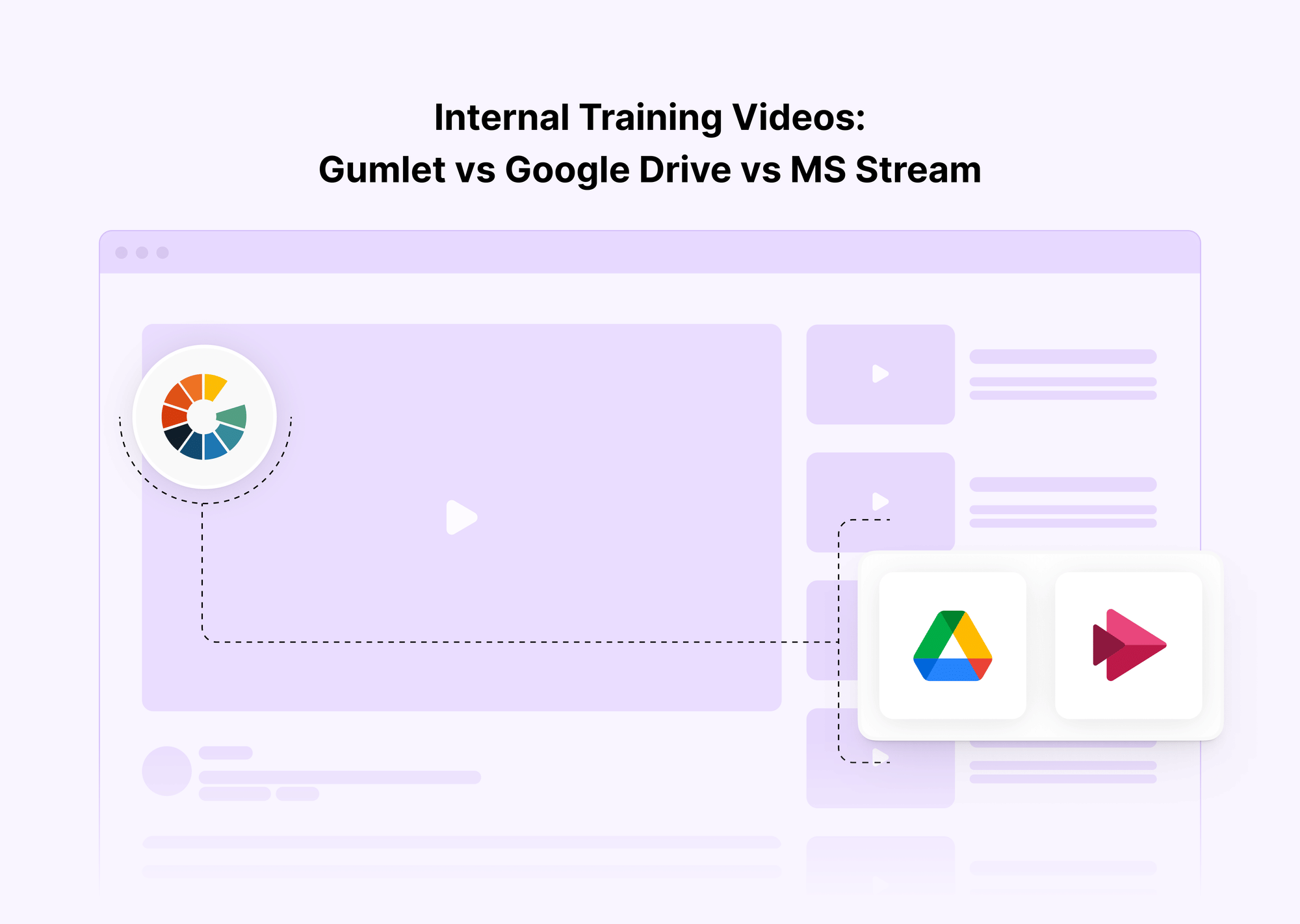
For companies building an internal training platform, the choice of hosting and delivery method can make or break engagement, security, and compliance. Below is a crisp, decision-oriented comparison to help you determine whether Gumlet, Google Drive, or Microsoft Stream fits your corporate training programs best.
| Quick answer: when to use each for internal training videos |
|---|
| Gumlet: Use when you need secure streaming, real analytics, and control at scale for an internal training platform. |
| Google Drive: Use when you only need simple file sharing for employee training with basic access and no streaming controls. |
| Microsoft Stream: Use when your team lives in Microsoft 365, and you want light video hubs for corporate training without advanced security. |
| Reach out to us and see how Gumlet works for teams like yours! |
Use Gumlet if you need secure streaming, analytics, and control
Gumlet is built for organizations that treat training content as sensitive IP. It provides the guardrails and insight you expect from an internal training platform used for employee training and development across regions.
- Security at the video layer: DRM options such as Widevine and FairPlay, AES-encrypted HLS or DASH delivery, signed or tokenized URLs, and domain or IP restriction. Dynamic watermarking discourages misuse.
- Actionable analytics: Real-time dashboards with user-level insights, watch percentage, chapter replays, and completion tracking so corporate training programs can prove participation.
- APIs and scale: Developer APIs, player SDKs, and webhooks for automation. Suitable for large employee training software stacks, LMS integrations, and multi-brand corporate training courses.
- Outcome: Compliance is simpler, audits are faster, and adoption increases because playback is smooth and controlled.
Use Google Drive if you need only file sharing with basic access
Google Drive is familiar, easy to get started with, and inexpensive on a small scale. It can serve as a simple repository for employee engagement training assets when streaming needs are minimal.
- Strengths: Easy drag-and-drop sharing, quick permissioning, suitable for small teams distributing slide decks or reference clips.
- Limits: No adaptive bitrate streaming, no studio-grade DRM, limited verification that a learner actually watched the video. Links can leak outside your domain. Analytics show file activity, not training outcomes.
- Outcome: Acceptable for quick handoffs. Not suited for structured corporate training programs that require reliable viewing of evidence.
Use Microsoft Stream if you are all-in on Microsoft 365 with light video needs.
Microsoft Stream fits organizations that already run Teams, SharePoint, and OneDrive, and want light video hubs for internal communications and simple corporate training.
- Strengths: Tight identity integration with Microsoft 365, easy sharing in Teams channels, quick upload for town halls, and short tutorials.
- Limits: Not designed for large-scale secure video delivery. Limited DRM options, limited viewer-level training analytics, and less control over domain or IP-based restrictions.
- Outcome: Good for small training hubs inside M365. Not a replacement for a secure streaming platform when content protection or audit-grade analytics are required.
Security and Rights Protection
Training videos are valuable corporate assets that often contain product insights, confidential processes, and compliance materials. When these videos are stored casually on platforms like Google Drive or Microsoft Stream, uncontrolled sharing and piracy become very real risks. Both Drive and Stream rely on basic link permissions and workspace identity management, which can’t stop users from downloading or re-sharing files externally.
A secure internal training platform must go beyond access links. Gumlet closes these gaps with Digital Rights Management (DRM), watermarking, token authentication, domain and IP restriction, and encrypted HLS/DASH streaming. Together, these create a protected perimeter around your corporate training videos, ensuring that only authorized employees can view content, while every playback is logged, traceable, and compliant.
Looking to get your training security gaps reviewed and rectified? Talk to one of our experts today!
DRM Options, Token or Signed URLs, Domain, and IP Restriction
Digital Rights Management (DRM) locks playback to trusted browsers and authenticated devices. Even if someone downloads or intercepts the video file, it remains encrypted and unplayable outside approved systems. Gumlet supports modern DRM frameworks such as Widevine and FairPlay, the same technologies used by streaming giants to protect their premium media.
Signed or tokenized URLs add another layer of security. Each video session is issued a short-lived, unique token that expires automatically, so even if a user shares a link externally, it stops working once the session ends.
Finally, domain and IP restrictions define where and from whom playback is allowed. Videos can be locked to your corporate training platform, LMS, or intranet and restricted to IP ranges within your organization. This ensures that even employees cannot forward video links outside your secure ecosystem.
In short, Gumlet’s multi-layer model that includes DRM + token + domain/IP rule, turns employee training video hosting into a fully protected, compliance-ready system.
Watermarking, Screen Capture Friction, and Link Sharing Controls
Even the most secure systems must anticipate human behavior. Someone might still attempt to record a screen. Gumlet addresses this with dynamic watermarking, a deterrence technique that overlays user information (such as an email ID or session ID) in real time over the video. This discourages users from screen-recording or leaking clips, as every frame would point back to them.
The platform also introduces screen-capture friction, using encrypted playback and restricted rendering environments to make clean screen grabs nearly impossible. Combined with watermarking and link expiration, this approach ensures every video session remains traceable and protected.
By comparison, Google Drive and Microsoft Stream lack these hardened protections. Drive simply hosts downloadable files with optional “view-only” access, while Stream depends on Microsoft 365 authentication but offers no video-level encryption or watermarks. The difference is clear. Gumlet treats your corporate training content like proprietary data, not just another shared document.
What Drive and Stream Can and Cannot Enforce
- Google Drive: Only provides file-level permissions (“Viewer,” “Commenter,” or “Editor”). There is no DRM, encryption, or watermarking. Its activity logs show whether a file was opened, but this does not prove who actually watched or for how long. Once a link is shared externally, control is lost.
- Microsoft Stream: Offers authentication through Microsoft 365, so only logged-in users can access content. However, it still lacks DRM, playback encryption, and link expiration. Video analytics are high-level and aggregate, giving minimal visibility into engagement or completion.
In contrast, Gumlet enables compliance-grade governance. Every playback is authorized through a secure session, verified by DRM, and reinforced by network-level controls. For large enterprises or regulated industries, that distinction makes all the difference between “private” and truly secure internal training videos.
Viewer Verification and Analytics
Training accountability is about proving that employees actually watched the content. In corporate compliance, especially in industries like healthcare, finance, or manufacturing, leaders must verify who watched, how much, and when.
Gumlet provides user-level analytics, completion tracking, and chapter heatmaps that reveal detailed viewing behavior. You can see that a user watched 87% of a training, replayed chapter three, and skipped the intro. This data feeds directly into compliance reports, helping HR or L&D teams validate participation during audits.
By contrast, Google Drive merely shows that a file was opened, while Microsoft Stream lists aggregate view counts. Neither offers continuous streaming analytics that reflect authentic engagement.
User-Level Analytics, Completion Tracking, Chapter Heatmaps
User-level analytics identify each viewer individually and track playback starts, pauses, replays, and exit points.
Completion tracking ensures that an employee’s progress meets thresholds (for example, 80% of the content viewed before a course is marked complete).
Heatmaps show where learners rewatch or drop off, helping administrators refine future employee training and development content.
For corporate training courses, these features transform video from a passive medium into a measurable learning experience.
Proving Training Completion for Audits
In compliance-driven sectors, you must demonstrate that employees completed mandatory training. Gumlet’s detailed playback logs provide timestamped evidence, showing who watched, when, for how long, and on which device.
Google Drive and Microsoft Stream fall short: file activity or basic reports cannot withstand compliance scrutiny. Without detailed streaming analytics, organizations risk non-compliance or audit penalties.
With Gumlet, corporate training programs gain defensible proof of participation for every learner, which is critical for ISO, HIPAA, and SOC 2 audits.
How Drive Activity Logs and Stream Reports Differ from Streaming Analytics
- Google Drive: Logs “file viewed” or “downloaded.” No play duration, no engagement metrics.
- Microsoft Stream: Provides view counts and some watch duration, but not detailed per-user engagement.
- Gumlet Streaming Analytics: Tracks each second of playback, aggregated by user, department, or geography. It’s continuous, time-series data that allows leaders to validate completion rates and spot engagement drop-offs instantly.
This granularity is what separates video hosting for employee training from accurate streaming analytics for compliance.
Playback Quality and Reliability
High-quality playback drives engagement and completion. When training videos buffer or fail on mobile, employees disengage, and support tickets increase. Gumlet solves this with adaptive bitrate streaming (ABR), HLS/DASH delivery, and a global CDN, ensuring every viewer experiences smooth playback regardless of network speed.
In contrast, Google Drive serves static files meant for download, while Microsoft Stream often buffers during busy hours—the result: slower adoption and frustrated learners.
Adaptive Bitrate Streaming, HLS/DASH, Global CDN Delivery
- Adaptive bitrate streaming (ABR) automatically adjusts video quality in real time based on the user’s bandwidth.
- HLS/DASH standards ensure compatibility across browsers, mobile devices, and smart TVs.
- Global CDN delivery guarantees low latency and stable performance for remote or global workforces engaged in employee training programs.
Encoding Speed, Multi-Format Subtitles, Captions
Gumlet rapidly encodes videos into multiple renditions and supports multi-language subtitles and closed captions, which is crucial for accessibility in global corporate training. Drive and Stream offer limited encoding control and minimal subtitle support.
Buffering, Device Support, Offline Constraints
Gumlet’s CDN reduces buffering and stalls, ensuring consistent playback across all devices. Drive and Stream may fail to stream smoothly in mobile or low-bandwidth environments, hurting employee engagement training outcomes.
Workflow Fit and Admin Effort
For Learning & Development (L&D) teams, efficiency matters as much as security. Gumlet’s employee training software workflow is designed to minimize manual effort while keeping control centralized.
Gumlet: Upload → automatic encoding → apply DRM or token rules → publish securely via SSO and role-based permissions. Use APIs or webhooks to push updates into your LMS or intranet.
Google Drive: Upload → share link. Quick but uncontrolled.
Microsoft Stream: Upload → share to a Team or SharePoint site. Easy for small groups, but limited for enterprise rollouts.
Chapters, CTAs, Forms, and In-Video Interactions
- Gumlet supports chapters, in-video CTAs, and forms, allowing managers to embed quizzes or feedback checkpoints directly in videos.
- Drive and Stream offer static playback with no built-in interactivity, making them less effective for dynamic employee training and development.
Integrations, Webhooks, and APIs for Automation
Gumlet’s Video API and webhooks allow automated uploads, reporting, and integrations with LMS platforms or internal dashboards. Drive and Stream offer generic file APIs with limited video-specific functionality, restricting automation possibilities.
Cost and Total Cost of Ownership
While Google Drive and Microsoft Stream appear inexpensive, their hidden costs emerge over time with security incidents, audit gaps, re-encoding labor, and IT support overhead.
Gumlet, on the other hand, offers efficient encoding, global CDN optimization, and usage-based pricing that scales with real consumption. This reduces the total cost of ownership while strengthening compliance.
Storage, Egress, and Bandwidth Math for Training Libraries
A 10-minute video viewed by 1,000 employees can easily generate hundreds of GBs of bandwidth. Gumlet’s adaptive bitrate and CDN caching reduce data transfer by 30–40%, saving costs while improving playback for corporate training programs.
Per-User vs Usage-Based Models
Per-user licensing in LMS tools penalizes growth. Gumlet’s usage-based model aligns cost with engagement, making it ideal for scaling employee training platforms across global teams.
Hidden Operational Costs with Drive or Stream
IT time spent managing link permissions, troubleshooting playback issues, or responding to compliance reviews adds up. Generic storage systems are not designed for large-scale, secure delivery of training videos, resulting in inefficiency and increased risk.
Migration Checklist: Moving from Drive or Stream to Gumlet
Transitioning from generic file sharing to a secure streaming workflow doesn’t have to be complex. Gumlet’s support team assists at every step.
Map Libraries, Tags, and Audiences
- Inventory all existing videos and categorize them by topic, department, and audience level.
- Map current access permissions to relevant employee groups.
Re-Encode, Watermark, and Re-Embed
- Import videos into Gumlet for adaptive encoding.
- Apply dynamic watermarking for content protection.
- Replace Drive or Stream links with Gumlet embed codes in your LMS, intranet, or internal training platform.
Validate Analytics and Access Controls
- Verify that user analytics, completion thresholds, and heatmaps are recording properly.
- Test DRM, token authentication, and domain/IP restrictions before full deployment.
By following this structured migration process, organizations can modernize their corporate training courses with enhanced security, improved engagement tracking, and scalable performance, while keeping administrative overhead low.
Comparison table: features that matter for internal training videos
| Capability | Gumlet | Google Drive | Microsoft Stream |
|---|---|---|---|
| Security | DRM options, encrypted HLS/DASH, signed URLs, domain and IP restriction, watermarking | Basic link permissions, no DRM | Identity via Microsoft 365, limited video-level controls |
| Analytics | User-level analytics, completion tracking, heatmaps, and per-chapter insights | File activity logs only | Light reports, not granular streaming analytics |
| Playback | Adaptive bitrate streaming, global CDN, captions, and multi-language support | File download or basic playback, no ABR | In-suite playback, variable performance |
| Workflow | Upload → encode → secure publish, SSO and RBAC, chapters and CTAs | Upload and share links | Upload and share to Teams or SharePoint |
| Cost | Usage-aligned streaming reduces egress waste, predictable at scale | Cheap at first, hidden costs with growth and governance | Included in the suite, limited for secure large-scale streaming |
| Integrations | APIs, SDKs, webhooks, LMS and portal embeds | Generic file APIs | M365 ecosystem, limited training-specific features |
Conclusion
For internal training videos, match the tool to the job. Google Drive is fine for simple file sharing in small teams. Microsoft Stream fits organizations living in Microsoft 365 that need lightweight video hubs without strict compliance requirements. Gumlet is designed for secure streaming at scale, with DRM, watermarking, signed URLs, domain and IP restrictions, and analytics to verify completion. If internal training content is strategic IP and must pass audits, choose the platform that protects it, measures it, and delivers it reliably.
FAQ
What are internal training videos?
They are instructional assets used in employee training, employee engagement training, and corporate training programs. Typical formats include onboarding, compliance, product education, and leadership courses inside an internal training platform.
How secure is Google Drive for training videos?
Drive provides basic link permissions and workspace identity. It is not a secure streaming platform. There is no DRM or strong proof of viewing, so it is not ideal for compliance-heavy employee training and development.
Does Microsoft Stream track completion?
Stream offers light reporting within Microsoft 365. It does not provide granular streaming analytics or robust completion evidence needed for audited corporate training.
Why use a video platform for compliance training?
A streaming platform like Gumlet adds DRM, watermarking, signed URLs, domain and IP restriction, and user-level analytics. You can prove who watched what and ensure training is completed in regulated environments.
How to migrate training videos securely?
Inventory content and audiences, ingest to a streaming platform for adaptive renditions, apply watermarking and rules, re-embed across your LMS or portal, and validate analytics and access before rollout.
| TLDR (≤120 words) |
|---|
| Use Drive for simple file sharing. It lacks streaming controls and reliable watch verification. |
| Use Stream if your team lives in Microsoft 365 and needs basic video hubs, not strong DRM. |
| Use Gumlet for secure streaming with DRM options, watermarking, signed URLs, domain and IP restriction, and real analytics on who watched what. |
| Adaptive bitrate streaming and a global CDN improve playback and reduce support tickets. |
| Costs shift with scale. Streaming platforms optimize bandwidth and encoding, while generic storage creates hidden overhead. |
| A simple migration checklist helps re-encode, watermark, re-embed, and preserve analytics for your internal training platform and corporate training programs. |