Your image CDN is either quietly compounding your performance gains or quietly taxing them every single day.
For many high-traffic teams, Imgix has been the default image layer between the origin and users, handling real-time transformations with minimal attention. It is a real-time image processing CDN that sits in front of your origin, transforms images via URL parameters, and serves the results from a global edge network for SaaS, e-commerce, and media properties.
The challenge is that modern sites are heavy, and images account for a large share of page weight, so even small inefficiencies in formats, compression, or caching show up directly in Core Web Vitals and in infrastructure costs. As traffic grows, issues such as rising bandwidth bills, the need for newer formats like AVIF without code changes, multi-CDN resiliency, and deeper analytics often push teams to look beyond Imgix.
This article is for product, engineering, infrastructure, and growth teams running meaningful traffic who want to know the best Imgix alternative.
You will get a practical evaluation framework, a comparison of the top competitors (with Gumlet in focus), and a clear checklist for migrating from Imgix to Gumlet with minimal risk and downtime.
How We Evaluated Imgix Alternatives
To identify the most practical Imgix alternative for high-traffic websites, we evaluated each platform across the following criteria:
- Multi-CDN delivery and infrastructure resilience
- Support for modern image formats (AVIF, WebP) and dynamic transformations
- Ease of migrating from existing Imgix URL parameters
- Pricing predictability at scale
- Real-world performance validation (LCP impact, payload reduction, cache behavior)
We prioritized solutions that enable side-by-side testing via parallel CNAME rollouts, so teams can compare bandwidth usage, p95 image response time, and Core Web Vitals before fully migrating.
For engineering-led teams, this ability to validate performance and cost improvements without production risk is critical.
Key Takeaways
- Imgix is a notable real-time image CDN, but high-traffic sites often hit limits on cost predictability, analytics depth, and flexibility.
- Images account for a large share of page weight, so your image CDN directly impacts Core Web Vitals, SEO, and conversion rates.
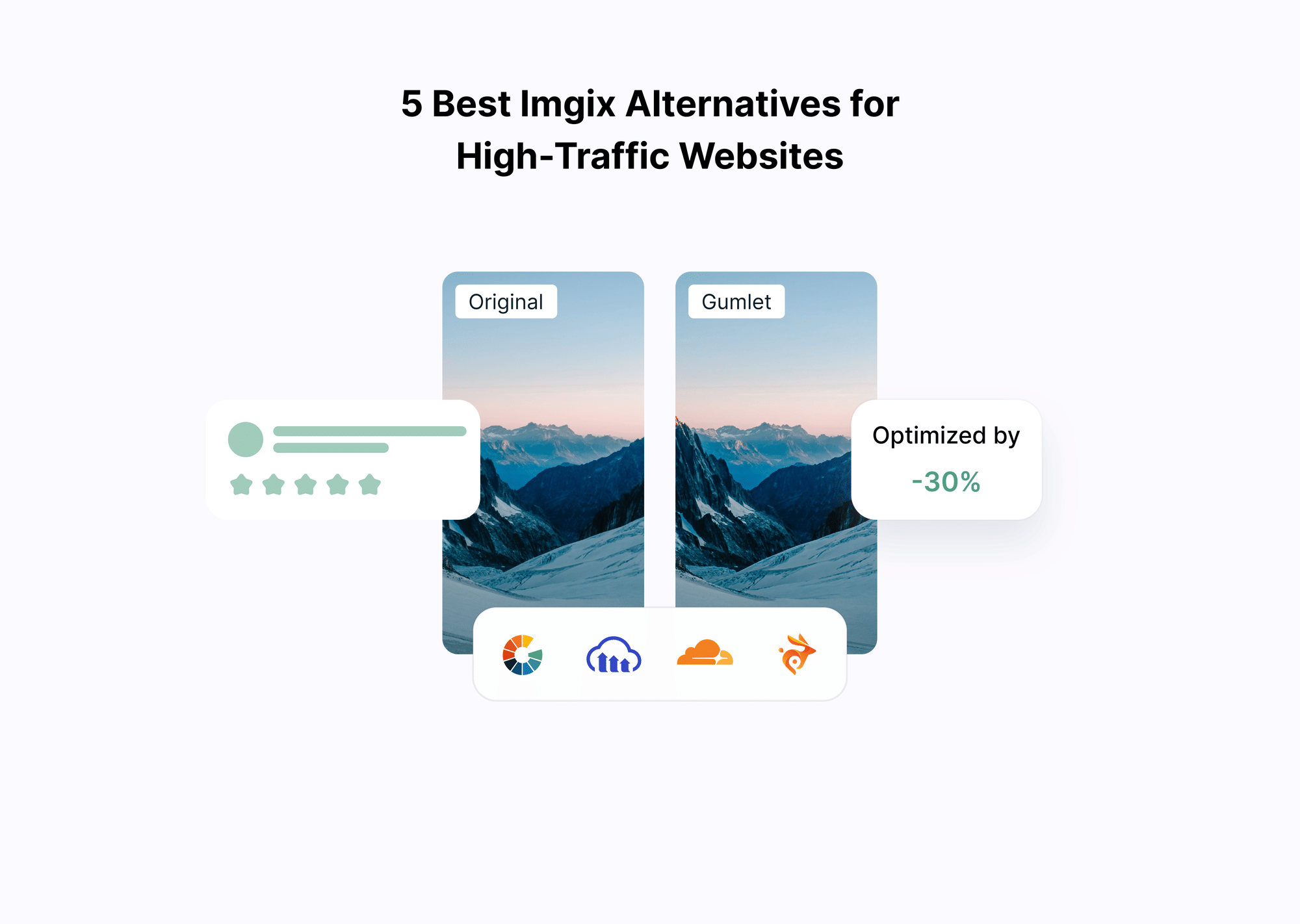
- The five most relevant Imgix competitors for serious workloads are Gumlet, ImageKit, Cloudinary, Cloudflare Images, and Bunny.
- Gumlet usually offers the best balance of multi-CDN delivery, AVIF and WebP support, strong caching, image analytics, and a documented Imgix migration path.
- Cloudinary is better when you actually need full DAM and complex media workflows, not just fast image delivery.
- Cloudflare Images is attractive if you are already on Cloudflare and want to keep CDN, security, and images on one edge platform.
- Bunny is the low-cost CDN and optimizer option if you are extremely price-sensitive and willing to trade off some analytics and multi-CDN features.
- If image delivery costs, latency, or LCP are starting to show up in your metrics, run a side-by-side test with Gumlet on a limited set of pages before committing to a full migration.
How to Evaluate Imgix Alternatives for High Traffic Websites
High-traffic websites put far more strain on an image CDN than smaller projects do. If your pages pull thousands of variants from many regions every minute, gaps in cache hit rate, format support, or routing show up as real money and Core Web Vitals regressions, not just nicer graphs.
When comparing Imgix competitors, look beyond basic resizing and free tiers and focus on these areas.
1. Core Performance and Delivery Architecture
For global products, start with delivery architecture.
You want strong CDN support and, ideally, multi-CDN support for better coverage, resilience, and cache hit rates during spikes. Check how providers describe edge caching, origin shielding, and regional routing, and confirm they expose edge-level metrics such as cache hit rate, latency, and error codes per region.
2. Format, Compression, and Responsiveness
Modern image CDNs should support both traditional formats (JPEG, PNG, GIF) and next-generation formats such as WebP and AVIF.
Next-gen formats deliver smaller files for the same visual quality, especially on mobile-heavy traffic. Evaluate whether the provider offers automatic responsive resizing based on width and DPR, network-aware compression, and sensible defaults so you get good performance even with simple parameters.
3. Scalability, Reliability, and Vendor Lock-in
High-traffic workloads see launch spikes, seasonal peaks, and occasional viral traffic.
Review SLAs, rate limiting, and how the provider handles sudden increases in volume or regional incidents. Also, check how tightly you are coupled to proprietary URL syntax or SDKs. Using a custom domain in front of the provider and keeping transformation logic abstracted makes any future migration less painful.
4. Analytics, Observability, and Debugging
At scale, you need data, not hunches.
The best Imgix alternatives expose request, error, and performance metrics broken down by route, device, geography, and format, plus clear visibility into cache hits and misses. Ideally, marketing and growth teams can access these insights without digging through raw CDN logs, enabling them to see how image changes affect LCP, engagement, and revenue.
5. Pricing Model and Cost Predictability
Most image CDNs charge on some mix of bandwidth, storage, transformations, and requests.
High-traffic teams should be cautious about per-operation models that are hard to forecast when you have many variants per asset. In practice, a simple bandwidth-focused model with clear tiers and no aggressive overages is easier to manage than complex credit systems, as long as caching is effective and you are not paying double for origin and edge.
6. Fit for Your Stack and Migration Path
Finally, check how each alternative fits your current and future stack.
Look for first-class support or guides for your framework and hosting (Next.js, Nuxt, React, WordPress, headless CMS, Vercel, Netlify), and clear documentation for using the service as an origin image CDN. A documented migration path from Imgix, with parameter mapping and URL examples, makes it much easier to run the new provider and Imgix side-by-side while you test and roll out.
Get this evaluation right, and the rest of the comparison becomes simpler, because you can quickly see which Imgix alternatives actually match your workload instead of just ticking feature boxes.
The Top 5 Imgix Alternatives to Consider
1. ImageKit: Imgix Competitor With Built-in Media Library
What ImageKit is
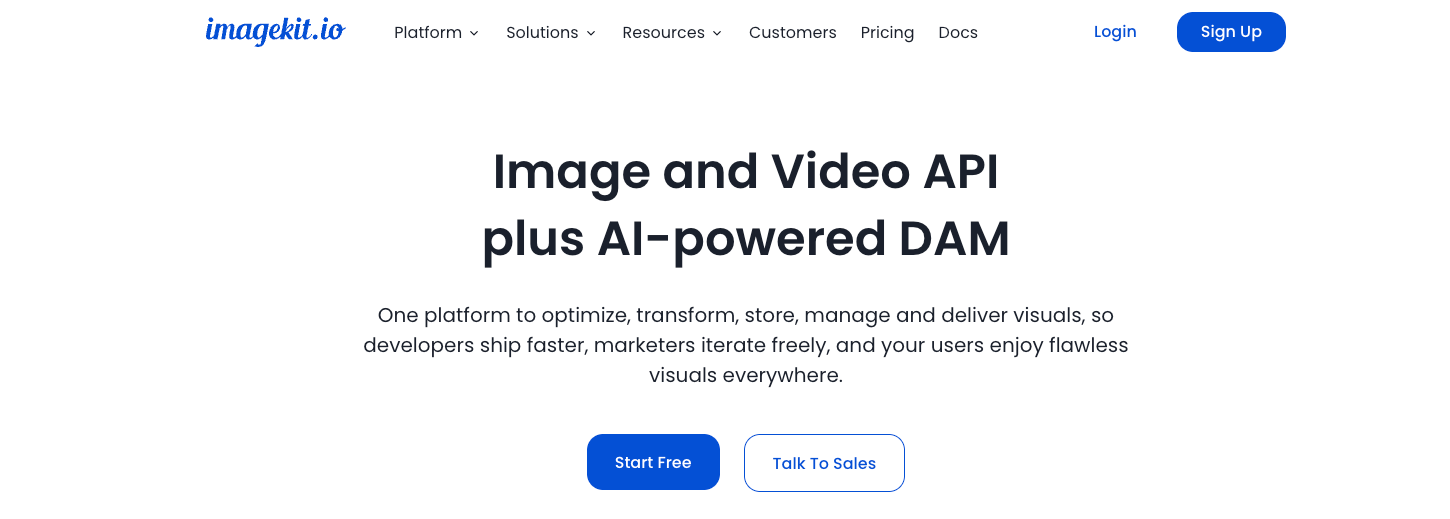
ImageKit is a real-time image optimization and delivery service that transforms, compresses, and resizes images via URL parameters and serves them from a global CDN. You connect one or more origins, then generate variants on the fly instead of storing multiple copies. On top of that, ImageKit provides a media library and light DAM features so teams can upload, organise, and search for assets in a browser dashboard and via APIs.
This makes ImageKit feel like a midpoint between a pure transformation proxy like Imgix and a full media platform like Cloudinary.
Where ImageKit Fits as an Imgix Alternative
ImageKit is a good option if you want an Imgix-style API with a friendlier dashboard and some asset management:
- E-commerce stores that handle large product catalogs and want responsive images without building a separate DAM.
- SaaS and content sites that need a straightforward image CDN with modern formats and a visual media library.
- Agencies or multi-brand teams that prefer one account serving multiple origins and sites.
Compared with Imgix, ImageKit leans into:
- Real-time optimization is aware of device and network conditions.
- An integrated media library that non-engineers can use.
- Bandwidth-oriented pricing that does not charge per transformation.
How it Compares to Gumlet
For high-traffic workloads, the main trade-offs are against Gumlet rather than against Imgix.
- ImageKit typically sits on a single CDN abstraction, while Gumlet uses a multi-CDN setup focused specifically on image and video delivery.
- ImageKit’s analytics are useful for usage and performance, but Gumlet goes deeper into image-centric metrics and the impact on Core Web Vitals, which matter when images are a primary performance lever.
- ImageKit does not provide a dedicated Imgix migration guide. Gumlet does, which lowers the risk and effort for large migrations.
In short, ImageKit is a solid choice when you want a simple image CDN plus media library and are comfortable with a single CDN behind it. If you treat image delivery as critical infrastructure and care about multi-CDN routing, detailed performance analytics, and a documented Imgix migration path, Gumlet is usually the stronger fit and a strong candidate as an ImageKit alternative.
2. Gumlet: Imgix alternative Built for High Traffic Image Delivery
What Gumlet is in Relation to Imgix
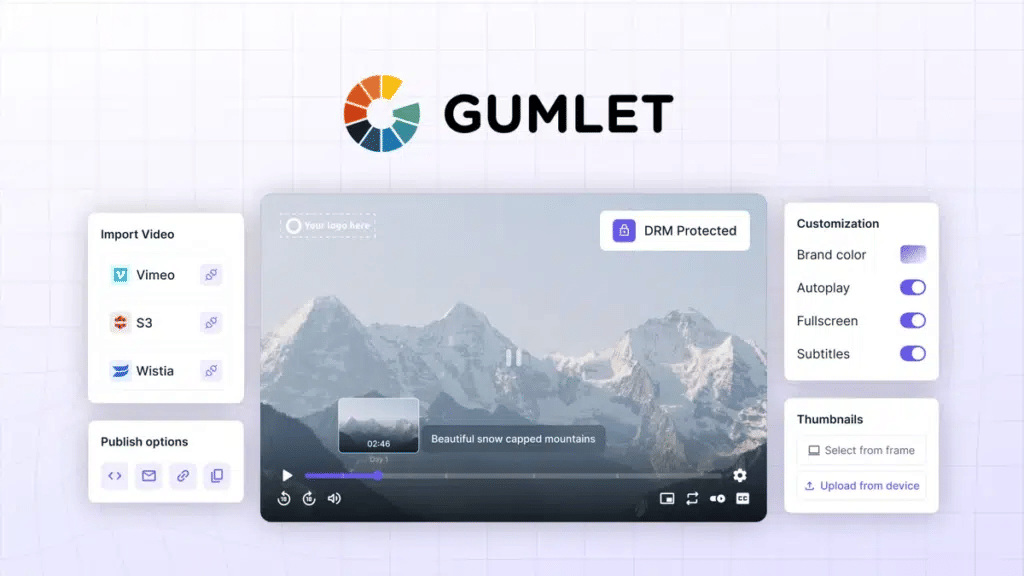
Gumlet is an image optimization and delivery platform that sits between your users and your image storage, similar to Imgix but with a stronger focus on multi-CDN delivery, predictable costs, and observability. It pulls originals from your existing storage, performs on-the-fly resizing and compression, and serves optimized variants via a global CDN layer, without changing your media workflow.
Where Imgix is positioned primarily as a real-time image processing CDN, Gumlet is designed as an infrastructure-level image layer that you can drop in front of any origin and use both as an image CDN and, if needed, to serve other static assets. Gumlet documentation explicitly notes that it can be used as a CDN on its own and that it runs on a premium CDN stack, using Fastly with CloudFront as backup.
Why Gumlet Fits High Traffic Websites
For high-traffic sites, the value lies not only in shrinking individual images but also in how well the whole system behaves under load. Gumlet’s architecture combines regional image processing with a global CDN cache, reducing origin hits and keeping processing latency in the tens of milliseconds range even under heavy traffic.
From a business perspective, Gumlet positions its image optimization product around two hard outcomes:
1. Lower delivery spend
Gumlet consistently delivers up to 30 percent reduction in CDN costs when you move image delivery to its optimization layer.
2. Better web vitals
Gumlet frames its optimization as a route to hitting “perfect web vitals” by combining responsive sizing, compression, and lazy loading. This level of integration is essential, especially given research showing that a one-second delay in page load time can reduce conversions by about 7 percent.
A case study by Gumlet for its client Sportskeeda (a global digital Sports and eSports media platform) is a concrete example: Gumlet reports achieving a 56 percent reduction in image size by tailoring output to each user’s device, browser, and network conditions, with processing completed in 30-50 milliseconds. For a high-traffic media site, that combination of smaller payloads and low processing overhead is exactly what you want.
Key Features for High Traffic Workloads
For teams coming from Imgix, the core capabilities will feel familiar, but the emphasis is more on end-to-end delivery than on raw transformation flexibility:
1. Multi CDN delivery
Gumlet runs on top-tier CDNs like Fastly, with CloudFront as a backup, improving cache hit rates and reducing the risk of a single network issue impacting your entire image layer.
2. Automatic responsive resizing
Gumlet auto-generates variants based on device viewport and DPR, so phones are not downloading desktop hero images. This is exposed through simple URL parameters and plugins for platforms like WordPress.
3. Modern formats without application changes
Gumlet converts to WebP and AVIF, where supported, falling back to JPEG or PNG when needed. That lets you benefit from smaller next-gen formats without changing how you store originals or how your templates reference images.
4. Strong caching and origin protection
The service maintains both an origin cache and a processed cache, and serves from the edge whenever possible, which limits origin traffic and helps keep bills under control during spikes.
5. Analytics and observability
Gumlet exposes image-level analytics so you can see traffic, formats, and performance metrics by URL and device. This is critical when you want to know which transformations and routes drive most of your cost and where optimizations actually move web vitals.
All of this is accessible through URL parameters and SDKs, so developers who have worked with Imgix do not need to learn a completely different paradigm.
Imgix to Gumlet Migration Advantages
One of the main reasons Gumlet belongs at the top of any Imgix alternatives list is that it has explicit, maintained migration guides for Imgix and other competing services. The Imgix to Gumlet guide lists which Imgix parameters are supported and how they map to Gumlet’s syntax, and the broader migration hub also covers ImageKit and Cloudinary.
A typical migration from Imgix to Gumlet looks like this:
1. Audit your Imgix usage
Gather a representative sample of Imgix URLs, note which parameters you actually use, and identify any presets or helper functions in your codebase.
2. Set up Gumlet as an origin image CDN
Create a Gumlet Image Source, point it at the same origin storage that Imgix uses, and verify that originals are reachable.
3. Map Imgix parameters to Gumlet parameters
Use the Imgix to Gumlet mapping table to adjust URLs. In many cases, this can be done mechanically, since cropping, resizing, and quality parameters have near direct equivalents.
4. Configure a custom domain
Point a CNAME such as images.example.com to Gumlet. Because you control the hostname, you can switch traffic between Imgix and Gumlet behind that domain without rewriting code in multiple places.
5. Run side-by-side tests
Route a subset of traffic or selected pages through Gumlet, compare image quality, response times, cache hit rates, and costs, and expand coverage only then.
6. Cut over fully and retire Imgix
Once metrics hold up and edge cases are resolved, you can switch the remaining traffic to Gumlet and gradually phase out Imgix.
When Gumlet is a Better Fit Than Imgix
Gumlet tends to be a stronger choice than Imgix when:
- You have high or rapidly growing traffic, and image delivery is already a noticeable line item on your cloud bill. The combination of modern formats, aggressive caching, and multi-CDN routing is designed to reduce bandwidth without hurting quality.
- You care about Core Web Vitals and want a single, opinionated tool that automatically handles responsive sizing, lazy loading, and compression, rather than hand-tuning transformations for each new layout.
- You want more visibility into image performance beyond basic CDN graphs, and you want non-engineering stakeholders to see the impact of optimization work.
- You want the option to standardise on Gumlet as both your image optimiser and a general-purpose CDN for static assets, simplifying your edge stack.
When Gumlet May Not Be the Right Fit
Gumlet may not be ideal if:
- Your team requires highly complex media workflows beyond image optimization
- You depend heavily on advanced video transformation pipelines
- Your current Imgix implementation uses highly customized, non-standard parameter logic
In those cases, a broader media platform may be more appropriate.
However, for high-traffic websites primarily focused on image optimization, bandwidth reduction, and performance reliability, Gumlet remains one of the most structurally aligned Imgix alternatives available.
3. Cloudinary: Imgix Alternative With Full Media and DAM Stack
What Cloudinary is
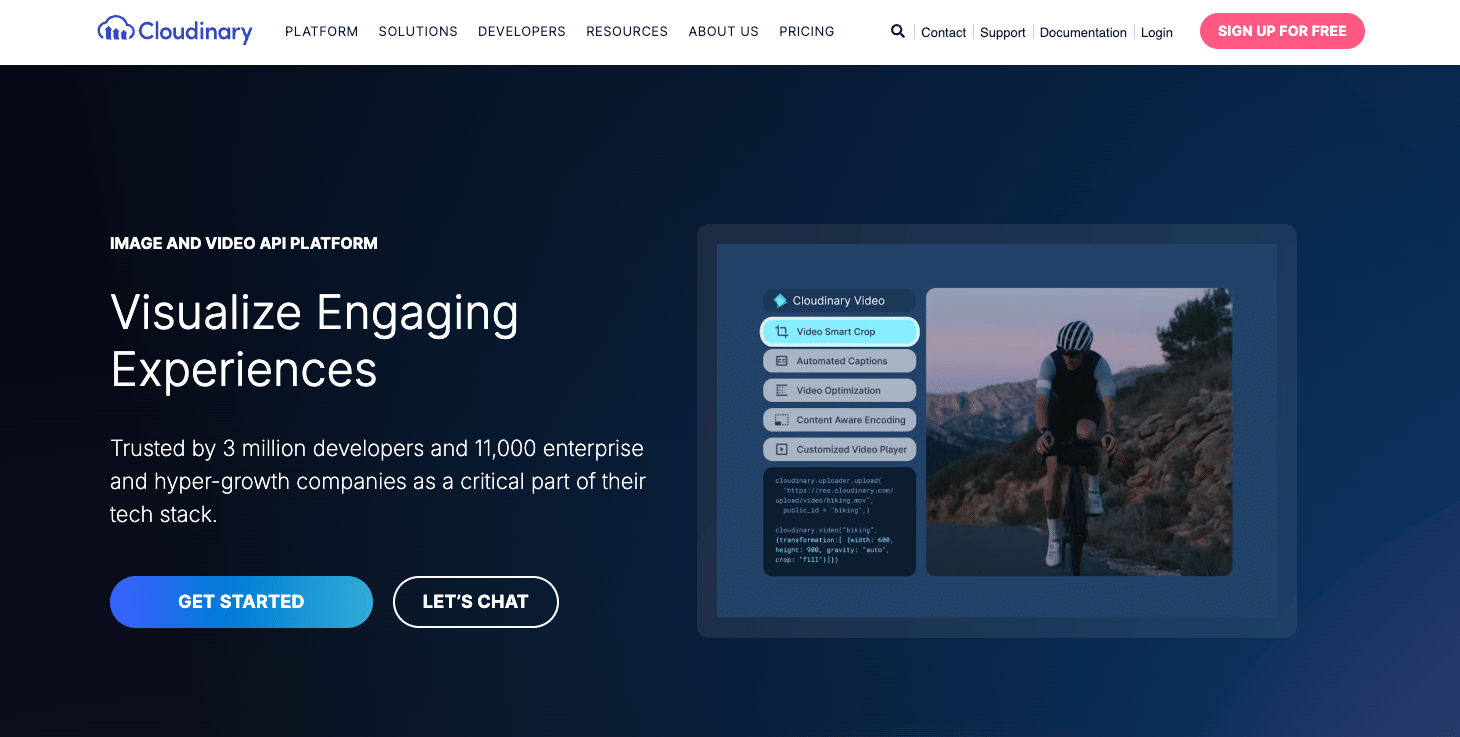
Cloudinary is an end-to-end image and video platform that covers upload, storage, real-time transformations, optimization, and global delivery, plus a mature digital asset management (DAM) product. You can treat it as storage, CDN, and workflow: assets live in Cloudinary's DAM, are tagged and organized, and are delivered via URL-based APIs and SDKs across your sites and apps.
Where Imgix mainly optimizes images in front of your existing storage, Cloudinary is designed to own more of the media lifecycle, including AI-driven transformations and collaboration for creative and marketing teams.
Where Cloudinary Fits as an Imgix Alternative
Cloudinary is a strong choice when your problems are broader than just image delivery:
- Large ecommerce or retail brands that need DAM, structured metadata, rights management, and consistent imagery across many channels.
- Media-heavy publishers and OTT platforms that want one system for images and video, including overlays, subtitles, and multi-rendition workflows.
- Marketing and design teams that need low-code upload tools, approvals, and asset reuse, not only URL parameters.
Compared with Imgix, Cloudinary stands out with:
- Integrated storage and upload pipeline instead of relying on external object storage.
- A full DAM product for tagging, search, and collaboration.
- Advanced transformations and AI features beyond basic resize and compression.
- Unified handling of both images and video.
How it Compares to Gumlet
Against Gumlet, the trade-off is platform breadth versus delivery focus.
- Cloudinary is a larger, more flexible media platform. That is useful if you genuinely need DAM and complex workflows, but it adds complexity if your main need is fast, predictable image delivery.
- Pricing is spread across transformations, storage, and bandwidth. For bandwidth-heavy, image-only workloads, this can be harder to forecast than a delivery-focused model.
- Analytics are asset and workflow-centric. Gumlet is more tightly focused on image delivery metrics, cache behavior, formats, and the impact of Core Web Vitals on high-traffic routes.
- Migrating from Imgix to Cloudinary is possible, but you do not get the dedicated Imgix migration guide and parameter mapping that Gumlet provides.
Verdict for High Traffic Sites
Cloudinary is the right Imgix alternative when you want a full media and DAM platform: one vendor for upload, storage, AI transformations, and multi-channel delivery. For high traffic sites that mainly care about image CDN performance, multi CDN routing, predictable costs, and an easy Imgix migration story, Cloudinary can be more platform than necessary. In those cases, Gumlet is usually the better primary image delivery layer, with Cloudinary reserved for teams that truly need enterprise-grade DAM and complex media workflows.
4. Cloudflare Images: Imgix Replacement for Cloudflare-centric Stacks
What Cloudflare Images is
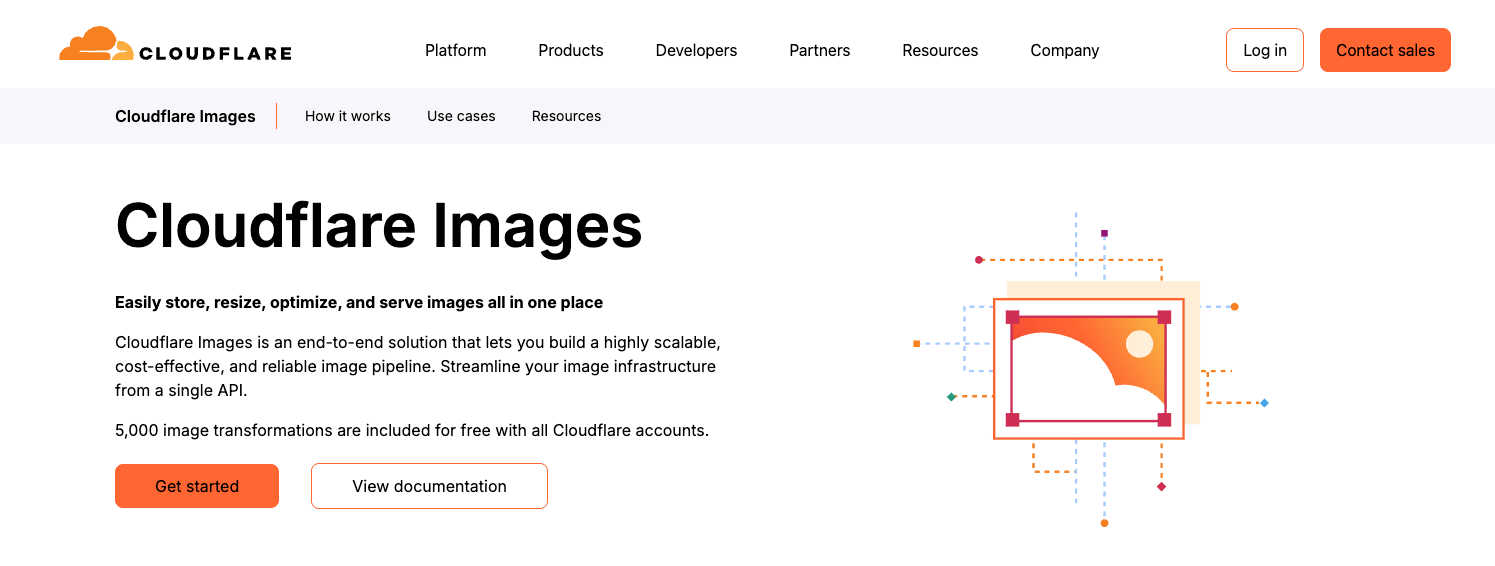
Cloudflare Images is an image storage, optimization, and delivery product running on Cloudflare’s global edge network. You can either upload images to Cloudflare or use it to transform existing remote images, then deliver variants over the same infrastructure you already use for Cloudflare CDN, DNS, and security.
Where Cloudflare Images Fits as an Imgix Alternative
Cloudflare Images is a natural option if you are already heavily invested in Cloudflare:
- SaaS and APIs that terminate traffic at Cloudflare and want images behind the same Workers, firewall rules, and access controls.
- Startups that prefer to keep CDN, security, and images on a single platform rather than adding a separate image CDN vendor.
- Internal tools or portals where combining image delivery with Workers logic and Cloudflare Access is a priority.
Compared to Imgix, the key strengths are:
- Tight integration across Cloudflare services, with one dashboard and billing surface.
- End-to-end image handling, from storage to variants to delivery.
- Support for modern formats like WebP and AVIF.
- A free allowance of image transformations for experimentation on small to medium projects.
How it Compares to Gumlet
Against Gumlet, the trade-offs are around pricing, specialization, and network strategy.
- Cloudflare Images uses a multi-line pricing model that charges for stored images, delivered images, and transformations. For high-variant workloads, this can be harder to predict than a simpler bandwidth-oriented model.
- Analytics are solid at the CDN level, but less focused on image-specific performance and Core Web Vitals than Gumlet’s image-centric dashboards.
- Cloudflare is a single global network. Gumlet deliberately uses multiple premium CDNs to improve resilience and cache performance across regions.
- Migrating from Imgix to Cloudflare Images is possible but less guided. Gumlet maintains a dedicated Imgix migration guide with parameter mapping and examples.
Verdict for High Traffic Sites
Cloudflare Images is a sensible Imgix replacement when you are already standardising on Cloudflare and value operational simplicity over a specialised image platform. For very high traffic, image-heavy sites that want multi-CDN routing, delivery-focused analytics, and an explicit Imgix migration path, Gumlet usually remains the more robust choice, with Cloudflare often staying in the stack as the underlying security and CDN layer.
5. Bunny: Cost-focused Imgix Alternative Built on a CDN-first Model

What Bunny is
Bunny is a global CDN with optional storage and an image optimization layer called Bunny Optimizer. In an Imgix-style setup, you put Bunny in front of your origin and use URL parameters to resize, compress, and reformat images while serving them from Bunny’s edge network. The product is intentionally simple: a low-cost CDN core with a relatively lean set of optimization features on top.
Where Bunny Fits as an Imgix Alternative
Bunny is attractive when raw delivery cost and simplicity matter more than advanced workflows:
- High-traffic content and affiliate sites that push a lot of static imagery and want the lowest viable per-GB rate.
- Bootstrapped or cost-sensitive SaaS products that just need a reliable CDN plus basic resizing and WebP or AVIF conversion.
- Engineering-led teams that prefer a small surface area product they can configure via dashboard and API without DAM or complex orchestration.
Compared with Imgix, Bunny usually wins on:
- Very competitive per GB bandwidth pricing.
- A straightforward mental model focused on zones, storage, and a small set of optimization parameters.
- Good enough basic transforms for common resize and format conversion needs.
How it Compares to Gumlet
When you compare Bunny and Gumlet as Imgix replacements, the differences are clear.
- Bunny runs a single-provider CDN. Gumlet sits across multiple premium CDNs to improve resilience and global cache performance.
- Bunny’s analytics are mainly about traffic and usage. Gumlet is more opinionated about image-specific metrics, formats, and the impact of Core Web Vitals, which matters when images are a first-class performance concern.
- Bunny does not provide a dedicated Imgix migration tooling. Gumlet maintains a specific Imgix-to-Gumlet guide with parameter mapping, reducing migration effort and risk.
- Bunny focuses on low price and a narrow feature set. Gumlet focuses on being an image delivery layer with multi-CDN routing, modern formats, and richer observability.
Verdict for High Traffic Sites
Bunny is a solid Imgix alternative if your priority is to keep CDN spend as low as possible while still getting basic on-the-fly optimization. For high-traffic sites that treat image performance, Core Web Vitals, and analytics as strategic levers, Bunny often feels too bare bones. In those cases, Gumlet is usually a better primary image delivery option, with Bunny remaining a contender only when cost outweighs all other constraints.
When Imgix is Still Fine vs. When it is Time to Move
Not every team using Imgix needs to migrate right now. For some workloads, it remains a perfectly reasonable choice, and trying to replatform just because an alternative exists would be a distraction.
When it Makes Sense to Stay on Imgix
You are usually safe staying where you are if most of the following are true:
1. Traffic is meaningful but not extreme
Your site has solid usage, but you are not approaching hundreds of terabytes of monthly image traffic, where small inefficiencies in caching or format support can become a serious issue.
2. Bills are predictable and acceptable
You understand how Imgix billing behaves with your catalog and growth curve, and monthly costs are stable relative to revenue. There are no recurring surprises around overages or sudden jumps after campaigns.
3. Core Web Vitals are already healthy
Largest Contentful Paint, First Input Delay, and Cumulative Layout Shift are in the green for your main journeys. Images are not a primary cause of slow pages or layout shifts in your monitoring stack.
4. Engineering bandwidth is constrained
Your team has more critical work on the roadmap than an infrastructure migration. If Imgix is working reliably and is not blocking growth, replatforming may not clear the bar for attention right now.
5. Integration is stable and well understood
You have a clean abstraction around Imgix URLs or helpers, there are no major issues in logs, and support tickets related to images are rare.
In that situation, the most pragmatic move is to keep watching metrics and revisit the decision periodically, rather than forcing a migration.
Clear Signs it is Time to Evaluate Imgix Alternatives
On the other hand, there are specific symptoms that suggest Imgix is no longer the best fit and that you should at least run a controlled experiment with an alternative.
1. Image delivery is a visible cost problem
Image and CDN costs are growing faster than traffic or revenue, and finance is asking why. If a handful of high-traffic routes account for a large portion of your Imgix bill, that is a signal you could gain from better formats, caching, or a pricing structure.
2. Performance bottlenecks trace back to images
Synthetic and real user monitoring show poor Largest Contentful Paint or slow loading on image-heavy templates. If audits keep pointing at large, unoptimized hero images, product galleries, or feeds, you are underusing what an image CDN should be doing for you.
3. You need formats or features that Imgix is slow to support
Your team wants to standardise on formats like AVIF, integrate image analytics more tightly with SEO and growth workflows, or run multi-CDN routing strategies, and you find yourself working around Imgix rather than with it.
4. Outages or regional issues are hurting reliability
You have experienced regional slowdowns or outages where images were a significant factor, and you want multi-provider redundancy or a different delivery architecture than a single CDN layer.
5. Stakeholders lack visibility into image behavior
Marketing, SEO, or product teams keep asking for clear answers on how images are affecting performance and engagement, and you cannot get those answers from Imgix without digging into low-level logs.
Once two or three of these issues show up at once, the opportunity cost of staying put usually outweighs the cost of testing something else. At that point, it makes sense to shortlist alternatives and run a proof-of-concept against a subset of high-impact pages.
How to Migrate From Imgix to Gumlet With Minimal Risk
Switching your image CDN is not just flipping a DNS record. For high-traffic websites, you need a migration plan that keeps risk low, allows side-by-side testing, and provides measurable data on performance and cost improvements.
Gumlet is built with this in mind. There is a dedicated Imgix-to-Gumlet migration guide that maps Imgix parameters to Gumlet equivalents and explains how Gumlet safely discards unsupported or invalid parameters, preventing output breaks. Migration guides exist for Cloudinary and ImageKit as well, indicating the platforms are used to this style of transition.
Below is a production-ready checklist that you can follow or adapt:
Step 1: Audit How You Use Imgix Today
Start by understanding exactly how Imgix is wired into your stack.
- Crawl a representative sample of pages and collect Imgix URLs.
- List which parameters you actually use: size, crop, fit, quality, format, sharpening, and any presets or helper functions.
- Identify where Imgix URLs are generated: backend templates, frontend code, CMS fields, or SDKs.
This inventory gives you a concrete scope for migration and helps you spot rare edge-cases that might need special handling.
Step 2: Benchmark Current Performance and Vitals
Before you change anything, measure the current state.
- Use tools like PageSpeed Insights and Core Web Vitals reports to capture baseline LCP and other metrics for your key templates. Google treats Core Web Vitals as part of the page experience signals that can influence rankings, so these metrics are not optional.
- Run a free audit with Gumlet Analyzer on a few high-traffic pages. It uses Lighthouse to check whether images are the right size, in the right format, and compressed appropriately, then gives you a neutral, vendor-independent report.
Save these reports. They are your before snapshot when you later compare Imgix and Gumlet.
Step 3: Create a Gumlet Image Source and Connect Your Origin
Next, set up Gumlet to run in the same storage as Imgix.
- Follow Gumlet’s quick start guide to create an Image Source. You point Gumlet at your existing storage, such as S3 or another HTTP origin.
- Gumlet keeps your original images unchanged and introduces an origin cache and a processed cache in front of them, then uses a global CDN to deliver optimized variants. This structure is designed to reduce origin hits and avoid vendor lock-in.
At this point, Gumlet can fetch and optimize your images, but nothing in production is using it yet.
Step 4: Map Imgix Parameters to Gumlet Parameters
This is where the dedicated migration guide matters.
- Open the Imgix to Gumlet guide and look at the supported parameters table. It lists which Imgix parameters have direct equivalents and notes that unsupported or invalid ones are simply ignored.
- For each Imgix URL pattern in your audit, define the corresponding Gumlet pattern. In many cases, resizing, cropping, and quality settings are straightforward rename or reorder operations.
- Implement this mapping in one place where possible, for example, in helper functions, middleware, or a small utility library that constructs image URLs for your app.
Because both Imgix and Gumlet use URL-based APIs, this step is mechanical rather than a conceptual rewrite.
Step 5: Configure a Custom Domain and Run Gumlet in Parallel
You want the ability to switch traffic between Imgix and Gumlet without touching every template again.
- Create a custom image domain, for example, images.example.com, in Gumlet according to the custom domain documentation.
- Point the DNS CNAME for that domain to Gumlet. From now on, any URL that uses this hostname and the new parameter mapping will route through Gumlet.
- Keep existing Imgix URLs live on their current hostname. This gives you a clean separation between old and new paths during testing.
With this in place, you can choose on a page-by-page basis whether to use Imgix or Gumlet, simply by changing the hostname or helper in your application.
Step 6: Test on Staging and a Subset of Production Pages
Avoid big bang cutovers. Prove the migration on realistic traffic.
- Start in staging or a preview environment. Switch a few templates to use Gumlet URLs and compare the visual output side-by-side with Imgix. Pay attention to cropping, focal points, and quality at different DPR values.
- Once staging is clean, choose a handful of production pages that represent real load and user journeys. Route only those through Gumlet.
- Monitor response times, error rates, cache hit rates, and Core Web Vitals for these pages through your own monitoring and through Gumlet’s analytics. Gumlet explicitly focuses on improving page weight and web vitals by more than 40 percent in many cases, but you want to see numbers for your own traffic, not just marketing promises.
If something looks off, you can quickly roll back those pages to Imgix because your original integration remains untouched.
Step 7: Compare Costs and Vitals Over a Real Period
When the test pages have been running long enough to smooth out daily fluctuations, compare the results.
- Check bandwidth and request counts for equivalent traffic from Imgix versus Gumlet. Gumlet positions its image optimization around reducing CDN costs by roughly 30 percent while improving web vitals, so you should see a clear directional shift if the migration is worthwhile.
- Use Gumlet Analyzer and your existing Core Web Vitals dashboard to compare LCP and other metrics before and after. Recent studies show that images account for the majority of LCP issues across many sites, so image optimization directly impacts user experience and SEO.
If most KPIs move in the right direction and there are no new error patterns, you are ready to expand the rollout.
Step 8: Roll Out Progressively and Retire Imgix
With validation done, widen the scope methodically.
- Increase the number of routes or templates using Gumlet. You can do this per section, per locale, or per traffic segment to keep changes manageable.
- Keep monitoring image performance and infrastructure metrics during the rollout. Gumlet’s analytics and your observability stack together should make it obvious if any route regresses.
- Once all traffic is on Gumlet, decommission Imgix-specific helpers and DNS records to avoid paying for unused capacity.
At the end of this process, your image layer will be running through Gumlet, using modern formats, responsive sizing, and multi-CDN delivery, while your originals remain under your control in existing storage.
Get Migration Help Instead of Rebuilding Alone
If image delivery already appears in your infrastructure budget or in your Core Web Vitals reports, it is not worth guessing. You can talk directly to Gumlet’s team and share a sample of your Imgix URLs, traffic profile, and current spend. The migration guides, Analyzer, and dashboard are designed to give you a concrete migration plan instead of leaving you to reverse-engineer everything from scratch.
For most high-traffic teams, a structured test on a limited set of routes quickly answers the real question: whether moving from Imgix to Gumlet gives you better performance, more predictable costs, and enough operational control to justify the change.
Choosing the Right Imgix Alternative for High Traffic Websites
Choosing an Imgix alternative is not about finding a longer feature list. It is about getting control over performance, reliability, and cost at the scale you actually run.
For smaller or mid-sized businesses where image delivery is not yet a major line item and Core Web Vitals are already healthy, Imgix is still a reasonable choice. The moment images start to show up in infrastructure reviews or SEO reports, you need a more deliberate image layer.
In that context:
- Gumlet is usually the most balanced Imgix replacement for high-traffic websites. Multi-CDN delivery, AVIF and WebP support, aggressive caching, and deep image analytics are designed for SaaS, ecommerce, and media workloads where every millisecond and every gigabyte matter. The explicit Imgix-to-Gumlet migration guide and CNAME-based rollout pattern make it realistic to migrate without risking your production stack.
- ImageKit is a good fit if you want a straightforward image CDN with a built-in media library and you are comfortable with a single CDN behind it.
- Cloudinary makes sense when your real problems are media workflow and DAM, not just CDN performance.
- Cloudflare Images is the pragmatic choice when you are already all in on Cloudflare and value platform consolidation.
- Bunny is the cost-focused option when you want the lowest sustainable per GB pricing with a simple optimizer layer.
For most high-traffic teams, the practical next step is not to argue theory. It is to run a short, controlled experiment. Put Gumlet in front of a handful of high-impact pages, use the Imgix-to-Gumlet mapping guide, and compare LCP, total image weight, cache hit rates, and monthly delivery costs against Imgix. The data will tell you very quickly whether staying put or switching is the rational move.
If the numbers line up, you end up with a more efficient image pipeline, multi-CDN resilience, and a clearer view of how images affect the business. If they do not, you have validated that your current stack is good enough without risking the rest of your roadmap.
For teams specifically searching for a practical Imgix alternative that does not require rebuilding their image pipeline, Gumlet aligns most closely with delivery architecture, migration path, and cost validation.
FAQ:
1. What is the best Imgix alternative for high-traffic e-commerce sites?
For high-traffic e-commerce, you want fast product galleries, consistent quality across devices, and predictable delivery costs. Gumlet is usually the best fit here because it combines multi-CDN delivery with automatic responsive resizing, WebP and AVIF support, and detailed image analytics, all tuned for catalog-style workloads. That setup keeps category and PDP pages light without forcing you to redesign how you store product images.
2. Which Imgix competitor has the easiest migration path?
Gumlet is the only major Imgix alternative, and we published a dedicated Imgix to Gumlet migration guide with parameter mapping, examples, and clear guidance on handling unsupported parameters. That cuts a lot of risk out of the project for teams with large codebases and many different transformation patterns. You still need to audit your current URLs and test, but you are not reverse-engineering the mapping from scratch.
3. Are Imgix alternatives actually cheaper for bandwidth-heavy websites?
They can be, but it depends on your traffic profile and how aggressively you optimize images. Platforms like Gumlet focus on reducing total payload through next-generation formats and responsive sizing, then charge primarily by usage in a way that is easier to forecast. Cost-focused CDNs such as Bunny can also deliver very low per-GB rates, though you trade away analytics depth and multi-CDN routing. You need to run a short proof of concept on real pages to know which model comes out cheaper for your specific mix of devices, formats, and regions.
4. Can I use Gumlet as a CDN to replace Imgix completely?
Yes. Gumlet is designed to sit in front of your existing storage and act as both an image optimizer and a CDN for those assets. Point it at your origin, configure a custom domain, and use that domain across your product, just as you do today with Imgix. Many teams start by moving only their image delivery to Gumlet, then gradually route more static assets through the same domain once they are confident in performance and stability.
5. How do I test an Imgix alternative without breaking my current site?
The safest pattern is to introduce the new provider behind a different hostname and use it only on a subset of pages at first. For example, keep images.example.com on Imgix, create img-test.example.com for Gumlet, then switch only a few high traffic routes or an experiment bucket to the new domain. You monitor performance, error rates, and Core Web Vitals for those pages, and if anything fails, you simply flip those templates back to the original hostname. This approach works the same whether you are testing Gumlet, ImageKit, Cloudinary, Cloudflare Images, or Bunny.
6. What is the best Imgix alternative for WordPress or headless CMS setups?
For WordPress and headless CMSs, you want minimal template changes and strong automation. Gumlet works well here because it has URL-based APIs that plug into WordPress themes and headless front-ends, plus plugins and documentation that cover common CMS workflows. If you use a headless CMS with frameworks like Next.js or Nuxt, you can treat Gumlet as the image CDN behind your /img or <Image> component and keep content authors working exactly as they do today.
7. Which Imgix alternative works best with Vercel and Next.js image optimization?
If you are on Vercel and Next.js, any provider that supports query-based transformations over HTTPS will integrate, but Gumlet is usually the most practical choice. You configure the Gumlet domain and allowed patterns in next.config.js, then let Next’s <Image> component fetch from Gumlet and cache at the edge. That gives you the benefits of Gumlet’s optimization and formats along with Next’s built-in image loader, without building a custom adapter or rewriting your media model.
8. Is Gumlet a drop-in replacement for Imgix?
Gumlet is not a one-click replacement, but it offers documented parameter mapping and migration support specifically for Imgix users. Most common image transformation parameters can be adapted, and unsupported parameters are ignored safely rather than breaking delivery.
For production environments, teams can run Imgix and Gumlet in parallel using separate CNAME configurations to compare real-world performance and cost impact before fully switching.