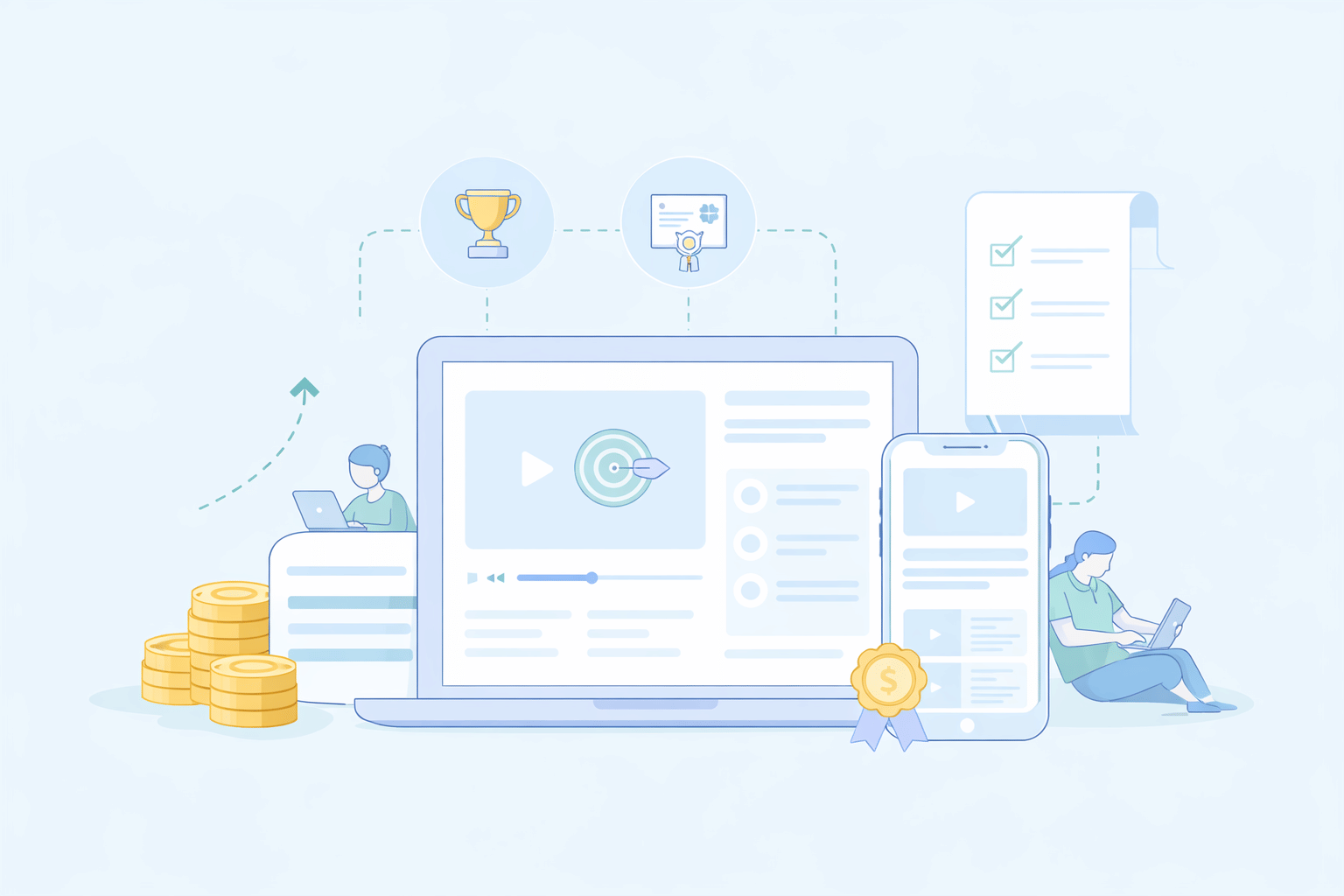
A Learning Management System (LMS) is a software application that helps you create, deliver, track, and manage training programs and educational content. For small businesses, an effective LMS can be a game-changer.
Why Small Businesses Need an LMS
Running a small business is a juggling act. You're likely wearing multiple hats, and dedicating time and resources to employee training can feel like another ball to keep in the air. However, investing in your team's skills and knowledge is crucial for growth and staying competitive. This is where finding the best LMS for a small business becomes essential.
Challenges small businesses face in training:
- Limited budgets: Small and medium-sized businesses (SMBs) often don't have large dedicated training budgets for elaborate in-person sessions or expensive software. This makes finding an affordable LMS a top priority.
- Time constraints: Pulling employees away from their core responsibilities for lengthy training sessions can be difficult. Owners and managers also have limited time to develop and deliver training.
- Scalability issues: As the business grows, ad-hoc training methods become inefficient and inconsistent. A system that can scale with the company is vital.
- Consistency: Ensuring every employee receives the same level of training, especially in high-turnover industries or during onboarding, is a significant challenge.
- Tracking progress: Without a system, it's hard to know who has completed training, how well they understood the material, and if the training is actually impacting performance.
- Diverse learning needs: Employees may have different learning styles, paces, and varying levels of prior knowledge. Catering to these individuals without a structured system is tough.
Benefits of using a learning management system:
- Cost savings: An affordable LMS for SMBs can significantly reduce training costs by eliminating the need for travel, printed materials, and external trainers for every session.
- Improved efficiency and productivity: Streamlined training processes mean employees get the knowledge they need faster and can apply it to their jobs sooner, boosting overall productivity.
- Consistent training delivery: Ensure every team member receives standardized, up-to-date information, crucial for compliance, product knowledge, and service quality. This is a hallmark of good corporate learning management systems.
- Enhanced employee performance and engagement: Well-trained employees are more confident, competent, and engaged. Many of the best LMS platforms offer features like gamification to make learning more enjoyable.
- Scalability: A good LMS for small companies can easily accommodate a growing team and expanding training needs.
- Centralized learning: All training materials are stored in a single, accessible location, making it easy for employees to learn at their own pace and revisit information as needed.
- Tracking and reporting: Monitor learner progress, completion rates, and assessment scores to measure training effectiveness and identify areas for improvement.
- Flexibility and accessibility: Employees can access training anytime, anywhere, on any device, which is ideal for remote teams or employees with busy schedules. This is a key component of LMS for e-learning.
- Compliance management: Easily track and document mandatory training to ensure your business meets industry regulations.
Best LMS Platforms for Small Business (2025)
Choosing the right LMS is crucial. Here are some of the best learning management system options tailored for small businesses in 2025.
Top Overall Picks
TalentLMS – Affordable, user-friendly, great for onboarding
Brief: TalentLMS is a cloud-based LMS celebrated for its simplicity and robust feature set, making it an excellent choice for small businesses looking to get started quickly with online training. It's particularly effective for employee onboarding, customer training, and compliance training.
- Pros: Extremely easy to use and set up, affordable pricing plans (including a free tier), gamification features, good for blended learning, and strong mobile support.
- Cons: Customization options can be somewhat limited on lower-tier plans, and reporting features might be basic for highly complex needs.
- Pricing: Offers a free plan for up to 5 users and 10 courses. Paid plans start from $109/month (billed annually).
- Top key features: Course creation and management, SCORM/xAPI support, videoconferencing integrations, assessments and quizzes, gamification, custom branding, detailed reporting, and mobile apps.
iSpring Learn – Feature-rich, scalable, excellent reporting
Brief: iSpring Learn is a powerful LMS known for its seamless integration with iSpring Suite, a popular authoring tool. This makes creating engaging and interactive courses straightforward. It's a strong contender for businesses that want detailed tracking and robust reporting.
- Pros: User-friendly interface, excellent authoring tool integration (iSpring Suite), robust reporting and analytics, great mobile learning experience, good scalability for growing businesses.
- Cons: Can be pricier than some other options, especially when factoring in the cost of iSpring Suite for advanced content creation.
- Pricing: Starts from $3.70 per user/month for up to 300 users (billed annually). Custom quotes for larger needs.
- Top key features: Powerful course authoring (with iSpring Suite), SCORM/Tin Can API support, learning paths, advanced reporting, mobile app with offline viewing, user management, and integrations.
LearnUpon – Cloud-based, quick setup, mobile-friendly
Brief: LearnUpon is a versatile cloud-based LMS designed to help businesses train employees, partners, and customers. It emphasizes ease of use for both administrators and learners, and offers strong integration capabilities.
- Pros: Intuitive interface, quick to implement, highly scalable, excellent customer support, robust integration options, supports multiple learning portals for different audiences.
- Cons: Pricing can be on the higher side for very small businesses, and some advanced features may only be available in higher-tier plans.
- Pricing is available upon request and generally tailored to businesses with active user needs.
- Top key features: Course creation and delivery, SCORM and xAPI compliance, learning paths, user groups and roles, branding customization, e-commerce capabilities, robust reporting, integrations with Salesforce, HR systems, etc.
Best Free LMS for Small Business
For businesses on a shoestring budget, free or freemium LMS options can be a starting point. The best free LMS for small businesses often comes with limitations, but can be valuable.
- Pros of using a free LMS:
- No initial cost.
- Good for testing the waters of eLearning.
- Can cover basic training needs for very small teams.
- Cons of using a free LMS:
- Limited features (e.g., fewer users, courses, storage).
- May lack robust reporting and analytics.
- Limited or no customization and branding.
- Support might be community-based or restricted.
- Scalability can be an issue as your business grows.
Here are some of the free options for small businesses when it comes to picking the best free LMS:
Moodle – Open-source, highly customizable, large community
Brief: Moodle is a widely-used open-source LMS. While the software itself is free, you'll need to consider hosting costs, setup, and, if needed, technical expertise for customization and maintenance.
- Pros: Highly flexible and customizable, extensive features, a large active community for support, and no licensing fees.
- Cons: Requires technical knowledge for setup and maintenance, hosting costs can vary, the interface can feel less modern than some paid alternatives without customization.
- Top key features: Customizable course design, forums, wikis, assignments, quizzes, SCORM compliance, mobile app, and extensive plugins.
Google Classroom – Simple, integrates with Google Workspace, good for basic needs
Brief: While primarily designed for educational institutions, Google Classroom can be adapted by small businesses already using Google Workspace. It's straightforward for sharing materials and basic assignments.
- Pros: Free to use with a Google Workspace account, very easy to set up and use, seamless integration with Google Drive, Docs, Meet, etc.
- Cons: Limited LMS-specific features (e.g., advanced tracking, SCORM, complex reporting), not designed for corporate training or selling courses.
- Top key features: Assignment creation and collection, announcements, integration with Google tools, and simple grading.
TalentLMS (Free Tier) – Feature-rich for a free plan, great for starting out
Brief: As mentioned in the top picks, TalentLMS offers a generous free tier. This is an excellent free LMS for small businesses to experience a full-fledged LMS with some limitations.
- Pros: User-friendly, core LMS features included, good for up to 5 users.
- Cons: Limited users and courses, fewer advanced features compared to paid plans.
- Top key features (on free plan): Up to 10 courses, up to 5 users, basic reporting, and course creation.
Affordable LMS for SMBs
Many platforms offer excellent value, making them affordable LMS for SMBs without sacrificing essential features. These platforms typically offer tiered pricing based on the number of active users or the features they use, allowing businesses to pay only for what they need.
Here are some examples of such LMS for you to check out:
Easy LMS – User-friendly, focuses on quizzes and assessments, good value
Brief: Easy LMS is known for its intuitive interface and strong focus on creating engaging quizzes, exams, and assessments, as well as on course creation. It's a great option for businesses that prioritize knowledge testing and certification.
- Pros: Very easy to use, excellent for creating assessments and certificates, good value for money, responsive support.
- Cons: May lack some of the very advanced features of enterprise-level systems; design customization could be more extensive.
- Pricing: Starts from around $50/month (billed annually), with various tiers based on features and usage.
- Top key features: Course builder, advanced quiz and exam creator, certificate generation, analytics, SCORM support, and mobile-friendly.
ProProfs LMS – Simple, comes with ready-to-use courses, budget-friendly
Brief: ProProfs LMS offers a simple platform with a library of pre-built courses, which can be a huge time-saver for small businesses. It's designed for ease of use and quick deployment.
- Pros: Very affordable, includes a library of editable courses, easy to create and assign training, and good for compliance and HR training.
- Cons: The interface might feel slightly dated to some users; advanced customization options are limited.
- Pricing: Offers a free basic plan. Paid plans are competitively priced, often on a per-learner basis, starting from $1.97 per learner/month.
- Top key features: Course authoring, a large library of ready-to-use courses, quizzes, and surveys, reporting, virtual classroom, and mobile learning.
Best LMS by Industry Type
Different industries have unique training needs. Here are some recommendations:
| Industry | Recommended LMS | Why it's a good fit |
|---|---|---|
| Retail | TalentLMS | Easy to train a distributed workforce on product knowledge, customer service, and sales techniques. Mobile-first design is crucial for on-the-go staff. Its affordability makes it a great best lms for retail. |
| Tech Companies | Docebo | Often requires robust technical training, onboarding for complex roles, and integration with other business systems (like Salesforce, HRIS). Supports social learning and AI-powered recommendations, aligning with the innovative nature of LMSs for tech companies. |
| Restaurant | iSpring Learn | Ideal for consistent training on food safety, customer service protocols, and operational procedures for staff who are often part-time or seasonal. Mobile accessibility and easy content updates are key for a restaurant lms. |
| Nonprofits | LearnWorlds | Often need to train volunteers, staff, and beneficiaries on a budget. Features for engagement, community building, and potentially for selling courses to fundraise can be beneficial. Many seek the best lms for nonprofits that offer discounts or specific NPO plans. |
| Corporate (Small Businesses) | LearnUpon | Provides a scalable and professional platform for comprehensive employee development, compliance training, and partner education. Its ability to manage multiple portals makes it a strong corporate learning management system even for growing small businesses. |
How to Choose the Right LMS for Your Business?
Selecting the best LMS for a small business requires careful consideration of your specific needs.
- Define your goals and training needs: What do you want to achieve with an LMS? Is it for onboarding, compliance, skill development, customer training, or a mix? What kind of content will you deliver (videos, documents, interactive modules)?
- Number of users and scalability: How many employees (or other learners) will use the system now and in the near future? Choose an LMS for small companies that can grow with you.
- Budget constraints: Determine how much you can afford to spend. Look for affordable LMS options that provide the best value for your budget. Consider monthly vs. annual plans, and per-user vs. tiered pricing.
- Free trial/demo access: Always take advantage of free trials or request a demo. This allows you to test the platform's usability and features firsthand before committing.
- Support and onboarding help: Especially for small businesses without a dedicated IT team, good customer support and an easy onboarding process are crucial. Check which support options are offered (phone, email, chat, knowledge base).
Key Features to Look for in an LMS for Small Companies
When evaluating an LMS for small companies, prioritize these features:
- Scalability for growing teams: The system should easily accommodate increased user and content volumes without significant performance issues or prohibitive cost increases.
- Ease of use (UI/UX): Both administrators and learners should find the platform intuitive and easy to navigate. A complicated system will lead to low adoption rates.
- Mobile access: With more employees working remotely or on the go, ensure the LMS is fully responsive and offers a good mobile experience, or dedicated mobile apps. This is vital for LMS for e-learning.
- Custom branding: The ability to customize the LMS with your company logo, colors, and domain name helps create a cohesive brand experience.
- Reporting & analytics: Track learner progress, course completions, assessment scores, and overall engagement. This data is essential for measuring training ROI and identifying areas for improvement.
- Integrations (HR tools, Slack, etc.): Look for an LMS that can integrate with other tools you already use, such as HR software, video conferencing platforms (Zoom, Teams), CRM systems, and communication tools like Slack. This streamlines workflows and data management.
- Compliance management: If you operate in a regulated industry, features such as audit trails, certificate management, and automated reminders for compliance training are essential.
Final thoughts
Investing in the best LMS for small businesses is no longer a luxury but a strategic necessity for growth, efficiency, and employee development in 2025. The right platform can transform how you onboard new hires, upskill your existing team, and ensure compliance, all while being an affordable LMS solution.
For most small businesses, particularly those new to formal eLearning programs, TalentLMS strikes an exceptional balance between affordability, ease of use, and a comprehensive feature set. Its free tier allows businesses to get started without a financial commitment, and its paid plans are competitively priced and scale well. The intuitive interface minimizes the learning curve for both administrators and users, ensuring quick adoption. Its robust features, including gamification, mobile access, and robust reporting, effectively meet the essential needs of a growing small business.
However, the "best" choice ultimately depends on your specific industry, the complexity of your training needs, and your budget. Don't rush the decision. Utilize free trials, compare features diligently, and consider your long-term training strategy. The goal is to find the best learning management system that not only meets your current requirements but also supports your business as it evolves.
FAQs
What type of LMS is best for eLearning in a small business?
A cloud-based LMS with an intuitive user interface, mobile accessibility, and affordable pricing is generally best. Look for features such as easy course creation, tracking, and reporting that align with your specific e-learning LMS needs.
Can a small business use an enterprise LMS?
While possible, enterprise LMS platforms are often too complex and expensive for most small businesses. They typically have features and pricing structures designed for large organizations, which might be overkill for an SMB.
What is the best LMS for a small business on a tight budget?
Consider options with generous free tiers, such as TalentLMS, or open-source solutions like Moodle (if you have some technical capacity). Also, explore dedicated, affordable LMSs for SMBs, such as Easy LMS or ProProfs LMS.
Is there an LMS designed for nonprofits?
Yes, many LMS platforms cater to nonprofits and sometimes offer discounts. Platforms like LearnWorlds or TalentLMS are often recommended as the best LMS for nonprofits due to their flexibility and pricing.
How can I tell if an LMS is right for my tech company?
For LMSs for tech companies, look for robust integration capabilities (especially with development tools or CRMs), scalability, support for technical content (such as code snippets or complex simulations), and features that foster collaboration and knowledge sharing among technically skilled employees.
Does Google have a free LMS?
Google Classroom is a free tool that can be used for basic educational purposes and is part of Google Workspace. While it has some LMS-like functionalities, it's not a full-fledged corporate learning management system designed for comprehensive business training and lacks many advanced LMS features.
What is the cheapest LMS platform?
The "cheapest" can vary based on needs. Open-source options like Moodle have no licensing fees but incur hosting and maintenance costs. Some platforms, like ProProfs LMS and TalentLMS's entry-level paid plans, offer very competitive pricing, making them highly affordable LMS choices. Always compare features against cost for true value.